
Developed by the Korean game studio Redlab Games, the ROM series has been warmly embraced by players around the world for many years. In 2025, it makes a grand return with its latest title — ROM: Golden Age!
This time, players will once again embark on an epic journey across the continent of Calderas, engaging in borderless battles within a more refined open world. This comprehensive guide will walk you through how to successfully download and play ROM: Golden Age, as well as provide you with the best tips to enhance your gaming experience.

- ✅ Reduce Lag and High Ping.
- ✅ Boost FPS at the Same Time.
- ✅ Support 2000+ Popular Online Games.
- ✅ Boost Game Download Speed.
Part 1: ROM: Golden Age Release Details
Part 2: ROM: Golden Age System Requirements for Downloading
Part 3: How to Download and Play ROM: Golden Age
Part 4: How to Enhance ROM: Golden Age Gaming Experience
Part 1: ROM: Golden Age Release Details
To successfully download and play ROM: Golden Age, you first need to know its official release schedule, preload time, and available platforms, etc:
- Official Release Time: August 12, 2025 (Tuesday) at 14:00 (UTC+8)
- PC Client Preload Time: August 11, 2025 (Monday) at 14:00 (UTC+8)
- Platforms: PC (Windows), Android (via Google Play Store), iOS ( via Apple App Store)
- Service Regions: Available globally, except in China, Singapore, and South Korea.
Once preload begins, players can visit the official ROM: Golden Age website and log in using their Google ID or Apple ID. The download will automatically start once the game officially launches, allowing you to dive into this grand MMORPG on your preferred platform, thanks to the multi-platform possibilities created by the Operation Team.
Part 2: ROM: Golden Age System Requirements for Downloading
Knowing and preparing for the system requirements of ROM: Golden Age is essential for a smooth download and gameplay experience. Below are the ROM: Golden Age system requirements on different platforms:
PC
Minimum:
- CPU: Intel® Core™ i5 Sandy Bridge 2300 or higher
- RAM: 4GB RAM
- Graphics Card: NVIDIA, GeForce GTX660 series or higher
- Operating System: Windows 10 (64bit)
- Storage: 30GB or more [NTFS format]
- DirectX: Version 11 or higher
Recommended:
- CPU: Intel® Core™ i5 Skylake 6400T or higher
- RAM: 8GB RAM
- Graphics Card: NVIDIA, GeForce GTX950 series or higher
- Operating System: Windows 10 (64bit)
- Storage: 30GB or more [NTFS format]
- DirectX: Version 11 or higher
Android
- Minimum OS: Android 10.0
- Recommended OS: Android 13
- Minimum Device: Galaxy S10 or higher
iOS
- Minimum OS: iOS 13
- Recommended OS: iOS 17
- Minimum Device: iPhone X or higher
Hot Related: Download and Play Destiny: Rising: The Best Guide for Embarking on an Epic Journey
Part 3: How to Download and Play ROM: Golden Age
After confirming the download time for ROM: Golden Age and preparing a device that meets the game’s requirements, players can follow these steps to download and start playing:
PC
Go to the official ROM: Golden Age website, click the PC Version Download button to start the download, complete the installation process, and then launch the game from the desktop icon to begin your adventure! (Tip: If the file download fails, check your browser settings and available storage space.)
Mobile
Open the Google Play Store or Apple App Store, search for ROM: Golden Age, tap Download, and complete the installation.
How to Download ROM: Golden Age from Anywhere and without Error
For players who seek the ultimate immersive experience, the PC version of ROM: Golden Age is often the top choice. However, congested download routes, frustrating regional restrictions, and complex browser settings can disrupt the process. Using LagoFast’s optimized download route can help you bypass these issues entirely:
Step 1: Click the Free Trial button below to get LagoFast and complete the installation.
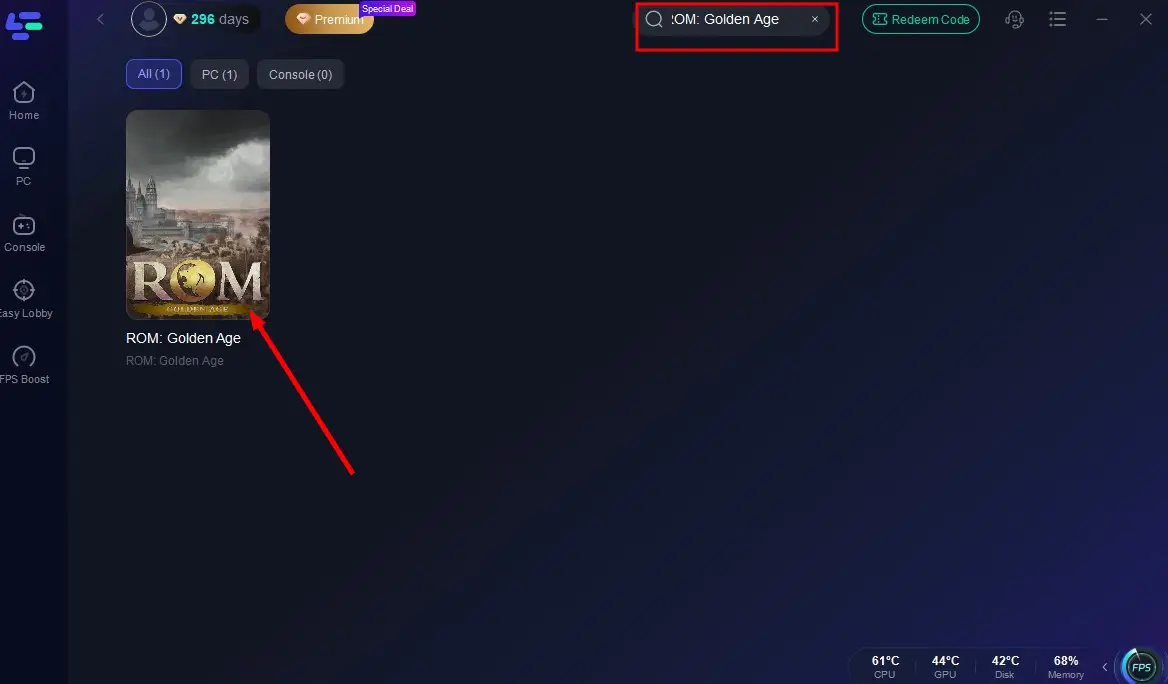
Step 2: In LagoFast’s search bar, type ROM: Golden Age and click it.
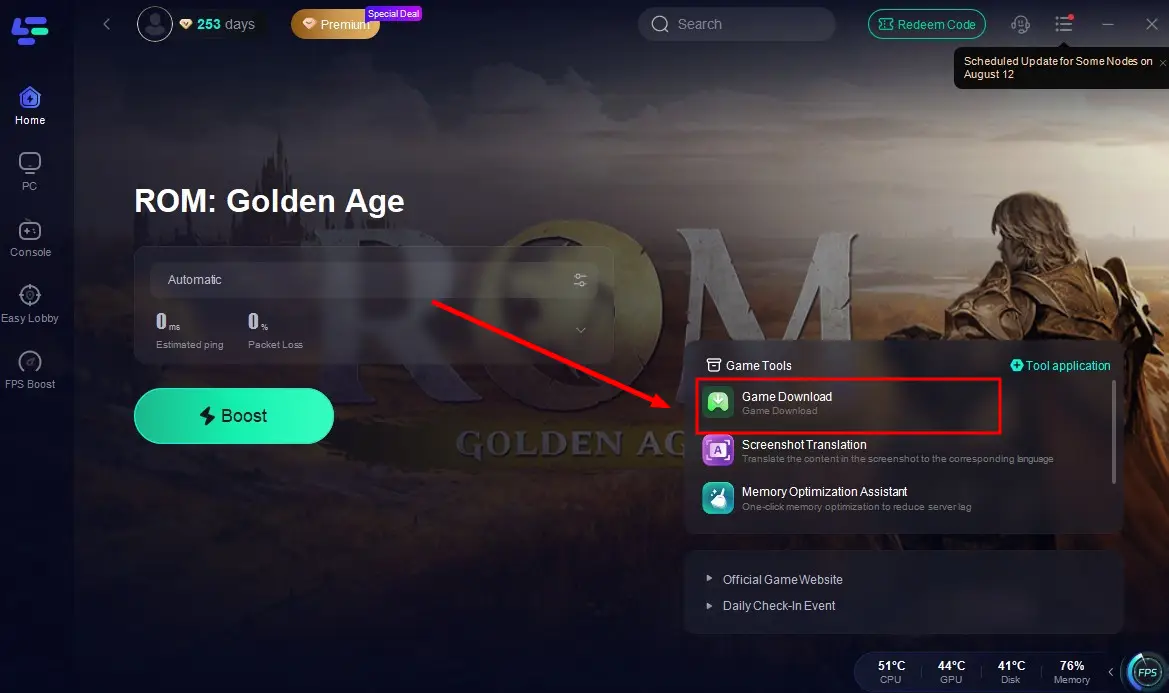
Step 3: In the lower-right toolbar, select the Game Download Tool to instantly start a fast, secure, and error-free download of ROM: Golden Age!
LagoFast also provides an optimal download route for Android players:
Step 1: Visit the official LagoFast Mobile website to download the LagoFast APK file (only the APK version provides the download route for ROM: Golden Age!).

Step 2: Launch LagoFast Mobile, type ROM: Golden Age in the search bar, and tap the download button next to it.
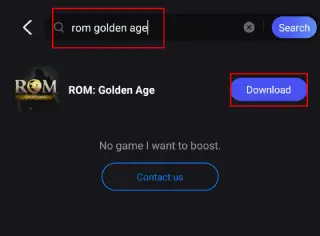
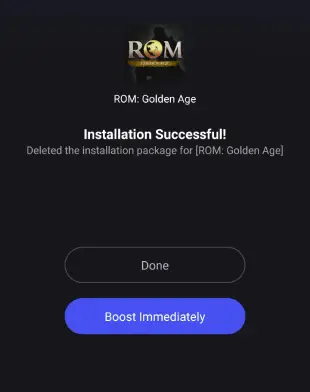
Step 3: Wait for LagoFast to use its high-speed download route to complete the download and installation of ROM: Golden Age—and you’re all set to play!
Part 4: How to Enhance ROM: Golden Age Gaming Experience
LagoFast not only provides players with a convenient route to download ROM: Golden Age, but also ensures the best guarantee for enhancing their ROM: Golden Age gaming experience, thanks to its unique advantages below:
- Faster Downloads: Accelerates game pre-loads, updates, and downloads through optimized delivery routes.
- Stable Connections: Avoids congested networks to minimize disconnects and maintain connection reliability.
- Ping Reduction: Lowers latency by optimizing data transmission routes and avoiding server congestion.
- Global Server Network: Deploys server nodes in over 60 countries and 150+ cities worldwide, offering diverse server options for players.
- FPS Boost: Enhances frame rates and clarity through hardware-accelerated tools like Frame Generation and DLSS Boost.
PC
Step 1: Download LagoFast by clicking the button below and activate your free trial.
Step 2: Search for ROM: Golden Age in the LagoFast client.
Step 3: Select the server with the best connection and choose the optimal Node. Click "Smart Boost" to start optimizing your network.
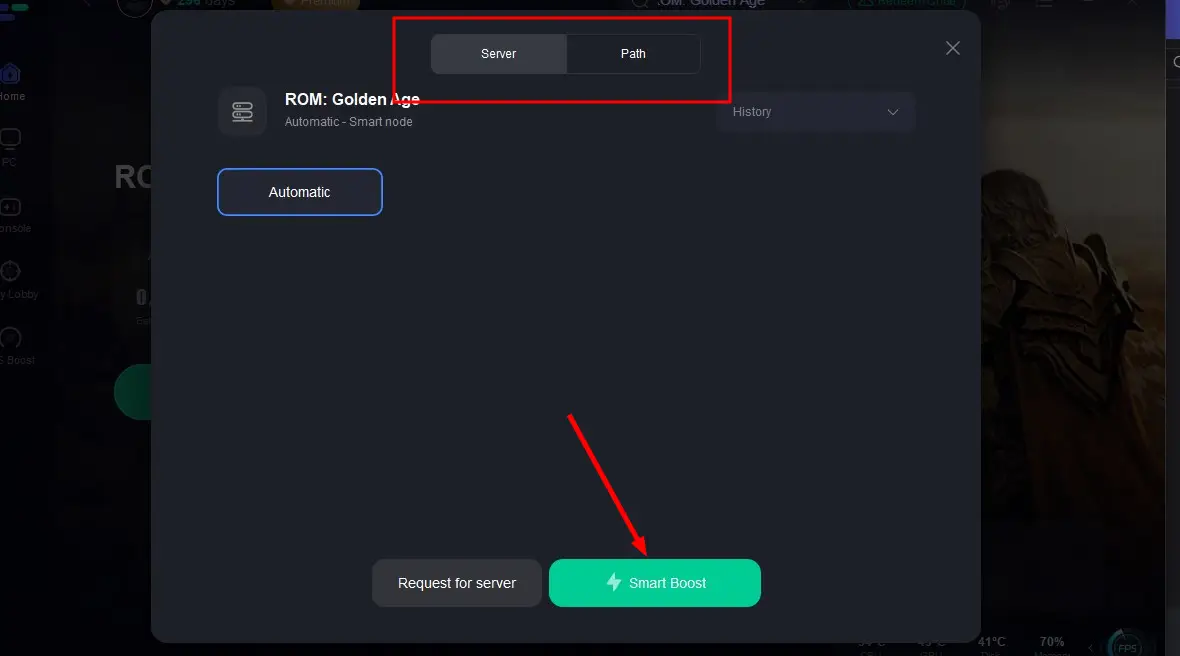
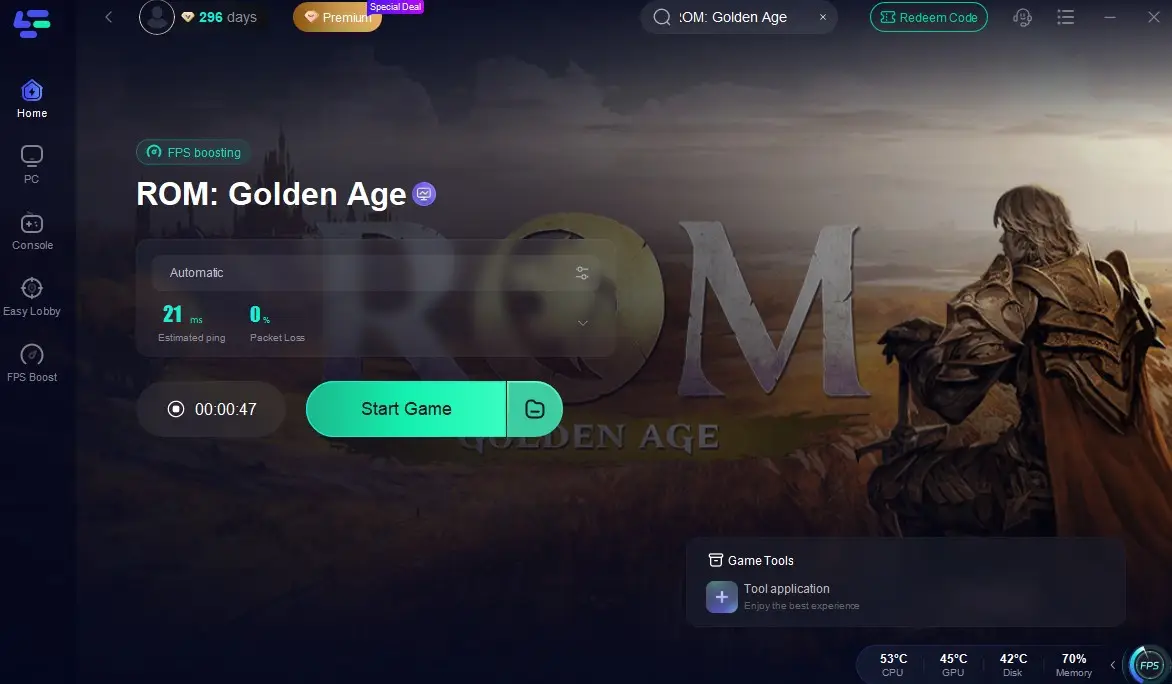
Step 4: Check real-time stats such as ping, packet loss, and network performance, then click the "Start Game" to play ROM: Golden Age without any lag!
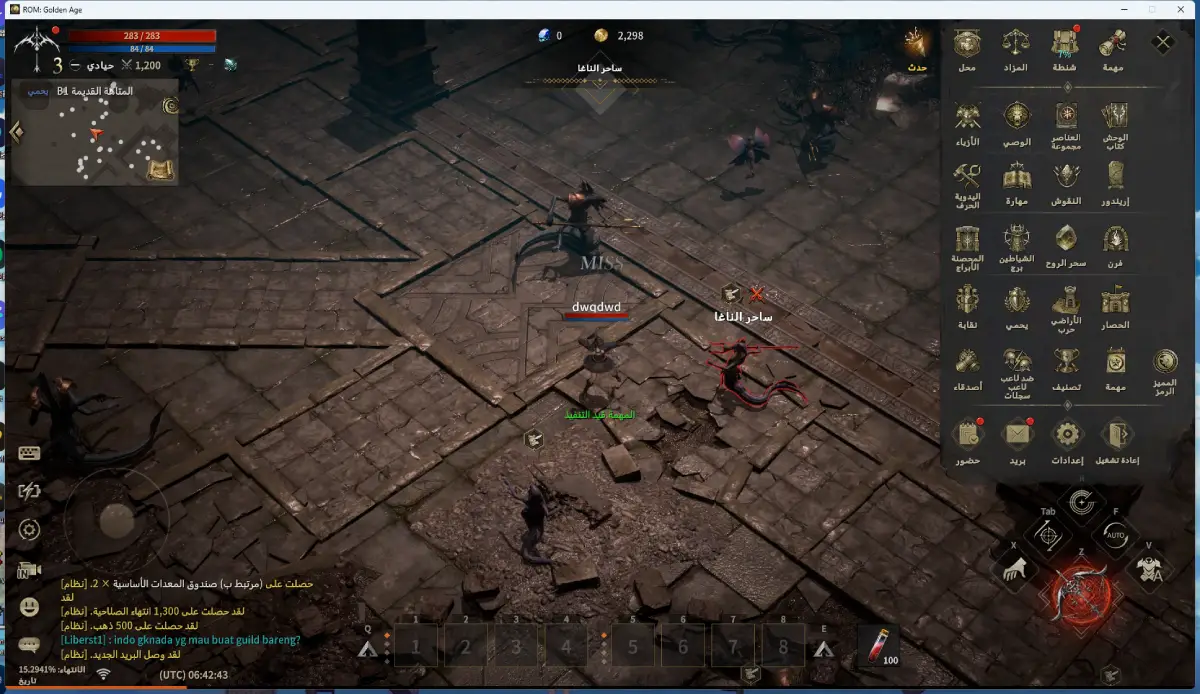
In addition, LagoFast offers a thoughtful ROM: Golden Age translation tool for players with translation needs. LagoFast can help players to translate ROM: Golden Age into Russian, French,German, Turkish and Arabic, more languages are developping! Here is how to use it:
Click the One-Click Translation Tool in the game toolbar.
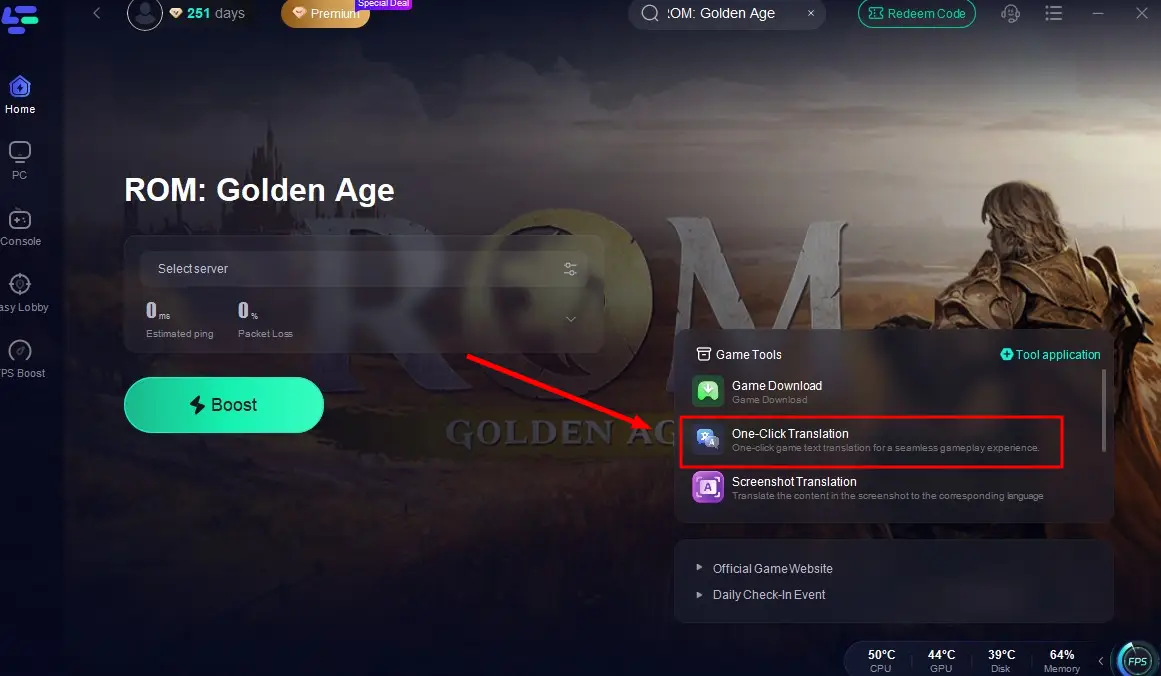
Import the game file of ROM: Golden Age and select your target language.
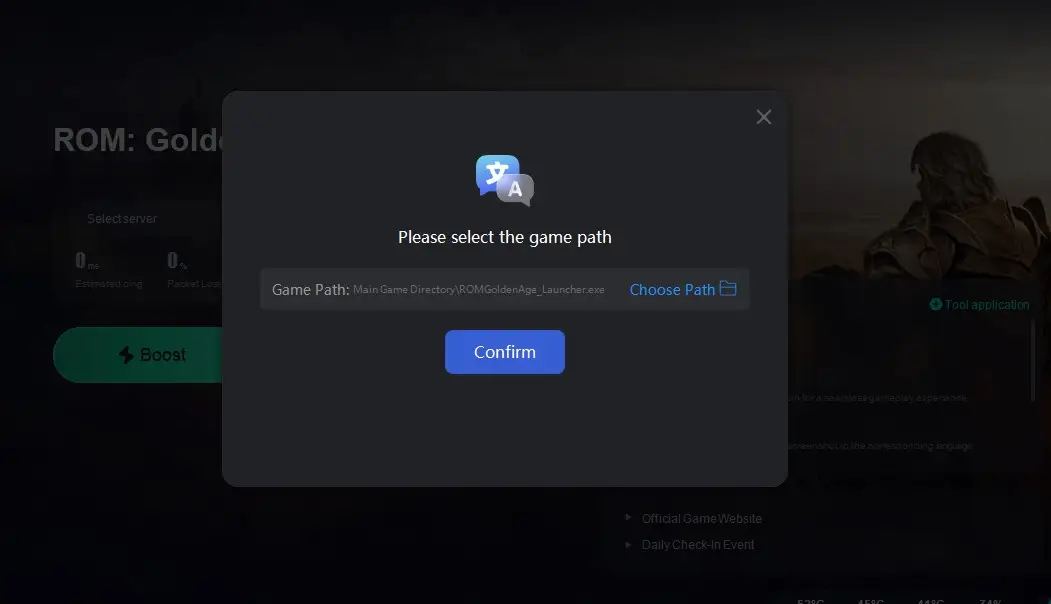
Return to the game, you will instantly translate the ROM: Golden Age game into your chosen language!
Mobile:
1. iOS and Android players can download LagoFast from the App Store or Google Play Store, or simply scan the QR code below to get it instantly!

2. Launch the LagoFast Mobile app and search for ROM: Golden Age in the search bar.
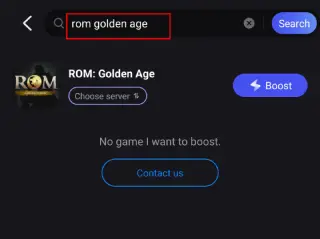
3. Select the best-performing server for ROM: Golden Age to connect.
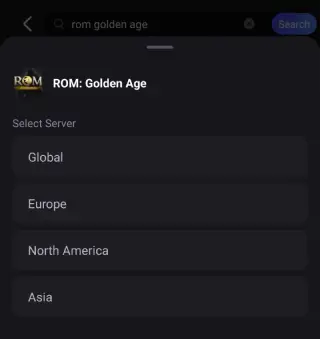
4. Check real-time game data such as packet loss rate and ping, then click Start Game to begin playing!
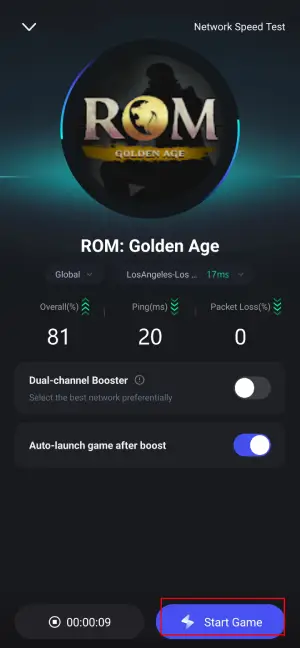
And you can also use the Quick Translate tool to help you play ROM: Golden Age in desired language:
Step 1: Find ROM: Golden Age in the Boost tab of LagoFast Mobile, locate the Quick Translate tool below.
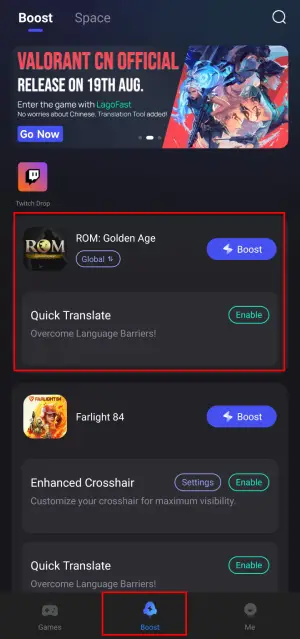
Step 2: Complete two settings:
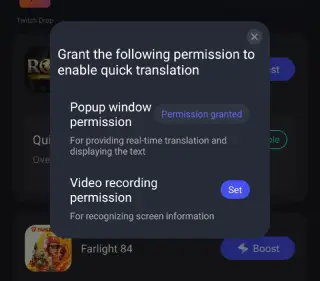
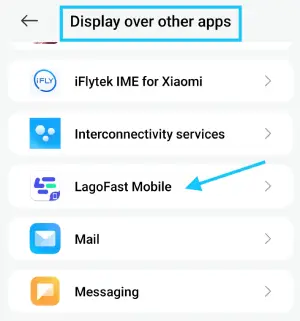
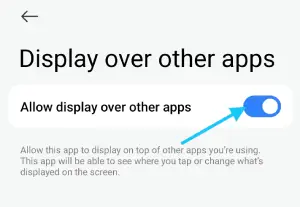
- Set popup window permissions: Enable "Display over apps".
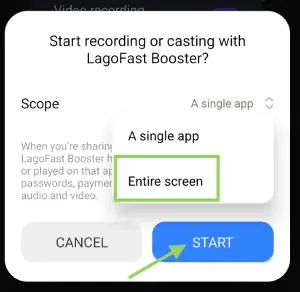
- Set video recording permissions: Tap the Set button, select Full Screen, then start the translation tool.
Step 3: Return to the game and use the floating translation ball provided by the tool to translate the Farlight 84 CN into your target language.
Important Note:
- This translation tool is only available for Android users.
- Before enabling the ROM: Golden Age Mobile translation tool, ensure LagoFast's language settings are adjusted to your target language.
- To use the translation tool, players must download LagoFast Mobile's APK file from its official website before, or you will not see the tool!
Conclusion
Once the game officially launches, many fans of the ROM series will no doubt rush to download and play ROM: Golden Age as soon as possible. To ensure a smooth download and seamless entry into the game, it’s essential to know the exact release time and system requirements in advance.
For players who value efficiency and security, LagoFast’s ROM: Golden Age download route is undoubtedly the best choice. So what are you waiting for? Download ROM: Golden Age now and set off for the continent of Calderas to begin your battle!

Boost Your Game with LagoFast for Epic Speed
Play harder, faster. LagoFast game booster eliminates stutter and lags on PC, mobile, or Mac—win every match!
Quickly Reduce Game Lag and Ping!
Boost FPS for Smoother Gameplay!