
Guild Wars 2 has remained a staple in the MMORPG genre for over a decade. With its sprawling fantasy world, dynamic events, and no mandatory subscription fees, it’s no wonder players continue to join the adventure. Whether you're a new player intrigued by its free-to-play model or a returning adventurer wanting to reinstall it, getting started begins with one simple task: downloading Guild Wars 2.
In this comprehensive guide, we’ll walk you through everything you need to know, including the Guild Wars 2 download size, step-by-step download instructions, how to ensure a stable connection, and more. We’ll also answer some frequently asked questions about the game and its installation process so that nothing stops you from diving into Tyria.

Part 1: Guild Wars 2 Download Size: How Big is the Game?
Part 2: Step-by-Step Guide: How to Download and Play Guild Wars 2
Part 3: How to Keep a Stable Guild Wars 2 Download Speed
Part 4: Guild Wars 2 Download & Installation FAQs
Part 1: Guild Wars 2 Download Size: How Big is the Game?
One of the first things most users want to know before downloading a game is the file size. This is especially important if you’re dealing with limited disk space or capped internet data.
As of 2025, the Guild Wars 2 download size is approximately 60 to 70 GB. The size may vary slightly depending on updates, expansions, and whether you're downloading additional content like high-resolution textures or add-ons.

Here’s a quick breakdown:
- Initial installer (setup file): ~50 MB
- Client download post-installation: ~35-45 GB
- Post-update total with expansions: 60-70 GB
It’s worth noting that the Guild Wars 2 client download doesn’t fetch the entire game upfront. Instead, it streams core game files in the background while allowing you to start playing early. However, downloading all assets at once will ensure smoother gameplay later.
Part 2: Step-by-Step Guide: How to Download and Play Guild Wars 2
Downloading Guild Wars 2 and jumping into the action is a straightforward process. Follow these detailed steps to get started:
Step 1: Create an ArenaNet Account
- Before you can download and play Guild Wars 2, you need an ArenaNet account.
- Go to the official Guild Wars 2 website: https://www.guildwars2.com
- Click on "Play for Free" or "Register."

- Fill in your email address, create a username, and set a secure password
- Accept the terms of service and verify your email
Step 2: Start the Guild Wars 2 Download
- Once your account is ready, it’s time to initiate the Guild Wars 2 client download.
- Log into your ArenaNet account
- Navigate to your Account Dashboard
- Click on “Download Client”
- Save the setup file (usually around 50 MB)
- This tiny setup file will handle the full Guild Wars 2 download via a launcher.
Step 3: Install the Game
- Open the downloaded setup file
- Choose your desired installation directory (ensure at least 80 GB of free space)
- The launcher will begin downloading the core client and patches
- Once enough data is downloaded, you’ll be able to play Guild Wars 2 while it continues to install additional content in the background
Step 4: Launch the Game
- Once the core files are in place, click “Play”
- Log in with your ArenaNet credentials
- Choose a world server (don’t worry – you can change this later)
- Create your character and start your journey in Tyria!
Optional: Upgrade to Full Version
Guild Wars 2 is free to play, but you can unlock expansions like End of Dragons, Secrets of the Obscure, and the upcoming content roadmap by purchasing them through the Gem Store or ArenaNet’s website.
Part 3: How to Keep a Stable Guild Wars 2 Download Speed
A common issue players face is slow or interrupted downloads. Given that the Guild Wars 2 download size can exceed 60 GB, a reliable and fast connection is essential. Network instability or regional server congestion can ruin the experience before it even begins.
If you're experiencing inconsistent download speeds or client crashes, it might be time to use a game optimizer like LagoFast.
LagoFast is a smart, optimized network accelerator designed specifically for gamers. Unlike generic VPNs, LagoFast focuses on reducing lag, boosting stability, and accelerating downloads for online titles, including Guild Wars 2.
Key Features of LagoFast:
- Game-specific Optimization: Tailored acceleration profiles for Guild Wars 2 and other MMOs
- Faster Downloads: Boosts download speeds for both game clients and patches
- Global Acceleration Nodes: Over 100 nodes worldwide for seamless cross-region support
- Low Ping and Packet Loss: Minimizes lag and improves in-game responsiveness
- Easy to Use: One-click setup and automatic server selection
- Flexible Plans: Pay-as-you-go and subscription models available
If your connection is fluctuating or your ISP throttles large downloads, LagoFast can be the difference between waiting hours or just minutes
Tutorial to use LagoFast to ensure the Guild Wars 2 Download Speed:
Step 1: Click the Free Trial button to download and install LagoFast.
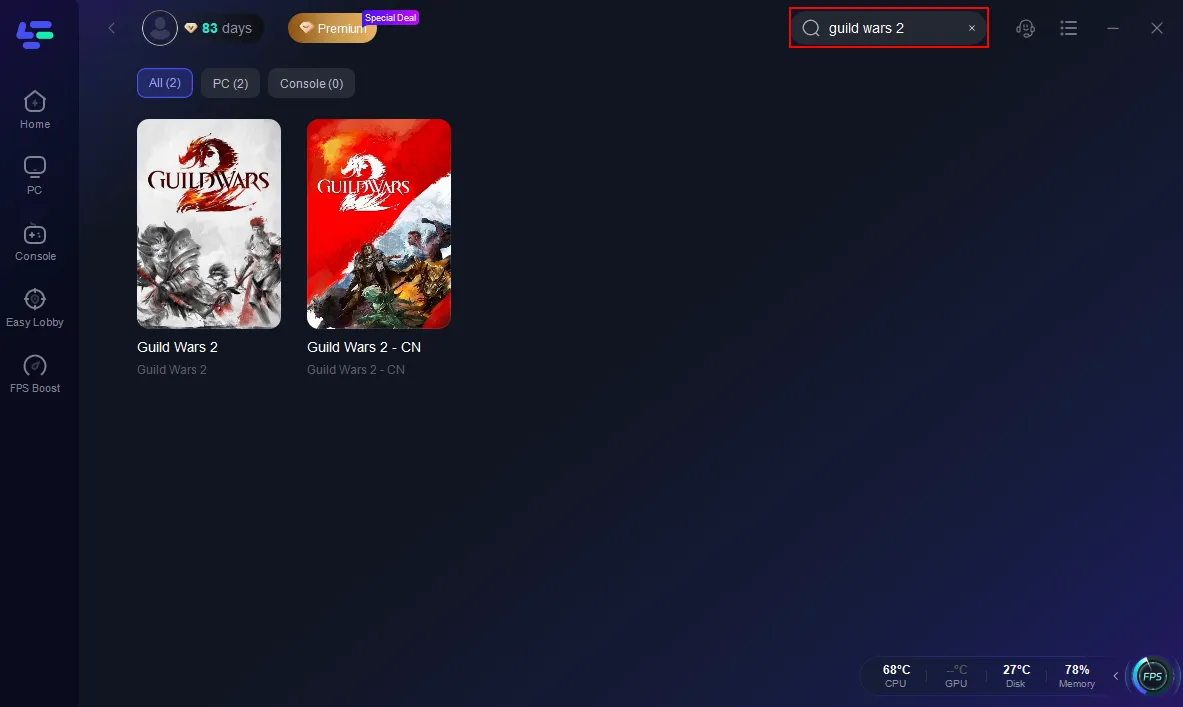
Step 2. Search for Guild Wars 2 inside the app.
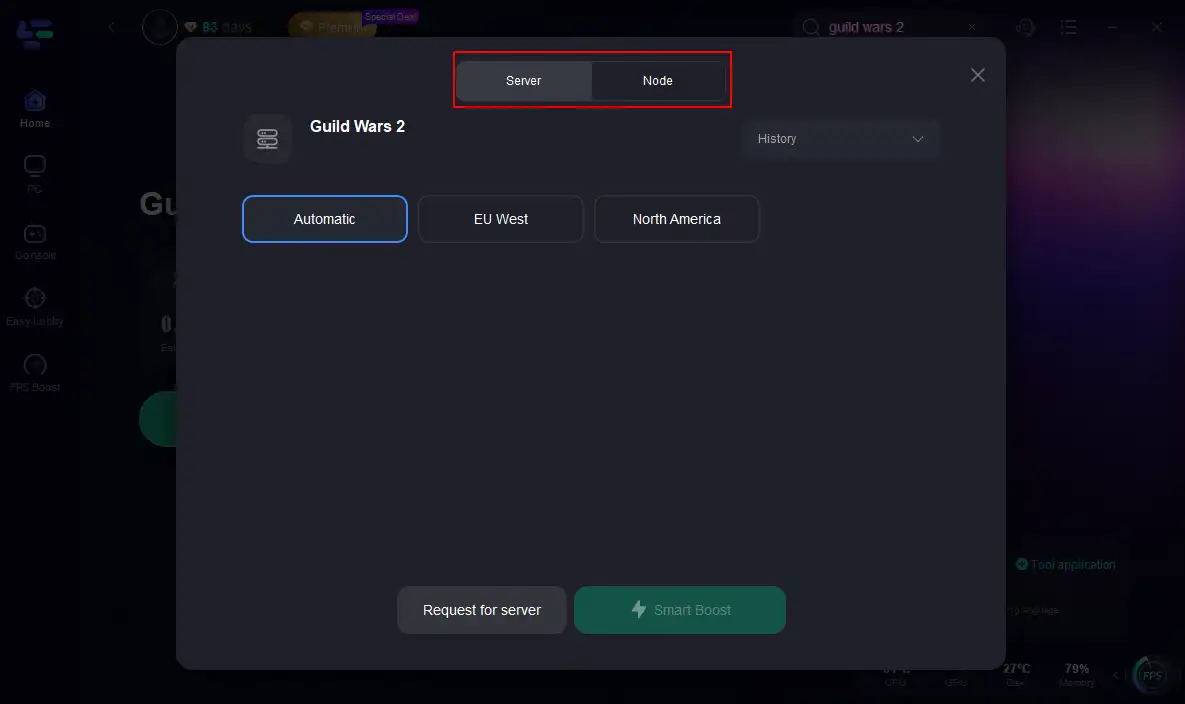
Step 3. Select your preferred server and optimal node.
Step 4. Hit Smart Boost to check and enhance your real-time ping, packet loss, and network quality.
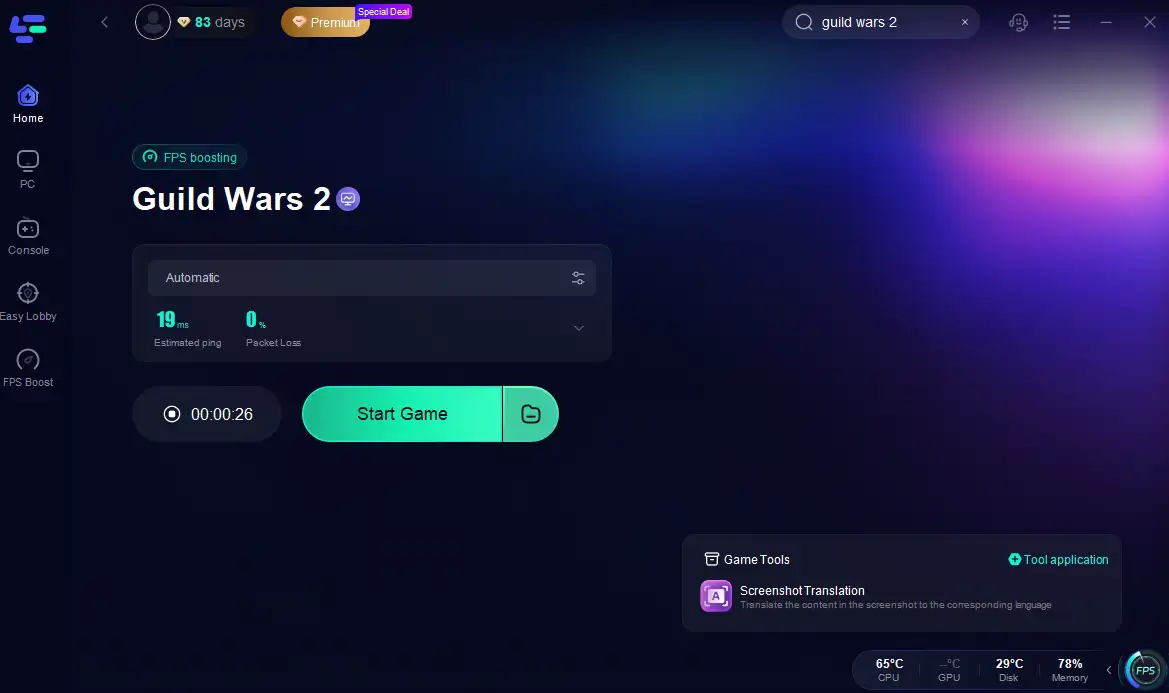
With just a few clicks, LagoFast helps you achieve better performance across regions, ensuring your server switch doesn’t come at the cost of gameplay quality.
Still have questions? Here are some of the most common issues and solutions related to downloading and playing Guild Wars 2.
Is Guild Wars 2 free to play?
Yes! Guild Wars 2 is completely free to play for the core game. You can enjoy the entire base experience with no subscription fees. Expansions like "Heart of Thorns," "Path of Fire," and "End of Dragons" are available for purchase.
What are the system requirements to run Guild Wars 2?
Here are the minimum and recommended requirements:
Minimum:
- OS: Windows 7 (64-bit)
- CPU: Intel Core i3 / AMD A6
- RAM: 4 GB
- GPU: NVIDIA GeForce GT 730 / AMD Radeon HD 7570
- Storage: 70 GB
Recommended:
- OS: Windows 10/11 (64-bit)
- CPU: Intel i5+ or AMD Ryzen 5
- RAM: 8 GB or more
- GPU: GTX 900 series / AMD RX 500 series or newer
- SSD recommended for faster load times
Part 4: Guild Wars 2 Download & Installation FAQs
Can I pause and resume the Guild Wars 2 download?
Yes. The launcher allows you to pause the download at any time. When you relaunch it, it will resume from where it left off. This is helpful for users with unstable internet or data caps.
Do I need to re-download the game for expansions?
No. If you've already downloaded the core client, you won't need to download a separate client for expansions. When you purchase and activate them, the new content is downloaded via patches and updates within the existing client.
Where can I find the latest Guild Wars 2 client download link?
Always download the client directly from the official website to avoid malicious files or unofficial launchers. Visit https://www.guildwars2.com and head to your account page or click “Play for Free” to find the latest download link.
Conclusion
Downloading and playing Guild Wars 2 is one of the easiest ways to jump into a world-class MMO without breaking the bank, thanks to its flexible free-to-play model and years of rich content. Just be mindful of the Guild Wars 2 download size, ensure your system meets the requirements, and consider using tools like LagoFast to enhance your download speed and in-game performance. Whether you're exploring the lush jungles of Maguuma, battling in PvP arenas, or joining massive World vs World skirmishes, the world of Tyria awaits, so don’t wait, download Guild Wars 2, launch the client, and start your legend today.

Boost Your Game with LagoFast for Epic Speed
Play harder, faster. LagoFast game booster eliminates stutter and lags on PC, mobile, or Mac—win every match!
Quickly Reduce Game Lag and Ping!
Boost FPS for Smoother Gameplay!