
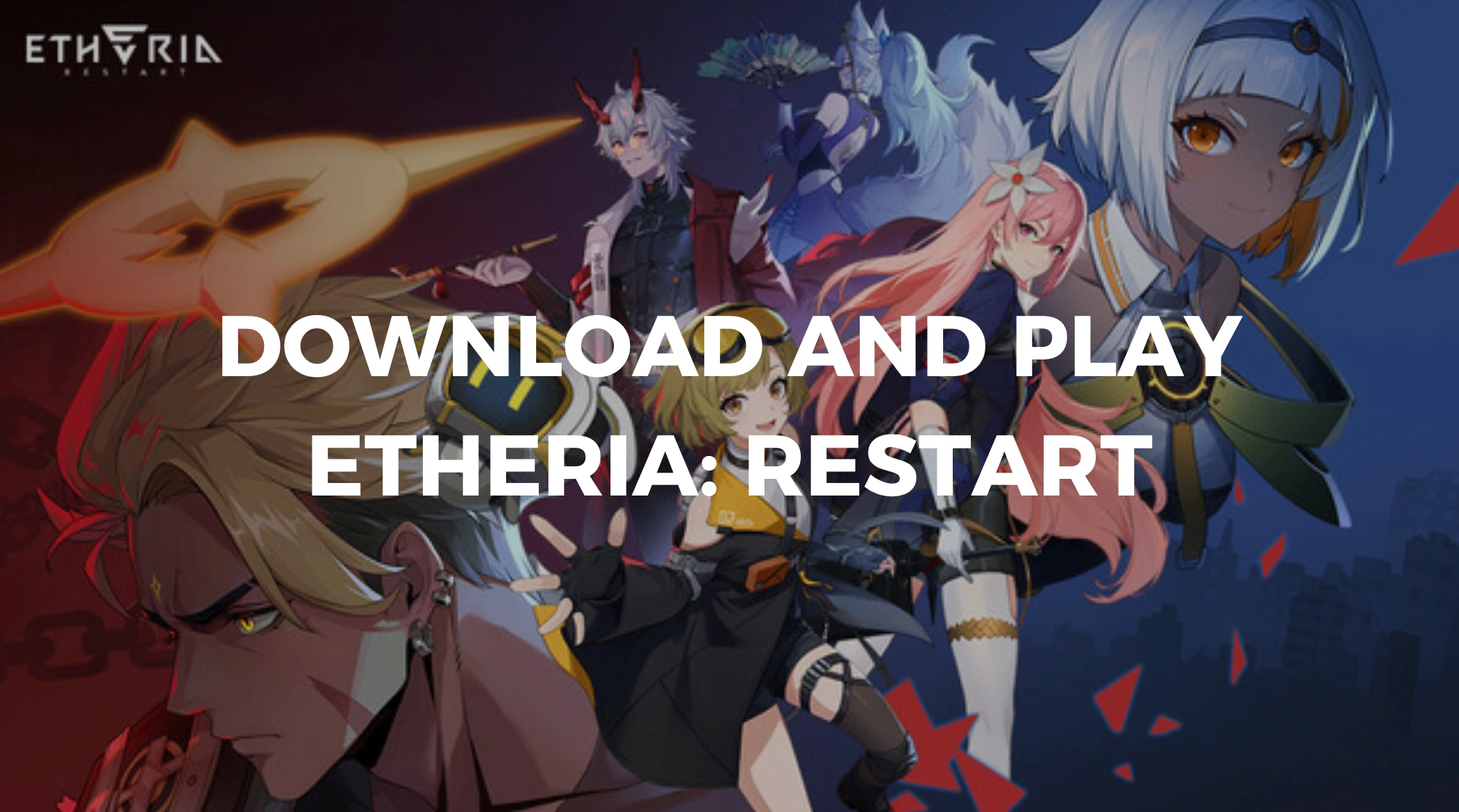
If you've been keeping an eye on futuristic RPGs, then Etheria: Restart should already be on your radar. Developed by XD Inc., the creators behind Torchlight: Infinite and T3 Arena, this immersive tactical game merges cinematic visuals with a compelling sci-fi storyline. With the launch date now officially set, fans are gearing up to dive into the world of Etheria.
Let's break down everything you need to know about the release, gameplay systems, download methods, and more, including how to get the smoothest experience possible with tools like LagoFast.

- ✅ Reduce Lag and High Ping.
- ✅ Boost FPS at the Same Time.
- ✅ Support 2000+ Popular Online Games.
- ✅ Download and Play Etheria: Restart Safely.
Part 1: Etheria: Restart Release Date and Countdown
Part 2: Etheria: Restart Gameplay Features
Part 3: How to Download and Play Etheria: Restart
Part 4: Enjoy Smooth Gameplay With LagoFast
Part 1: Etheria: Restart Release Date and Countdown
Mark your calendars, Etheria: Restart is officially releasing globally on June 5, 2025. This release will be available on iOS, Android, and PC, allowing players to enjoy the game across multiple platforms with synchronized progress.

Ahead of the full release, a final beta test kicked off on May 8, 2025. This gave selected players early access to trial major content updates and new gameplay mechanics like the Anisync Echoes and Phantom Theater modes. The testing period also included real-time PvP, making it one of the most comprehensive beta runs before global launch.
Pre-registration was also opened earlier this year, allowing early adopters to claim exclusive rewards when the game officially drops. If you haven't pre-registered yet, it's still worth checking the official site to see if any bonuses are still available.
Part 2: Etheria: Restart Gameplay Features
At its core, Etheria: Restart is a hero-based tactical RPG that blends traditional turn-based combat with innovative real-time mechanics. Players become "Hyperlinkers" who must battle the Genesis Virus inside a virtual world where humanity now lives after a catastrophic freeze in the physical realm.
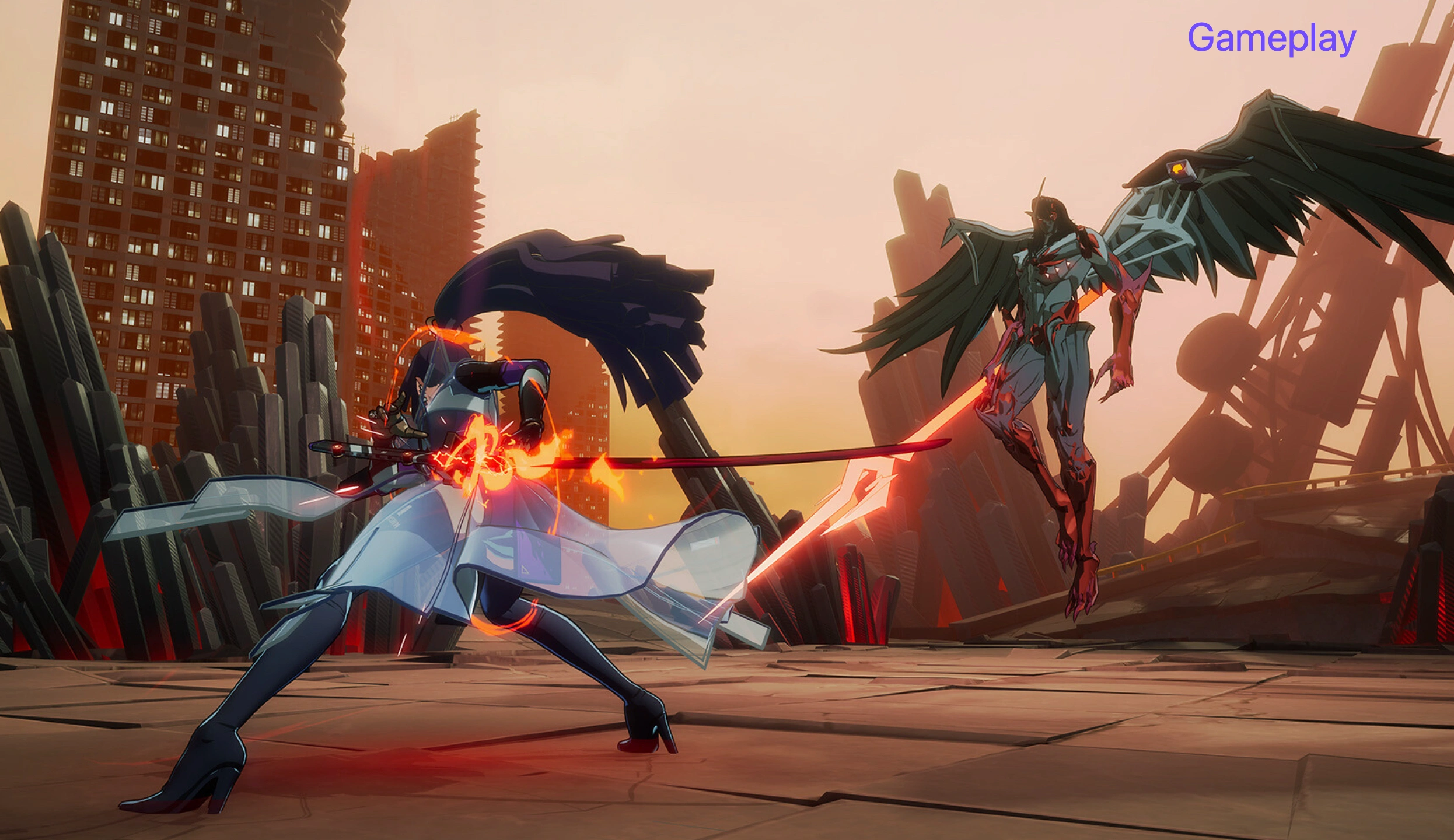
Key Features of Etheria: Restart
- Immersive 3D Graphics: Powered by cinematic visuals, the game delivers a console-quality experience across devices.
- Strategic Animus System: This core mechanic allows players to deeply customize their teams and battle tactics through modular upgrades.
- Anisync Echoes & Phantom Theater: Two standout modes. The former challenges your team-building strategies, while the latter is a co-op PVE arena.
- Cross-Platform Sync: Play seamlessly between mobile and PC without losing progress.
- Compelling Storytelling: Dive into a rich narrative where your actions as a Hyperlinker could decide the fate of both virtual and real worlds.
- Balanced Gacha System: Etheria uses a transparent system with decent rates, no 50/50 pity system, and generous free-to-play pathways.
- Real-Time Arena (RTA): This PvP mode simulates a competitive esports experience, complete with ranked matchmaking.
What makes Etheria particularly refreshing is how it avoids some of the common traps of gacha RPGs. There's no sweeping feature to automate progress, and character duplicates are optional, not essential, for late-game success.
Part 3: How to Download and Play Etheria: Restart
Getting started with Etheria: Restart is easy. The game supports a wide range of devices and is optimized for both Android and iOS, with a full PC client on launch. Here's how you can get it:
Mobile (Android/iOS)
Step 1. Go to the Google Play Store or Apple App Store.
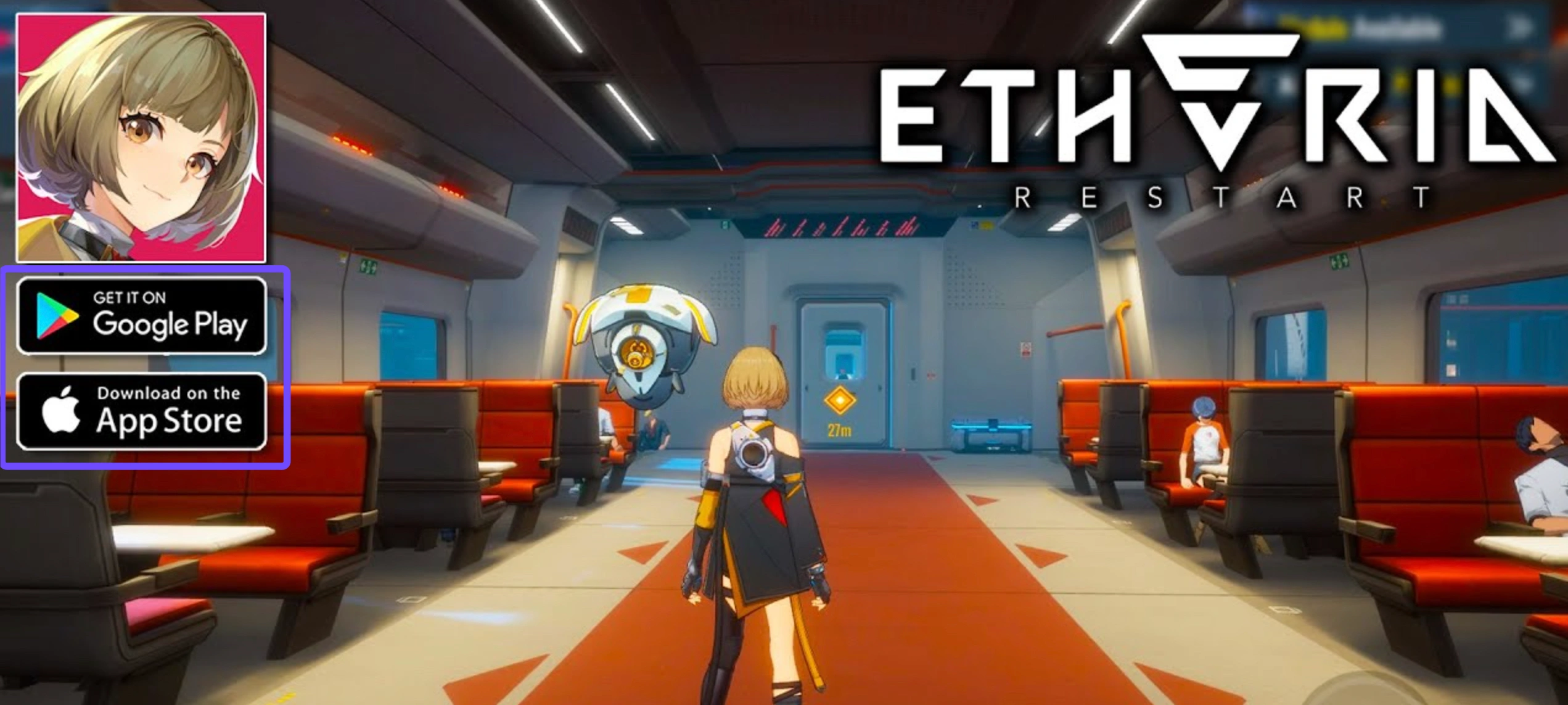
Step 2. Search for Etheria: Restart.
Step 3. Tap Download and install the game.
Step 4. Launch, sign in, and begin your journey as a Hyperlinker.
PC
There are two main ways to play on PC:
1. Official PC Client
Step 1. Download the installer from the official Etheria: Restart website.
Step 2. Install and log in using your game account (email or social).
2. MuMuPlayer Emulator (Android)
Ideal if you want to simulate the mobile version on PC.
Step 1. Visit MuMuPlayer's website.
Step 2. Search for Etheria: Restart in the emulator's app store.
Step 3. Install and play with keyboard and mouse.
Note: Steam support is planned but will not be available on launch day. It's expected to arrive later in 2025.
Part 4: Enjoy Smooth Gameplay With LagoFast
For a seamless and lag-free experience across platforms, we recommend using LagoFast - an advanced gaming booster and lag reducer.
Why LagoFast Stands Out
- Cross-Platform Support: Works with both PC, consoles, and mobile devices.
- Real-Time Ping Optimizer: Reduces latency for smoother battles.
- FPS Booster: Optimizes system resources for peak frame rates.
- Smart Routing: Automatically selects the fastest network path.
- Easy UI: Beginner-friendly interface with one-click optimization.
- Game Library Compatibility: Supports thousands of titles, including Etheria: Restart.
- No Risk Free Trial: Test out all features before committing.
Whether you're grinding through Anisync Echoes or competing in the Real-Time Arena, LagoFast ensures that performance isn't a bottleneck.
Tutorial to use LagoFast to play Etheria: Restart
Step 1: Click the Free Trial button to download and install LagoFast.
Step 2: Open LagoFast, then search Etheria: Restart in the search bar, click it after it appears.
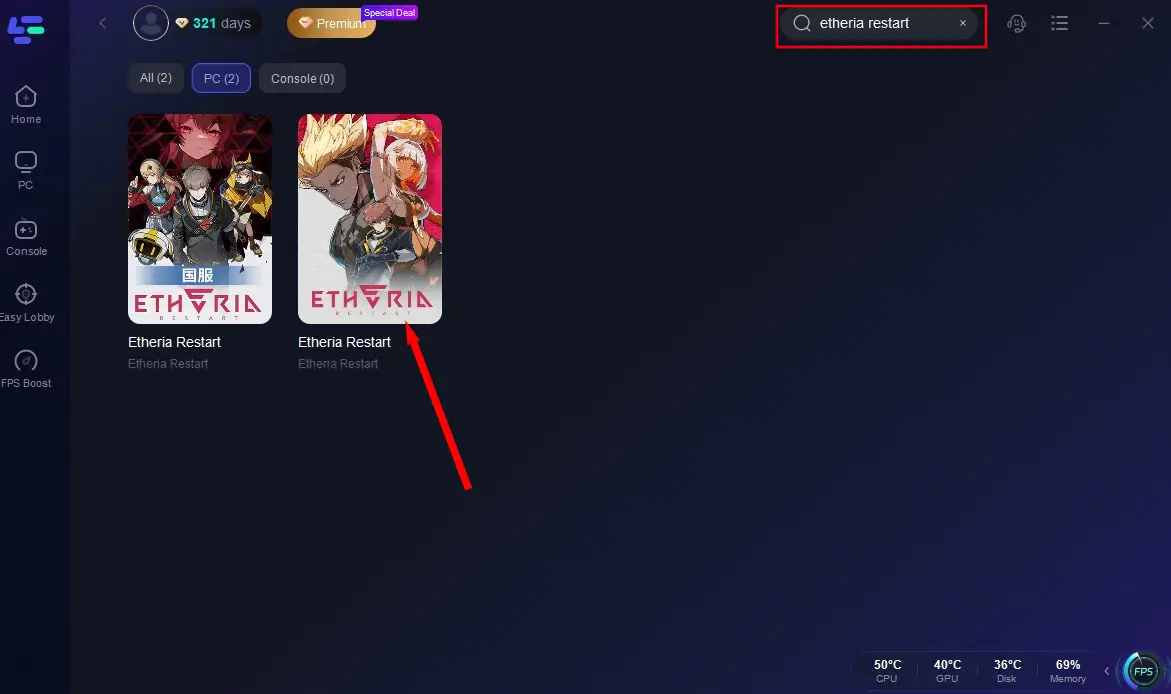
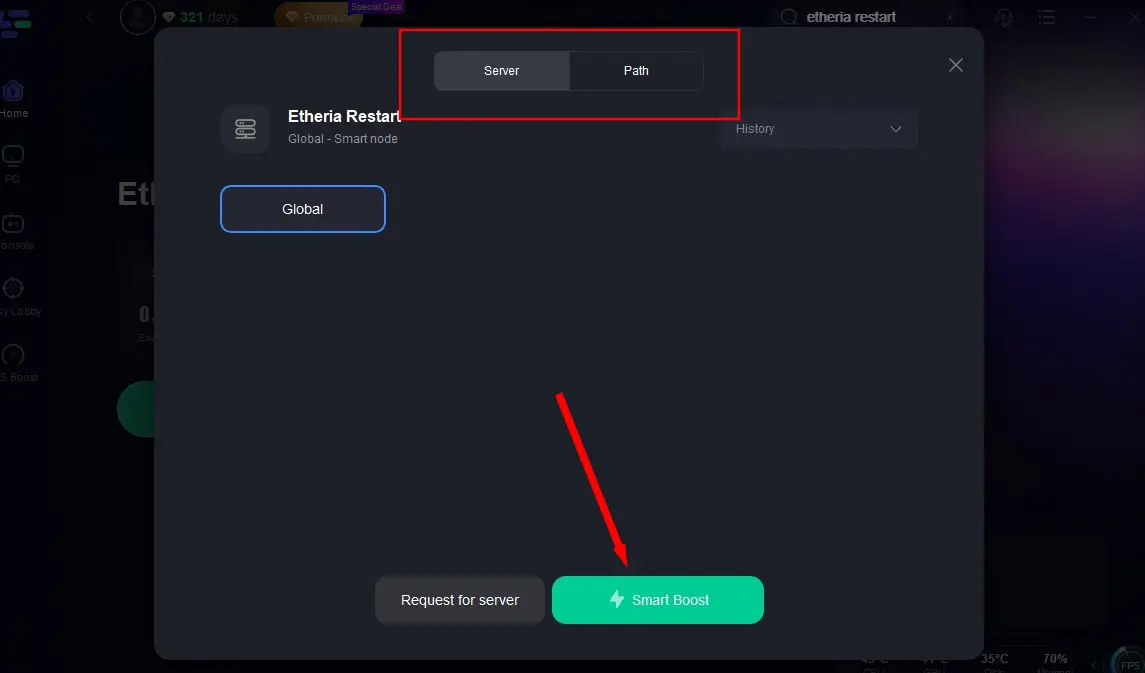
Step 3: Click on "Select Server" to change to a stable server that ensures your gaming experience, then click on "Smart Boost".
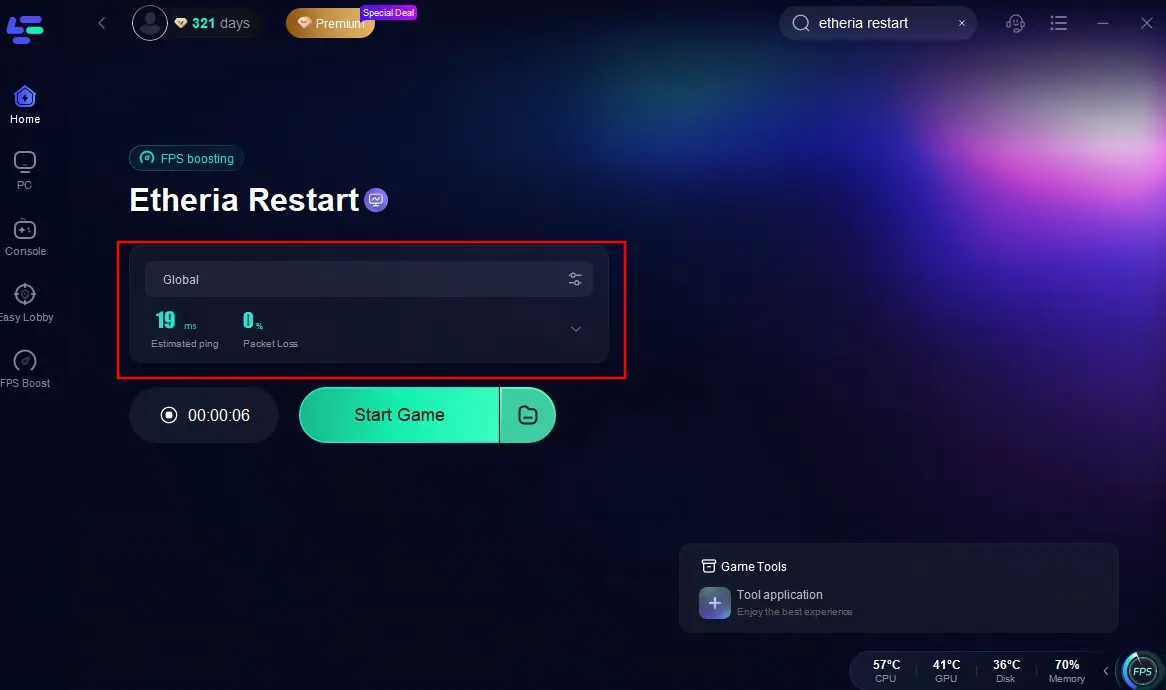
Step 4: Check the specific game ping, packet loss, and multiple path connection on the right side. Finally, click the "Start Game" to play the game.
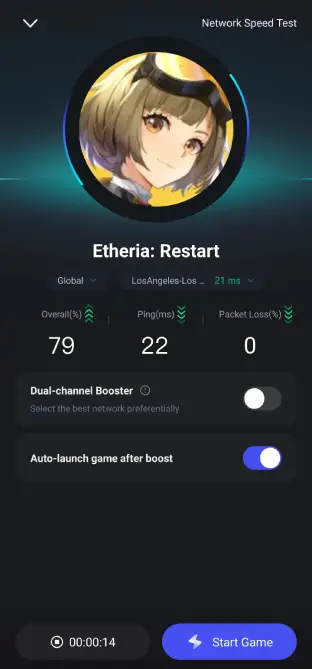
Follow the tutorial to use the LagoFast Mobile booster
Step 1: Search "LagoFast Mobile booster" in the Google App Store or Apple App Store. Alternatively, you can scan the QR code below:

Step 2: Click the "Download" button, then install and launch "LagoFast Mobile Booster".
Step 3: Start Etheria: Restart, then switch to LagoFast Mobile and search for it.
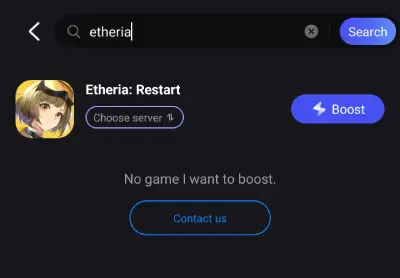
Step 4. Select and click the Etheria: Restart in the interface.
Step 5: Enter the server selection interface, where you can change to a stable server, then click the "Boost" button to enhance the gaming experience
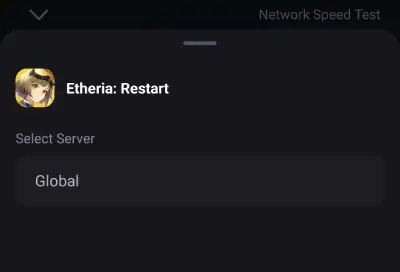
Step 6: Finally, go back to Etheria: Restart and start playing it without any lag.
Part 5: Etheria: Restart FAQs
Q1: Is Etheria: Restart out
A1: Yes! The global release date is June 5, 2025. It's now available to download and play.
Q2: Is Etheria: Restart available on PC
A2: Absolutely. You can download the official PC client or use MuMuPlayer for Android emulation on PC.
Q3: Is Etheria: Restart on Steam
A3: The game is not available on Steam at launch, but it's expected to arrive on the platform later in 2025.
Q4: Can I pre-register now and still get rewards
A4: If you register before the official release, you'll receive:
- 800 Hydra Crystals
- 80,000 Etheria Coins
- 10 Anima Prototypes
- Pre-Reg Avatar Frame
- Special Protagonist Outfit
Even if registration is closed, launch-day players often receive welcome packages; check the in-game inbox after logging in.
Q5: Is it free-to-play or pay-to-win
A5: The game is very free-to-play friendly. While there are optional purchases, all major content is accessible with effort and time. The lack of a paywall for competitive gameplay makes it one of the fairest systems in the gacha RPG space.
Conclusion
Etheria: Restart is poised to be one of the biggest tactical RPGs of 2025. With a captivating narrative, strategic gameplay systems, and generous launch rewards, it sets a new standard for cross-platform mobile games. Whether you're looking for challenging PvE content, competitive PvP, or just a beautifully crafted world to explore, Etheria has it all. Don't forget to download the game from your preferred platform and use LagoFast to ensure the smoothest gameplay experience from day one. With support for both PC and mobile, LagoFast helps you get the most out of every frame and second.

Boost Your Game with LagoFast for Epic Speed
Play harder, faster. LagoFast game booster eliminates stutter and lags on PC, mobile, or Mac—win every match!
Quickly Reduce Game Lag and Ping!
Boost FPS for Smoother Gameplay!