
Blade & Soul NEO, NCsoft’s revamped martial arts MMORPG, has taken the gaming world by storm with its Unreal Engine 4 overhaul, modernized combat, and boundless exploration via the new Infinite Wind Walk feature . For players eager to dive into the Taiwanese version (BnS Neo Taiwan), this guide provides a step-by-step walkthrough to register, download, and optimize your gameplay experience.

- ✅ Reduce Lag and High Ping.
✅ Boost FPS at the Same Time.
✅ Support 2000+ Online Games
✅ Change Server Without Latency.
✅ Multiplatform: PC, Console, Mobile.
✅ End Stuck, Connection & Crashing Issues
Part 1. How to Register a Blade & Soul NEO TW Account
Part 2. How to Download and Play Blade and Soul NEO TW Version
Part 3. How to Ensure Smooth Progress with LagoFast Game Booster
Part 4. Enhance Your BnS Neo Taiwan Gaming Experience
Part 1. How to Register a Blade & Soul NEO TW Account
To access the Blade and Soul Neo Taiwan server, start by creating a region-specific account. While the global version uses NCsoft’s standard login, the Taiwan server requires a localized registration process. Here’s how to proceed:
Step 1: Visit the Blade & Soul NEO TW Official Website
Head over to the official Blade & Soul NEO TW website by clicking on this link.
Step 2: Register Your Account
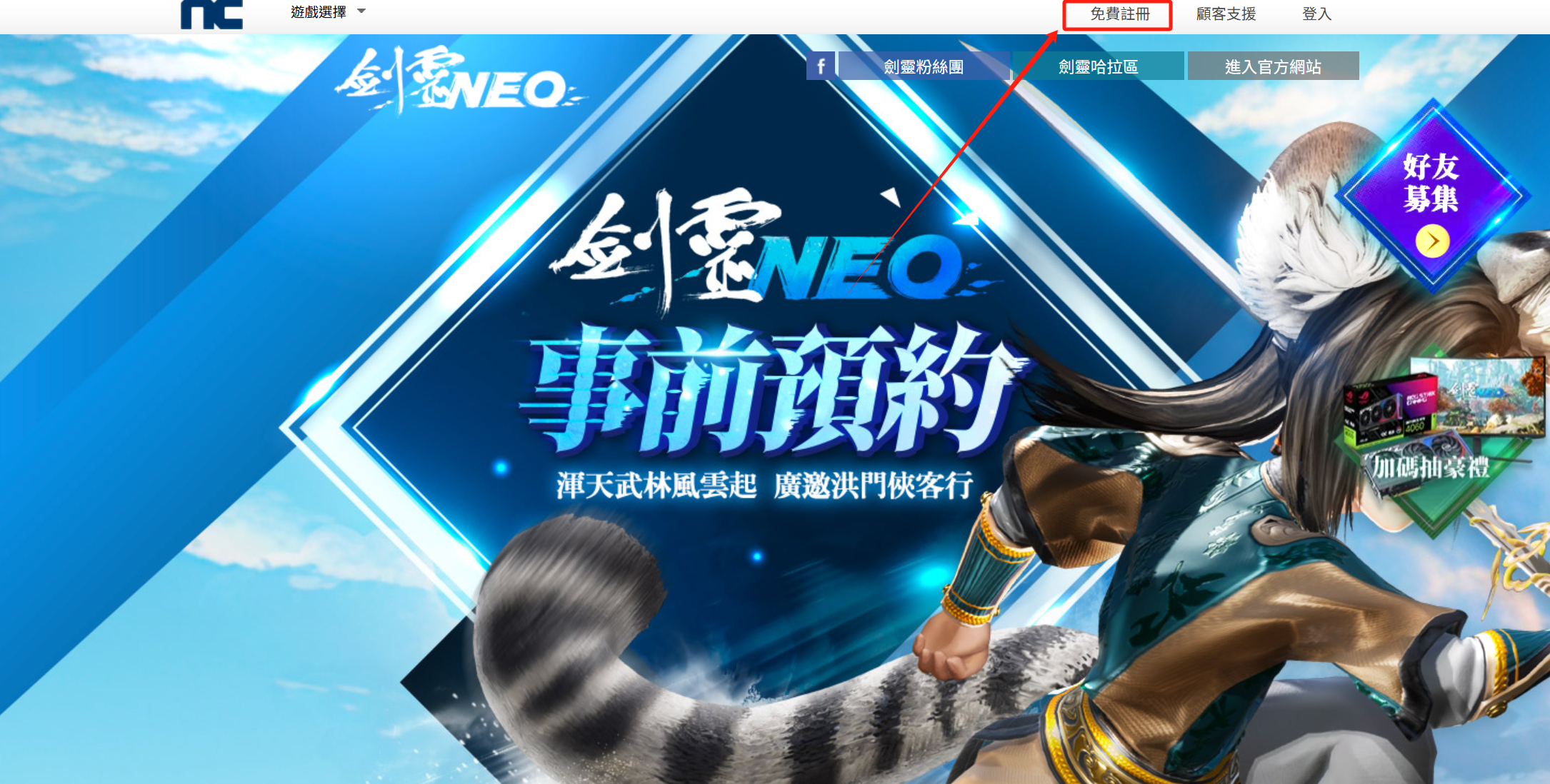
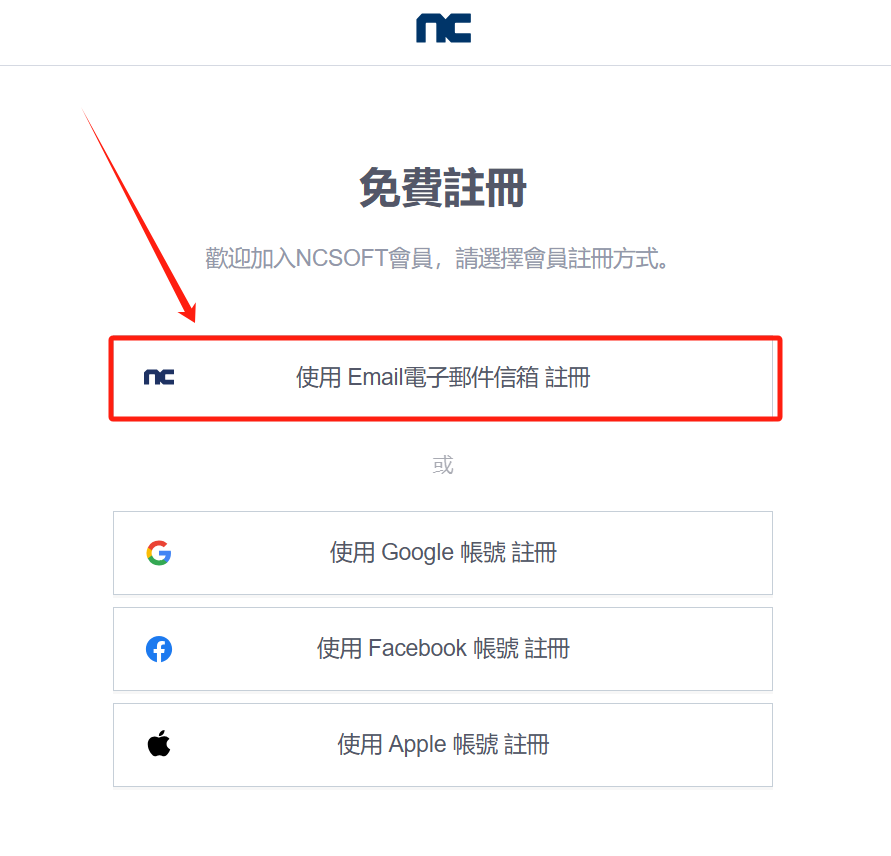
On the website, choose the option to register using your email. Fill in your email address and wait for the verification code to be sent to your inbox. Once you receive the code, enter it to proceed.
Step 3: Set Your Password
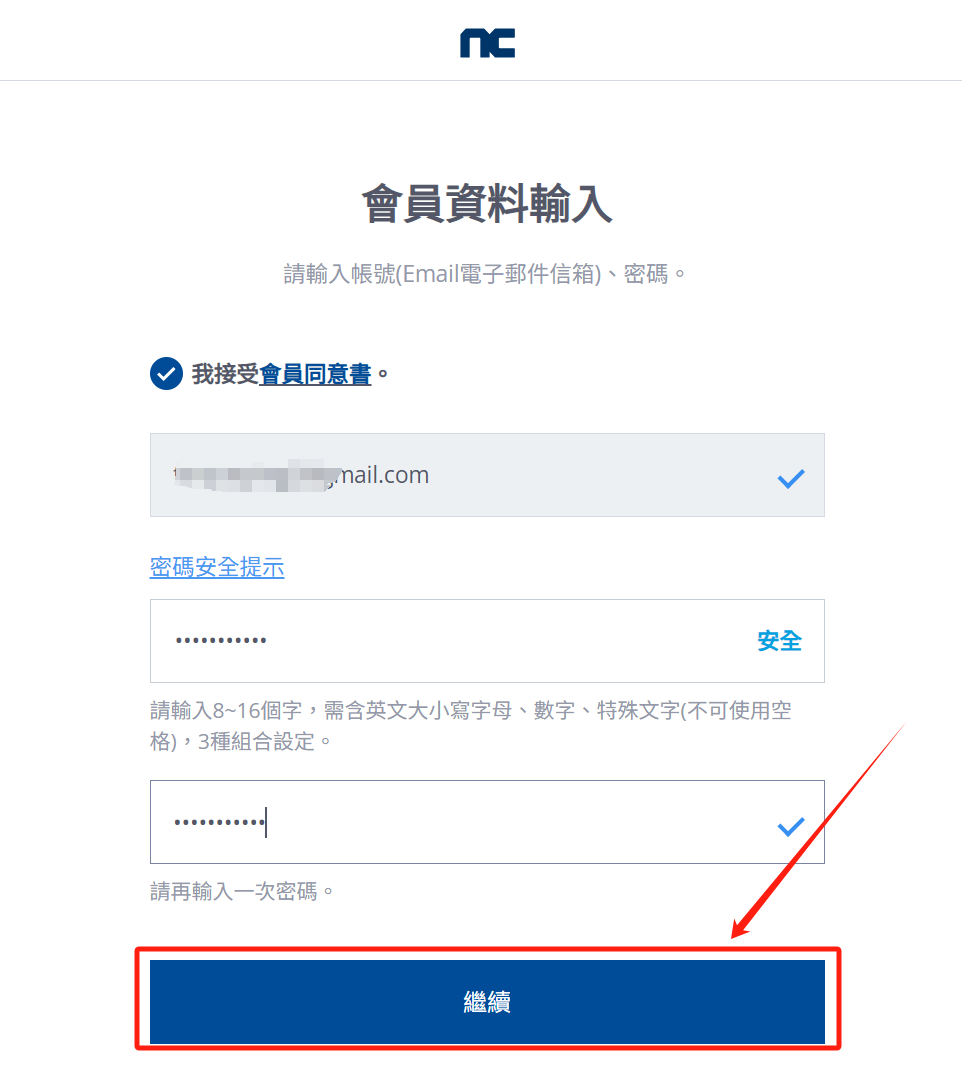
Next, create a secure password and confirm it. Make sure your password is strong and unique to protect your account. After entering your password, click the 【Continue】 button to move forward.
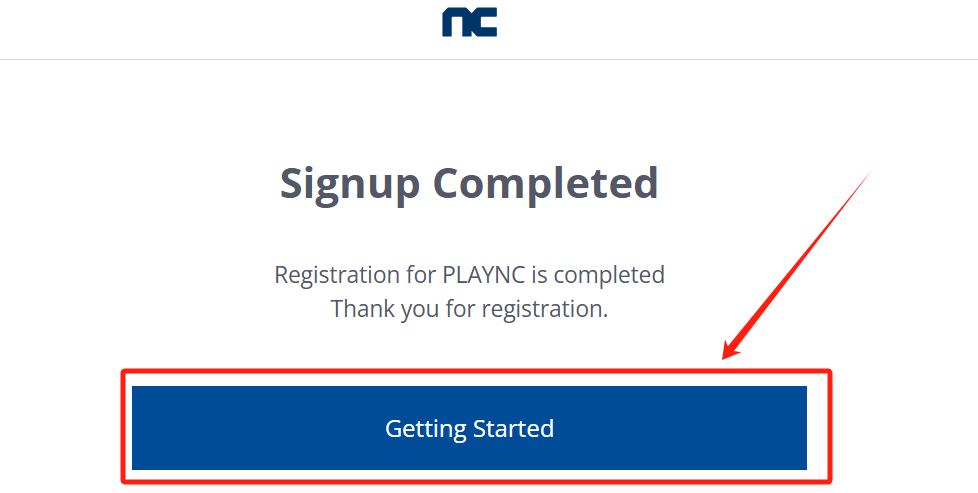
Step 4: Troubleshooting Login Issues
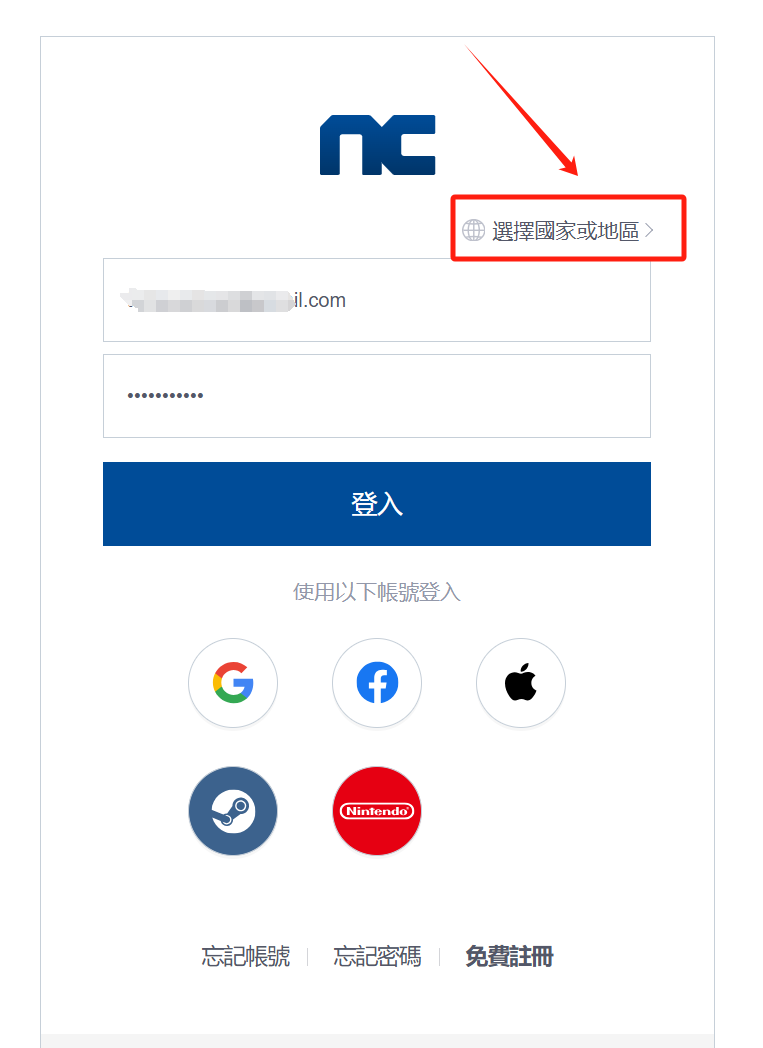
If you encounter any error messages during the registration process, don’t worry! Simply return to the login page and enter the account credentials you just registered. 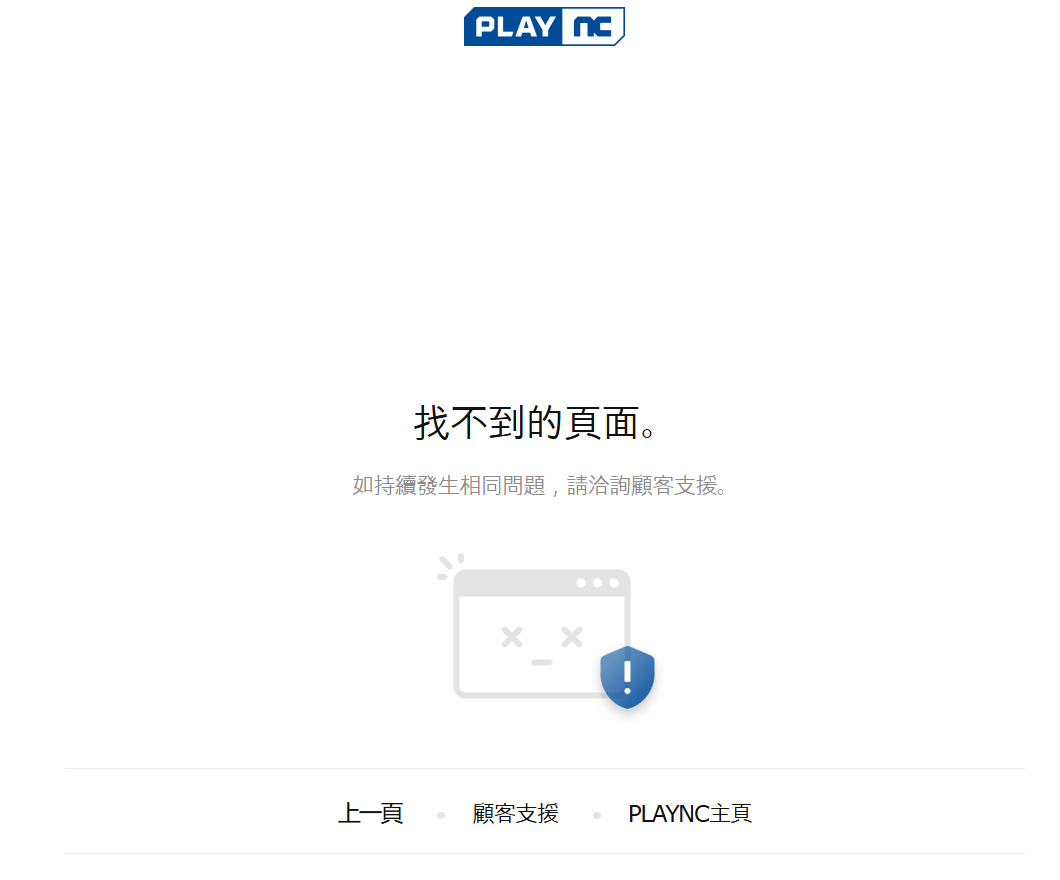
Important Note: Ensure that you select Taiwan as your country/region during the registration process.
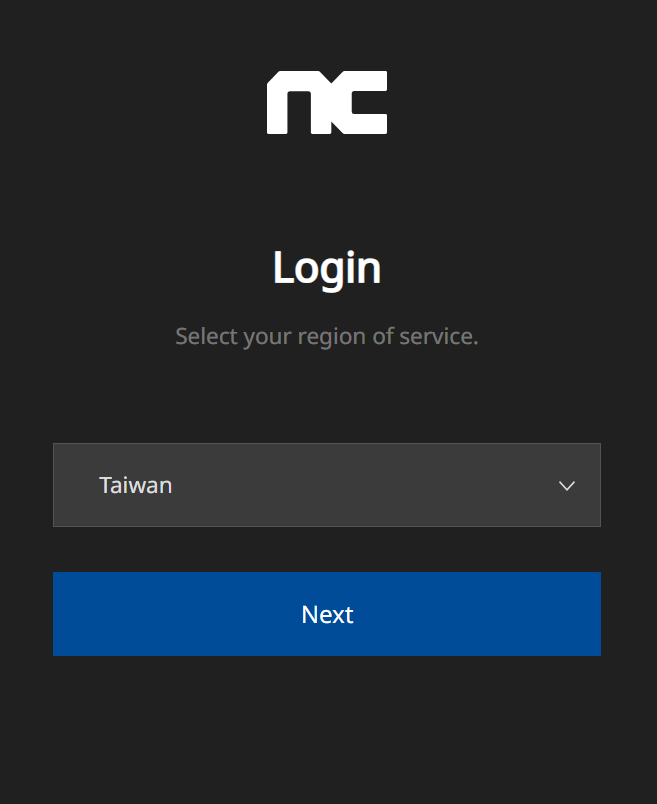
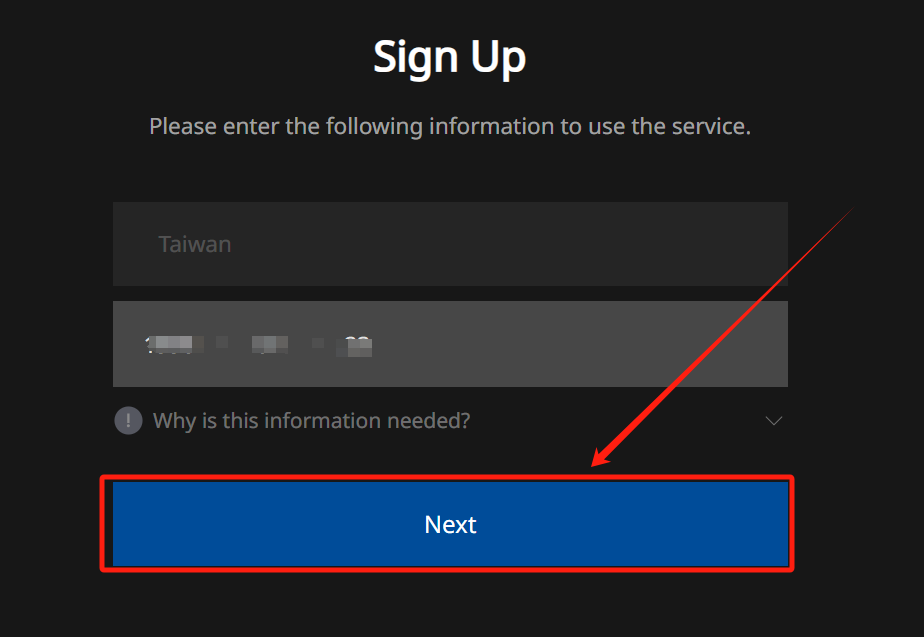
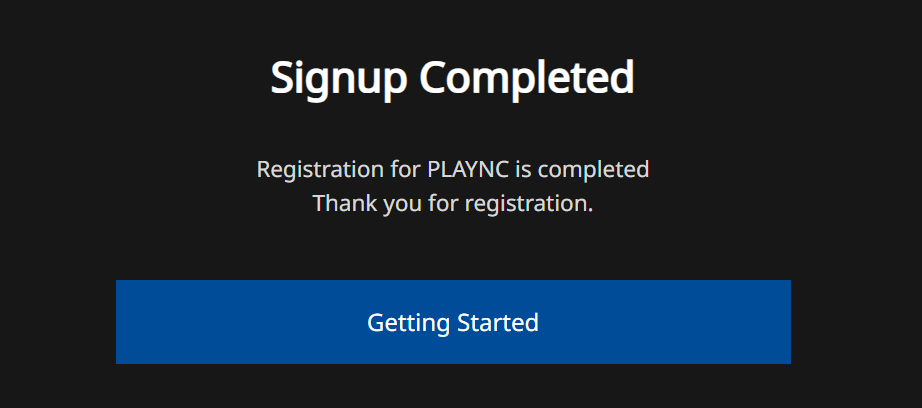
Step 5: Success!
Congratulations! You've successfully registered your Blade & Soul NEO TW account. Now you're all set to explore the game and enjoy your adventure on the Taiwan server.
For a seamless experience, use LagoFast Game Booster as your VPN during registration. Its optimized routing ensures the Taiwanese site loads quickly, avoiding frustrating delays or connection drops .
Part 2. How to Download and Play Blade and Soul NEO TW Version
Once registered, downloading the client is straightforward:
- Go to the official download website of NCsoft Taiwan.
- Download "DirectX" and "Microsoft Visual C++" above version 9.0c.
- Download Purple Downloader.
- After downloading, please follow the instructions to install. After installation, execute PURPLE, and you can directly download the game through PURPLE and start the game to play.
Note: To prevent your account from being stolen, you can enable two-step verification to add a layer of protection to your account. Google Authenticator will generate a two-step verification code on your phone. When you enable two-step verification, when you log in to the game, in addition to entering your account password, you must also enter the dynamic verification code generated by the Google Authenticator application. Give your game account an extra layer of peace of mind.
If you encounter some trouble while visiting the website or the download speed is slow, use LagoFast Game Booster. It prioritizes your game traffic, cutting download times by up to 50%.

Blade and Soul NEO TW PC System Requirements
Minimum:
- CPU: INTEL I5, ryzen 5 or above
- RAM: 8GB or more
- VGA: NVIDIA Geforce GTX 1650 or above
- HARD DISK: 100GB or more capacity
- DirectX: Direct 11
Recommended:
- CPU: INTEL I7, ryzen 7 or above
- RAM: 6GB or more
- VGA: NVIDIA Geforce GTX 3060 or above
- HARD DISK: 100GB or more capacity
- DirectX: Direct 11
Part 3. How to Ensure Smooth Progress with LagoFast Game Booster
Accessing the Blade & Soul NEO TW website and downloading the client can be hindered by regional restrictions or network congestion. Here’s how LagoFast solves these issues:
- Stable VPN Connection: LagoFast routes your traffic through optimized servers in Taiwan, ensuring the official site loads instantly and stays connected during registration.
- Download Optimization: Its multipath technology balances bandwidth usage, preventing throttling and ensuring a steady download speed.
- Anti-Lag Features: Even during the update phase, LagoFast minimizes packet loss and latency, keeping the client running smoothly.
Step 1. Click Free Trial to download LagoFast.
Step 2. Search Blade & Soul NEO TW in LagoFast.
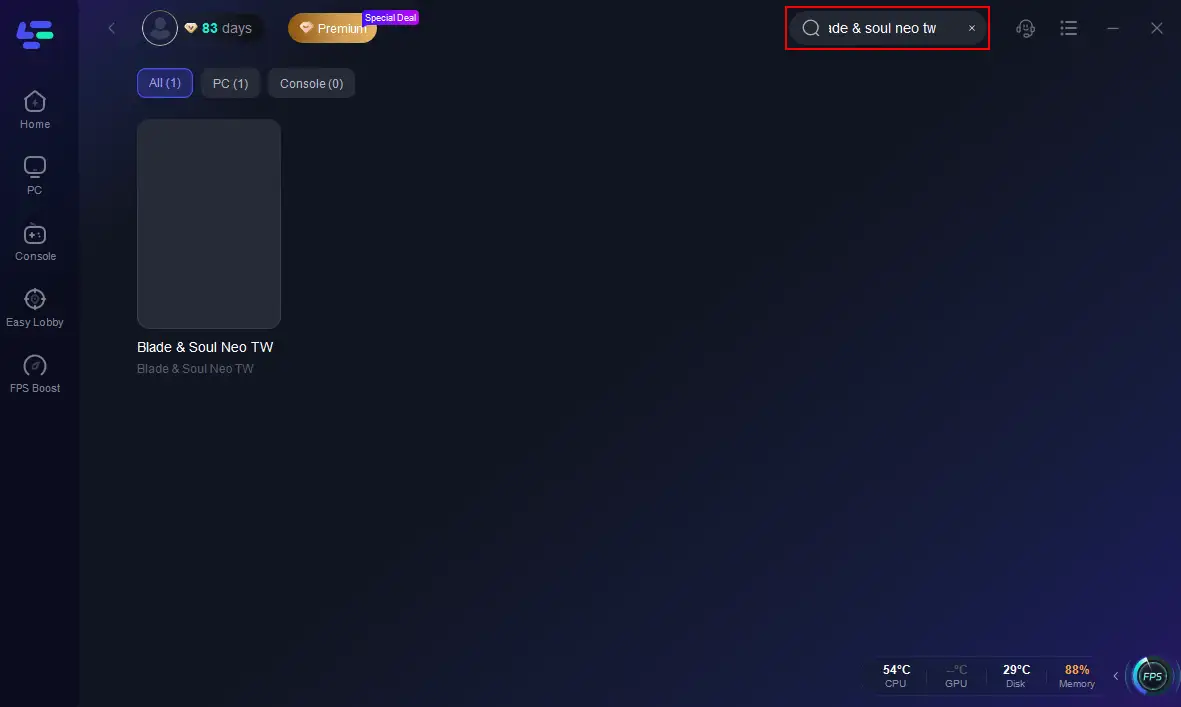
Step 3. Click the official game website.
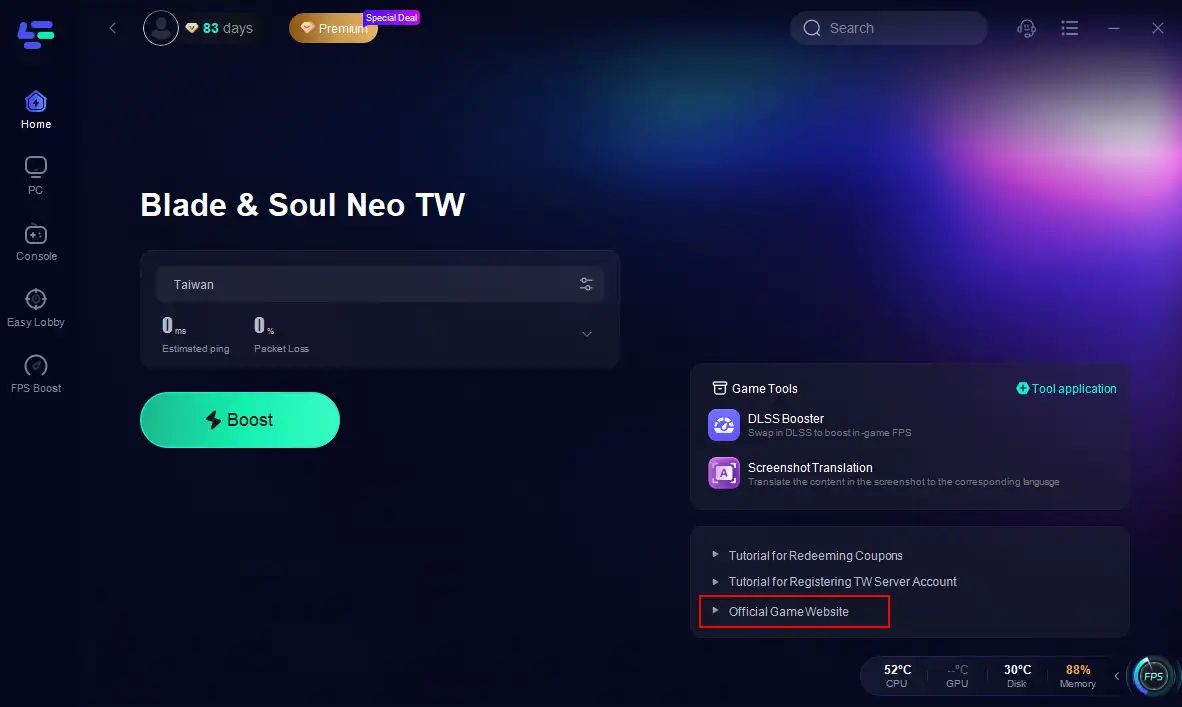
With LagoFast, you’ll bypass geo-blocks and enjoy a seamless setup process, making it the ideal tool for accessing the Blade and Soul Neo Taiwan server .
Part 4. Enhance Your BnS Neo Taiwan Gaming Experience
LagoFast isn’t just a VPN—it’s a comprehensive gaming toolkit designed to elevate your Blade & Soul NEO TW sessions:
In-Game Performance Boost:
- Ultra-Low Ping: LagoFast’s AI-driven routing selects the best server path, reducing ping by up to 90% for lag-free combat.
- Multiple Routes: If one connection fails, it automatically switches to an alternative, ensuring uninterrupted gameplay.
- FPS Optimization: The built-in DLSS Boost tool replaces DLSS 3 with DLSS 4, delivering higher frame rates and smoother animations .
- System Optimization: LagoFast fine-tunes your PC’s resources, closing background apps and optimizing GPU settings for peak performance.
Step 1. Search Blade & Soul NEO TW in LagoFast.
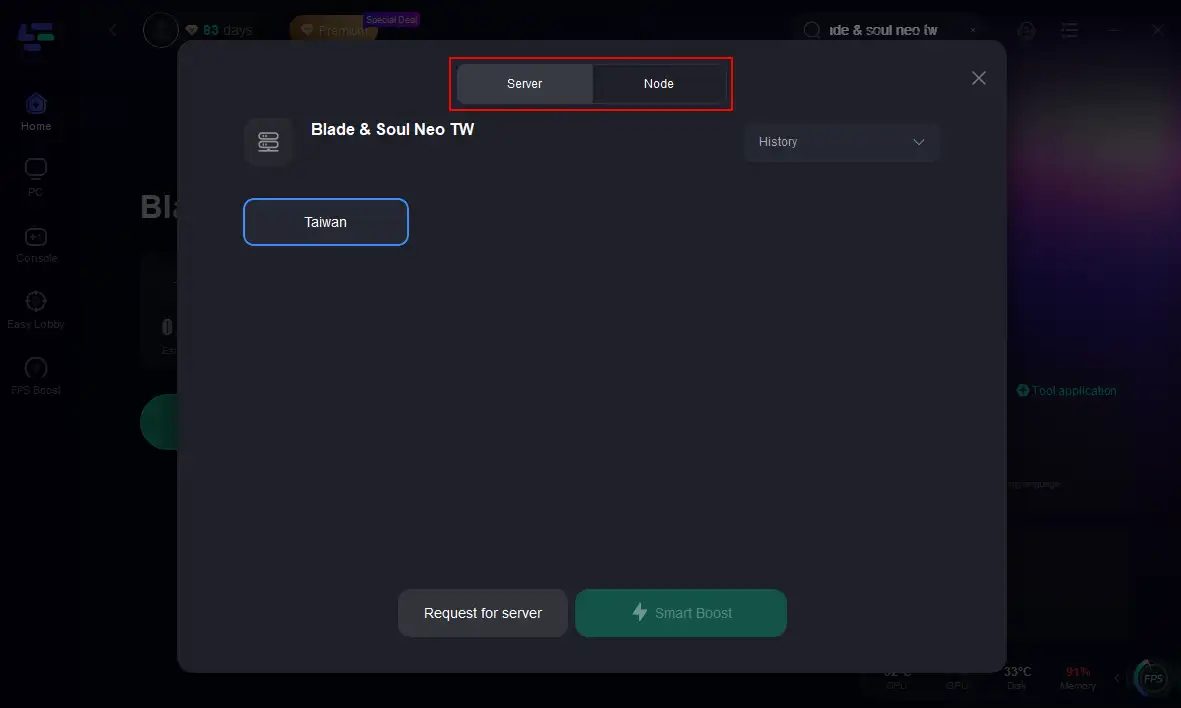
Step 2: Click on “Server” to change to a stable server that can ensure a smooth gaming experience, then click on “Smart Boost”.
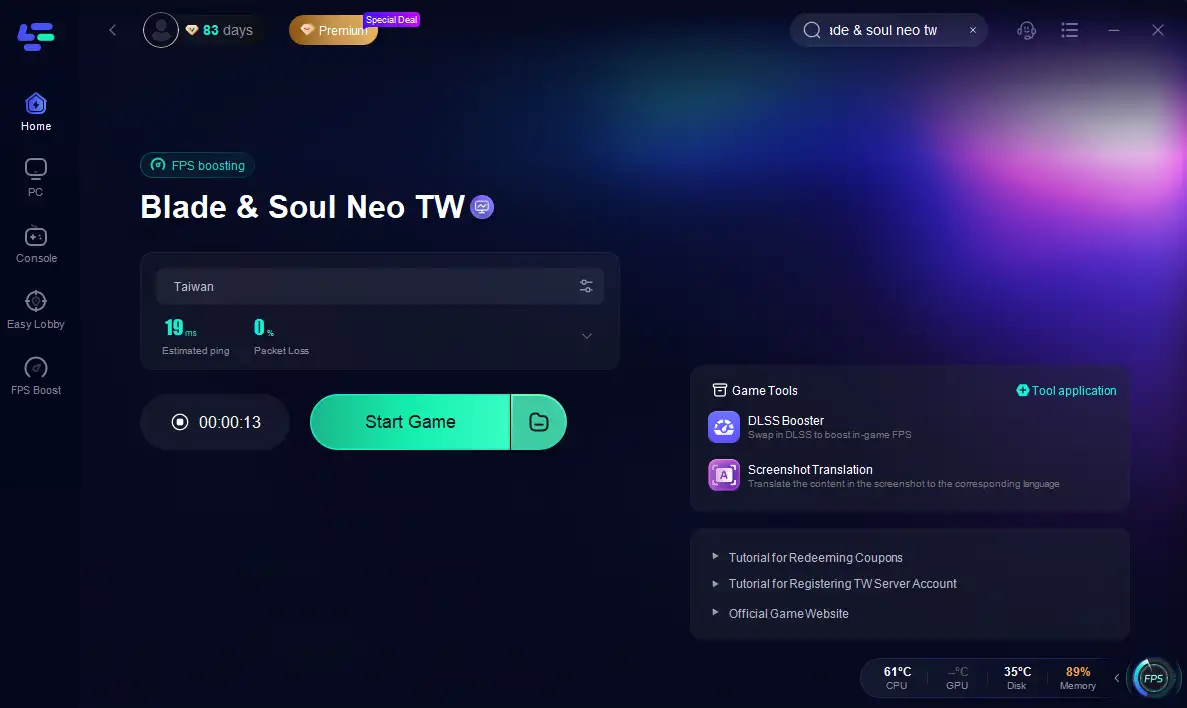
Step 3: Enjoy your game without lag!
FPS Optimization:
The built-in DLSS Boost tool replaces DLSS 3 with DLSS 4, delivering higher frame rates and smoother animations .
Step 1: Click on “Server” to change to a stable server that can ensure a smooth gaming experience, then click on “Smart Boost”.
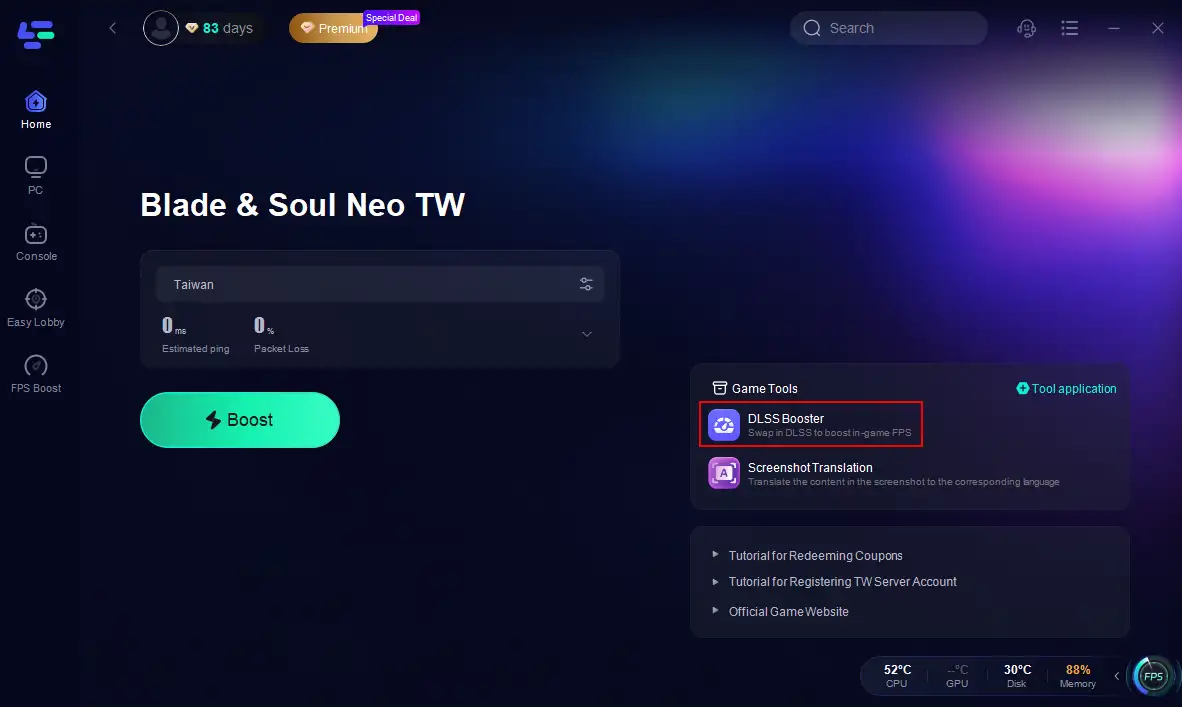
Step 2. After boosting the game, click the DLSS Booster on the right.
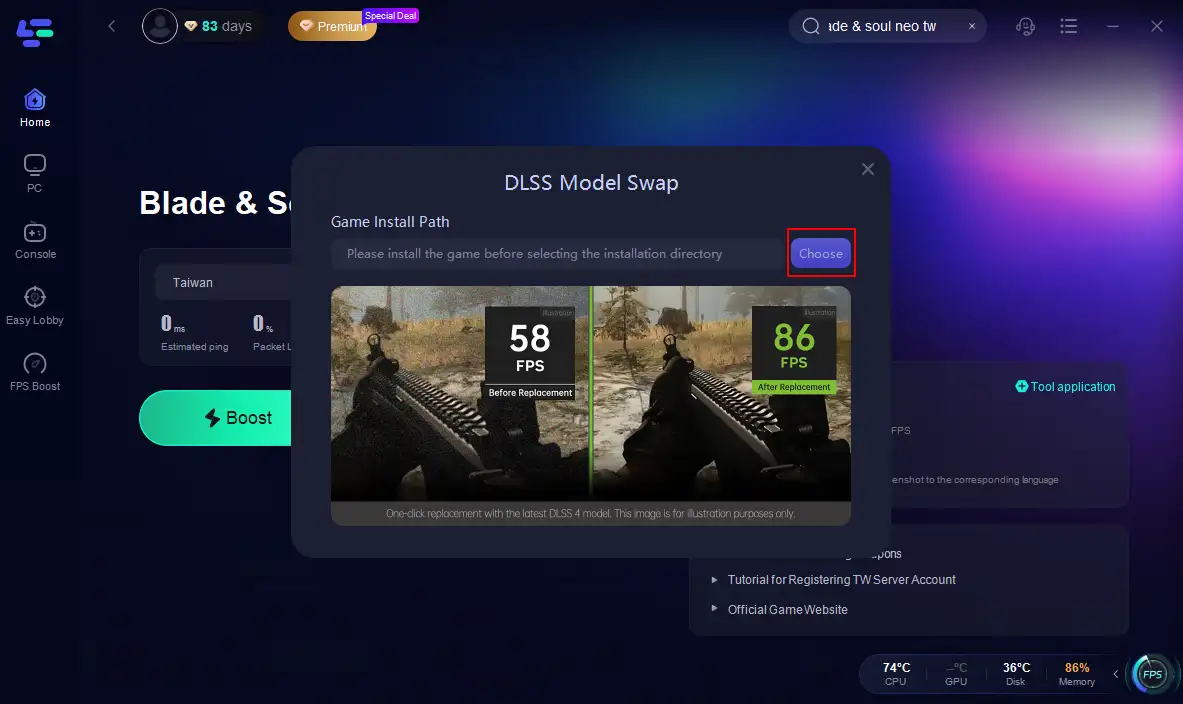
Step 3. Select the game installation path, use the recommended configuration, and then you can replace it with one click.
Screenshot Translation Tool:
Play the game without language barriers. Support includes English, Russian, Arabic, and Southeast Asian languages like Vietnamese and Thai .
Get LagoFast right now!
Hot Related: Best Blade & Soul NEO TW Version Translation Tool
Conclusion
Blade & Soul NEO Taiwan offers a revitalized MMORPG experience with cutting-edge graphics and dynamic combat. By following this guide, you’ll effortlessly register, download, and optimize your gameplay using LagoFast’s advanced tools. Whether you’re exploring the vast open world or dominating PvP arenas, LagoFast ensures every moment is smooth, secure, and lag-free.

Boost Your Game with LagoFast for Epic Speed
Play harder, faster. LagoFast game booster eliminates stutter and lags on PC, mobile, or Mac—win every match!
Quickly Reduce Game Lag and Ping!
Boost FPS for Smoother Gameplay!