
Battlefield 6 Open Beta is here, and players are eager to jump in. Whether you're downloading the game or aiming for early access, understanding the full schedule and setup process can help you make the most of it.
This article explains the beta time, download sources, system requirements, early access methods, and how to avoid lag.

- ✅ Reduce Lag and High Ping.
- ✅ Boost FPS at the Same Time.
- ✅ Support 1000+ Popular Online Games.
- ✅ Support Easy Lobby in all Cod Games without Lag
Part 1: Battlefield 6 Open Beta Time & Details
Part 2: Where to Download Battlefield 6 Open Beta
Part 3: How to Get Battlefield 6 Beta Early Access
Part 1: Battlefield 6 Open Beta Time & Details
Early Access
- Time: August 7, 1:00 AM PDT / 4:00 AM EDT / 9:00 AM BST → August 9, 1:00 AM PDT / 4:00 AM EDT / 9:00 AM BST
- Players with early access privileges can join the beta during this phase. Methods Access is further introduced in part 2.
First Beta Weekend
- Time: August 9, 1:00 AM PDT / 4:00 AM EDT / 9:00 AM BST → August 11, 1:00 AM PDT / 4:00 AM EDT / 9:00 AM BST
- Fully open on final two days On August 9 and 10, the beta opens to all players on all platforms.
Second Beta Weekend
- Time: August 14, 1:00 AM PDT / 4:00 AM EDT / 9:00 AM BST → August 17, 1:00 AM PDT / 4:00 AM EDT / 9:00 AM BST
- Second chance for everyone The second beta period is completely open, no early access needed.
Game Modes During Beta
- Players can try Conquest, Escalation, and other multiplayer modes.
Preload Instructions
- You can start preloading the game 24 hours early to save time before each beta phase begins.
Part 2: Where to Download Battlefield 6 Open Beta
Where to Download Battlefield 6 Open Beta for Early Access:
- Get a confirm E-mail and a limited-availability code, which will add Early Access to your account
- Redeem this code on EA's Battlefield redemption page
- Install the Battlefield 6 Open Beta client, you can:
- Log in EA official website and choose your platform
- Download in Playstation Store
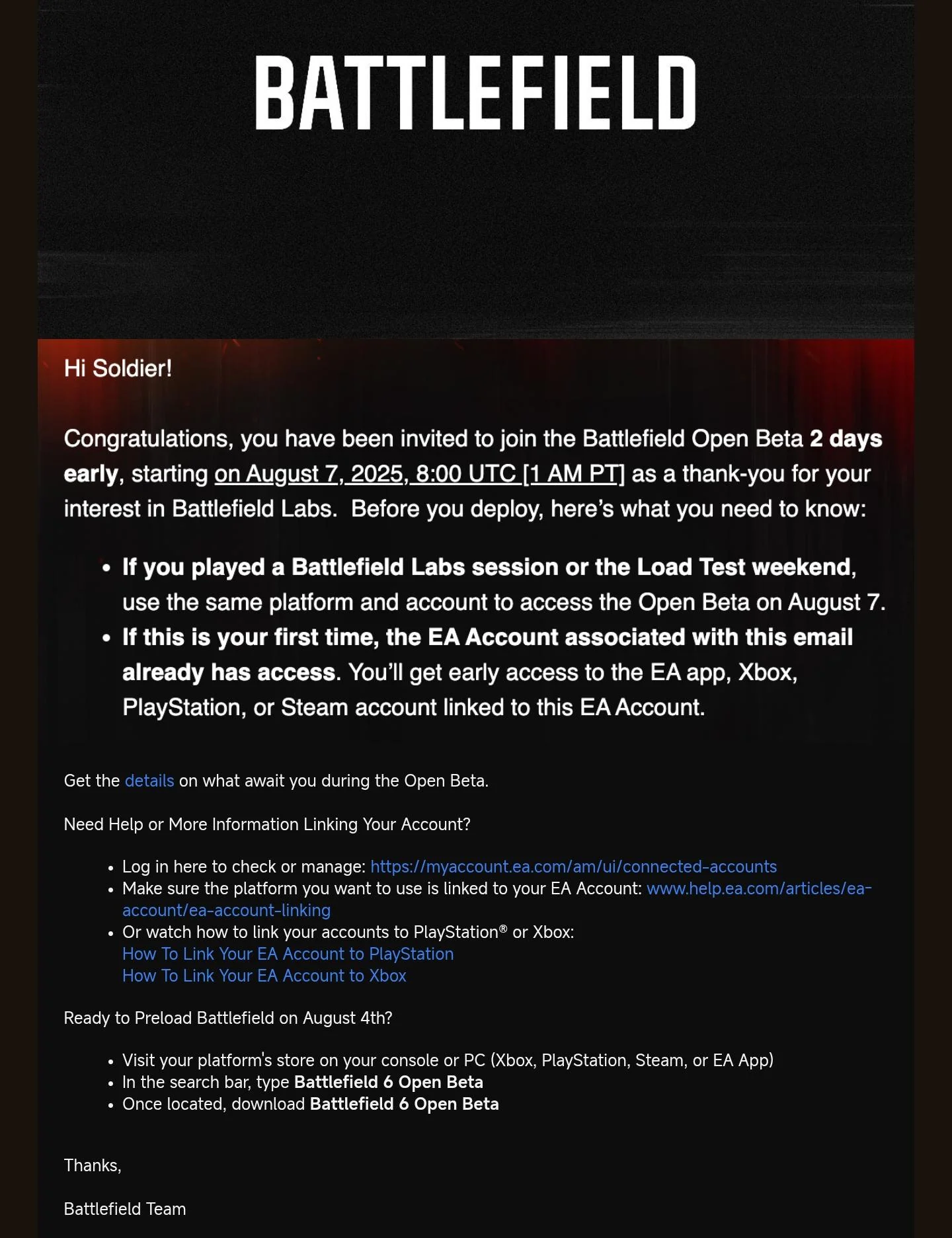
- How to know Do I have Open Beta Early Access Eligibility?
- Check your early access status:
Try logging in during August 7-8 - if successful, you have access
- Or check your EA account data:
Visit EA's account security page, request your EA data download after verification and look for "beta_earlyaccess" with "ACTIVE" status in the file.
Where can I download Battlefield 6 Open Beta?
You can download Battlefield 6 Open Beta in EA official website and choose your favored platform, including:
- PlayStation®5
- Xbox Series X|S
- PC
- Steam
- Epic Games Store
- EA app
Minimum System Requirements for PC
- Graphics Settings: 1080p @ 30 FPS
- GPU: Nvidia RTX 2060 / AMD RX 5600 XT / Intel Arc A380
- VRAM: 6GB
- CPU: Intel Core i5-8400 / AMD Ryzen 5 2600
- RAM: 16GB (2133MHz Dual Channel)
- OS: Windows 10 (GPU scheduling on)
- DirectX: 12
- Storage: 75GB HDD
- Security: TPM 2.0, UEFI Secure Boot, HVCI, VBS
Recommended System Requirements for PC
- Graphics Settings:1440p @ 60 FPS or 1080p @ 80 FPS
- GPU: Nvidia RTX 3060Ti / AMD RX 6700 XT / Intel Arc B580
- VRAM: 8GB
- CPU: Intel Core i7-10700 / AMD Ryzen 7 3700X
- RAM: 16GB (3200MHz Dual Channel)
- OS: Windows 11 64-bit
- DirectX: 12
- Storage: 75GB SSD
- Security: TPM 2.0, UEFI Secure Boot, HVCI, VBS
Part 3: How to Get Battlefield 6 Beta Early Access
Regular Access to Get an Early Access Code:
- Sign up for Battlefield Labs before July 31
- Watch approved Twitch creators during the July 31 reveal
- EA Play Pro subscribers get instant access
- Watch 30+ minutes of Battlefield 6 streams on Twitch on August 7-8
Other Method to Get an Early Access Code:
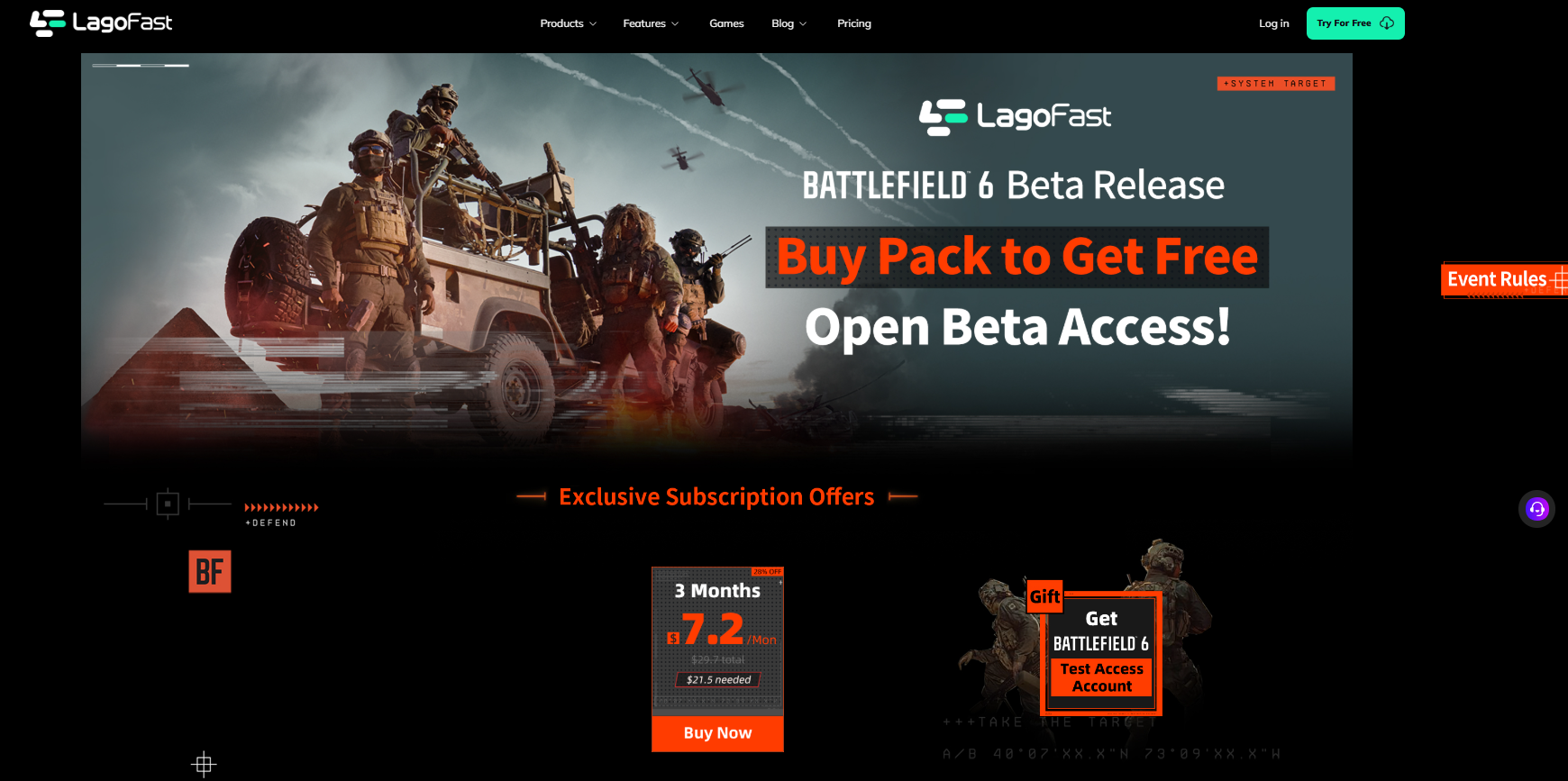
- Get a free beta key with LagoFast's 3-month promo membership
- If you're looking to secure Twitch Drops for Battlefield 6 without spending hours watching live streams, LagoFast Game Booster offers a auto Twitch drops tool for instant access.
Here's how:
Step 1: Click the Free Trial button to download and install LagoFast. Search for Battlefield 6 and click on it.
Step 2: Click the Twitch Drops Tool in the bottom-right corner of the page.
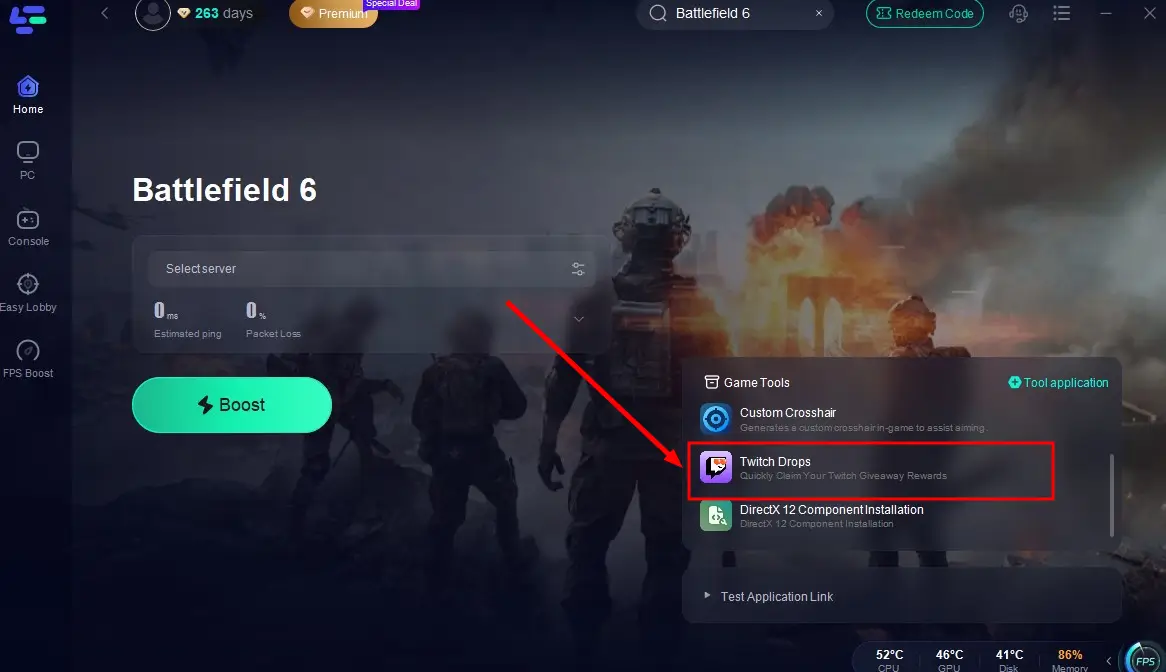
Step 3: In the pop-up window, search for Battlefield 6 again, click the Join button on the right, and link your account. Once set up, you'll automatically earn rewards from any Battlefield 6 creator's stream!
How to Play Battlefield 6 Without Lagging
Once you're in the Beta, LagoFast's tools will ensure you dominate:
- Boost FPS: By lowering latency and ping, LagoFast helps optimize in-game frame rates in real time, ensuring a smoother and more immersive gaming experience.
- Server Optimization: Switch to the nearest server (e.g., Singapore or Japan) to minimize latency .
- Stable Connection: Eliminates packet loss and ensures a smooth experience, even during intense firefights .
Tutorial to use LagoFast:
Step 1: Click the Free Trial button to download and install LagoFast.
Step 2: Open LagoFast, then click the PC button on the left and search Battlefield 6 in the search bar, click it after it appears.
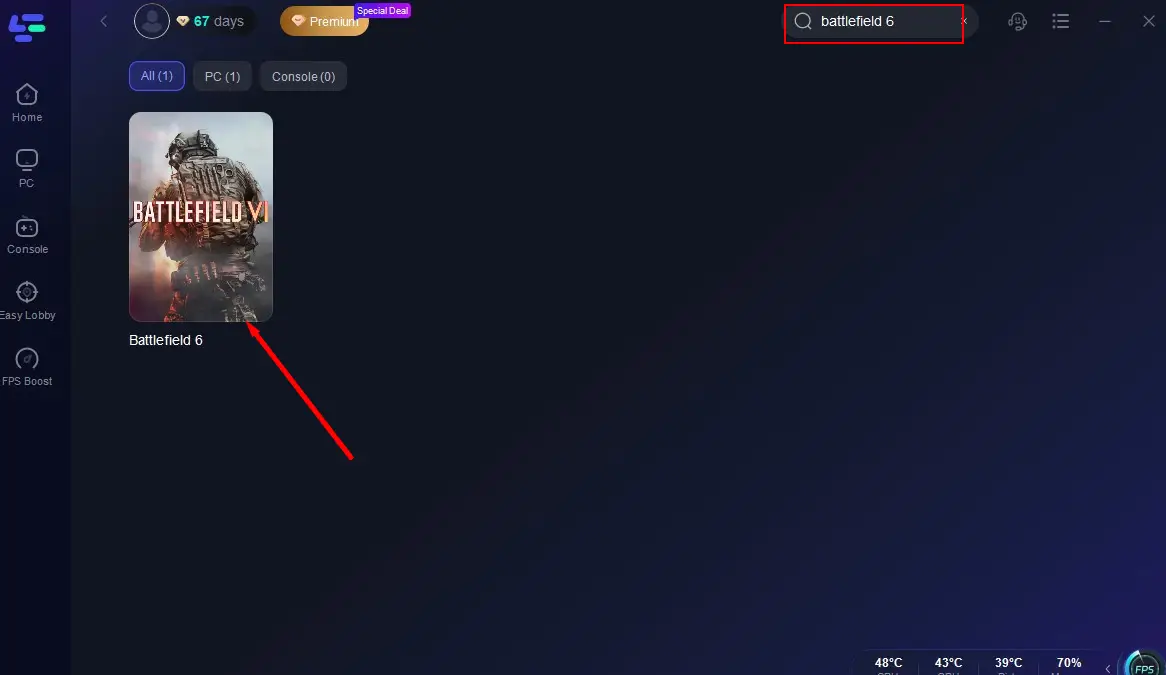
Step 3: Click on "Select Server" to change to a better server that ensures a smooth gaming experience in Playtest, then click on "Smart Boost".

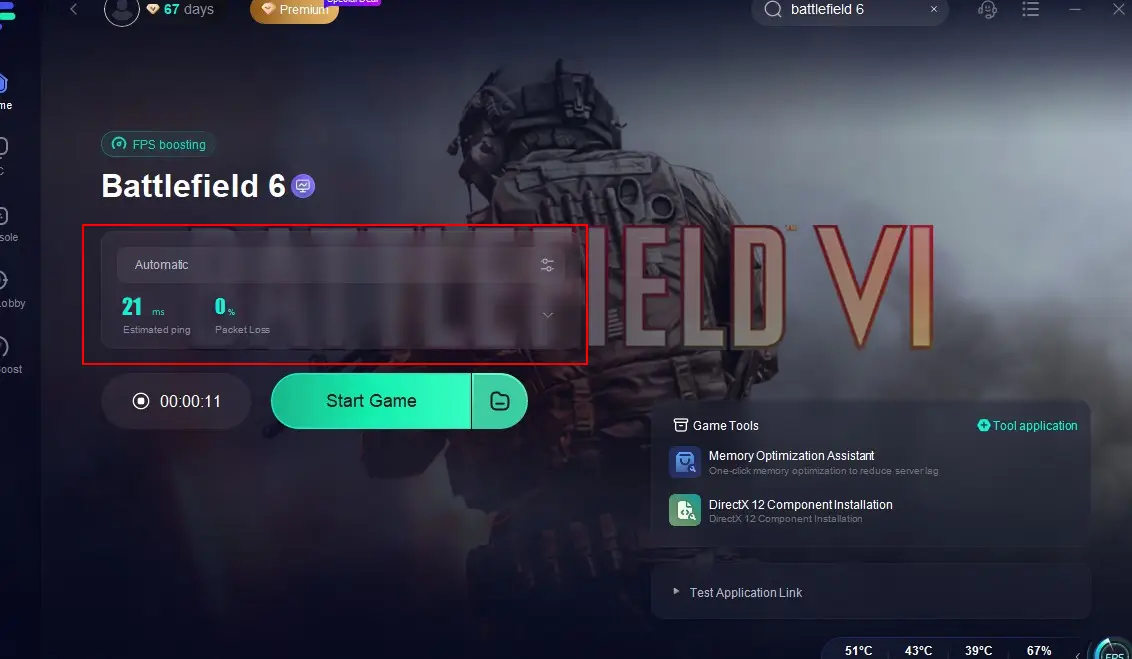
Step 4: Check the specific game ping, packet loss, and multiple path connection on the right side. Finally, click the "Start Game" to play the game.
Conclusion
Whether you're asking how to get early access to Battlefield 6 Beta or where can I download Battlefield 6, this guide has it all. You now know how to register, qualify through Twitch, check your system, and ensure smooth performance.
Get ready for intense action in Battlefield 6—download now, play early, and win more.
Boost Your Game with LagoFast for Epic Speed
Play harder, faster. LagoFast game booster eliminates stutter and lags on PC, mobile, or Mac—win every match!
Quickly Reduce Game Lag and Ping!
Boost FPS for Smoother Gameplay!