
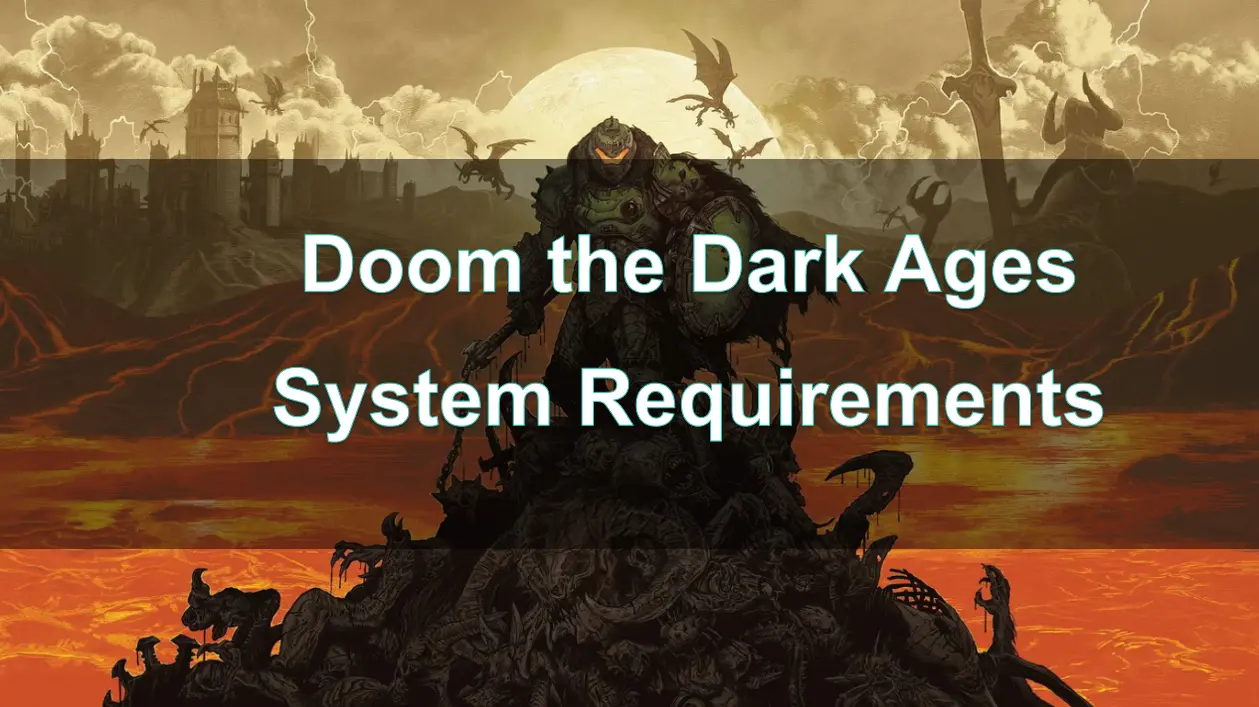
Doom: The Dark Ages, the latest installment in id Software's legendary franchise, is set to launch on May 15, 2025. This prequel to Doom (2016) and Doom Eternal introduces a medieval-inspired setting, blending brutal combat with new mechanics like shield parries, mech battles, and dragon riding. Powered by the id Tech 8 engine, the game mandates hardware ray tracing, making it essential for players to ensure their systems meet the necessary specifications.

Part 2: Doom the Dark Ages Minimum System Requirements
Part 3: Doom the Dark Ages Recommended System Requirements
Part 4: How to Check Your System Specifications
Part 5: Tips for Optimizing Performance
Part 6: How to Use LagoFast Enhance your Game Experience
Part 1: Introduction
Doom: The Dark Ages has generated significant buzz among gamers since its announcement, promising a thrilling experience with enhanced graphics and gameplay mechanics. As the latest entry in the iconic Doom franchise, it introduces mandatory ray tracing and various technical advancements that set it apart from its predecessors. However, to fully enjoy this fast-paced first-person shooter, players need to ensure their systems meet the appropriate requirements.
Part 2: Doom the Dark Ages Minimum System Requirements
To run Doom: The Dark Ages at 1080p with low settings and 60 FPS, your PC should meet the following minimum requirements:
- OS: Windows 10 / 11 64-bit
- CPU: AMD Ryzen 7 3700X / Intel Core i7-10700K
- RAM: 16 GB
- GPU: NVIDIA RTX 2060 Super / AMD Radeon RX 6600 (8 GB VRAM)
- Storage: 100 GB available space on an NVMe SSD
It's crucial to note that a GPU with dedicated ray tracing hardware is required to run the game.
Part 3: Doom the Dark Ages Recommended System Requirements
For a smoother experience at 1440p with high settings and 60 FPS, the recommended specifications are:
- OS: Windows 10 / 11 64-bit
- CPU: AMD Ryzen 7 5700X / Intel Core i7-12700K
- RAM: 32 GB
- GPU: NVIDIA RTX 3080 / AMD Radeon RX 6800 (10 GB VRAM)
- Storage: 100 GB available space on an NVMe SSD
These specifications ensure optimal performance, especially considering the game's reliance on ray tracing and high-resolution textures.
Part 4: How to Check Your System Specifications
To verify if your PC meets the game's requirements:
Operating System:
- Press Win + R, type winver, and press Enter to view your OS version.
CPU and RAM:
- Press Ctrl + Shift + Esc to open Task Manager.
- Navigate to the "Performance" tab to view CPU and RAM details.
GPU:
- Press Win + R, type dxdiag, and press Enter.
- In the DirectX Diagnostic Tool, go to the "Display" tab to see GPU information.
Storage:
- Open "This PC" to check available storage space on your drives.
- Alternatively, you can use online tools like Can You RUN It to automatically assess your system's compatibility.
Part 5: Tips for Optimizing Performance
To enhance your gaming experience:
- Update Drivers: Ensure your GPU drivers are up-to-date to benefit from the latest optimizations.
- Adjust In-Game Settings: Lower settings like shadows, reflections, and ambient occlusion to boost FPS.
- Enable DLSS or FSR: Utilize NVIDIA's DLSS or AMD's FSR for improved performance without significant quality loss.
- Close Background Applications: Terminate unnecessary programs running in the background to free up system resources.
- Monitor Temperatures: Use tools like MSI Afterburner to keep an eye on CPU and GPU temperatures, ensuring they remain within safe limits.
Part 6: How to Use LagoFast to Enhance your Game Experience
LagoFast is a game booster designed to optimize network performance and reduce latency. To use LagoFast with Doom: The Dark Ages:
Benefits of Using LagoFast:
- Reduced Ping: Minimizes latency for smoother gameplay.
- Stable Connection: Reduces packet loss and connection drops.
- Optimized Routing: Selects the best server routes for optimal performance.
How to Use LagoFast with Doom: The Dark Ages
Step 1: Click the Free Trial button to download and install LagoFast.
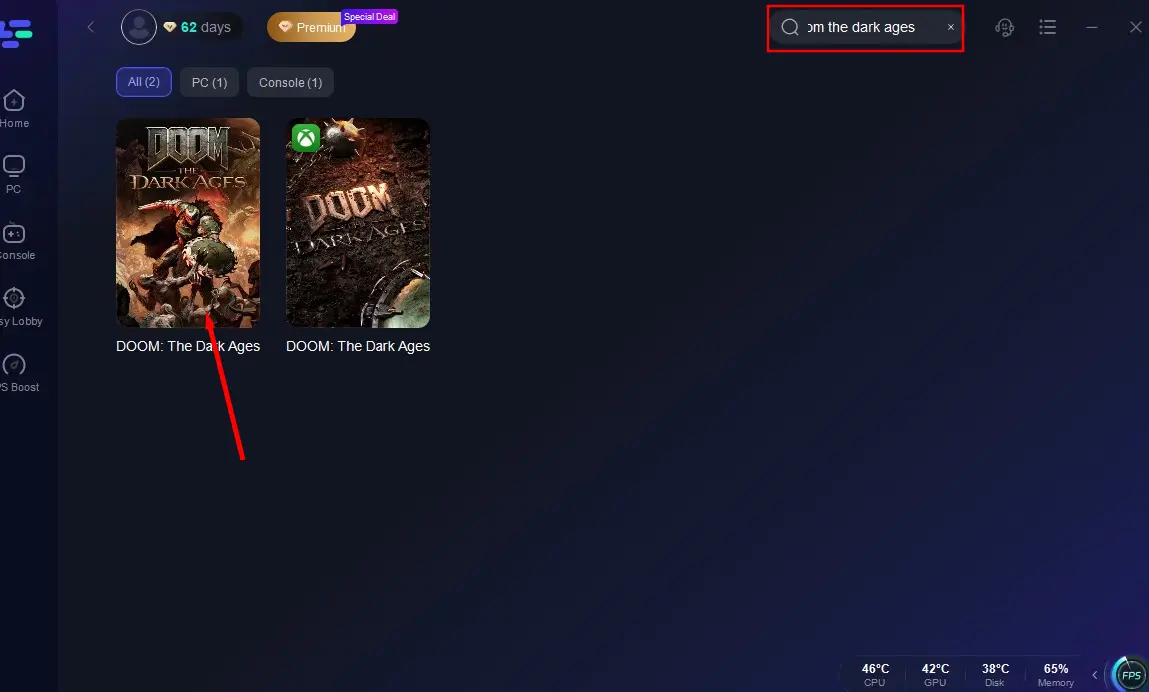
Step 2: Open LagoFast, then click the PC button on the left and search for Doom: The Dark Ages in the search bar, click it after it appears.
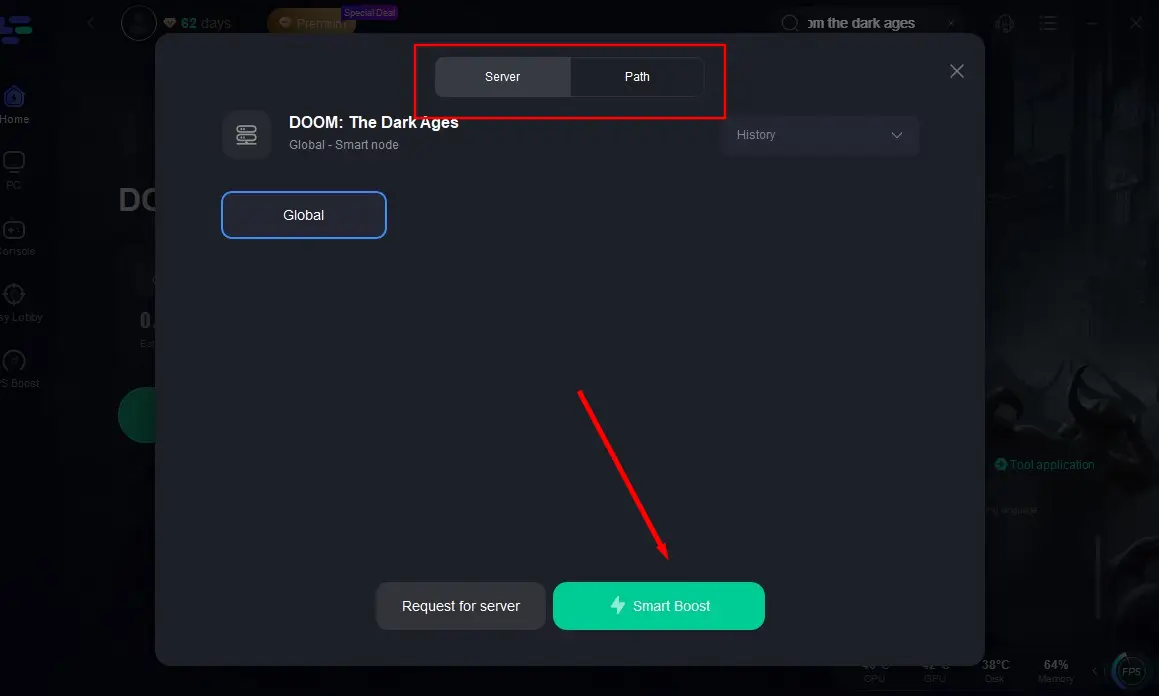
Step 3: Click on “Server” to change to a stable server that can ensure a smooth gaming experience, then click on “Smart Boost”.
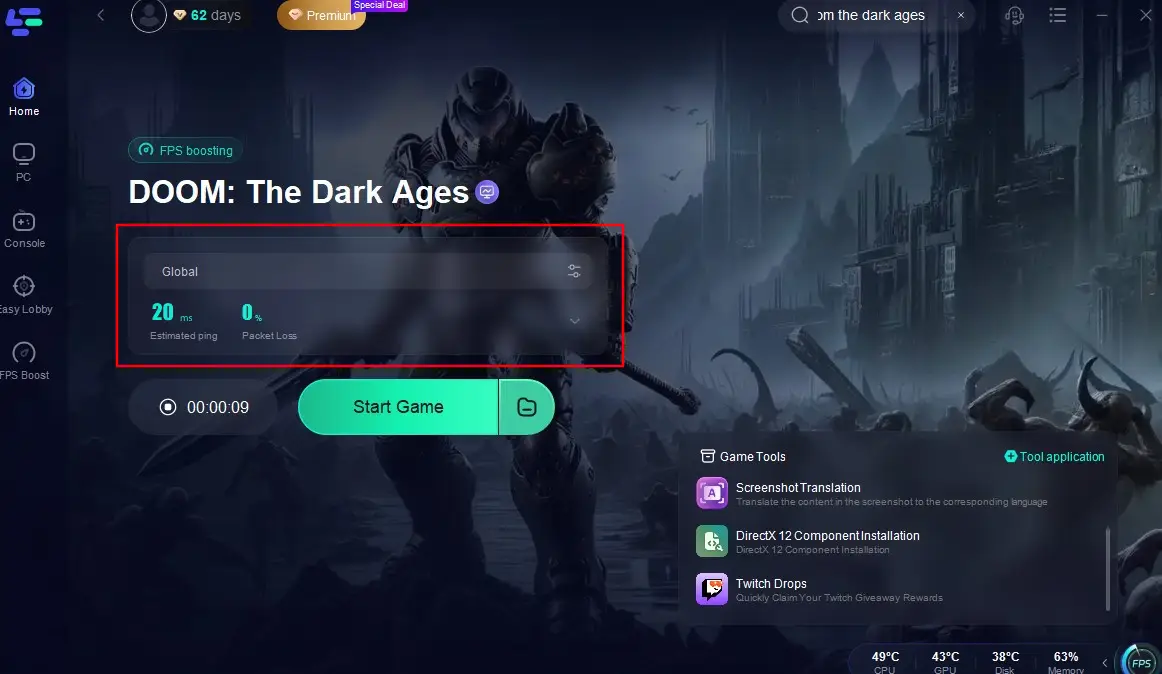
Step 4: Check the specific game ping, packet loss, and multiple path connection on the right side. Finally, click the “Start Game” to play the game.
Part 7: FAQs
Q1: Can I play Doom: The Dark Ages without a ray tracing-capable GPU?
No, the game requires a GPU with dedicated ray tracing hardware, even at minimum settings.
Q2: Is 16 GB RAM sufficient for the game?
While 16 GB is the minimum requirement, 32 GB is recommended for optimal performance, especially at higher settings.
Q3: Will the game support path tracing in the future?
Yes, id Software plans to add path tracing support via a post-launch update.
Q4: Does the game support DLSS and FSR?
Yes, Doom: The Dark Ages supports both NVIDIA's DLSS and AMD's FSR technologies to enhance performance.
Q5: Can I play the game on a laptop?
Yes, provided your laptop meets the minimum system requirements, particularly having a ray tracing-capable GPU.
Conclusion
Understanding the system requirements for Doom: The Dark Ages is essential for players eager to dive into this thrilling FPS experience. By checking your specifications, optimizing your settings, and utilizing tools like LagoFast, you can enhance your gameplay and enjoy everything this exciting title has to offer. Prepare your system, gear up, and get ready to face the demons in Doom: The Dark Ages!

Boost Your Game with LagoFast for Epic Speed
Play harder, faster. LagoFast game booster eliminates stutter and lags on PC, mobile, or Mac—win every match!
Quickly Reduce Game Lag and Ping!
Boost FPS for Smoother Gameplay!