
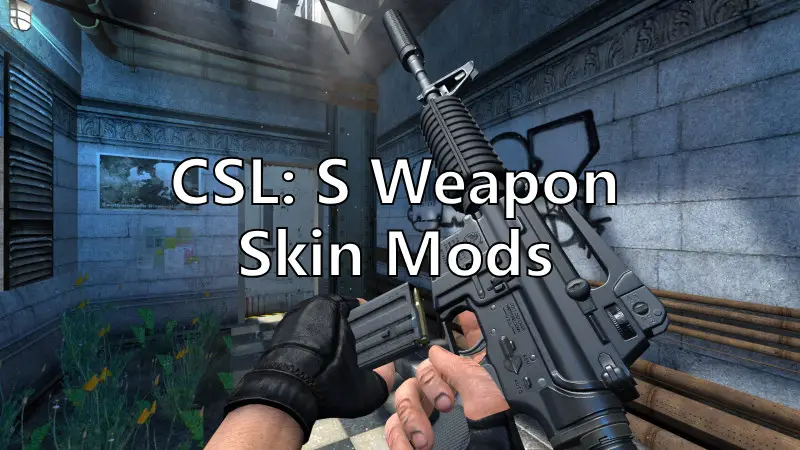
Counter-Strike: Source (CSS) remains a timeless classic, but its visual aging is undeniable. Weapon skin mods revitalize the game by transforming generic firearms into personalized masterpieces—whether you crave hyper-realistic CS2 ports, dazzling animated finishes, or tactical military gear. This guide dives deep into CSS skin mods, exploring what is CSS skin mod, how to creat CSS Weapon Skin and the best tool to enhance CSS gaming experience.

- ✅ Reduce Lag and High Ping.
- ✅ Boost FPS at the Same Time.
- ✅ Support 2000+ Popular Online Games.
- ✅ Multi-Platform: Console, PC, Mobie.
Part 1: What is CSS Weapon Skin Mod
Part 2: How to Create CS: S Weapon Skin
Part 3: Popular CSS Weapon Skin Mods
Part 4: Best Tool to Get CSS Gun Skin Mods - LagoFast
Part 1: What is CSS Weapon Skin Mod
CSS weapon skin mods are player-created modifications that replace default weapon textures, models, and effects in Counter-Strike: Source. Unlike official skins in CS:GO, these are community-driven projects that work by:
- Overwriting game assets: Replacing files like .mdl (models), .vmt (materials), and sound files7.
- Using plugins: Server-side tools like Weapons (Modified by Bone) enable live skin switching via commands like !ws without altering core files5.
- Leveraging CSS coding: Basic skins can even be created through CSS code snippets defining textures and positioning1.
Note: Most mods work only in offline/local servers due to VAC restrictions. Community servers require specific plugins for multiplayer skin support
Part 2: How to Creat CS: S Weapon Skin
Follow steps below to create your own CSS weapon skin:
1. Get What You Need
Before creating a skin, you’ll need these tools (download links assumed available):
- GCFScape – View/extract .vpk files
- VTFEdit – View and manage .vtf textures
- GIMP 2.8 – Free image editor (Photoshop alternative)
- GIMP VTF Plugin – Allows GIMP to open .vtf files
2. Set Up Your Tools & Folder Structure
Install all tools. Then, go to your CS:S install directory: C:/...Steam/steamapps/common/Counter-Strike: Source/cstrike
- If not already there, create a folder named custom
- Inside custom, create a new folder (name it after your chosen weapon for clarity)
3. Extract Required Files
Step 1: VTF Files
- Open GCFScape, then open cstrike_pak_dir.vpk from the CS:S directory
- Navigate to: materials/models/weapons/v_models/{your weapon}
- Recreate this exact folder structure inside your custom folder: Example: custom/rif_galil/materials/models/weapons/v_models/galil
- Extract the .vtf files into this new directory
Step 2: Model Files
In GCFScape, go to: models/weapons/
Find and extract the 5 v_{weapon} files (with extensions .mdl, .vvd, .vtx)
Again, recreate the same directory structure in your custom folder and place them inside
Example: custom/rif_galil/models/weapons/
4. Edit the Texture
- Open GIMP 2.8
- Use File > Open to load the .vtf texture file (choose the main one, not _ref or _normal)
- Edit freely to create your skin
- Save your work via File > Overwrite v_{weapon}.vtf
- To confirm, open the file in VTFEdit and check if your skin appears
5. Test Your Skin
Launch CS:S, start a game, and verify that the skin loads correctly.
Part 3: Popular CSS Weapon Skin Mods
In the CS:S weapon skin modding community, there are countless mods to choose from. Here are the most popular CS:S Weapon Skin Mods based on our latest findings.
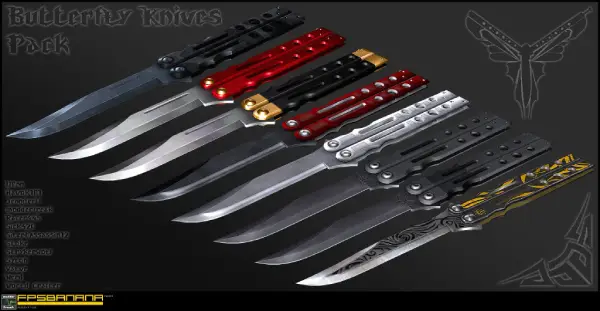
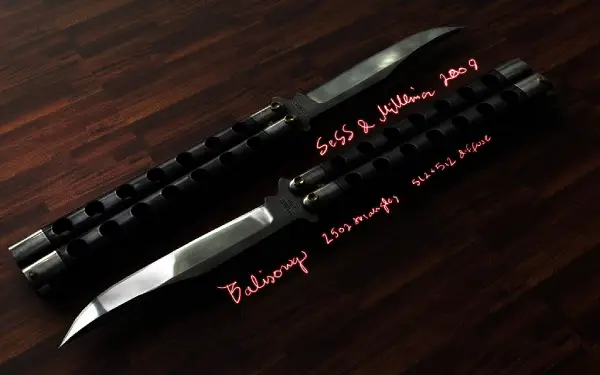
Butterfly Knives Pack v1.1
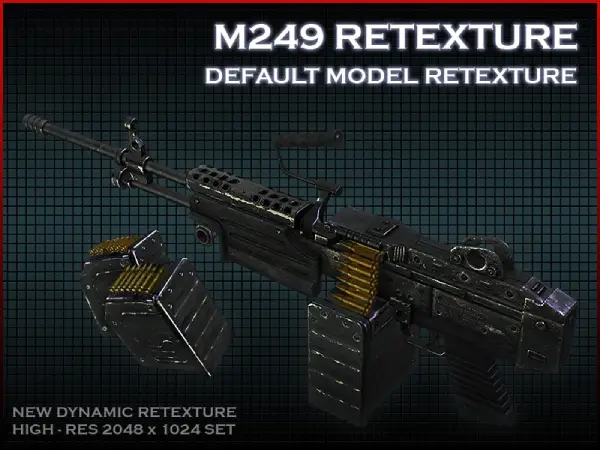
Default M249 dynamic retexture
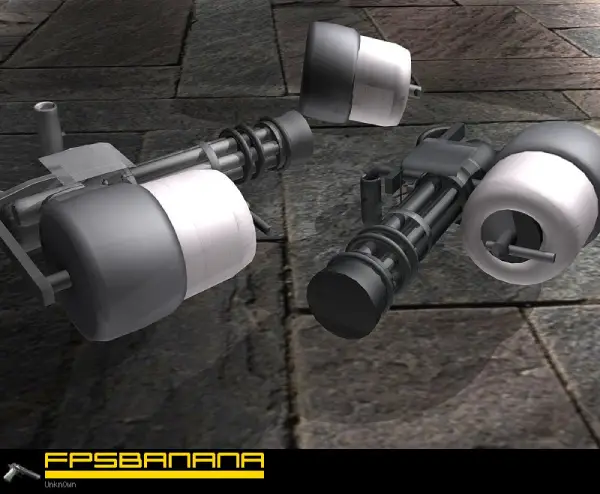
Unkn0wn's Minigun
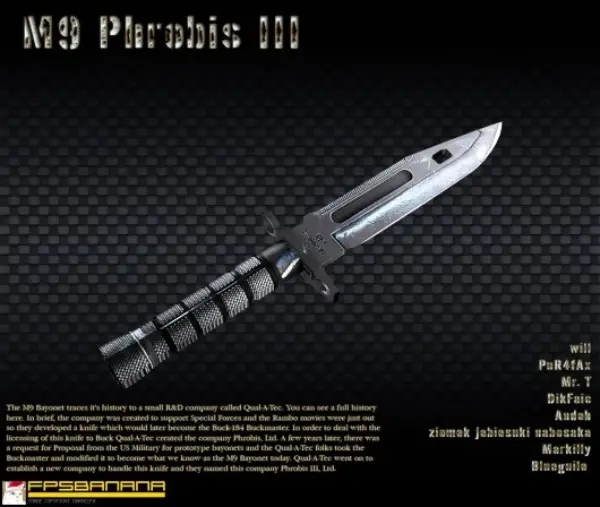
M9 Probis III Knife
Balisong
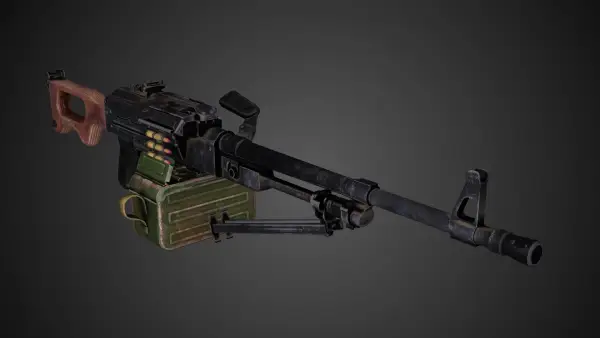
PKM
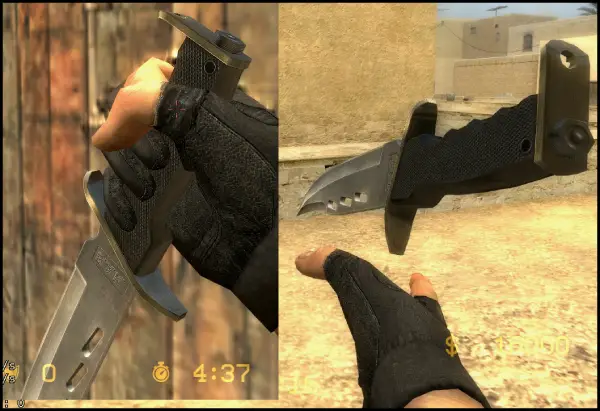
B.A.K knife redux pack
Bianchi FA-6
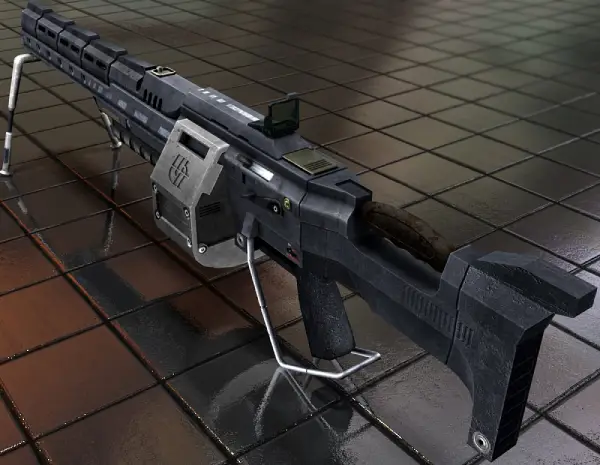
These CS:S weapon skin mods not only enhance the visual appearance of weapons but also improve their combat effectiveness, giving players a greater edge in battle.
Hot Related: CS2 Modded Server: All You Want to Know Included
Part 4: Best Tool to Get CSS Gun Skin Mods - LagoFast
If you don’t want to go through the hassle of creating your own weapon skins or spend time browsing and installing mods from community sites, then LagoFast’s CS:S Weapon Skin Mod Tool is your best choice. It currently allows players to customize the appearance of their guns, with more skins coming soon. Here's how to use it:
Step 1: Click the Free Trial button to download and install LagoFast.
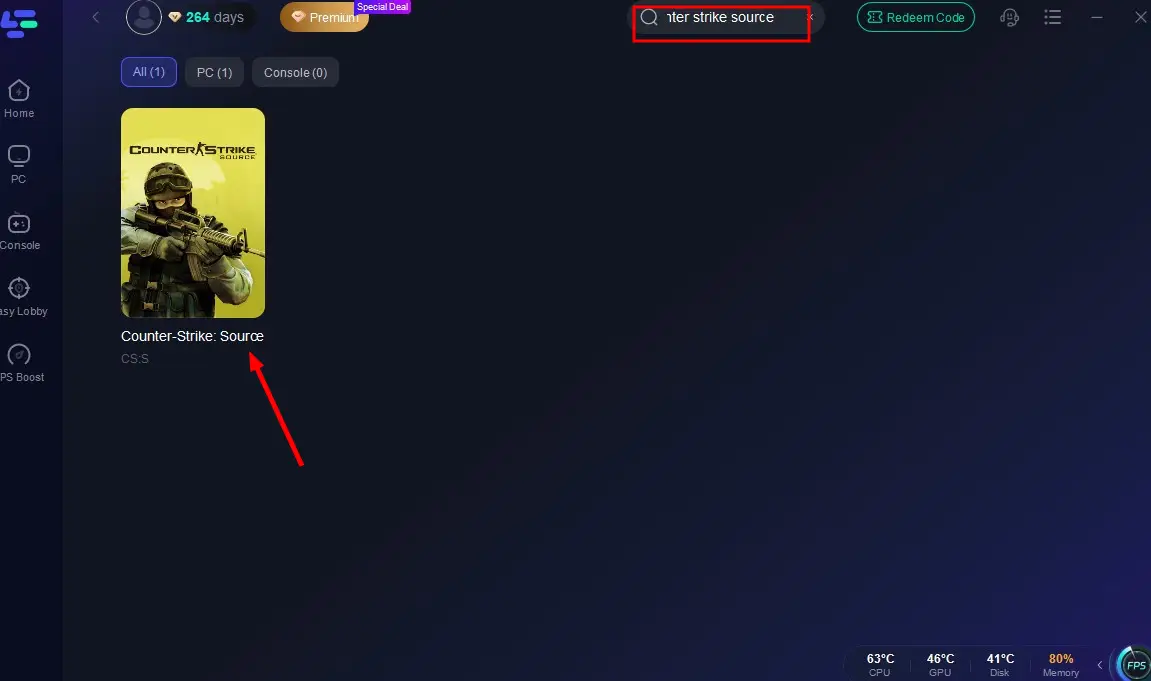
Step 2: In the LagoFast search bar, type CS:S and click the result.
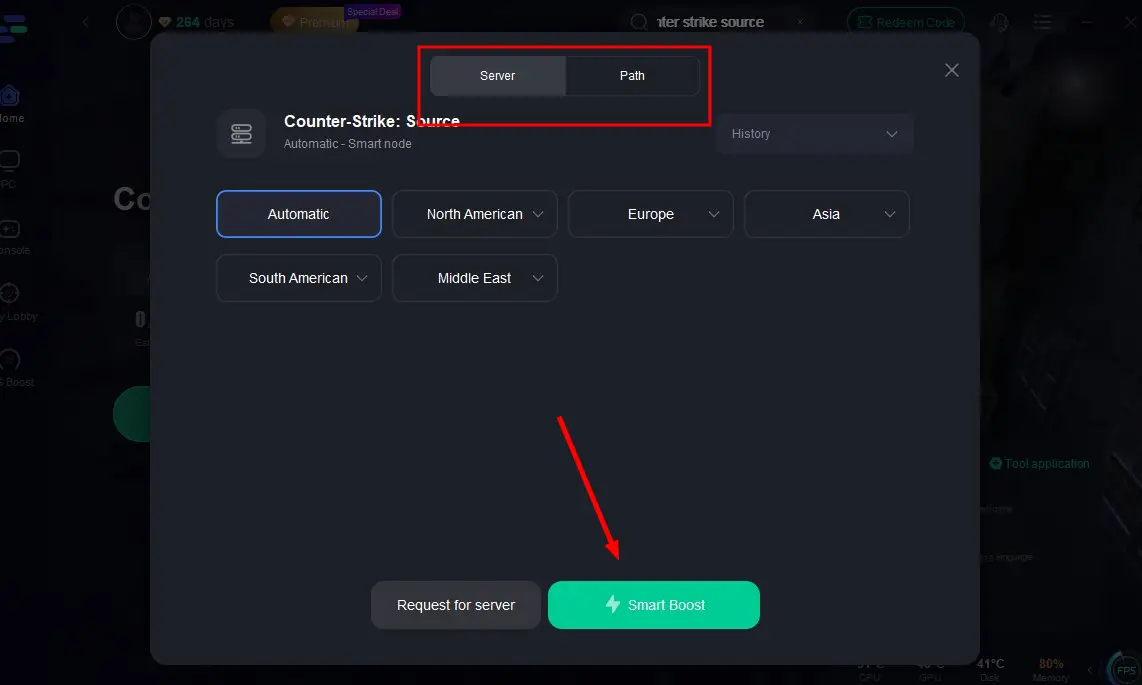
Step 3: Click Select Server to connect to a stable server, then hit Smart Boost to start acceleration.
Step 4: Click the CSS-CS2 Gun Skin Tool in the bottom-right corner.
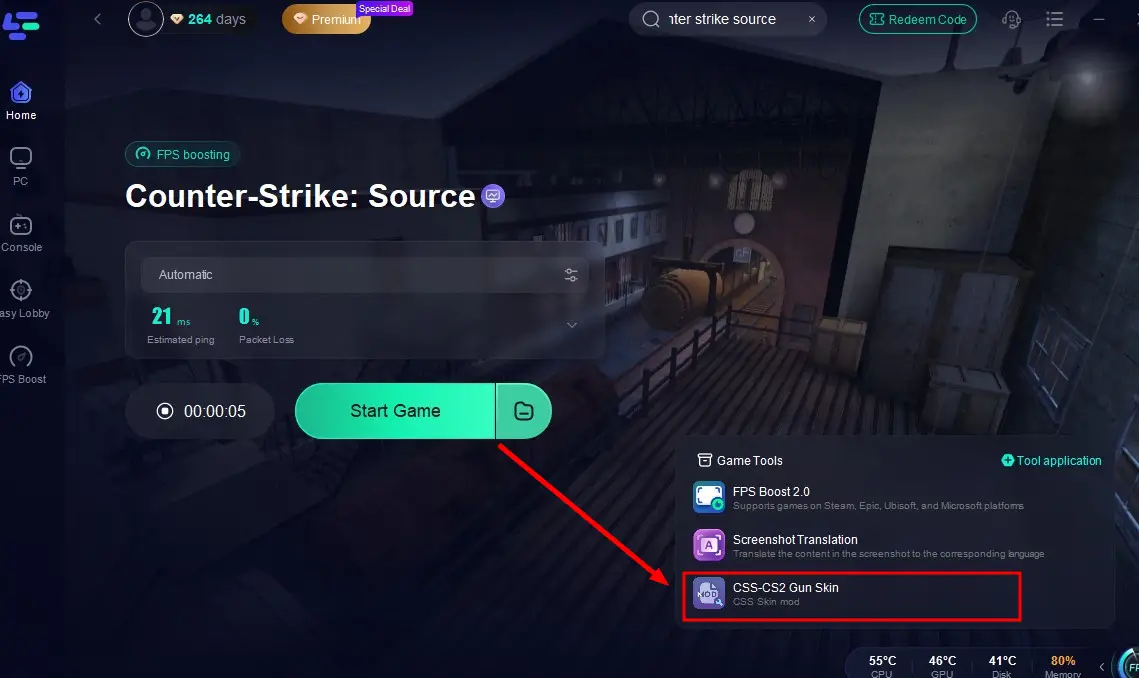
Step 5: Select the mod and complete the installation — your custom gun skins will now appear in CS:S!
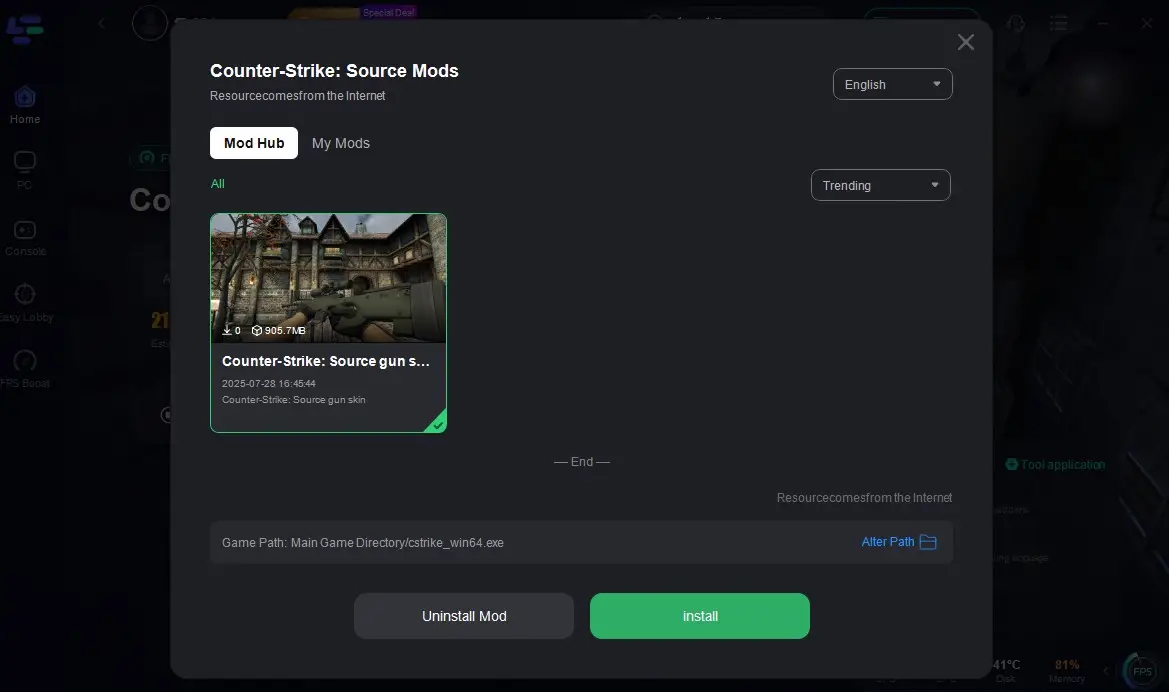
At the same time, you’ll enjoy a smooth, lag-free CS:S gaming experience powered by LagoFast.
Conclusion
Whether you're aiming to create the ultimate in-game experience or simply want to express your personal style, using CSS weapon skin mods is definitely the way to go. Based on the content in this article, you can either learn how to create your own CS:S weapon skins or download and install mods shared by other players to get the look you love.
Of course, the most convenient and efficient option is to use LagoFast’s modding tool for one-click customization and instant visual upgrades!

Boost Your Game with LagoFast for Epic Speed
Play harder, faster. LagoFast game booster eliminates stutter and lags on PC, mobile, or Mac—win every match!
Quickly Reduce Game Lag and Ping!
Boost FPS for Smoother Gameplay!