
If Crimson Desert won’t launch on your system — whether that’s a PC, PlayStation, or Xbox — the frustration can build quickly, especially for players eager to dive into its single-player world. Unlike titles that rely on online servers, Crimson Desert is designed as a premium single-player action RPG, which means many launch-day issues stem from system compatibility, local hardware and software conflicts, or platform-specific settings.
This article cuts through the noise to explain common reasons behind launch failures, practical fixes for each platform, and ways to improve your overall performance, including using LagoFast Game Booster to help ensure consistent startup and play.

- ✅ Reduce Lag and High Ping.
✅ Boost FPS at the Same Time.
✅ Support 2000+ Popular Online Games.
✅ Change Server without Latency.
✅ Boost Game Loading Speed.
Part 1. Why Crimson Desert Won’t Launch on PC: Key Technical Causes
Part 2. Reasons Crimson Desert Won’t Launch on Console Platforms
Part 3. Step-By-Step Troubleshooting When Crimson Desert Won’t Start on PC
Part 4. How to Enhance Your Game Experience with LagoFast Game Booster
Part 1. Why Crimson Desert Won’t Launch on PC: Key Technical Causes
When players report that Crimson Desert won’t launch on their PC — meaning nothing happens after hitting “Play” or the game crashes to the desktop — several underlying factors are typically involved:
1. Outdated or incompatible drivers: Modern games rely heavily on up-to-date graphics drivers to interface with DirectX, shaders, and GPU features. Old drivers often prevent the executable from initializing rendering properly.
2. Missing runtime libraries: Dependencies like Visual C++ Redistributables or DirectX components are essential. If these aren’t installed or are corrupted, the game might fail to start.
3. Background software interference: Security suites, overlays, or monitoring tools can intercept game launch processes. Disabling these temporarily often reveals whether they’re blocking Crimson Desert from starting.
4. Corrupted game files: Installers sometimes leave damaged or missing data, causing the game to crash before showing any visuals. Most launchers let you verify or repair game files.
5. System-level issues: Pending Windows updates, corrupt OS components, or insufficient permissions can all mean Crimson Desert won’t launch even on capable hardware.
Because Crimson Desert is single-player focused, these problems relate to local software-hardware compatibility rather than server connectivity, making them distinct from issues seen in online games.
Part 2. Reasons Crimson Desert Won’t Launch on Console Platforms
Console players can also encounter launch problems when Crimson Desert won’t launch on their PlayStation 5 or Xbox Series X/S. Even though consoles are more standardized than PCs, several platform-specific factors can stop the game:
1. System software not up to date: Console firmware updates often include optimizations and compatibility improvements that games rely on. Missing them can block startup.
2. Corrupted installation data: On consoles, corrupted game data is a common cause of launch failures. Re-installing the game or deleting and redownloading often resolves this.
3. License or account issues: On PlayStation platforms, authentication or license mismatches may prevent the title from starting until ownership is verified.
4. Storage configuration problems: Games installed on extended storage or USB devices may conflict with system requirements, so moving the game to internal storage can help.
These platform-specific nuances highlight that even if systems are designed for ease of use, launch failures still occur and require targeted troubleshooting.
Part 3. Step-By-Step Troubleshooting When Crimson Desert Won’t Start on PC
When Crimson Desert won’t launch on a PC, here’s a structured troubleshooting path:
- Update Drivers—Install the latest GPU drivers from NVIDIA, AMD, or Intel to ensure full compatibility with new titles.
- Install Required Runtimes — Make sure Visual C++ Redistributables and DirectX components are present and current.
- Verify Game Files — Use launcher tools to check for corrupted or missing files.
- Disable Background Apps — Temporarily deactivate overlays or antivirus software to rule out interference.
- Run as Admin—Right-click the executable and choose “Run as administrator” to ensure permission isn’t the blocker.
- Clean Boot — Boot Windows with minimal services to isolate conflicting software.
- Reinstall the Game — As a last resort, a clean reinstall often fixes deep corruption.
Unlike online games, where connectivity can be the root issue, single-player launch failures focus more on local configuration and dependencies.
Part 4. How to Enhance Your Game Experience with LagoFast Game Booster
Even though Crimson Desert is a single-player game, you might still run into problems like the game not opening or patch downloads getting stuck. These issues are often caused by unstable network connections or slow server responses.
A stable internet connection won’t fix every error, but it helps ensure that game files download properly and launcher updates run smoothly. If Crimson Desert won't start, it could be due to incomplete downloads or launcher connection problems.
That’s where LagoFast (LagoFast Game Booster—Get No Lag and Lower Ping) Game Booster comes in. It optimizes your network route, reduces lag, and helps keep your connection stable—so you can download patches without interruption and jump into the game hassle-free.
How to Use LagoFast Game Booster
Step 1: Click the Free Trial button to download and install LagoFast Free Trial.
Step 2: Open the application and select Crimson Desert from the list of supported games.
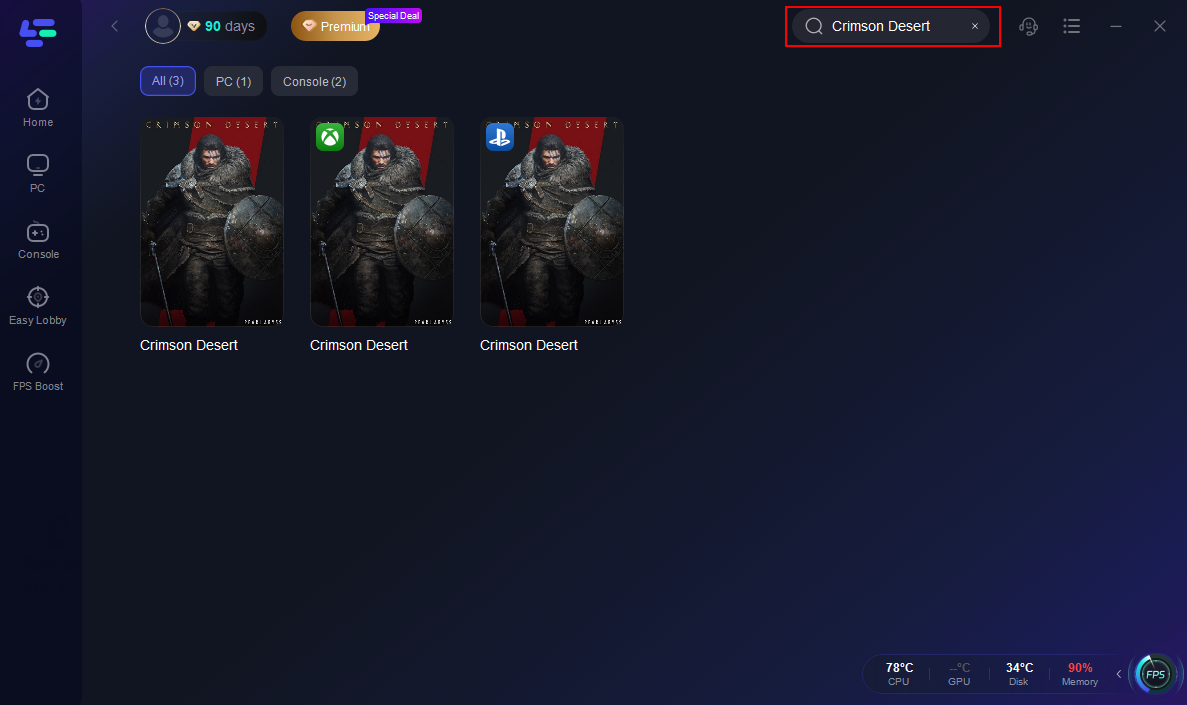
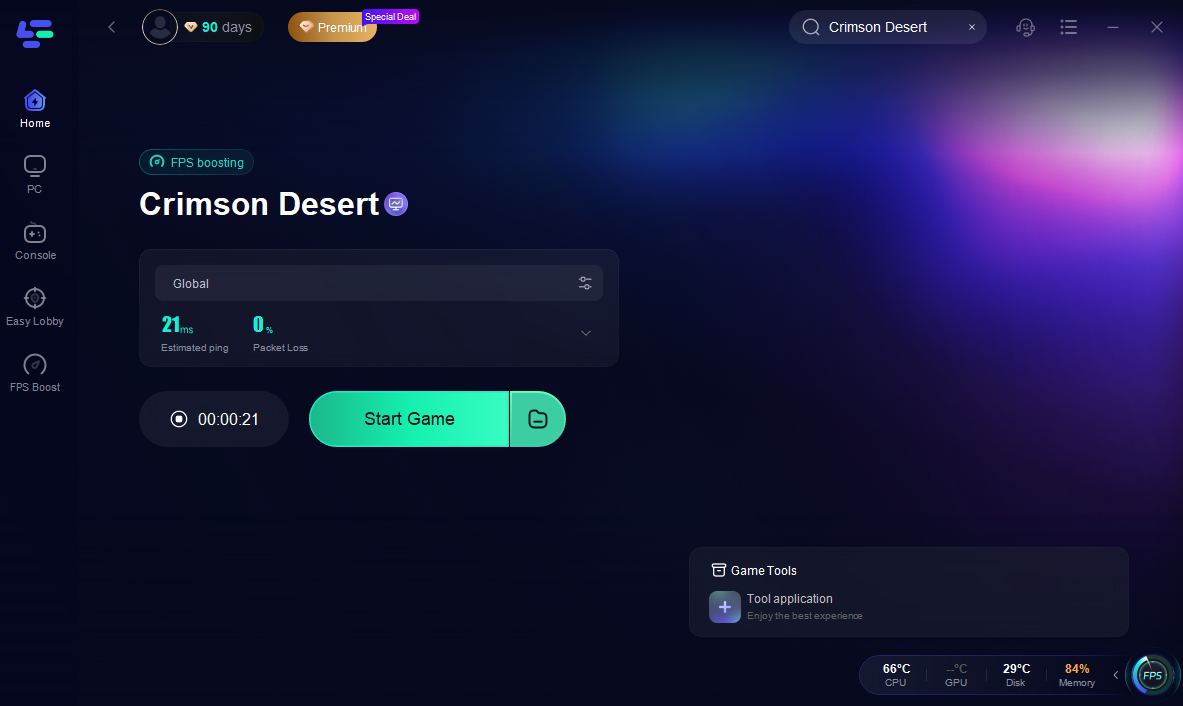
Step 3: Once you have selected your node, simply click the "Boost" button. LagoFast will immediately begin optimizing your network route.

With the optimization active, launch your game as you normally would. You should immediately notice a smoother experience with reduced lag.
Part 5. FAQs
Why does my PC say Crimson Desert won’t launch but nothing happens?
This typically means the game failed to begin loading due to a software conflict, outdated drivers, or missing components. Updating drivers and verifying game files are first-step fixes.
Can corrupted game files cause the game to refuse launch?
Yes — corruption in crucial startup assets can stop the game immediately before the main menu. Use the integrity check in your game launcher to detect this.
Do overlays contribute to launch problems?
Background overlays from Discord, GPU control panels or similar tools can conflict and prevent the game from initializing, so disable them.
Is installing latest Windows updates important even for single-player games?
Yes—system updates often include libraries games depend on, and missing updates can help explain why a PC game won’t launch at all.
Should I reinstall the game if all else fails?
If you’ve tried updates, file verification, and software conflicts without success, reinstalling after a full system reboot often clears deeper issues.
Conclusion
When Crimson Desert won’t launch, the cause is almost always tied to system or software factors — not the game itself refusing to start. By systematically updating drivers, eliminating software conflicts, checking game files, and preparing your system with tools like LagoFast Game Booster, you can significantly reduce the chance of startup failures on launch day or beyond. Approach the problem with structured troubleshooting rather than guesswork, and you’re far more likely to enjoy this massive single-player open-world RPG as intended when it arrives.
Boost Your Game with LagoFast for Epic Speed
Play harder, faster. LagoFast game booster eliminates stutter and lags on PC, mobile, or Mac—win every match!
Quickly Reduce Game Lag and Ping!
Boost FPS for Smoother Gameplay!