
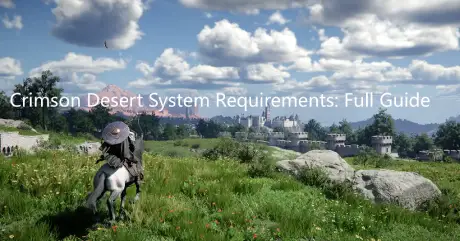
Before diving into Crimson Desert, make sure your PC is ready. This stunning open-world RPG features vast environments and intense combat that demand solid hardware. Without the right specs, you may experience lag, stuttering, or slow loading.
This guide covers the minimum and recommended system requirements, how to check your PC, optimize performance, and enhance your network for the smoothest gameplay experience.

Part 1: Crimson Desert System Requirements
Part 2: How to Check Your System Specifications
Part 3: Can You Run Crimson Desert?
Part 4: How to Use LagoFast Enhance Experience in Crimson Desert
Part 5: Tips for Optimizing Performance
Part 1: Crimson Desert System Requirements
Before diving into the details, here are the official system requirements for Crimson Desert based on the latest developer release. Meeting these specs ensures smooth gameplay without lag or crashes.
Minimum System Requirements
- CPU: AMD Ryzen 5 2600X / Intel Core i5-8500
- RAM: 16 GB
- GPU: NVIDIA GTX 1060 / AMD RX 6500 XT
- DirectX: Version 12
- OS: Windows 10 64-bit
- Storage: 100 GB available space
- Sound: Windows-compatible audio device
Recommended System Requirements
- CPU: AMD Ryzen 5 5600 / Intel Core i5-11600K
- RAM: 16 GB
- GPU: NVIDIA RTX 2080 / AMD RX 6700 XT
- DirectX: Version 12
- OS: Windows 10 64-bit
- Storage: 100 GB available space
- Sound: Windows-compatible audio device
Note: These are the official developer specs. To enjoy a stable experience, aim for at least the minimum specs.
Part 2: How to Check Your System Specifications
Before installing Crimson Desert, it’s important to know whether your PC meets the game’s requirements. Not sure what hardware your system has? Here’s a quick and easy way to check:
CPU and RAM:
- Right-click on This PC (or My Computer) → select Properties.
- You’ll see your processor (CPU) and installed memory (RAM) listed.
GPU (Graphics Card):
- Press Win + R, type dxdiag, and hit Enter.
- Switch to the Display tab to view your GPU and video memory.
Storage:
- Open This PC and check the available space on your main drive.
- Ensure you have at least 100 GB free to install the game.
Quick Online Check:
If you prefer an automated method, websites like Can You Run It can analyze your system and tell you whether it meets Crimson Desert’s requirements.
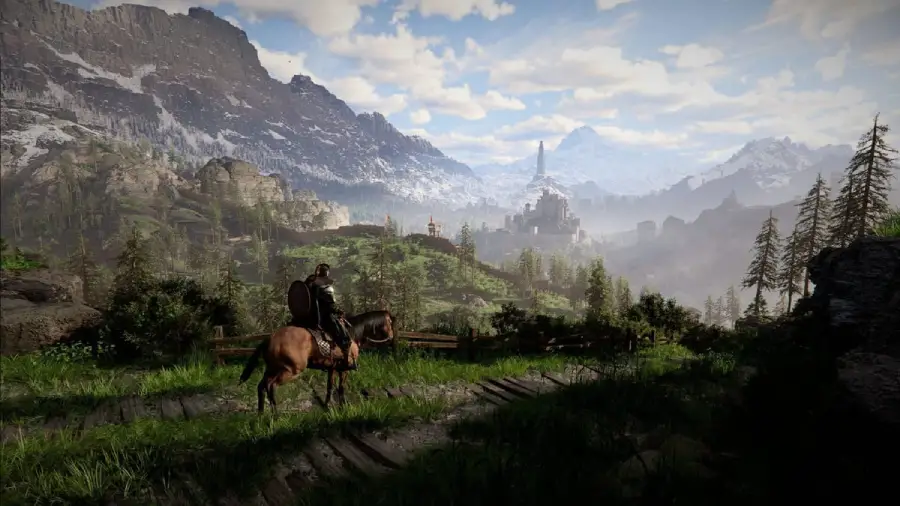
Part 3: Can Your PC Run Crimson Desert?
Here’s a simplified breakdown of what you can expect based on your hardware:
- Barely Enough: GTX 1060 + Ryzen 5 2600X + 16GB RAM
Performance: The game runs at low graphics with occasional frame drops. - Middle Ground: Near minimum requirements
Performance: May need to reduce graphics effects to maintain smooth gameplay. - Smooth Experience: RTX 2080 / RX 6700 XT + Ryzen 5 5600 + 16GB RAM + SSD
Performance: Full high-quality visuals with stable frame rates for seamless gameplay.
Tip: Simply running the game isn’t enough—combat, exploration, and open-world enjoyment all benefit from a stable, smooth experience.
Part 4: How to Use LagoFast Enhance Experience in Crimson Desert
Even with upgraded hardware and optimized settings, you may still encounter FPS drops or stutters caused by system load or unstable network conditions—especially in Crimson Desert’s massive open-world battles and busy environments.
LagoFast helps stabilize and improve FPS by reducing system congestion and optimizing network routing, minimizing packet loss and lag spikes for smoother, more consistent performance. It also offers helpful features like instant translation and additional in-game tools to enhance communication and overall gameplay, making your Crimson Desert adventure more seamless and enjoyable.
How to use LagoFast for Crimson Desert
Step 1: Download and launch LagoFast.
Step 2: After installation, search "Crimson Desert" in the search bar and select the game
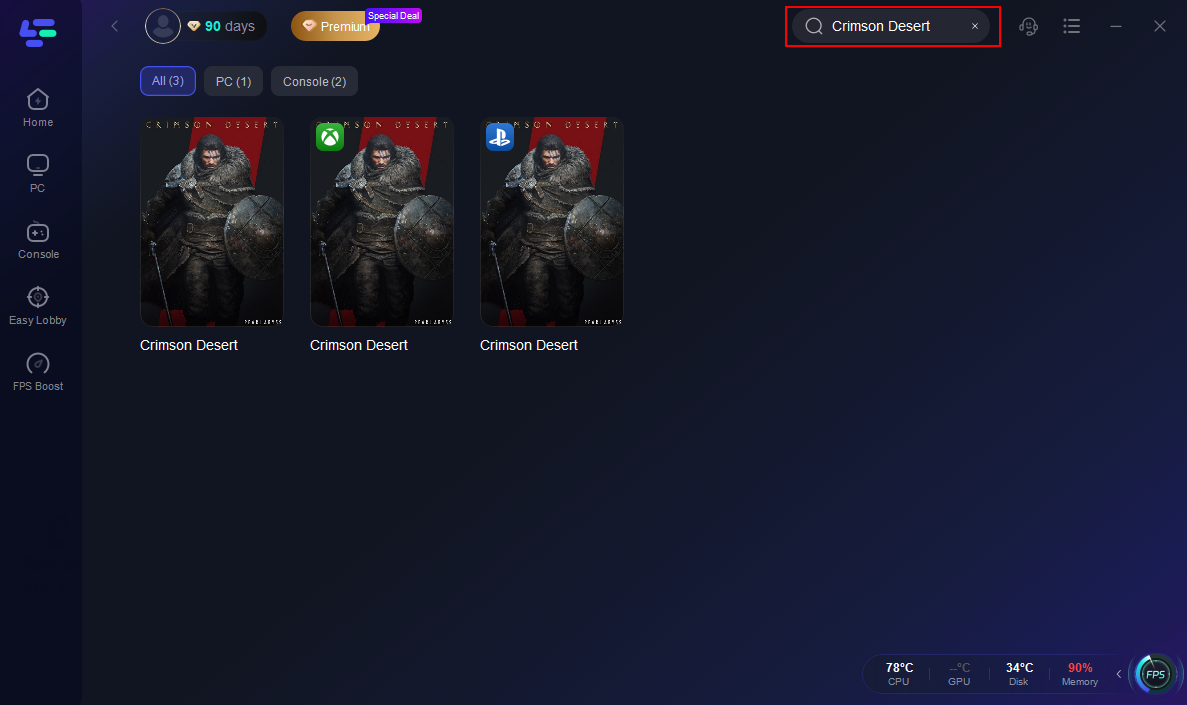
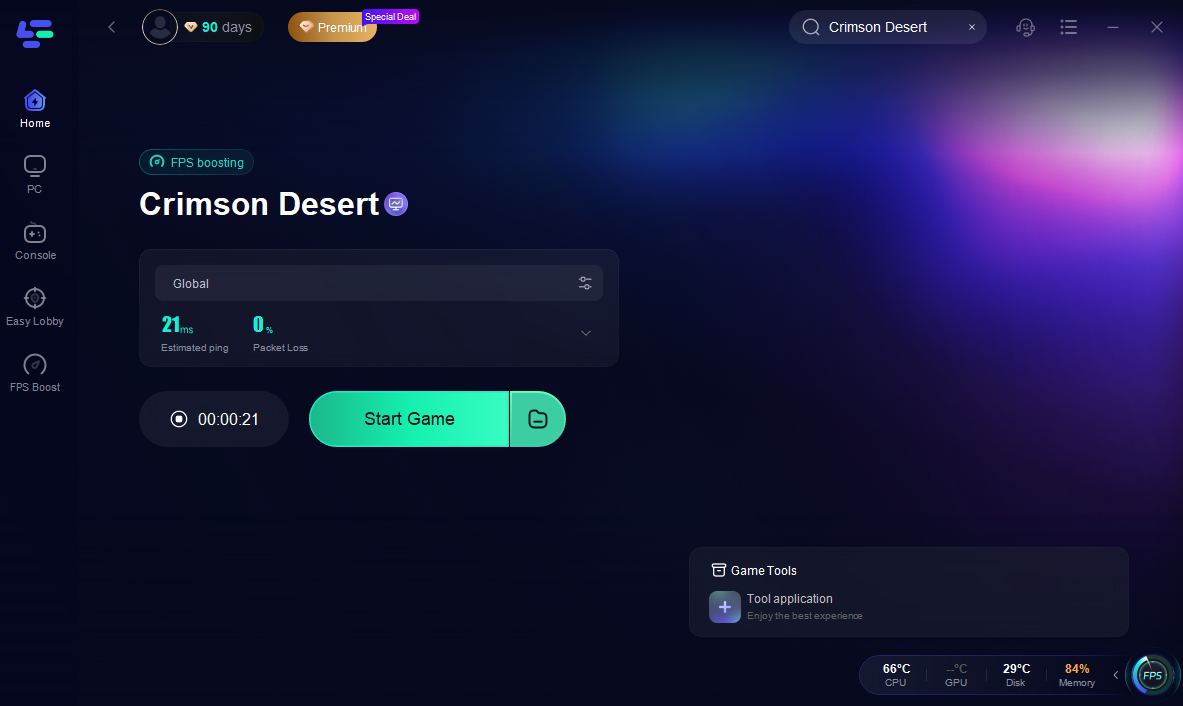
Step 3: Choose your preferred server node and click "Smart Boost" to start optimizing.

Step 4: Check the specific game ping, packet loss, and multiple path connection on the right side. Finally, click “Start Game” to play the game.
Part 5: Tips to Optimize Performance
To improve performance and achieve a smoother experience, here are some optimization tips for Crimson Desert:
- Use an SSD Instead of an HDD: Faster loading times and smoother open-world performance.
- Keep GPU Drivers and Windows Updated: Improves stability, compatibility, and overall performance.
- Lower Unnecessary Graphics Settings: Reduce shadows, particle effects, and view distance to improve frame rate.
- Close Background Programs: Free up CPU and RAM to ensure the game runs smoothly.
- Balance CPU and GPU Usage: Avoid bottlenecks where either component limits performance; adjust settings to maintain stable frame rates.
Part 6: FAQs
Q1: Can I play if my PC is below the minimum requirements?
A: Probably not. The game may not launch, or performance will be extremely poor with severe lag and low graphics.
Q2: Can I play on GTX 1060 + 16GB RAM at high settings?
A: You can, but expect to lower the resolution or reduce certain graphics effects to maintain stable frame rates.
Q3: Is an SSD necessary?
A: Highly recommended. An SSD reduces loading times, prevents texture pop-ins, and improves overall open-world performance.
Q4: How much RAM is really needed?
A: 16GB is recommended for smooth gameplay. Less RAM may cause stuttering or crashes, especially during intense combat or large-scale events.
Q5: Will the system requirements change after release?
A: Possibly. Developers may optimize the game or adjust specs post-launch based on player feedback.
Conclusion
Crimson Desert is a visually stunning and demanding open-world RPG. Knowing your system’s capabilities is key to enjoying a smooth experience. By checking your PC specs, understanding how your hardware performs, optimizing settings, and ensuring stable network connections, you can minimize lag, improve performance, and fully immerse yourself in the game’s world. Check your PC now and optimize your system to dive into Crimson Desert today!

Boost Your Game with LagoFast for Epic Speed
Play harder, faster. LagoFast game booster eliminates stutter and lags on PC, mobile, or Mac—win every match!
Quickly Reduce Game Lag and Ping!
Boost FPS for Smoother Gameplay!