
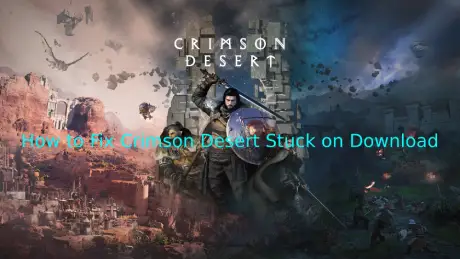
Crimson Desert is a huge open-world action RPG where you explore the dangerous land of Pywel, fight epic battles, and follow a story full of twists. With massive environments, detailed characters, and intense combat.
Before you even get to the action, many players hit the same roadblock: downloading the game. You hit “Download,” and… nothing. The progress bar barely moves for hours—sometimes it's stuck at 0%, other times it jumps a little and then drops back to zero. It’s super frustrating, and you’re left wondering what’s going on. If that sounds familiar, don’t worry—you’re not alone. In this guide, we’ll look at why downloads get stuck or slow in Crimson Desert and share simple ways to get it downloading properly so you can jump into the game faster.

- ✅ Reduce Lag and High Ping.
✅ Boost FPS at the Same Time.
✅ Support 2000+ Popular Online Games.
✅ Change Server without Latency.
✅ Boost Game Loading Speed.
Part 1: Why is Crimson Desert Stuck on Download?
Part 2: How to Fix Crimson Desert Download Speed Slow Issues
Part 1: Why is Crimson Desert Stuck on Download?
Many players run into frustrating issues before they can even start playing. Common reports include:
- Pre-download isn’t working—Some players notice the pre-download feature doesn’t start at all. One user said, “App said it would pre-start itself, but it didn’t. I had to log in on the system to get it downloading.”
- Download crashes or resets—The game might show the full size, like 120 GB, but when you try to install, it crashes or sends you back to start.
- Error codes when downloading—Even after purchase via PC Xbox App, some players get stuck with unexplained error codes.
- Speed and progress issues—Download speed jumps up for a bit, then drops to almost nothing. Some see the progress bar stuck at 0% or barely moving for hours.
Common Reasons Crimson Desert Gets Stuck on Download
1. Server congestion
When Crimson Desert launches globally or gets a big update, the servers can get overloaded. This can freeze downloads or make speeds fluctuate unpredictably, especially during the first few days of release.
2. Steam or platform-specific issues
Sometimes Steam (or other platforms like Xbox App) can experience regional server problems, maintenance, or glitches. This can prevent pre-downloads or full installs from starting correctly.
3. Unstable network connection
Weak Wi-Fi, ISP throttling, or brief drops in internet connection can slow or stop downloads. Even if your network seems fine, these small interruptions can reset the progress.
4. Local system limitations
Low disk space, firewall blocks, or antivirus software can prevent the game from downloading properly. Many players only got it working after freeing up space or temporarily disabling security software.
5. Launcher or client glitches
Corrupted cache or files in Steam, Xbox App, or other clients can stop downloads or pre-downloads. Logging in again or reinstalling the app often solves the issue.
Most of the time, it’s not just one thing—server issues, network problems, and local system quirks often combine to cause the download to get stuck. Knowing these common problems helps you figure out the right fix faster.
Part 2: How to Fix Crimson Desert Download Speed Slow Issues
Solution 1: Fix Crimson Desert Stuck on Download with LagoFast
If your download is crawling or keeps freezing, a good first step is to stabilize your connection. LagoFast is a great choice, a game performance platform that can reduce ping, fix packet loss, and optimize routing for smoother downloads.
Using a game booster like LagoFast Game Booster helps keep your connection steady, making pre-downloads and full installs run more reliably. It also includes a Windows 11 Lag Fix and will soon offer Game Crash Fixes, FPS optimization, and other useful tools to improve your overall gaming experience.
How to Use LagoFast for Crimson Desert
Step 1: Click the Free Trial button to download and install LagoFast.
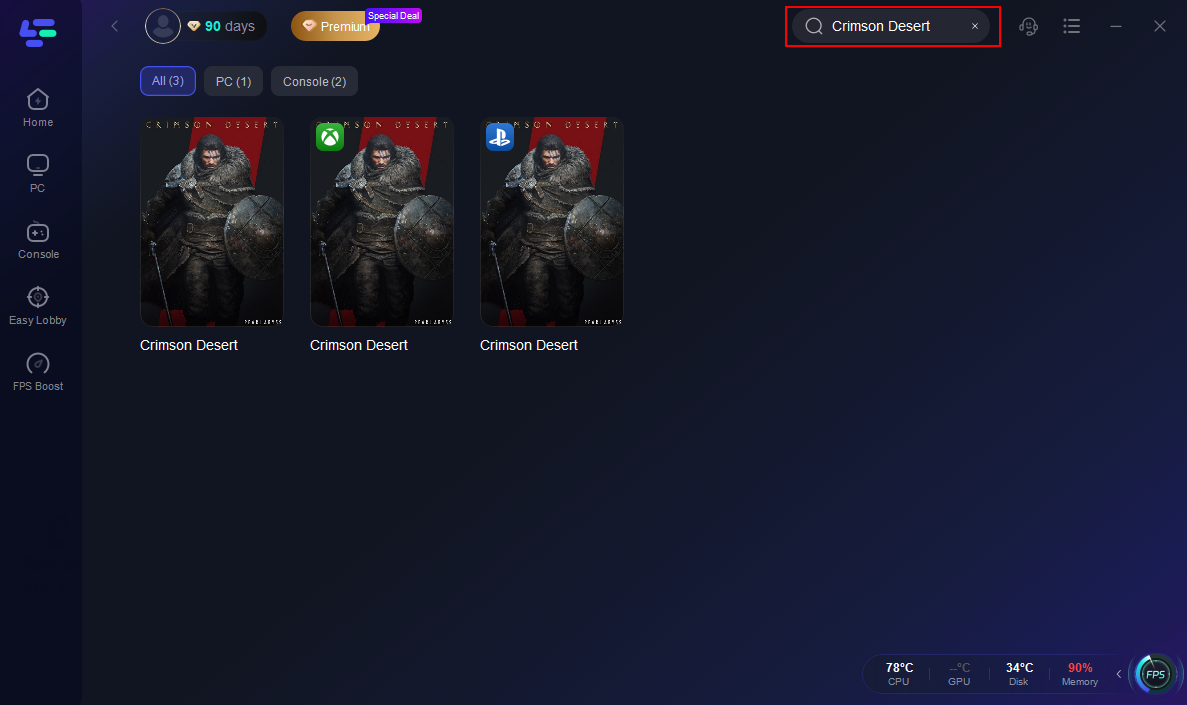
Step 2: After installation, search "Crimson Desert" in the search bar and select the game.
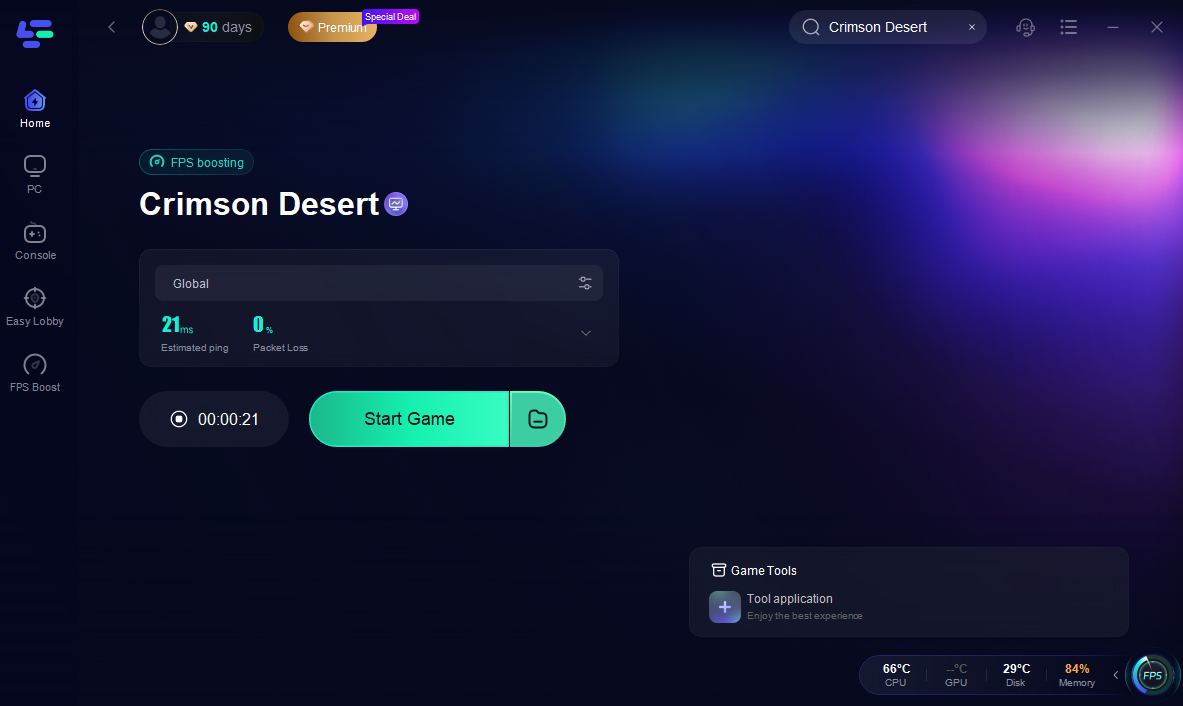
Step 3: Choose your preferred server node and click "Smart Boost" to start optimizing.

Step 4: Launch your game and enjoy smooth, optimized gameplay with lower ping and packet loss.
Solution 2: Check Your Network
A slow or unstable network can stall downloads. Try these:
- Use a wired connection whenever possible—it’s far more stable than Wi-Fi.
- Pause bandwidth-heavy apps like streaming, cloud syncing, or P2P downloads while the game is downloading.
- Adjust or turn off VPNs—they can sometimes slow your connection or cause routing issues.
These simple tweaks can make a noticeable difference in download speed.
Solution 3: Optimize Launcher or Platform Settings
Depending on where you’re downloading—Steam, Xbox App, or another launcher—the platform itself can affect download speed:
- Change download server/region if the launcher allows. Choosing a closer or less crowded server often boosts speed.
- Clear the launcher cache to remove corrupted temporary files that may freeze downloads.
- Check permissions to make sure the app can write files to your disk.
Solution 4: Check System and Disk
Local issues can block downloads even if your network is fine:
- Free up disk space—Crimson Desert needs roughly 100–135 GB. Low space can halt or crash downloads.
- Temporarily disable antivirus or firewall—some security software may block the download.
- Update system and network drivers—ensures Windows and your network hardware don’t slow things down.
- Check that your game and launcher are updated to the latest version to avoid compatibility issues.
Solution 5: Timing and Download Tricks
- Start pre-downloads during off-peak hours—server congestion is often the main cause of slow or stuck downloads.
- Using LagoFast or similar boosters combined with off-peak downloading can make installs smoother and faster.
Solution 6: Restart or Reinstall
If none of the above works:
- Restart the launcher or app—minor freezes are often resolved this way.
- Reinstall the launcher—corrupted files or cache can block downloads.
- Contact official support—they can provide platform-specific fixes for Steam, Xbox App, or other clients.
Conclusion
Downloading Crimson Desert can sometimes be frustrating, but many issues often have practical solutions. Stabilizing your connection with LagoFast, checking your network, adjusting launcher settings, or freeing up disk space may help get your download moving. Timing pre-downloads during off-peak hours or restarting the launcher can also improve results. By being aware of these common problems and trying these approaches, you can likely spend less time waiting and more time exploring Pywel, engaging in battles, and enjoying what Crimson Desert has to offer.
Boost Your Game with LagoFast for Epic Speed
Play harder, faster. LagoFast game booster eliminates stutter and lags on PC, mobile, or Mac—win every match!
Quickly Reduce Game Lag and Ping!
Boost FPS for Smoother Gameplay!