
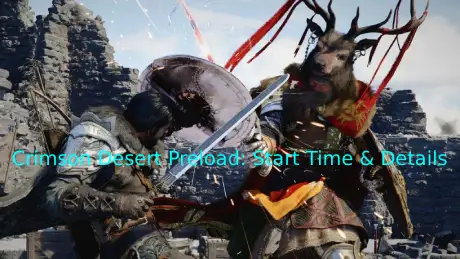
Crimson Desert is an upcoming open-world action RPG known for its large-scale battles and expansive world, and it’s expected to be a major release for RPG fans. With a game of this size, installation time and launch-day traffic can easily slow things down. That’s where preload comes in. If you want to be ready the moment the game unlocks instead of waiting through a long setup, it helps to know when preload starts and how it works across different platforms. This guide covers the key details so you can prepare in advance.

- ✅ Reduce Lag and High Ping.
✅ Boost FPS at the Same Time.
✅ Support 2000+ Popular Online Games.
✅ Change Server without Latency.
✅ Boost Game Loading Speed.
Part 1: When Does Crimson Desert Preload Start?
Part 2: How to Preload Crimson Desert on PC & Console
Part 3: How to Enhance Your Gaming Experience in Crimson Desert
Part 1: When Does Crimson Desert Preload Start?
Crimson Desert is officially scheduled to release on March 19, 2026, across PC, PlayStation 5, and Xbox Series X|S.
At the time of writing, the developer has not announced an exact preload start time, which is common for major launches. For most large-scale RPGs on these platforms, preload usually opens about 24–48 hours before release, though timing can vary slightly by region.
If that pattern holds, players can expect Crimson Desert preload to go live shortly before launch week. Keep an eye on your platform library and official updates as the date approaches. We’ll update this page once the exact time is confirmed. Missing the preload window could mean slower installs when launch-day traffic increases.
Part 2: How to Preload Crimson Desert on PC & Console
Once preload goes live for Crimson Desert, the process is straightforward. On PC, the game will be available through Steam.
1. PC (Steam)
When preload becomes available, the option will appear directly in your Steam Library.
Steps:
- Open Steam
- Go to Library
- Select Crimson Desert
- Click Preload when the button becomes active
If you don’t see the preload option immediately, restart Steam and check again once the official preload window begins.
2. Console (PlayStation 5 / Xbox Series X|S)
On console, preload is typically available for players who have pre-ordered the game. Once the preload window opens, the download option should appear in your library.
PlayStation 5
- Go to Game Library
- Select Crimson Desert
- Choose Download
If Auto-Download is enabled in system settings, the game may begin downloading automatically once preload starts.
Xbox Series X|S
- Open My Games & Apps
- Find Crimson Desert
- Select Install
- Choose your storage location
On Xbox, preloads often start automatically after purchase, but you can also manually trigger the download from your library.
Part 3: How to Enhance Your Gaming Experience in Crimson Desert
Preloading gets you ready, but a smooth launch also depends on a stable network connection. In Crimson Desert, even players with good internet can experience ping spikes, packet loss, or stutter during large battles or while exploring the open world. These issues are often caused by unstable routing or long distances to the game servers—not just slow internet speed. Using a game booster like LagoFast Game Booster can help stabilize your connection, reduce ping and packet loss, and maintain smoother FPS, giving you a more consistent and enjoyable gaming experience.
How to use LagoFast for Crimson Desert on PC
Step 1: Click the Free Trial button to download and install LagoFast.
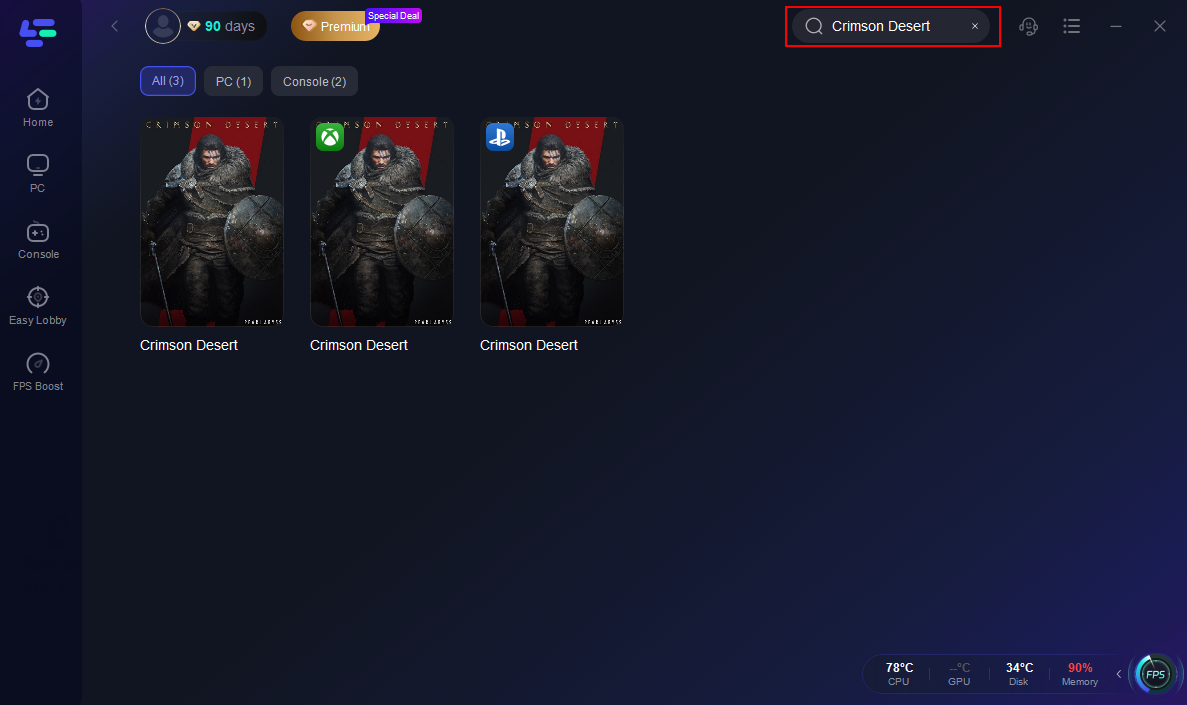
Step 2: After installation, search "Crimson Desert" in the search bar and select the game.
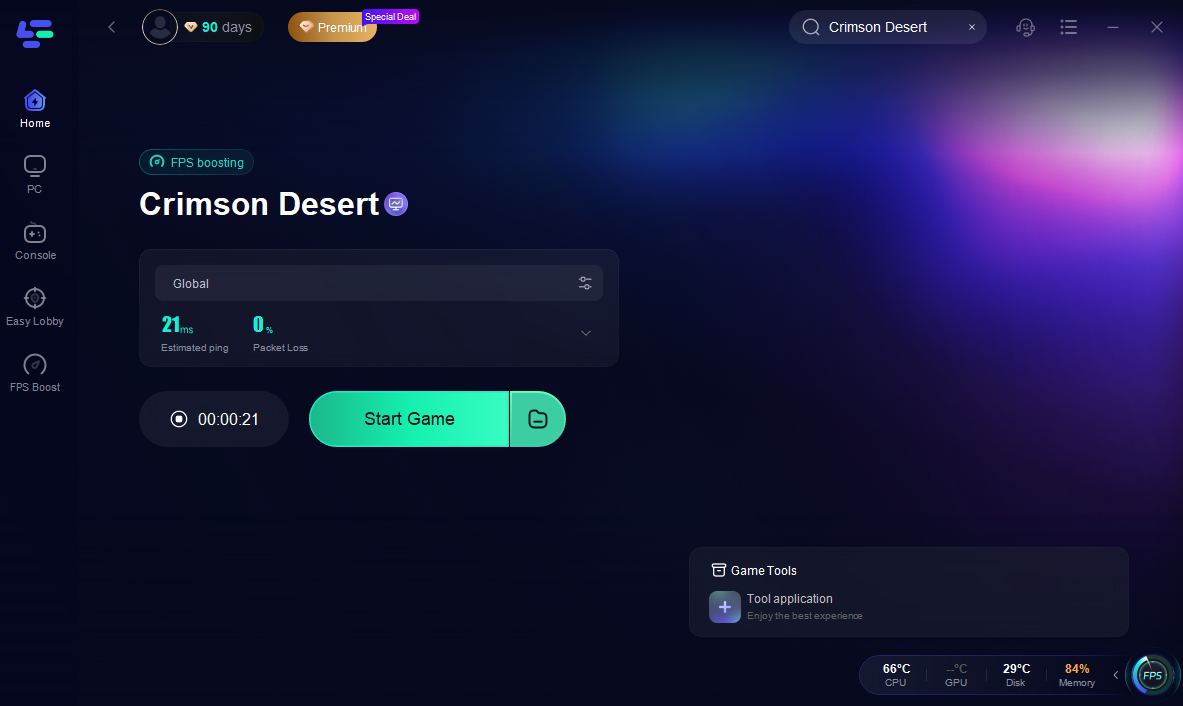
Step 3: Choose your preferred server node and click "Smart Boost" to start optimizing.

Step 4: Launch your game and enjoy smooth, optimized gameplay with lower ping and no stutter.
How to use LagoFast for Crimson Desert on Console
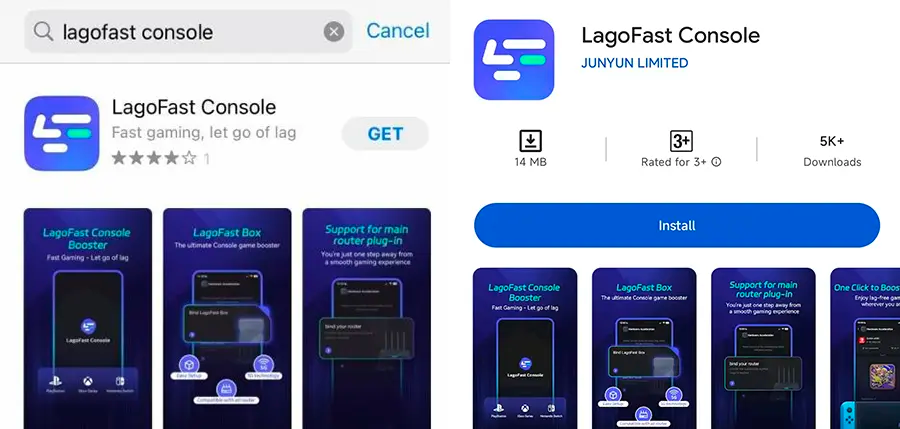
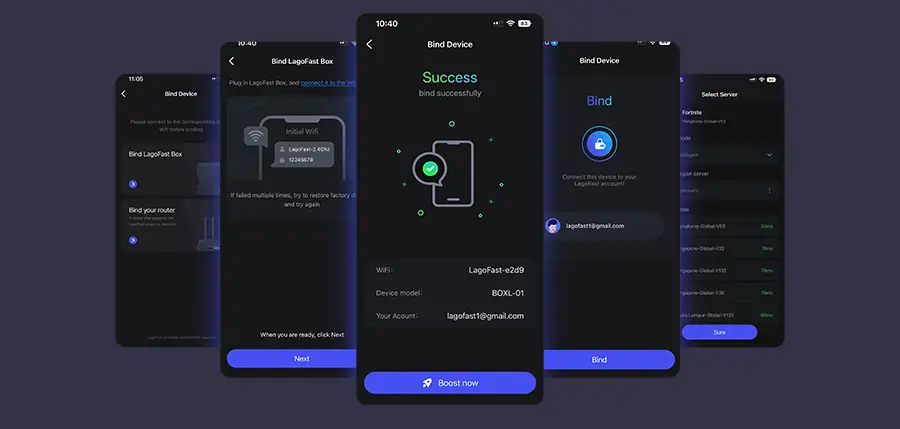
Step 1: Get the LagoFast Console App on your phone to manage the LagoFast Box.
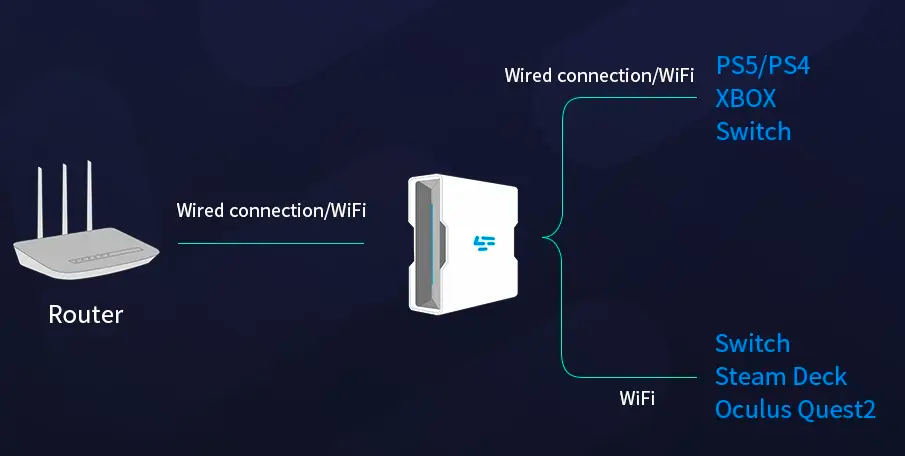
Step 2: Connect your LagoFast Box to your router and console, selecting either a wired or wireless connection.
Step 3: Open the LagoFast Console App. After completing the binding process with the LagoFast Box, proceed to boost Crimson Desert within the app.
Part 4: Crimson Desert FAQs
Q1: Can I play Crimson Desert offline?
A: The main single-player content is expected to be playable offline. Some online features or events may still require an internet connection.
Q2: How much storage will Crimson Desert need?
A: As a large open-world RPG, Crimson Desert is expected to require approximately 100–135 GB of storage. It’s recommended to free up enough space and install the game on an SSD for smoother performance.
Q3: Can I use a controller on PC?
A: Yes. PC supports both keyboard/mouse and controllers, while consoles use their standard controllers.
Q4: Are there graphics or performance settings?
A: The game is expected to include adjustable graphics and performance options, such as frame rate control and visual quality settings. Some platforms may support DLSS or FSR technologies to enhance performance and visuals (features subject to the final release version).
Conclusion
Getting ready with Crimson Desert preload ensures you can start playing immediately on launch day without delays. Preparing your system, checking storage, and optimizing performance settings are key steps. Using a tool like LagoFast can further stabilize your connection, reduce lag, and maintain smoother FPS. By taking these precautions, you’ll be set for a seamless, immersive experience from the very first moment.

Boost Your Game with LagoFast for Epic Speed
Play harder, faster. LagoFast game booster eliminates stutter and lags on PC, mobile, or Mac—win every match!
Quickly Reduce Game Lag and Ping!
Boost FPS for Smoother Gameplay!