

Excited to play AION 2 but stuck trying to make an account for the Korean or Taiwan servers? You’re definitely not alone. Many players outside those regions hit the same problems—like needing a Korean phone number, endless verification errors, or server connection failed messages.
Don’t worry—this guide will show you exactly how to create an AION 2 account for KR and TW servers, plus how to fix connection or lag issues fast using Lagofast, a trusted network optimizer for global gamers.

- ✅Less ping and crashes.
- ✅ Higher FPS and better PC performance.
- ✅ Support for 3000+ games.
- ✅ Stable connection and region switching.
Part 1: How to Create a Korean AION 2 Account
Part 2: How to Create a Taiwan AION 2 Account
Part 3: Fix AION 2 Login & Connection Problems (KR/TW)
Part 4: Important Tips Before You Start
Part 1: How to Create a Korean AION 2 Account
Creating a Korean account takes a bit more effort because of strict regional verification. But it’s 100% possible if you follow these steps:
Step 1 – Get a Korean Phone Number
To verify your account, you’ll need a Korean mobile number. If you don’t live in Korea, you can use third-party mobile verification services that provide temporary Korean numbers for account setup.
Step 2 – Register on the PURPLE Website
- Go to the NCSOFT PURPLE Korea website.
- Translate the page to English (right-click → “Translate to English”).
- Use your email address to sign up, and select Korea as your region.
- Complete the phone verification process to activate your account.
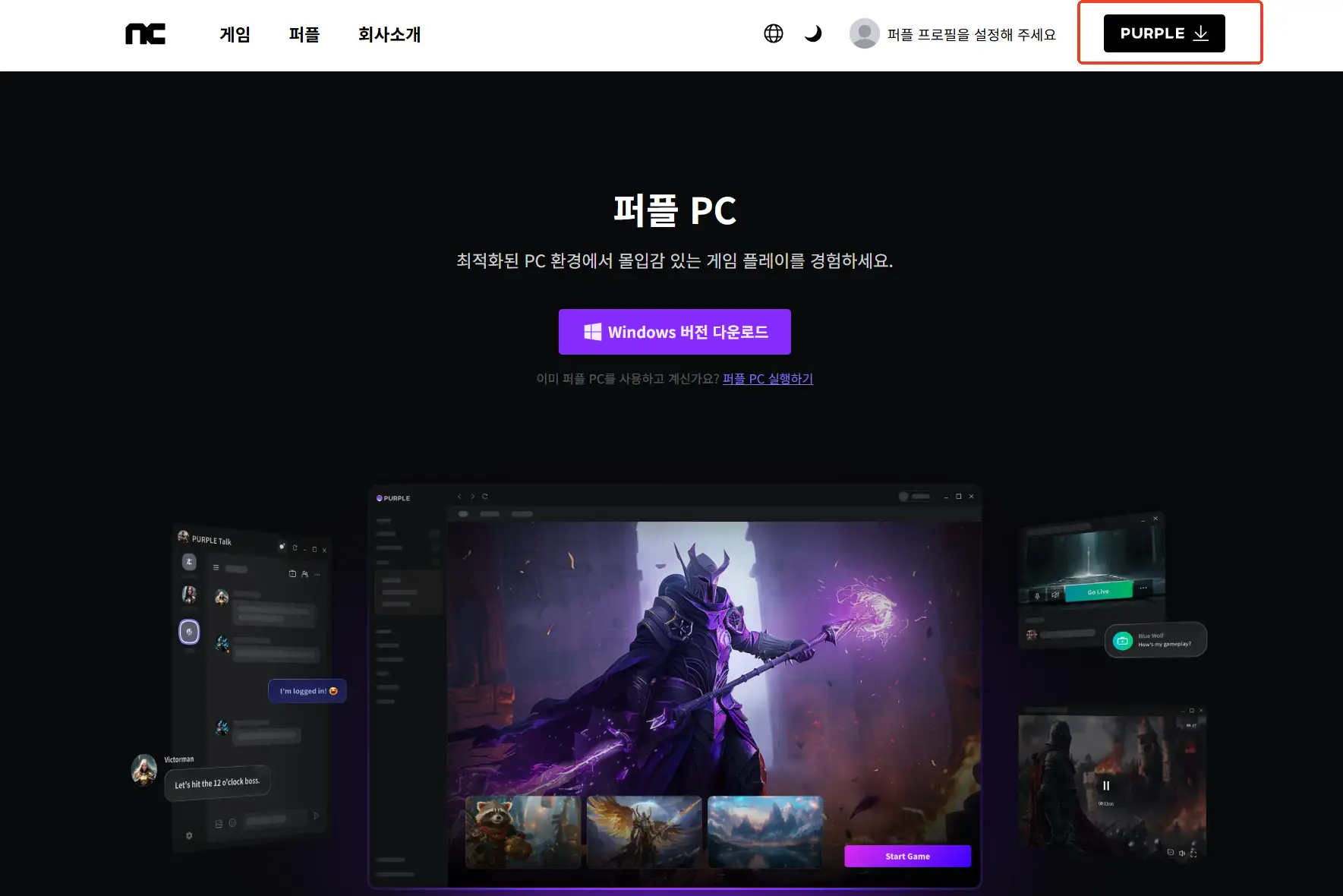
Step 3 – Install and Log Into PURPLE
Download the PURPLE launcher, install it, and log in with your newly verified account.
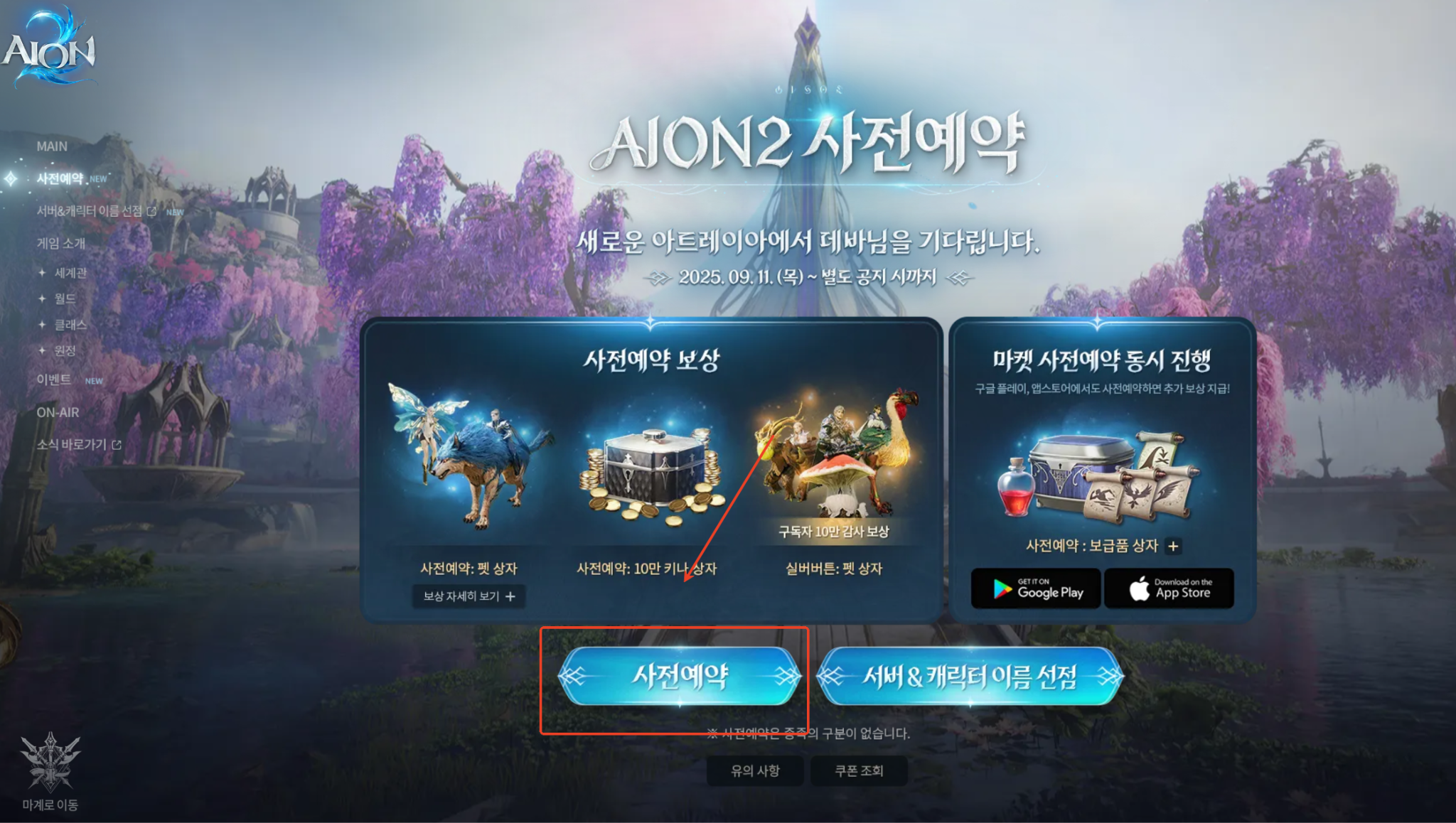
Step 4 – Pre-register for AION 2
Search for AION 2 in the launcher and click Pre-register to secure early access rewards and download privileges.
Part 2: How to Create a Taiwan AION 2 Account
If the KR setup feels too complicated, the Taiwan (TW) version is much easier—no phone number or regional ID required.
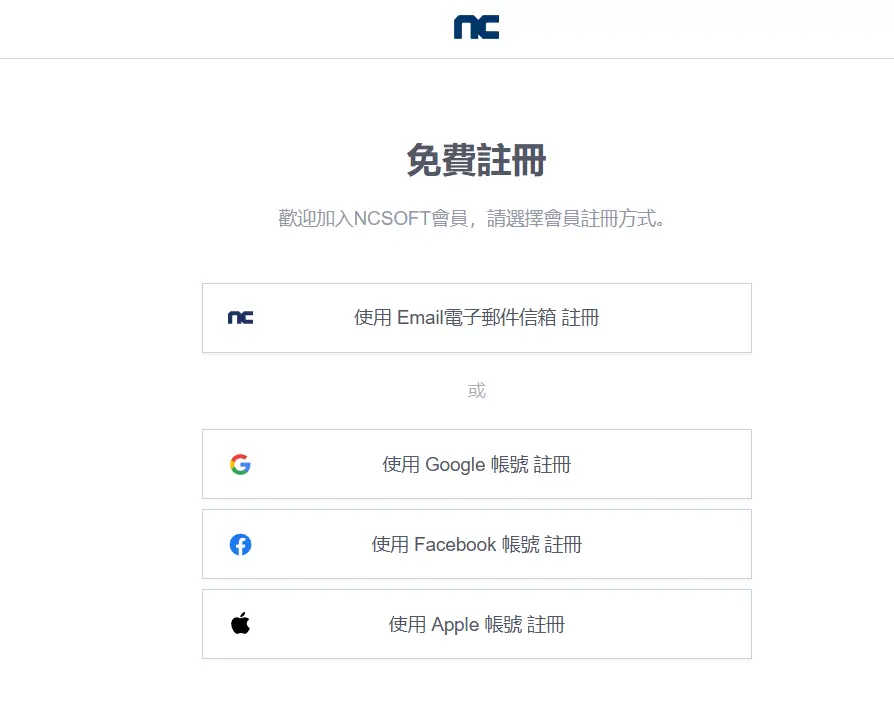
Step 1 – Sign Up on NCSOFT Taiwan
Visit the NCSOFT Taiwan site, create an account using your email, and select Taiwan as your region.
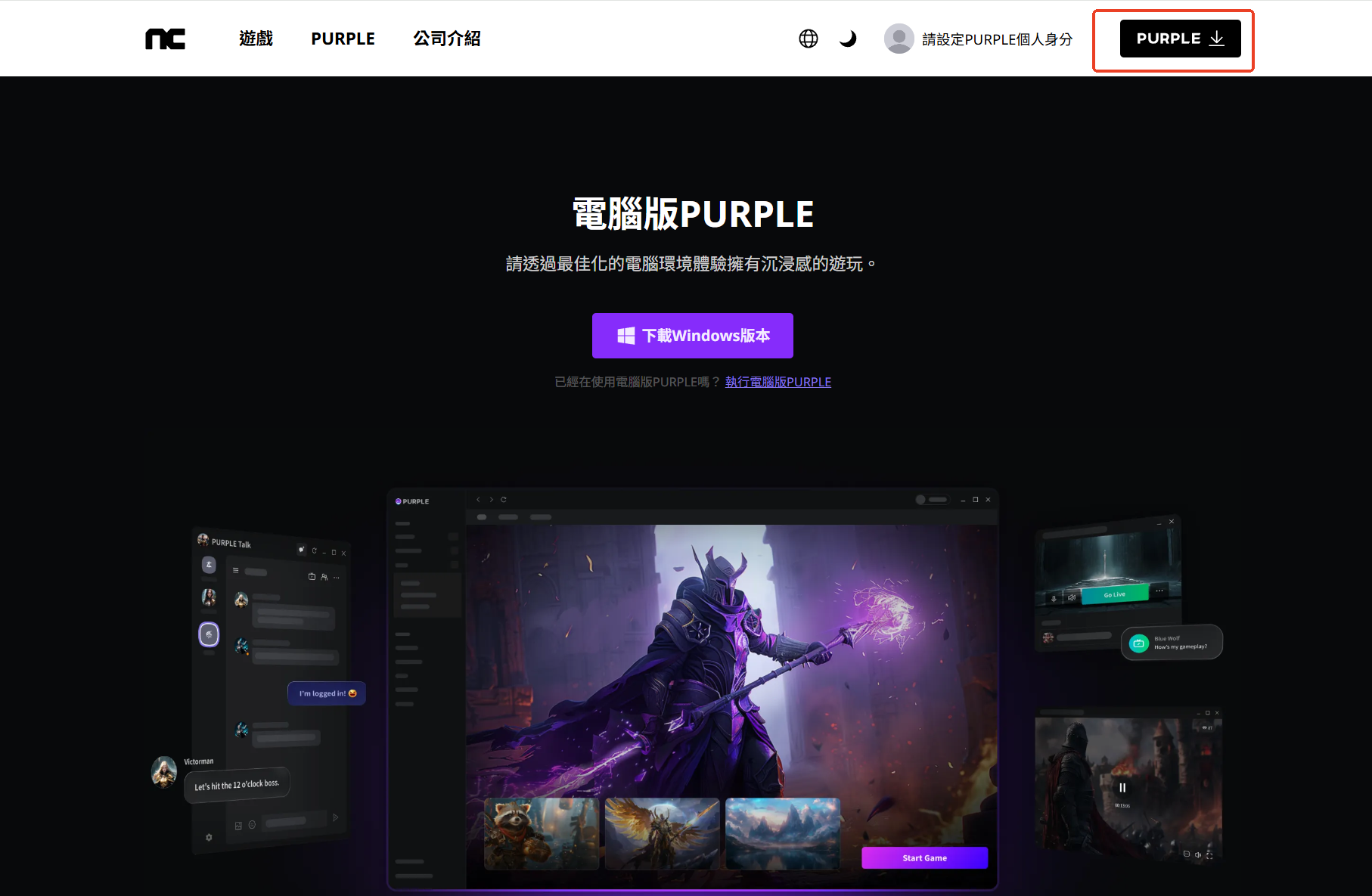
Step 2 – Install PURPLE and Log In
Download the PURPLE launcher, log in, and it should sync with your browser automatically.
Step 3 – Pre-register for AION 2
Once logged in, find AION 2 in the store and click Pre-register. This gives you early download access and exclusive in-game items.
Note: Pre-registration for the Korean server requires a Korean phone number. If you’re outside of Korea, we recommend completing pre-registration on the Taiwan server instead.
Here’s how to complete your Taiwan pre-registration:
Open the Pre-Registration page.
Use NCSoft’s official Aion2 site.
Check the box to agree to the terms and conditions.
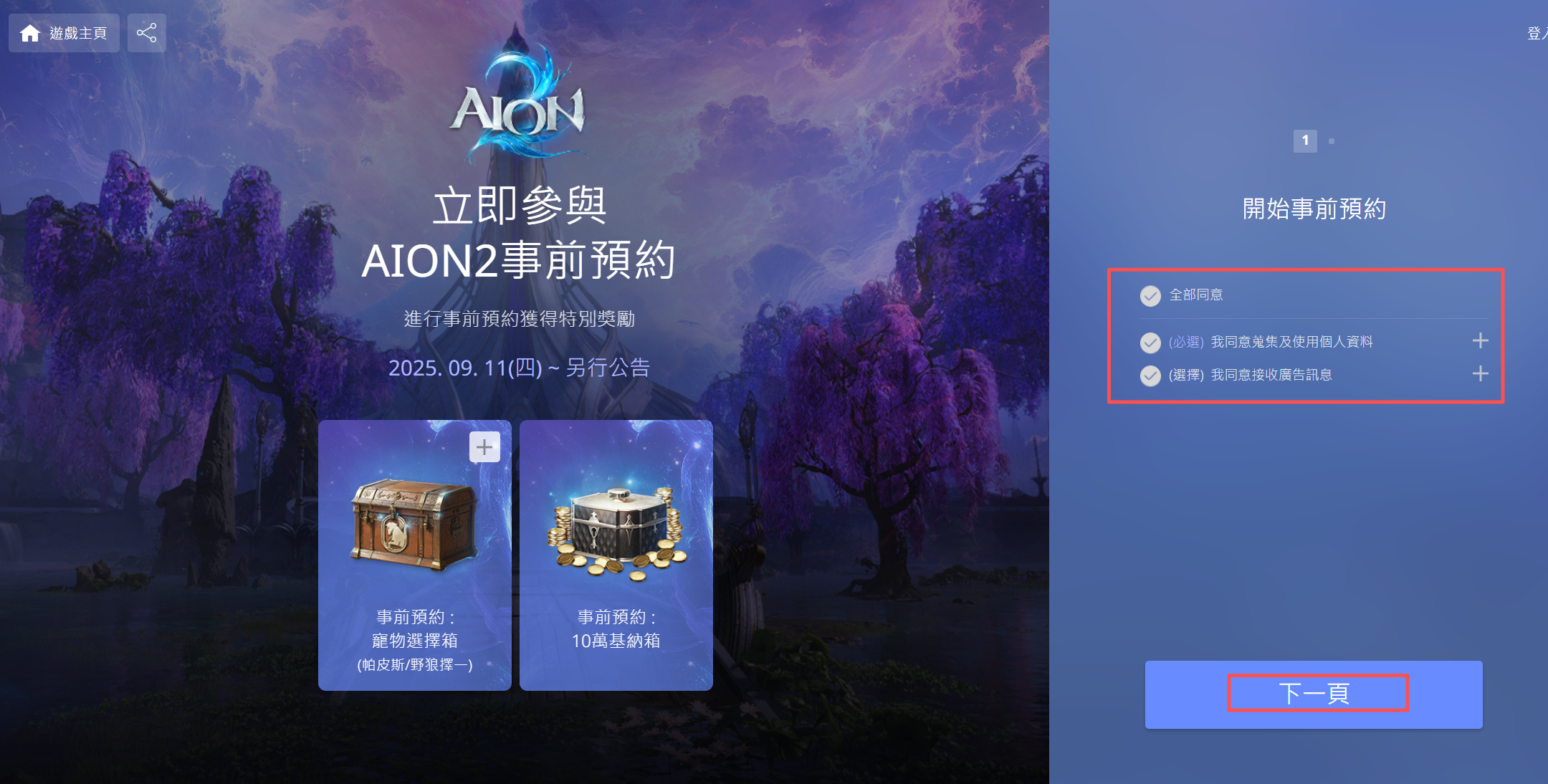
Enter your email address and complete the verification code process.
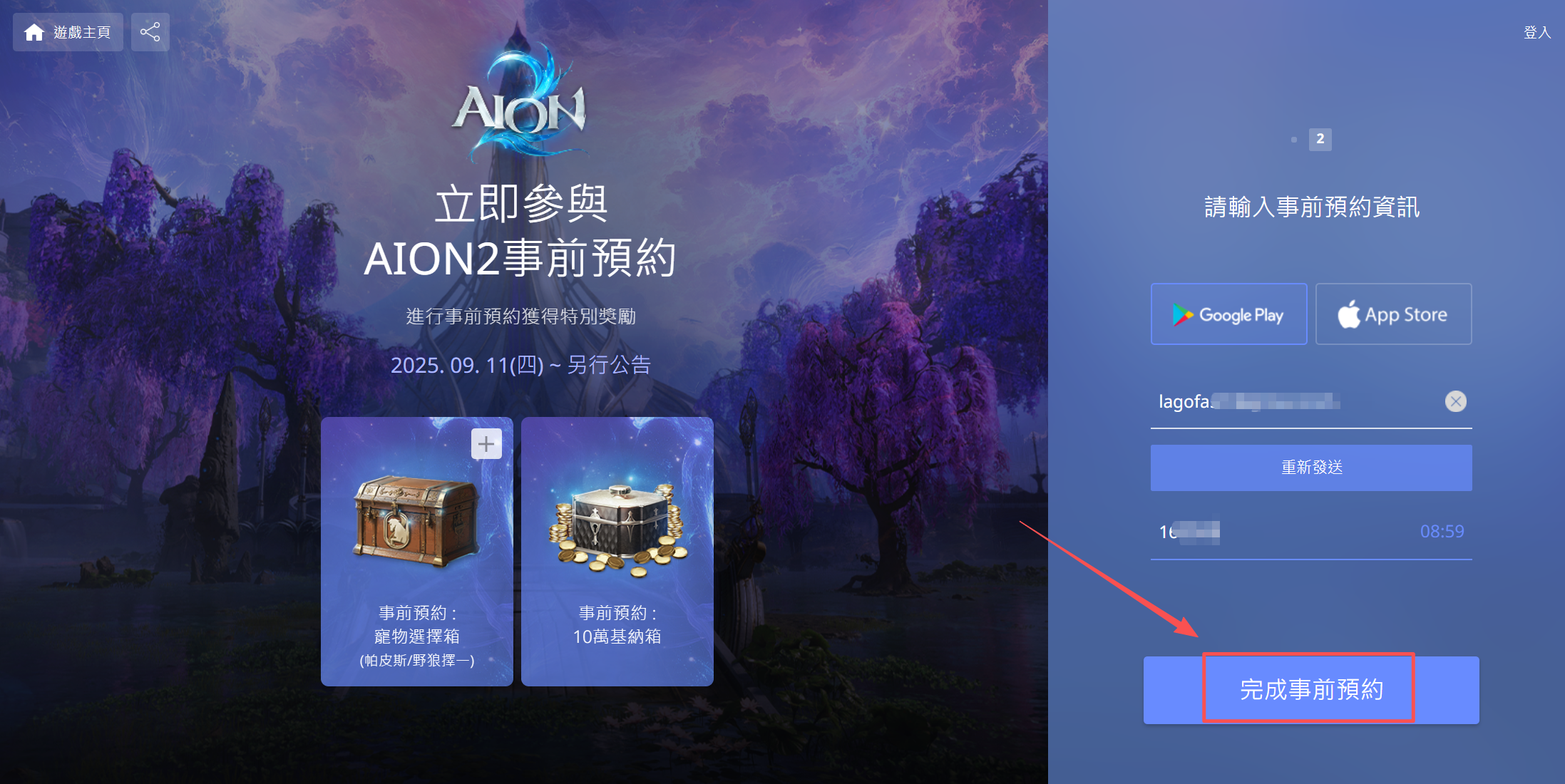
Done! Your pre-registration is now complete.
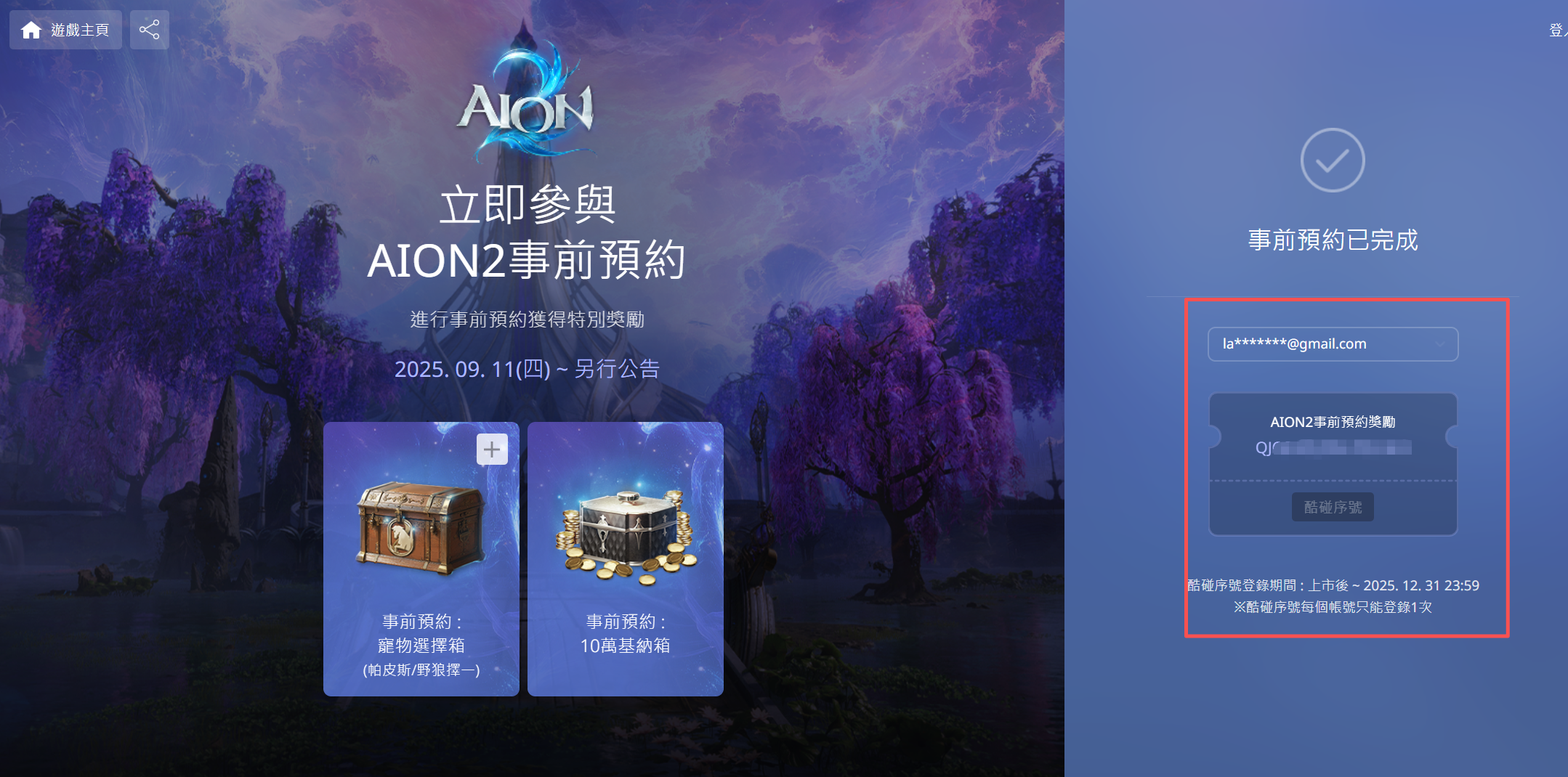
Bonus Tip: Use LagoFast to Get a Free Aion 2 TW Account without Registration
Although Aion 2’s Taiwan server officially allows email registration, the process can be slightly confusing for many players. Verification errors, region restrictions, or unclear steps often make the sign-up experience more complicated than expected. To help players bypass all these hurdles, LagoFast Game Booster now offers a free Aion 2 TW experience account, allowing you to log in instantly without going through the registration process. This feature is available for free to LagoFast paid members.
Here’s how to claim your free Aion 2 TW account:
Step 1: Click the Free Trial button to download and install LagoFast.
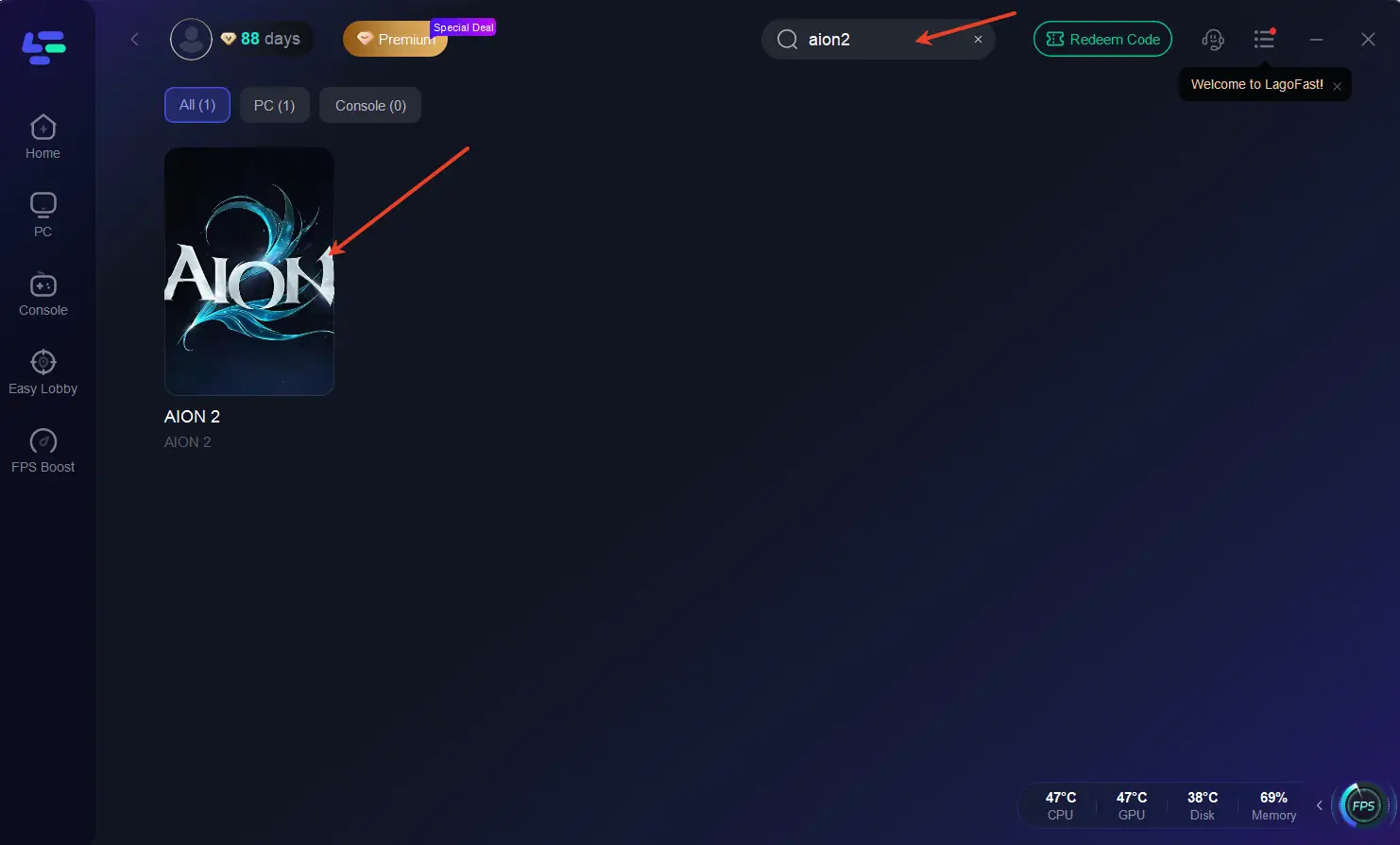
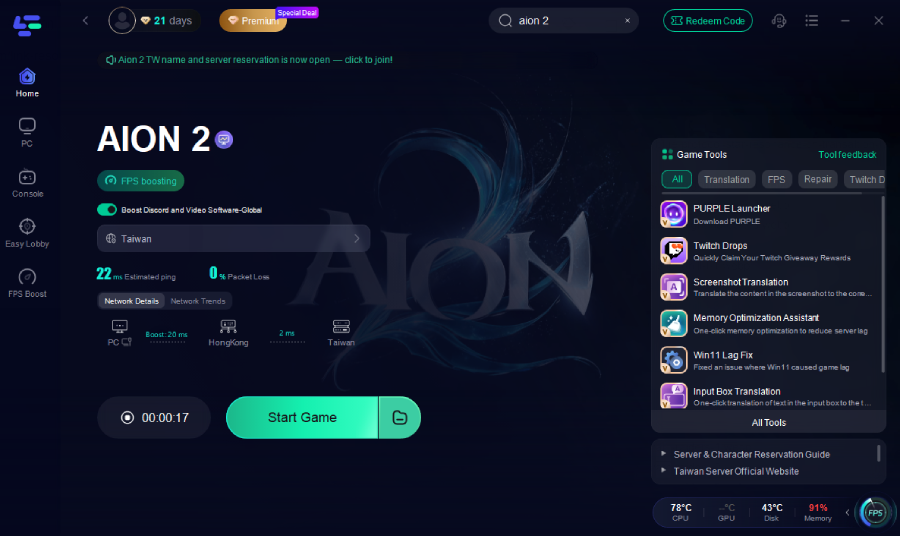
Step 2: Open LagoFast, click the PC tab on the left, and search Aion 2 in the search bar. Click it once it appears.
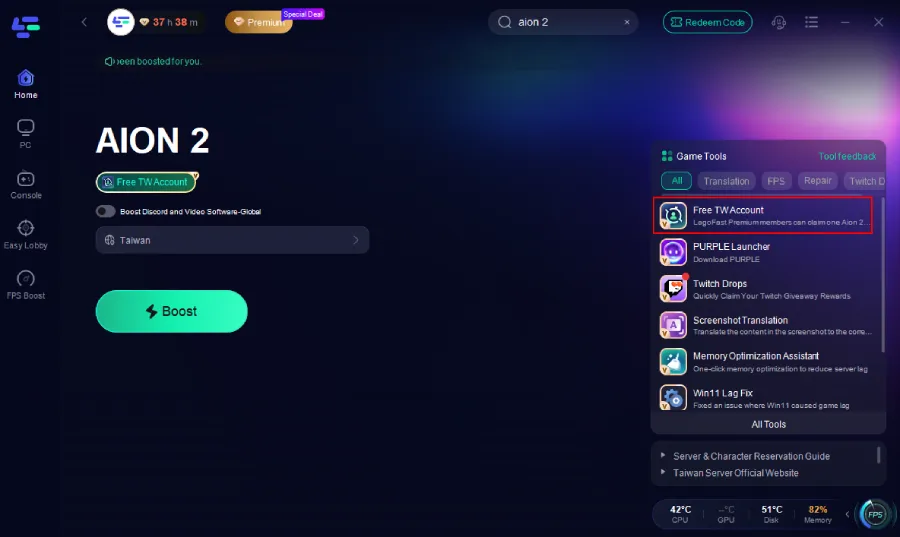
Step 3: On the right side, select the Free TW Account Tool.
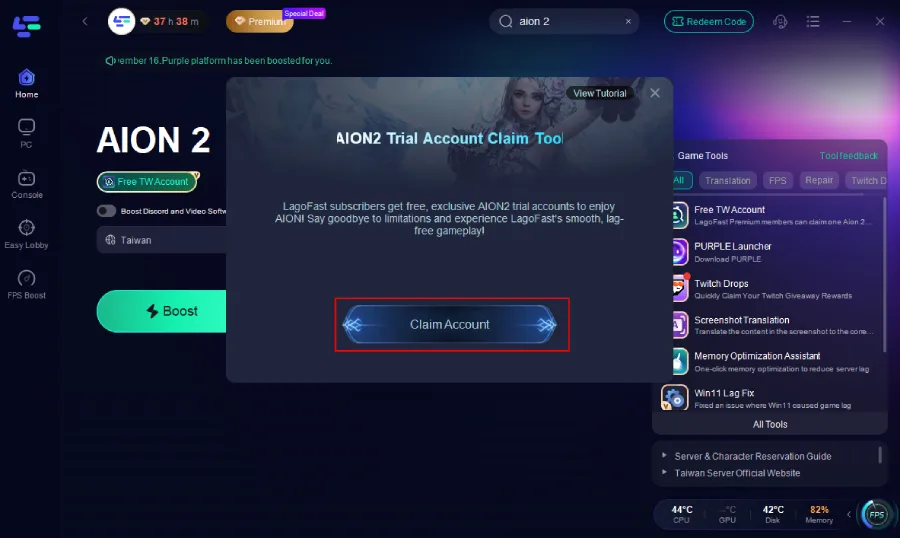
Step 4: Inside the tool, click Claim Account.
Step 5: An account will be automatically generated and assigned to you. Simply copy the email and password, then log in directly through Purple. A detailed tutorial is also available via the button at the top right of the tool interface if you need step-by-step guidance.
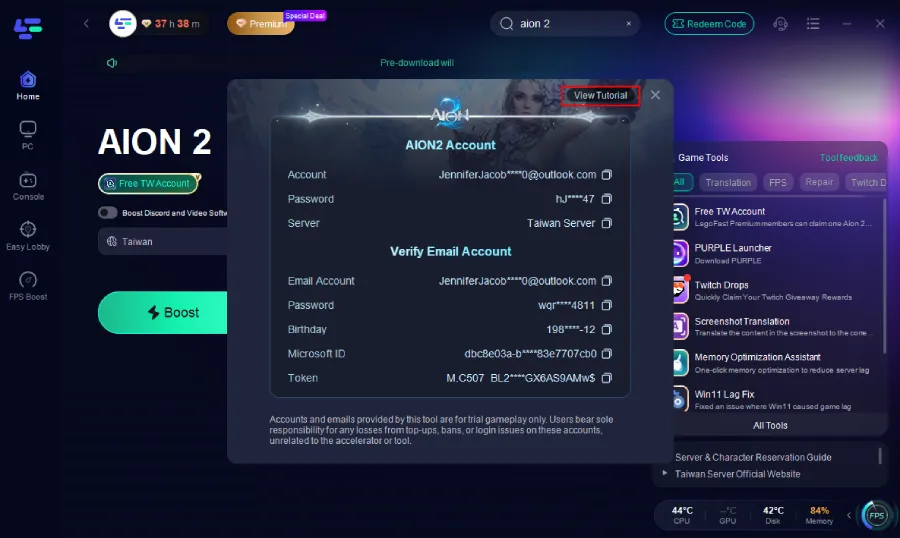
Important Note: This account is provided as a temporary experience account for accessing the game. We cannot guarantee long-term support, stability, or after-sales service for these accounts. Please be cautious with any in-game purchases or top-ups made while using an experience account.
Part 3: Fix AION 2 Login & Connection Problems (KR/TW)
Many players report issues like “Failed to connect to server,” “Connection to game server lost,” or high ping when playing cross-region. These errors usually happen when your device struggles to connect to distant servers. That’s where Lagofast comes in—a smart, lightweight game booster that stabilizes your network, lowers ping, and prevents random disconnections. It’s especially effective when connecting to Korean or Taiwan servers from other countries.
Why Use Lagofast?
LagoFast isn’t just a network optimizer—it also comes with several Aion-specific tools that make connecting and logging in much easier:
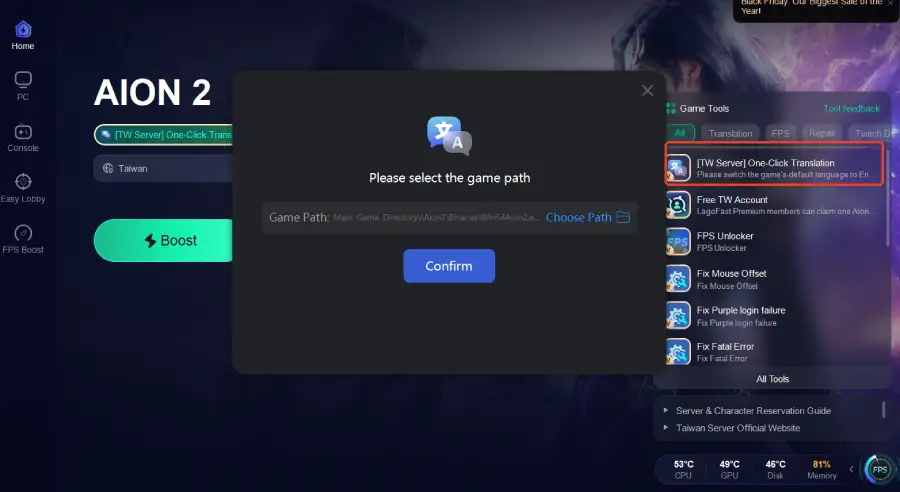
- One-Click Translation—Instantly translates Purple launcher UI and in-game text so you can understand menus, login prompts, and error messages without confusion.
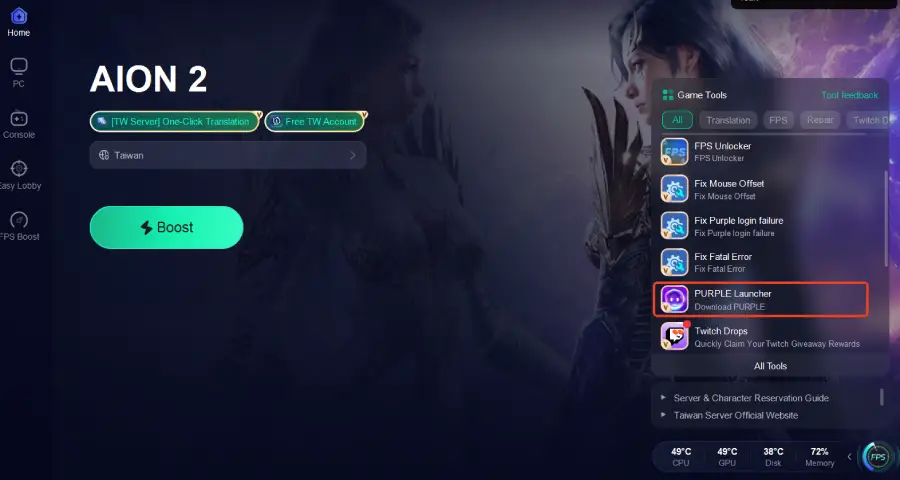
- PURPLE Launcher—Enhances update routing, stabilizes launcher startup, and prevents “stuck on loading/update” issues.
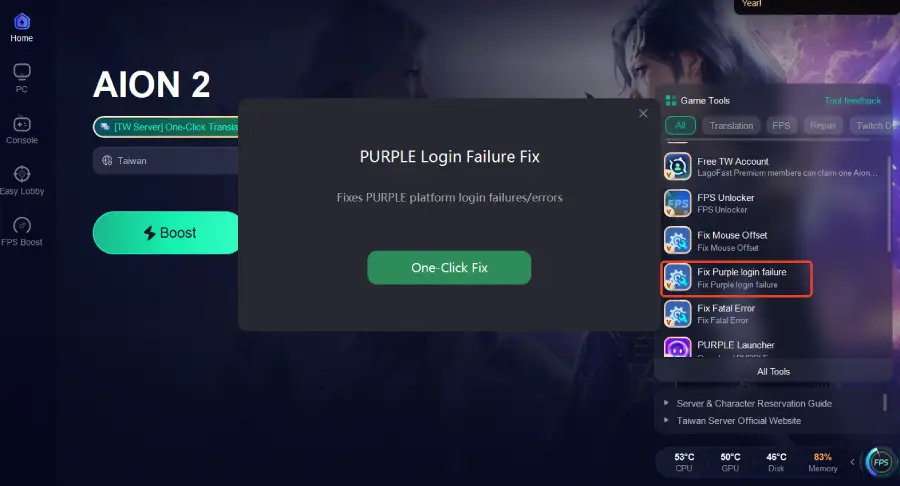
- Fix Purple Login Failure Tool—Repairs login loops, timeout errors, and Purple → Aion authentication failures.
These tools work together to solve both network instability and Purple launcher region/authentication errors, significantly improving overall connectivity.
How to Use Lagofast for AION 2
Step 1: Download Lagofast – Click the “Free Trial” button and install the client.
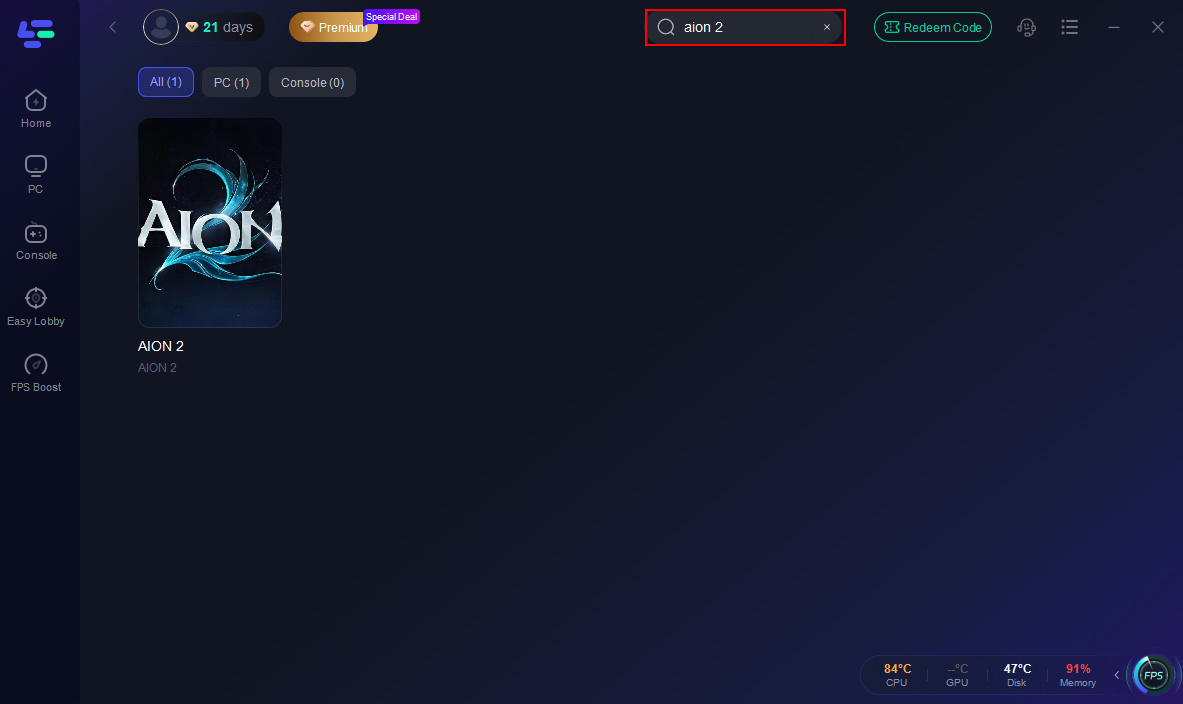
Step 2: Open and Search—Launch Lagofast and type “AION 2” in the search bar.
Step 3: One-Click Translation—Instantly understand menus and in-game text with LagoFast’s real-time overlay translation; no screenshots needed.
Step 4: Download Launcher—Use Lagofast’s launcher tool to install the correct KR or TW PURPLE client easily.
Step 5: Enable Fix Purple Login Failure to resolve login errors and ensure smooth access to the Taiwan server.
Step 6: Select the Right Region—Choose the Korean (KR) or Taiwan (TW) server based on your account.
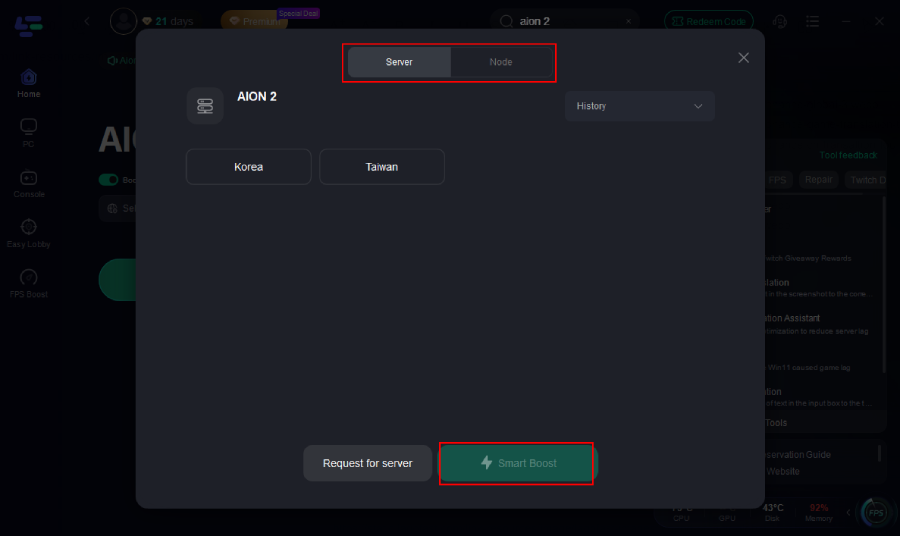
Step 7: Enable Smart Boost—Hit Start Game and let Lagofast automatically optimize your connection in real time.
Part 4: Important Tips Before You Start
- Pick the correct region—you can’t switch servers easily later.
- PURPLE is required—both KR and TW versions need it to run.
- Use Lagofast if you’re outside Asia—it keeps your connection stable.
- Keep everything updated—launcher and client updates fix bugs.
- Avoid peak hours—log in during off-peak times for smoother play.
Conclusion
Creating a Korean or Taiwan AION 2 account might seem complicated at first, but once you follow the right steps — it’s easy. And with Lagofast, you’ll eliminate annoying lag, high ping, and server disconnections instantly.
Get your account ready, connect through Lagofast, and jump straight into AION 2’s stunning world without interruptions. Play how you want, where you want—smoothly and stress-free.

Boost Your Game with LagoFast for Epic Speed
Play harder, faster. LagoFast game booster eliminates stutter and lags on PC, mobile, or Mac—win every match!
Quickly Reduce Game Lag and Ping!
Boost FPS for Smoother Gameplay!