
In CHAOS ZERO NIGHTMARE, players often lose rare cards or see basic cards added unexpectedly when running dungeons in the Khaos Realm. This happens because every card consumes PT, and exceeding the PT limit triggers automatic system adjustments.
Since PT isn’t clearly shown, many players unknowingly push past the cap and weaken their deck right before critical battles. To stay in control, you need to track PT and plan your card choices wisely.
This guide explains how PT works and how to monitor it using the Save PT Calculator, helping you prevent rare card removal and optimize your deck for smoother, more reliable dungeon runs.

- ✅ Reduce Lag and High Ping.
✅ Boost FPS at the Same Time.
✅ Support 2000+ Popular Online Games.
✅ Change Server without Latency.
✅ Boost Game Loading Speed.
Part 1: Common Problems Players Face
Part 2: Why These Problems Happen
Part 3: How to Track PT and Protect Your Deck in CHAOS ZERO NIGHTMARE
Part 1: Common Problems Players Face
Many players encounter the following issues:
- Rare cards replaced automatically: Core strategy cards may disappear mid-run, disrupting your deck.
- Basic cards inserted randomly: Low-value cards reduce overall deck efficiency.
- Reduced dungeon performance: Resources and effort may not produce optimal outcomes.
- Unclear PT limits: Players often don’t know when their deck will exceed the PT cap.
Example: You may spend hours building a high-damage deck, only to have key cards replaced before a critical battle—a frustrating experience.
Part 2: Why These Problems Happen
PT limits exist to keep the game fair and make deck-building more strategic. Here’s what you need to know:
1. Keeps the Game Balanced
- The PT cap stops players from stacking too many powerful cards and clearing dungeons too easily.
- Without it, rare cards could make any deck unbeatable.
2. Forces Smart Choices
- PT limits mean you can’t just collect every rare card.
- You need to choose: include a strong card that takes up a lot of PT, or a smaller, flexible card that fits better with your deck.
- These choices make your deck stronger overall instead of overloaded with a few powerful cards.
3. Deck Size Rules
Every card uses some PT, and going over the cap triggers the system:
- Rare cards might get removed
- Basic cards might be added automatically
This is why decks sometimes lose your best cards mid-dungeon.
4. PT is Like a “Deck Capacity Meter.”
Imagine PT as your deck’s weight limit. Each card adds weight.
Keeping track of PT helps you:
- Save your rare cards
- Build the most effective deck
- Avoid sudden changes during runs
In short, PT isn’t just a number—it’s a tool to plan and protect your deck. Understanding it helps you avoid mistakes and make smarter choices in CHAOS ZERO NIGHTMARE.
Part 3: How to Track PT and Protect Your Deck in CHAOS ZERO NIGHTMARE
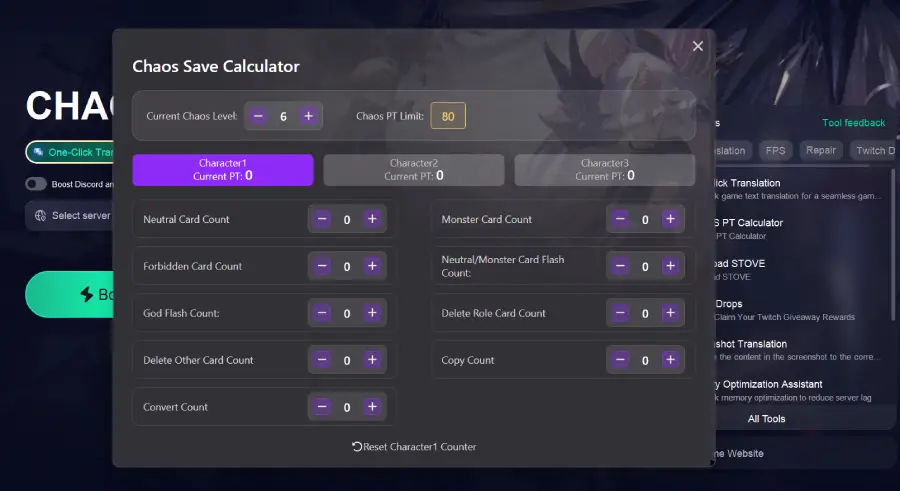
LagoFast offers the CHAOS PT Calculator, a powerful tool that helps players track their deck’s PT in real time, prevent exceeding the dungeon PT cap, and protect rare cards from being replaced. By using this calculator, you can manage your card deck efficiently, ensuring your hard-earned rare cards stay safe while maximizing dungeon performance.
In addition to PT management, LagoFast also provides tools to reduce ping and optimize your network for smoother gameplay, as well as a one-click translation tool to unlock more languages and make the game accessible to global players.
How to Use the LagoFast CHAOS PT Calculator:
Step 1: Download and install LagoFast.
Step 2: Open LagoFast and search for “CHAOS ZERO NIGHTMARE” in the search bar.
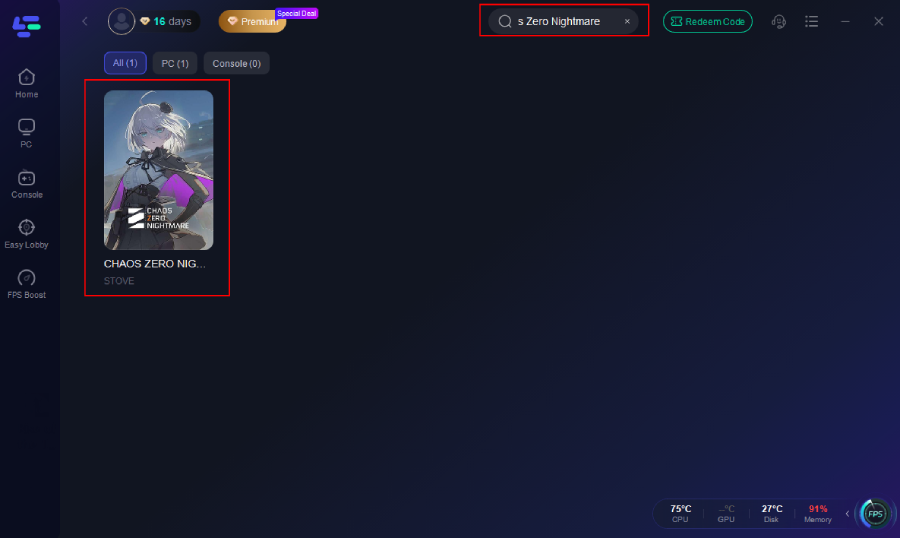
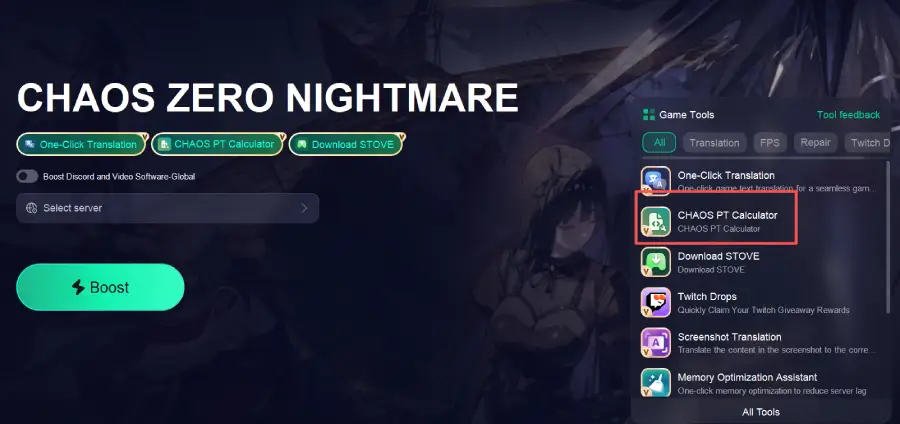
Sep 3: Click “CHAOS PT Calculator” “on the right side of the screen
Step 4: Enter your character and card data in the pop-up window to view your current PT
Step 5: Click the One-Click Translation Tool on the right.
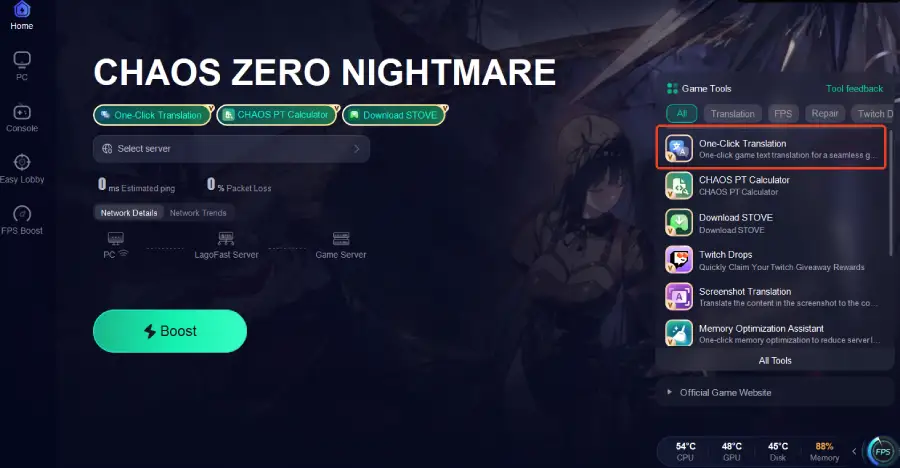
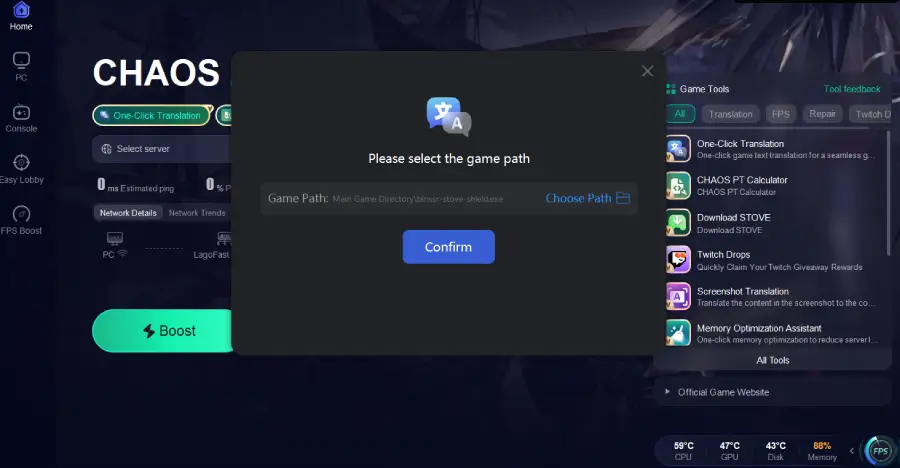
Step 6: Choose your target language and set up the hotkeys to instantly unlock more in-game languages.
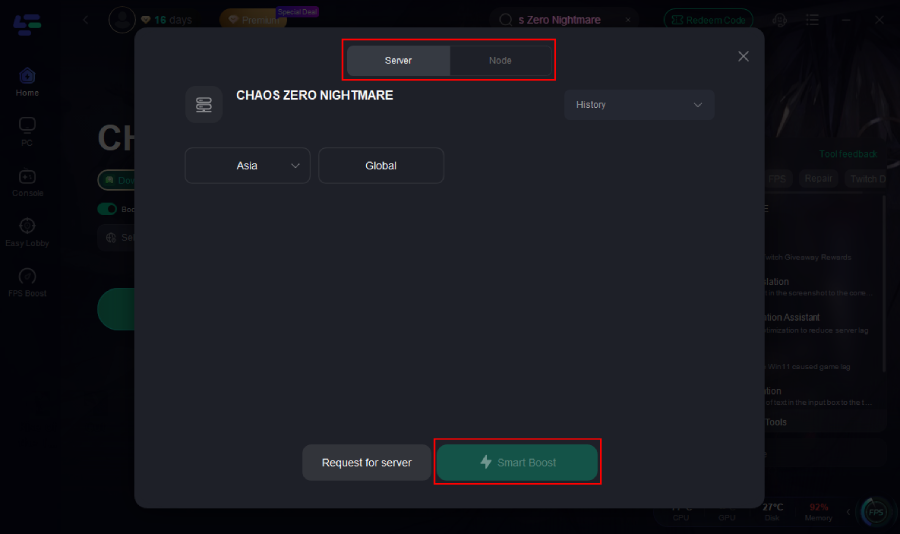
Step 7: Click on “Server” to select the best route for stable connectivity, then click “Smart Boost” to enable intelligent optimization.
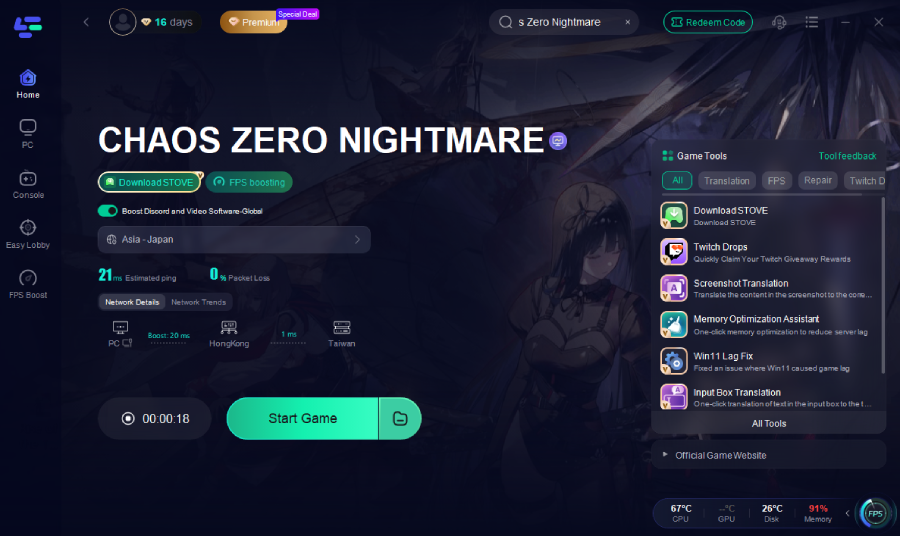
Step 8: Check your ping, packet loss, and multi-path connection status to ensure the best route is applied.
Extra Features
In addition to PT management, network optimization, and one-click translation, LagoFast offers several routine features to help players have a smoother experience in CHAOS ZERO NIGHTMARE:
1. Memory Optimization Assistant
Automatically optimizes system memory usage, freeing up unnecessary resources for more stable gameplay.
2. Twitch Drops
Allows players to automatically claim in-game rewards while watching Twitch streams, no manual steps required.
3. Windows 11 Lag Fix
Designed specifically for Windows 11 users, it fixes system latency and frame rate issues to improve game performance.
These features, combined with the PT Calculator, help players protect rare cards while ensuring a stable and efficient gaming experience.
Conclusion
Keeping your PT under control is the key to protecting your rare cards and maintaining a strong deck in CHAOS ZERO NIGHTMARE. Instead of losing progress to unexpected system adjustments, players can stay ahead by tracking PT in real time and optimizing their strategy before entering deeper dungeons. With the LagoFast CHAOS PT Calculator, you gain full visibility into your deck limits, while additional features like network optimization and one-click translation make every run smoother and more accessible.
If you want consistent performance, stable gameplay, and complete control over your deck, LagoFast gives you everything you need to play smarter—not harder.

Boost Your Game with LagoFast for Epic Speed
Play harder, faster. LagoFast game booster eliminates stutter and lags on PC, mobile, or Mac—win every match!
Quickly Reduce Game Lag and Ping!
Boost FPS for Smoother Gameplay!