
The long-awaited Chaos Zero Nightmare is about to take the world by storm with its dark fantasy world and fast-paced action. Whether you’re exploring it on PC or Mobile, players are already excited to dive into its rich story and epic battles. However, with multiple regional versions and mixed-language interfaces, many players face language barriers that break immersion. This is where LagoFast’s screenshot translation tool comes in—offering an effortless way to instantly translate any in-game text without interrupting gameplay.

- ✅ Reduce Lag and High Ping.
✅ Boost FPS at the Same Time.
✅ Support 2000+ Popular Online Games.
✅ Change Server without Latency.
✅ Boost Game Loading Speed.
Part 1: Chaos Zero Nightmare Release Date
Part 2: What Languages Does Chaos Zero Nightmare Support?
Part 3: Best Translation Tool—LagoFast Game Booster
Part 1: Chaos Zero Nightmare Release Date
The long wait is almost over!
- Pre-download starts: October 21, 2025, at 11:00
- Global release date: October 22, 2025
Chaos Zero Nightmare will be officially available on both PC and Mobile, allowing players to dive into its dark world wherever they are.
This highly anticipated title combines fast-paced combat, deep lore, and cinematic visuals—but with multiple regional versions, language differences can still confuse players, especially in quests, item names, or UI settings.
Part 2: What Languages Does Chaos Zero Nightmare Support?
Currently, Chaos Zero Nightmare supports the following official languages:
- Japanese
- English
- Traditional Chinese
- Korean
While this list covers major regions, some text—especially event descriptions, dialogue, or patch notes—might still appear untranslated depending on your client version. That’s why many players are searching for a reliable translation solution that keeps gameplay smooth and immersive across devices.
Part 3: Best Translation Tool—LagoFast Game Booster
If you’ve ever had to pull out your phone or switch tabs just to understand an item name or quest dialogue, you know how annoying that feels.
LagoFast now fixes that—with its new Screenshot Translation tool, you can instantly translate any part of Chaos Zero Nightmare right inside the app, with no interruptions or extra steps.
And before you even start your adventure, you can use LagoFast to download Chaos Zero Nightmare faster and more stably. LagoFast’s built-in download accelerator ensures high-speed downloads and prevents disconnects during installation—just search for Chaos Zero Nightmare in LagoFast, click Smart Boost, and enjoy a smooth setup.
1. One-Click Screenshot Translation
See text you can’t read? Just click Screenshot Translate in LagoFast, and it instantly captures and translates the section you’re viewing—from NPC conversations to item tooltips.
No copy-paste, no switching windows—just clear translations on-screen in seconds.
2. Game-Friendly Accuracy
Unlike generic translation tools, LagoFast understands gaming language—so terms like "buff," "cooldown," or "awakening skill" are translated correctly, not literally. You’ll always know exactly what your abilities or gear do.
3. How to Use LagoFast Screenshot Translation
Want to translate Chaos Zero Nightmare text instantly? Just follow these simple steps:
Step 1: Begin by clicking the Free Trial button to download and install the LagoFast Free Trial.
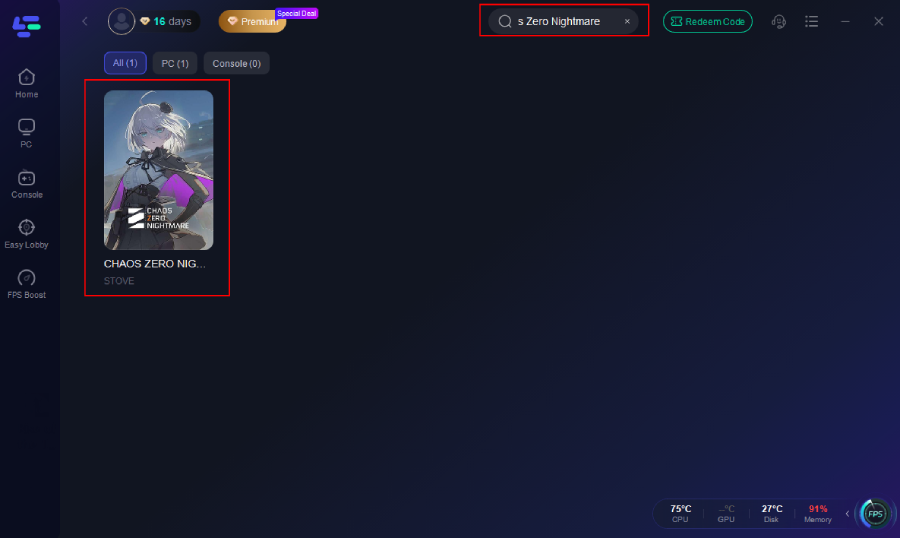
Step 2: Open LagoFast and use the search bar to find Chaos Zero Nightmare.
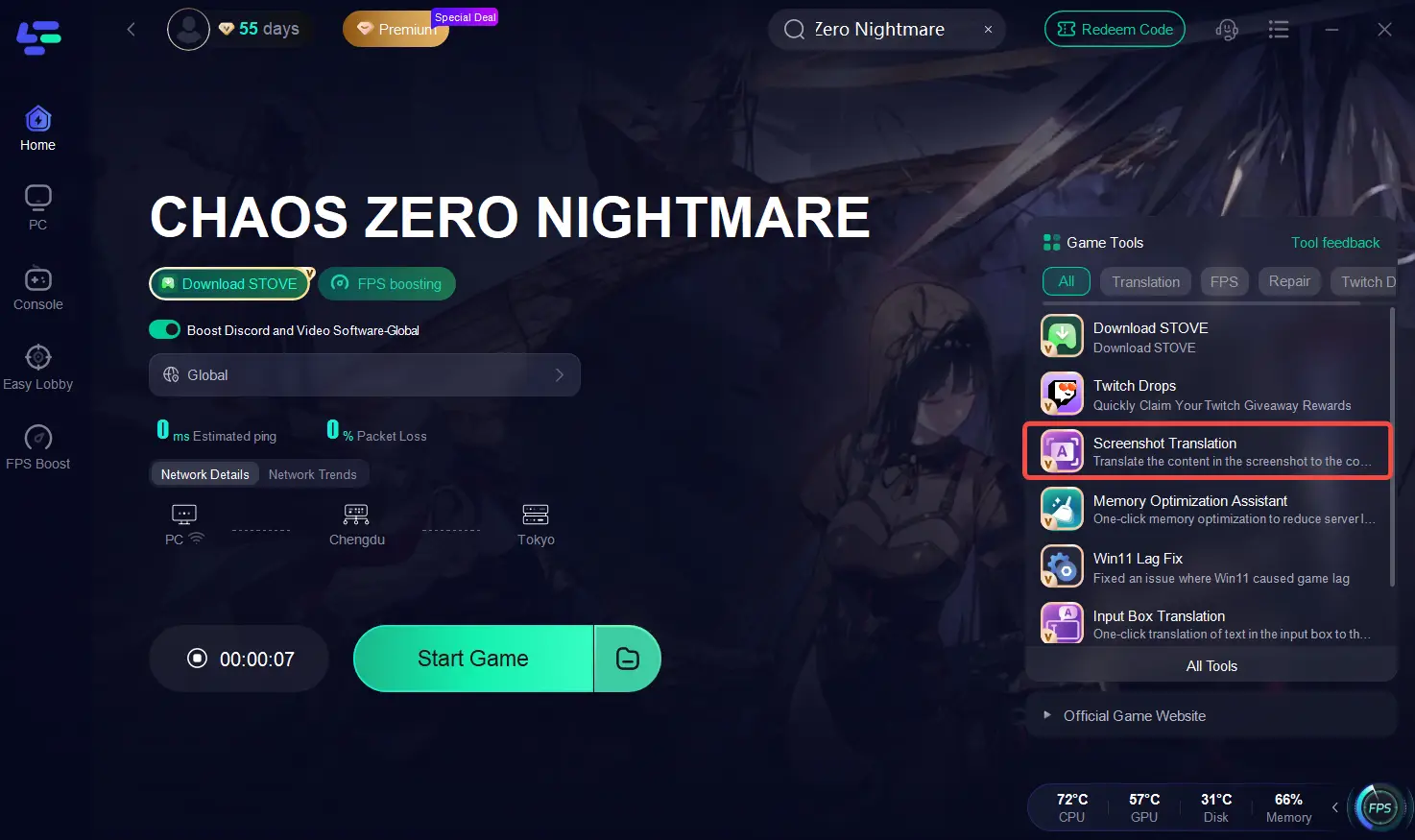
Step 3: Click the Chaos Zero Nightmare Translation Tool on the right side of the screen.
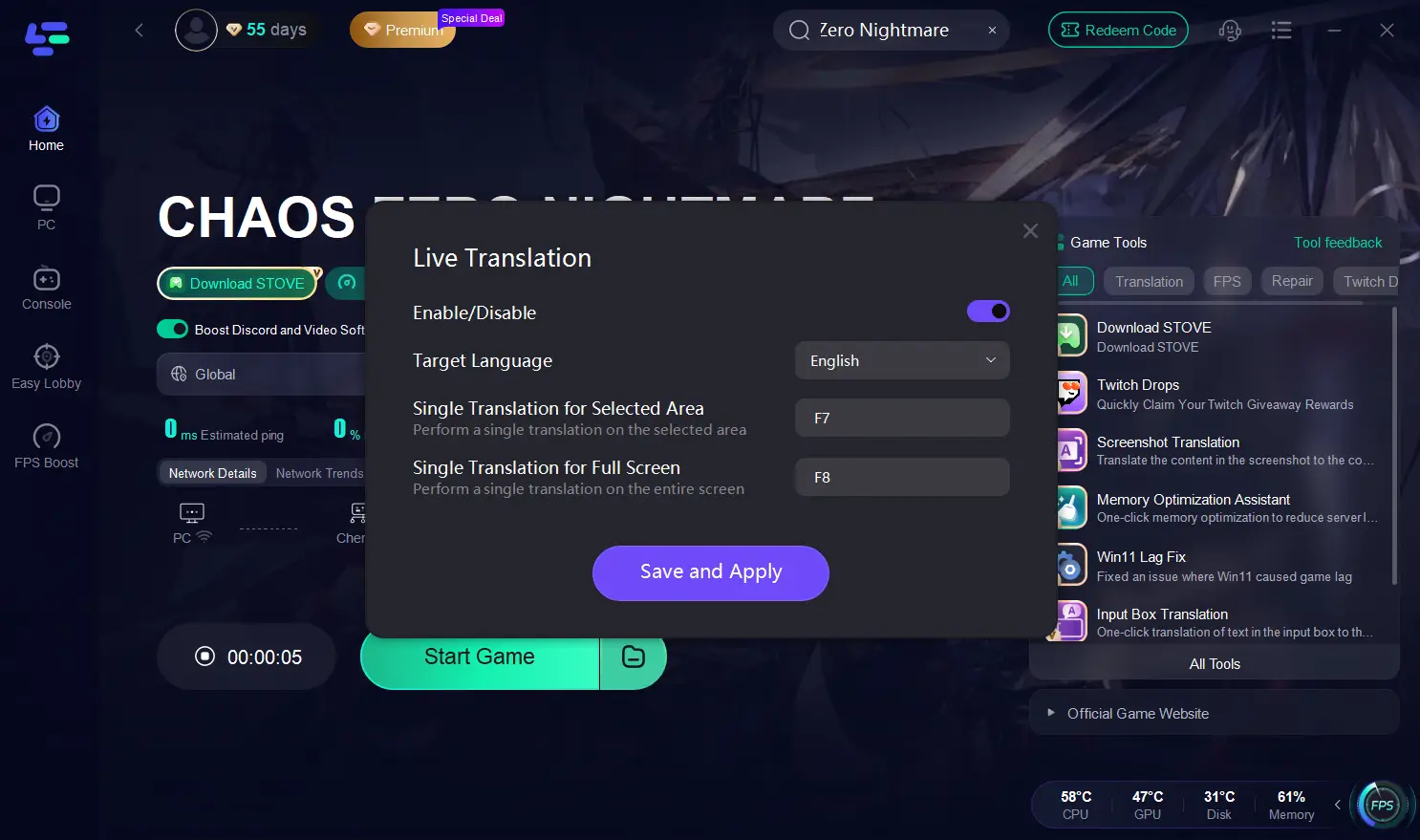
Step 4: Choose your target language and set up your hotkeys for instant translation.
Step 5: Optimize Network Settings—LagoFast will automatically select the best server and connection path to reduce latency and packet loss.
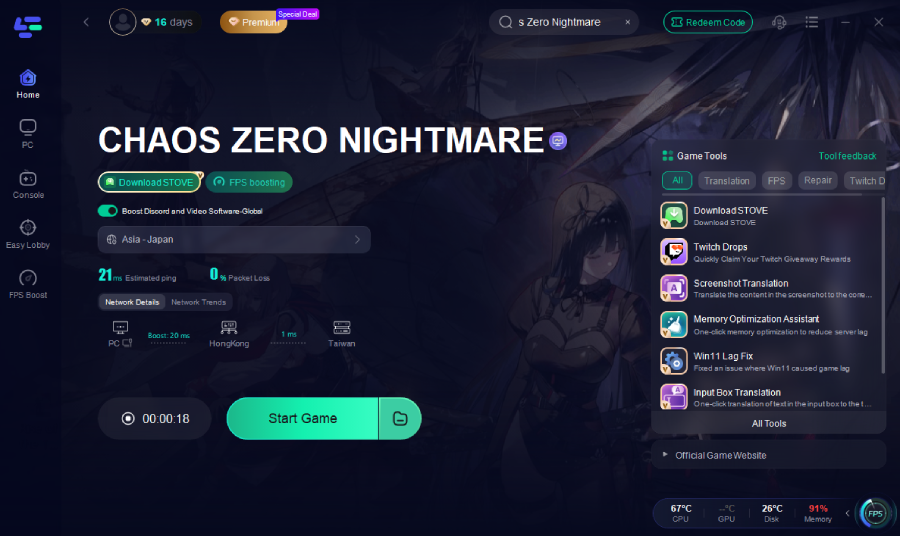
Step 6: Launch Chaos Zero Nightmare through LagoFast and click Screenshot Translate whenever you see foreign text.
LagoFast will instantly capture and display translations right in the app—fast, accurate, and game-friendly.
4. Mobile Quick Translation
For mobile players, LagoFast offers Quick Translation, making it easy to understand any in-game text instantly without leaving the game.
Steps:
1. Visit the official LagoFast website and download the LagoFast Mobile APK file.

2. Install it, then search for Chaos Zero Nightmare in LagoFast Mobile and tap the download button.
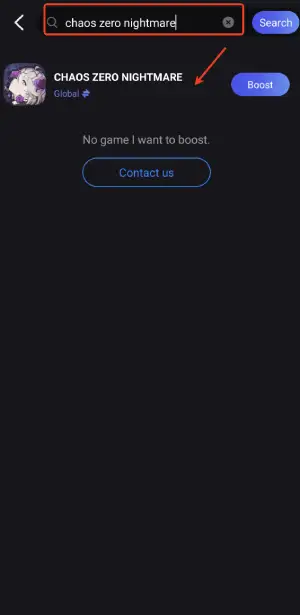
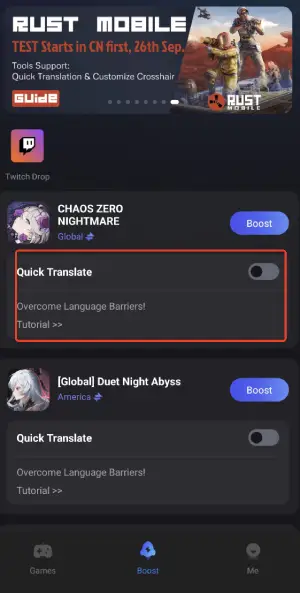
3. Enable the Quick Translation Tool below.
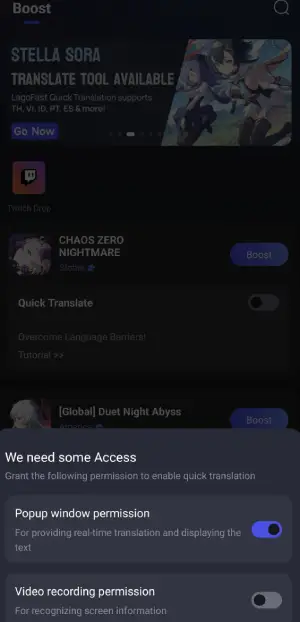
4. Enable the following two permissions.
5. Optimize Game Download and Connection: In LagoFast, tap Smart Boost to accelerate game downloads and automatically select the best server for stable gameplay with minimal latency.
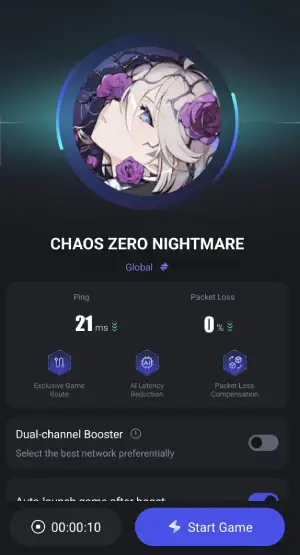
With LagoFast, whether on PC or mobile, you can instantly understand every quest, menu, and dialogue line—keeping your gameplay immersive, smooth, and frustration-free.
Conclusion
With Chaos Zero Nightmare launching globally on October 22, 2025, for both PC and mobile, language won’t have to hold you back anymore. LagoFast’s screenshot translation feature is designed to help you instantly understand every quest, menu, and dialogue line—keeping your gameplay immersive and frustration-free.
Boost Your Game with LagoFast for Epic Speed
Play harder, faster. LagoFast game booster eliminates stutter and lags on PC, mobile, or Mac—win every match!
Quickly Reduce Game Lag and Ping!
Boost FPS for Smoother Gameplay!