

Quick Answer
Is Call of Duty: Modern Warfare (2019) worth it on Steam?
Yes—especially if you can get it for around $6 during sales. The campaign is still one of the best in the series, and multiplayer remains active thanks to crossplay and Steam players.
Is the Steam version any different?
Not really. Gameplay is the same, but Steam makes installation, updates, and pricing much more convenient.
Are there any downsides?
Yes. The game is still large in size (100GB+), and some players report launch issues or performance drops on PC.
Best price to buy: Around $6 during Steam sales
Call of Duty: Modern Warfare (2019) didn’t launch on Steam originally, which meant a lot of players skipped it. But since its return to Steam in 2023—often with massive discounts—it’s suddenly back on people’s radar. The real question now is simple: is it still worth playing today, or is it too late to jump in? In this guide, we’ll break down what actually matters—price, player count, campaign length, and performance—so you can decide quickly without digging through outdated info.

- ✅ Reduce Lag and High Ping.
✅ Boost FPS at the Same Time.
✅ Support 2000+ Popular Online Games.
✅ Change Server without Latency.
✅ Boost Game Loading Speed.
Part 1: What Is Call of Duty: Modern Warfare (2019) on Steam?
Part 2: Call of Duty: Modern Warfare (2019) Steam vs Battle.net
Part 3: Gameplay Overview: Campaign Length, Multiplayer, and Modes
Part 4: System Requirements & Download Size
Part 5: Common Issues on Steam Version (Not Launching, Lag & FPS Drops)
Part 1: What Is Call of Duty: Modern Warfare (2019) on Steam?
Call of Duty: Modern Warfare (2019) originally launched on Battle.net, which meant a lot of PC players simply ignored it. That changed in 2023 when it finally arrived on Steam—and suddenly, it was relevant again.
Here’s why that matters:
- Easier installation, updates, and refunds
- Frequent deep discounts (sometimes as low as $6)
- Noticeable player spikes during sales
If you skipped it the first time, this is basically your second shot—just cheaper and easier.
Part 2: Call of Duty: Modern Warfare (2019) Steam vs Battle.net
Here’s a side-by-side comparison of the two platforms:
|
Feature |
Steam Version |
Battle.net Version |
|
Access & Installation |
Easy install, familiar interface |
Requires Battle.net launcher |
|
Pricing |
Frequent deep discounts (as low as $6) |
Discounts exist, but less aggressive |
|
Community Features |
Steam overlay, friends, achievements |
Limited community features |
|
Updates & Patching |
Managed through Steam |
Managed through Battle.net |
|
Stability |
Generally stable, but some launch issues reported |
Slightly more stable historically |
|
Background Services |
May still require Battle.net services |
Fully integrated into Battle.net |
In terms of gameplay, there’s no real difference—same servers, matchmaking, and full crossplay. The difference comes down to convenience. Steam is easier to use, cheaper during sales, and brings in more players when discounts hit. Battle.net can feel slightly more stable, but it lacks those advantages. Overall, the Steam version is the better choice for most players.
Part 3: Gameplay Overview: Campaign Length, Multiplayer, and Modes
Campaign Length
- Main story: ~6–8 hours
- With exploration or replay: ~8–10 hours
The campaign is short but well-paced, with strong mission design and consistent quality throughout.
Multiplayer Player Count & Matchmaking
- Core modes (TDM, Domination, Search & Destroy) remain active
- Player count increases during Steam sales
- Crossplay supports stable matchmaking
While not at peak popularity, matchmaking is still reliable in most modes.
Zombies Availability
No—Call of Duty: Modern Warfare (2019) does not include a zombies mode.
Players looking for zombies content will need to choose another Call of Duty title.
Part 4: System Requirements & Download Size
The official requirement lists up to 175 GB of storage, but in practice, a full installation with all game modes and updates can exceed 175 GB and reach 200 GB+ in some cases.
System Requirements
Minimum Requirements
- OS: Windows 10 64-bit
- CPU: Intel Core i3-4340 / AMD FX-6300
- RAM: 8 GB
- GPU: NVIDIA GTX 670 / GTX 1650 or AMD Radeon HD 7950
- DirectX: Version 12
- Network: Broadband Internet connection
- Storage: 175 GB available space
Recommended Requirements
- OS: Windows 10 64-bit (latest update)
- CPU: Intel Core i5-2500K / AMD Ryzen 5 1600X
- RAM: 12 GB
- GPU: NVIDIA GTX 970 / GTX 1660 or AMD R9 390 / RX 580
- DirectX: Version 12
- Network: Broadband Internet connection
- Storage: 175 GB available space
Part 5: Common Issues on Steam Version (Not Launching, Lag & FPS Drops)
Call of Duty: Modern Warfare (2019) Steam Not Launching
This is one of the most common issues reported by PC players. In most cases, the problem isn’t the game itself but conflicts with system settings, drivers, or background services.
Common causes include:
- Corrupted or missing game files
- Outdated GPU drivers
- Conflicts with overlays (Steam, Discord, NVIDIA, etc.)
- Permission issues (game not running as admin)
- Background apps interfering with the launch process
- Shader cache or game data conflicts after updates
- Missing or outdated system components (such as DirectX or Visual C++ runtime)
How to Fix Lag & Performance Issues
Even if the game launches properly, many players still experience lag, high ping, FPS drops, or input delay, especially on PC. These issues are usually related to unstable network connections or unoptimized system settings.
Use LagoFast for Network & Performance Optimization
If you’re dealing with lag, high ping, or unstable FPS, using a dedicated optimization tool like LagoFast can help stabilize your overall experience. It improves both network connection and in-game performance by reducing ping, optimizing routing to avoid congestion, fixing packet loss and random lag spikes, and even improving FPS stability in some scenarios—making gameplay smoother and more consistent.
Beyond basic optimization, it also includes extra tools designed to enhance gameplay:
- FPS Boost 2.0: Automatically adjusts settings for smoother performance
- Frame Generation support: Helps improve frame consistency
- Windows 11 Lag Fix: Targets system-level performance issues
- Custom Crosshair: Adds an in-game crosshair overlay for better aiming
Overall, it’s a quick way to improve performance without manually tweaking dozens of settings, especially if you’re dealing with unstable connections.
How to Use LagoFast for Call of Duty: Modern Warfare
Step 1: Click the Free Trial button to download and install LagoFast.
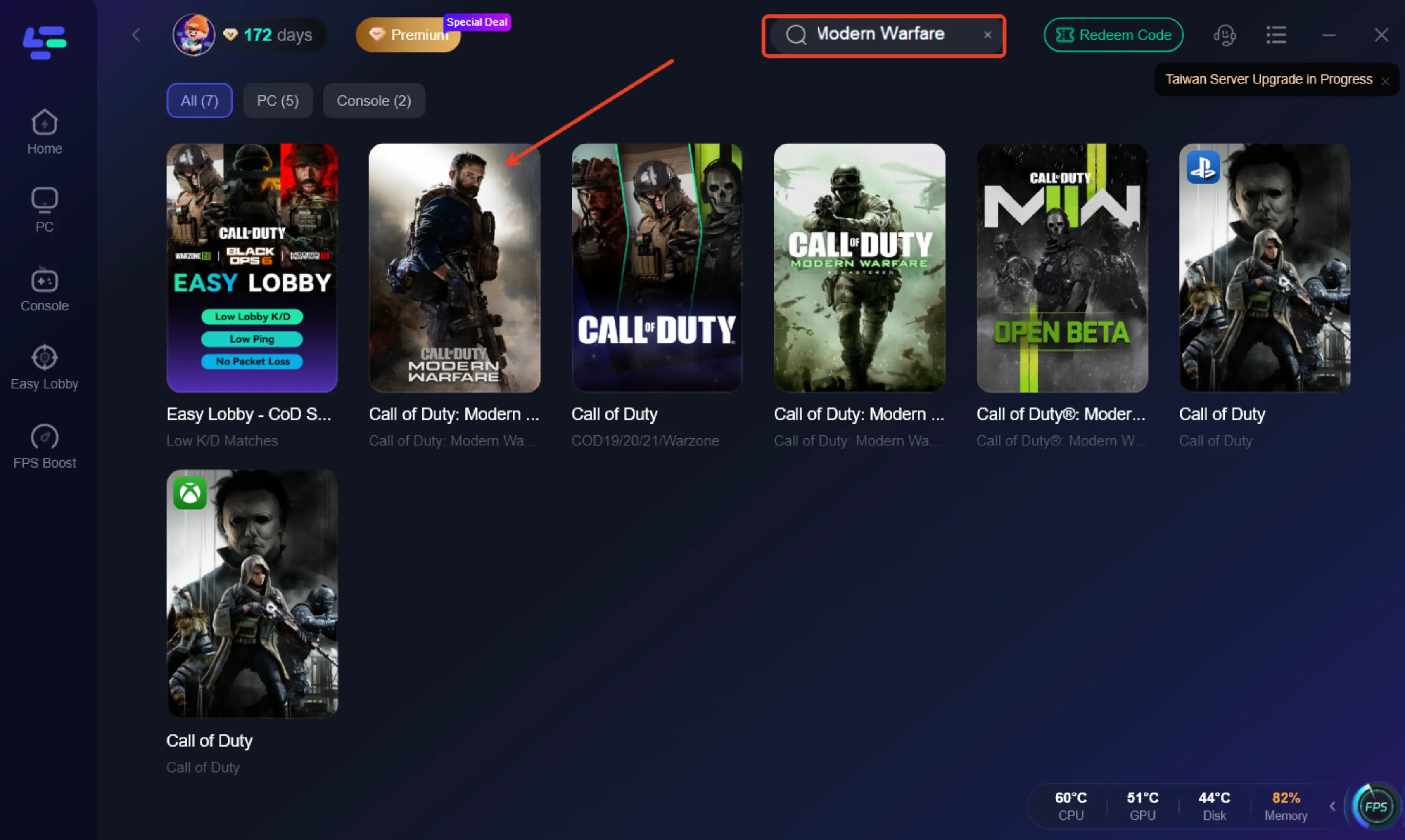
Step 2: After installation, search "Call of Duty: Modern Warfare" in the search bar and select the game.
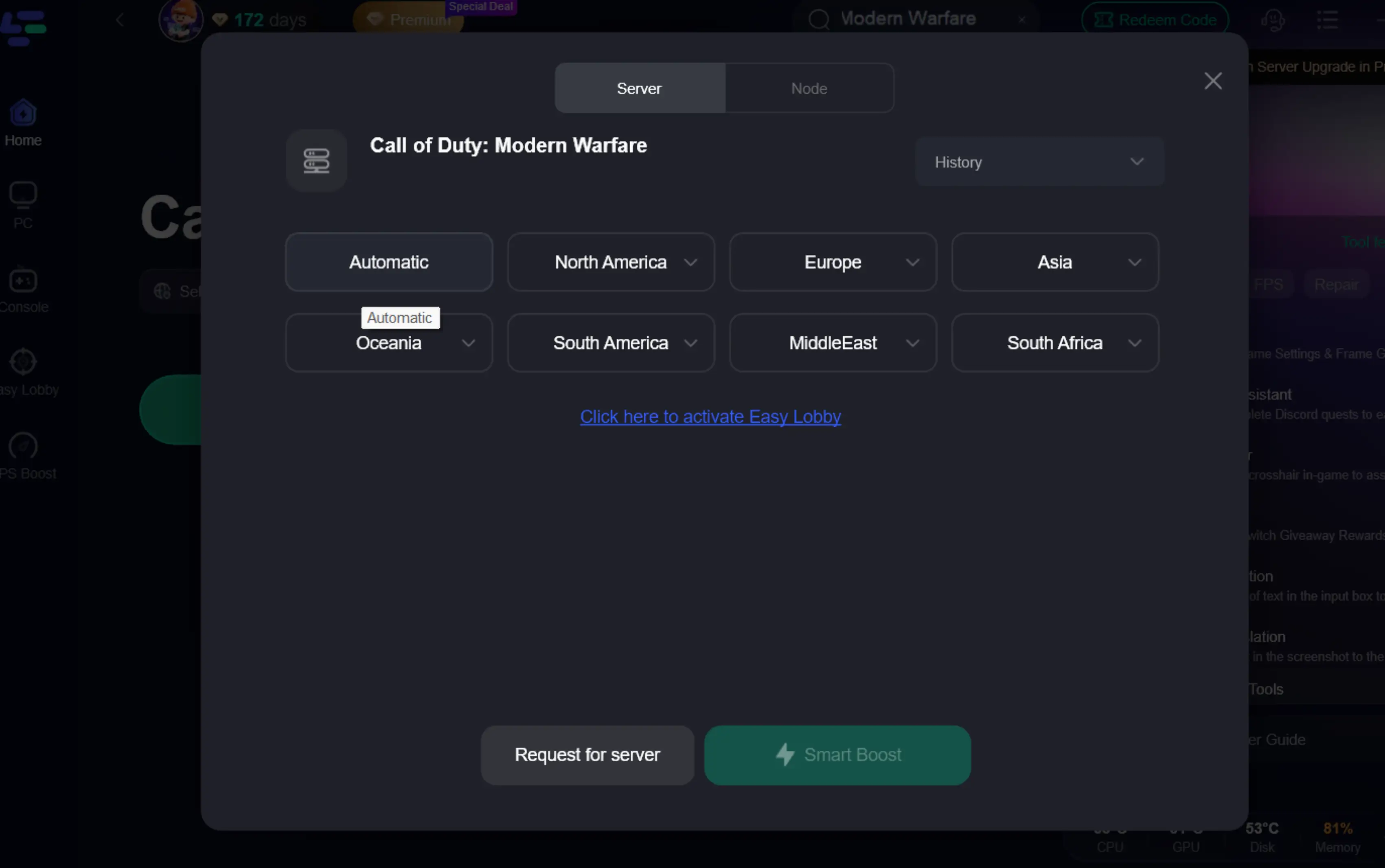
Step 3: Choose your preferred server node and click "Smart Boost" to start optimizing.
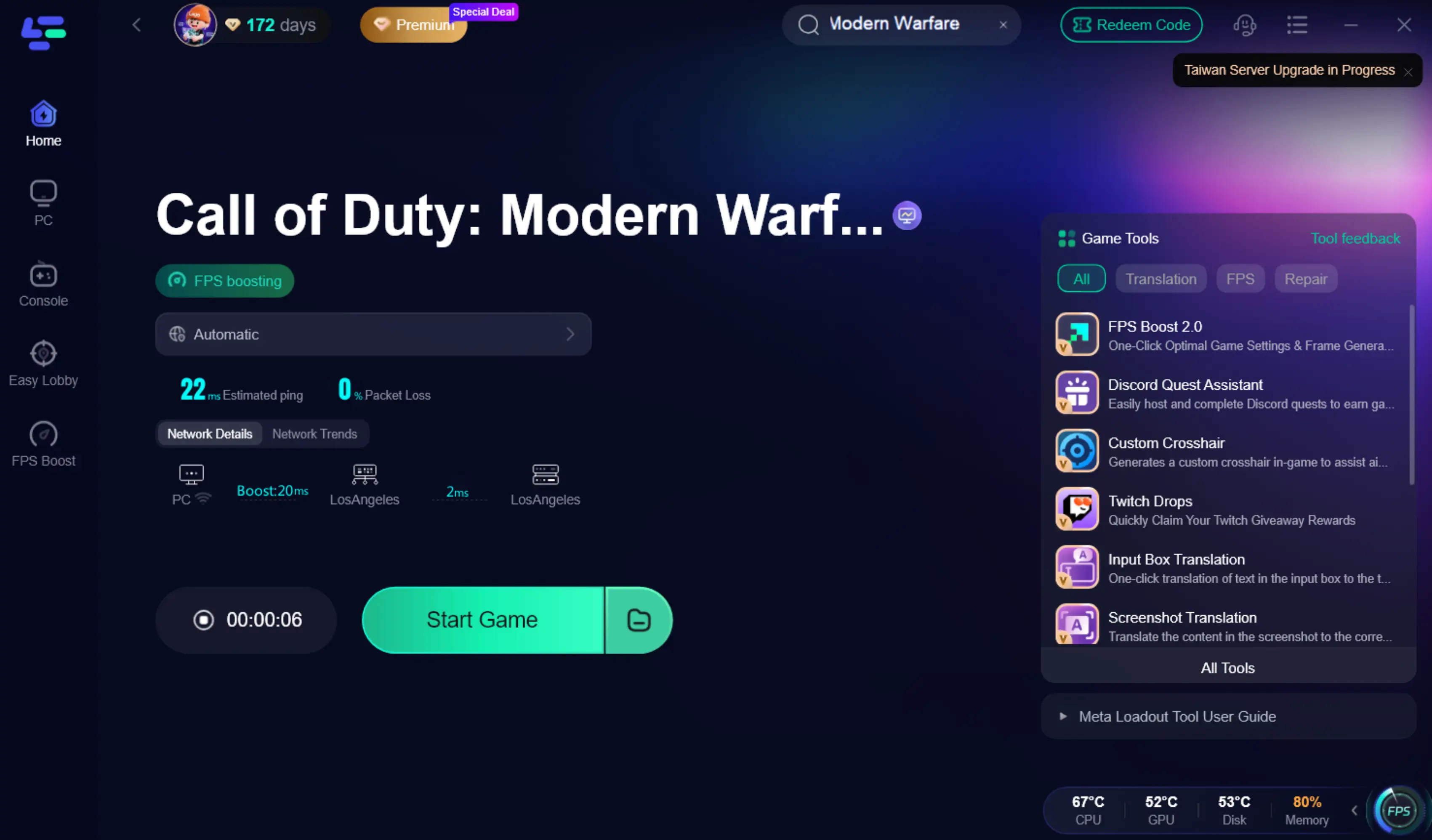
Step 4: Launch your game and enjoy smooth, optimized gameplay with lower ping and packet loss.
Manual Fixes for Lag & Performance Issues
If you prefer to adjust settings manually, start with these:
- Turn off V-Sync to reduce input delay
- Use fullscreen mode instead of borderless for better performance
- Lower shadow and post-processing settings (high impact on FPS)
- Enable NVIDIA Reflex / AMD Anti-Lag if available
- Close unnecessary background applications
These adjustments can help stabilize FPS and improve responsiveness, especially on mid-range or older systems.
Part 6: FAQs
Call of Duty Modern Warfare Crossplay
Yes—Modern Warfare (2019) supports full crossplay across PC, PlayStation, and Xbox, allowing you to match with players on different platforms.
Do you still need Battle.net to play MW2019 on Steam?
Yes. Even when launching through Steam, some Battle.net services may still run in the background.
Modern Warfare 2019 Steam Download
You can download the game directly from Steam. Make sure you have enough storage space available before installing.
Call of Duty Modern Warfare How Long to Beat
The campaign is relatively short and can be completed in a few sessions, making it ideal for players who prefer a focused experience.
Call of Duty Modern Warfare 2019 Player Count
The game is still active, with player numbers increasing during Steam sales and major events.
Conclusion
Call of Duty: Modern Warfare (2019) may not be new, but it still delivers where it matters in 2026. The campaign is worth playing, multiplayer is active enough, and Steam pricing makes it far more accessible than before.
If you can grab it on sale, it’s an easy pick—just be prepared for the large download and occasional PC issues. For most players, it’s still a solid experience in 2026.

Boost Your Game with LagoFast for Epic Speed
Play harder, faster. LagoFast game booster eliminates stutter and lags on PC, mobile, or Mac—win every match!
Quickly Reduce Game Lag and Ping!
Boost FPS for Smoother Gameplay!