

Arabic version: أداة ترجمة لعبة Burglin' Gnomes: العب بأي لغة بسهولة
Burglin' Gnomes is a light, stealth-focused indie game where you sneak around, steal items, and avoid getting caught. The core gameplay is simple and fun, but it relies more on understanding objectives and instructions than you might expect. The problem is, the current demo only supports English, which can make menus, tutorials, and missions harder to follow if you’re not fluent.
If you’ve found yourself guessing what to do next or missing key details, you’re not alone—this guide will show you a much easier way to deal with it.

- ✅ Reduce Lag and High Ping.
✅ Boost FPS at the Same Time.
✅ Support 2000+ Popular Online Games.
✅ Change Server without Latency.
✅ Boost Game Loading Speed.
Part 1: Burglin' Gnomes Game Overview and Release Date
Part 2: What Languages Does Burglin' Gnomes Support
Part 3: How to Play Burglin' Gnomes in Any Language — Best Game Translator LagoFast
Part 1: Burglin' Gnomes Game Overview and Release Date
Burglin' Gnomes is a stealth-driven indie game where you control a group of mischievous gnomes sneaking through levels, grabbing loot, and trying not to get caught. It looks simple at first, but once you start playing, you realize it leans heavily on timing, positioning, and actually understanding what the game is asking you to do.
Core gameplay features:
- Stealth-based movement and avoidance
- Light puzzle elements tied to level design
- Objective-driven missions (steal, escape, survive)
- Cartoon-style visuals with a humorous tone
The catch is that most of these mechanics depend on clear instructions and small details.
Release Date
Currently, Burglin' Gnomes is only available as a demo, and there’s no official release date for the full version yet. The demo is currently playable on PC via Steam.
Part 2: What Languages Does Burglin' Gnomes Support

Right now, Burglin' Gnomes only supports English in its demo version. That means players using other languages—like Spanish, Portuguese, Russian, Chinese, and many others—won’t find any official in-game localization options at this stage.
For non-English players, this creates a real barrier. It’s not just about understanding dialogue. A lot of key gameplay information is text-based, including:
- Mission objectives
- Tutorial prompts
- On-screen hints and instructions
Without clear understanding, it becomes easy to misread what the game actually wants you to do.
In a stealth game like Burglin' Gnomes, that becomes even more punishing. One small misunderstanding can lead to failed runs, wasted time, and repetitive trial-and-error instead of actually enjoying the gameplay.
That’s why many players start looking for a solution early, before the confusion builds up.
Part 3: How to Play Burglin' Gnomes in Any Language — Best Game Translator LagoFast
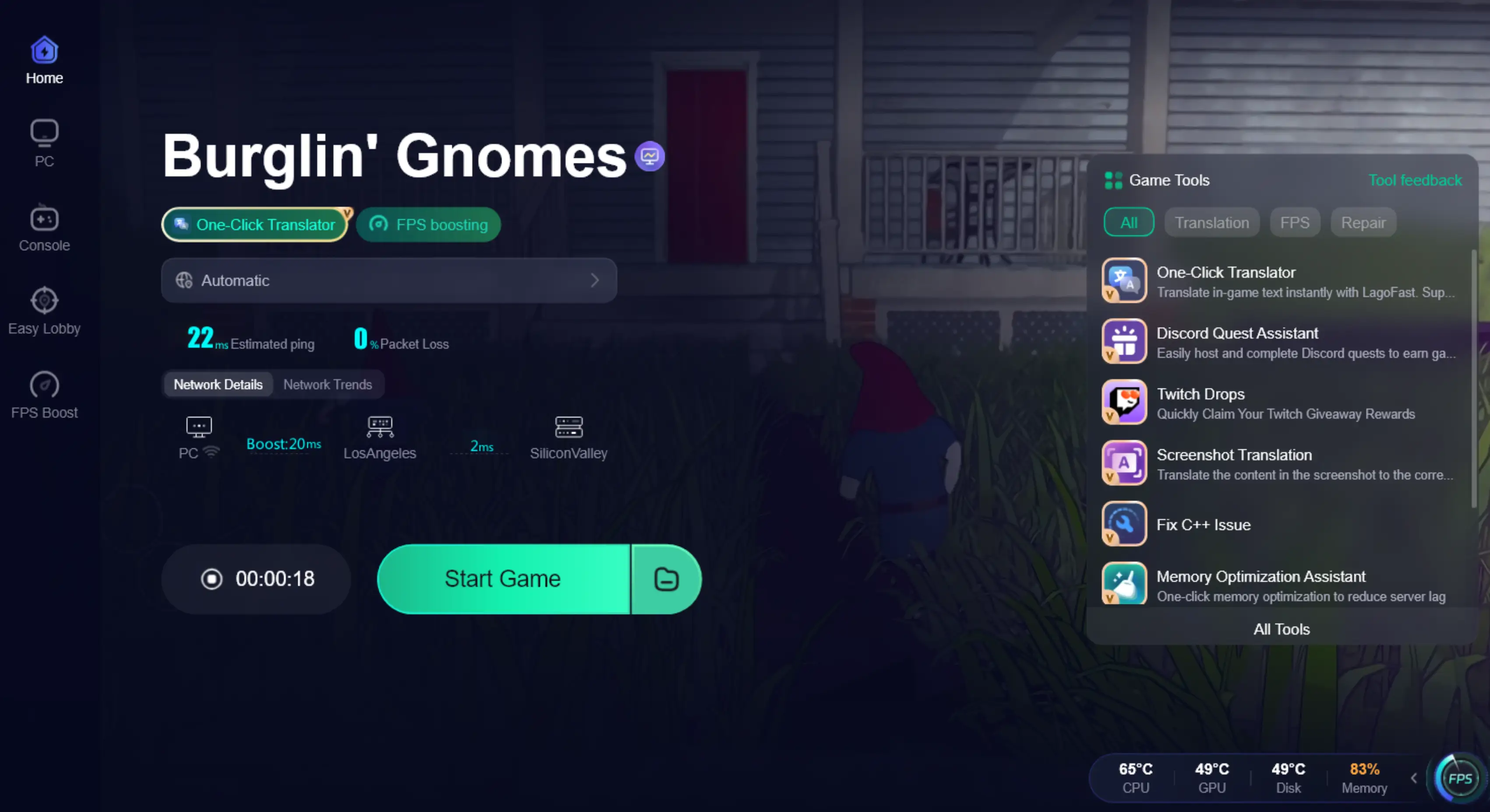
If you want to play Burglin' Gnomes in languages other than English—like Russian, Spanish, or others—LagoFast Game Translator offers real-time translation that helps you understand in-game text and menus instantly. Its built-in One-Click Translator can translate on-screen text in real time, with support for specific game engines to ensure smoother multilingual gameplay. With support for multiple languages, it helps you clearly understand missions, UI, and gameplay instructions, so you can follow what’s happening instead of guessing your way through the game.
Beyond translation, LagoFast also includes practical network optimization features. It helps reduce ping, fix packet loss, optimize routing, and stabilize connections—making your overall gameplay smoother and more stable, especially during longer sessions.
How to Use LagoFast for Burglin' Gnomes Translation
Step 1: Click the Free Trial button to download and install LagoFast.
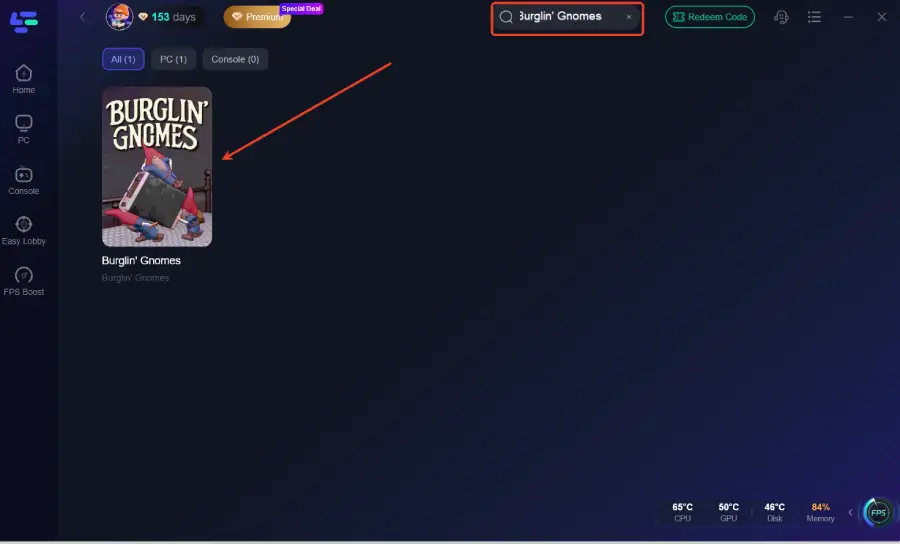
Step 2: After installation, search for "Burglin' Gnomes" in the search bar and select the game.
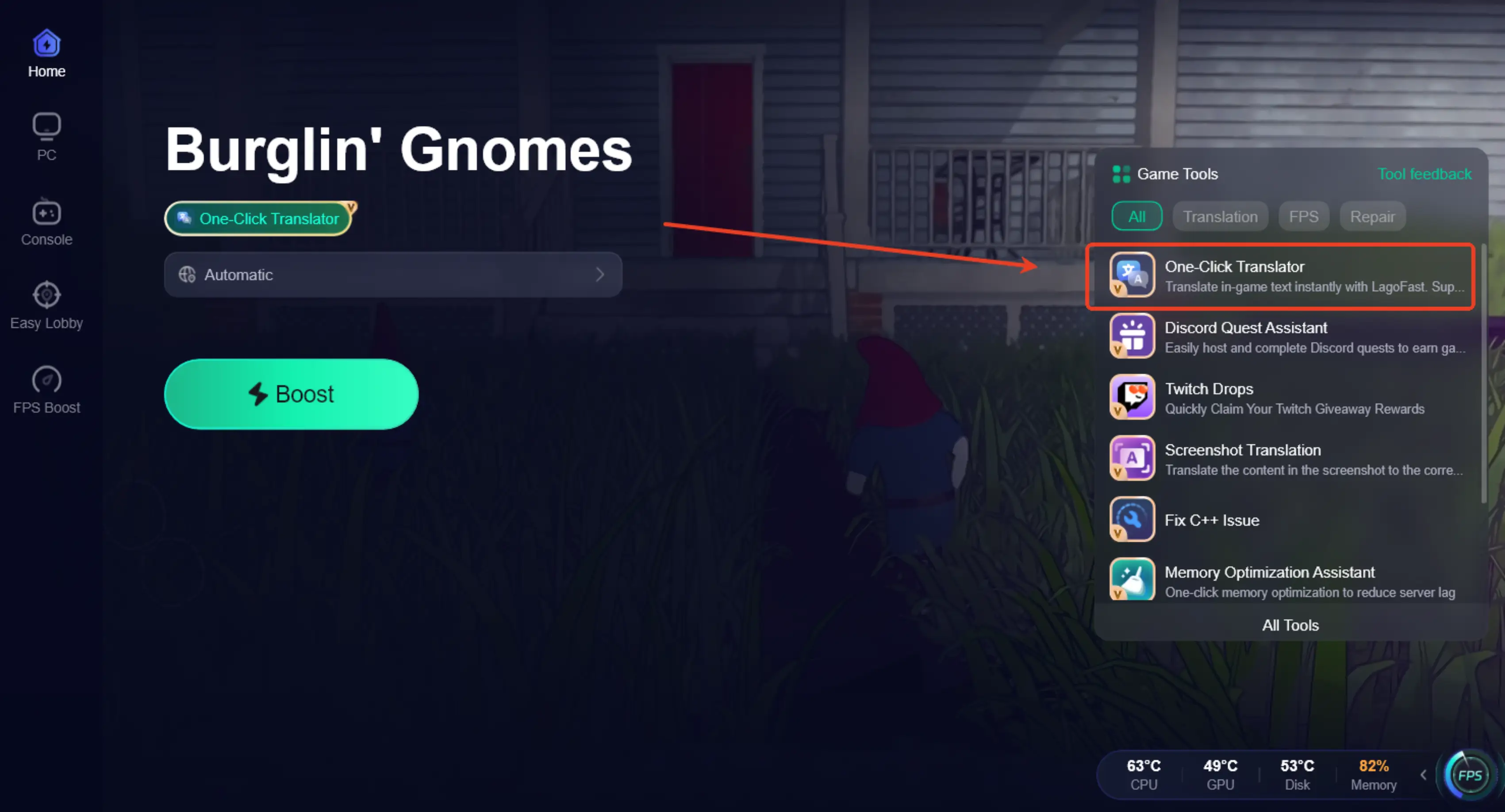
Step 3: Activate the Translation Tool—Click the One-Click Translator icon in LagoFast.
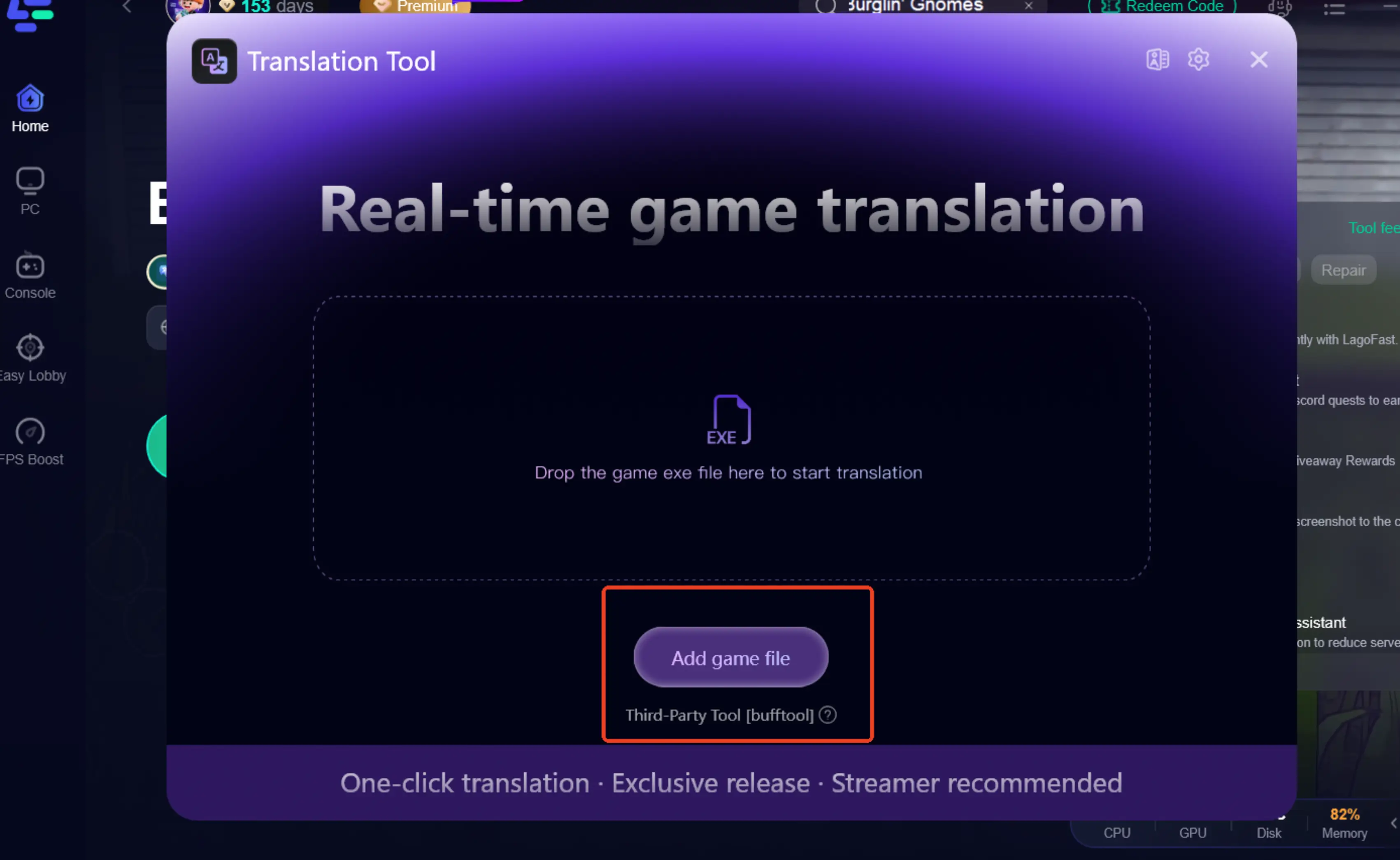
Step 4: Choose your target language and set up the hotkeys.
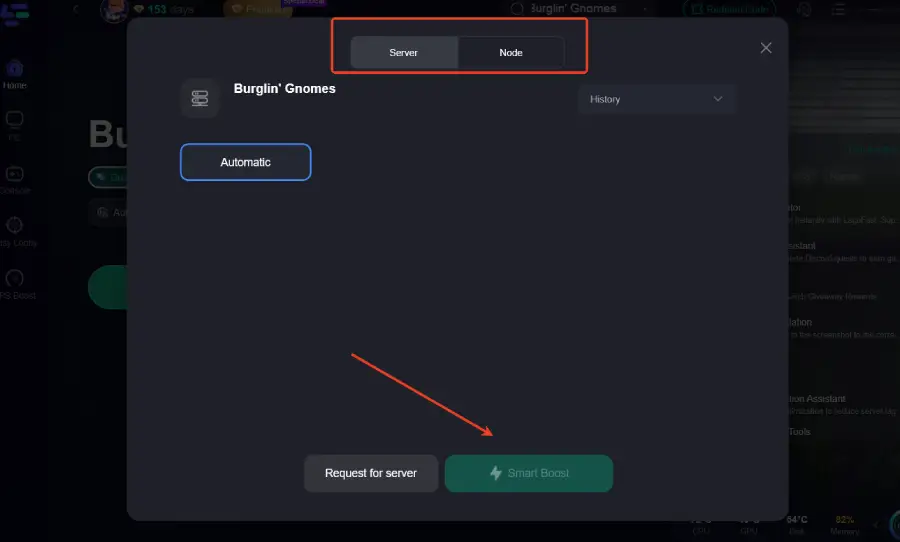
Step 5: Choose your preferred server node and click "Smart Boost" to start optimizing.
Step 6: Launch your game and enjoy smooth, optimized gameplay with lower ping and no stutter.
Part 4: FAQs
1. Is Burglin' Gnomes fully released?
No. It’s currently only available as a demo, and the full version has not been released yet.
2. Why is Burglin' Gnomes hard to understand for some players?
Because key gameplay elements like missions and tutorials rely heavily on English text, which can be difficult for non-English speakers.
3. Is Burglin' Gnomes free to play?
Yes. The current demo version is free to play on Steam.
4. What platforms is Burglin' Gnomes available on?
At the moment, the demo is available on PC via Steam. No other platforms have been confirmed yet.
5. Can I change the language in Burglin' Gnomes?
No. The demo does not include any in-game language settings or localization options.
Conclusion
Burglin' Gnomes is a fun stealth game, but the English-only demo can make it harder for non-English players to follow missions and objectives. That often turns gameplay into guesswork instead of a smooth experience. A tool like LagoFast helps bridge this gap with real-time translation and stable gameplay support. With the right setup, you can focus on actually enjoying the game instead of trying to figure out what everything means.

Boost Your Game with LagoFast for Epic Speed
Play harder, faster. LagoFast game booster eliminates stutter and lags on PC, mobile, or Mac—win every match!
Quickly Reduce Game Lag and Ping!
Boost FPS for Smoother Gameplay!