
With Borderlands 4 on the horizon, one of the biggest questions in the community is whether modding will play a role this time. Mods have always added incredible variety and replay value to games, from quality-of-life tweaks to full-scale gameplay overhauls. As discussions heat up across forums and Discord servers, players are already imagining what the first borderlands 4 mod scene could look like. This article explores the likelihood of mod support, what types of mods players are asking for, and how tools like LagoFast Game Booster aim to deliver powerful features to make modding and performance smoother.

- ✅ Reduce Lag and High Ping.
- ✅ Boost FPS at the Same Time.
- ✅ Support 2000+ Popular Online Games.
- ✅ Change Server without Latency.
- ✅ Boost Game Loading Speed.
- ✅ Fix Game Crashing Freezing Issues
Part 1: Does Borderlands 4 Support Mods?
Part 2: Community Wish List and Useful Mods
Part 3: Best Mod Tool for Borderlands 4 — LagoFast
Part 1: Does Borderlands 4 Support Mods?
At this stage, there has been no official confirmation that Borderlands 4 will launch with built-in modding support or an SDK. However, past entries in the series developed thriving modding communities even without official tools. Fans are hopeful that Gearbox will open the door this time, especially as community demand for customization is stronger than ever.
Even without formal mod support, players expect that third-party utilities, tweaks, and boosters will quickly appear, extending what the game offers and addressing common frustrations like UI limitations or performance issues.
Related Article: Is Borderlands 4 on Game Pass?
Part 2: Community Wish List and Useful Borderlands 4 Mods
Cosmetic and Visual Mods for Borderlands 4
Players expect fan-made skins, weapon appearances, and character designs to expand beyond what the developers release. These cosmetic mods are often the first to appear because they are highly demanded and relatively simple to implement.
Skill Tree and Class Modification Mods
Another popular request is expanded skill systems. Many players want simulated skill trees or custom class modifications that allow them to try experimental builds before committing in-game.
UI and HUD Enhancement Mods
Quality-of-life mods are consistently in demand. Custom crosshairs, real-time minimaps, and adjustable HUDs would make gameplay more flexible and immersive.
Performance and Optimization Mods
Performance tweaks are always near the top of the community’s list. Mods that improve frame rates, reduce stuttering, or optimize graphics settings would be invaluable for players on lower-end systems.
Content Expansion Mods
Beyond tweaks, fans hope for new missions, quests, or even full custom areas. These larger-scale mods have kept earlier Borderlands titles alive for years and could do the same for Borderlands 4.
Hot Related: How to Get Borderlands 4 Twitch Drops Easily and Quickly
Part 3: Best Mod Tool for Borderlands 4 — LagoFast
Recognizing these needs, LagoFast Game Booster is preparing a suite of tools that combine mod-like customization with performance optimization. These solutions aim to deliver smoother gameplay and new ways to personalize the Borderlands 4 experience.
Planned and Upcoming Borderlands 4 Mod Tools
- Skill Build Simulator: Plan and test skill point allocations before committing in-game.
- Real-Time Map Overlay: Provides a larger, clearer view of the world for easier exploration.
- Custom Crosshair Tool: Adjust crosshair size, shape, and color for better accuracy and comfort.
- Anti-Scan Utility: Helps reduce unwanted detection or tracking in competitive play.
- Steam Download Accelerator: Shortens patch and update times for faster access to new content.
FPS Boost 2.0 for Borderlands 4
- One-Click Optimal Settings: Automatically balances graphics settings for the best performance based on your hardware.
- Frame Generation Technology: Creates smoother animations and boosts perceived FPS using modern GPU features.
How to Boost FPS in Borderlands 4 with LagoFast
Step 1: Click the “Free Trial” button below to download and install the LagoFast client on your PC.
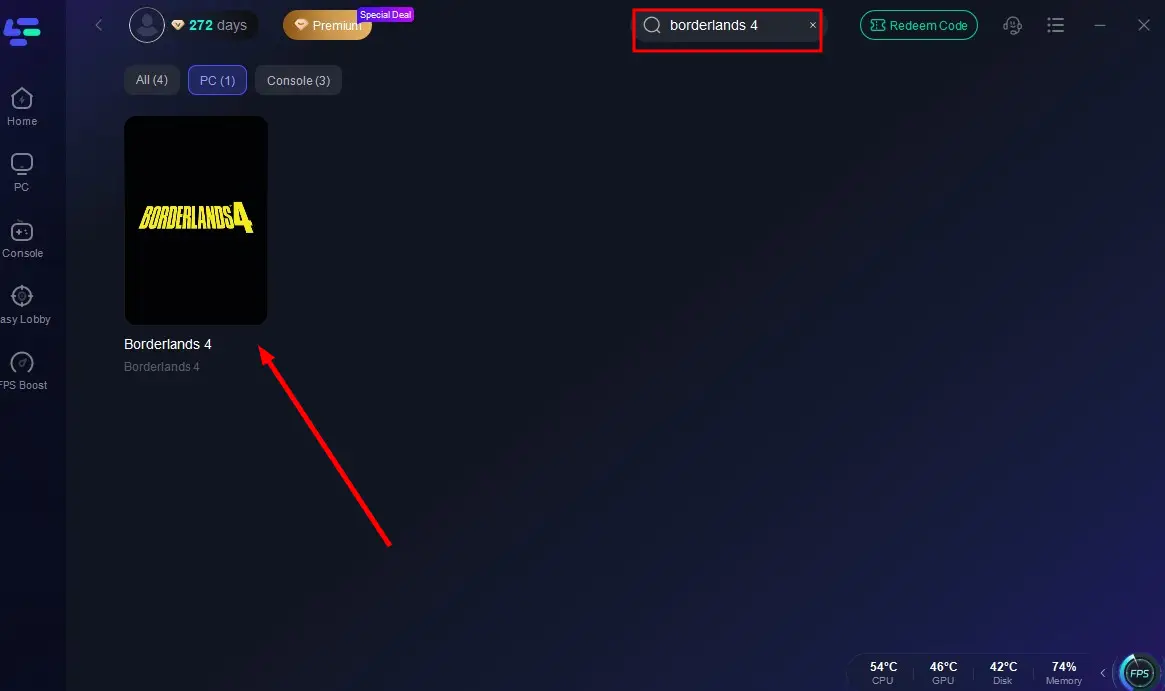
Step 2: Launch LagoFast, search for “Borderlands 4” in the client, and select the game.
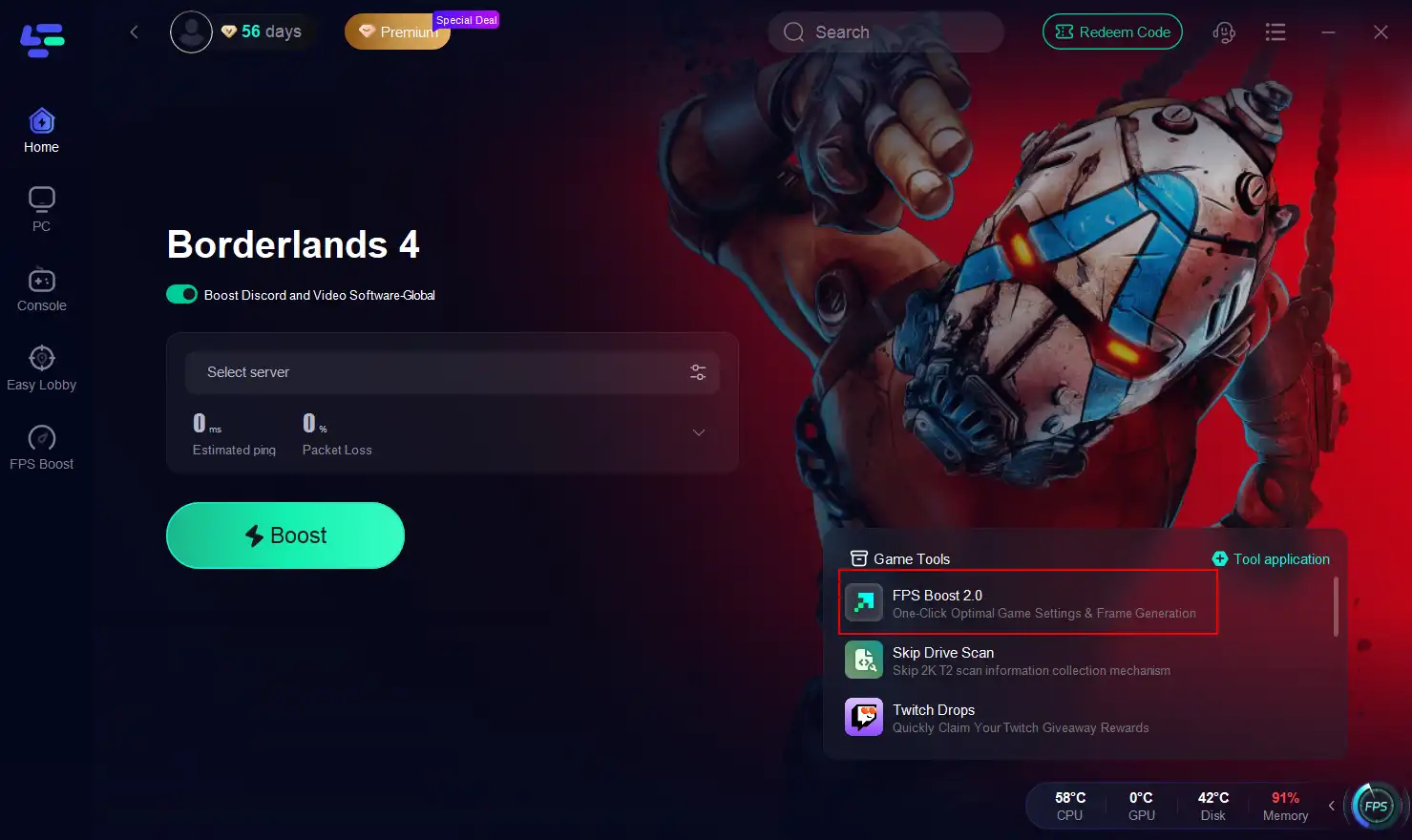
Step 3: Click the "FPS Boost 2.0" tool on the right.
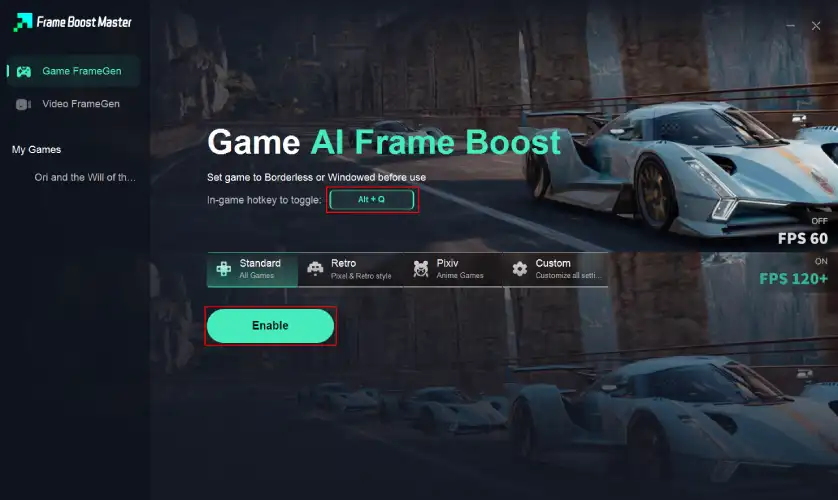
Step 4: You can customize the hotkeys. Click Enable to turn on FPS boost.
Core Optimization and Lag-Reduction Features of LagoFast
- Lag Reduction and High Ping Fix: Improves network routing for lower latency.
- Packet Loss Mitigation: Stabilizes connections for smoother online play.
- System Optimization: Frees up resources by reducing background tasks and memory usage.
How to Reduce Lag and Fix High Ping in Borderlands 4 with LagoFast:
Step 1: Launch LagoFast, search for “Borderlands 4” in the client, and select the game.
Step 2: Click the “Select Server” button to connect to an optimal server node based on your needs, then activate optimization via “Smart Boost”.
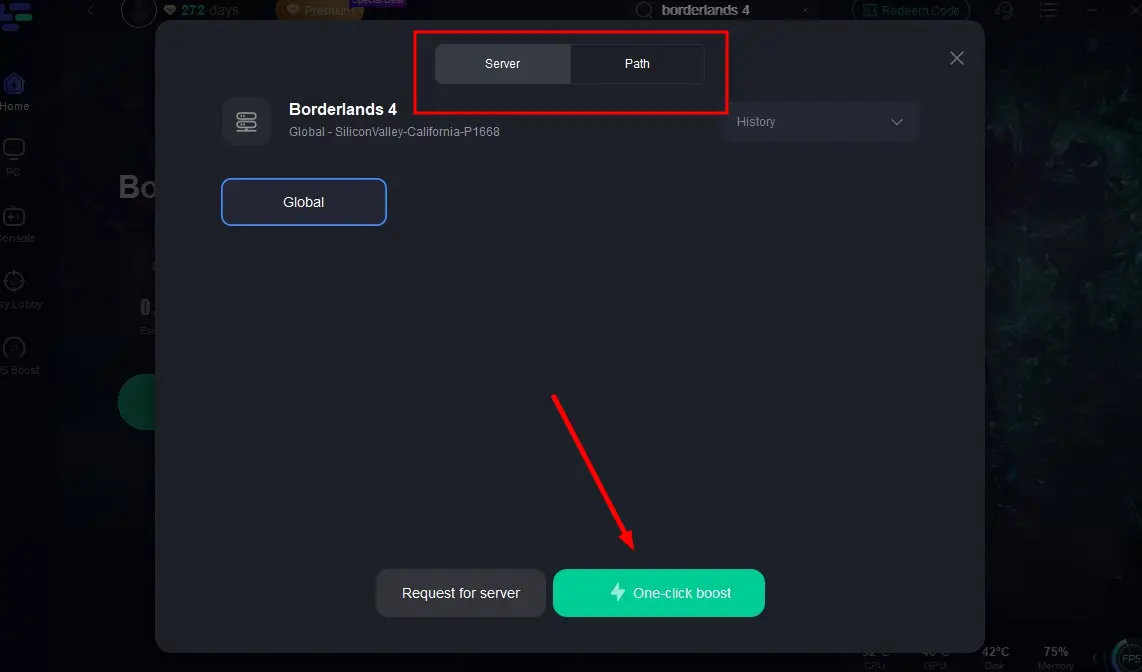
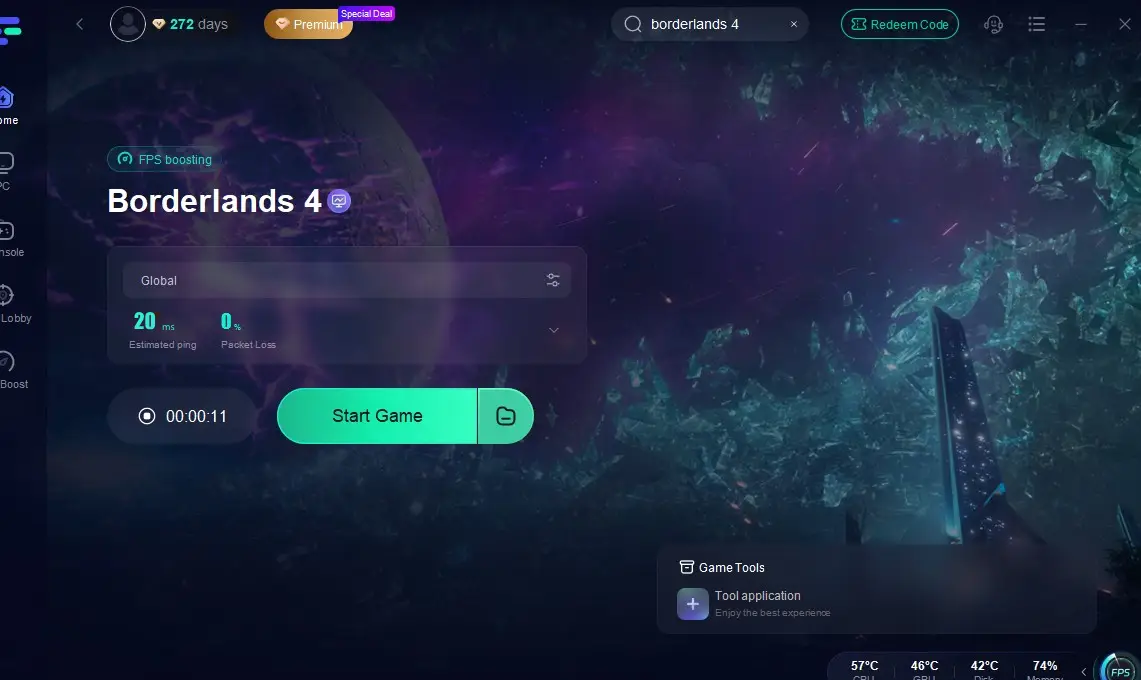
Step 3: After enabling real-time optimization, check the live ping and packet loss rates, then click “Start Game” to begin playing.
Conclusion
Borderlands 4 may not yet confirm official mod support, but the community is already shaping a vision of what mods could bring: cosmetic upgrades, performance fixes, new content, and more. The idea of a vibrant borderlands 4 mod community is already fueling discussion and anticipation. LagoFast Game Booster’s tools, from skill simulators to FPS optimization, are positioned to fill those gaps and help players push their experience further.
For fans who want both smoother gameplay and expanded customization, LagoFast could become the go-to toolkit when Borderlands 4 arrives.

Boost Your Game with LagoFast for Epic Speed
Play harder, faster. LagoFast game booster eliminates stutter and lags on PC, mobile, or Mac—win every match!
Quickly Reduce Game Lag and Ping!
Boost FPS for Smoother Gameplay!