
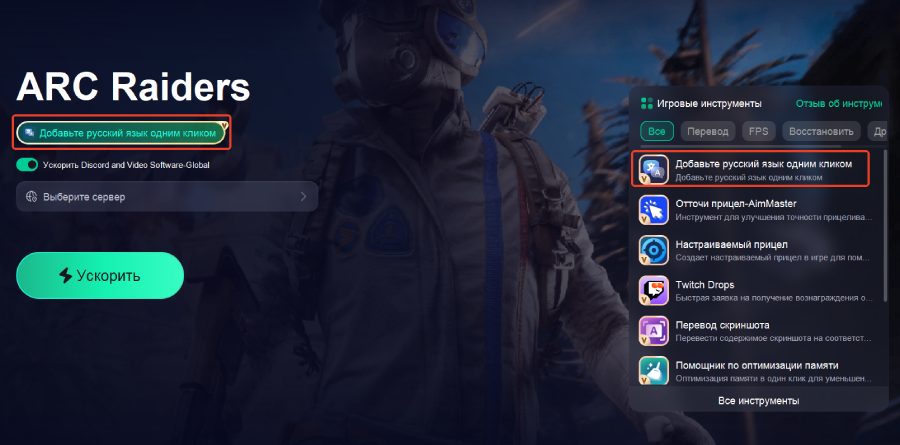
If you’ve jumped into Blue Protocol: Star Resonance (or are about to), one of the biggest gameplay killers is high latency. Whether it’s skills that trigger late or rubber-banding characters, high ping makes even a great MMO feel clunky. In this guide, we’ll go over what Blue Protocol: Star Resonance is, the common causes of Blue Protocol: Star Resonance high ping, and the most effective ways to fix it.

Part 1. Blue Protocol: Star Resonance Overview & Release Date
Part 2. Common Causes Leading to Blue Protocol: Star Resonance High Ping
Part 3. The Most Effective Way to Fix High Ping — LagoFast Game Booster
Part 4. Other Methods to Reduce Ping in Blue Protocol: Star Resonance
Part 1. Blue Protocol: Star Resonance Overview & Release Date
Blue Protocol: Star Resonance is the latest anime-style MMORPG developed by Shanghai Bokura Network Technology and published by A Plus Japan under Tencent.
The game officially launched on October 9, 2025, for both PC and mobile platforms. It supports full cross-platform play between PC, iOS, and Android, bringing together players from around the world.
As with any global online game, latency can vary depending on where players connect from. This makes understanding and addressing ping issues crucial for smoother gameplay.
Part 2. Common Causes Leading to Blue Protocol: Star Resonance High Ping
There are several reasons why you might experience high ping in Blue Protocol: Star Resonance:
Server Distance or Region Mismatch
If you connect to a server far from your physical location, the travel time for data packets increases, causing higher latency.
ISP Routing and Network Congestion
Sometimes, your Internet provider routes traffic inefficiently, or network congestion during peak hours increases delay.
Wi-Fi Instability
Wireless networks are more prone to interference and packet loss. A wired connection is generally faster and more stable.
Background Bandwidth Usage
Other applications or devices using your network (downloads, video streaming, system updates) can compete for bandwidth and create lag.
Server Load or Maintenance
During events or peak activity, overloaded servers may respond slowly, creating temporary ping spikes.
Part 3. The Most Effective Way to Fix High Ping in Blue Protocol: Star Resonance — LagoFast
One of the best and fastest ways to reduce ping in Blue Protocol: Star Resonance is by using a professional game booster. LagoFast Game Booster is a proven solution that optimizes your game connection to minimize latency.
Benefits of LagoFast
- Smart Route Optimization – LagoFast automatically chooses the most efficient route for your game data, reducing travel distance and avoiding congestion.
- Wide Global Coverage – It supports both global and China (CN) servers, making it ideal for international players who want a stable connection to distant regions.
- Cross-Platform Support – LagoFast works on both PC and mobile devices (iOS/Android), ensuring smoother gameplay no matter what platform you use.
- Easy Setup – Players only need to select Blue Protocol: Star Resonance in the LagoFast app, choose the optimal server, and start boosting.
How to Use LagoFast to Reduce Ping in Star Resonance on PC (CN as an example):
Click the Free Trial button to install the software.
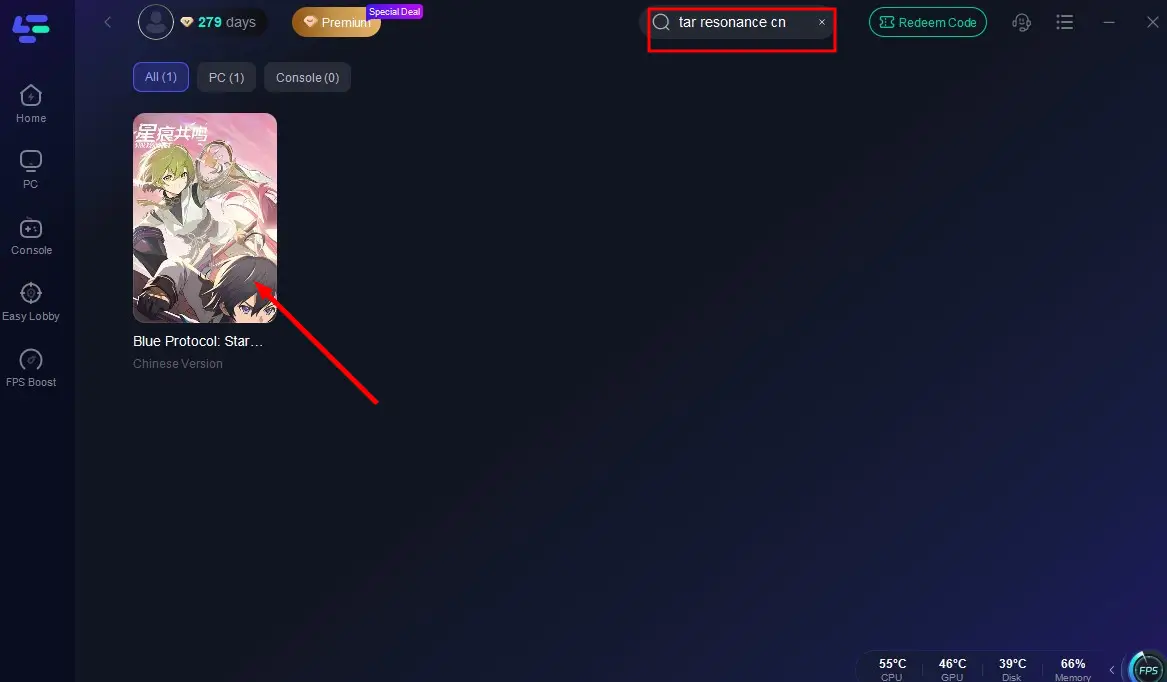
Search for "Blue Protocol: Star Resonance CN" in the client and select the game.
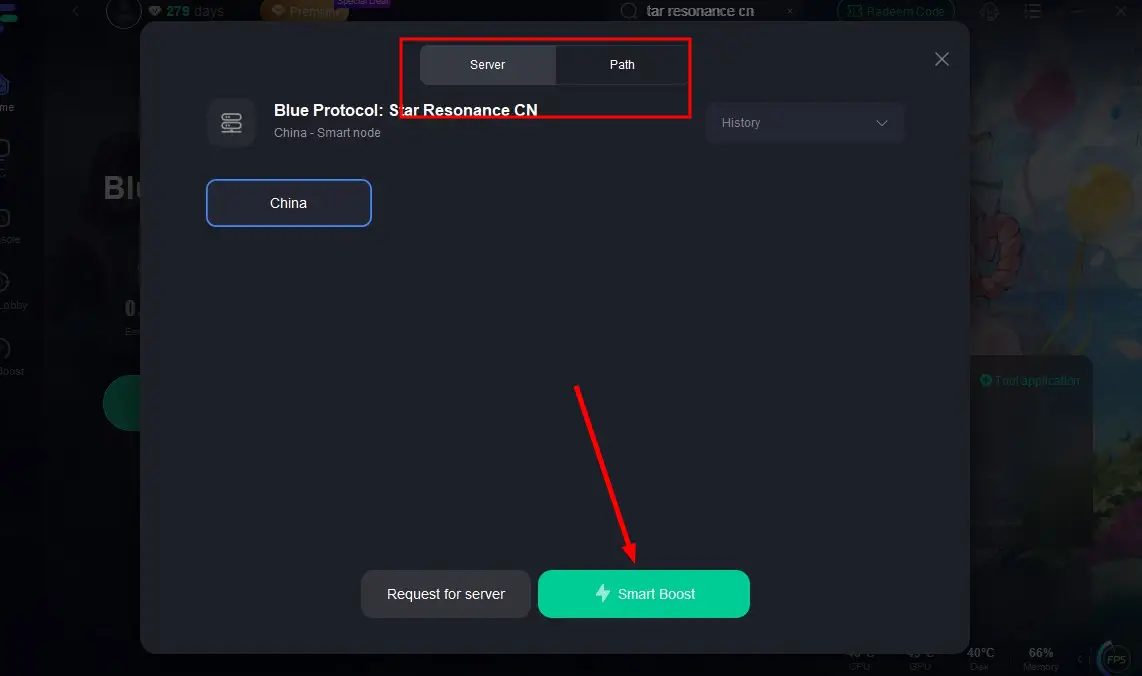
Choose a Server/Node, ideally close geographically.
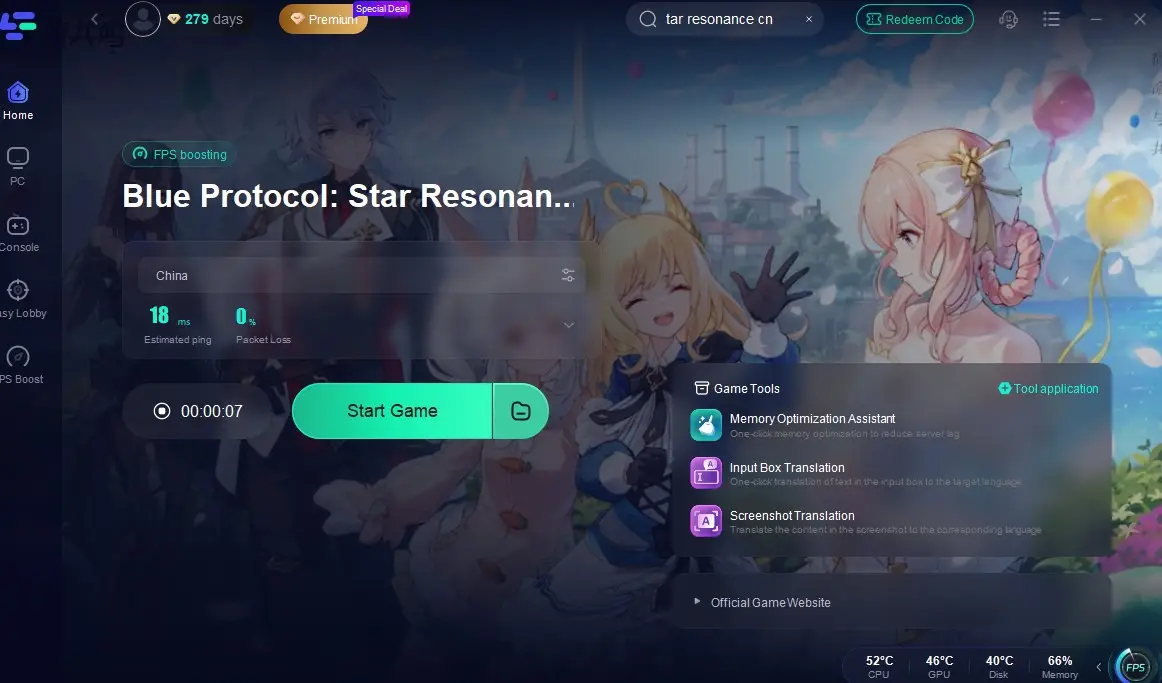
Activate Smart Boost, which shows real-time ping, packet loss, and network stability.
How to Use LagoFast to Reduce Ping in Star Resonance on Mobile (CN as an example):
Step 1: Go to the LagoFast official website and download the LagoFast Mobile APK file.

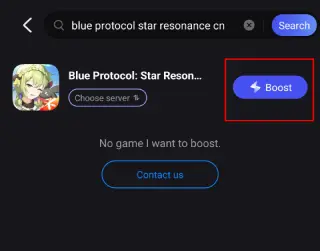
Step 2: Search Blue Protocol: Star Resonance CN and click the Boost button.
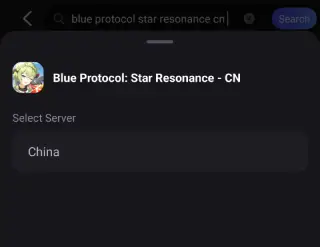
Step 3: Choose the Server you like, then click the Boost button.
Step 4: Use LagoFast's optimization features to enhance network stability and reduce lag during gameplay.
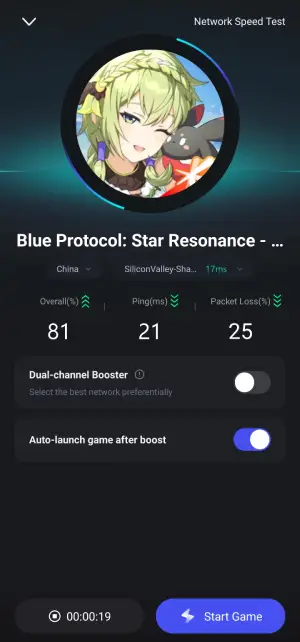
Whether you play the global or China version, LagoFast ensures a stable and fast connection, helping you fix Blue Protocol: Star Resonance high ping effectively.
Part 4. Other Methods to Reduce Ping in Blue Protocol: Star Resonance
Besides using LagoFast, you can also try the following tips to further reduce ping and improve connection stability:
1. Use a Wired Ethernet Connection
Avoid playing on Wi-Fi whenever possible. A direct wired connection provides more stable latency and prevents random spikes.
2. Close Background Applications
Shut down unnecessary downloads, updates, or streaming services while playing. This frees up bandwidth and reduces network load.
3. Choose the Closest Game Server
If the game allows region selection, always connect to the server closest to your location to minimize transmission time.
4. Optimize In-Game Settings
Lowering graphics quality, frame rate, and visual effects can reduce overall system load and make your connection feel smoother, especially on mobile.
5. Keep Your System and Drivers Updated
Outdated network or graphics drivers can cause instability. Regularly update your operating system and drivers to maintain peak performance.
6. Monitor Background Network Activity
On PC, check Task Manager (Windows) or Activity Monitor (macOS) to see which processes use network bandwidth. Close any heavy background apps before launching the game.
7. Play During Off-Peak Hours
Server congestion often peaks during evenings or weekends. If possible, play during quieter times to enjoy lower latency.
8. Adjust Router Settings or Restart Your Modem
Sometimes, simply restarting your router or enabling QoS (Quality of Service) features can help prioritize gaming traffic and reduce ping.
By following these tips, you can improve your overall connection quality and achieve more stable performance even without external tools.
Conclusion
High ping in Blue Protocol: Star Resonance can seriously affect gameplay—causing delays, rubber-banding, and skill lag. Thankfully, it’s not a permanent problem. By understanding the causes and taking targeted actions, you can greatly reduce latency and improve performance.
For most players, the easiest and most effective fix is LagoFast Game Booster, which optimizes routes for both global and China servers across PC and mobile. Combine that with best network practices—like using a wired connection and closing background apps—and you’ll experience smooth, responsive gameplay once again.
Enjoy your adventure in Regnus, and may your ping stay low!

Boost Your Game with LagoFast for Epic Speed
Play harder, faster. LagoFast game booster eliminates stutter and lags on PC, mobile, or Mac—win every match!
Quickly Reduce Game Lag and Ping!
Boost FPS for Smoother Gameplay!