

Want to see your real damage output and your teammates’ healing while keeping the game smooth? LagoFast Blue Protocol Star Resonance Real-time DPS Tracker is your must-have tool. Stop guessing your performance—let’s break down how to use it safely and efficiently.

- ✅ Reduce Lag and High Ping.
✅ Boost FPS at the Same Time.
✅ Support 2000+ Popular Online Games.
✅ Change Server without Latency.
✅ Boost Game Loading Speed.
Part 1: What is Blue Protocol Star Resonance DPS Tracker?
Part 2: Key Benefits of LagoFast Blue Protocol Star Resonance DPS Tracker
Part 3: How to Use LagoFast Blue Protocol Star Resonance DPS Tracker
Part 1: What is Blue Protocol Star Resonance DPS Tracker?
Star Resonance DPS Tracker, also called a DPS Meter, is designed for Blue Protocol: Star Resonance. It shows real-time damage, healing, and team stats. With it, you can track your performance, optimize skill rotations, and improve overall gameplay.
Many players ask if DPS trackers are safe or risk a ban when using DPS trackers. With LagoFast (version V2.9.2 or above), there’s no need to worry. The tool only reads in-game data without modifying the client, making it completely safe for all regions and platforms.
Part 2: Key Benefits of LagoFast Blue Protocol Star Resonance DPS Tracker
When it comes to competitive RPGs like Blue Protocol: Star Resonance, knowing your real-time performance is everything. LagoFast’s Real-time DPS Tracker helps you monitor your damage, healing, and combat efficiency—all while keeping gameplay smooth and lag-free.
Why Players Love LagoFast DPS Tracker
Here’s why players are calling it a must-have tool:
- Boost combat efficiency: Track your output in real time to optimize rotations, timing, and burst windows.
- Smooth gameplay: Real-time DPS overlay works seamlessly with LagoFast’s acceleration engine—no lag, no interruptions.
- Safe and reliable: LagoFast only reads visible in-game data—no client modification, no ban risk.
- Easy setup: Simple steps, beginner-friendly, ready in minutes.
More Advantages of LagoFast DPS Tracker
LagoFast isn’t just about numbers—it enhances your entire gaming experience:
- Game acceleration: Reduce lag, packet loss, and high latency for smoother gameplay.
- Multi-language support: English default, with fallback for Russian, Brazilian Portuguese, French, German, Thai, Turkish, Arabic, Japanese, Spanish, and Vietnamese.
- Cross-platform compatibility: Supports Steam, standalone client, and China’s Wegame client.
- Global server support: Works on both domestic and international servers.
Part 3: How to Use LagoFast Blue Protocol Star Resonance DPS Tracker
Follow these simple steps to use LagoFast DPS Tracker in Blue Protocol: Star Resonance.
Step 1: Click the Free Trial button on the official LagoFast website to download and install the latest version (V2.9.2 or above).
Step 2: Open LagoFast and use the search bar to find Blue Protocol: Star Resonance.
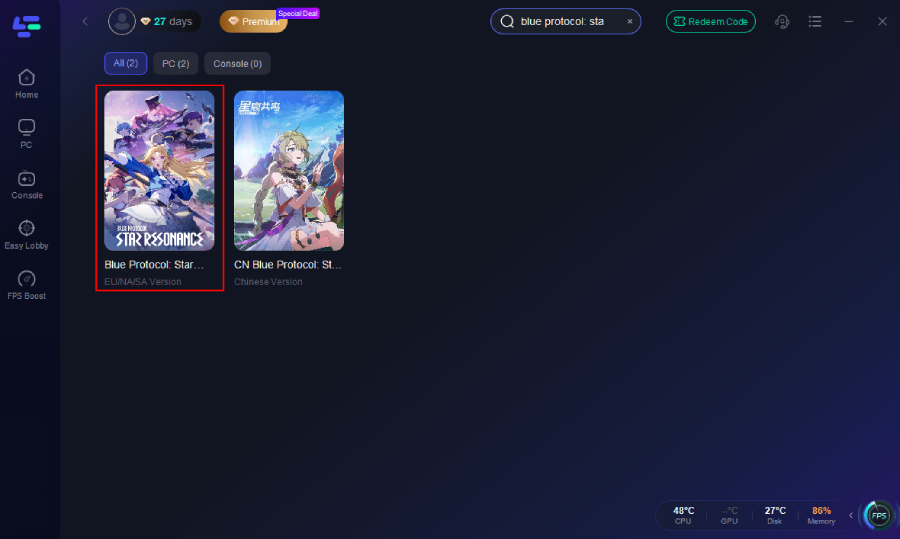
Step 3: Select the Real-time DPS Tracker tool from the list.
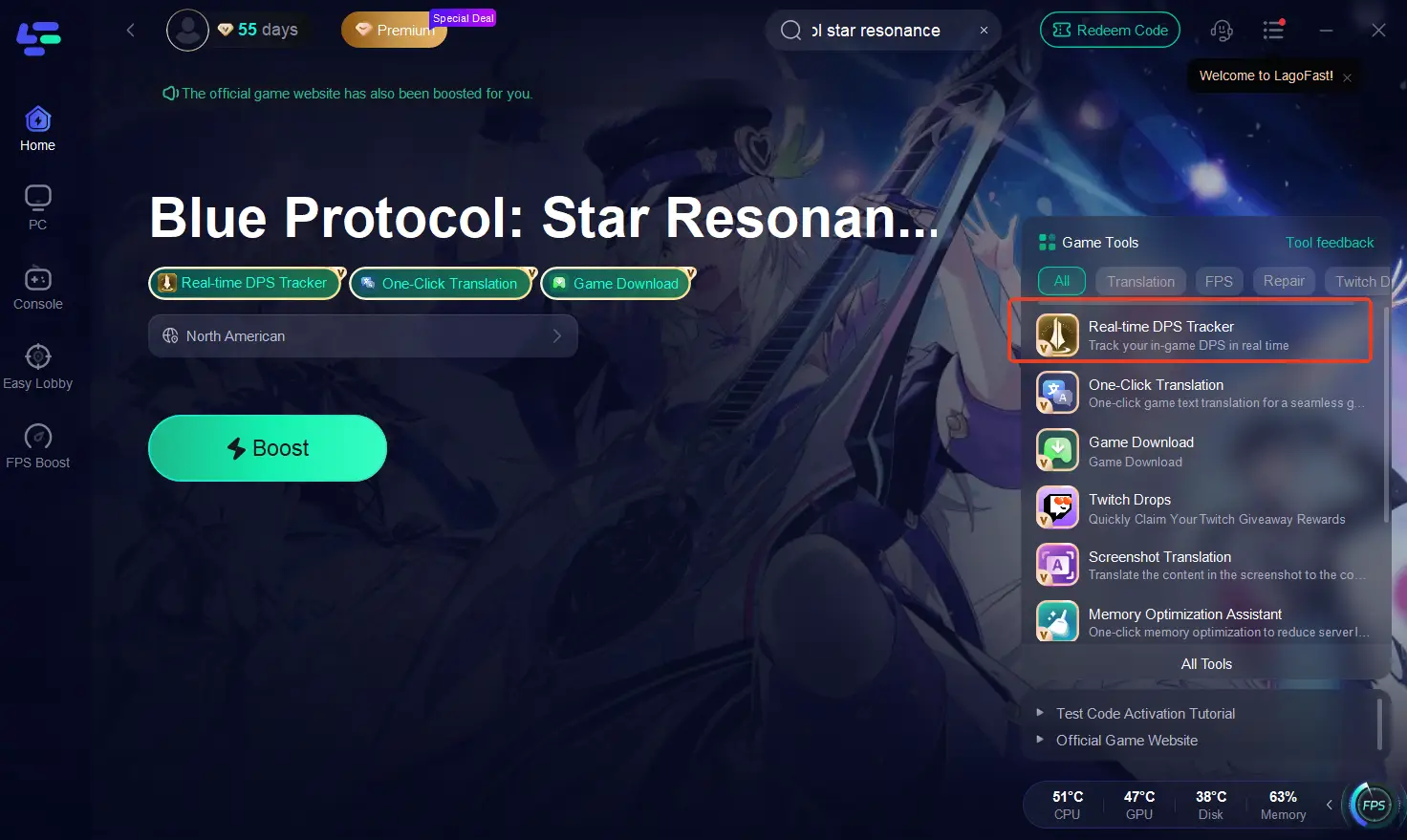
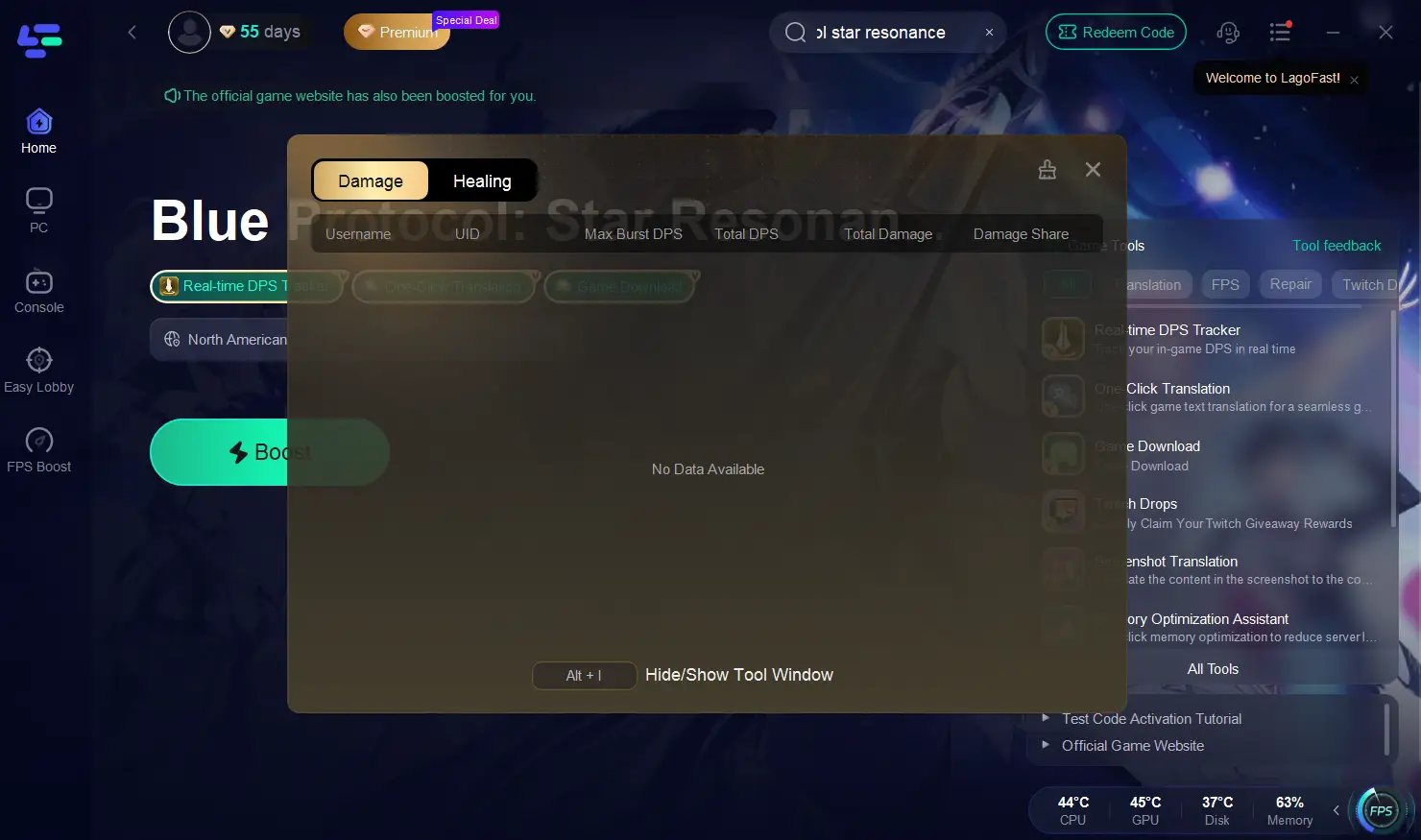
Step 4: Enable Real-time DPS Display and configure any display settings, such as showing your DPS, healing, and teammates’ data.
Step 5: Optimize network settings—LagoFast will automatically choose the best server and connection path to reduce lag, packet loss, and high latency.
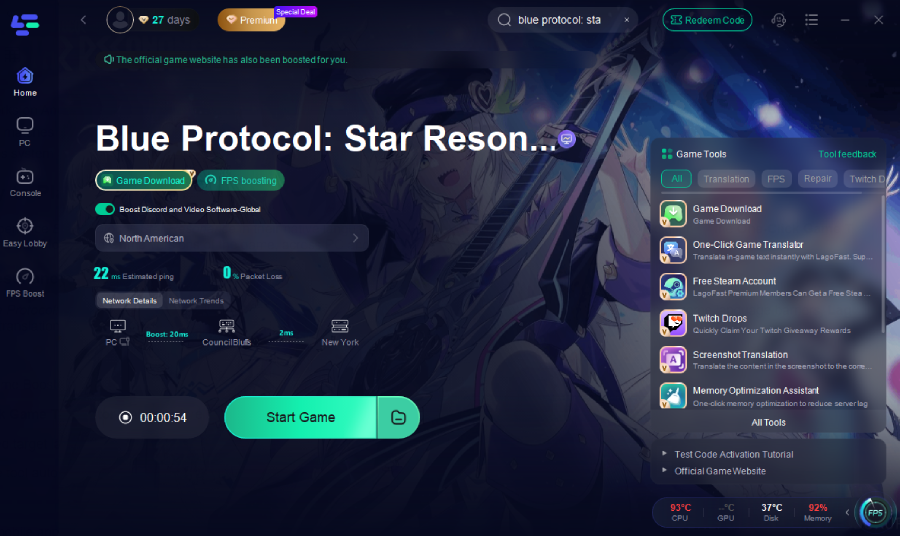
Step 6: Launch Blue Protocol: Star Resonance through LagoFast. The DPS Tracker overlay will appear in-game, showing live DPS and healing stats for you and your team while your network runs smoother.
Part 4: FAQs
Q1: Is it safe to use LagoFast DPS Tracker?
Yes. It only reads game data and does not modify the client—no ban risk.
Q2: Can it improve gameplay?
Yes. It reduces lag and latency while showing real-time DPS stats.
Q3: Do I need the latest version to use the DPS Tracker?
Yes. Make sure you are using LagoFast version V2.9.2 or above to access the real-time DPS tracking and network acceleration safely.
Q4: Which servers and clients are supported?
LagoFast supports Steam, standalone clients, and China’s WeGame client across domestic and international servers.
Conclusion
If you want to track real DPS and healing while keeping your game smooth in Blue Protocol: Star Resonance, LagoFast Real-time DPS Tracker is the best choice. Compatible with all regions and clients, just update to V2.9.2 and enjoy safe, real-time DPS tracking while reducing lag and boosting your gameplay.

Boost Your Game with LagoFast for Epic Speed
Play harder, faster. LagoFast game booster eliminates stutter and lags on PC, mobile, or Mac—win every match!
Quickly Reduce Game Lag and Ping!
Boost FPS for Smoother Gameplay!