

Since its debut on mobile in 2021 and PC via Steam in July 2025, Blue Archive has captured hearts with its tactical, school-life-driven gameplay and charming student roster. While the Steam version offers official translations and controller support, many players seek additional customization—like UI enhancements, new voice packs, or smoother network performance. That’s where mods and tools like LagoFast Game Booster come into play.
In this guide, we’ll explore what makes Blue Archive stand out on Steam, dive into the world of community mods, teach you how to install them, and show you how LagoFast can elevate your experience—making every dojo mission and raid session more immersive and enjoyable.

Part 1. Introduction to Blue Archive
Part 2. Blue Archive on Steam Platform
Part 3. What is Blue Archive Mods
Part 5. How to install Blue Archive Mod
Part 6. How to Enhance Blue Archive Game Experience with LagoFast Game Booster
Part 1: Introduction to Blue Archive
Blue Archive is a vibrant tactical RPG by Nexon Games that combines school-life charm with grid-based, turn-action combat across story missions, raids, PvP, and time-limited events. Since its launch on mobile in 2021 and PC via Steam in July 2025, the game has become known for its lovable cast, evolving meta, and engaging mechanics—including squad formation, gear upgrades, and skill synergies. As the player base grows, so does appetite for customization, enhanced quality-of-life features, and expanded language support—enter the world of mods and tools like LagoFast.
Part 2: Blue Archive on Steam Platform
In July 2025, Blue Archive officially launched on Steam, bringing the game to a broader PC audience. The Steam version features full controller support, cloud saves, Steam Achievements, and enhanced resolution settings. While it supports official languages like English, Japanese, and Korean, Western fans often seek support for additional languages—making translation tools invaluable. MMORPG streamers and content creators have flocked to Steam for its smooth performance, but some players find areas for enhancement through mods and boosters.
Part 3: What is Blue Archive Mods
Mods are user-created modifications that tweak Blue Archive’s game files to introduce new features—such as UI enhancements, voice replacements, cosmetic changes, or gameplay tweaks. While limited in official support, the Steam Workshop and fan sites host several mod types:
- UI Mods: Skins, custom HUD layouts, better icon clarity.
- Voice Mods: AI-generated voiceovers (e.g., from Make-Up Work Club).
- Cosmetics: Custom character skins or gallery additions.
- QoL Enhancements: Text expansions, shortcuts, minor gameplay UI tweaks.
Modding is unofficial and typically client-side only, so compatibility and safety vary. Always backup before installing.
Part 4: Top Blue Archive Mod
Here's a refined list highlighting the most popular and useful mods available for the Steam version:
Blue Archive Steam UI Mod
Enhances menu clarity, scales UI for 1080p/1440p resolutions, and features crisp icons. Frequently updated with each release.
AI Voice Mod (Make-Up Work Club/Mika)
Adds character-themed AI voice lines to replace muted default sounds. Users praise immersion but note potential overlaps.
Blue Archive Encore Music Pack
Adds custom background tracks based on fan albums—perfect for background ambience enhancement
Custom Character Model Mods
Adds new models or reskins for popular characters from the community—sometimes for SLG crossover titles like Barotrauma.
QoL Utility Plugins
Includes expandable UI features such as extended logs, quick party switches, and skill timers. Community versions available via GitHub and Steam forums.
These offer straightforward ways to personalize and improve immersion in Blue Archive.
Part 5: How to install Blue Archive Mod
Installing mods on Steam can seem daunting, but here’s a clean step-by-step guide:
Backup Your Folders:
Copy steamapps\common\BlueArchive\ before making changes to preserve clean game data.
Locate Game Directory:
Right-click Blue Archive in Steam → Manage → Browse Local Files.
Install UI or Music Mods:
Extract ZIP files into the relevant folders (Res, GUI, Music), overwriting files where prompted.
Install Voice Mods:
Follow the AI Voice Mod instructions: copy the makeup_voice_mod folder to BlueArchive\addons, then manually update search paths in gameinfo.txt as needed.
Manage Conflicts:
Remove conflicting files or prioritize mods in addons so only one mod of each type is active.
Verify Integrity After Updates:
Post-update, use Steam's "Verify Game Files" to repair overwritten files, then reapply mods as needed.
For mods via Steam Workshop, simply Subscribe and launch the game to download. Always verify compatibility with current version.
Part 6: How to Enhance Blue Archive Game Experience with LagoFast Game Booster
For players seeking smoother gameplay and additional features, LagoFast Game Booster is a powerful companion tool:
- Lag reduction: Optimizes ping via smart nodes and live network routing.
- FPS and performance boost: Reduces stutter, accelerates load times.
- Easy setup: Works across PC and mobile seamlessly.
Using LagoFast ensures smoother gameplay and helps you fully enjoy tactical combat and gacha management without technical headaches.
How to use LagoFast on PC
Step 1: Click "Free Trial" to download and install LagoFast.
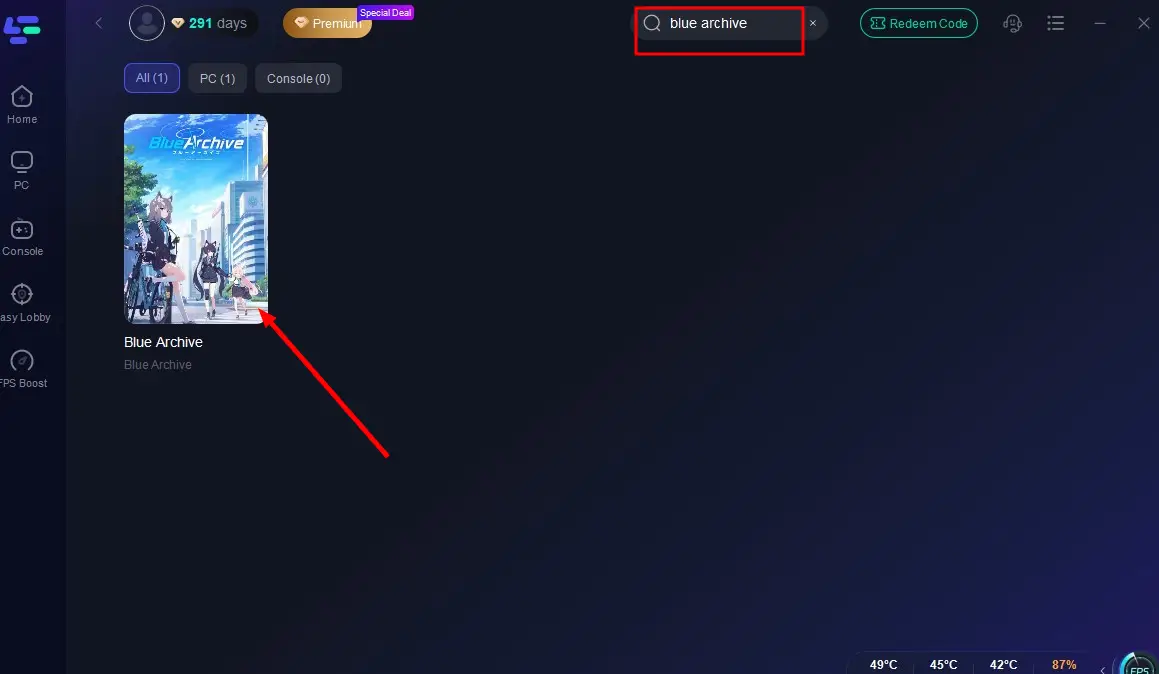
Step 2: Search for "Blue Archive" in LagoFast's search bar.
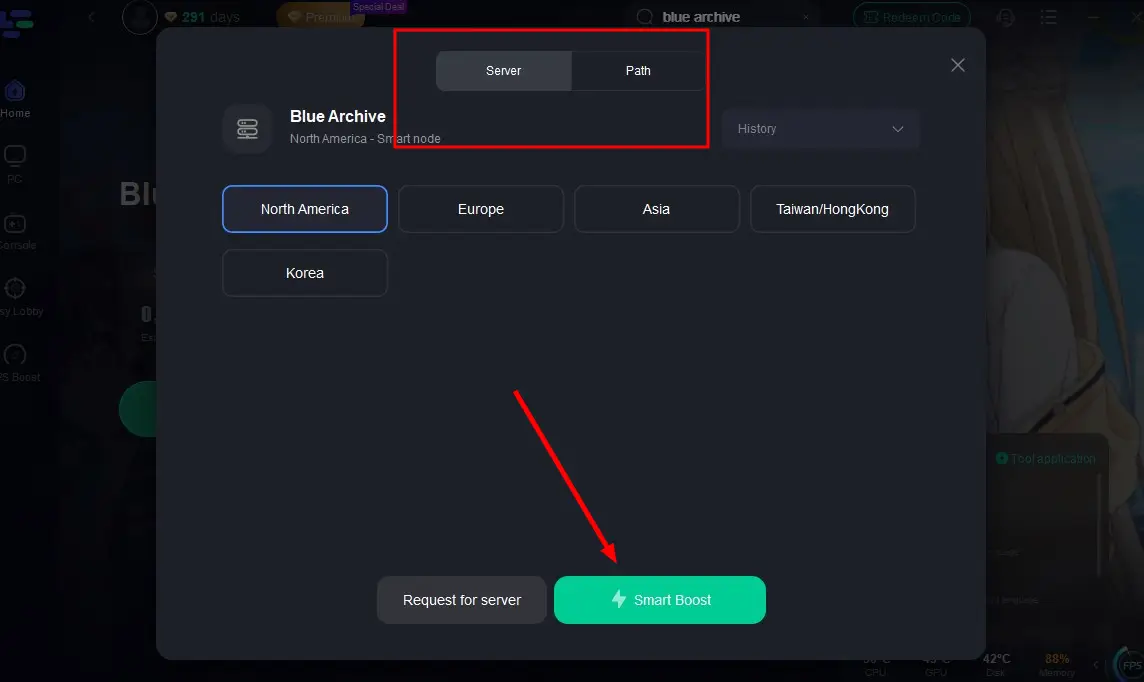
Step 3: Click "Select Server" to choose the nearest node, then activate "Smart Boost".
Step 4: After acceleration starts, click "Start Game" to enjoy lag-free, high-FPS gameplay in Blue Archive.
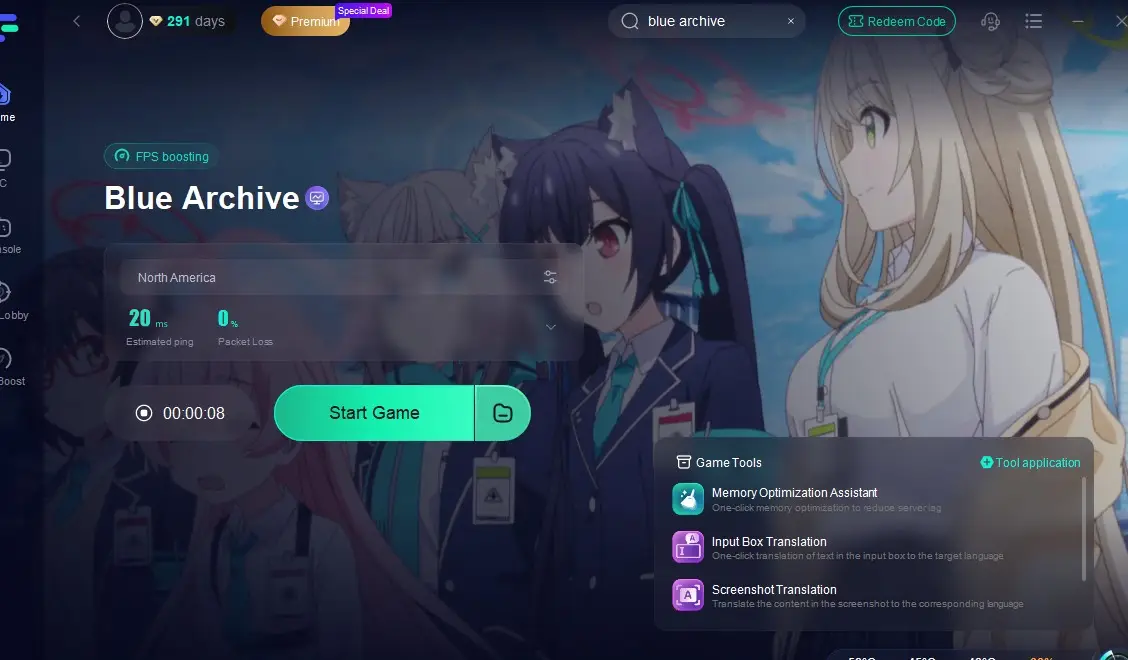
The tool ensures gameplay is not just visually enhanced by mods, but technically smoother as well.
How to use LagoFast Game Booster on Mobile
Step 1: Visit the official website of LagoFast, download the LagoFast Mobile APK file, and follow the prompts to complete the installation.

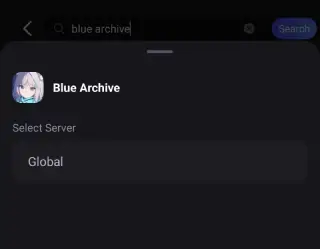
Step 2: Search Blue Archive and click the result.
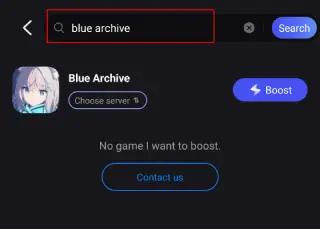
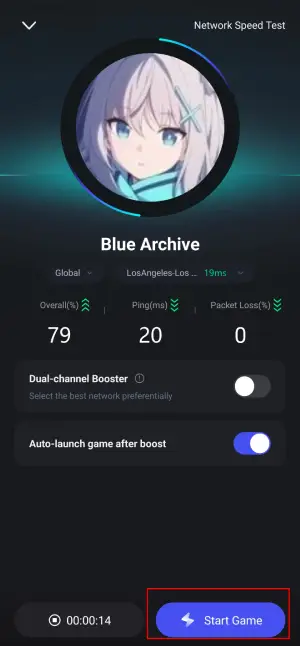
Step 3: Choose the Server you like, then click the Boost button.
Step 4: Use LagoFast's optimization features to enhance network stability and reduce lag during gameplay.
Part 7: FAQs
Q1: Are mods safe and allowed?
Client-side mods are generally safe but not officially supported. Always backup and avoid mods that alter gameplay balance.
Q2: Will mods get disabled after updates?
Yes, updates often overwrite mod-related files. Backup files and reapply mods as needed after patch days.
Q3: Can mods cause performance issues?
Poorly optimized texture or audio mods may impact performance. Use LagoFast to offset minor FPS drops.
Q4: Will mods transfer to mobile or console?
No—mods apply only to the PC Steam version. Mobile players must await official updates or unofficial tools.
Conclusion
Blue Archive on Steam opens the door for player-driven enhancements through UI mods, voice packs, and custom overlays. From cosmetic upgrades to immersive audio tweaks, the modding community continues to enrich the Kivotos experience. Coupled with LagoFast—which offers one-click translation, network smoothing, and stability boosts—you have a powerful combo to elevate your gameplay. Just remember to install carefully, backup often, and update smartly. With the right tools, every mission, raid, and PvP match becomes an even more polished and enjoyable experience.

Boost Your Game with LagoFast for Epic Speed
Play harder, faster. LagoFast game booster eliminates stutter and lags on PC, mobile, or Mac—win every match!
Quickly Reduce Game Lag and Ping!
Boost FPS for Smoother Gameplay!