

On July 4th, Blue Archive officially launched on Steam, and many players have long awaited this anime-style RPG. Developed by Nexon Games, it puts you in the role of a teacher guiding students through adventures in the city of Kivotos. This article shows what languages Blue Archive supports, why LagoFast is the best translation tool, and how to use it for smooth gameplay.

- ✅ One-Click Translation Tool.
- ✅ Boost FPS at the Same Time.
- ✅ Reduce Lag and High Ping.
What Languages Does Blue Archive Currently Support?
Part 2: Best Game Translation Tool of Blue Archive - LagoFast
Part 3: How Does LagoFast Boost Your Gaming Experience?
Part 1: What Languages Does Blue Archive Currently Support?
Currently, Blue Archive language support includes:
English, Japanese, Korean, Simplified Chinese, and Traditional Chinese.
However, some fans still turn to a Blue Archive game translation tool to explore languages like Spanish or Portuguese. By using LagoFast Game Booster, players everywhere can easily dive into the charming characters and tactical gameplay that define this vibrant world.
Part 2: Best Game Translation Tool of Blue Archive - LagoFast
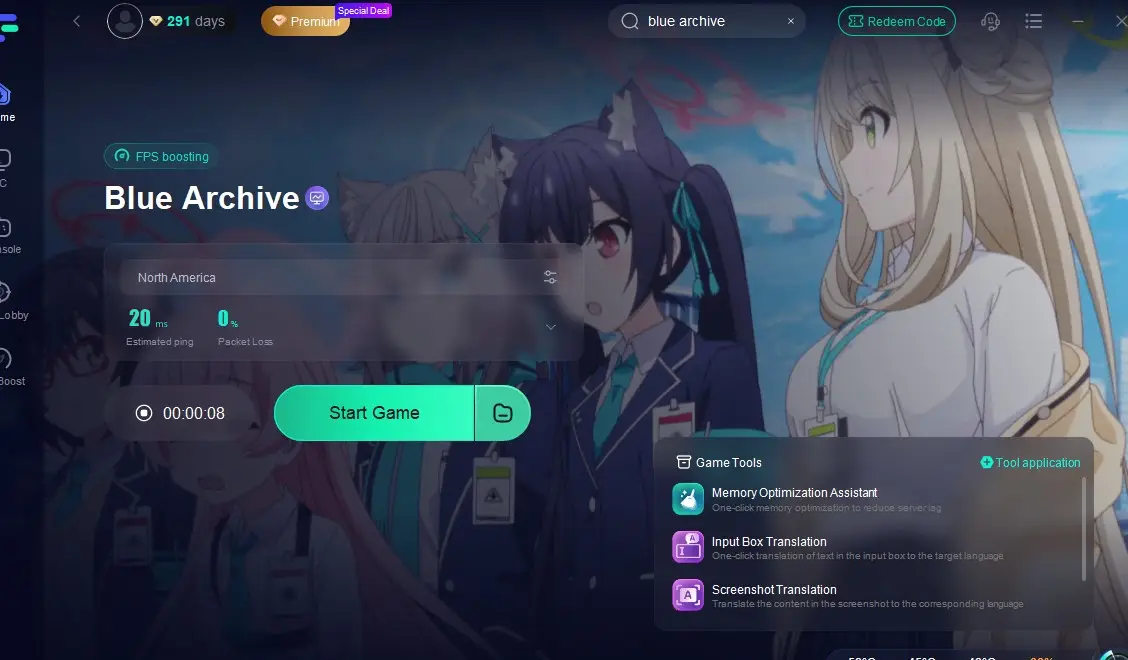
- One-click translation: LagoFast allows you to translate game content, menus, interface, and subtitles into languages you want with a click. It provides language support including Japanese, Vietnamese and Russian to Blue Archive players.
- Screenshot translation: Just take a screenshot while playing, and it quickly translates the text in that image into your language. No need to leave the game or search online, you get instant help right on your screen.
How to use LagoFast to translate Blue Archive on PC?
Step 1: Go to the official LagoFast website and click the Free Trial button to install the software.
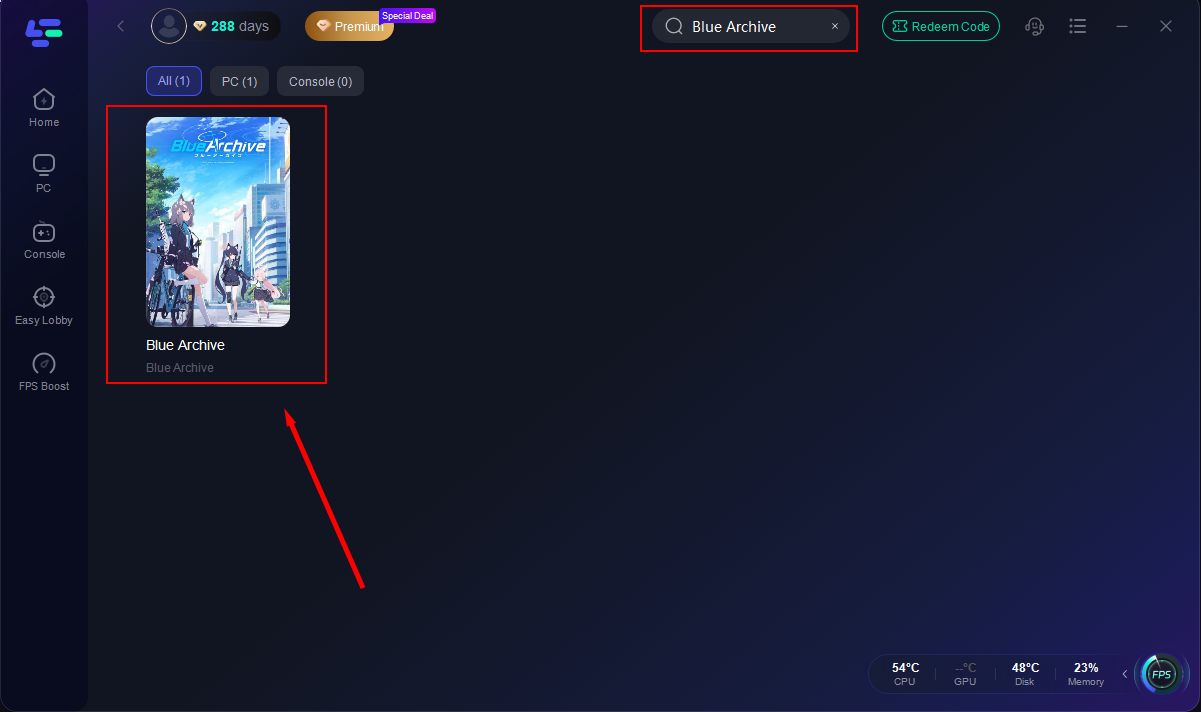
Step 2: Open LagoFast after installation. Type "Blue Archive" in the search bar then click the game icon.
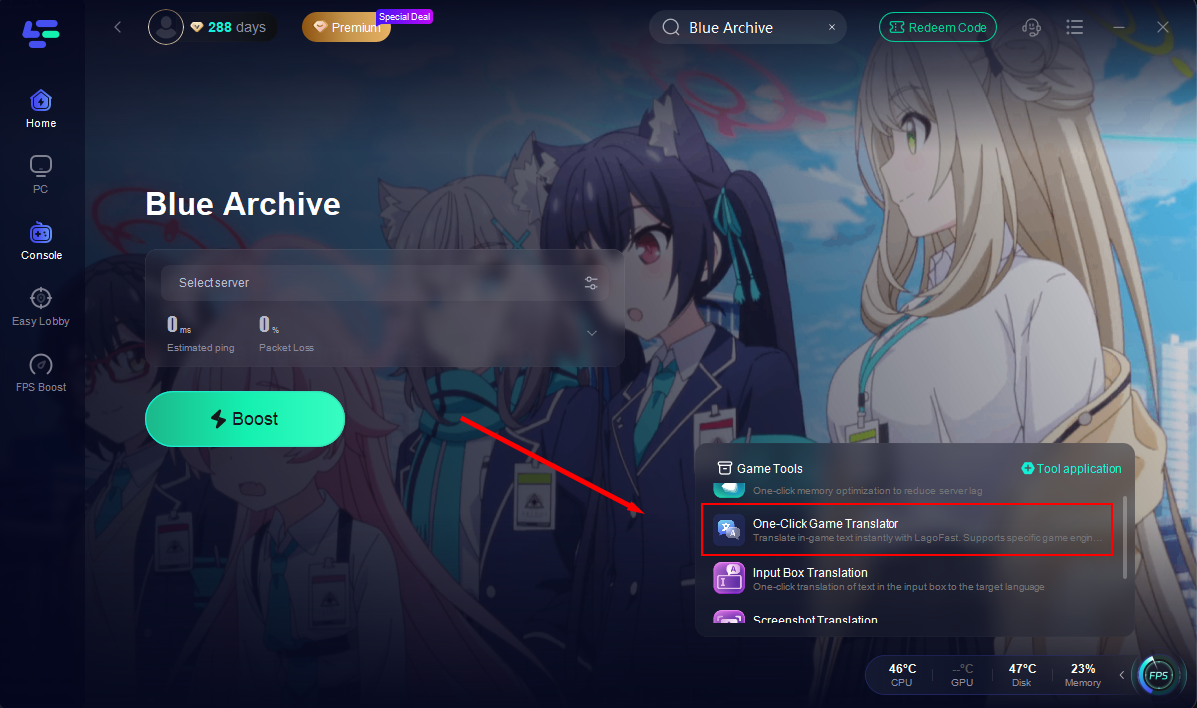
Step 3: Inside the LagoFast interface, locate the “Translation Tool” toggle and click it.
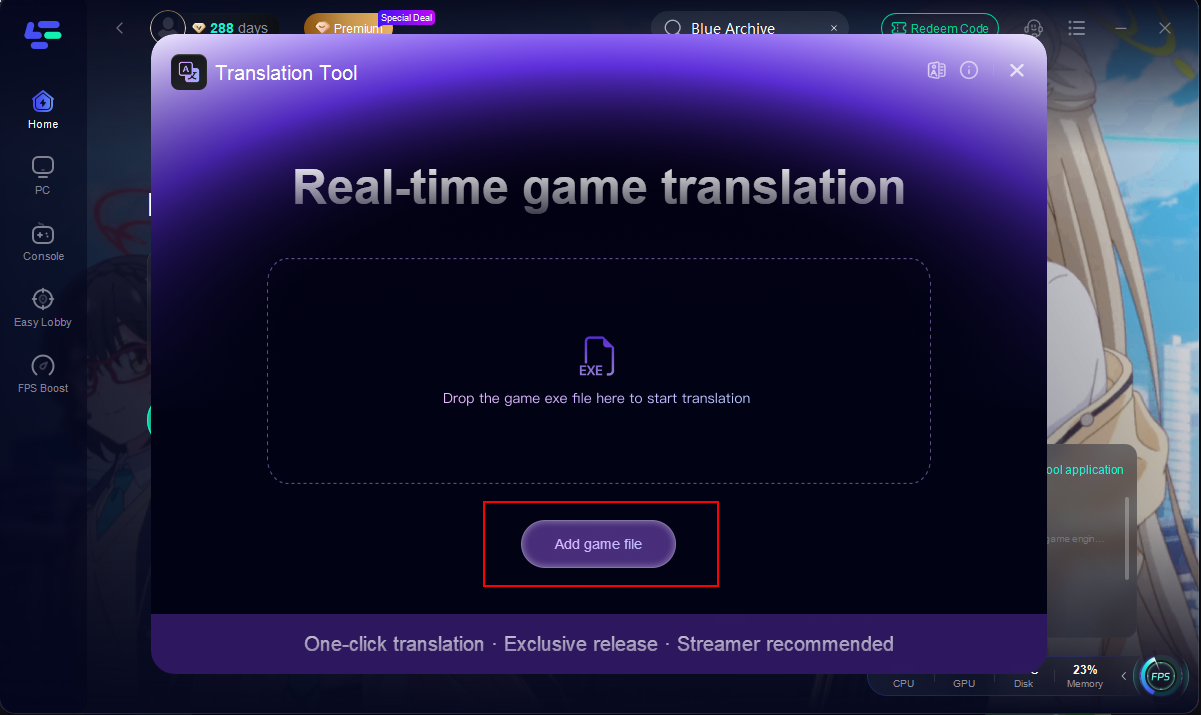
Step 4: Then import the game file and select your target language (e.g. Russian, Vietnamese),
Step 5: After completing all the settings, return to the game and select your prefer server to start optimization.
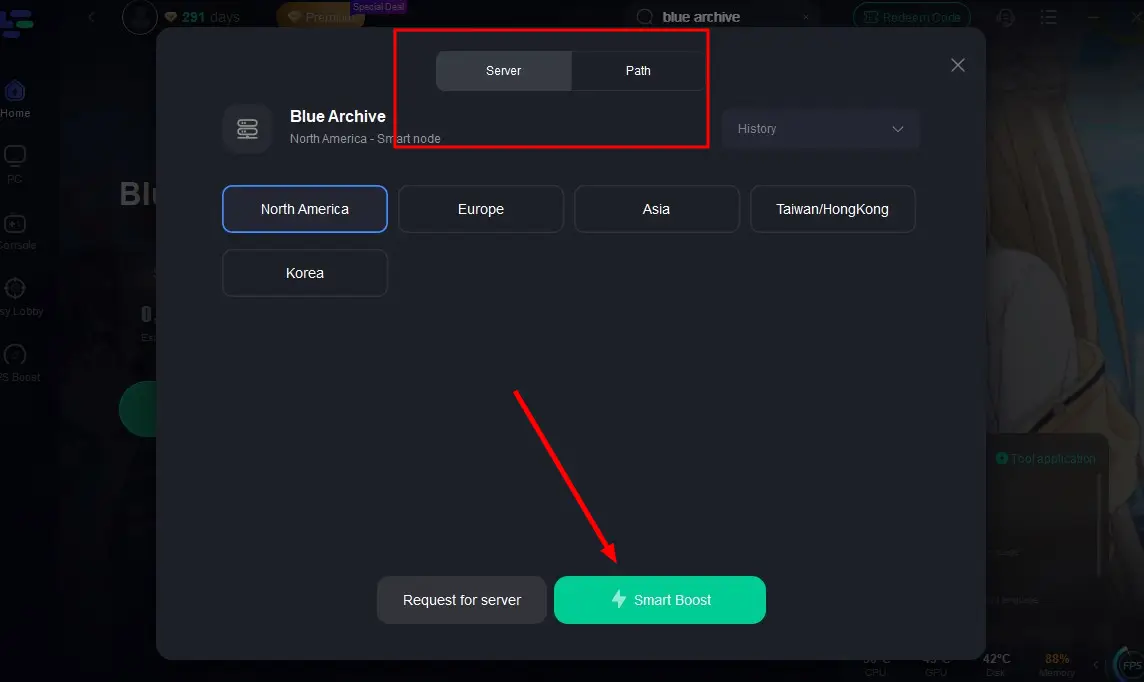
Step 6: Confirm the game performance in real-time after clicking the “Boost” button to launch Blue Archive with optimized network settings and active translation support.
Part 3: How Does LagoFast Boost Your Gaming Experience?
For players who want to enjoy Blue Archive in their native language while maintaining smooth graphics and stable connections, LagoFast is easily the best choice right now. It gives you best gaming experiences with advantages including:
- Lag reduction: Built-in accelerator smartly selects the best servers to reduce lag and keep gameplay smooth.
- Performance boost: Improves FPS, reduces stutter, optimizes memory use, and allows server switching for smoother gameplay.
- Easy setup and safe to use: No game files are modified, simple to install, and won’t affect updates or accounts.
- Cross-platform compatibility: Works on both PC and mobile games, convenient for players on various devices.

Boost Your Game with LagoFast for Epic Speed
Play harder, faster. LagoFast game booster eliminates stutter and lags on PC, mobile, or Mac—win every match!
Quickly Reduce Game Lag and Ping!
Boost FPS for Smoother Gameplay!