
Bloodstained: Ritual of the Night is already a fantastic action-adventure game, but the right mods can take it to the next level. Whether you want faster progression, better visuals, or just a more personalized experience, Bloodstained: Ritual of the Night mods give you the tools to enjoy the game your way. This guide will walk you through why these mods are popular, which ones are worth trying, and answers to common player questions.
Part 1: Why Are Bloodstained: Ritual of the Night Mods So Popular?
Part 2: Top Bloodstained: Ritual of the Night Mods
Part 3: How LagoFast Mods Make Bloodstained: Ritual of the Night Smoother
Part 1: Why Are Bloodstained: Ritual of the Night Mods So Popular?
For many players, mods have become essential because they solve key frustrations in the game:
- Better Gameplay: Level up faster, face tougher enemies, or unlock hidden abilities. If you’ve felt stuck grinding, mods can make the game more balanced and fun.
- Improved Visuals: HD textures, better lighting, and subtle effects make the gothic world even more immersive.
- Personalization: Change your character’s look, tweak weapons, or adjust gameplay mechanics to suit your style.
In short, mods make the game more exciting, replayable, and uniquely yours.
Part 2: Top Bloodstained: Ritual of the Night Mods
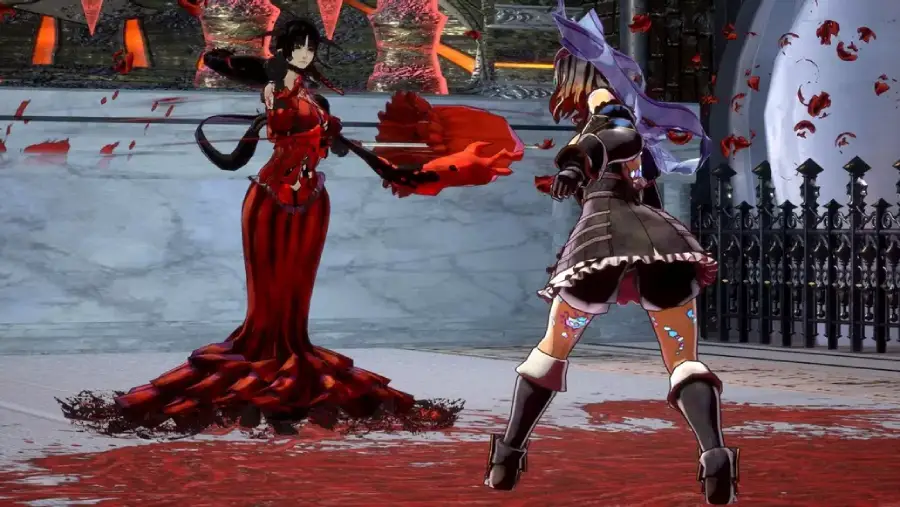
If you want a smoother and more personalized experience, these Bloodstained: Ritual of the Night mods focus on improving character presentation and reducing small visual frustrations that many players notice during long play sessions.
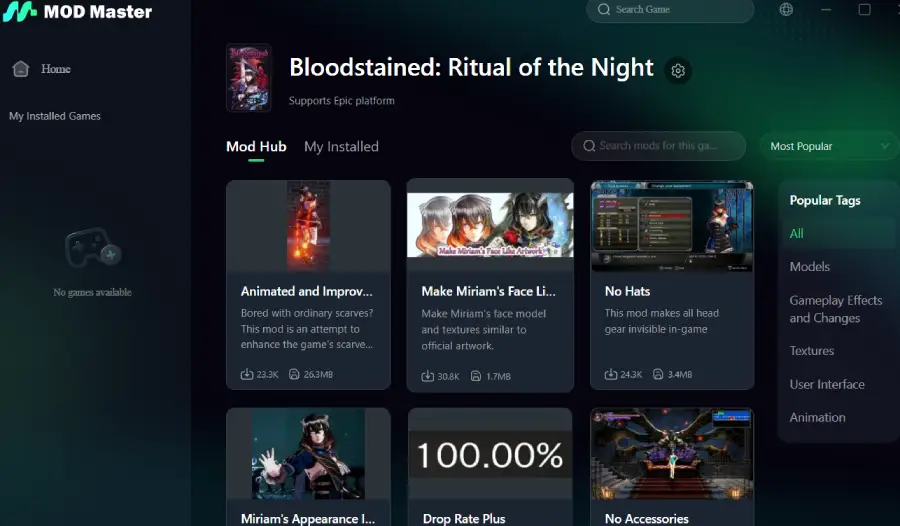
Animated and Improved Scarves for v1.6
This mod improves scarf animations and physics, making Miriam’s movements look more natural during combat and exploration. It’s popular because the scarf is always visible, and smoother motion noticeably enhances the overall visual quality.
Make Miriam’s Face Like Artwork
Adjusts Miriam’s facial model to better match the official artwork, resulting in a cleaner and more expressive appearance. Many players prefer this mod because it brings the in-game model closer to the original character design.
Miriam’s Appearance Improved for v1.6
Enhances character textures and proportions while staying true to the original art direction. This mod is often chosen because it improves visual quality without making Miriam look “modded” or out of place.
No Hats
Removes visible headgear so Miriam’s hairstyle remains visible at all times. Players like this mod because it avoids hairstyles being hidden by equipment, especially when using appearance-focused mods together.
Drop Rate Plus
Increases item and material drop rates, reducing repetitive farming and making progression feel smoother. It’s widely used because it saves time without significantly affecting game balance.
These Bloodstained: Ritual of the Night mods are popular not because they radically change gameplay, but because they fix small issues, improve visual consistency, and make the overall experience more comfortable across long play sessions.
Part 3: How LagoFast Mods Make Bloodstained: Ritual of the Night Smoother
Installing Bloodstained: Ritual of the Night mods manually can be confusing, especially for players new to modding. That’s where LagoFast Mod Master comes in.
More than just a performance tool, it provides a dedicated mod management system for popular PC games. Through LagoFast Mod Master, players can easily discover, install, and manage mods like Animated and Improved Scarves v1.6 or Make Miriam’s Face Like Artwork without digging through folders or worrying about file conflicts.
LagoFast also includes the Popular Mods Collection, which highlights the most trusted mods and makes it simple to install high-quality options safely. Using these tools, mods can run smoother, with higher frame rates, faster loading, and a more stable overall experience.
How to Use LagoFast Mod Master
Step 1: Download and install the LagoFast free trial.
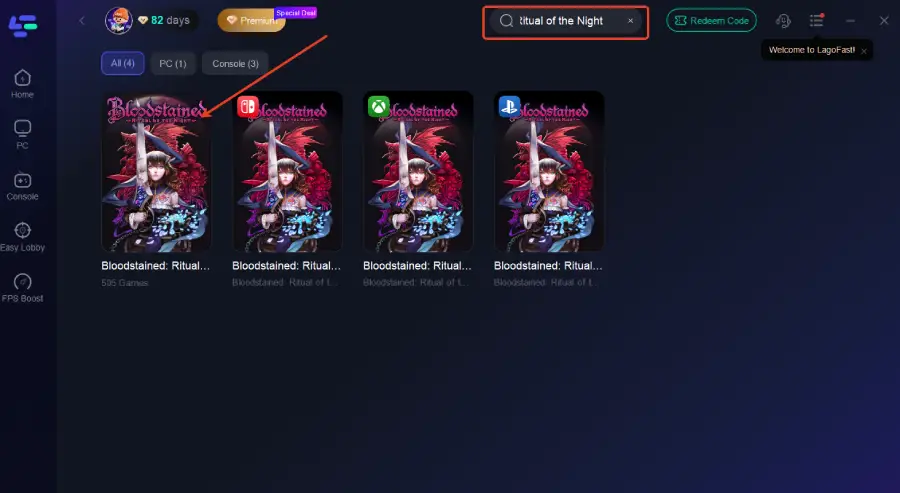
Step 2: After installation, search "Bloodstained: Ritual of the Night" in the search bar and select the game.
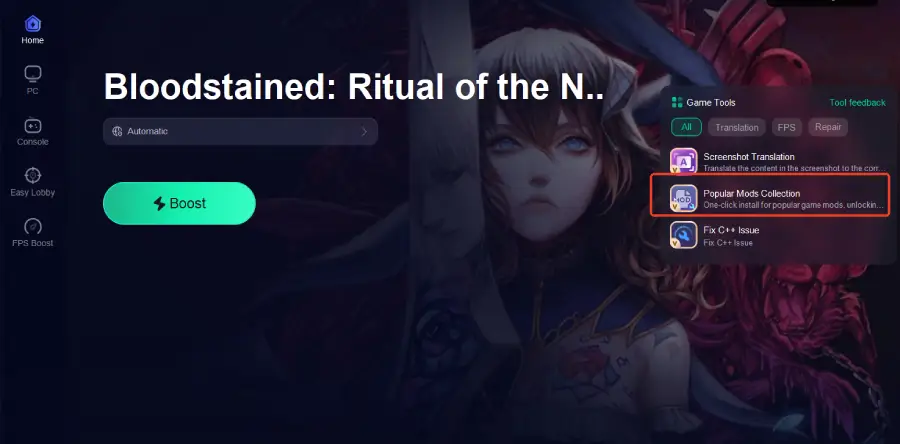
Step 3: Click the Popular Mods Collection tool option in the lower-right corner.
Step 4: Choose your desired mods from the available options, install them, then launch the game to activate the features.
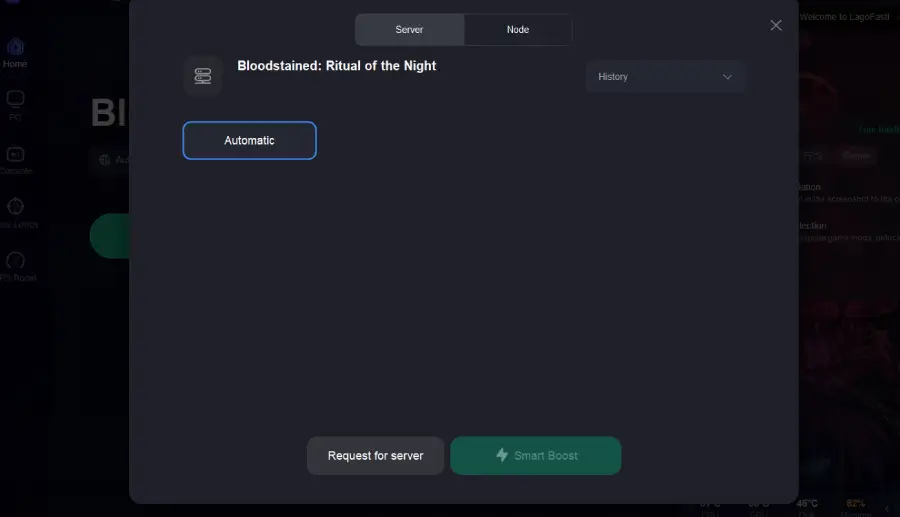
Step 5: Choose your preferred server node and click "Smart Boost" to start optimizing your network.
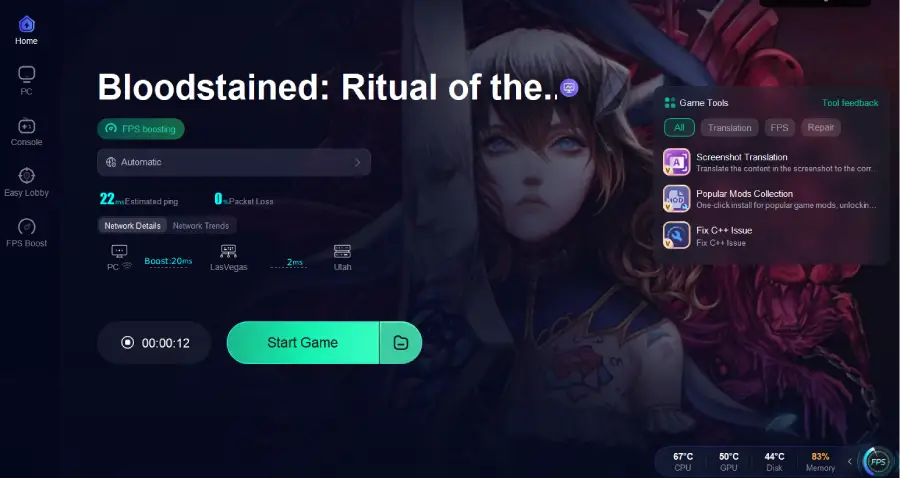
Step 6: Launch Bloodstained: Ritual of the Night and enjoy smoother, modded gameplay with faster load times, stable performance, and reduced lag.
Part 4: FAQs
Q: Are Bloodstained: Ritual of the Night mods safe?
Yes, as long as you download them from trusted sources. Always back up your game files before installing mods.
Q: Can I use multiple mods at the same time?
Yes, but make sure they’re compatible. Start with a few mods first, test them, and gradually add more to avoid conflicts.
Q: Will mods break my save files?
Most mods don’t affect save files, but conflicts between multiple mods can cause issues. Always keep backups.
Q: Do mods stop working after game updates?
Sometimes. After a patch, check whether your mods have updates or if they need to be reinstalled.
Q: How do I uninstall a mod if something goes wrong?
Most mods can be removed via your mod manager or by deleting the mod files from the game folder. Always restart the game after uninstalling.
Conclusion
Bloodstained: Ritual of the Night mods make the game more fun, whether you want faster progression, tougher enemies, better visuals, or more customization. Tools like LagoFast Mod Master and the Popular Mods Collection make installing and managing mods easy while keeping the game stable and smooth.
With the right mods, every run feels fresh and more enjoyable, letting you focus on exploring, fighting, and personalizing your adventure.
Boost Your Game with LagoFast for Epic Speed
Play harder, faster. LagoFast game booster eliminates stutter and lags on PC, mobile, or Mac—win every match!
Quickly Reduce Game Lag and Ping!
Boost FPS for Smoother Gameplay!