
Black Myth: Wukong, the critically acclaimed soulslike RPG inspired by Journey to the West, has captivated players with its breathtaking visuals, challenging combat, and rich narrative. While the game was initially designed as a single-player experience, the community’s demand for multiplayer functionality has driven modders to create innovative solutions. Enter the Black Myth: Wukong Multiplayer Mod, a game-changing tool that allows players to team up with friends and explore the mythical world together. In this guide, we’ll explore how to unlock this feature using LagoFast’s Game Booster, a trusted platform for optimizing gameplay performance and connectivity.

- ✅ FPS Boost Mod.
- ✅ Best Graphics Settings Tool.
✅ One-Click Arabic Translation Tool.
✅ Black Myth: Wukong Navigating Map.
✅ Fix Crashing Issue.
✅ End Stuck on Loading Screen Issues
Part 1: Can We Play with Friends in Black Myth: Wukong?
Part 2: Best Black Myth: Wukong Multiplayer Mod – LagoFast
Part 3: Enhance Black Myth: Wukong Gaming Experience with LagoFast’s Additional Tools
Part 1: Can We Play with Friends in Black Myth: Wukong?
Black Myth: Wukong does not natively support multiplayer or co-op modes . However, the modding community has risen to the challenge, developing third-party mods like WukongMP to enable multiplayer experiences . These mods transform the game into a shared adventure, allowing players to tackle bosses, complete quests, and explore maps in real-time.
For seamless multiplayer integration, LagoFast Game Booster serves as the ultimate companion. It not only enhances network stability but also simplifies the installation and management of mods like Wukong Map. With LagoFast, you can enjoy lag-free co-op sessions while leveraging its advanced tools to optimize performance.
Part 2: Best Black Myth: Wukong Multiplayer Mod – LagoFast
LagoFast Game Booster not only offers a dedicated Black Myth: Wukong Multiplayer Mod that streamlines the co-op experience but also supports a wide range of mods to further enhance your gameplay.
If you want to take your adventure to the next level, try popular mods like BMWK—SPF Redux or Somersault Cloud Anywhere for improved visuals, freer combat, and smoother performance. You can also explore and enjoy many other mod-enabled games directly within LagoFast, making it your ultimate hub for modded gaming.
Here’s how it works:
Key Features
- Full Synchronization: The mod ensures all players share the same progress, including quests, boss battles, and map exploration .
- Server Stability: LagoFast’s global network of servers minimizes lag and packet loss, even during intense battles.
How to Use LagoFast's Multiplayer Mod:
Step 1. Download and Install LagoFast.
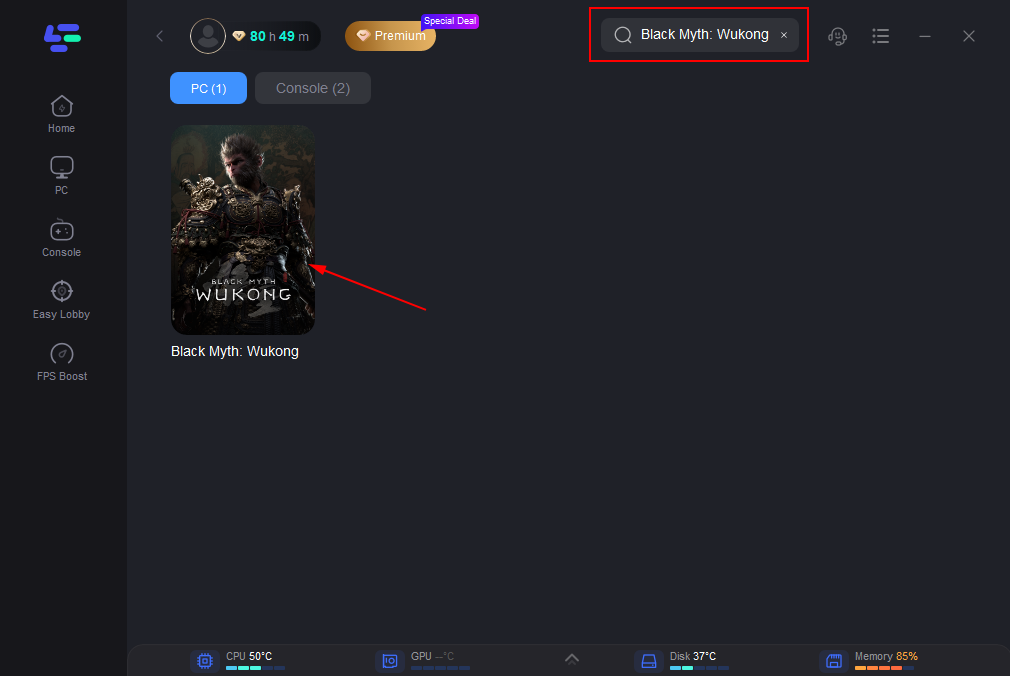
Step 2. Find Black Myth: Wukong in LagoFast Client.
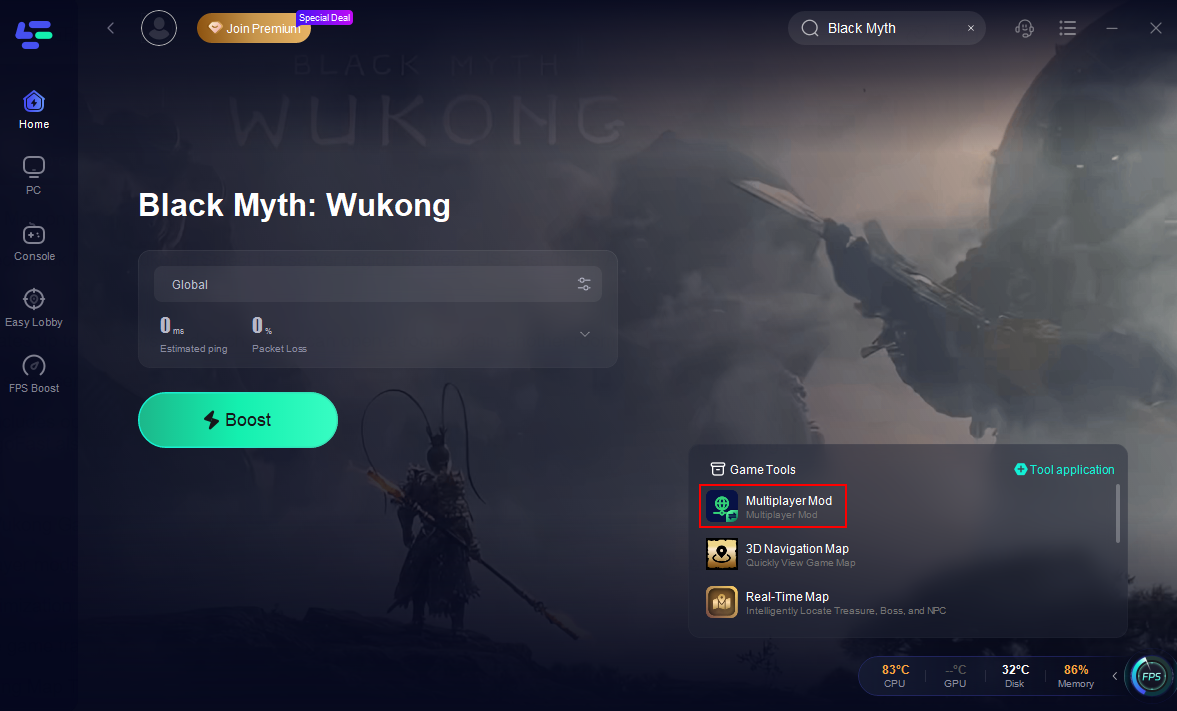
Step 3. Choose the Multiplayer Mod on the right. And download and install the mod.
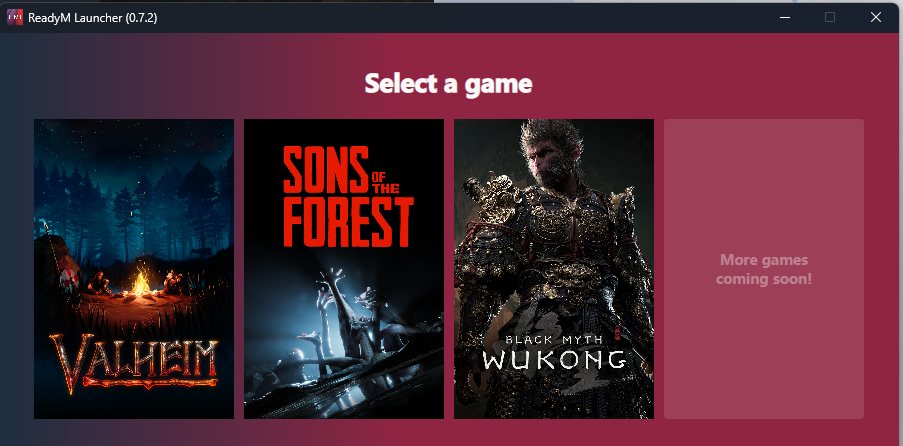
Step 4. Open the mod and select Black Myth: Wukong.
Step 5. Select the server region between US East (North America) or Hong Kong (East Asia) servers and start your game. You can create a room or join others'.
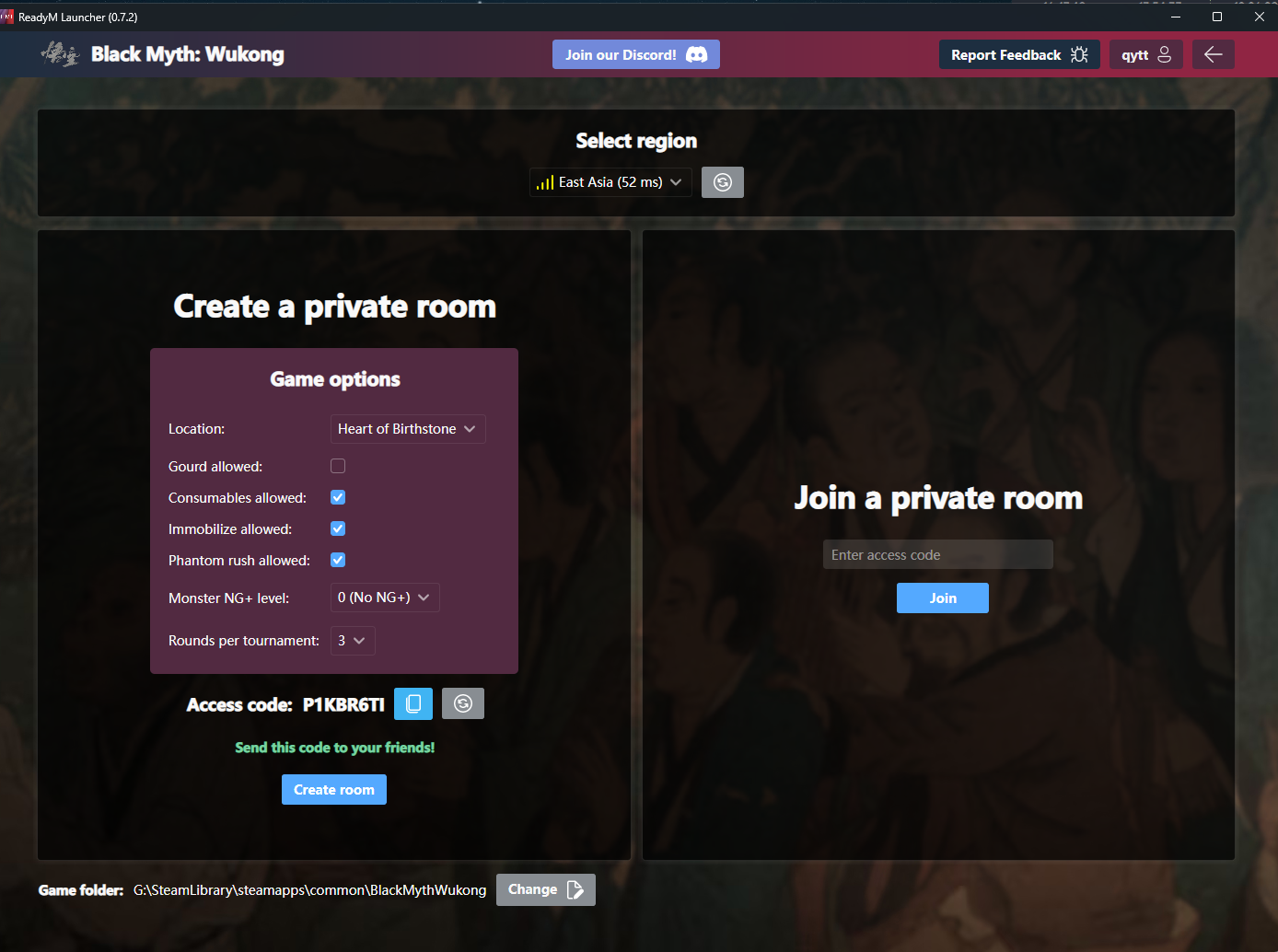
Notes:
- The room currently accommodates up to 8 players, and each player can open a room or join another room.
- All players must connect to the same server region to join the same session.
LagoFast’s multiplayer mode includes optimized server routes to ensure stable connections, even during high-traffic periods. Moreover, considering that some users may have acceleration requirements when using this tool online, LagoFast also provides a separate server route for multiplayer mode to boost Black Myth: Wukong.
Part 3: Enhance Black Myth: Wukong Gaming Experience with LagoFast’s Additional Tools
LagoFast goes beyond multiplayer mods, offering a suite of features to elevate your Black Myth: Wukong experience:
1. FPS Boost and Network Optimization
LagoFast’s algorithms prioritize game traffic, reducing latency and improving frame rates. Automatic server rerouting eliminates lag spikes, ensuring smooth combat .
2. Interactive Map and Navigating Map Tool
Use LagoFast’s in-game map to locate secrets, enemies, and quest objectives with precision. Save waypoints for treasure chests or challenging areas to share with your team.
3. DLSS Tool
LagoFast’s DLSS tool resolves compatibility issues, enabling NVIDIA’s AI-powered upscaling for higher FPS without sacrificing visuals .Simply toggle the DLSS feature in LagoFast’s settings to optimize performance on supported GPUs.
How to use LagoFast to Boost FPS and Enhance Performance in Black Myth: Wukong
Step 1: Click the Free Trial button to download and install LagoFast.
Step 2: Before opening Black Myth: Wukong, launch LagoFast and enter the game’s name in the search bar to ensure it's ready for boosting.
Step 3: To connect to the optimal gaming server, select “Server” in LagoFast. Then, choose the most effective "Node" listed on the right to maximize your network performance.
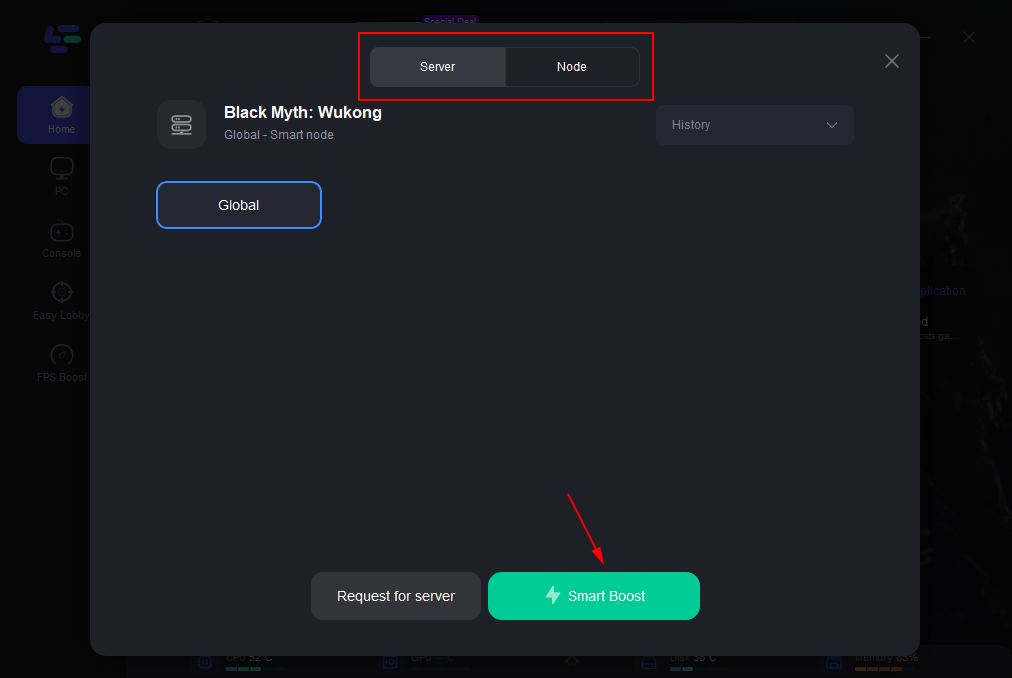
Step 4: Engage the “Smart Boost” feature to activate LagoFast's enhancements. This will display real-time stats like game ping, packet loss, and network type, allowing you to monitor the improvements.
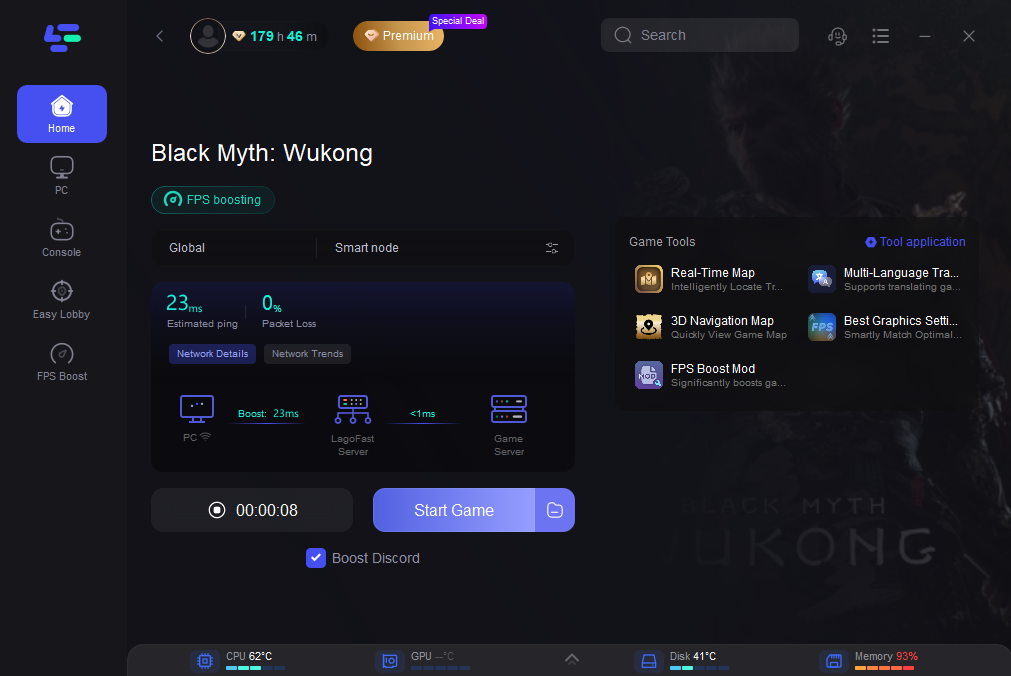
Use Best Graphics Settings and FPS Boost Mod Tools of LagoFast to Boost FPS in Black Myth: Wukong
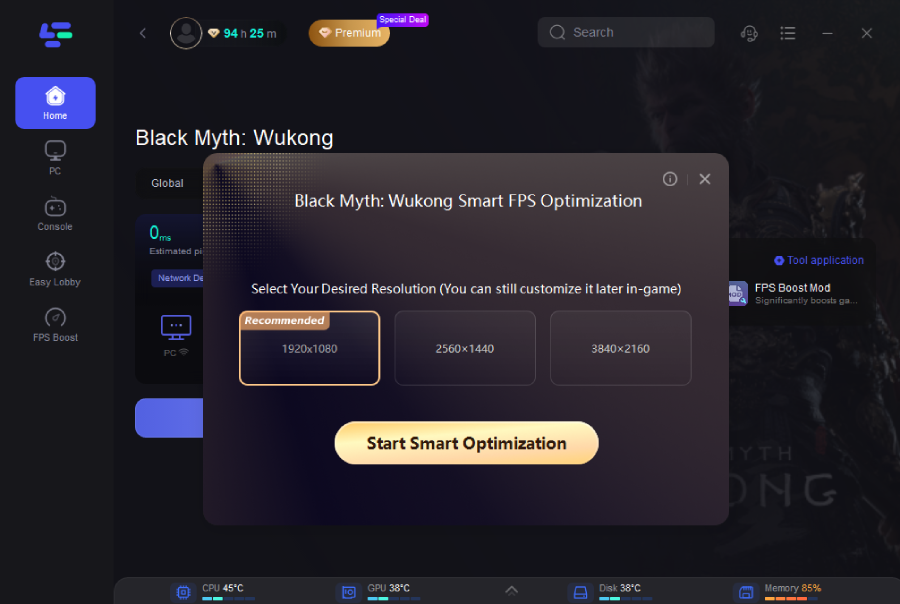
- Best Graphics Settings Tool: It can smartly match optimal graphics quality. Improve the frame rate by modifying the configuration parameters in the game.
Step 1: Click the Best Graphics Settings Tool on the right side of the page.
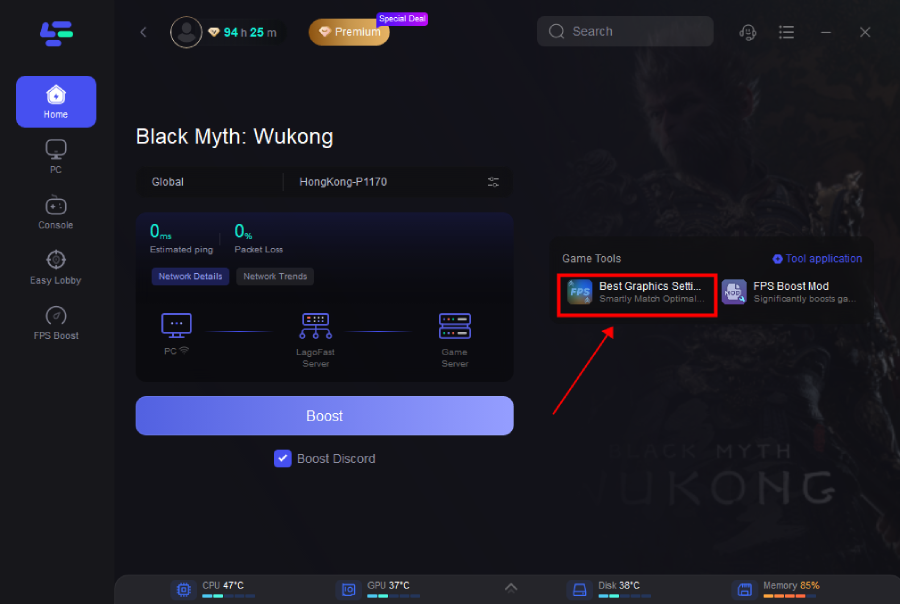
Step 2: Select your desired resolution, and click Start Smart Optimization button.
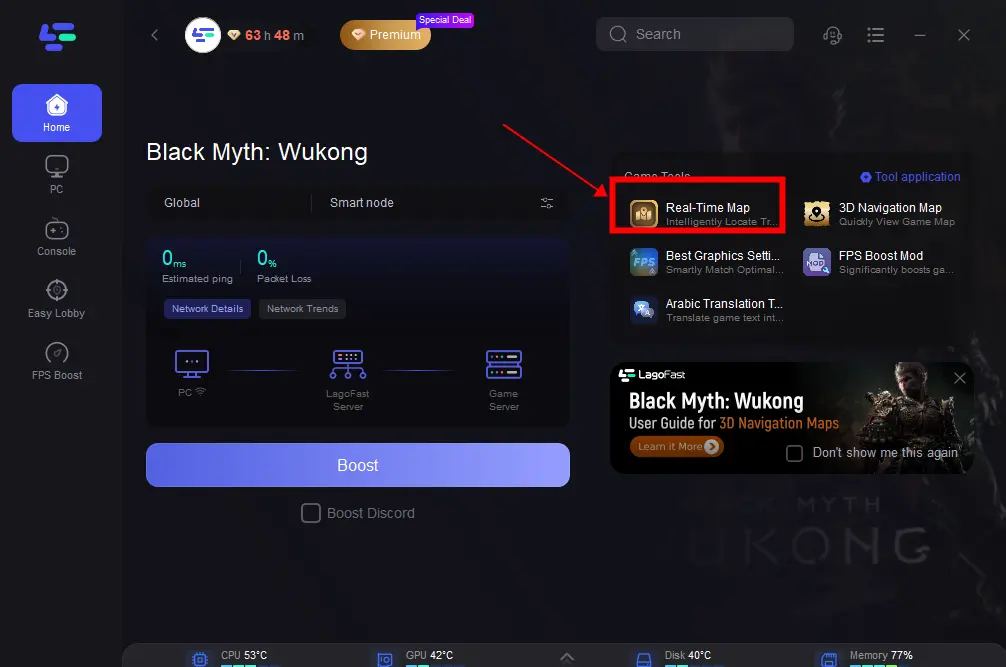
How to Get Black Myth: Wukong Interactive Map with LagoFast:
Step 1: Click the Real-time Map Tool on the right.
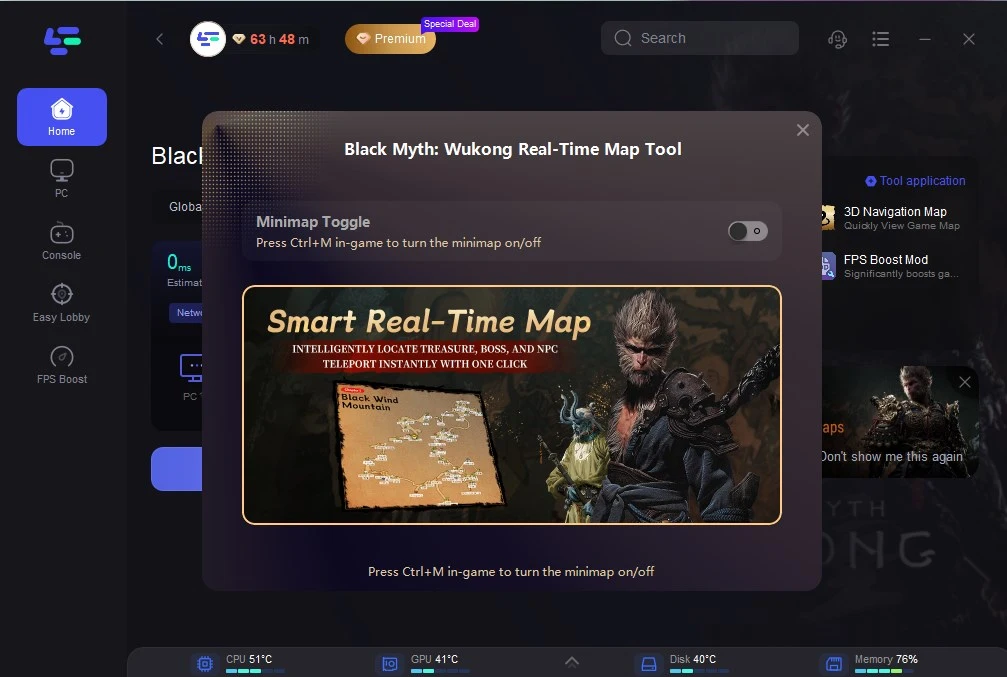
Step 2: Click the button on the right to open the real-time map. Or press control+M in-game to turn the minimap on.
How to Get Black Myth: Wukong Navigating Map in LagoFast
[Note]: Before using this tool, please exit the game and close Steam in the background.
Step 1: Click the 3D Navigation Map Tool on the right.
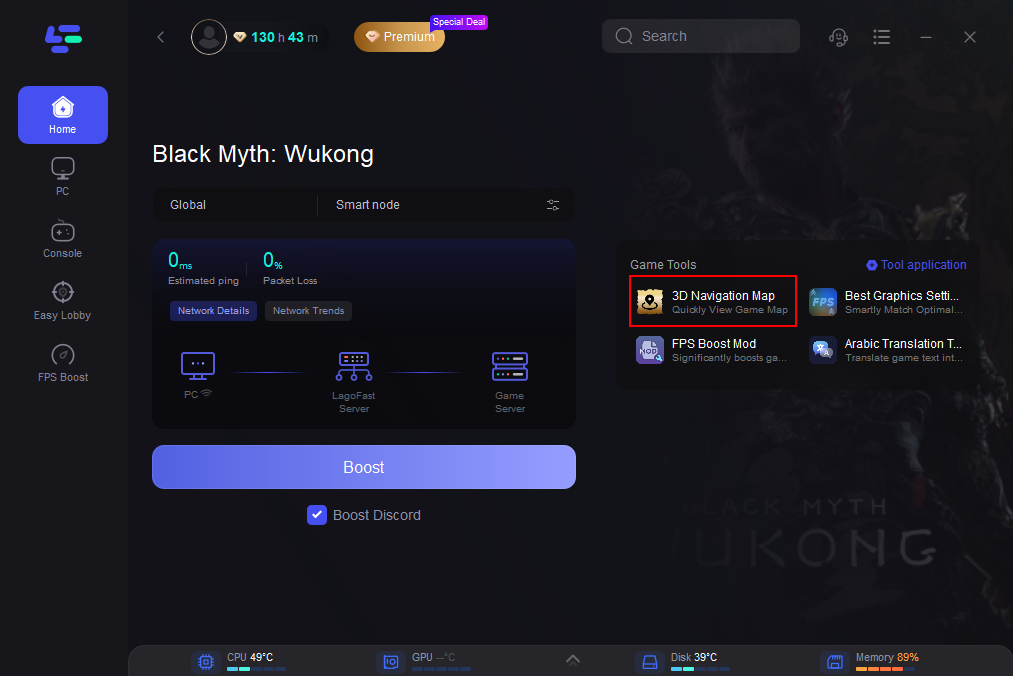
Step 2: Click on “On” and wait for loading. This may take a while, please be patient.
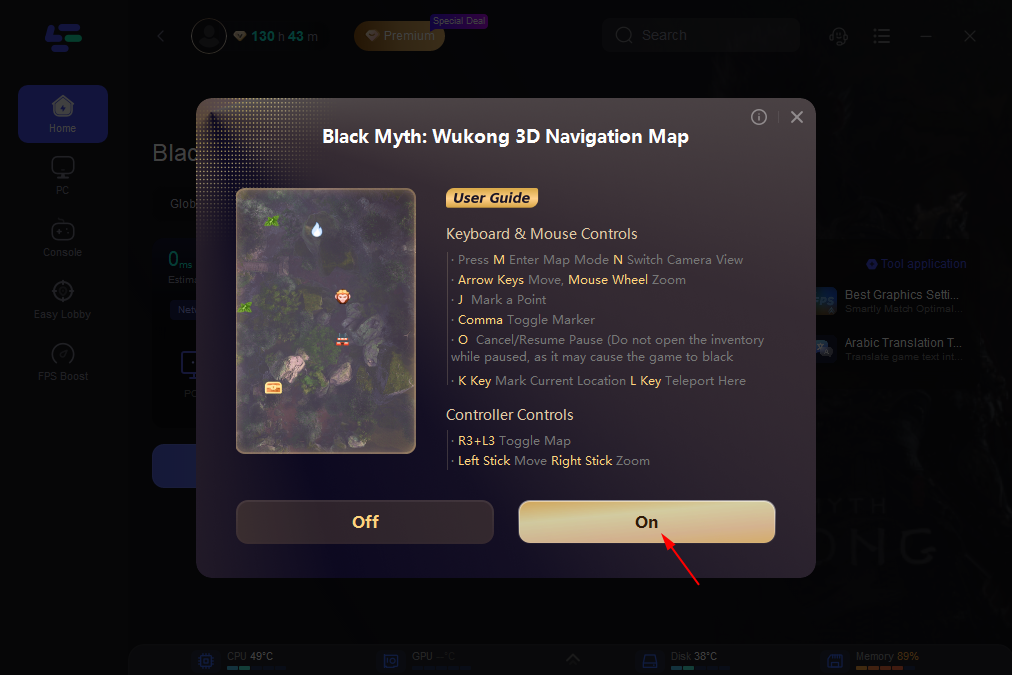
Step 3: After the loading is finished, click the Boost button and Start Game. Then you can use the Black Myth: Wukong Navigating 3D map in the game.
Here is a display of the in-game map effect. Players can use this map to get a simpler gaming experience.
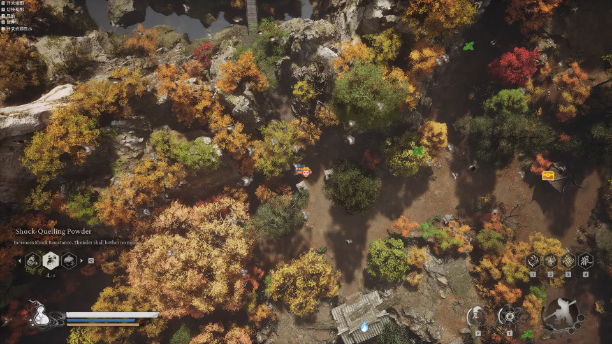
For more complete information, you can click here.
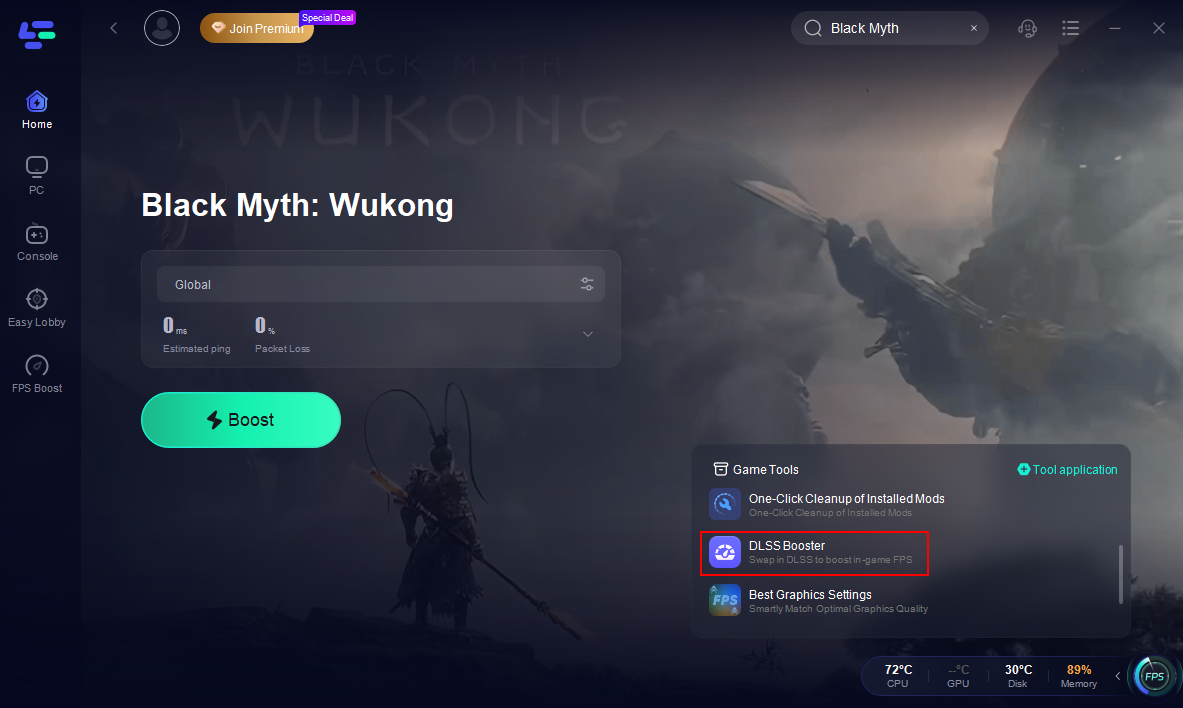
How to Enable DLSS in Black Myth: Wukong:
Click the DLSS Booster on the right.
Conclusion
The Black Myth: Wukong Multiplayer Mod revolutionizes the game, turning it into a collaborative adventure. By combining LagoFast’s mod support with its network optimization tools, players can enjoy seamless co-op sessions, enhanced performance, and a wealth of additional features. Whether you’re slaying bosses with friends or exploring hidden realms, LagoFast ensures an experience that’s both stable and immersive.
Ready to level up your gameplay? Download LagoFast today and discover why it’s the go-to choice for Black Myth: Wukong multiplayer enthusiasts.

Boost Your Game with LagoFast for Epic Speed
Play harder, faster. LagoFast game booster eliminates stutter and lags on PC, mobile, or Mac—win every match!
Quickly Reduce Game Lag and Ping!
Boost FPS for Smoother Gameplay!