
Battlefield 6 is gearing up to reclaim the franchise's legacy, promising refined mechanics, intense class-based gameplay, and cutting-edge visuals. With its return to the classic four-class system, Assault, Engineer, Support, and Recon, players are excited but also cautious due to the flexibility allowed in weapon and gadget choices. Whether you're diving into early tests or preparing for the official release, having the right settings can dramatically impact your performance. This comprehensive guide covers everything from graphics optimization to sensitivity adjustments and console-specific recommendations. It's designed for competitive players, casual fans, and everyone who wants to experience Battlefield 6 the way it's meant to be played.
German Version: Battlefield 6: Leitfaden zu den besten Einstellungen für PC, Konsole und Wettkampfspiel
Korean Version: Battlefield 6: PC, 콘솔 및 경쟁 플레이를 위한 최적 설정 가이드

- ✅ Reduce Lag and High Ping.
- ✅ Boost FPS at the Same Time.
- ✅ End Stuck and Crashes.
- ✅ Support Game Crossplay.
Part 1: Best Graphics Settings for Battlefield 6
Part 2: Best Sensitivity Settings for Battlefield 6
Part 3: Best Controller Settings for Battlefield 6
Part 4: Best Console Settings for Battlefield 6
Part 5: The Best Way to Enhance Your Gameplay - LagoFast
Part 1: Best Graphics Settings for Battlefield 6
Battlefield 6's visual fidelity is stunning, but high-end graphics can come at the cost of performance. Optimizing your settings will help balance eye candy with smooth gameplay.
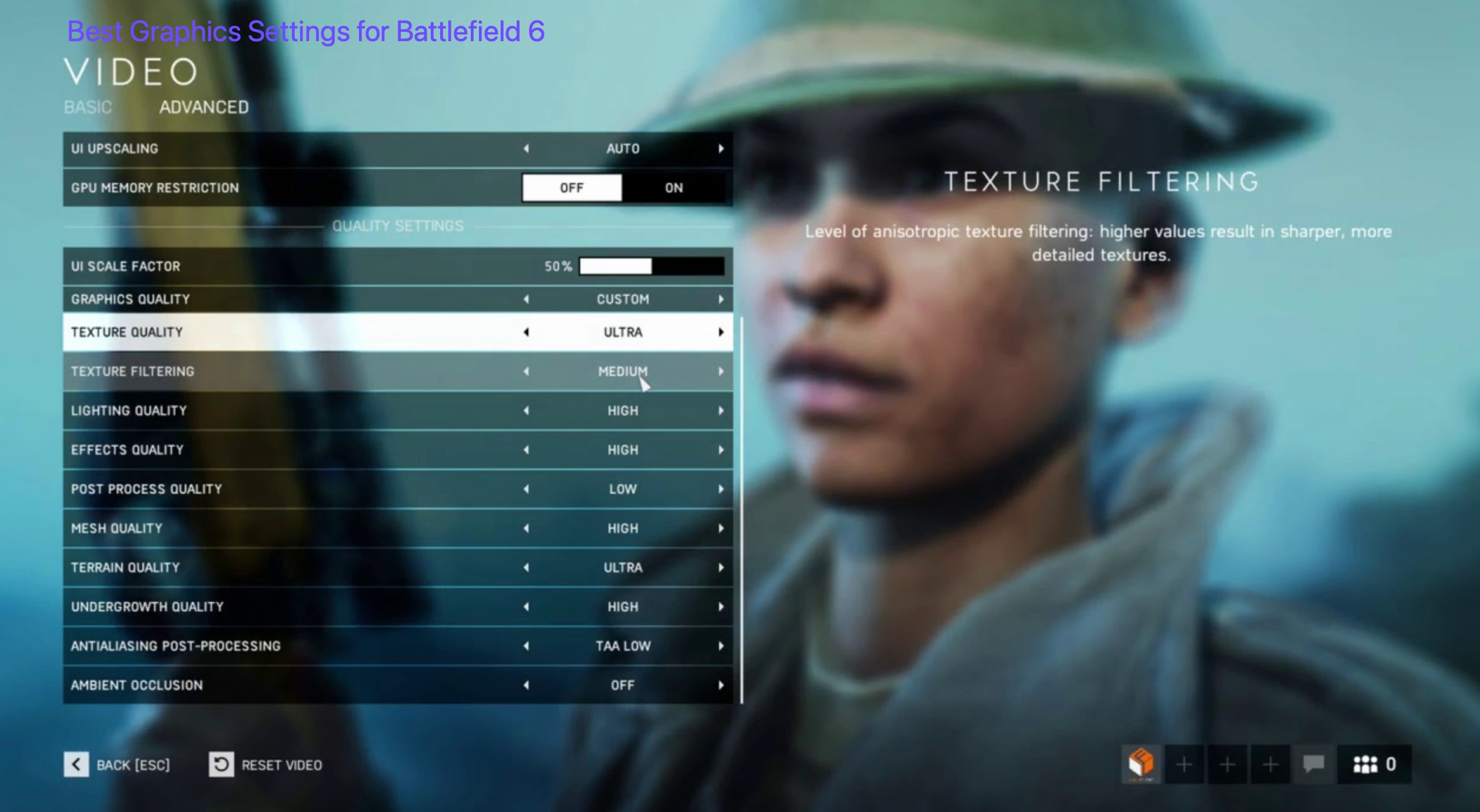
Recommended Graphics Settings for PC
- Resolution: 1920x1080 (or native resolution)
- Display Mode: Fullscreen for lowest latency
- Field of View (FOV): 90–100 (personal preference, wider FOV enhances peripheral vision)
- V-Sync: Off (unless screen tearing is severe)
- DLSS/FSR: On (Balanced or Performance mode)
- Texture Quality: High (if GPU has 8GB+ VRAM)
- Lighting Quality: Medium
- Effects Quality: Medium
- Mesh Quality: High
- Anti-Aliasing: TAA High or DLSS Quality
- Ray Tracing: Off (for competitive performance)
- Post-Processing: Low or Off
- Motion Blur: Off
- Ambient Occlusion: SSAO or Off
These settings aim to maximize your frame rate while maintaining competitive visibility in fast-paced matches.
Part 2: Best Sensitivity Settings for Battlefield 6
Getting your sensitivity right can mean the difference between snapping onto targets and wildly overshooting them.
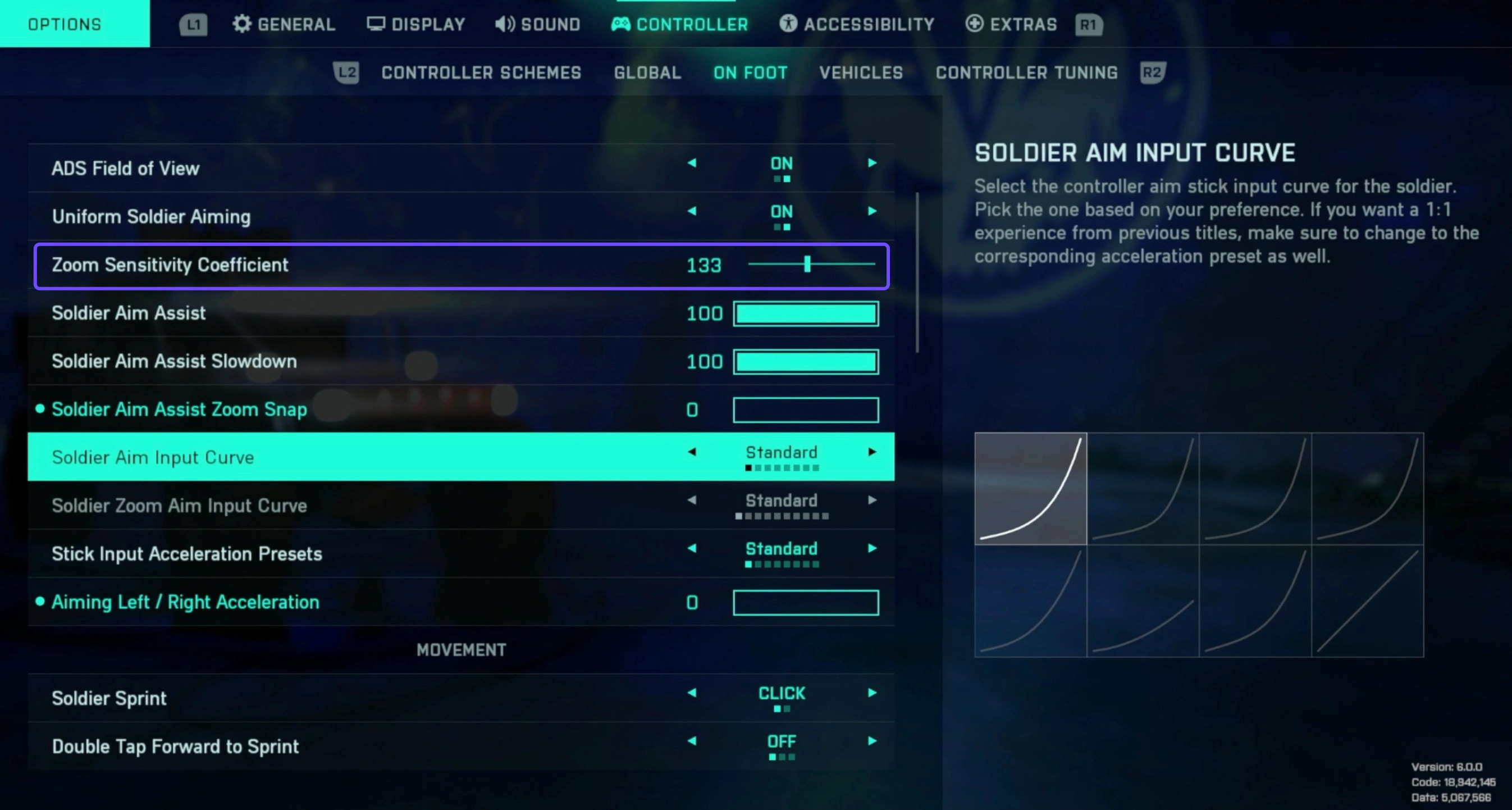
Recommended Sensitivity Settings
- Mouse DPI: 800 (standard for precision)
- In-game Sensitivity: 10–15 (adjust for personal comfort)
- Zoom Sensitivity Multiplier: 1.0 (or slightly lower for better control when ADS)
- Vehicle Sensitivity: 25–50
- Uniform Soldier Aiming: On (ensures consistent sensitivity across all zoom levels)
- Raw Input: On (removes OS-level interference)
- Mouse Acceleration: Off
For controller players
- Stick Sensitivity: 35-45
- Zoom Sensitivity: 35
- Response Curve: Linear or Custom
- Deadzones: Minimize deadzones to improve responsiveness without causing stick drift
Fine-tuning your sensitivity based on muscle memory and personal playstyle is essential, especially in a game that rewards precision shooting.
Hot Related: Discover The Most Complete Guide to Fix Battlefield 6 Crashes
Part 3: Best Controller Settings for Battlefield 6
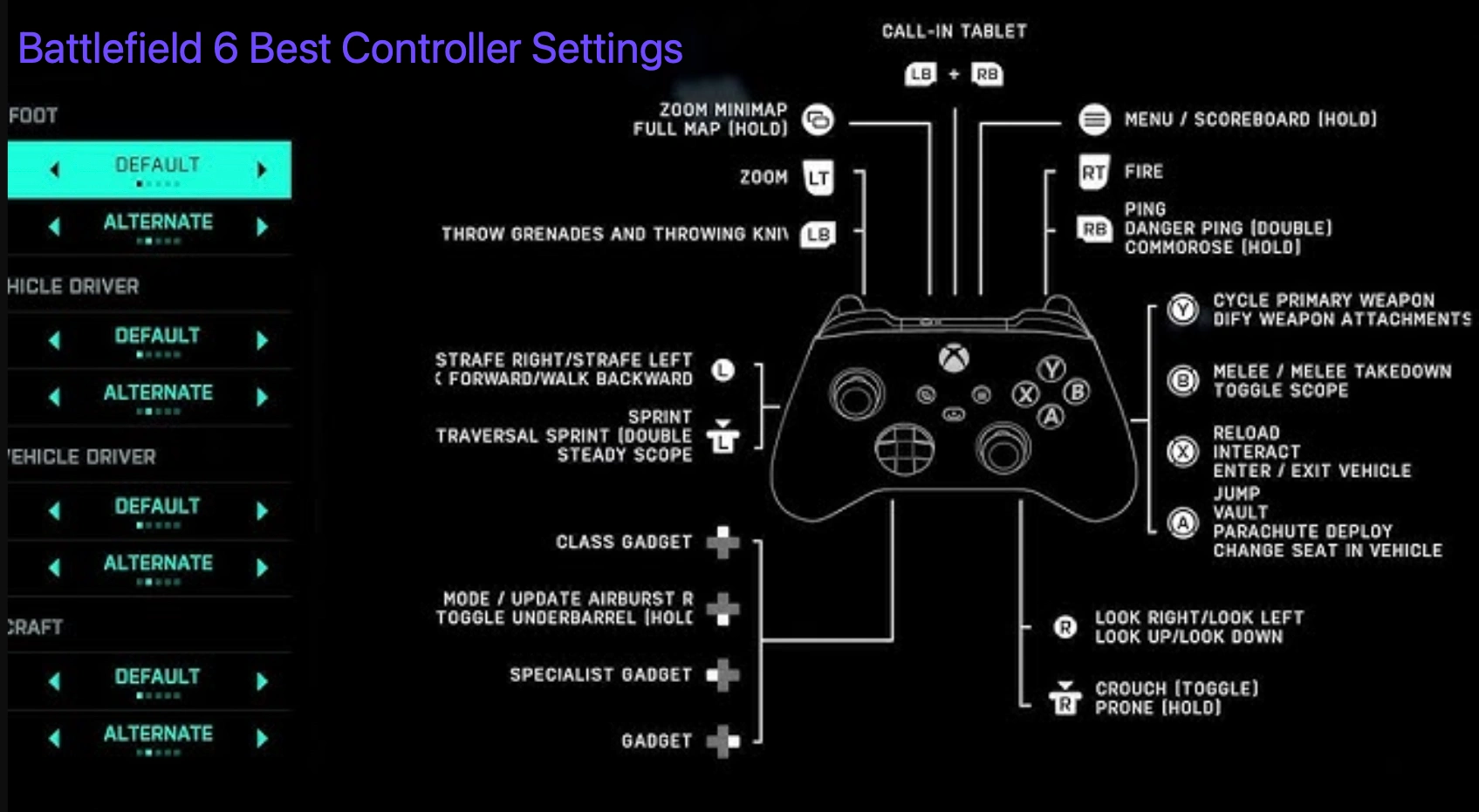
Battlefield's tactical pace and large-scale engagements demand a fine balance between fluid movement and precise aiming.
Recommended Controller Layout
- Button Scheme: Custom or "Alternate" (enables easier crouch-slide or prone cancels)
- Stick Layout: Default (unless you're used to Southpaw)
- Look Sensitivity: 35-45
- Aim Response Curve: Dynamic or Linear
- Vibration: Off (removes distraction)
- ADS Sensitivity Multiplier: 0.85-1.0
- Sprint Behavior: Toggle
- Hold to Aim: On
- Hold to Crouch/Prone: On
- Aim Assist: Standard (more below)
These controller settings help deliver snappy aiming while allowing for agile movement in the heat of battle.
Part 4: Best Console Settings for Battlefield 6
Best Xbox Setting for Battlefield 6
To optimize performance on Xbox Series X:
- Field of View: 90-100
- Brightness: Adjust to preference
- ADS Field of View: On
- Texture Quality: High
- Lighting Quality: High
- Post-Processing Effects: Enable for visual enhancement
- Anti-Aliasing: TAA High
These settings enhance visual clarity while maintaining smooth gameplay.
Best PlayStation 5 Setting for Battlefield 6
For an immersive experience on PS5:
- Render Scale: 100%
- Field of View: 90-110
- Texture Quality: High
- Lighting Quality: High
- Post-Processing Effects: Enable for cinematic visuals
- Anti-Aliasing: TAA High or DLSS Quality
Adjust these settings to balance visual fidelity with performance.
Hot Related: Top Battlefield 6 Game Translation Tool Recommended
You May Also Like: Battlefield 6 Queue Login - How to be First to Access
Part 5: The Best Way to Enhance Your Gameplay - LagoFast
To ensure you're always operating at your peak, it helps to have performance tools that go beyond what the game offers. LagoFast is a performance booster and lag reducer built for FPS titles like Battlefield. It's tailored for users looking for ultra-smooth gameplay and optimized ping.
Key Features of LagoFast
- Ping Reduction: Routes your data through optimal servers for lower latency.
- Lag-Free Experience: Minimizes packet loss and network jitter.
- Game Boost Mode: Allocates CPU/GPU resources effectively.
- Real-Time Monitoring: Lets you track FPS and connection quality.
- Easy One-Click Optimization: Fast setup for new users.
Additional Handy Features of LagoFast
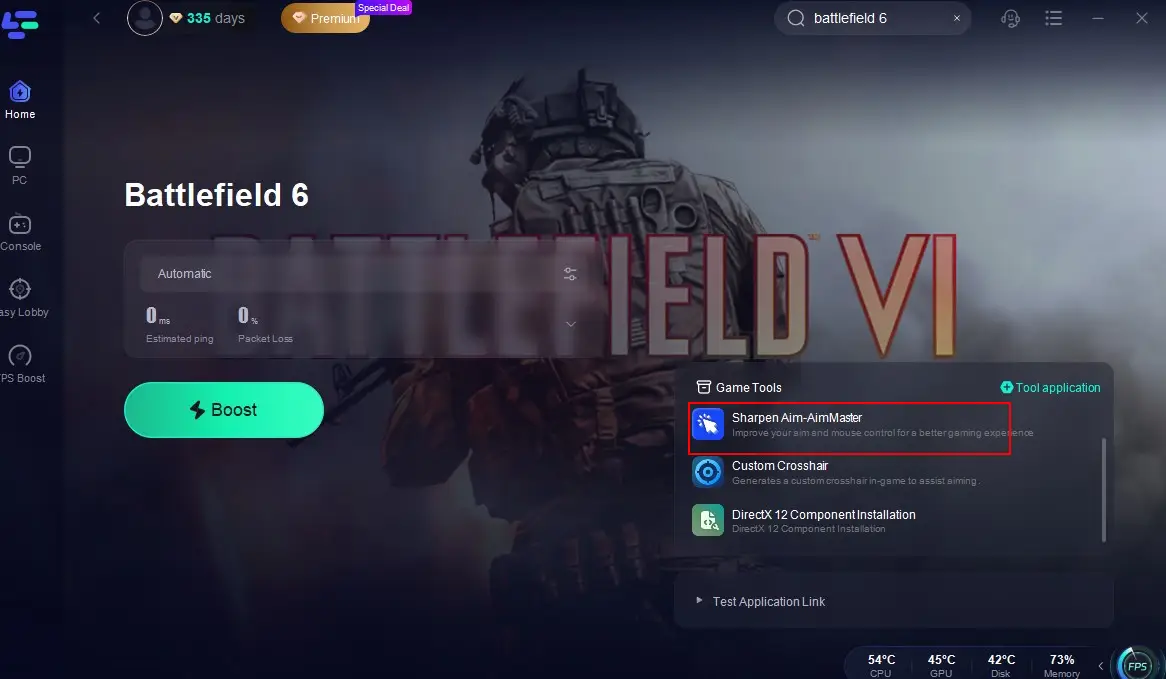
Master Your Aim with AimMaster: Take your shooting skills to the next level with AimMaster, included in LagoFast. This precision-training tool helps you fine-tune your aim and mouse movement, giving you a competitive edge whether you're picking off enemies from a distance or storming the front lines.
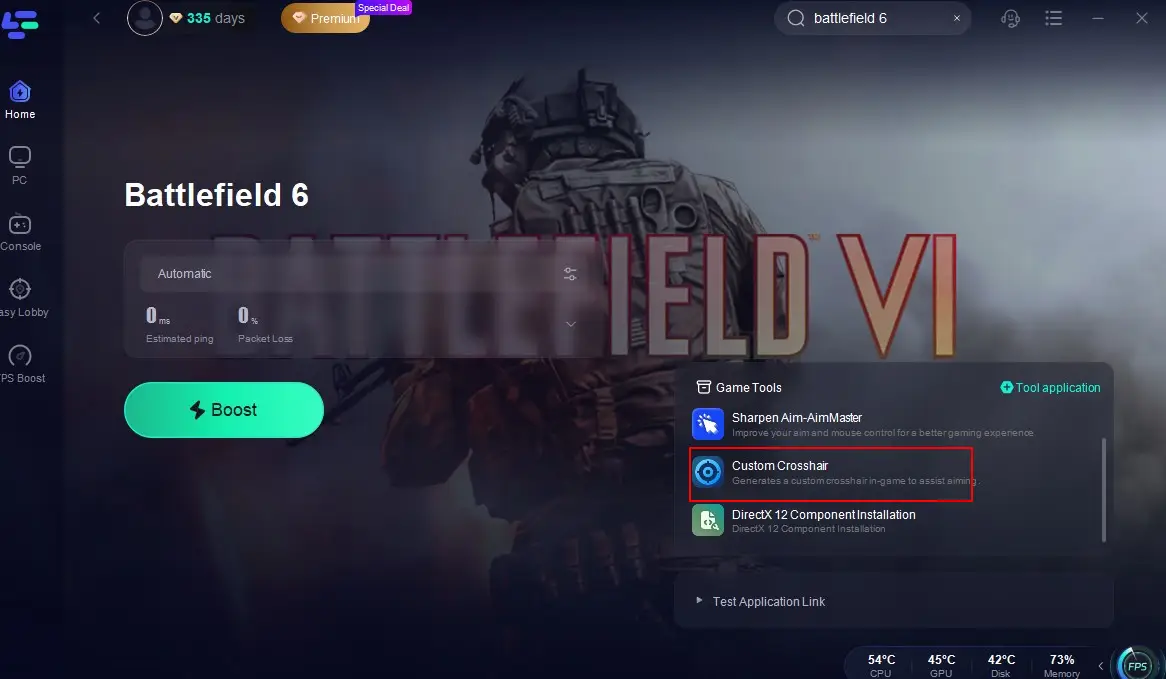
Stay Locked On with Custom Crosshair: Custom Crosshair, another handy feature in LagoFast, adds a consistent on-screen reticle to improve accuracy, especially in games where the built-in crosshair is hard to see or too reactive. It's ideal for maintaining precision across all weapon types and classes.
Together, these features prepare you to handle the evolving class system with precision and performance.
Tutorial to Use LagoFast to Enhance Your Battlefield Gameplay
Step 1: Click the Free Trial button to download and install LagoFast.
Step 2: Open LagoFast, then click the PC button on the left and search Battlefield 6 in the search bar, click it after it appears.

Step 3: Click on "Select Server" to change to a better server that elevates your gameplay, then click on "Smart Boost".

Step 4: Check the specific game ping, packet loss, and multiple path connection on the right side. Finally, click the "Start Game" to play the game.

Conclusion
Optimizing your settings in Battlefield 6 is essential for achieving the best performance and gameplay experience. Whether you're on PC, Xbox Series X, or PS5, adjusting graphics, sensitivity, and controller configurations can significantly impact your effectiveness on the battlefield. Utilizing tools like LagoFast further enhances your gaming by reducing lag and improving aim precision.
Boost Your Game with LagoFast for Epic Speed
Play harder, faster. LagoFast game booster eliminates stutter and lags on PC, mobile, or Mac—win every match!
Quickly Reduce Game Lag and Ping!
Boost FPS for Smoother Gameplay!