
With the highly anticipated launch of Pragmata scheduled for April 17, 2026, the gaming community is buzzing with excitement. As Capcom’s newest IP, this sci-fi action-adventure promises a unique blend of lunar exploration and "hacking" mechanics. However, for many PC enthusiasts, the core experience is just the beginning. The modding community is already preparing to dive into the game’s files to enhance everything from Diana’s character models to the lunar environment’s lighting.
Current Modding Status: As of today, Pragmata is in its pre-launch/demo phase (the Sketchbook demo). While a formal "Pragmata mods list" is currently being populated by early-access creators, the RE Engine foundation makes it highly susceptible to high-quality community tweaks immediately upon release.

- ✅ Reduce Lag and High Ping.
✅ Boost FPS at the Same Time.
✅ Support 2000+ Popular Online Games.
✅ Change Server without Latency.
✅ Boost Game Loading Speed.
Part 1: Does Pragmata Support Mods?
Part 2: How Mods Will Likely Work in Pragmata
Part 3: Best Expected Pragmata Mods (2026 Prediction)?
Part 4: How to Install Mods in Pragmata (Detailed Steps)
Part 5: Tips to Improve Performance with LagoFast
Part 6: Best Mod Platforms for Pragmata
Part 1: Does Pragmata Support Mods?
The short answer is yes, but primarily on PC. Historically, Capcom titles built on the RE Engine (like Resident Evil Village and Devil May Cry 5) have some of the most vibrant modding scenes in the industry. While Capcom does not usually provide official "Steam Workshop" support at launch, the community-developed Fluffy Mod Manager and script-based injectors almost always bridge the gap within days of a game’s release.
If you are playing on PS5 or Xbox Series X|S, modding is essentially non-existent due to the closed nature of console file systems. For the full "Pragmata mod tools" experience, the Windows PC version is your only viable path.
Part 2: How Mods Will Likely Work in Pragmata
Because Pragmata utilizes the latest iteration of the RE Engine, we can accurately predict the modding workflow. The game stores its assets in .pak files. Modders use specialized tools to "inject" new textures, meshes, or scripts into these archives.
Expect two primary types of modding frameworks:
- Loose File Injection: Replacing specific game assets (like a character skin) by placing files in a dedicated "Mods" folder.
- REFramework: A powerful tool likely to be ported to Pragmata that allows for FOV adjustments, VR modes, and advanced performance scripting.
Part 3: Best Expected Pragmata Mods (2026 Prediction)
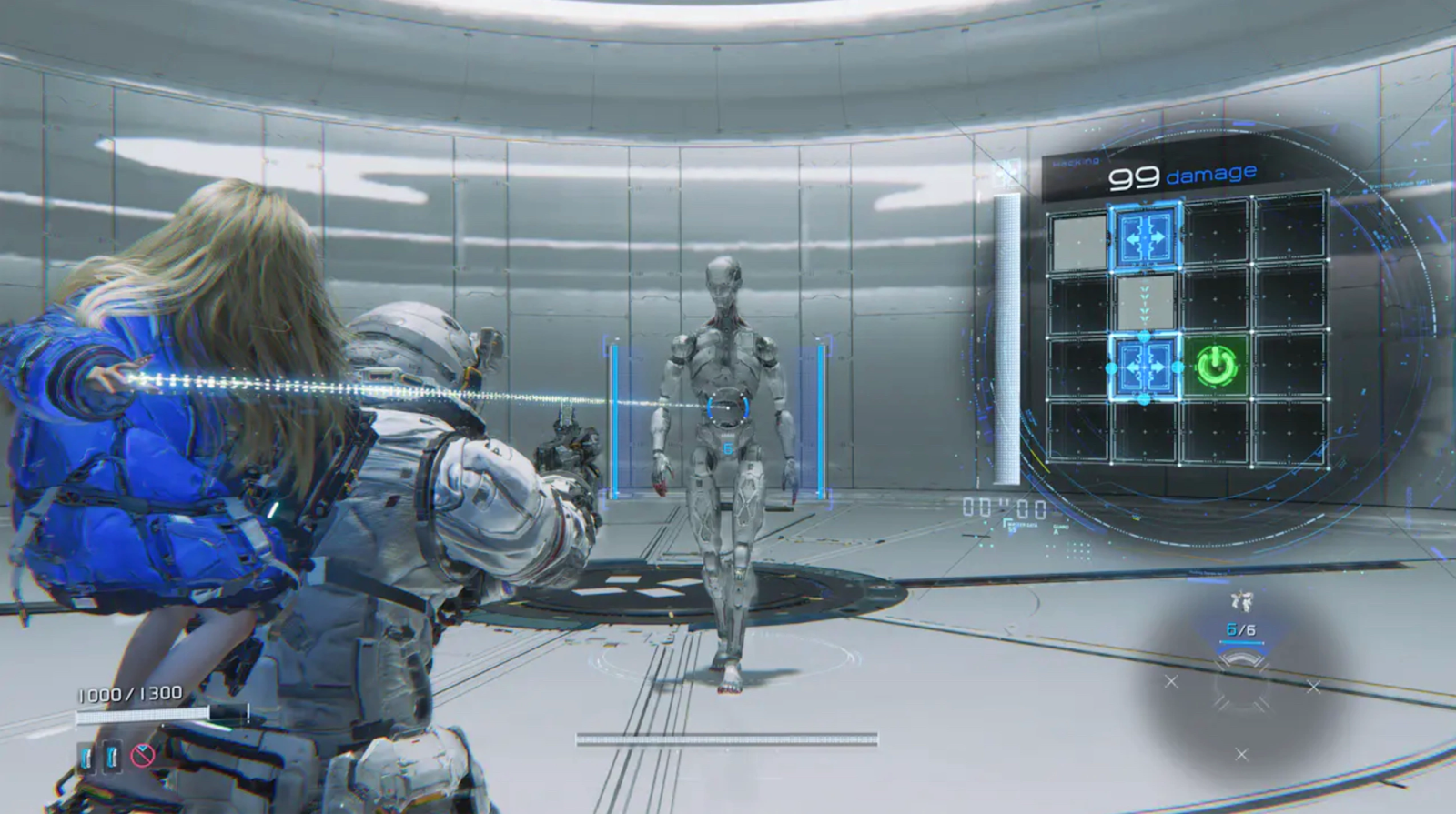
Based on community demand and early impressions from the Sketchbook demo, here are the categories of mods that will dominate the scene.
Pragmata Graphics Mods & Reshades
The lunar surface in Pragmata is stunning, but many players want a more "cinematic" or "gritty" feel.
- Pragmata Reshade Mods: These will be the first to arrive. Expect presets that enhance HDR colors, sharpen textures, and remove the "washed-out" look sometimes found in space-themed games.
- 4K Texture Packs: Early mods will likely focus on upscaling environment textures for high-end 3080/4090/50-series GPUs.
Pragmata Performance Mods
Capcom games are generally well-optimized, but lunar environments with heavy particle effects can tax mid-range systems.
- Stutter Fixes: Mods designed to pre-compile shaders more efficiently to eliminate frame drops during high-action hacking sequences.
- DLSS/FSR Updates: If the base game lacks the latest version of upscaling tech, modders often "swap" the DLL files to improve clarity and FPS.
Pragmata Character Mods
Let's be honest: character customization is the most popular mod category.
- Hugh & Diana Skins: From tactical space suits to "retro" Capcom outfits (like Chris Redfield or Jill Valentine), expect a flood of cosmetic swaps.
- Animation Tweaks: Adjustments to walking speeds or camera positioning for a more personalized feel.
Part 4: How to Install Mods in Pragmata (Detailed Steps)
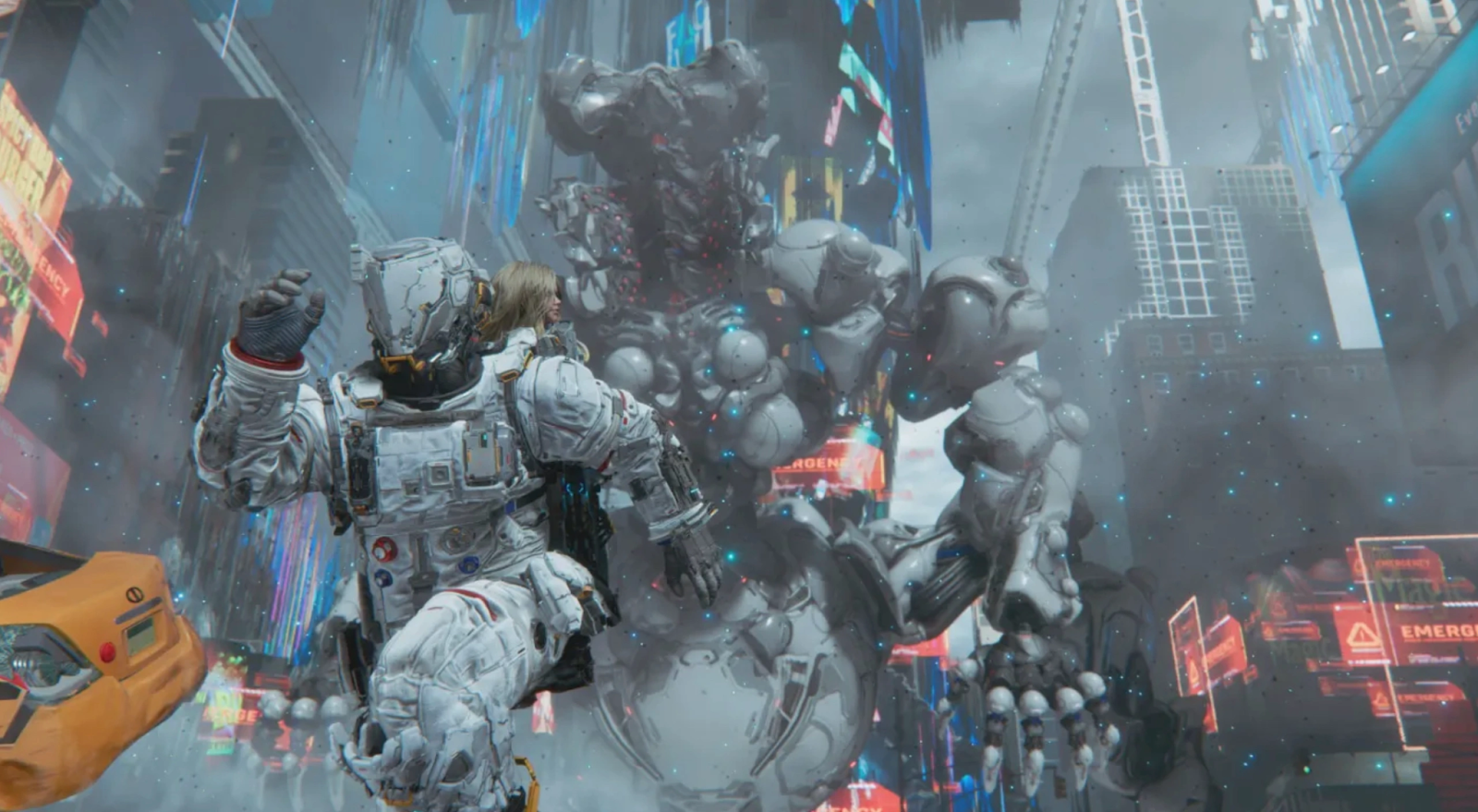
Once the game launches on April 17, follow these steps to safely install your mods:
Step 1. Backup Your Save Files: Before touching any game files, navigate to your Steam folder and copy your save data.
Step 2. Download a Mod Manager: Look for the updated version of the Fluffy Mod Manager (v3.0 or higher for 2026 games).
Step 3. Download Your Chosen Mod: Visit a trusted platform (listed below) and download the .rar or .7z file.
Step 4. Extract to the Mod Folder: Drag the downloaded file into the Games/Pragmata/Mods directory within your Mod Manager.
Step 5. Enable and Launch: Open the Mod Manager, toggle your desired mods to "On," and launch Pragmata directly through the manager.
Part 5: Tips to Improve Performance with LagoFast
Even with the best performance mods, network instability can ruin your Pragmata experience, especially during resource-heavy "hacking" puzzles. LagoFast is a premier game booster that stabilizes your connection and maximizes hardware output. It uses a unique multi-path connection protocol to ensure your "ping" remains low, even if the local servers are under heavy load during launch week.
Key Features of LagoFast:
- Real-time Ping Reduction: Optimizes your route to Capcom’s servers.
- FPS Booster: One-click optimization to clear background RAM and CPU tasks.
- Global Server Support: Easily switch regions to find the most stable connection.
- Easy Setup: No complex manual configurations – just select Pragmata and go.
Tutorial to Use LagoFast to Improve Pragmata Performance:
Step 1: Click the Free Trial button to download and install LagoFast.
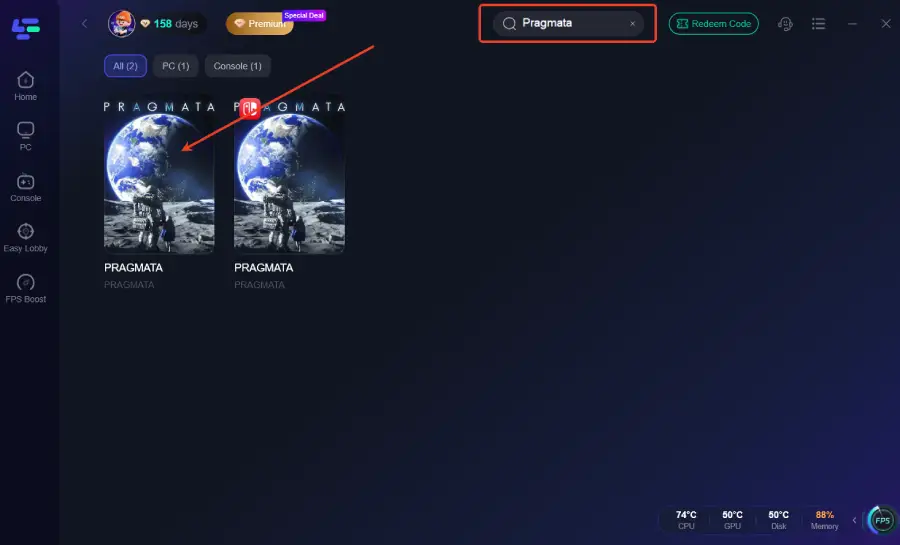
Step 2: Open LagoFast, then click the PC button on the left and search for Pragmata in the search bar, and click it after it appears.
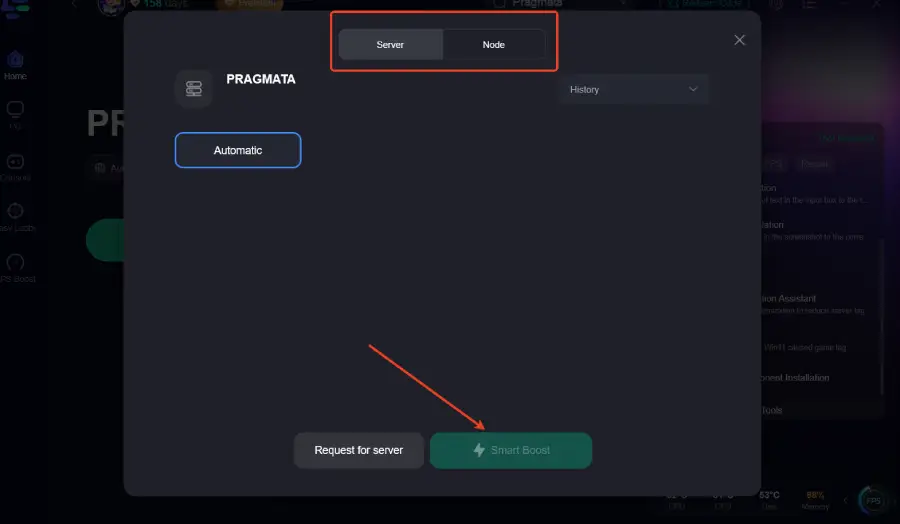
Step 3: Click “Server” to switch to a better server, which can ensure a stable gaming experience. Then click “Smart Boost” to fix other issues.
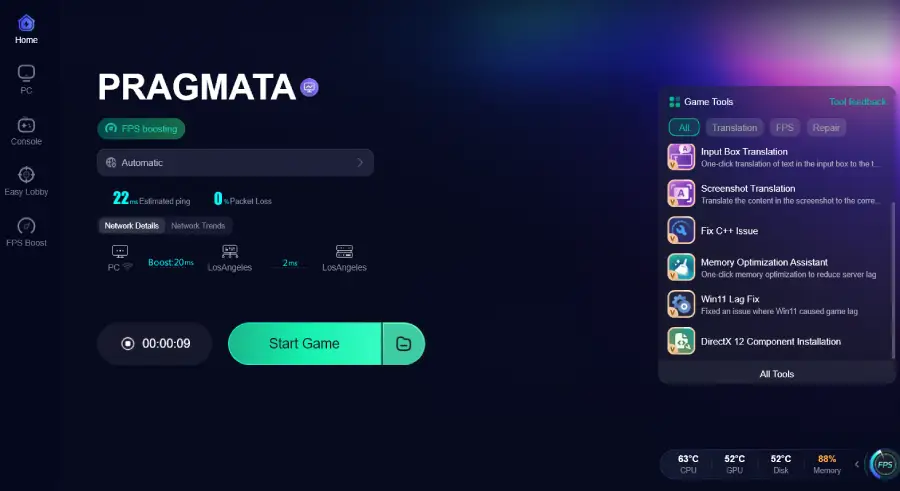
Step 4: Check the specific game ping, packet loss, and multiple path connections on the right side. Finally, click the “Start Game” to play the game.
Part 6: Best Mod Platforms for Pragmata
To stay updated on the latest "Pragmata mods list," bookmark these essential sites:
- Nexus Mods: The gold standard. This is where 99% of graphics and character mods will be hosted.
- ModDB: Great for large-scale "mod tools" and total conversions.
- GitHub: The place to find technical "Reshade" scripts and REFramework updates.
- LagoFast Mods: We are excited to announce that LagoFast will soon support a Mod Gallery specifically for performance-enhancing tweaks. This will allow you to optimize your connection and your game’s visuals from a single, easy-to-use interface.
Conclusion
Pragmata represents a bold new frontier for Capcom, and the modding community is the key to unlocking its full potential on PC. Whether you are looking for the best graphics mods to make the moon look photorealistic or performance mods to keep your FPS high, the options in 2026 are limitless. Remember to always mod responsibly, keep your game updated, and use tools like LagoFast to ensure your hardware is performing as smoothly as your new mods look.
Boost Your Game with LagoFast for Epic Speed
Play harder, faster. LagoFast game booster eliminates stutter and lags on PC, mobile, or Mac—win every match!
Quickly Reduce Game Lag and Ping!
Boost FPS for Smoother Gameplay!