
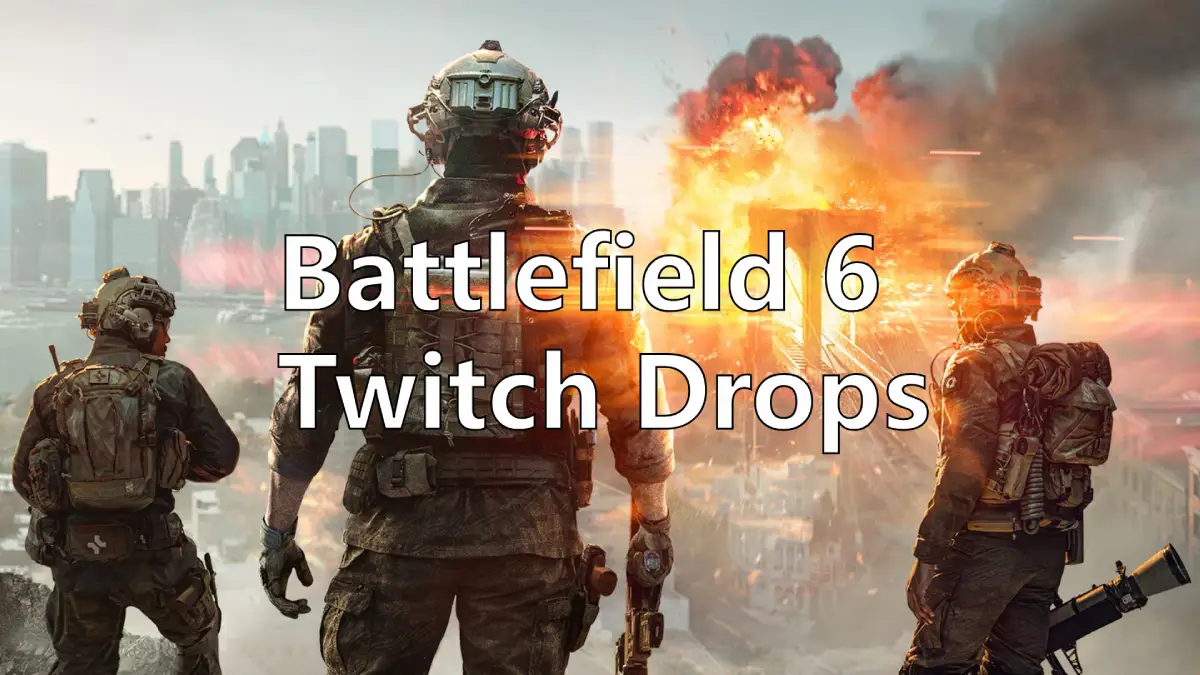
As of today, August 1, 2025, the long-awaited Battlefield 6 has officially opened for pre-order. While the exact release date is still far, EA has confirmed that there will be two closed beta test phases in August, giving players the chance to experience the action-packed game ahead of launch. And Even better news: before the closed beta begins, players may have the opportunity to gain Battlefield 6's early access through Twitch Drops.
This article will guide you through everything you need to know about Battlefield 6 Twitch Drops—including how to claim rewards quickly, how to link and redeem your in-game codes, and how to ensure the best possible gameplay experience!
German Version: Battlefield 6 Twitch-Drops – Dein Ticket zum Early Access
Arabic Version: Battlefield 6 Twitch Drops: جميع المعلومات التي تحتاجها متضمنة
Korean Version: Battlefield 6 Twitch Drops: 필요한 모든 정보 포함
Japanese Version: Battlefield 6 Twitch Drops:必要な情報はすべてここに

- ✅ Reduce Lag and High Ping.
- ✅ Boost FPS at the Same Time.
- ✅ Support 2000+ Popular Online Games.
- ✅ Fix Battlefield 6 Stuck Issues.
Part 1: Battlfield 6 Beta Early Access Overview
Part 2: How to Earn Battlefield 6 Early Access Twitch Drops
Part 3: How to Claim Battlefield 6 Early Access Redeem Codes
Part 4: How to Optimize Battlfield 6 Gameplay
Part 1: Battlfield 6 Beta Early Access Overview
While EA’s announcement of a closed beta ahead of the official launch has already thrilled countless fans, the excitement has only grown with today’s Battlefield 6 pre-order reveal. EA has now confirmed that select players will get early access to the game two days in advance, with access granted through Twitch Drops rewards.
- Battlefield 6 Early Access Timeline: Starts on August 7 and ends on August 8
- How to Join: Watch participating Twitch streams and content creators partnered with EA on the Twitch Drops platform. Claim your Battlefield 6 Twitch Drops rewards, and use the included redemption code to activate your early access.
Part 2: How to Earn Battlefield 6 Early Access Twitch Drops
Since Battlefield 6 early access isn’t granted through surveys or traditional sign-ups, players will need to meet specific requirements to receive a redemption code via Twitch Drops.
Here’s how to earn Battlefield 6 Early Access Twitch Drops:
1. Watch any streamer who’s taking part in the Battlefield 6 Twitch Drops event.
2. Keep watching for a total of 60 minutes.
3. Click your profile icon in the top-right corner of the Twitch dashboard.
4. Go to Drops & Rewards.
5. Once you've earned and claimed your rewards on Twitch, check your in-game mailbox for a message with your reward.
Easiest Way to Earn Battlefield 6 Early Access Twitch Drops - LagoFast
Spending 60 minutes watching a stream may be inconvenient for players with limited time. That’s why LagoFast thoughtfully offers a Battlefield 6 Twitch Drops Tool—just link your account and reserve your spot, and you’ll automatically receive Twitch Drop rewards from partnered Battlefield 6 creators without needing to watch the stream manually. You’ll then be able to claim your redemption code for early access.
Here’s how to use it:
Step 1: Click the Free Trial button to download and install LagoFast.
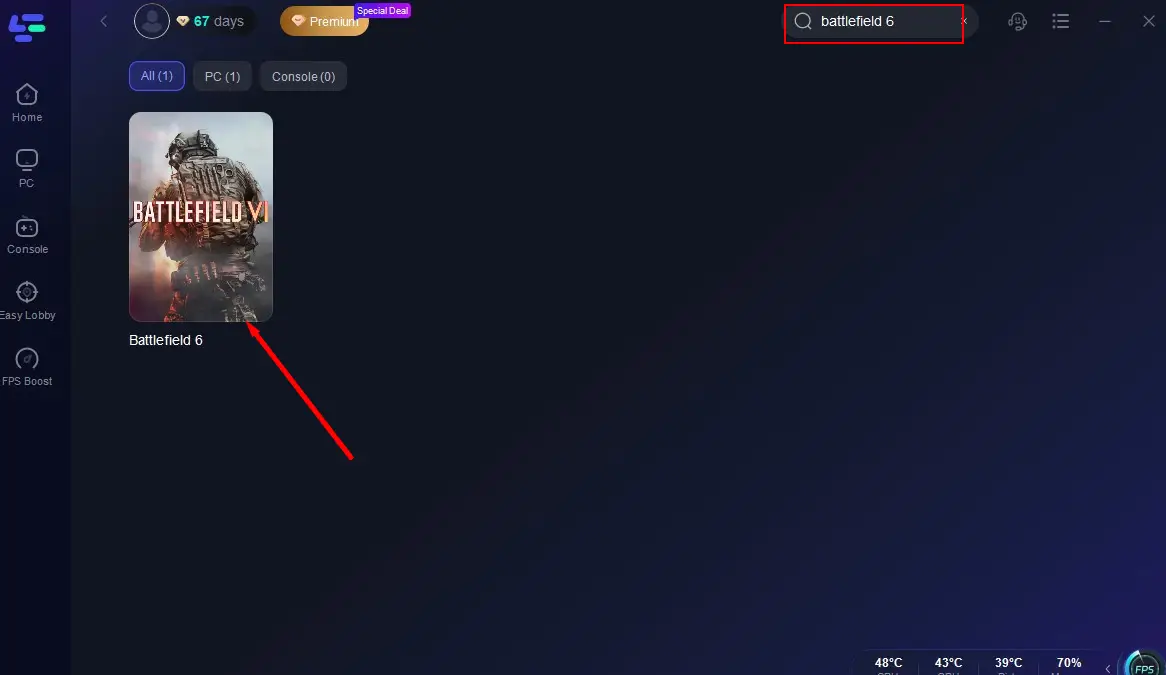
Step 2: Search for Battlefield 6 and click on it.
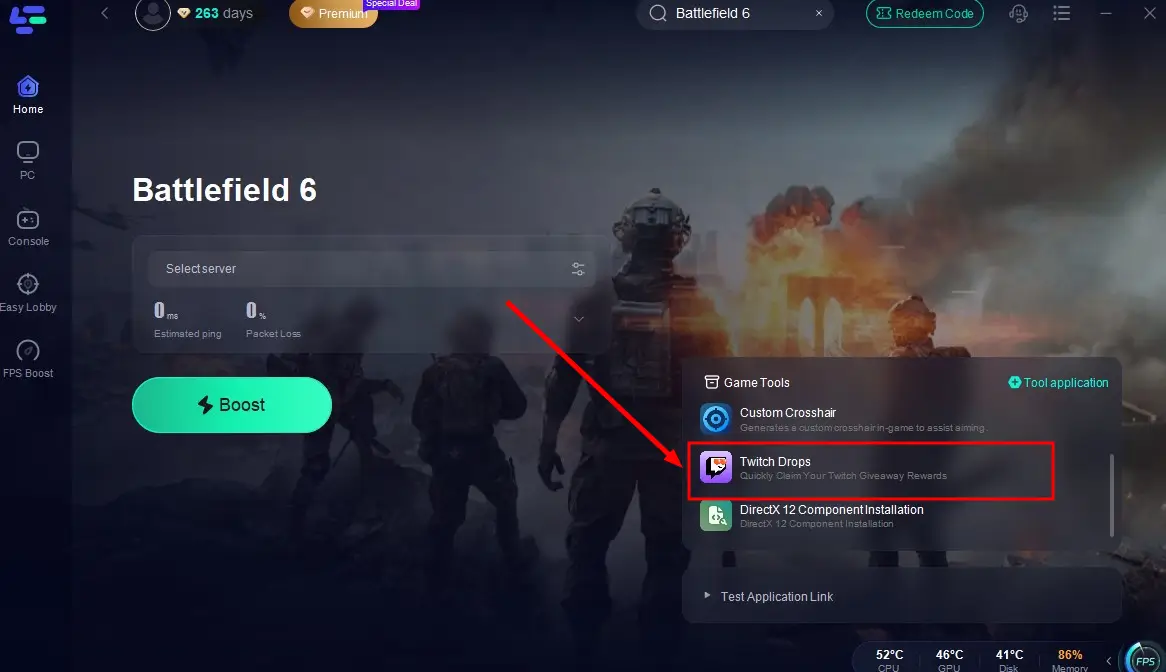
Step 3: Click the Twitch Drops Tool in the bottom-right corner of the page.
Step 4: In the pop-up window, search for Battlefield 6 again, click the Join button on the right, and link your account. Once set up, you’ll automatically earn rewards from any Battlefield 6 creator’s stream!
Part 3: How to Claim Battlefield 6 Early Access Redeem Codes
Whether you earned your Battlefield 6 Twitch Drops rewards by watching the stream yourself or by using LagoFast, it’s definitely an exciting moment—because it means you’ve secured your ticket to the Battlefield 6 early access event! However, to successfully join the action, you’ll still need to redeem your early access code. Here’s how to do it:
1. Go to your Twitch Drops account and check your in-game codes.
2. Visit the official Battlefield 6 website and log in to your EA account (or create one if you don’t have it yet).
3. Once logged in, enter your in-game code.
4. Choose the platform you want to use for early access and link it to your EA account.
5. Wait patiently for the early access period starting on August 7—then log into your selected platform to begin your Battlefield 6 experience!
Part 4: How to Optimize Battlfield 6 Gameplay
After successfully claiming your Battlefield 6 Twitch Drops reward and redeeming your code, nothing’s more exciting than jumping into the early access. However, issues like lag and stuttering can quickly ruin the experience—especially when your access time is limited. That’s why using the LagoFast Game Booster might be your best option. Here’s why LagoFast stands out:
- Smart Ping Optimization: Reduces latency by finding the fastest network route.
- Global Server Access: Optimized routes for US, EU, Asia, and more.
- FPS Booster: Enhances system performance for a smoother frame rate.
- Secure and Stable: Minimizes packet loss and jitter.
- Easy-to-Use Interface: One-click acceleration for games like Battlefield.
Whether you're aiming to get into the Battlefield 6 playtests or preparing for the full release, using LagoFast can help you gain a performance edge and avoid frustrating disconnects.
Tutorial to use LagoFast to Play Battlefield 6 Playtest Smoothly:
Step 1: Click the Free Trial button to download and install LagoFast.
Step 2: Open LagoFast, then click the PC button on the left and search Battlefield 6 in the search bar, click it after it appears.
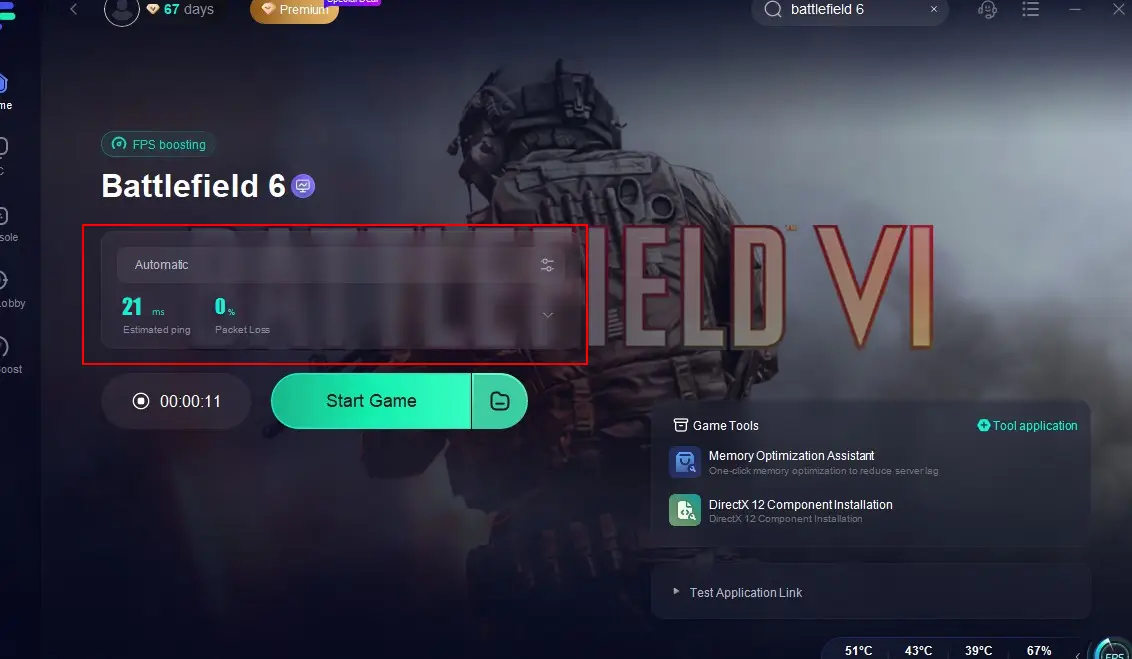
Step 3: Click on "Select Server" to change to a better server that ensures a smooth gaming experience in Playtest, then click on "Smart Boost".

Step 4: Check the specific game ping, packet loss, and multiple path connection on the right side. Finally, click the "Start Game" to play the game.
Hot Related: Battlefield 6 Secure Boot Error: All You Need to Know
Conclusion
By participating in the Battlefield 6 Twitch Drops event, players have the chance to gain early access to Battlefield 6. Whether you’re a long-time fan of the Battlefield series or a newcomer interested in first-person shooters, this is an opportunity you won’t want to miss!
Download LagoFast now to automatically claim your Battlefield 6 Twitch rewards, redeem your code, and get fully prepared to show off your skills during the Battlefield 6 early access experience!
Boost Your Game with LagoFast for Epic Speed
Play harder, faster. LagoFast game booster eliminates stutter and lags on PC, mobile, or Mac—win every match!
Quickly Reduce Game Lag and Ping!
Boost FPS for Smoother Gameplay!