
If you see the message “Secure Boot is not enabled” when launching Battlefield 6, it means that the Secure Boot function on your PC is disabled. This isn’t an in-game setting, but a system-level security feature tied to UEFI BIOS, Windows 11, and TPM. Here's a comrehensive guide for Battlefield 6 secure boot error.
German Version: Battlefield 6 Secure Boot-Fehler: Alles, was Sie wissen müssen
Korean Version: Battlefield 6 보안 부팅 오류: 꼭 알아야 할 모든 것
French Version: Erreur de démarrage sécurisé Battlefield 6: Comment le Fixer

- ✅ Reduce Lag and High Ping.
- ✅ Boost FPS at the Same Time.
- ✅ Support 2000+ Popular Online Games.
- ✅ Change Server without Latency.
- ✅ End Connection & Stuck Issues.
What is Secure Boot?
Secure Boot is a security feature built into the UEFI BIOS that prevents malicious software from loading during the system startup process. When enabled, only verified operating systems and drivers are allowed to boot, protecting your system from viruses, rootkits, and other threats that can execute before Windows loads. So if secure boot is not enabled in Battlefield 6, players will encounter some loading errors.
Is Secure Boot required to run Battlefield 6?
Yes. Battlefield 6 requires Secure Boot to be enabled on your PC—at least during the open beta stage, and it's highly likely this requirement will carry over to the full release.
Why is Secure Boot mandatory for BF6?
- EA has introduced a new anti-cheat system (most likely EAAC or a kernel-level module like Javelin) that requires a secure, trusted environment.
- Secure Boot ensures that only verified drivers and system components are loaded, blocking cheats and malicious software from launching during the boot process.
- This approach is already used in other modern titles with strong anti-cheat protections, such as Valorant and FIFA.
What does this mean for players?
- You’ll need to enable Secure Boot in your BIOS/UEFI and ensure Windows is installed in UEFI mode rather than Legacy/MBR mode.
- If your Windows was installed under Legacy BIOS, you'll need to convert your disk to GPT and switch to UEFI boot mode—a process that isn't entirely simple.
- Some players have reported that the game still shows the Secure Boot error even after enabling it. EA has yet to provide a universal fix for this issue.
Will it be required in the final release?
EA hasn’t officially confirmed this, but all signs point to:
- The requirement is already active in the beta
- Similar protection is used in EA FC 25 and F1 25
- There's a growing trend of anti-cheat systems relying on hardware-level security
So, it's very likely that Secure Boot will be mandatory in the full release of Battlefield 6.
Why does the Secure Boot error appear on some PCs?
1. Secure Boot is disabled in BIOS:
On many PCs—especially older or custom-built ones—Secure Boot is turned off by default in BIOS settings.
2. Windows is installed in Legacy BIOS mode:
If your OS is installed in Legacy mode (non-UEFI), Secure Boot cannot be enabled unless the disk is converted to GPT and boot mode switched to UEFI.
3. Secure Boot is enabled but inactive:
In some BIOS configurations, Secure Boot shows as “Enabled” but remains inactive due to missing or incorrectly set security keys.
4. BIOS and anti-cheat conflict:
Some users report false errors—Secure Boot is on and functional, but the game still displays the error.
How to Enable Secure Boot for Battlefield 6— Step-by-Step Guide
Important: Back up your data before making changes in BIOS.
1. Restart your PC and enter BIOS/UEFI:
Usually by pressing Delete, F2, F10, or Esc during startup.
2. Find the Secure Boot setting:
Typically under the "Security", "Boot", or "Authentication" tab.
3. Set it to "Enabled"
4. Ensure boot mode is set to UEFI, not Legacy
5. Save and exit BIOS (Save & Exit)
Additional Tips:
- Windows 11 requires Secure Boot and TPM to be enabled; disabling them can cause game launch issues.
- Some motherboards require setting boot mode to UEFI first before the Secure Boot option becomes available.
- If you're dual-booting with Linux and Windows, enabling Secure Boot may cause boot issues — proceed with caution.
Best Way to Solve Battlefield 6 Secure Boot Error
If you meet any of the following conditions, you can consider using LagoFast’s one-click Skip Secure Boot tool to save yourself from tedious steps when launching Battlefield 6 and jump straight into the action:
- Have no idea how to configure BIOS settings
- Unable to restart your device
- Failed to modify the disk
- Worried about making mistakes during setup
Here’s how to use LagoFast’s Skip Secure Boot tool:
1. Click the Free Trial button below to get LagoFast.
2. After installation, launch LagoFast and search for Battlefield 6 in the search bar.
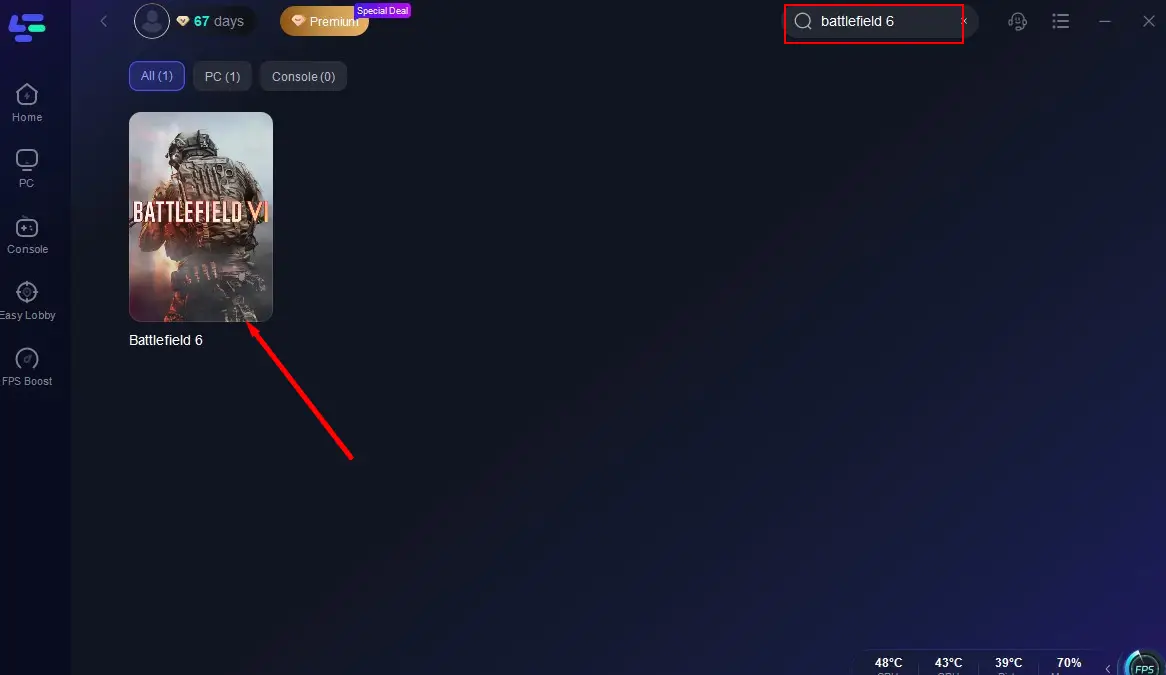
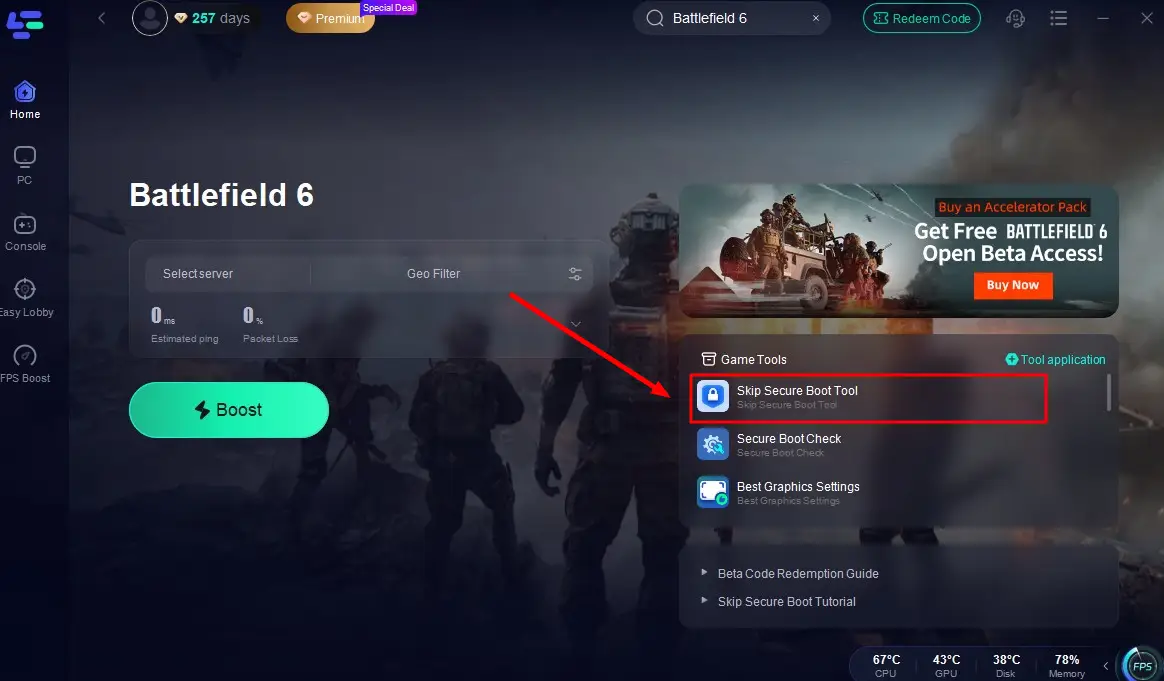
3. Click the Skip Secure Boot Tool button in the bottom right corner to bypass verification in one click and enjoy a smooth entry into the game!
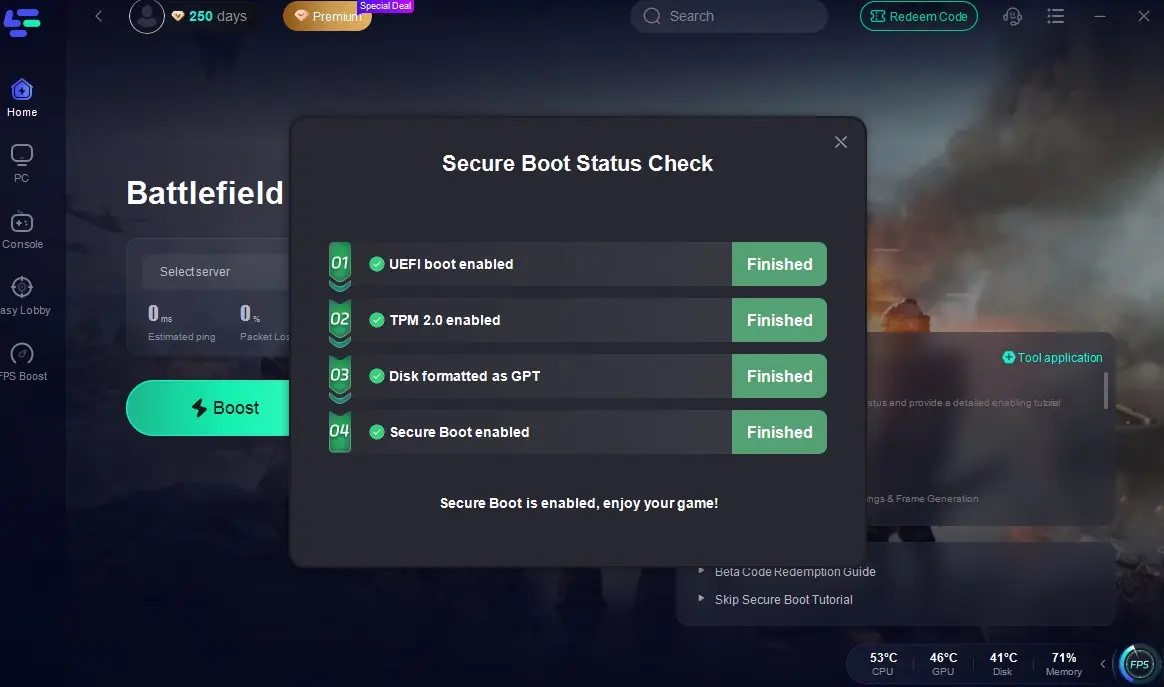
In addition, LagoFast can help automatically check your Secure Boot status. With this tool, players can monitor every step of the Secure Boot process in real time, including UEFI, TPM 2.0, GPT format, and Secure Boot status. This helps them clearly identify at which step a Secure Boot error occurs. It also comes with a helpful tutorial to guide players through completing the Secure Boot setup manually. Here is the guide:
Click the Secure Boot Check tool on the interface.
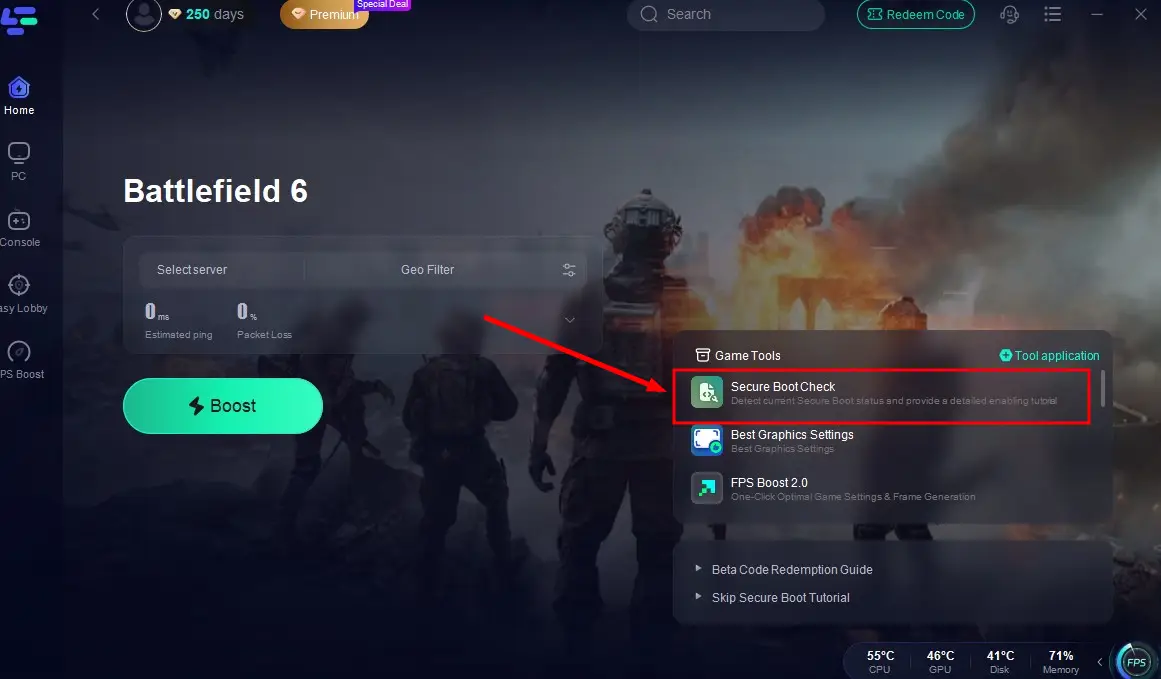
Then you can see the whole process of the Secure Boot, precisely locate the error and fix it with the tutorial provided by LagoFast!
Enhance Your Battlefield 6 Experience with LagoFast
"Secure Boot is not enable" error is a frequent problem while playing Battlefield 6, following the guide above can help to enable it. But if you want to further enhance your gaming experience, don't miss LagoFast. LagoFast is a performance booster and lag reducer designed especially for FPS games like Battlefield 6. It’s perfect for players seeking smoother gameplay, stable ping, and minimal lag.
LagoFast Features:
- Real-Time Monitoring: Displays FPS, ping, and connection quality
- Ping Reduction: Optimized routing for minimal latency
- Lag-Free Gameplay: Reduces packet loss and jitter
- Game Boost Mode: Allocates CPU/GPU resources efficiently for consistent performance
Automatic Secure Boot Checker for Battlefield 6
LagoFast ensures your system meets security requirements by silently detecting Secure Boot status and guiding you to enable it if needed—guaranteeing a smoother acceleration and gameplay experience.
How to Set Up LagoFast for Battlefield 6:
Step 1: Click the button below to get LagoFast for free, then complete installation.
Step 2: Find Battlefield 6 by LagoFast's search bar.

Step 3: Find Battlefield 6 and click “Select Server” to choose a stable server in your region

Step 4: Click “Smart Boost” to begin optimization and monitor your ping, packet loss, and connection in real time

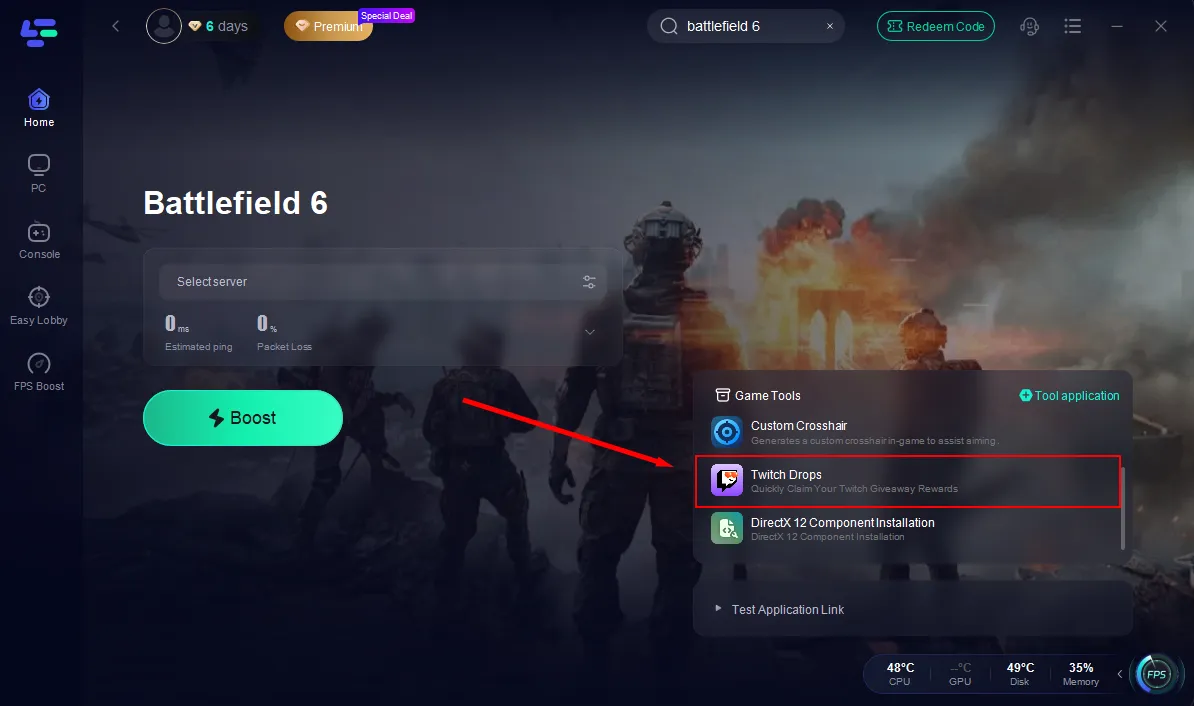
Twitch Drops Made Easy
If you don’t have time to watch long streams but still want to earn Battlefield 6 rewards via Twitch Drops, LagoFast has a built-in tool just for that.
Thanks to an official partnership, LagoFast lets you claim Twitch Drops with one click—no need to watch streams for hours. The system automatically detects available rewards and links them to your account.
Just check your Twitch inventory — the rewards will already be there.

Boost Your Game with LagoFast for Epic Speed
Play harder, faster. LagoFast game booster eliminates stutter and lags on PC, mobile, or Mac—win every match!
Quickly Reduce Game Lag and Ping!
Boost FPS for Smoother Gameplay!