

Ashes of Creation is an ambitious MMORPG by Intrepid Studios that aims to push the boundaries of large-scale online gaming. Now available in Early Access, players are eager to explore the dynamic world of Verra and experience large-scale battles, sieges, and open-world adventures. To ensure a smooth experience, understanding the system requirements and preparing your rig is essential.

- ✅ Reduce Lag and High Ping.
✅ Boost FPS at the Same Time.
✅ Support 2000+ Online Games
✅ Change Server Without Latency.
✅ Multiplatform: PC, Console, Mobile.
✅ End Stuck, Connection & Crashing Issues
Part 1: Minimum Requirement for Ashes of Creation (1080p)
Part 2: Recommended Ashes of Creation Requirements (1440p)
Part 3: Ashes of Creation System Requirements (What GPU?)
Part 4: Tips for Optimal Performance in Ashes of Creation
Part 5: How to Quickly Fix Game Lag with LagoFast in Ashes of Creation
Part 1: Minimum Requirement for Ashes of Creation (1080p)

If you’re aiming to run the game at 1080p with stable performance, here are the official minimum specs for Ashes of Creation:
- Processor: Intel i5 8400 or AMD Ryzen 5 2600
- Memory: 12GB
- Graphics: NVIDIA GTX 1070 (or equivalent)
- DirectX: Version 12
- Network: Broadband Internet connection
- Storage: 100GB SSD
- Operating System: Windows 10 or Windows 11
With these specs, you should experience smooth gameplay at medium settings. The GTX 1070 or equivalent GPU offers a solid baseline for handling most environmental details and large-scale battles with moderate visual settings.
Part 2: Recommended Ashes of Creation Requirements (1440p)
For players who want a visually stunning experience at 1440p, these recommended specs provide plenty of headroom:
- Processor: Intel i7 8700 or AMD Ryzen 5 3600
- Memory: 16GB
- Graphics: NVIDIA RTX 3070 (or equivalent)
- DirectX: Version 12
- Network: Broadband Internet connection
- Storage: 100GB SSD
- Operating System: Windows 10 or Windows 11
An RTX 3070 or an equivalent GPU ensures you can crank up graphics settings, enjoy higher frame rates, and witness the game’s intricate details—ranging from large-scale sieges to sprawling landscapes—without significant slowdowns.
Part 3: Ashes of Creation System Requirements (What GPU?)
When it comes to Ashes of Creation system requirements and deciding what GPU you need, here’s a quick breakdown:
1080p Gamers
- Minimum: GTX 1070 or equivalent
- Expect smooth gameplay on medium-to-high settings.
1440p Enthusiasts
- Recommended: RTX 3070 or equivalent
- Enjoy higher resolution and more graphical details without compromising on performance.
Players who want to push beyond 1440p (e.g., 4K) will benefit from even more powerful hardware, such as an RTX 3080 or 4080 series, although official ultra specs are not yet confirmed.
Why SSD Storage Matters
Both the minimum and recommended specs call for SSD storage (100GB). Using an SSD ensures faster load times, which can be critical for seamless transitions in an open-world MMO. Traditional HDDs can lead to sluggish loading screens and possible texture pop-ins, so investing in a good SSD offers a more fluid gameplay experience.
Part 4: Tips for Optimal Performance in Ashes of Creation
Keep Your Drivers Updated
Regularly update graphics drivers to ensure you’re getting the latest performance optimizations and bug fixes.
Close Unnecessary Background Apps
Free up system resources so your CPU and GPU can focus on running Ashes of Creation.
Consider Additional RAM
If you’re on the fence about memory, opting for 16GB if you’re aiming at the minimum requirement can provide extra headroom for future updates and expansions.
Monitor CPU/GPU Temperatures
Large-scale battles can put a serious load on hardware. Ensure your PC’s cooling is up to the task.
Part 5: How to Quickly Fix Game Lag with LagoFast in Ashes of Creation
Lag can be the ultimate buzzkill in online gaming, but LagoFast is here to save the day. This game booster streamlines your connection for smoother gameplay and fewer disruptions. Here’s how you can get started:
Step 1: Begin by clicking the Free Trial button to download and install the LagoFast Free Trial.
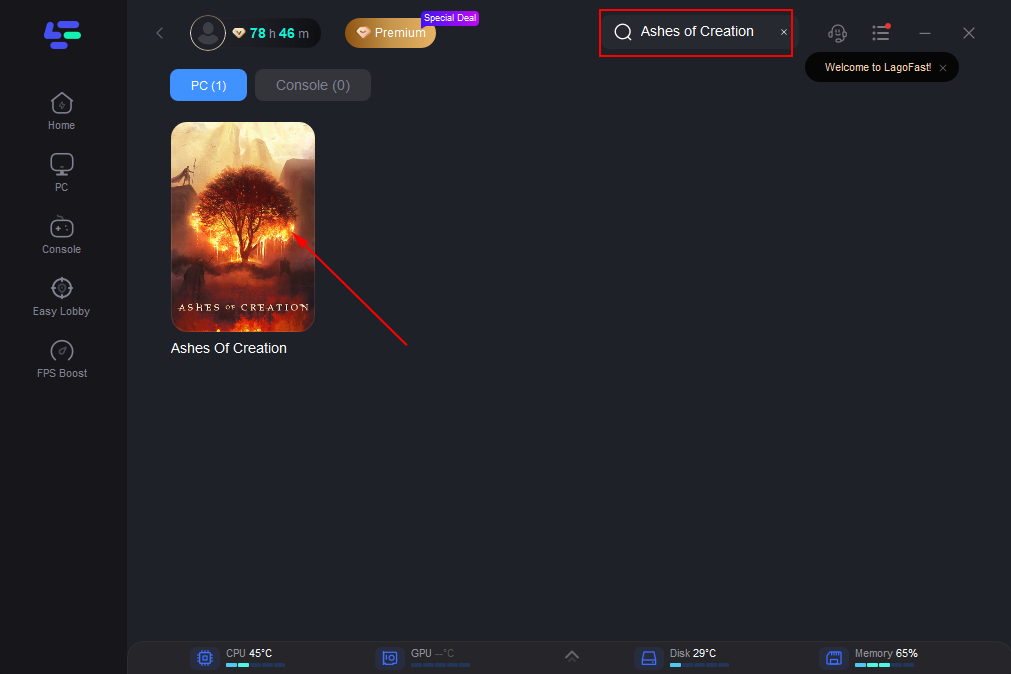
Step 2: After installation, launch LagoFast and click the PC icon on the left side of the interface. In the search bar, type Ashes of Creation and select it from the list of results
Step 3: Select a server that is closest to your location or offers the lowest latency for optimal performance.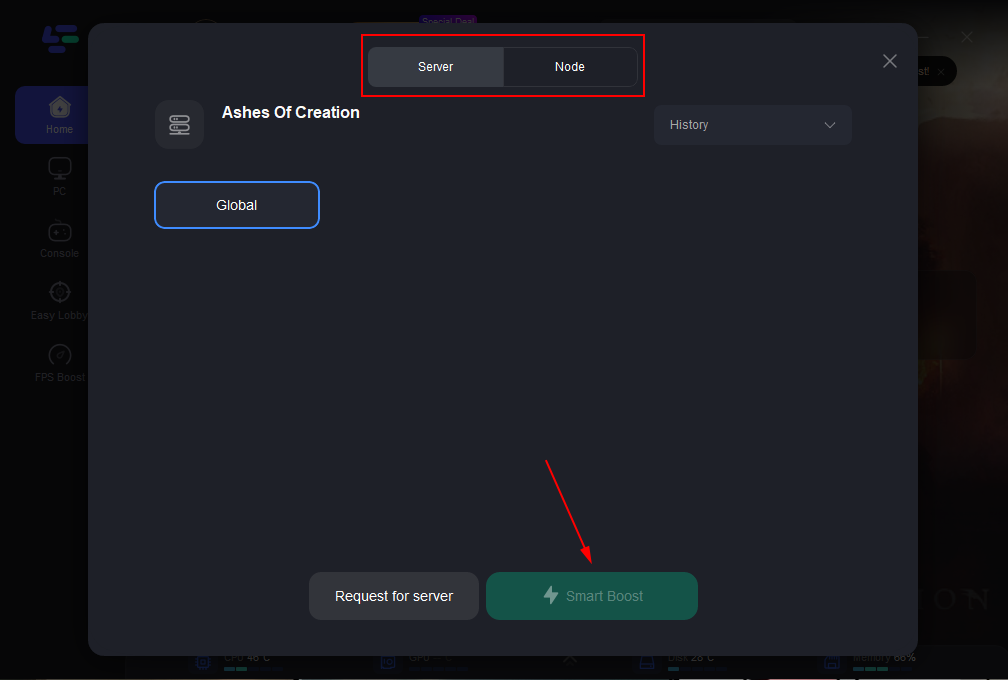
Step 4: Once LagoFast has completed its network optimization, return to the game and enjoy an enhanced gaming experience.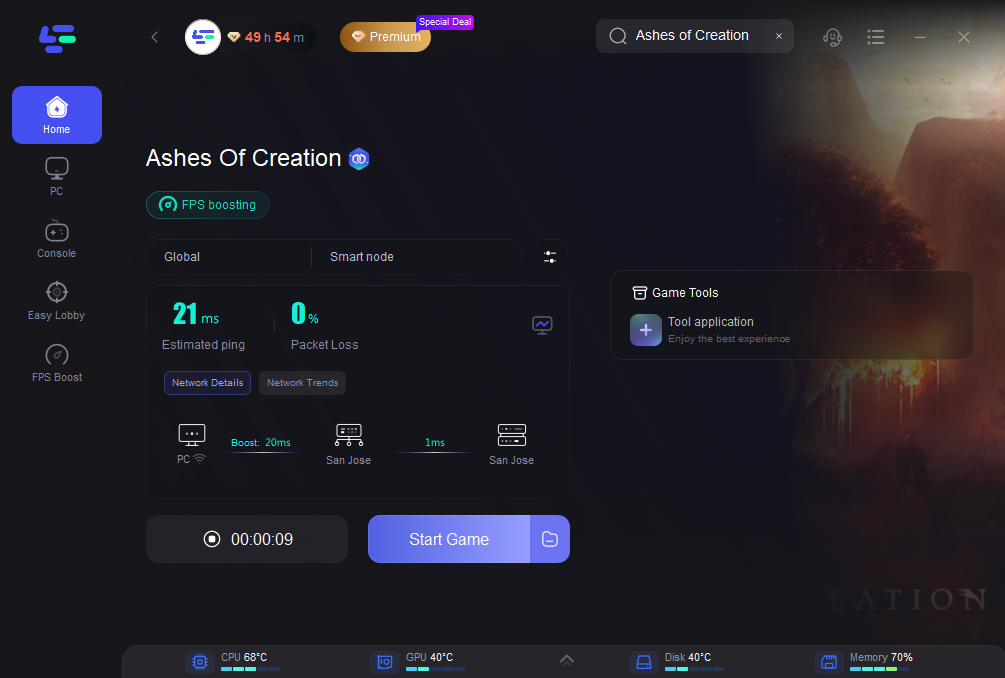
With LagoFast, reducing lag is quick and easy. Download it today to elevate your gaming experience and leave connection issues behind. By following these steps, you’ll minimize lag and enjoy seamless mobile gaming. Say goodbye to interruptions and focus on the thrill of the game. Download LagoFast today and transform your gaming experience!
Conclusion
Understanding Ashes of Creation Early Access system requirements is essential for enjoying the game without technical limitations. Whether you aim for the minimum settings at 1080p or want the full visual fidelity at 1440p and beyond, a capable GPU, sufficient RAM, and an SSD are key. Preparing your rig now ensures that you can fully experience the scope and ambition of this MMORPG, from massive sieges to open-world adventures. Combine hardware readiness with network optimization tools like LagoFast, and you’ll be fully equipped to dive into Verra without compromise.

Boost Your Game with LagoFast for Epic Speed
Play harder, faster. LagoFast game booster eliminates stutter and lags on PC, mobile, or Mac—win every match!
Quickly Reduce Game Lag and Ping!
Boost FPS for Smoother Gameplay!