
Among the most anticipated MMORPGs in recent years, Ashes of Creation has generated tremendous excitement due to its dynamic world-building and player-driven design. In the living, breathing world of Ashes of Creation, every decision made by players affects the evolution of towns, cities, and entire regions, so the interactive map become vital for exploration and strategic gameplay.
In comprehensive guide, we will explain what Ashes of Creation interactive map is, along with its gameplay feature, release details and how to enhance gaming experience in Ashes of Creation.

- ✅ Reduce Lag and High Ping.
- ✅ Boost FPS at the Same Time.
- ✅ Support 2000+ Popular Online Games.
- ✅ End Stuck & Crashing Issues.
- ✅ Change Server without Latency.
Part 1: Ashes of Creation Release & Testing Details
Part 2: Ashes of Creation Gameplay Overview
Part 3: What Is Ashes of Creation Interactive Map
Part 4: Best Ashes of Creation Interactive Map Recommended
Part 5: How to Enhance Gaming Experience in Ashes of Creation
Part 1: Ashes of Creation Release & Testing Details
Ashes of Creation is an upcoming MMORPG developed by Intrepid Studios, and its official full release date has not yet been confirmed. However, there is good news for players eager to experience the game early. Ashes of Creation entered early access on December 11, 2025. Players can visit the game’s official website to purchase access and take part in the early access experience.
Regarding platforms, the developers have confirmed that Ashes of Creation launched on PC first. While a console version has not been officially announced, it has not been ruled out for the future.
Part 2: Ashes of Creation Gameplay Overview
The most standout feature of Ashes of Creation is the Node System, which allows the game world to evolve dynamically. Every action taken by players contributes to the growth of surrounding "nodes." These nodes can transform from small villages into bustling metropolises, unlocking new quests, dungeons, and political systems.
Ashes of Creation Gameplay Features:
- Node System – The most innovative feature, where cities, towns, and entire regions develop based on player activity. Each server’s map evolves differently.
- Dynamic PvE and PvP – Ashes of Creation includes challenging PvE content like raids and dungeons, alongside open-world PvP featuring large-scale sieges and caravan battles.
- Player-Driven Economy – Resources, crafting, and trading routes are all influenced by the node system, making the economy a core part of gameplay.
- Housing and Freeholds – Players can own land and build freeholds, shaping the physical landscape.
- No Pay-to-Win – Intrepid Studios has repeatedly emphasized that progress must be earned through gameplay, not purchases.
Part 3: What Is Ashes of Creation Interactive Map
If you want to seamlessly explore the evolving world of in Ashes of Creation, an interactive map is the most important tool you need depend on. Because Ashes of Creation’s world constantly changes as nodes develop, a static map cannot capture this dynamic landscape—hence the need for an interactive map.
Features of the Interactive Map
- Node Tracking: Shows the location and development stage of nodes (village, town, city, etc.).
- Resources and Gathering: Displays mining spots, plants, and rare material spawn areas.
- Dungeons and Bosses: Highlights PvE locations such as dungeons, named mobs, and raid encounters.
- Trade Routes and Caravans: Useful for planning economic strategies and protecting caravans.
- Custom Markers and Routes: Players can add personal markers, share routes, and highlight points of interest.
- Community Sharing: Many maps allow players to contribute information, ensuring accuracy after patches.
Part 4: Best Ashes of Creation Interactive Map Recommended
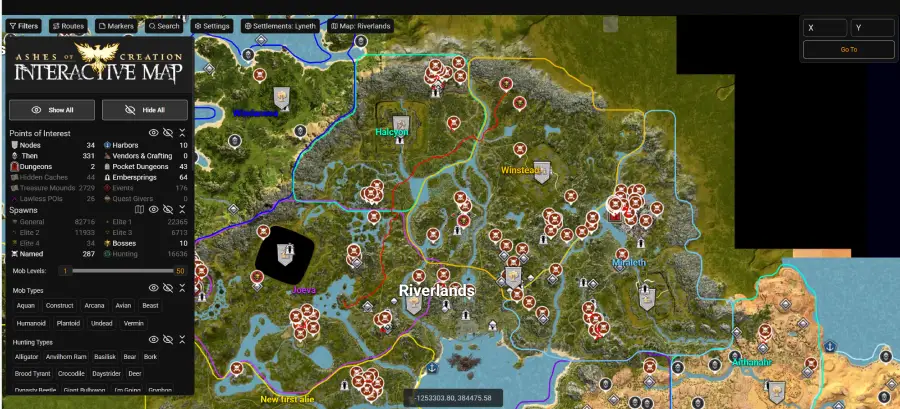
Ashes of Creation’s world is huge and constantly evolving, making navigation a challenge. Many players start with the https://ashescodex.com/ interactive map for a quick reference to key points of interest, resource nodes, and dungeons. While it’s a helpful tool, it may not provide all the real-time details needed for a fully dynamic world.
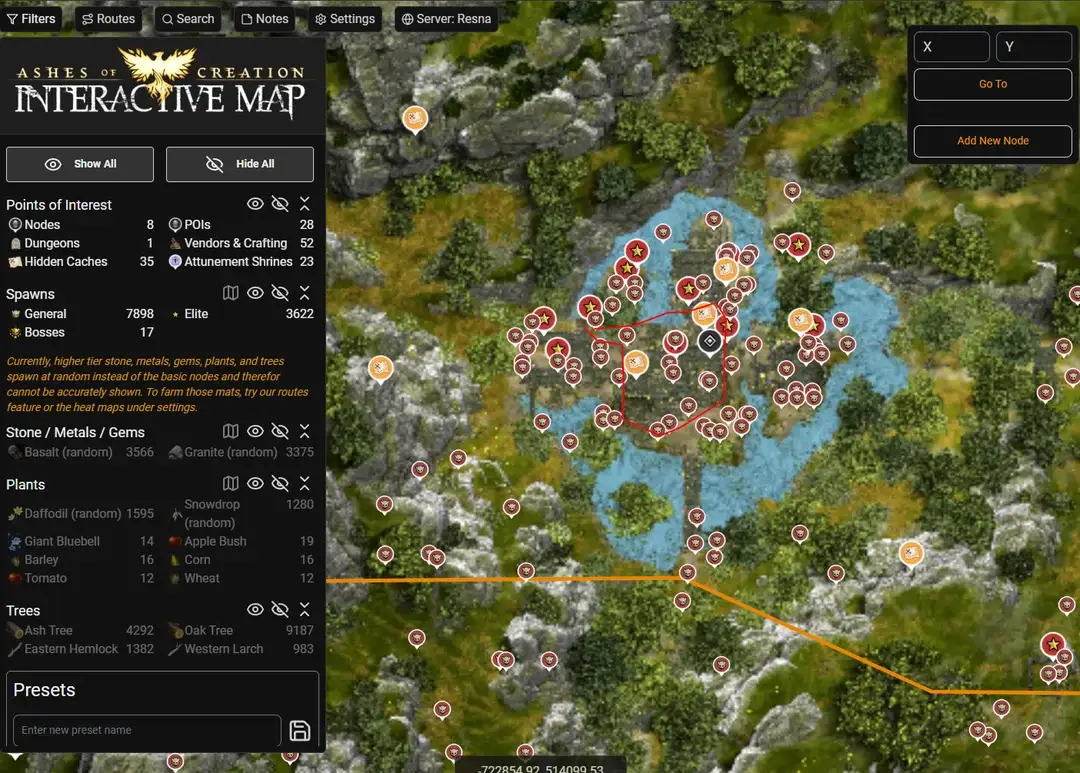
For a more seamless and integrated experience, LagoFast offers an interactive map tool built directly into its network optimization platform. With this tool, you can track the real-time growth of villages, towns, and cities; locate resources and dungeons; and mark custom routes and points of interest—all without leaving the game.
How to Get the Best Interactive Map for Ashes of Creation
Step 1: Download and Install LagoFast Free Trial
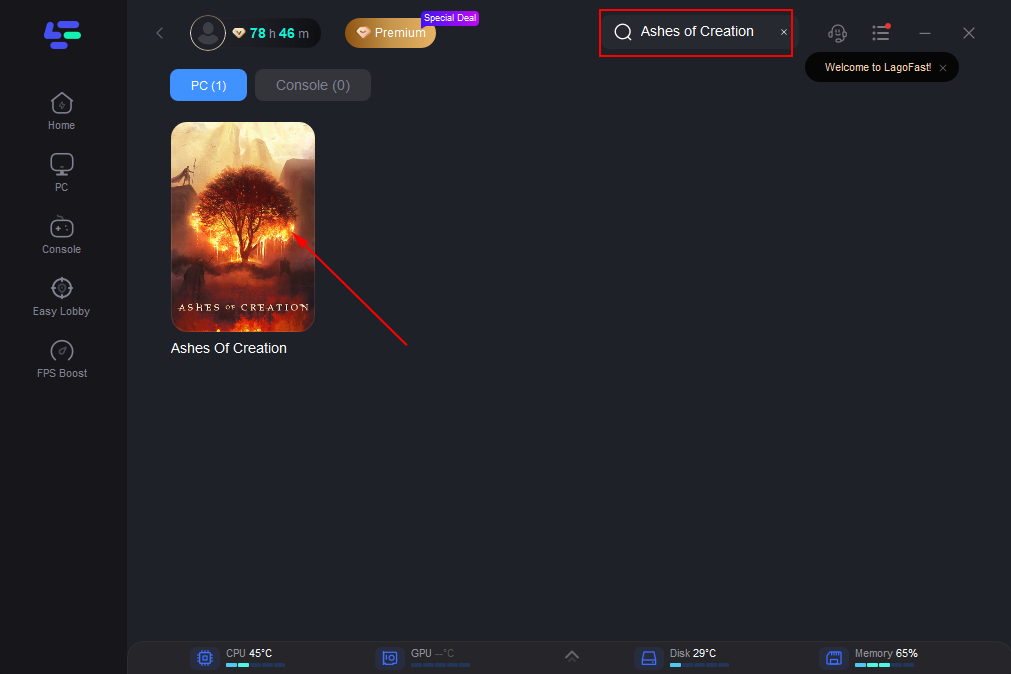
Step 2: Launch LagoFast, search for "Ashes of Creation" in the client, and select the game.
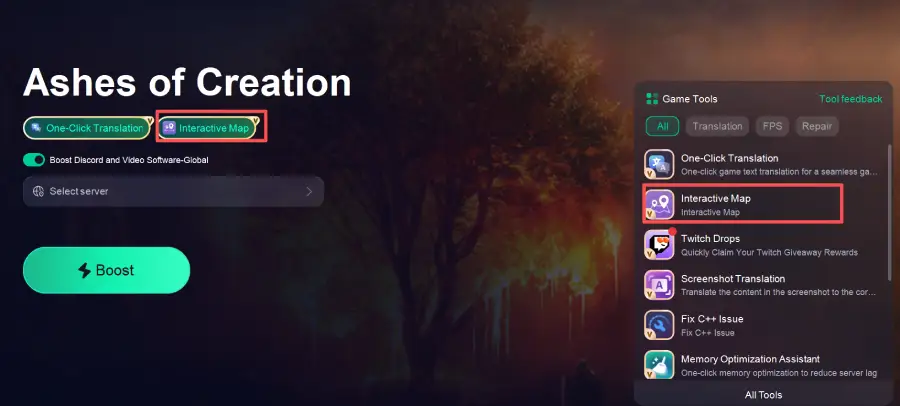
Step 3. Click the Interactive Map tool at the bottom right corner
Part 5: How to Enhance Gaming Experience in Ashes of Creation
During your journey in Ashes of Creation, in addition to the good application of interactive map, stable connections, lower ping and high FPS can be the biggest elements to a smooth gaming experience. By using LagoFast, you can switch from congested routes to more stable and optimized connections, minimizing anything that could disrupt your gameplay. This is mainly because LagoFast offers the following advantages:
- Multi-Path Optimization: Uses advanced routing technology to deliver the best possible connection quality.
- Stable Connectivity: Bypasses crowded networks to reduce disconnects and ensure a more reliable connection.
- Ping Reduction: Decreases latency by streamlining data routes and avoiding overloaded servers.
- Global Server Coverage: Operates server nodes across 60+ countries and 150+ cities, giving players a wide range of connection options worldwide.
Step 1: Launch LagoFast and click the PC icon on the left side of the interface. In the search bar, type Ashes of Creation and select it from the list of results
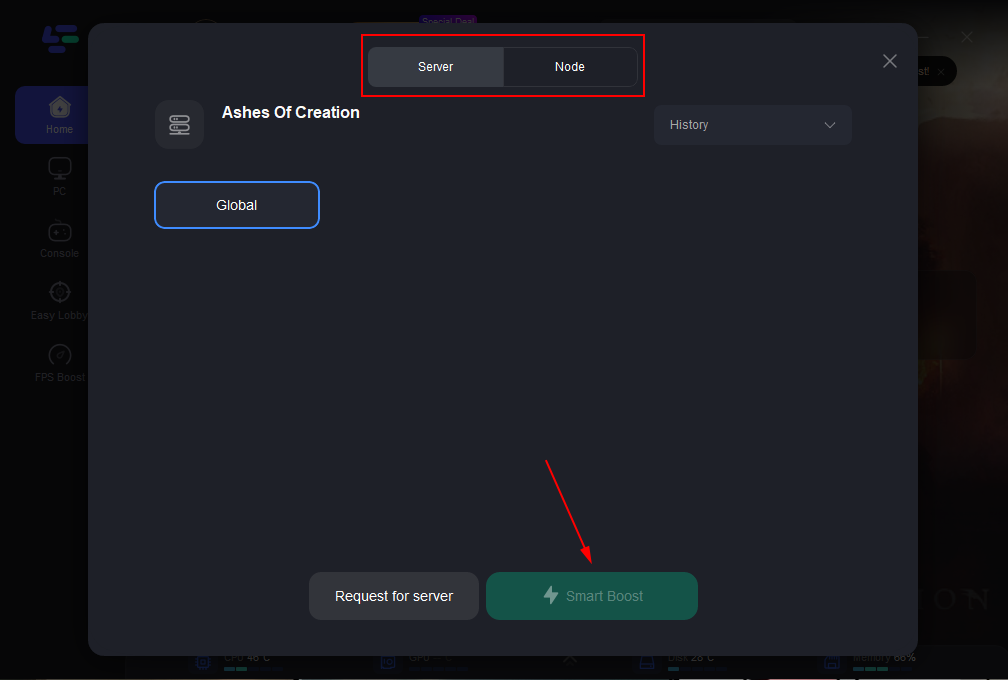
Step 2: Select a server that is closest to your location or offers the lowest latency for optimal performance.
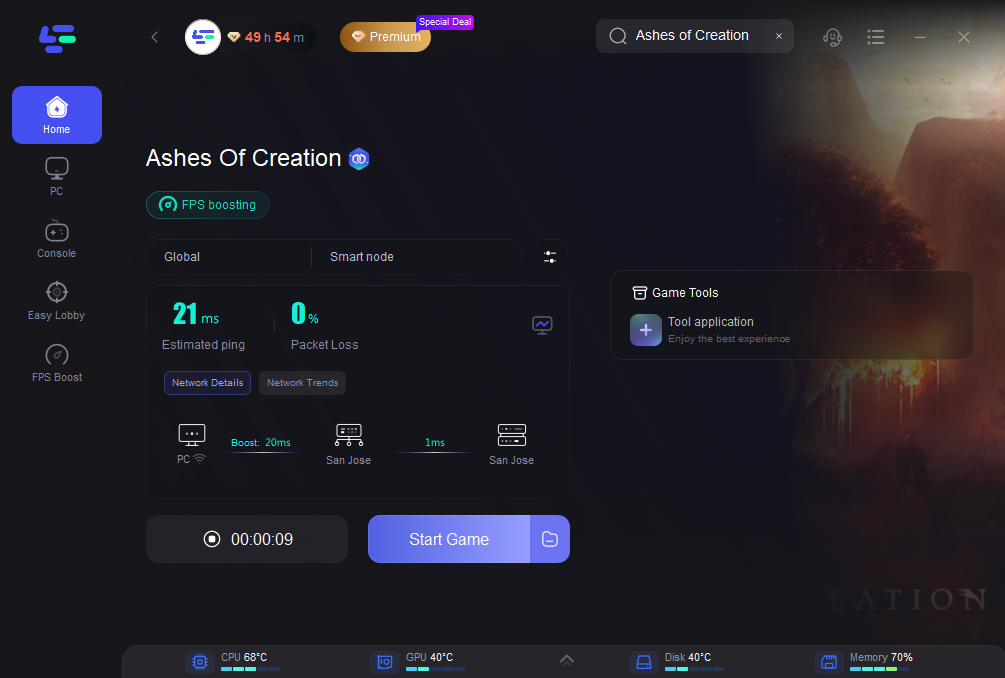
Step 3: Once LagoFast has completed its network optimization, return to the game and enjoy an enhanced gaming experience.
Conclusion
Ashes of Creation is shaping up to be one of the most ambitious MMORPGs ever created, offering a world where players directly influence political systems, cities, and economies. However, the complexity of this evolving world makes tools like the Ashes of Creation interactive map indispensable.
In addition, if you want to join other Ashes of Creation servers or are struggling with high ping, make sure to run LagoFast while playing to fully prepare yourself for a flawless gaming experience.
Boost Your Game with LagoFast for Epic Speed
Play harder, faster. LagoFast game booster eliminates stutter and lags on PC, mobile, or Mac—win every match!
Quickly Reduce Game Lag and Ping!
Boost FPS for Smoother Gameplay!