
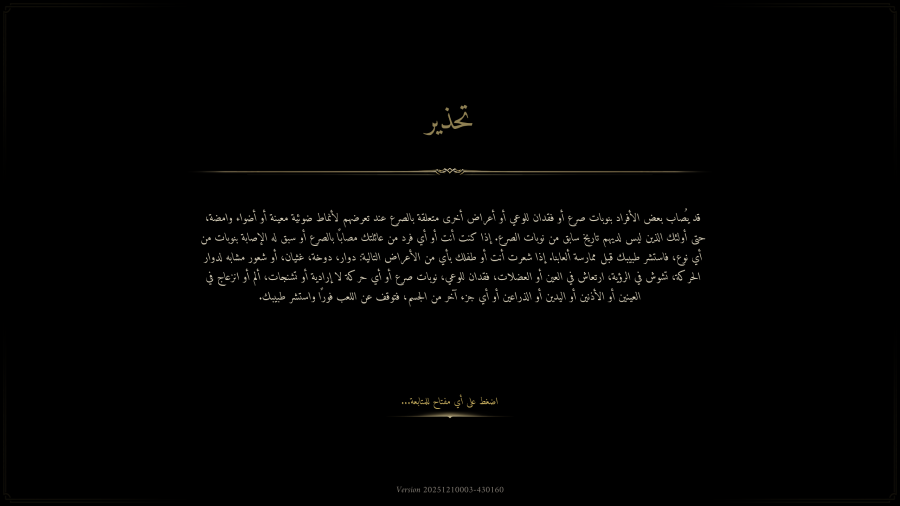
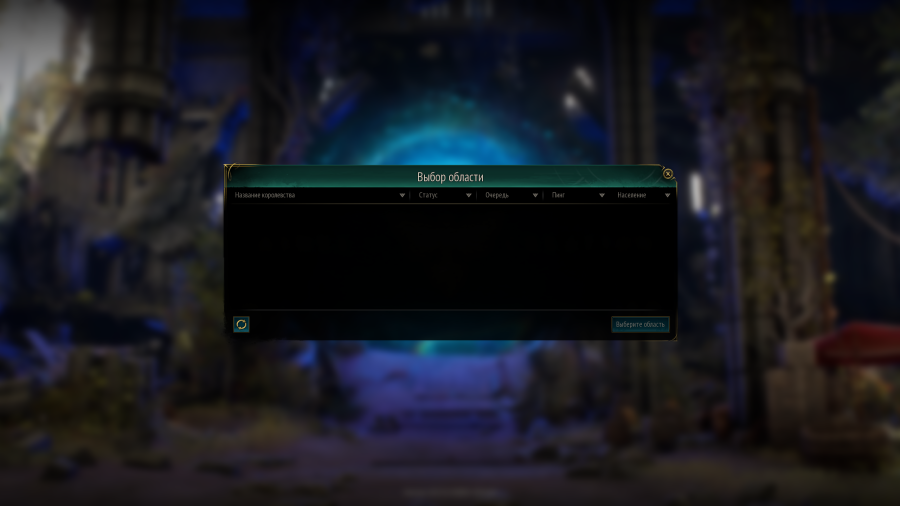
The translation effect is shown as follows:
Ashes of Creation is one of the most anticipated MMORPGs worldwide, known for its dynamic world and immersive gameplay. However, not all languages are officially supported at launch, which can make it difficult to fully enjoy quests, item descriptions, or social interactions. Understanding which languages are available and how to navigate unsupported languages is key to a smooth experience.

Part 1: Ashes of Creation Release Date
Part 2: What Languages Does Ashes of Creation Support?
Part 3: The Best Translation Tool to Play Ashes of Creation Globally Smoothly
Ashes of Creation is officially launching in Early Access on Steam on December 11, 2025. Players can add it to their wishlist to receive updates on patch notes, upcoming events, and early access announcements. During Early Access, players will be able to explore specific zones, complete quests, and participate in community events while giving feedback that may help shape future development.
However, even with this early opportunity, all players face a common challenge: the game only supports English. This means quests, items, NPC dialogues, and system messages are not localized, which can create obstacles for non-English speakers and negatively affect the gameplay experience.
Currently, Ashes of Creation only supports English in-game.
This limitation means players whose native language isn’t English may struggle to understand quests, item stats, or world events. For these players, using a reliable translation solution becomes essential to fully enjoy Ashes of Creation.
Players whose native language isn’t officially supported—such as Portuguese players and others—often face difficulties understanding quests, item descriptions, NPC dialogue, or system messages. LagoFast’s one-click translation tool provides a far more seamless solution.
With this tool, LagoFast automatically generates a fully translated text file and places it directly into the game’s resource directory. By replacing the original in-game text assets, the translated content becomes fully integrated into the game interface. Players no longer need to translate lines one by one. Instead, the entire UI, dialogue, and descriptions appear in their preferred language from the moment the game loads.
The LagoFast one-click translation tool currently supports a wide range of languages, including Russian, Brazilian Portuguese, German, French, Arabic, Turkish, Japanese, Vietnamese, and Thai.
It is worth noting that some in-game text types—such as certain story-related narrative content—are not yet supported by the LagoFast one-click translation tool. But there is no need to worry. LagoFast is continuously improving the tool and remains committed to delivering the best possible gaming experience.
Beyond translation, LagoFast also improves gameplay performance by stabilizing your network, reducing ping, and optimizing device performance—especially useful when playing on overseas servers. Even while using the one-click translation tool, LagoFast continues to reduce lag and fix high ping at the same time. Combining full-interface translation with game boosting ensures a smooth, uninterrupted gameplay experience.
Step 1: Begin by clicking the Free Trial button to download and install the LagoFast Free Trial.
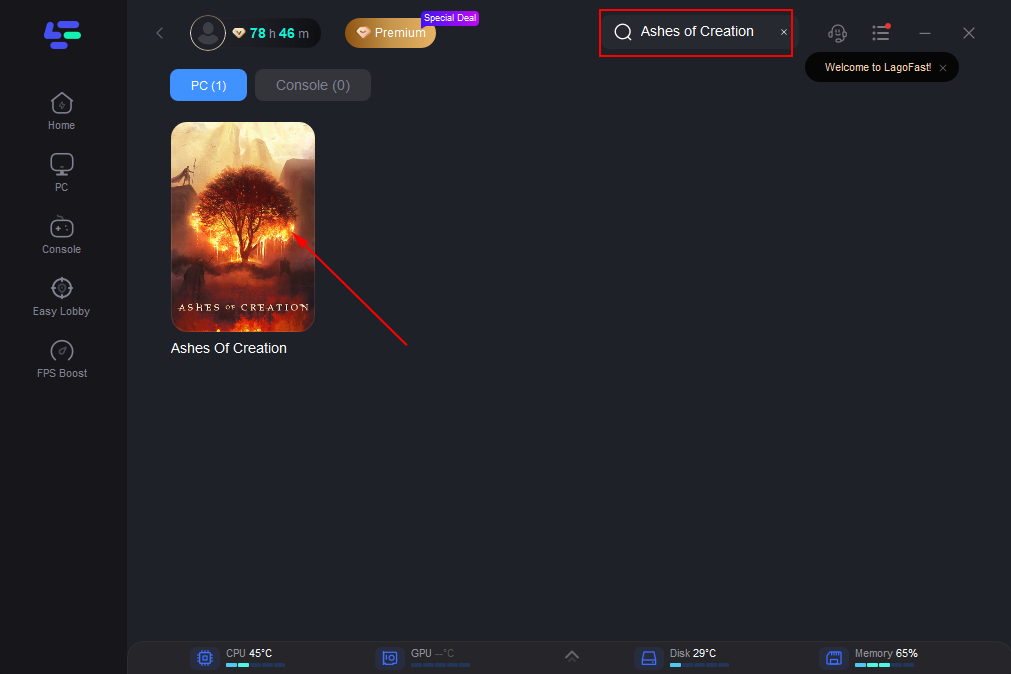
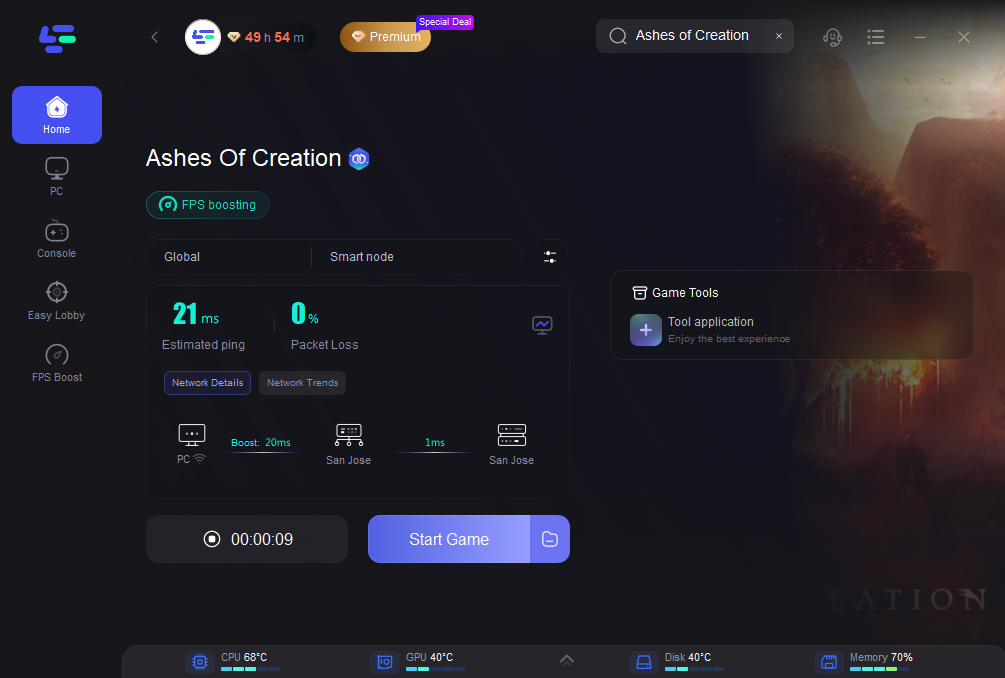
Step 2: Open LagoFast and use the search bar to find Ashes of Creation
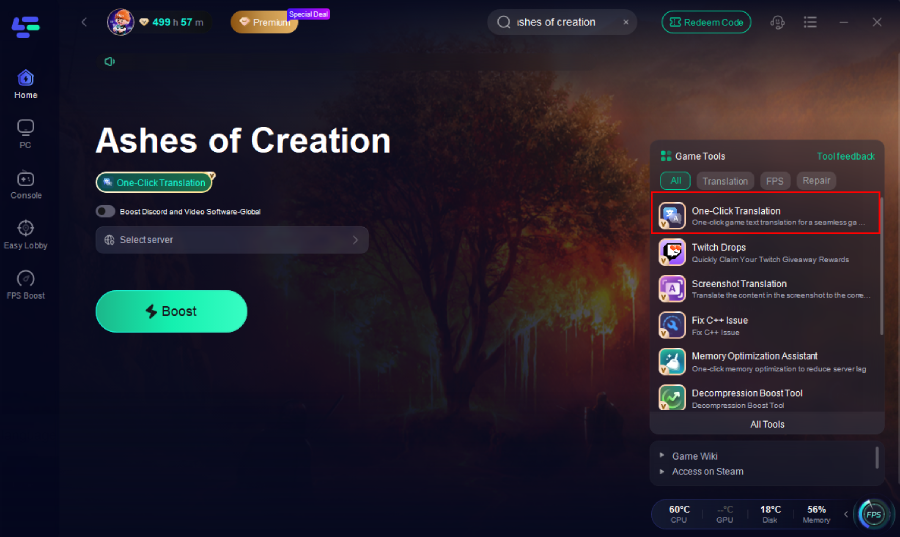
Step 3: Click the One-Click Translation button on the right side of the screen.
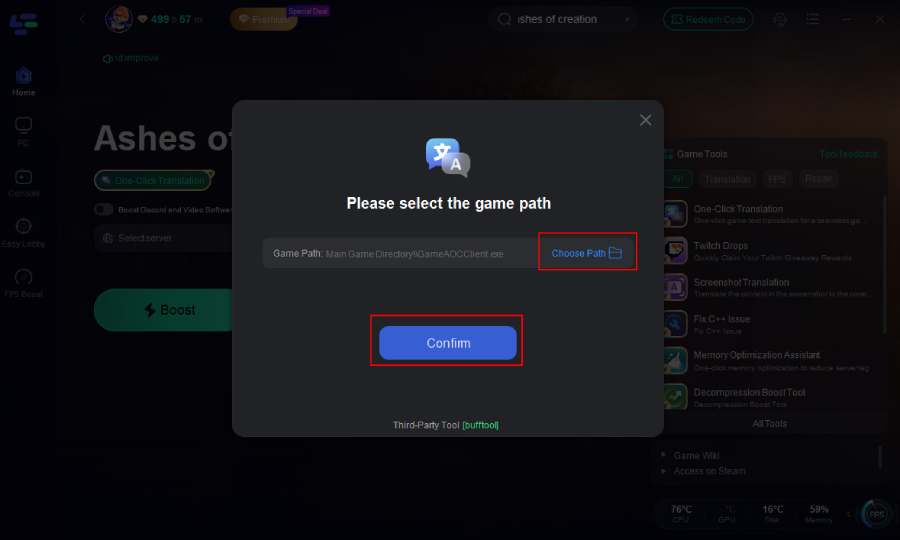
Step 4: Select game file path and install the translated text file.
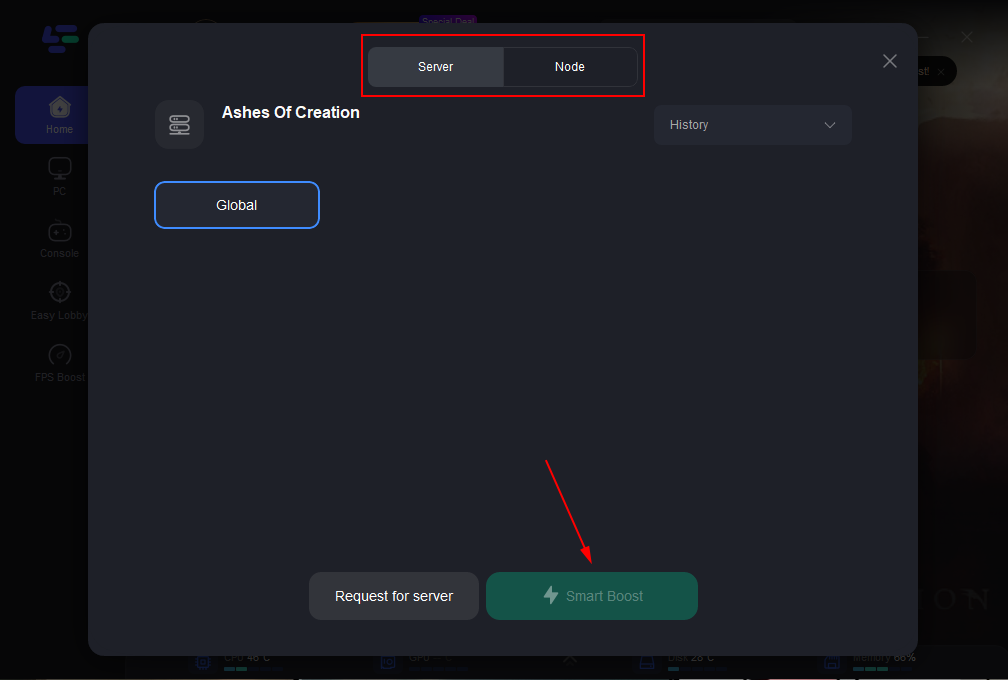
Step 5: Select the best server route automatically based on your location.
Step 6: Launch Ashes of Creation through LagoFast and enjoy smooth gameplay.
Ashes of Creation offers a deep and immersive MMORPG experience, but limited language support—currently only English—creates obstacles for many global players. Tools like LagoFast help bridge this gap by translating in-game text in real time and optimizing network performance.
By using LagoFast, players can overcome language barriers, reduce lag, and stay focused on quests, items, and world events without disruption—ensuring a smoother, more enjoyable experience throughout the world of Ashes of Creation.

Play harder, faster. LagoFast game booster eliminates stutter and lags on PC, mobile, or Mac—win every match!
Quickly Reduce Game Lag and Ping!
Boost FPS for Smoother Gameplay!