
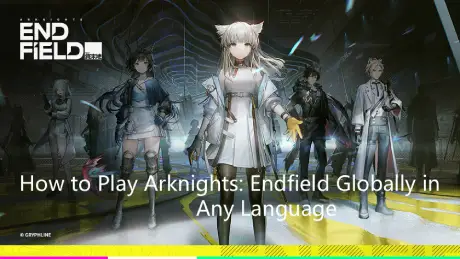
Arknights: Endfield isn’t just a spin-off—it’s a full-scale 3D RPG with deep systems, heavy story content, and a screen full of information at all times. Set in a richly detailed world, players can explore diverse environments, engage in strategic battles, and interact with a wide cast of characters, each with unique abilities and backstories. The game’s complex mechanics and layered systems make it both challenging and rewarding, offering a truly immersive experience for RPG enthusiasts. For players whose language isn’t fully supported, menus, skill descriptions, and mission objectives can be overwhelming, making mistakes easy.
This guide covers the game’s release timeline, official language support, and how a translation tool can help you understand skills, mechanics, and story more clearly.

- ✅ Reduce Lag and High Ping.
- ✅ Boost FPS at the Same Time.
- ✅ Support 2000+ Popular Online Games.
- ✅ Change Server All over the World.
- ✅ Ensure Stable Server Connection.
Part 1: Arknights: Endfield Release Date
Part 2: What Languages Does Arknights: Endfield Support?
Part 3: The Best Translation Tool to Play Arknights: Endfield Smoothly
Part 1: Arknights: Endfield Release Date
The global open beta for Arknights: Endfield is set for January 22, 2026, on PC, PlayStation 5, and mobile (iOS & Android).
The game has already entered its second large-scale beta test, starting on November 28, 2025, for PC, iOS, and Android. This beta gave players a first look at its deep systems, story-rich content, and complex interface.
Many players noticed that unclear skill descriptions and confusing mechanics posed challenges—especially if their language wasn’t fully supported. This highlights the importance of language accessibility for enjoying the game smoothly.
Part 2: What Languages Does Arknights: Endfield Support?
Arknights: Endfield officially supports multiple languages:
- Game Language: Simplified Chinese, Traditional Chinese, English, Japanese, Korean, Spanish, and Russian.
- Voice Language: Mandarin, English, Japanese, and Korean.
It’s a solid list, but if your language isn’t on it—like French, German, or Portuguese—players can quickly become overwhelmed by long skill descriptions, system explanations, and event text. Using Japanese or Chinese voices with English UI can also create mismatches between subtitles, voice lines, and interface.
Part 3: The Best Translation Tool to Play Arknights: Endfield Smoothly
If you want to enjoy Arknights: Endfield smoothly, language can be a real barrier. For players in unsupported regions, menus, skills, and systems can be confusing.
LagoFast’s One-Click Game Translator is a great choice—it instantly translates in-game text with context-aware accuracy, helping players understand menus, skill descriptions, and mission objectives in real time. Currently, it supports Turkish, and additional languages are being rolled out gradually to cover more regions worldwide.
It doesn’t stop at translation—LagoFast also reduces ping, stabilizes your network, optimizes routing, and boosts FPS. No matter what platform you play on, it helps you play smoothly, understand the game fully, and enjoy Arknights: Endfield without language or technical frustrations.
How to Use the LagoFast Arknights: Endfield Translation Tool on PC:
Step 1: Click the Free Trial button to download and install LagoFast.
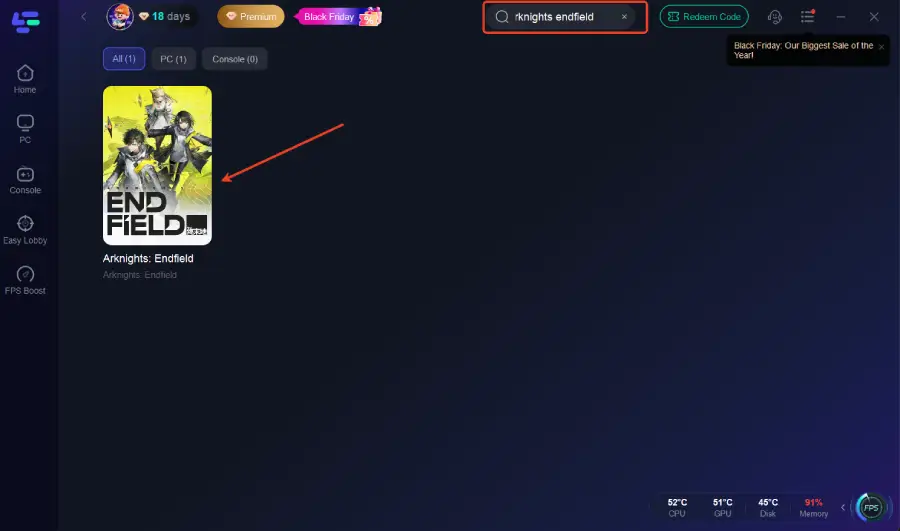
Step 2: Open LagoFast and use the search bar to find Arknights: Endfield.
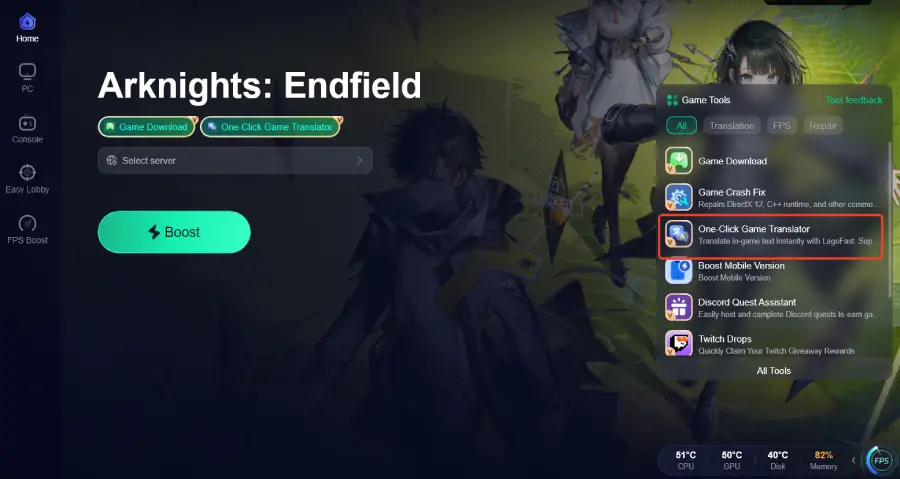
Step 3: Activate the Translation Tool—Click the One-Click Game Translator icon in LagoFast.
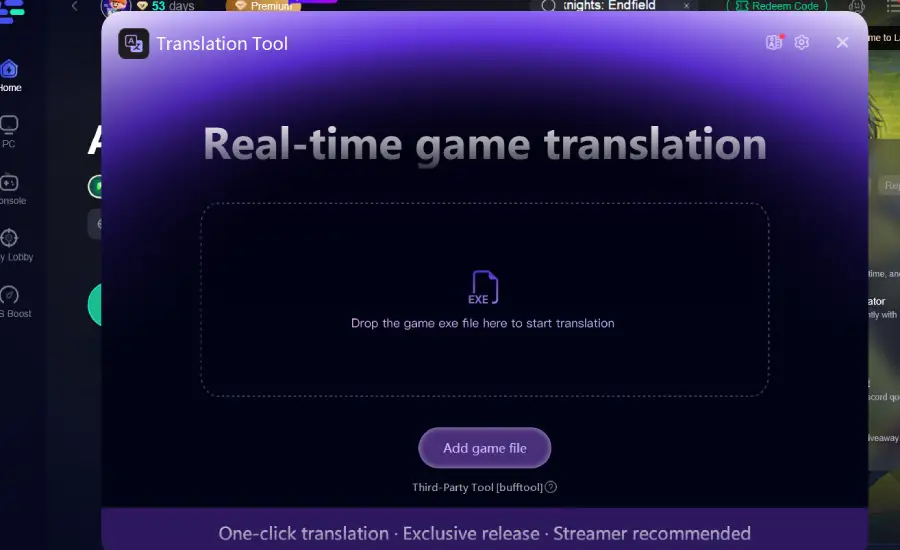
Step 4: Drop the game exe file here to start for instant translation.
Step 5: Select the best server route automatically based on your location.
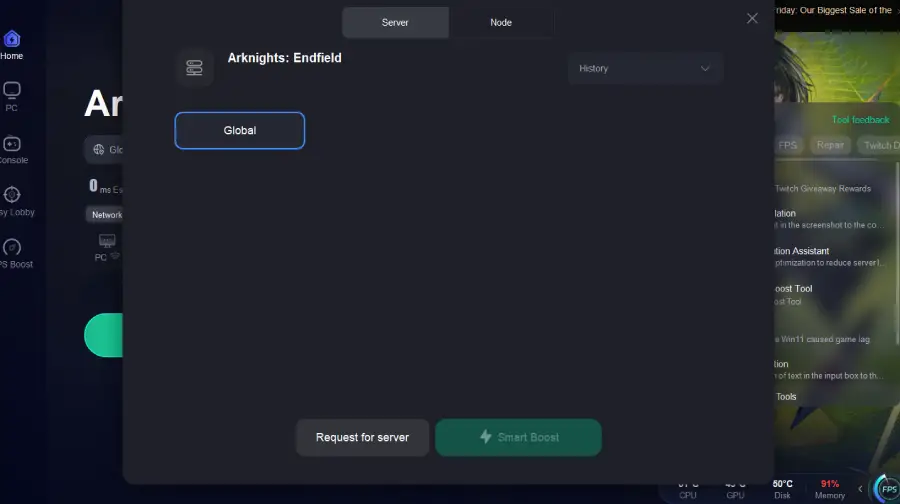
Step 6: Launch Arknights: Endfield through LagoFast and enjoy smooth gameplay.
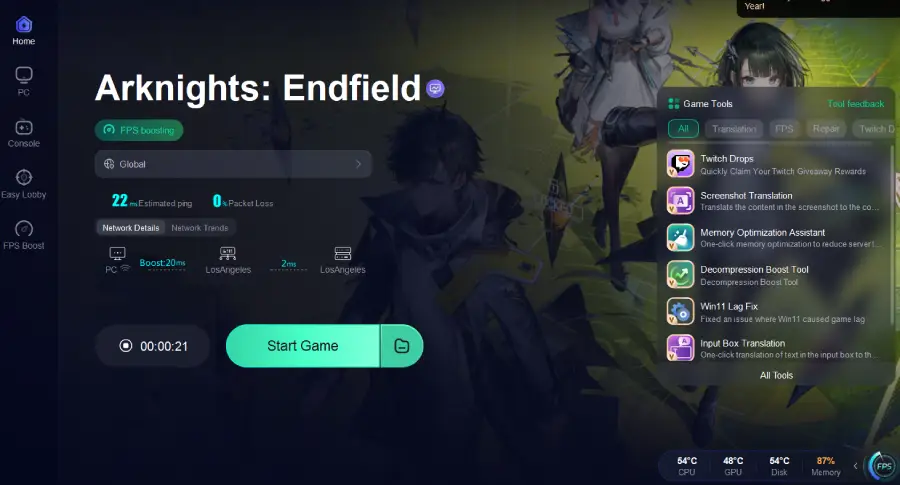
The translation effect is shown as follows:
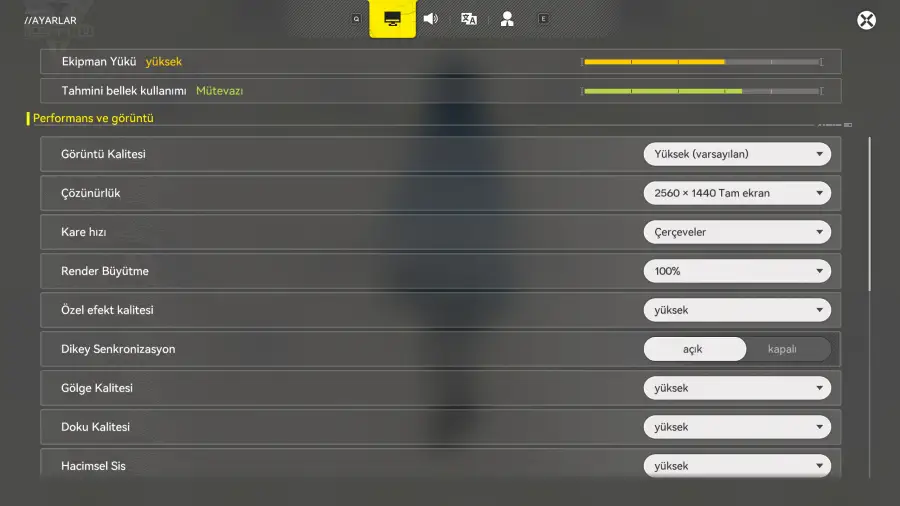
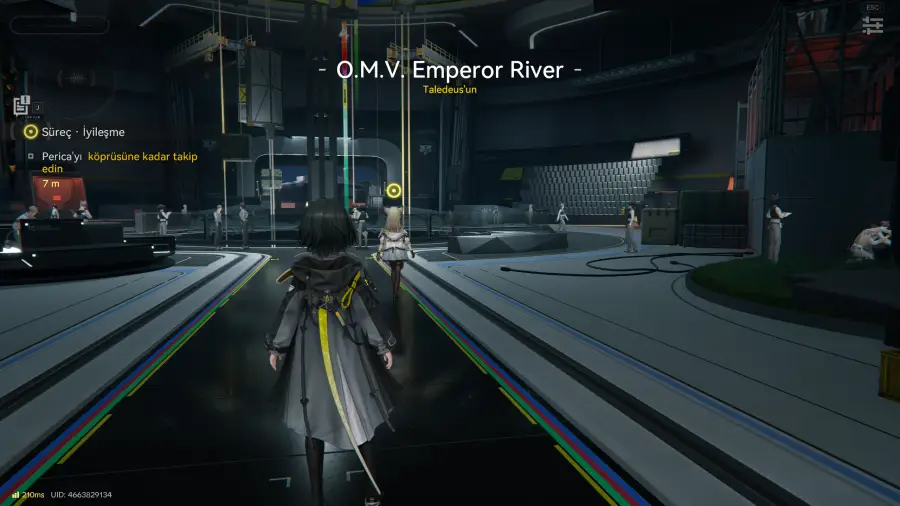
How to enhance gaming experience in Arknights: Endfield on Mobile:
Step 1: Search “LagoFast Mobile booster” in the Google App Store or Apple App Store. Alternatively, click here to download the APK File.
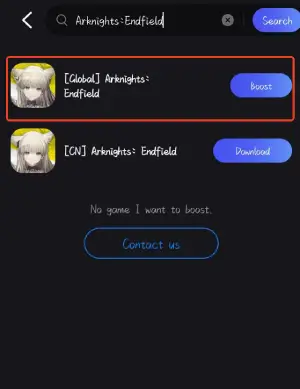
Step 2: Launch LagoFast Mobile APP and search Arknights: Endfield and click it.
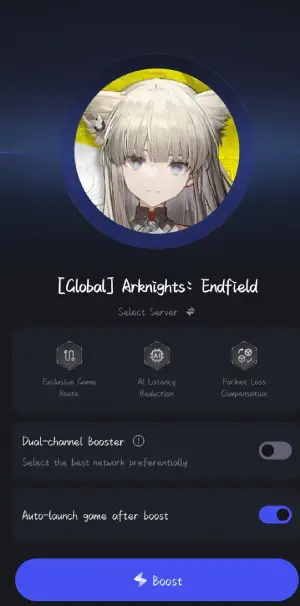
Step 3. Pick the server that suits your region or gameplay needs.
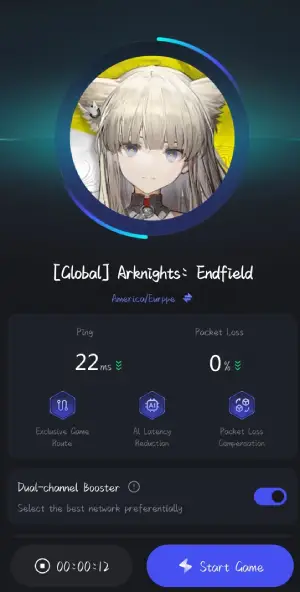
Step 4. Tap boost to see real-time ping and packet loss rate as LagoFast optimizes your connection.
Conclusion
Arknights: Endfield is a rich 3D RPG with deep systems and a story-heavy interface. Players whose language isn’t fully supported may find menus, skills, and mission objectives confusing.
By understanding the release timeline, official languages, and potential language barriers, global players can fully enjoy the game.
With LagoFast, you can translate in-game text instantly, optimize your connection, and experience Arknights: Endfield smoothly, no matter where you are.
Boost Your Game with LagoFast for Epic Speed
Play harder, faster. LagoFast game booster eliminates stutter and lags on PC, mobile, or Mac—win every match!
Quickly Reduce Game Lag and Ping!
Boost FPS for Smoother Gameplay!