
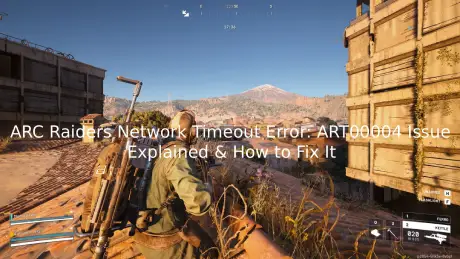
Recently, many players have been unable to log into ARC Raiders due to persistent network timeout errors and the ART00004 error code, even after restarting the game, console, or router. Reports across platforms indicate that this is not an isolated issue. Players on PC, PS5, Xbox, and Steam Deck have all experienced the same ARC Raiders network timeout issue, while other games continued to work normally.
If you're facing the ARC Raiders network timeout error, this guide explains what happened, why it occurs, and how to fix ARC Raiders network timeout issues effectively.

- ✅ Reduce Lag and High Ping.
- ✅ Boost FPS at the Same Time.
- ✅ Support 2000+ Popular Online Games.
- ✅ Fix High Ping Easily
- ✅ Change Server without Latency
Part 1: What Happened With ARC Raiders Servers Recently?
Part 2: ARC Raiders Network Timeout ART00004 — Why It Happens
Part 3: Why the ARC Raiders Network Timeout Error Feels So Frustrating
Part 4: How to Fix Network Timeout ARC Raiders Issues
Part 5: How LagoFast Helps With ARC Raiders Network Timeout
Part 1: What Happened With ARC Raiders Servers Recently?
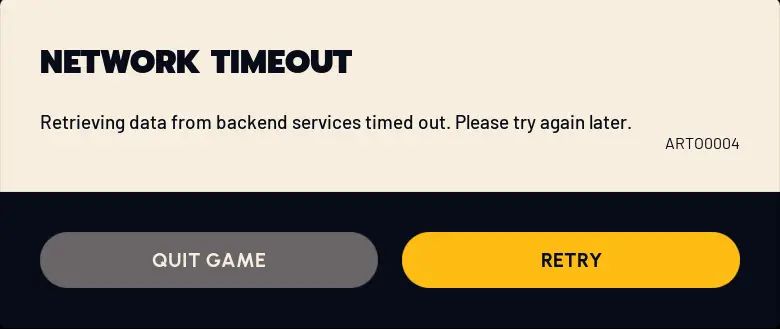
Players began reporting intermittent login failures, which quickly escalated into widespread connectivity issues. Many users described what appeared to be partial or complete server outages.
The most common symptoms included:
- Login failures with ART00004 error
- Repeated “Network timeout expired” messages
- Getting stuck on the “Queue” screen indefinitely
- Failure to reconnect after being disconnected
- Cross-platform login failures (PC, PS5, Xbox)
The clustering of reports suggests a backend-related incident rather than isolated user-side issues.
Part 2: ARC Raiders Network Timeout ART00004 — Why It Happens
The ART00004 error became one of the most commonly reported problems during this period.
Players experienced:
- Errors appearing during login attempts
- Failures occurring after “retrieving backend data”
- No improvement after restarting the game or system
Many users on Steam described being unable to even reach the main menu, with the error persisting despite DNS changes, restarts, and full system reboots.
What Does ART00004 Mean?
The ARC Raiders network timeout ART00004 error is typically a backend timeout rather than a client-side issue.
This means:
- The game client is working correctly
- The issue occurs when the client fails to receive a timely response from the servers
- It is usually caused by overloaded, unstable, or unresponsive backend services
If this were a local issue, fixes would vary per user. However, thousands of players experiencing the same ARC Raiders network timeout error PC and PS5 simultaneously strongly indicates a server-side problem.
Network Timeout Issues in ARC Raiders
Closely related to ART00004 is the broader ARC Raiders network timeout issue, often displayed as:
- “Network timeout expired”
- Connection drops during login or loading
- Inability to reconnect after disconnection
Reports came from multiple regions, including North America, Europe, Asia, and Australia, across different ISPs. This global distribution further confirms that the issue is not tied to individual internet connections.
ARC Raiders Network Timeout Error Across Platforms
One of the strongest indicators of a backend issue is that the ARC Raiders network timeout error affected all platforms simultaneously:
- PC players could not log in
- PS5 users encountered the same errors
- Xbox players experienced identical connection failures
When multiple platforms fail at the same time, the root cause is almost always server-side rather than hardware or local network configuration.
Queue Problems in ARC Raiders
Another common complaint was being stuck in the queue screen.
The issue wasn’t the queue itself, but the lack of transparency:
- No visible queue position
- No estimated wait time
- No confirmation that progress was being made
This led many players to believe the game had frozen, when in reality the system was simply overloaded.
Part 3: Why the ARC Raiders Network Timeout Error Feels So Frustrating
Because ARC Raiders is an extraction-based shooter, disconnections are more punishing than in typical multiplayer games.
Players reported:
- Disconnections during active sessions
- Loss of progress after reconnecting
- Missing gear or inventory items
Even the possibility of losing progress made the ARC Raiders network timeout error especially frustrating for players.
Why Local Fixes Often Don’t Work
During widespread outages, many players attempted common troubleshooting steps:
- Restarting the game or Steam
- Rebooting PC or console
- Resetting the router
- Changing DNS settings
- Verifying game files
- Reinstalling the game
These steps are logical, but when the issue is server-side, they rarely resolve the problem.
Key Pattern:
- When servers are unstable, none of the local fixes consistently work
- When servers recover, players can suddenly log in without changing anything
This clearly indicates backend instability rather than client-side faults.
Part 4: How to Fix Network Timeout ARC Raiders Issues
While you cannot fix a fully down server, you can improve your connection when servers are online but unstable.
Best Practices to Reduce ARC Raiders Network Timeout Error
- Ensure a stable internet connection
- Avoid peak-hour congestion if possible
- Use a wired connection instead of Wi-Fi
- Close background applications consuming bandwidth
Part 5: How LagoFast Helps With ARC Raiders Network Timeout
When dealing with ARC Raiders network timeout error PC, PS5, or other platforms, routing instability can contribute to connection failures even when servers are partially operational.
LagoFast helps by:
- Optimizing network routes to ARC Raiders servers
- Reducing packet loss and latency spikes
- Stabilizing connections during login and queue stages
- Improving routing through congested ISP paths
Important Notes:
- LagoFast cannot fix fully offline servers
- It is most effective when servers are online but experiencing instability or overload
How to Use LagoFast for ARC Raiders
Step 1: Click the Free Trial button to download and install LagoFast.
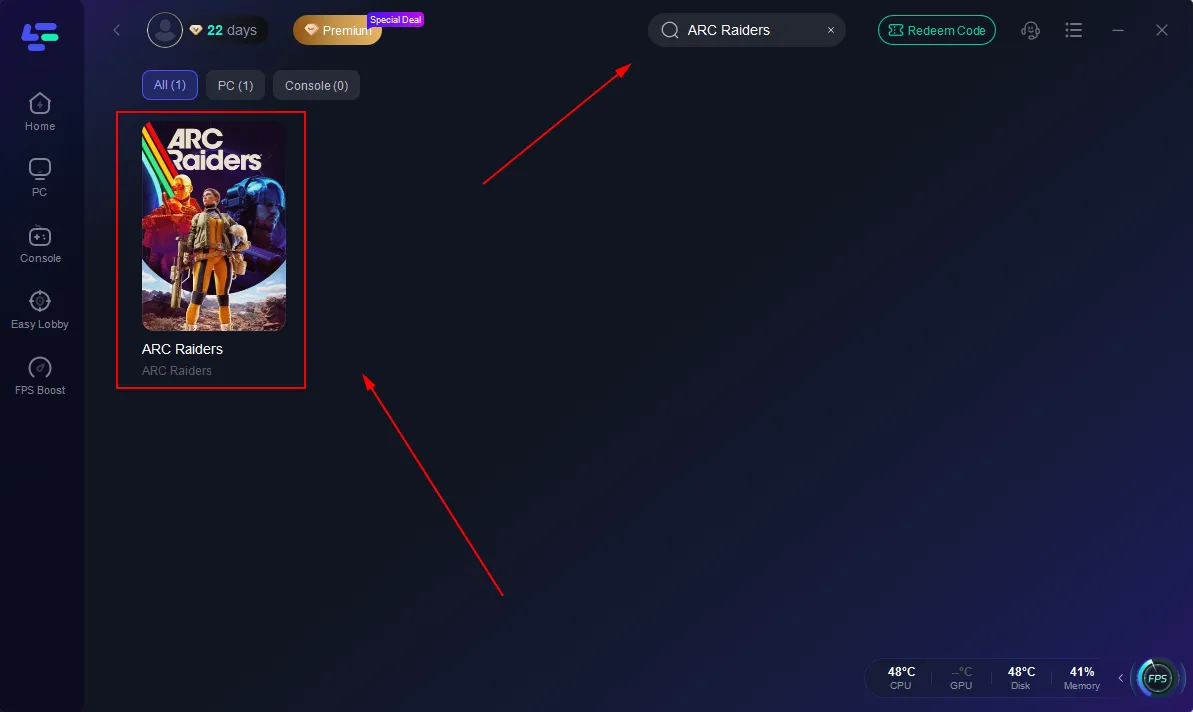
Step 2: After installation, search "ARC Raiders" in the search bar and select the game.
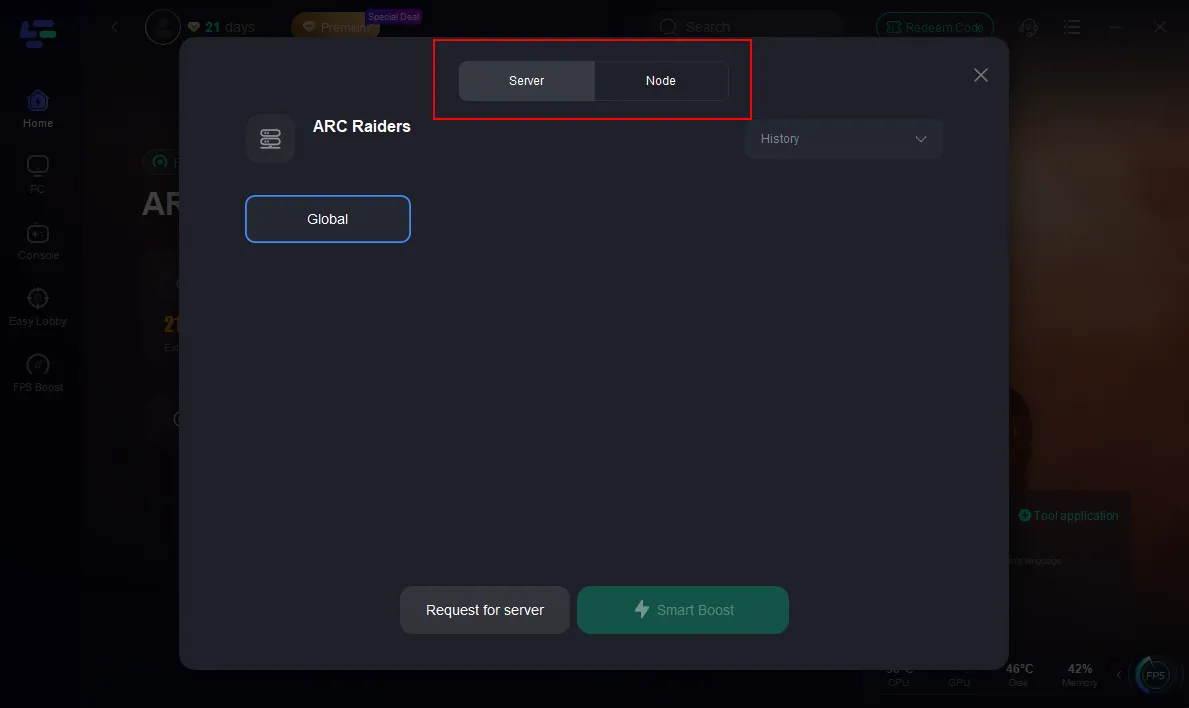
Step 3: Choose a recommended or nearby server region (or auto mode)
Step 4: Click Boost and wait until the status shows Stable/Optimized
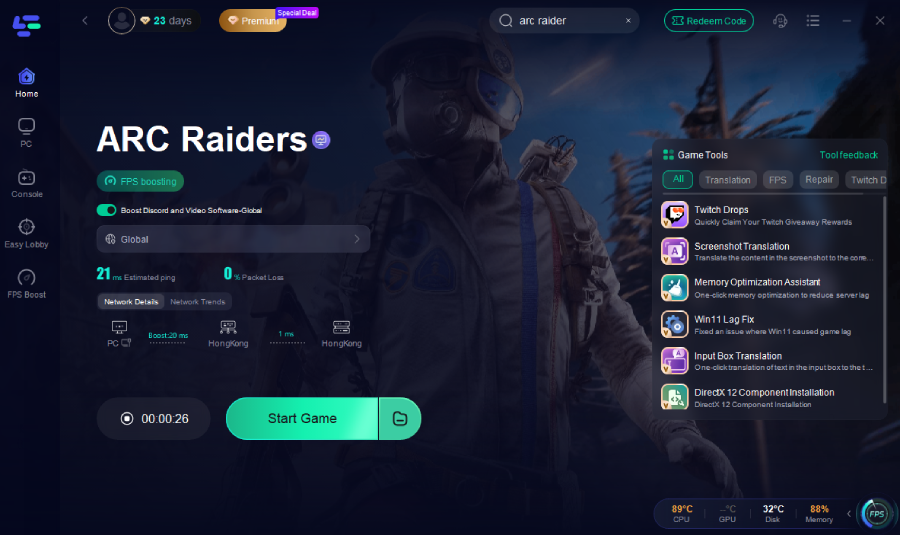
Step 5: Launch ARC Raiders via Steam and try logging in again
If the ARC Raiders network timeout ART00004 error persists:
- Stop Boost
- Switch to a different node or route
- Restart Boost and try again
Conclusion
The ARC Raiders network timeout error, including the ART00004 issue, is primarily tied to backend instability rather than individual devices or setups. When servers are overloaded or unresponsive, players across platforms may experience the same login failures, timeouts, and queue problems. In these situations, basic local fixes often have limited impact. The most practical approach is to ensure a stable connection and, when servers are partially operational, use network optimization tools like LagoFast to improve routing and reduce latency.

Boost Your Game with LagoFast for Epic Speed
Play harder, faster. LagoFast game booster eliminates stutter and lags on PC, mobile, or Mac—win every match!
Quickly Reduce Game Lag and Ping!
Boost FPS for Smoother Gameplay!