
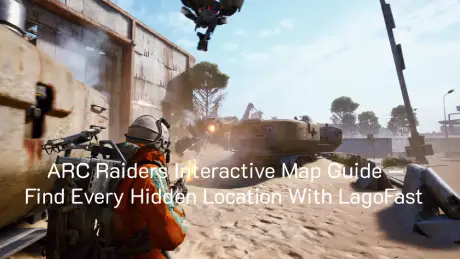
Exploring the ruins of ARC Raiders isn’t just about shooting your way through robots—it’s about knowing the terrain. Between The Dam, Buried City, Spaceport, and Blue Gate, the game’s vertical design and randomized loot spawns make navigation a real challenge.
Luckily, the community has already stepped in to help. Two major interactive map projects—arcraidersmaps.app and metaforge.app—now offer detailed layouts of every known region. Here’s how to use them effectively, and why LagoFast’s Interactive Map Tool takes this experience even further.

- ✅ Reduce Lag and High Ping.
- ✅ Boost FPS at the Same Time.
- ✅ Support 2000+ Popular Online Games.
- ✅ Fix High Ping Easily
- ✅ Change Server without Latency
Part 1. What the Community Has Built So Far
Part 2. How to Use These Maps Efficiently
Part 3. Common Problems Players Face
Part 4. LagoFast Interactive Map Tool—All-In-One Solution
Part 1. What the Community Has Built So Far
Arcraidersmaps.app — The Dam and Beyond
Created by OkSpinach5931, this project started during the last playtest. Every marker, screenshot, and coordinate was manually placed after hours of analyzing recorded gameplay and YouTube footage from creators like Shroud and XenthorX.
Main features:
- Clean, high-resolution map of The Dam Battlegrounds
- Category filters for loot, quests, and locked rooms
- Search function for named locations
- Attached screenshots for easier visual identification
- Optional overlays showing ARC patrol areas and regional loot reputation
- Fully customizable icons, background sizes, and layout options
- Manual bookmarking and export for personal progress tracking
Future plans include Buried City, Spaceport, and Blue Gate, each updated as new data becomes available. The author also confirmed that outdated pre-release locations will be marked separately, so players can easily tell which data is current.
“Most locations were gathered from my playtest recordings, others from community videos—all added manually.” — OkSpinach5931
Metaforge.app—Maps + Skill Builder + Tier Lists
Led by Danneh, Metaforge takes a broader approach. Their interactive maps cover all four major regions and integrate directly with gameplay tools, including:
- Skill Builder
- Loadout Planner
- Item Tracker
- Tier Lists for weapons and abilities
Players describe it as smooth, fast, and lightweight compared to other web maps. The team built it using modern frameworks (Svelte for performance), and early feedback from Steam threads shows it runs flawlessly even during launch week.
“Loads fast, smooth UI, no lag—way better than typical map sites.” — Steam user feedback
Metaforge’s maps include loot crates, ARC locations, and event markers, plus spoilers for hidden bunkers and extraction routes. Updates are pushed regularly as the devs populate post-release data.
Part 2. How to Use These Maps Efficiently
If you’re new to ARC Raiders’ world, start with The Dam map on either platform.
Here’s how to make the most of it:
- Identify quest routes first—use the search bar to locate mission areas or key rooms.
- Toggle filters—Turn on loot crates or ARC patrol overlays only when needed, to avoid clutter.
- Adjust icon size and contrast—smaller icons improve clarity when zooming out.
- Export your markers—both sites let you back up saved points for future sessions.
- Check version tags—look for the label showing whether the data was collected pre-release or updated post-launch.
These small tweaks make exploration smoother and prevent confusion when comparing different versions of the same region.
Part 3. Common Problems Players Face
Even with great maps, many players encounter the same issues:
- Slow map loading due to high-resolution tiles or overseas hosting.
- Language barriers, since most notes and tooltips are in English.
- Lag spikes when switching between browser tabs during gameplay.
- Outdated information in older cached versions.
That’s why serious explorers have started using LagoFast Game Booster—not just for lower ping in-game, but for faster, smarter access to these interactive maps.
Part 4. LagoFast Interactive Map Tool—All-In-One Solution
LagoFast has integrated a dedicated Interactive Map Tool designed for games like ARC Raiders.
Instead of running heavy browser tabs or dealing with translation plug-ins, players can now view and interact with these maps directly inside the LagoFast client with real-time translation and optimization.
Key Advantages:
- Faster Loading: LagoFast’s smart routing reduces map loading time, even when accessing from other regions.
- Instant Translation: Built-in overlay instantly translates English map text, quest markers, or loot descriptions into your language.
- Low-Latency Browsing: Map tiles and overlays load through optimized network routes, avoiding connection drops.
- Seamless In-Game Overlay: Check the map on-screen without alt-tabbing.
- Data Sync: Save marked locations and restore them across devices.
It’s the perfect combination of a game booster and exploration companion, ensuring your maps, servers, and routes stay synced and smooth.
Part 5. How to Set It Up
Step 1. Download LagoFast
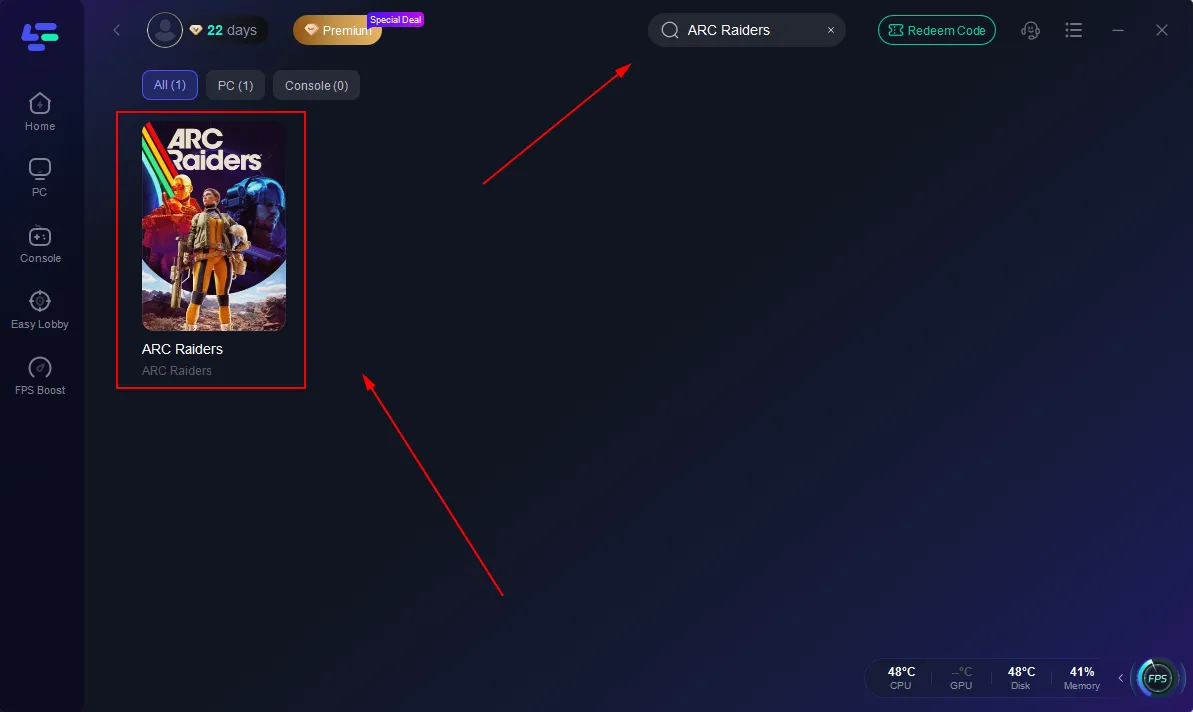
Step 2. Search for ARC Raiders in the game list
Step 3. Enable Interactive Map Mode
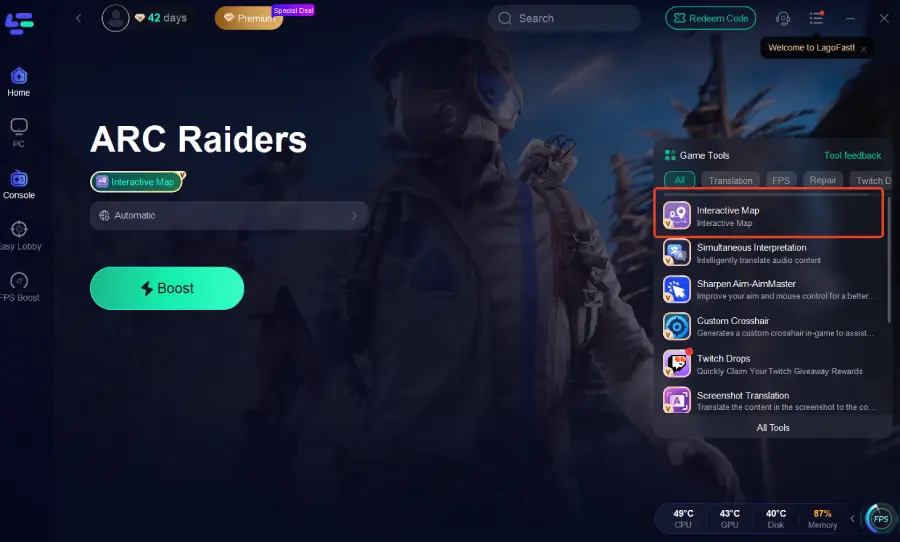
Under the Tools tab, open Interactive Map → choose your region (Dam, Buried City, Spaceport, Blue Gate).
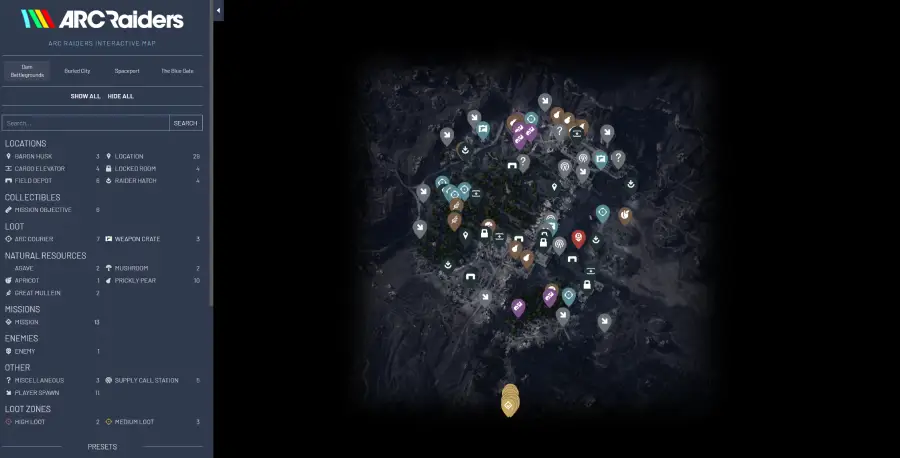
Step 4. Translate & Navigate
Hover over any tooltip or English text to auto-translate it. You can also mark points, filter icons, and export your personalized layout.
Step 5. Keep LagoFast Running
While exploring, LagoFast stabilizes your network and ensures the map stays responsive even when the main game is syncing data.
Final Thoughts
The ARC Raiders community has done an incredible job building detailed, living maps for one of the most complex sci-fi worlds in recent memory.
But if you want instant access, live translation, and zero lag, the LagoFast Interactive Map Tool is your next essential upgrade.
Boost Your Game with LagoFast for Epic Speed
Play harder, faster. LagoFast game booster eliminates stutter and lags on PC, mobile, or Mac—win every match!
Quickly Reduce Game Lag and Ping!
Boost FPS for Smoother Gameplay!