
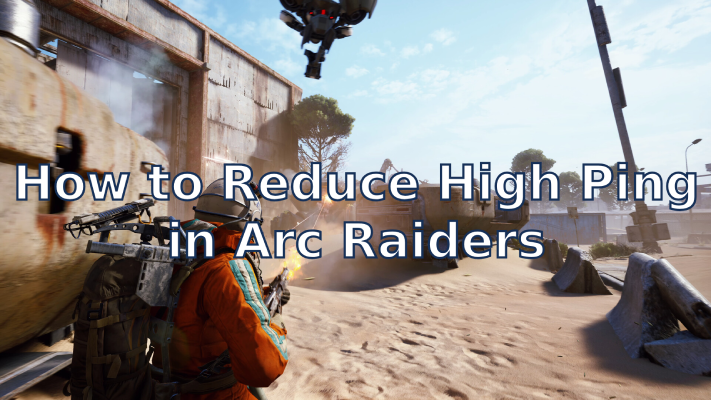
If you’ve been diving into ARC Raiders and suddenly find your shots landing seconds late or your character rubber-banding across the screen — yeah, that’s not your imagination. It’s high ping.
Many players have been running into ARC Raiders high ping issues lately, and while that’s frustrating, it’s not hopeless. Ping problems can come from your setup, your connection, or the game’s own servers — and with a few smart tweaks, you can make the game run a lot smoother.
Let’s break it down in simple terms: why it happens, how to check it, and how to actually fix it.

- ✅ Reduce Lag and High Ping.
- ✅ Boost FPS at the Same Time.
- ✅ Support 2000+ Popular Online Games.
- ✅ Fix High Ping Easily
- ✅ Change Server without Latency
Part 1: What Causes ARC Raiders High Ping
Part 2: How to Check Your Ping in ARC Raiders
Part 3: Best Ways to Fix ARC Raiders High Ping
Part 4: Extra Optimization Tips
Part 1. What Causes ARC Raiders High Ping
There isn’t just one reason your ping suddenly jumps — it’s usually a mix of small things stacking up. Here are the most common ones players run into:
- Server distance – If the ARC Raiders servers are far from your location, the signal simply takes longer to travel.
- Server overload – Too many players connecting at once can overload the server and slow everyone down.
- Unstable routing – Sometimes your ISP sends your data through a long, inefficient route before it reaches the game server.
- Local congestion – Other people in your house streaming, downloading, or gaming can eat up your bandwidth.
- Firewall or antivirus interference – Overly strict security software can delay or block game packets.
- Outdated drivers or hardware limits – Old network drivers or high CPU load can cause small but noticeable lag.
Since ARC Raiders is still relatively new, it’s normal for its servers to not yet be perfectly distributed or optimized worldwide. But that doesn’t mean you’re stuck — there’s plenty you can do on your side to cut that delay down.
Part 2. How to Check Your Ping in ARC Raiders
Before you start tweaking things, find out where the lag is coming from.
- Use the in-game indicator – Most online games show your current ping or a warning icon when latency spikes.
- Run a ping or traceroute test – On Windows or macOS, use the built-in command line to see where your packets slow down.
- Watch your local network – Make sure no one’s downloading big files or streaming in 4K while you’re gaming.
- Compare with other games – If every online game runs fine except ARC Raiders, it’s likely a server-side issue.
Part 3. Best Ways to Fix ARC Raiders High Ping
1. Use LagoFast Game Booster
The easiest way to fight lag is with a reliable game booster like LagoFast. It automatically finds the fastest network route between you and the ARC Raiders servers, cutting down unnecessary hops and reducing packet loss.
LagoFast’s acceleration tech is built for games like ARC Raiders that rely on stable, low-latency connections. Just launch the app, pick ARC Raiders, and let it optimize your route. Most players see an immediate drop in ping and smoother matches — especially if you’re connecting from a region far from the main servers.
How to Use LagoFast to Reduce Ping in ARC Raiders:
Step 1: Click the "Free Trial" button below to download and install the LagoFast for free.
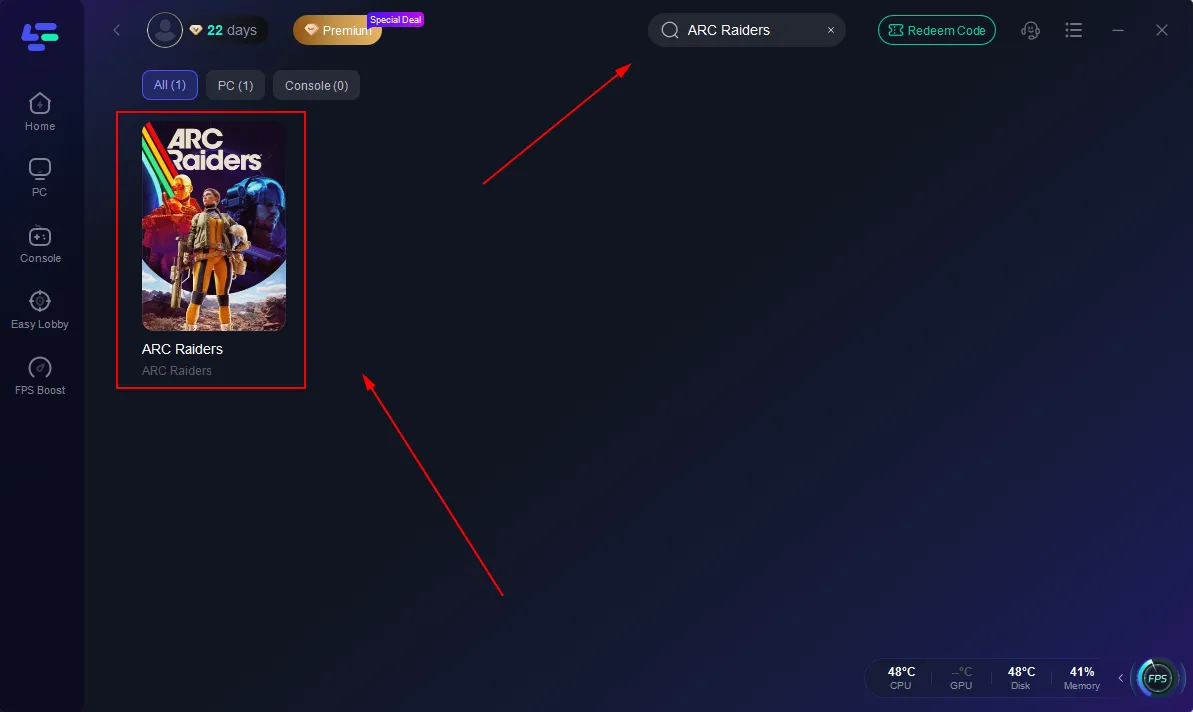
Step 2: Launch LagoFast, seARCh for "ARC Raiders" in the seARCh bar, and select the game.
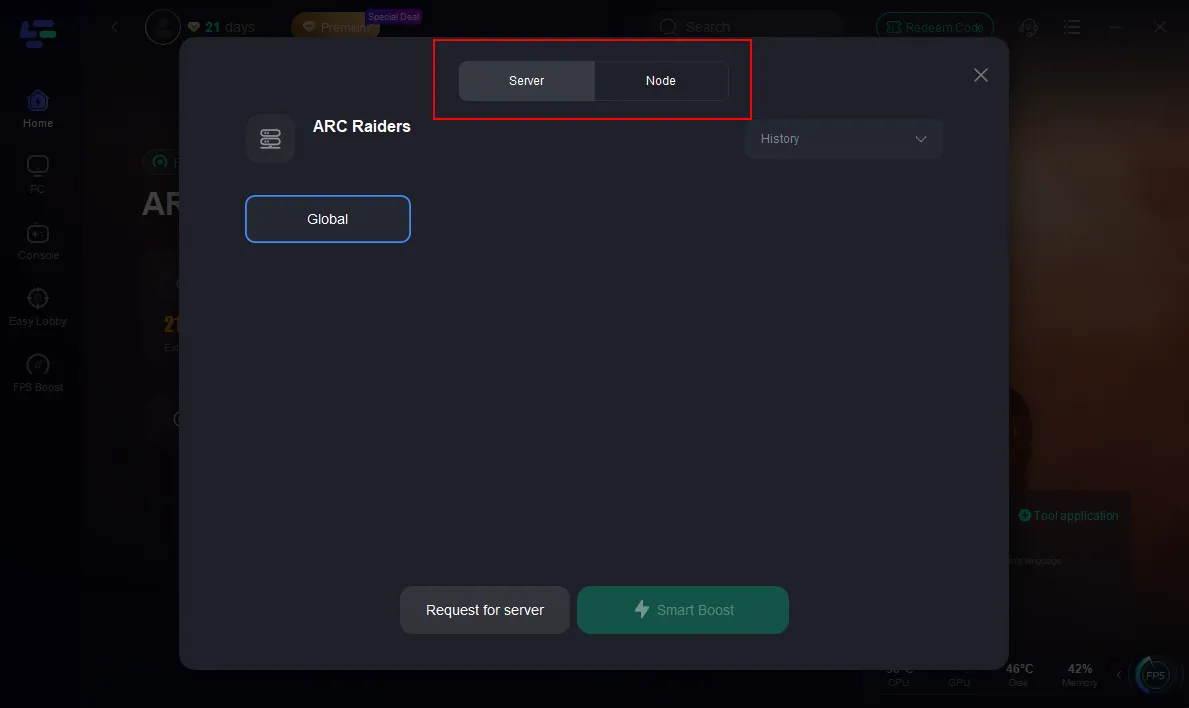
Step 3: Click the "Select Server" button to connect to an stable server node, then activate optimization via "Smart Boost".
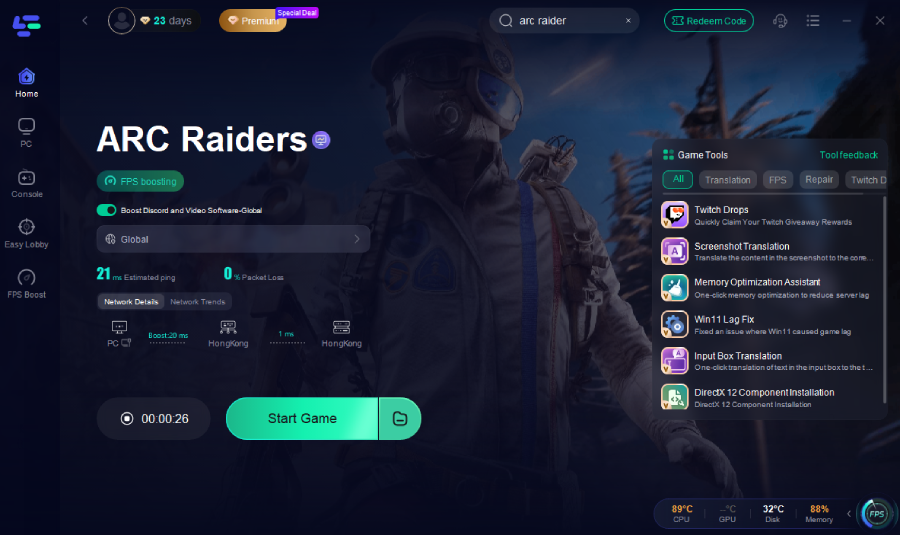
Step 4: After enabling real-time optimization, check the live ping and packet loss rates, then click "Start Game" to begin playing.
2. Switch to a wired connection
WiFi is convenient but unstable. A simple Ethernet cable can shave off 20–50 ms and stop random disconnects or jitter.
3. Close background apps
Streaming, downloads, or cloud sync programs running in the background quietly eat up your bandwidth. Shut them down before gaming.
4. Pick the closest server region
If ARC Raiders allows region selection, choose the one closest to you geographically. Physical distance matters more than you might think.
5. Turn on QoS in your router
Most modern routers have a “Quality of Service” option that lets you prioritize gaming traffic. Once enabled, your game data gets sent first — not the Netflix stream running in another room.
6. Update your drivers and system firmware
Outdated drivers or firmware can cause connection drops or delayed packets. Keep your network adapter and GPU drivers up to date.
7. Restart your modem and router regularly
Sometimes, your internet hardware just needs a quick reset. Rebooting can clear cached data and refresh your IP route for a cleaner connection.
8. Play during off-peak hours
When servers and ISPs are overloaded (usually evenings or weekends), your ping will rise. Playing during quieter times can make a big difference.
Part 4. Extra Optimization Tips
If you’ve done all the basics but still want to push for the best experience, here are a few pro moves:
- Use a static IP on your PC or console to keep routing consistent.
- Keep your router close and your cables short and clean.
- Turn off automatic system or app updates while you play.
- Check ARC Raiders community posts — developers often roll out patches or open new servers to improve stability.
Conclusion
There’s nothing worse than losing a fight because of lag instead of skill. ARC Raiders high ping is a real issue for many players right now, but it doesn’t have to ruin your sessions.
Start with LagoFast Game Booster — it’s the quickest way to stabilize your connection and bring your ping back under control. Combine that with a wired setup, router tweaks, and some smart network management, and you’ll notice a clear difference.
ARC Raiders is still evolving, and as the devs refine their servers, performance will only get better. Until then, take control of your own connection — and get back to enjoying the smooth, responsive gameplay you signed up for.

Boost Your Game with LagoFast for Epic Speed
Play harder, faster. LagoFast game booster eliminates stutter and lags on PC, mobile, or Mac—win every match!
Quickly Reduce Game Lag and Ping!
Boost FPS for Smoother Gameplay!