
ARC Raiders is an exciting sci-fi action game that combines tactical combat, cooperative gameplay, and a rich interstellar storyline. Since its release on October 30, 2025, players worldwide have been diving into intense missions, battling enemies, and exploring futuristic worlds. However, not all players can fully enjoy the game due to limited language support and occasional lag or high ping during online play.
For gamers who want to experience ARC Raiders without these obstacles—especially players in regions without official localization, like Ukraine—tools like Screenshot Translation and Game Acceleration can make a big difference. These features help you understand every mission, dialogue, and item description while keeping gameplay smooth and uninterrupted.

- ✅ Reduce Lag and High Ping.
- ✅ Boost FPS at the Same Time.
- ✅ Support 2000+ Popular Online Games.
- ✅ Fix High Ping Easily
- ✅ Change Server without Latency
Part 1: ARC Raiders Release Date
Part 2: What Languages Does ARC Raiders Support?
Part 3: The Best Translation Tool to Play ARC Raiders Smoothly
Part 1: ARC Raiders Release Date
ARC Raiders launched on October 30, 2025, and is available on PlayStation 5, PC, and Xbox Series X/S.
The game’s sci-fi world, tactical combat, and cooperative gameplay have already attracted global attention—but here’s the catch: language barriers are real.
As thousands of players dive into this interstellar battlefield, many quickly realize one thing—ARC Raiders doesn’t support every language.
Part 2: What Languages Does ARC Raiders Support?
At launch, ARC Raiders supports:
Audio: English
Text: English, Italian, German, French, Simplified Chinese, Traditional Chinese, Japanese, Korean, Polish, Portuguese (Brazil), Spanish (Spain), and Turkish.
That’s a solid list, but there’s a big gap. Players from Ukraine, for instance, have voiced frustration in online communities:
“We love the game, but without Ukrainian text, we can’t follow the story.”
They’re not alone—many gamers from smaller regions face the same problem. You want to dive into ARC Raiders’ deep narrative, but menu text, mission briefings, and item descriptions stay locked in languages you don’t understand.
So, how can you fix that—without waiting for official localization updates?
Part 3: The Best Translation Tool to Play ARC Raiders Smoothly
If you’ve ever struggled to understand mission objectives, item names, or NPC dialogues in ARC Raiders—especially in regions without official localization, like Ukraine—you know how frustrating it can be. Lag, high ping, or unstable FPS can also affect your experience.
LagoFast offers a helpful option: Screenshot Translation for reading in-game text instantly and Game Acceleration for smoother gameplay.
Screenshot Translation
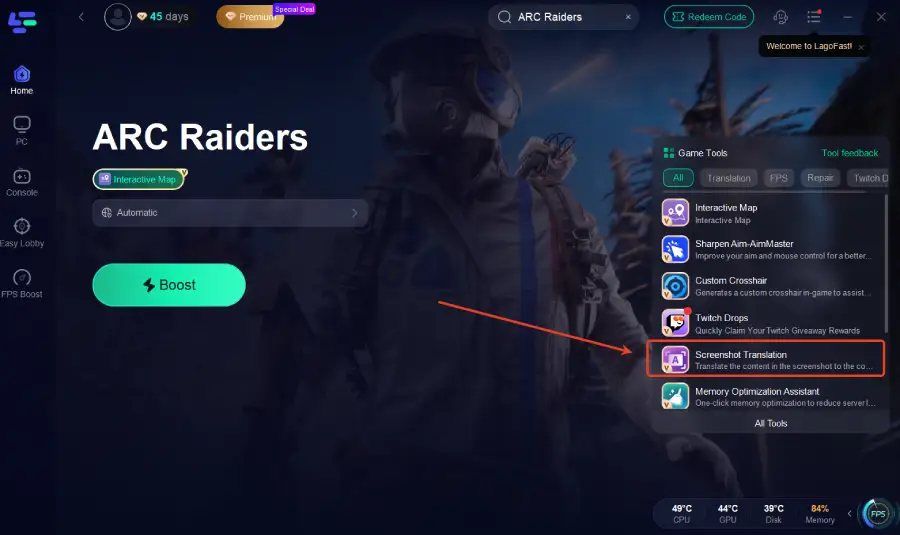
Capture and translate any text on your screen—from NPC dialogues to inventory menus. No copy-paste, no switching apps. Translations appear clearly within seconds, helping you stay immersed in the game.
Game Acceleration
Reduce lag, stabilize high ping, and boost FPS for smoother gameplay on PC, PlayStation 5, and Xbox Series X/S.
These tools can make ARC Raiders easier to follow and more enjoyable, without interrupting your sessions.
How to Use Screenshot Translation and Game Acceleration
Step 1: Begin by clicking the Free Trial button to download and install the LagoFast Free Trial.
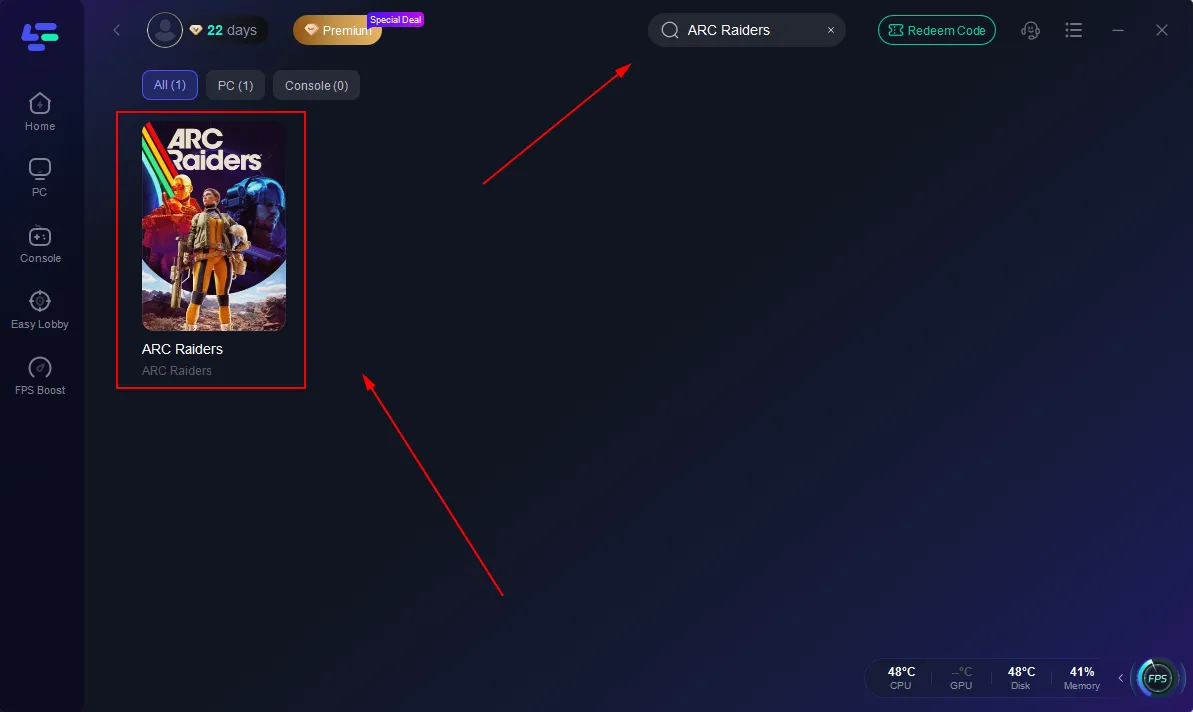
Step 2: Open LagoFast and use the search bar to find ARC Raiders
Step 3: Click the Screenshot Translate button on the right side of the screen.
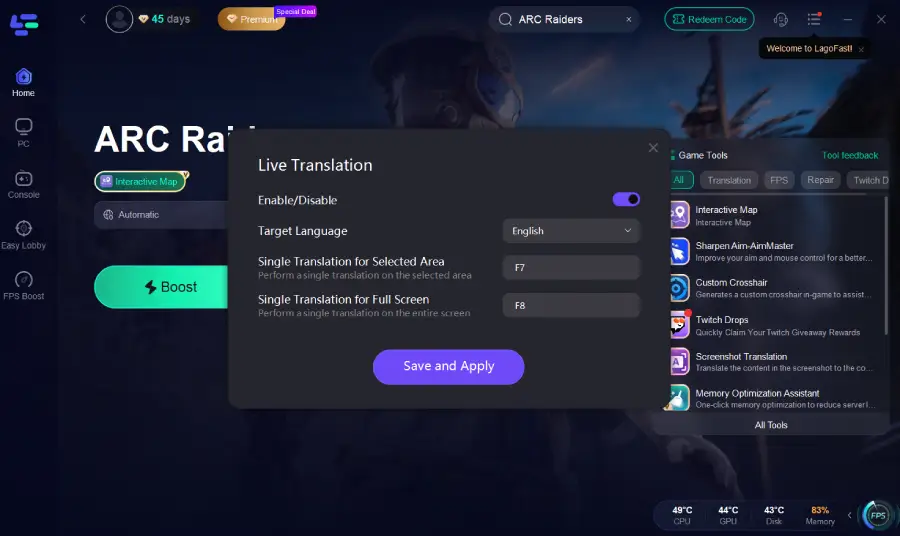
Step 4: Choose your target language and set up your hotkeys for instant translation.
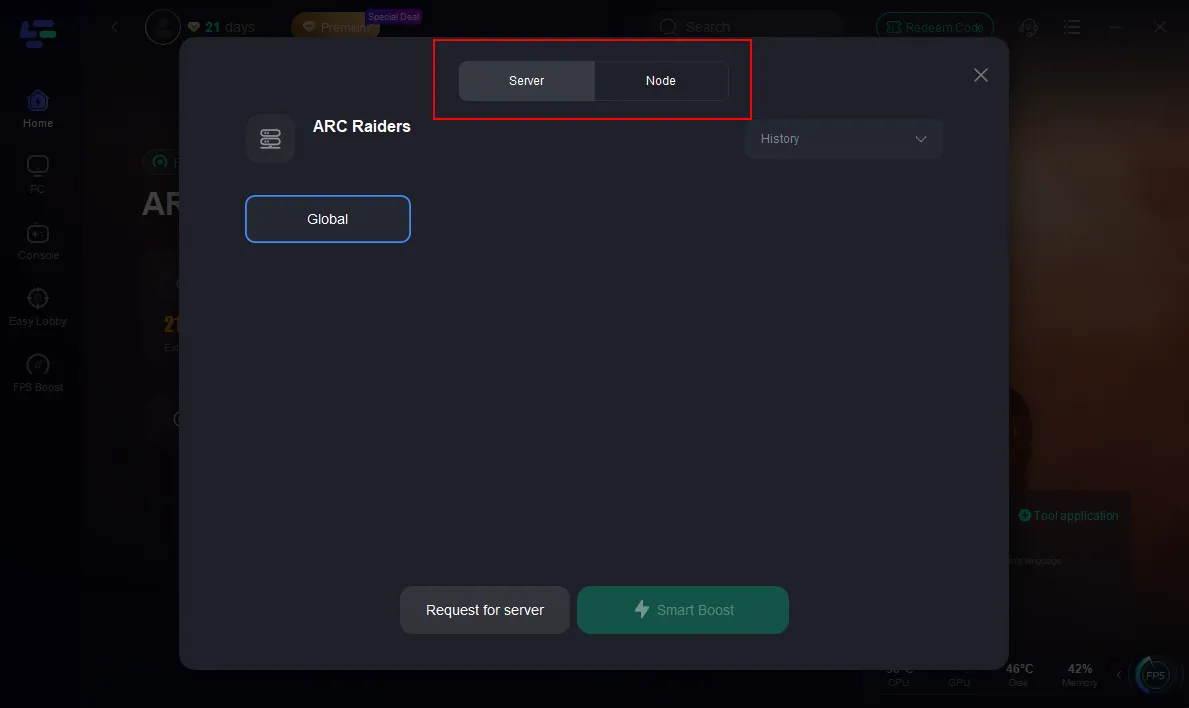
Step 5: Select the best server route automatically based on your location.
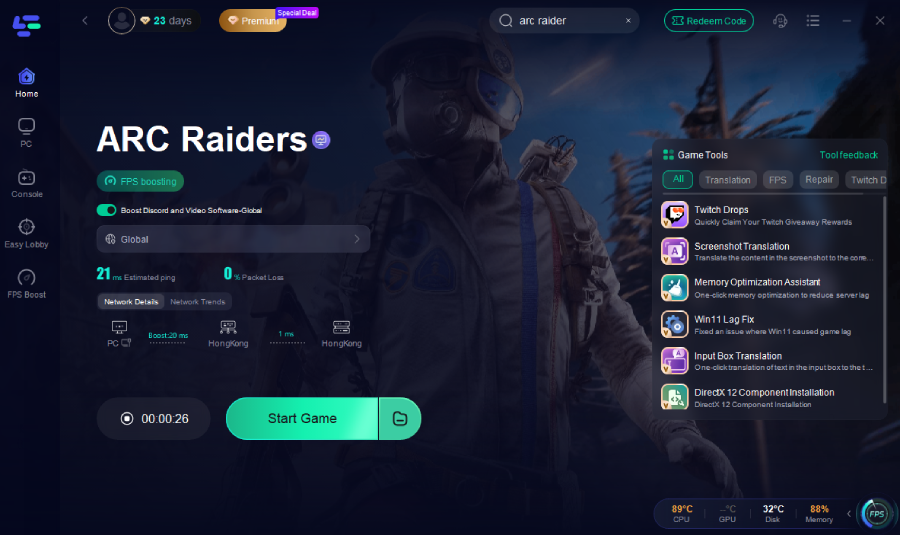
Step 6: Launch ARC Raiders through LagoFast and enjoy smooth gameplay.
Conclusion
ARC Raiders delivers an immersive sci-fi experience, but language barriers and lag can limit enjoyment—especially for players in regions without official localization, like Ukraine.
Using Screenshot Translation, you can quickly understand mission objectives, dialogues, and item descriptions. Game Acceleration helps reduce lag and stabilize gameplay on PC, PlayStation 5, or Xbox Series X/S.
These features make it easier to enjoy ARC Raiders and follow the story while keeping gameplay smooth and uninterrupted.

Boost Your Game with LagoFast for Epic Speed
Play harder, faster. LagoFast game booster eliminates stutter and lags on PC, mobile, or Mac—win every match!
Quickly Reduce Game Lag and Ping!
Boost FPS for Smoother Gameplay!