
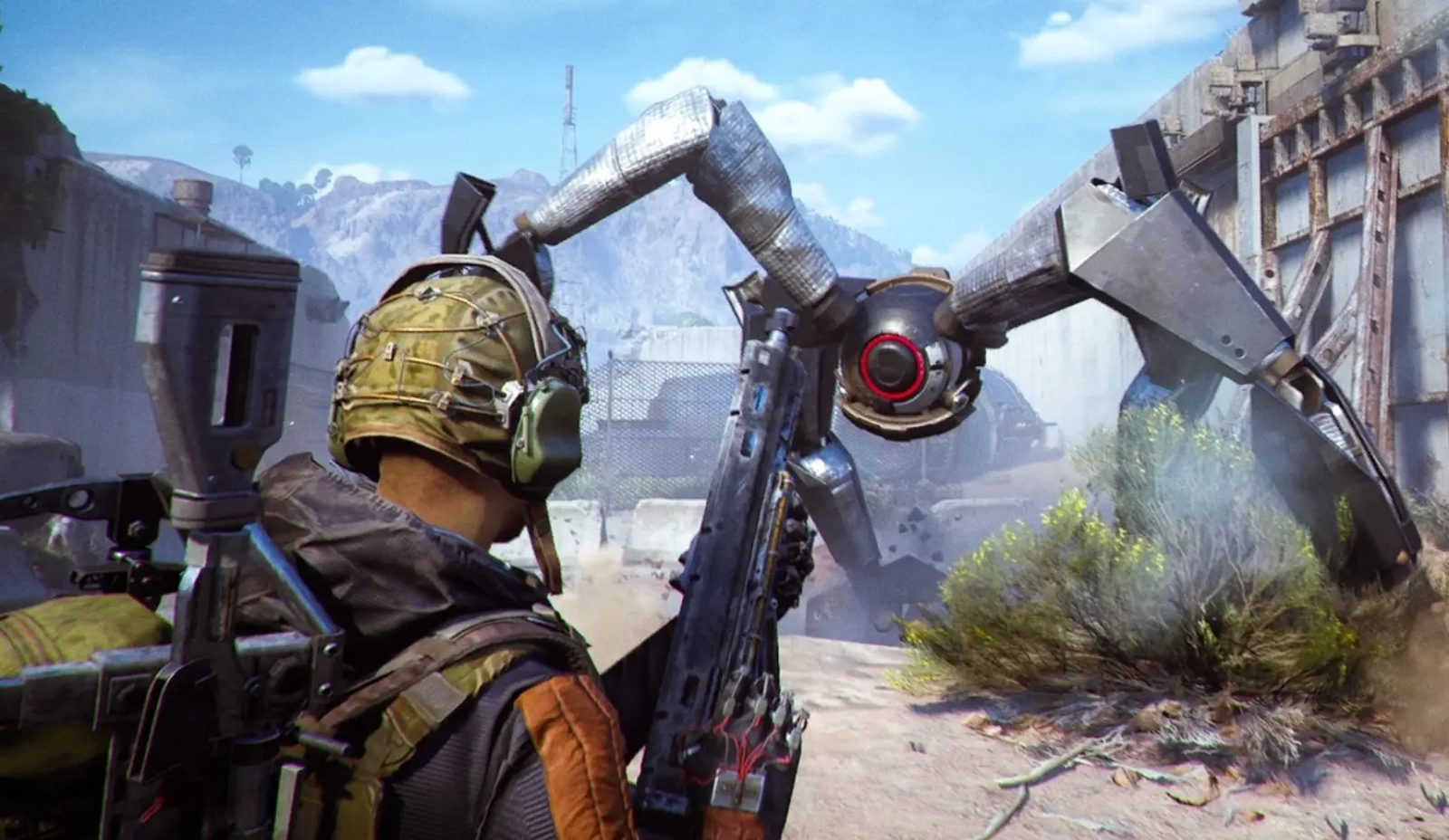
ARC Raiders, the ambitious PvPvE extraction shooter from Embark Studios, has captured attention with its stunning visuals, co-op gameplay, and survival mechanics. But like many new releases, players have been reporting issues — ARC Raiders crashing, freezing, or not launching at all. Whether it’s the “application has encountered an unexpected error” message or a random crash mid-raid, these problems can seriously ruin your gaming experience.
Fortunately, there are proven methods to fix ARC Raiders crashing issues across all platforms — PC, PlayStation 5, and Xbox Series X/S. In this guide, we’ll walk you through the causes and the most effective solutions to get you back into battle.

- ✅ Reduce Lag and High Ping.
- ✅ Boost FPS at the Same Time.
- ✅ Support 2000+ Popular Online Games.
- ✅ Fix High Ping Easily
- ✅ Change Server without Latency
Part 1: Why Do You Encounter ARC Raiders Crashing?
Part 2: LagoFast – The All-in-One Way to Fix ARC Raiders Crashing
Part 3: Other Solutions to Fix ARC Raiders Crashing
Part 1: Why Do You Encounter ARC Raiders Crashing?
Before applying fixes, it’s important to understand what causes ARC Raiders to crash or fail to launch. These issues are often linked to system compatibility, corrupted files, or software conflicts. Below are some common reasons:
- Outdated GPU Drivers: ARC Raiders relies heavily on modern graphics rendering. If your drivers are outdated, the game may crash during loading or intense combat sequences.
- DirectX or Visual C++ Runtime Errors: Missing or outdated DirectX and runtime components often trigger “The application has encountered an unexpected error.”
- Incompatible Hardware or Overclocking: Overclocked GPUs and CPUs can cause instability when the game pushes your system to its limits.
- Corrupted Game Files: If ARC Raiders was not properly installed or updated, certain files may be missing or corrupted.
- Third-Party Software Conflicts: Background apps like overlays (Discord, GeForce Experience, MSI Afterburner) can cause ARC Raiders to freeze or crash.
- Server or Network Problems: Since ARC Raiders is an online PvPvE shooter, poor connectivity or server instability can cause mid-game crashes.
Understanding these potential causes helps target the right fix — and the fastest way to stabilize ARC Raiders is by using a reliable optimization tool.
Part 2: LagoFast – The All-in-One Way to Fix ARC Raiders Crashing
When ARC Raiders keeps crashing or won’t launch, don’t worry. You can fix it using several effective methods. Below, we’ll start with the quickest and all-in-one solution — LagoFast, and then move to other detailed manual fixes. If you want a quick, safe, and comprehensive solution, LagoFast is the best choice. This all-in-one game optimization tool helps fix ARC Raiders crashing, freezing, and not launching issues across PC, PlayStation, and Xbox.
LagoFast doesn’t just reduce ping – it stabilizes your system, optimizes CPU/GPU usage, clears background processes, and prevents the “ARC Raiders encountered an unexpected error” message from recurring.
Key Features of LagoFast:
- Fixes Crashing and Freezing Instantly: Detects performance bottlenecks and adjusts system settings for smooth gameplay.
- Smart Route Optimization: Reduces lag and packet loss by connecting you to the best route for ARC Raiders servers.
- Performance Booster: Balances CPU and GPU load — ideal for fixing ARC Raiders not launching or crashing during startup.
- Easy One-Click Use: No complicated setup — just open LagoFast, select ARC Raiders, and click “Start Boost.”
- Supports All Platforms: Works perfectly for Windows, PS5, and Xbox Series X/S.
- Safe and Trusted: Uses official routes and does not modify game files, ensuring account safety.
If you want to skip manual troubleshooting, LagoFast provides the fastest and most reliable fix for ARC Raiders crashing.
Tutorial: Fix ARC Raiders Crashing on PC with LagoFast
Step 1: Click the "Free Trial" button below to download and install LagoFast for free.
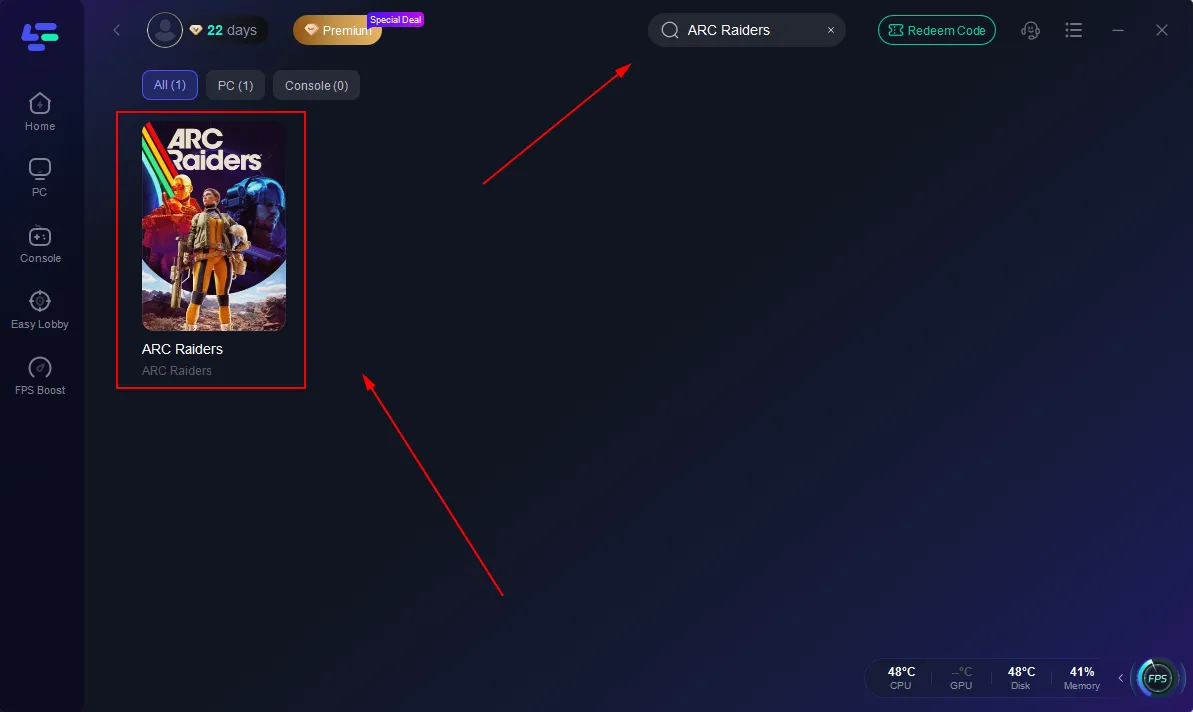
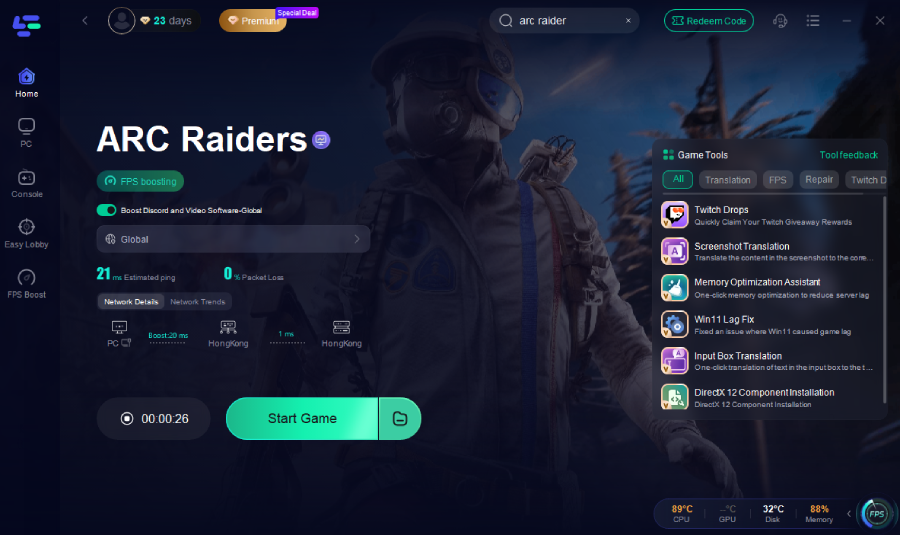
Step 2: Launch LagoFast, search for "ARC Raiders" in the search bar, and select the game.
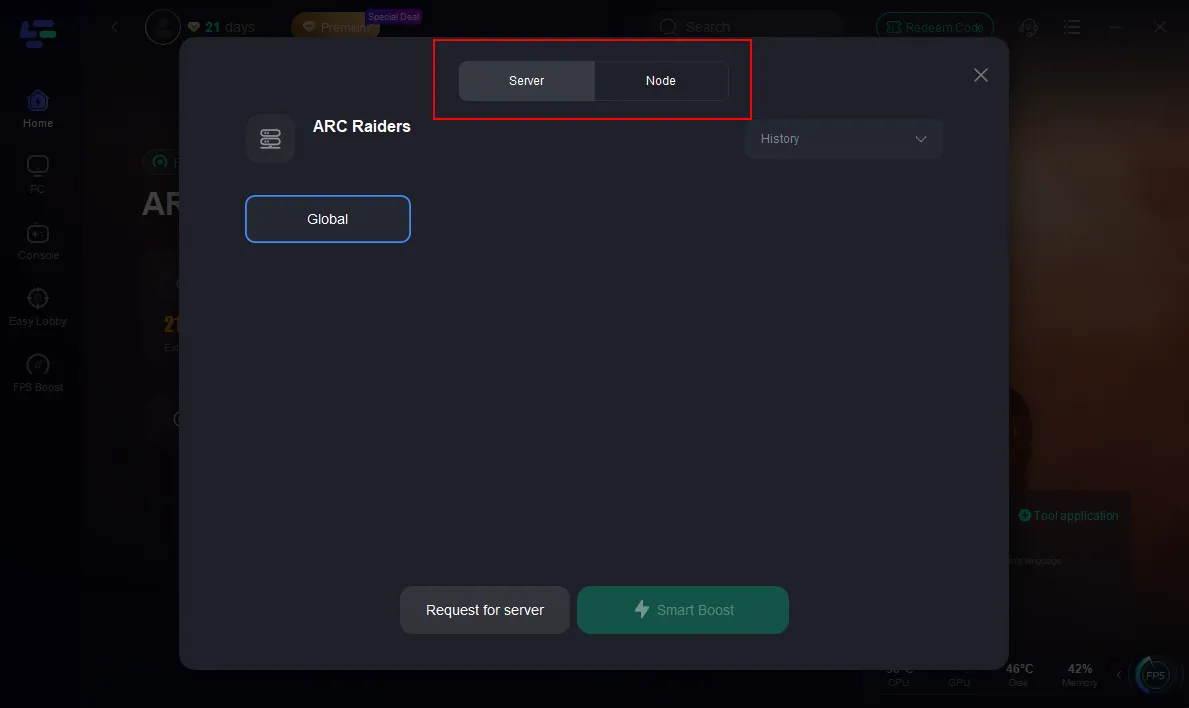
Step 3: Click the "Select Server" button to connect to a stable server node, then activate optimization via "Smart Boost".
Step 4: After enabling real-time optimization, check the live ping and packet loss rates, then click "Start Game" to begin playing.
Tutorial: Enhance Console Gaming with LagoFast Box
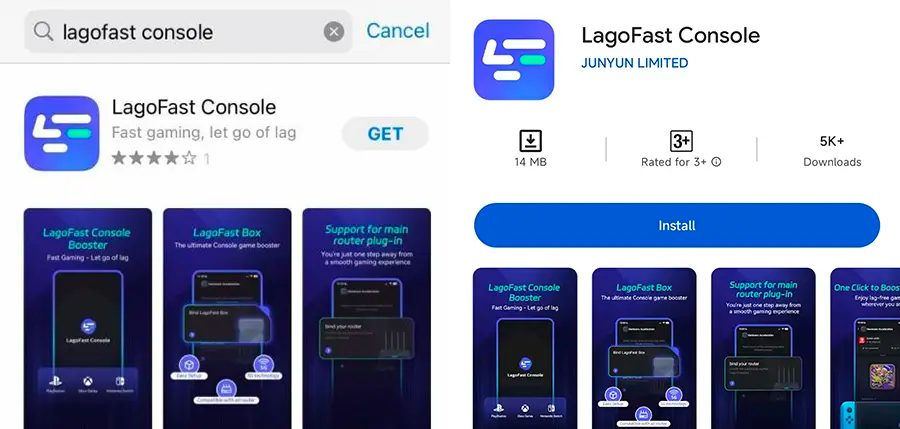
Step 1: Download the LagoFast Console App on your phone to control the LagoFast Box.
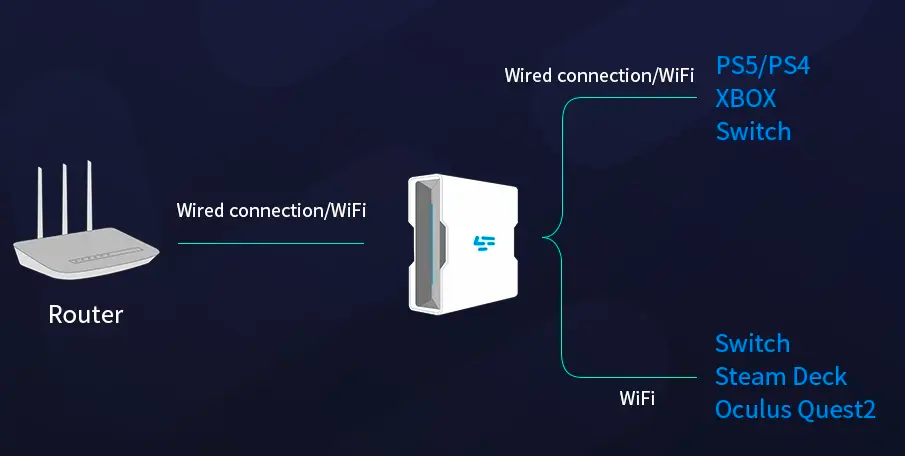
Step 2: Establish a connection between your LagoFast Box, router, and console, choosing between a wired or wireless connection.
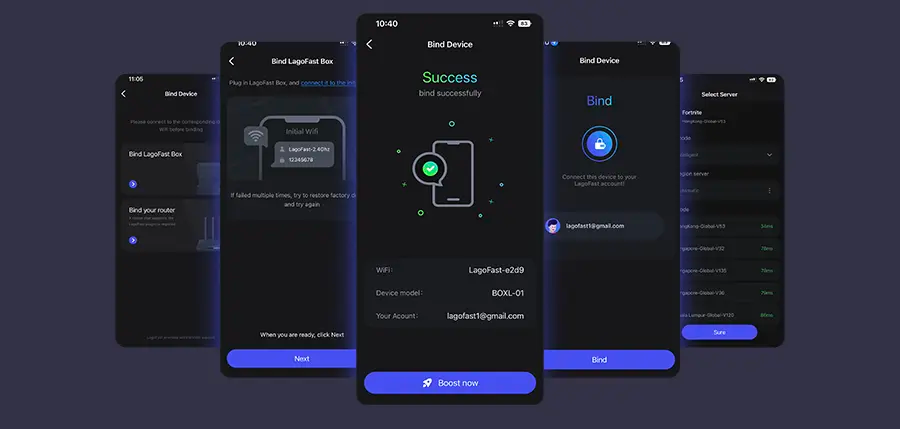
Step 3: Launch the LagoFast Console App and boost Black Ops 7. Once you have completed the binding process with the LagoFast Box, proceed to boost this game within the LagoFast Console App.
Part 3: Other Solutions to Fix ARC Raiders Crashing
If ARC Raiders keeps crashing or won’t launch even after optimization, try the following proven solutions. These methods address driver issues, corrupted files, software conflicts, and performance settings to ensure stable gameplay across PC and consoles.
Update GPU Drivers and System
Outdated graphics or system drivers are among the top causes of ARC Raiders not launching or crashing on PC. Keeping them up to date ensures full compatibility and prevents unexpected errors.
Steps:
- Open NVIDIA GeForce Experience or AMD Radeon Software (depending on your GPU).
- Go to the Drivers tab and check for updates.
- Install the latest driver and restart your PC.
- Update Windows to the latest version (Settings → Windows Update → Check for updates).
- Relaunch ARC Raiders and verify if the issue persists.
Updating your GPU and system drivers helps maintain stability and prevent the “application has encountered an unexpected error.”
Verify Game Files (Steam / Epic Games Store)
Corrupted or missing game files can lead to freezing, crashes, or failed launches. Verifying game integrity ensures all files are correctly installed.
Steps:
- Open your game launcher (Steam or Epic Games Store).
- Locate ARC Raiders in your library.
- Right-click the game and select Properties → Installed Files → Verify Integrity of Game Files.
- Wait for the process to complete — the launcher will automatically repair or replace any missing files.
- Restart your system and relaunch the game.
This process guarantees your installation is complete and error-free.
Disable Overlays and Background Apps
Software overlays or background applications can interfere with ARC Raiders, causing frame drops, freezes, or crashes. Disabling them often restores stability.
Steps:
- Close overlay programs such as Discord, Steam Overlay, Xbox Game Bar, and GeForce Experience.
- Press Ctrl + Shift + Esc to open Task Manager.
- Under the Processes tab, end any unnecessary tasks consuming high CPU or memory.
- Temporarily disable antivirus software or add ARC Raiders to its exception list.
- Restart the game and test for improvements.
Removing background interference helps prevent crashes during loading or matchmaking.
Reinstall or Repair DirectX and Visual C++ Runtimes
ARC Raiders depends heavily on Microsoft DirectX and Visual C++ Redistributables. Damaged runtime components may trigger startup errors or crashes.
Steps:
- Download the latest DirectX End-User Runtime Web Installer from Microsoft’s official website.
- Run the installer to repair or reinstall DirectX components.
- Download and install Microsoft Visual C++ Redistributables (2015–2022).
- Restart your PC after installation.
- Launch ARC Raiders and check if the issue is resolved.
This fix is particularly effective for launch failures and missing DLL errors.
Adjust Graphics and Performance Settings
If ARC Raiders crashes during gameplay, high graphics settings or overheating may be the cause. Reducing in-game settings can significantly improve stability.
Steps:
- Open ARC Raiders → Settings → Graphics.
- Lower Texture Quality, Shadows, and Anti-Aliasing.
- Disable V-Sync and Ray Tracing (if enabled).
- Change display mode to Windowed Borderless instead of Fullscreen.
- Save settings, restart the game, and monitor performance.
Lowering graphics load helps prevent GPU stress and overheating, ensuring smoother gameplay.
Reinstall ARC Raiders or Move It to Another Drive
If the game continues to crash after all fixes, reinstalling it or moving it to another drive can help remove residual file corruption or disk conflicts.
Steps:
- Uninstall ARC Raiders from your PC or console.
- Restart your system to clear temporary cache files.
- Reinstall the game on a different drive (preferably SSD) for faster loading and stability.
- Avoid running other software during the installation.
- Launch ARC Raiders again to confirm the issue is resolved.
This provides a clean environment for ARC Raiders to operate without interference.
By applying these solutions — from updating system components to verifying files and adjusting settings — most ARC Raiders crashing or freezing problems can be fully resolved.
For the fastest, automated solution, LagoFast remains the most effective way to ensure consistent performance and crash-free gameplay.
Conclusion
ARC Raiders is one of the most promising PvPvE extraction shooters of 2025, but frequent crashes, launch errors, and “unexpected error” messages can interrupt your experience. Thankfully, with the right fixes — from updating drivers and verifying files to using LagoFast for instant optimization — you can eliminate these issues for good.
LagoFast stands out as the fastest and most effective solution, handling crashes, lag, and connection drops all at once. Once you apply these methods, you’ll enjoy seamless raids, stable performance, and smooth teamwork in ARC Raiders’ stunning world.
Boost Your Game with LagoFast for Epic Speed
Play harder, faster. LagoFast game booster eliminates stutter and lags on PC, mobile, or Mac—win every match!
Quickly Reduce Game Lag and Ping!
Boost FPS for Smoother Gameplay!