
If you are seeing the ARAU 0117 error code in Arc Raiders, you are dealing with a persistent connection failure that typically occurs when the game cannot establish a secure link to its servers. This issue most commonly appears after patches, maintenance windows, or backend updates, and in most cases it is server-related rather than a problem with your hardware. Here is exactly what the error means, why it happens, and what you should do immediately.

- ✅ Reduce Lag and High Ping.
- ✅ Boost FPS at the Same Time.
- ✅ Support 2000+ Popular Online Games.
- ✅ Fix High Ping Easily
- ✅ Change Server without Latency
Part 1: What Is the ARAU 0117 Error Code in Arc Raiders?
Part 2: Why Does ARAU 0117 Happen?
Part 3: First Step: Check Official Server Status
Part 4: If Servers Are Online: Troubleshooting Steps
Part 5: Could It Be a Firewall or Security Block?
Part 6: When ARAU 0117 Is Definitely Server-Side
Part 7: How Long Does ARAU 0117 Last?
Part 8: Preventing Future Connection Errors
Part 9: Stabilize Arc Raiders Connection Errors with LagoFast
Part 1: What Is the ARAU 0117 Error Code in Arc Raiders?
The ARAU 0117 error code in Arc Raiders indicates that the game client failed to establish a secure connection with the official game servers. The keyword here is secure connection, which usually points to one of the following scenarios:
- Server instability after a game update
- Backend authentication service failure
- Temporary maintenance
- Regional server overload
- Network handshake interruption
Unlike random disconnects, ARAU 0117 is typically a persistent error that prevents login entirely.
Part 2: Why Does ARAU 0117 Happen?
Based on community reports and developer communication patterns, this error frequently appears:
- Immediately after a major patch
- During peak login hours
- When backend authentication services restart
- When servers are partially online but not fully synchronized
Because Arc Raiders relies on encrypted server authentication, any disruption in the handshake process can trigger ARAU 0117. In practical terms, your game client cannot verify its identity with the server.
Part 3: First Step: Check Official Server Status
Before changing settings or reinstalling the game, verify whether the issue is server-side.
Check:
- The official Discord server
- The official account on X
- Community announcements
Developers often acknowledge outages quickly, especially after updates. If servers are down, there is nothing to fix on your end, and waiting is the only rational solution.
Part 4: If Servers Are Online: Troubleshooting Steps
If no outage has been reported, move through this structured checklist.
Restart the Game and Launcher
Close the game completely, including the launcher, then reopen it to force a new authentication request.
Restart Your Router
Power cycle your router for at least three minutes to reset IP assignment, DNS resolution, and network handshake processes, because temporary ISP routing instability can cause secure connection failures.
Disable VPN or Proxy
VPNs can interfere with encrypted authentication protocols, especially if the exit node is geographically mismatched or flagged.
Flush DNS Cache (Windows)
Open Command Prompt as administrator and run:
ipconfig /flushdns
This clears potentially corrupted DNS entries that could interfere with server resolution.
Verify Game Files
Use your platform’s verification tool to scan for corrupted or incomplete update files that may disrupt authentication.
Part 5: Could It Be a Firewall or Security Block?
Yes, especially after updates introduce modified executable files.
Make sure:
- Arc Raiders is allowed through Windows Defender Firewall
- Third-party antivirus software is not blocking it
- Your network does not restrict encrypted outbound traffic
Security tools sometimes flag updated executables until manually approved.
Part 6: When ARAU 0117 Is Definitely Server-Side
You can usually confirm this when:
- Multiple players report the same error simultaneously
- Social channels acknowledge backend instability
- The issue appears immediately after patch deployment
In these cases, repeated troubleshooting on your local system will not help because the connection failure originates from server authentication endpoints rather than your network.
Part 7: How Long Does ARAU 0117 Last?
Most server-related authentication errors are resolved within:
- 30 minutes to 2 hours for minor instability
- Several hours during major patch rollouts
- Longer during unexpected backend outages
Persistent errors beyond 24 hours are rare unless regional routing is affected.
Part 8: Preventing Future Connection Errors
While you cannot prevent server outages, you can reduce local connection conflicts by:
- Keeping your system updated
- Avoiding VPN use during major patch days
- Restarting your router after large updates
- Logging in during non-peak hours after new releases
Understanding that ARAU 0117 is authentication-based rather than hardware-related helps you avoid unnecessary reinstalls.
Part 9: Stabilize Arc Raiders Connection Errors with LagoFast
When the ARAU 0117 error code in Arc Raiders is triggered by unstable routing, high packet loss, or inconsistent latency between your ISP and the game’s authentication servers, improving network stability can sometimes reduce repeated connection failures. While LagoFast cannot fix server-side outages, it can optimize your routing path and reduce handshake instability caused by poor network conditions.
How to Use LagoFast to Improve Connection Stability
1. Install LagoFast using the Free Trial option and launch the application.
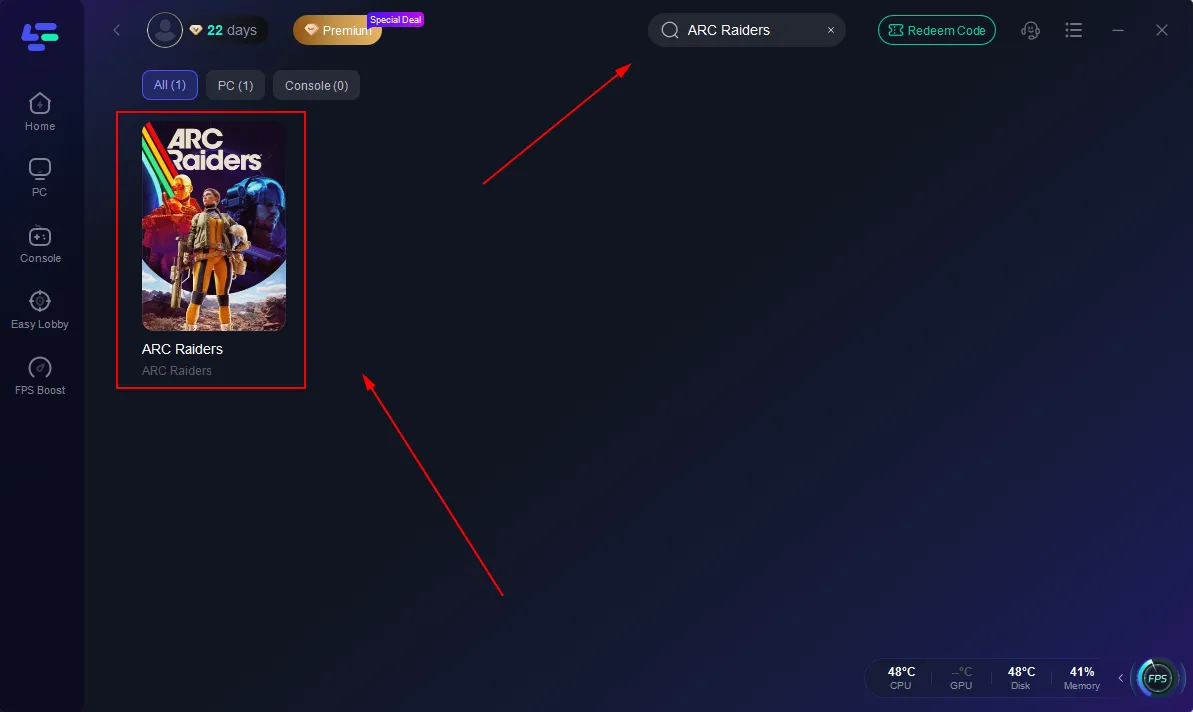
2. Search for Arc Raiders inside the platform before starting the game.
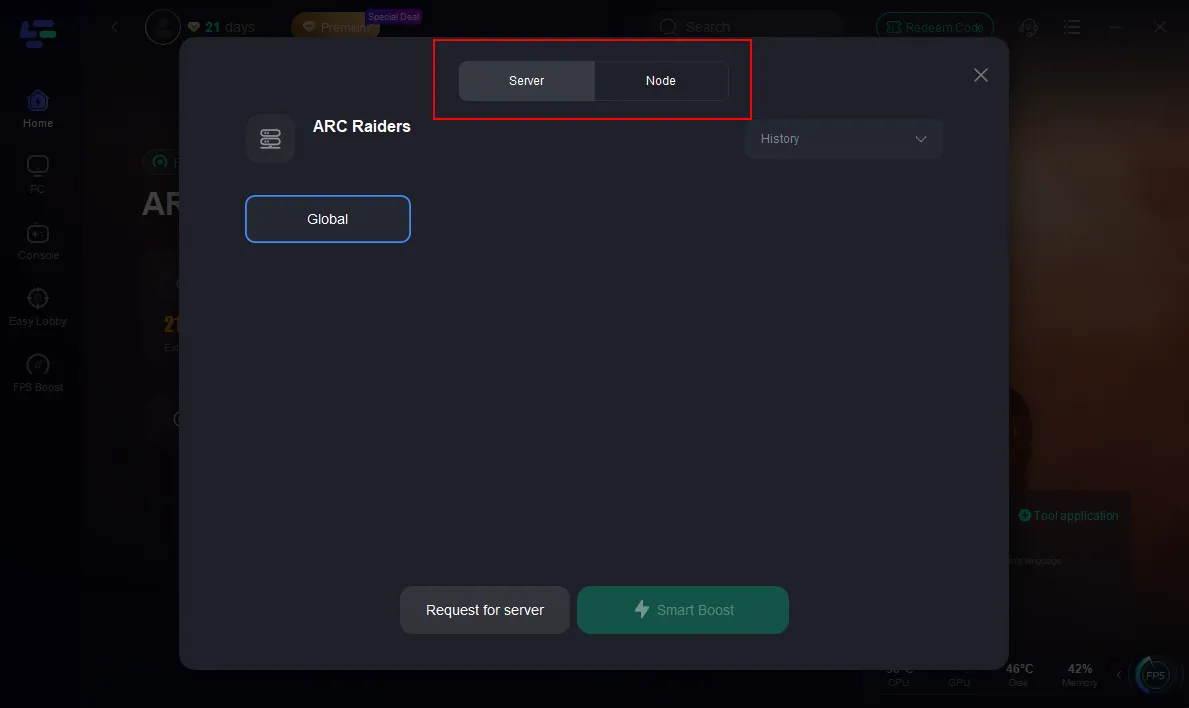
3. Select a recommended server region, then manually choose the lowest-latency node available.
4. Enable Smart Boost and monitor real-time ping, packet loss, and network type metrics to confirm stability.
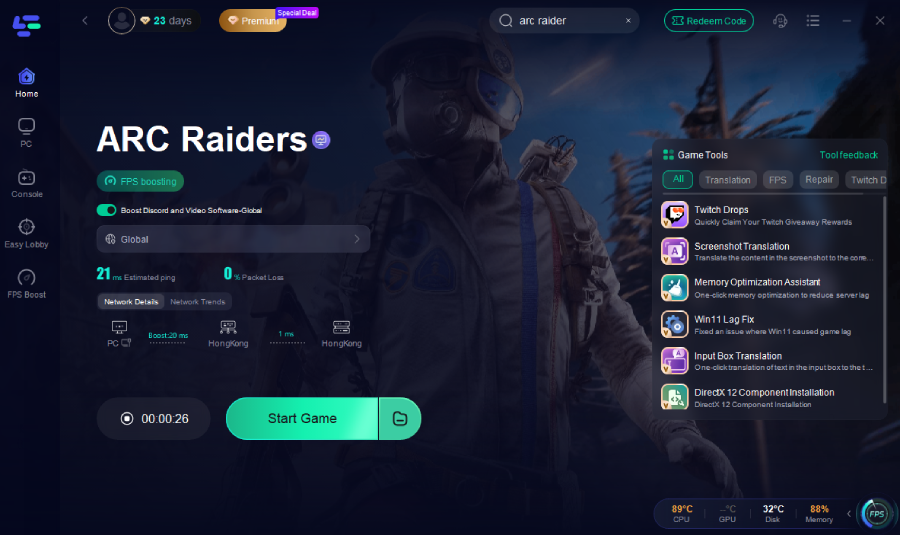
Once activated, LagoFast automatically reroutes traffic through optimized nodes to reduce fluctuations that may interrupt secure server authentication.
Why LagoFast Can Help
- Reduces ping spikes during login authentication
- Minimizes packet loss during server handshake
- Optimizes routing paths between you and game servers
- Provides real-time performance monitoring
- Simple one-click activation
If your ARAU 0117 error appears intermittently rather than during confirmed server outages, unstable routing could be contributing to the issue. By stabilizing your network path before launching Arc Raiders, you reduce the likelihood of authentication timeouts and improve overall connection consistency.
Conclusion
The ARAU 0117 error code in Arc Raiders is a secure connection failure most commonly caused by server instability, particularly after updates. Your first move should always be checking official channels for outages before troubleshooting locally. If servers are stable, restart your system, reset your network, disable VPNs, and verify game files in a logical order. In most cases, the issue resolves once server authentication stabilizes, making patience just as important as technical troubleshooting.

Boost Your Game with LagoFast for Epic Speed
Play harder, faster. LagoFast game booster eliminates stutter and lags on PC, mobile, or Mac—win every match!
Quickly Reduce Game Lag and Ping!
Boost FPS for Smoother Gameplay!