
Having trouble logging into Albion Online in Russia? You're not alone. Many players across the country are experiencing connection errors, constant reconnections, and black screens. In this quick guide, we'll walk you through step-by-step how to use a game booster to fix the problem and get back into the game.

- ✅ Reduce Lag and High Ping.
- ✅ Boost FPS at the Same Time.
- ✅ Support 2000+ Popular Online Games.
- ✅ End Stuck & Crashing Issues.
- ✅ Solve Connection Issues.
Why can't I log into Albion Online?
Access to the Albion Online servers has been disrupted in Russia. This affects certain regions (especially Siberia and the Far East) and is not related to the game itself. Numerous reports from Siberia and the Russian Far East (e.g. Khabarovsk, Omsk, Novosibirsk, Krasnoyarsk, Zabaikalsky Krai) describe sudden disconnects, endless loading, or an inability to connect to the servers, despite the game working earlier in the day.
What's the real reason?
There's nothing wrong with the game itself. The problem is not with the Albion Online servers, or your computer or internet connection. Here's why:
- Users with the same internet can play on their phone via VPN — but not on their PC.
- The game starts working immediately after enabling the VPN (especially via Germany or the US).
- Different devices and providers show the same failures.
- Users confirm that they cannot connect to foreign backbone networks such as Twelve99 (Arelion) and RETN — these are the ones that games usually use to access their servers.
Conclusion: the problem lies in the routing of traffic within the Russian internet infrastructure.
What's happening
Since early June 2025, Albion Online players across Russia — especially in Siberia, the Far East, and now in parts of the European part of the country — have been unable to log in to the game.
Commonly reported issues:
- Game freezes on loading screen
- Connection error immediately appears after selecting a character
- Server list shows "Unknown" or "Maintenance"
- Continuously reconnects every 3-5 seconds
- Everything works fine in the morning, but later in the day, problems begin
Affected regions:
- Khabarovsk
- Primorye
- Novosibirsk
- Omsk
- Barnaul
- Krasnoyarsk
- Komsomolsk-on-Amur
- Novokuznetsk
(mostly Siberia and the Far East)
Hot Related: How to Fix Apex Legends Black Screen in Russia- Best Guide
Step-by-step solution: Albion Online not working in Russia
Step 1: Make sure you are experiencing this issue
Check for the following symptoms:
- Game freezes on loading screen
- Connection error after authorization
- Reconnects every 3-5 seconds
- Server status shows "Unknown"
If yes → you are experiencing current routing or censorship issues in Russia.
Step 2: Download a Game Booster to Fix Connection Issues
How to Fix Albion Online Connection Issues with LagoFast
Step 1: Click the "Free Trial" button to download and install LagoFast.
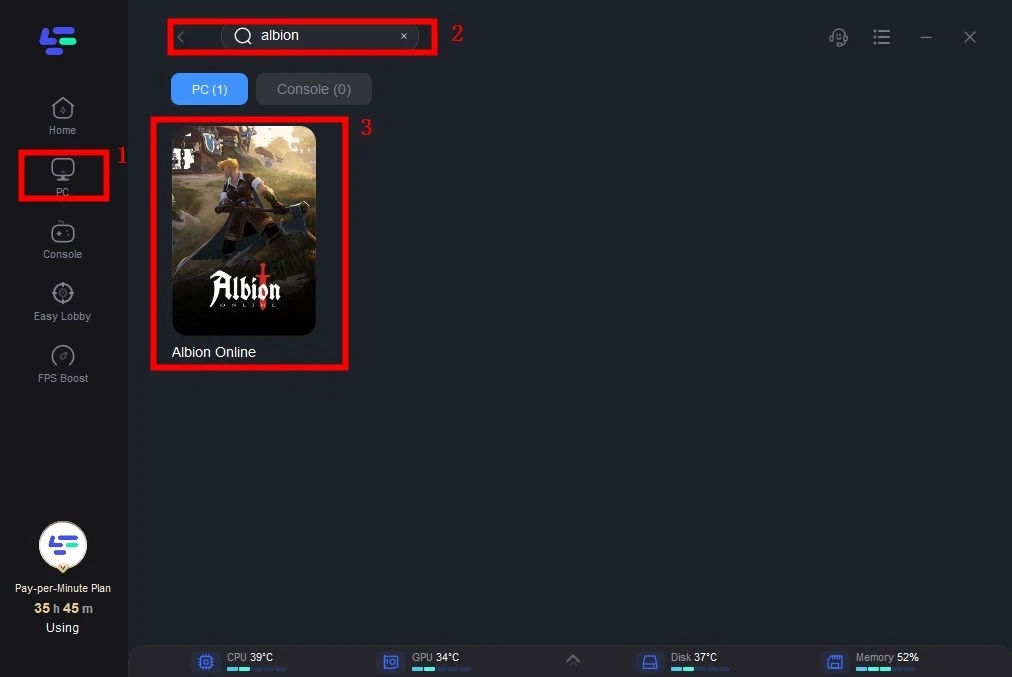
Step 2: Search for "Albion Online" and select the game from the results.
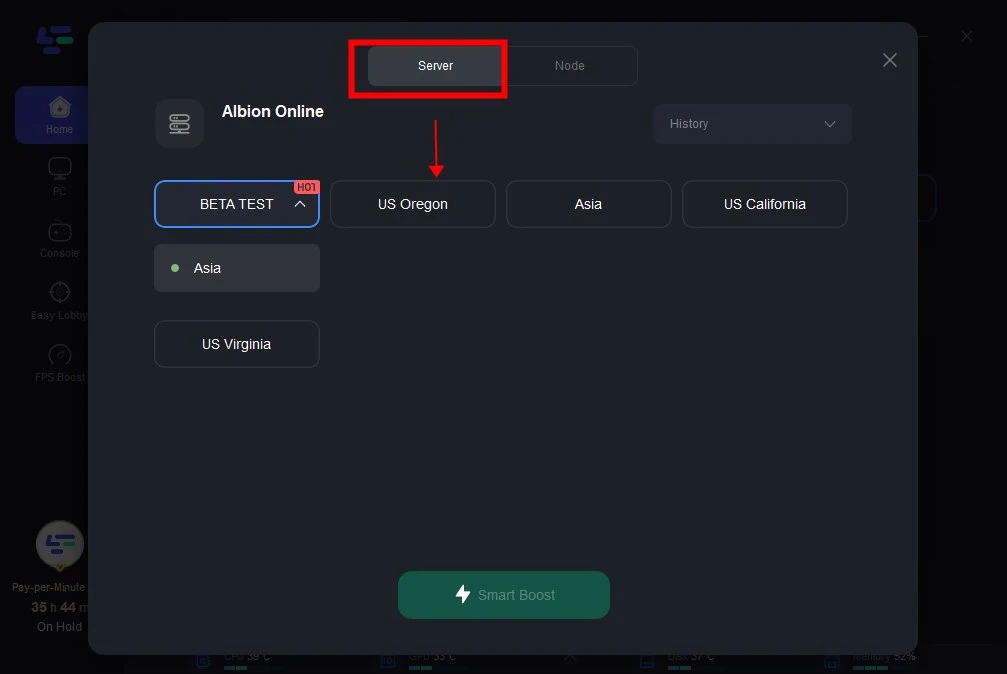
Step 3: Select the server you want and click the "Boost" button.
Step 4: After this, you will notice that the issue with the loading screen being stuck is resolved and the connection is stable.

Boost Your Game with LagoFast for Epic Speed
Play harder, faster. LagoFast game booster eliminates stutter and lags on PC, mobile, or Mac—win every match!
Quickly Reduce Game Lag and Ping!
Boost FPS for Smoother Gameplay!