
Aion 2, the long-awaited sequel to NCSoft’s iconic MMORPG, is shaping up to be one of the most visually stunning and ambitious online games built on Unreal Engine 5. With its massive open world, real-time combat, and detailed environments, it promises an immersive experience for players worldwide. However, many players have already begun to experience Aion 2 lag, latency spikes, and stuttering issues during early tests and betas. If you’ve been wondering why Aion 2 is so slow or looking for a reliable Aion 2 lag reducer, this guide will walk you through everything you need to know — and how to fix Aion 2 lag once and for all.

- ✅Less ping and crashes.
- ✅ Higher FPS and better PC performance.
- ✅ Support for 2000+ games.
- ✅ Stable connection and region switching.
Part 1: Why Do You Have Aion 2 Lag?
Part 2: Why Aion 2 Still Lags Even My Taiwan Internet Is Fast
Part 3: How to Fix Aion 2 Lag – 100% Working Solutions
Part 1: Why Do You Have Aion 2 Lag?
Before jumping into solutions, it’s important to understand why Aion 2 lag occurs. Since Aion 2 is built on Unreal Engine 5 and offers cross-platform functionality (PC and mobile), multiple factors can cause lag, stuttering, or slow performance.
Server Congestion
When too many players connect to the same Aion 2 server, especially during the Focus Group Tests or at launch, the servers can become overloaded. This leads to high ping, slow response times, and rubber-banding effects during combat.
Network Instability
Your internet connection plays a key role in how smoothly you experience Aion 2. High latency, packet loss, or unstable Wi-Fi signals can cause sudden spikes in delay, making the game feel sluggish or delayed.
Geographical Distance from Servers
If you’re playing from a region far from Aion 2’s main servers (currently located in Korea and Taiwan for early access), your connection has to travel a long distance — causing naturally higher ping and lag.
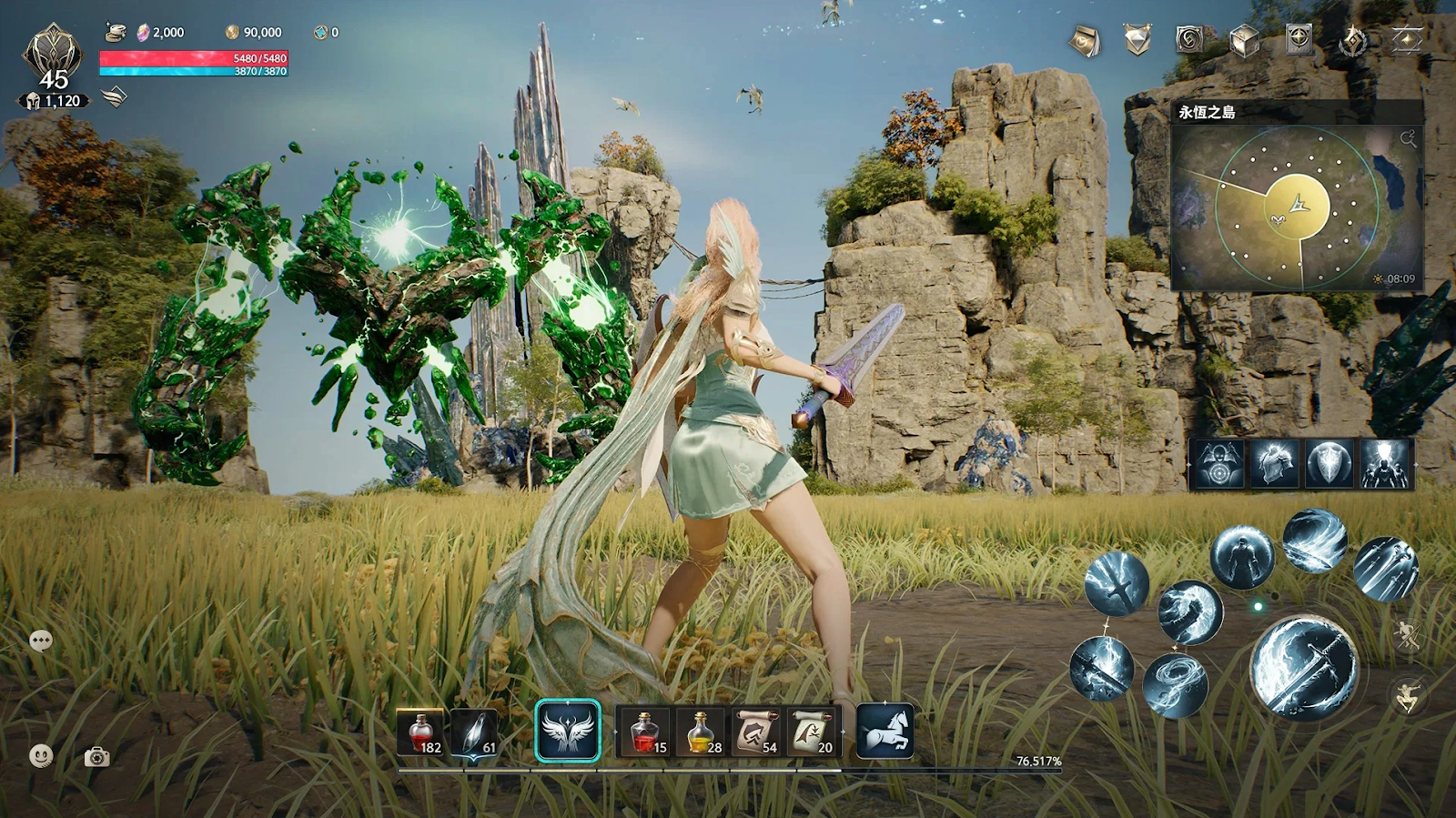
Hardware Limitations
Aion 2’s use of Unreal Engine 5 means it demands significant computing power. Players using lower-end CPUs or GPUs might experience lagging and stuttering even if their internet is stable.
Background Applications
Other programs running in the background, such as downloads, streaming, or Windows updates, can consume bandwidth and CPU resources, leading to decreased performance in Aion 2.
Outdated Drivers or Game Files
Outdated network drivers, GPU drivers, or corrupted game files can cause instability, slow loading, and freezing. Always keeping your system up-to-date can significantly reduce in-game lag.
Part 2: Why Aion 2 Still Lags Even My Taiwan Internet Is Fast
In Taiwan, many players encounter abnormal ping, stuttering, rubber-banding, or slow skill response in Aion 2, even though the Internet is good. Speed tests show full bandwidth, video streaming works perfectly, and other games run smoothly, yet Aion 2 alone becomes unstable. This issue has confused a lot of players, especially those using community networks or second-tier ISPs. The root cause is not the internet speed itself but the routing path between your ISP and the Aion 2 Taiwan servers. When the route becomes congested, overloaded, or assigned to a faulty node, the connection deteriorates even though your local network remains fast. This leads to sudden ping spikes, intermittent freezes, and unstable combat performance that appear only inside Aion 2.
Common reasons for high ping in Taiwan include:
- Community ISP routing congestion that sends Aion 2 traffic through overloaded or unstable nodes.
- Routing black holes, where packets drop at a specific hop even though overall bandwidth is normal.
- Unoptimized paths to Aion 2 servers, especially when the ISP does not use backbone routes like HiNet.
- Dynamic rerouting by the ISP, which may randomly assign a poor-quality path during peak hours.
A reliable gaming VPN like LagoFast can bypass these faulty routes and restore a stable, low-latency connection.
Part 3: How to Fix Aion 2 Lag – 100% Working Methods
Now that you understand the common causes, let’s look at the most effective ways to fix Aion 2 lagging and stuttering. The solutions below apply to both PC and mobile versions of the game and can drastically improve your gameplay experience.
LagoFast – The Most Effective All-in-One Way to Fix Aion 2 Lag
When it comes to instantly reducing lag and ping in Aion 2, LagoFast stands out as the most reliable and comprehensive solution. As an advanced Aion 2 lag reducer, LagoFast uses a unique data routing system and real-time connection optimization technology to give players a smoother and faster gaming experience — no matter where they are. With just one click, LagoFast automatically selects the best network route to connect you to Aion 2’s servers, minimizing ping, packet loss, and stuttering. It’s a quick and all-in-one way to fix Aion 2 lag across PC and mobile platforms.
But LagoFast isn’t just a network optimizer—it also comes with several Aion-specific tools that make connecting and logging in much easier:
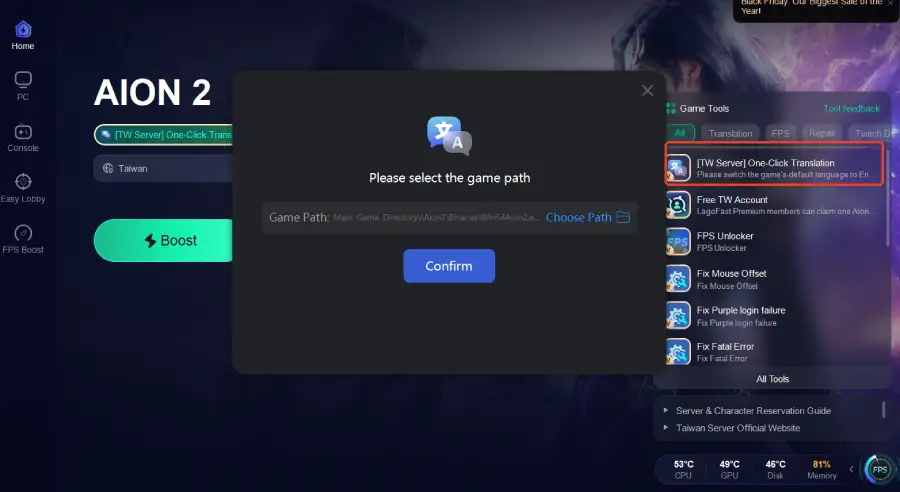
- One-Click Translation—Instantly translates Purple launcher UI and in-game text so you can understand menus, login prompts, and error messages without confusion.
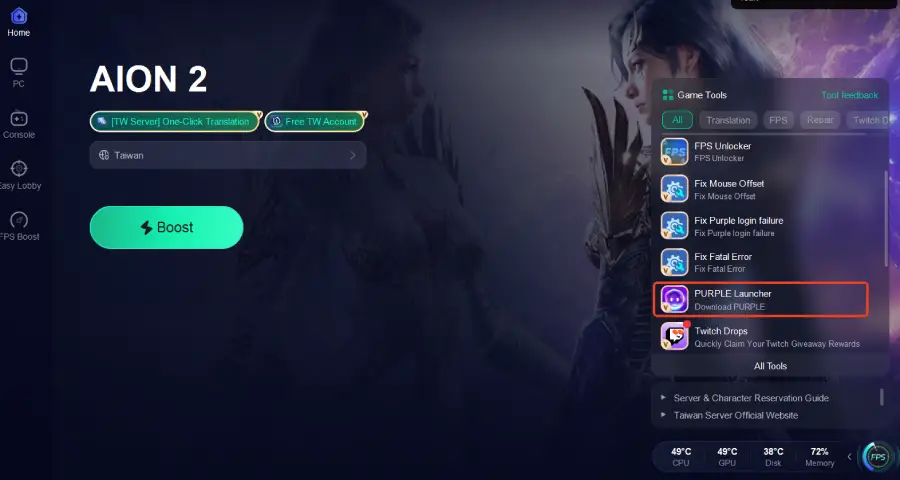
- PURPLE Launcher—Enhances update routing, stabilizes launcher startup, and prevents “stuck on loading/update” issues.
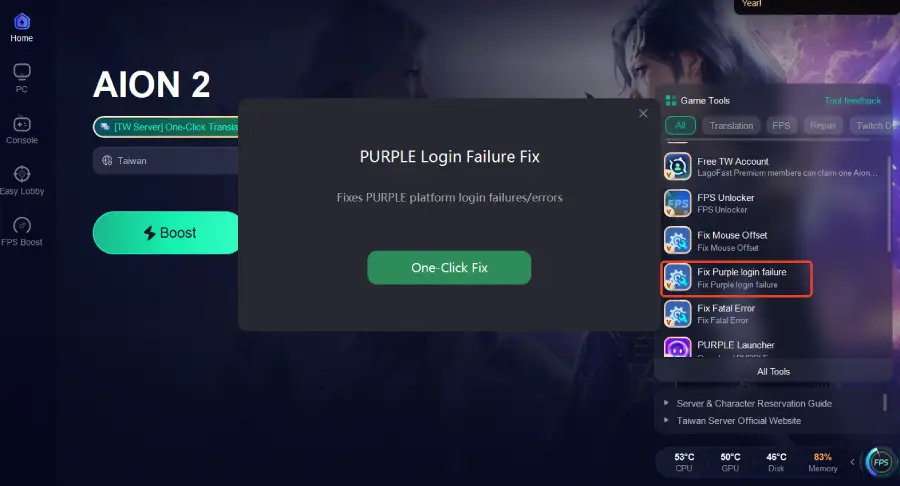
- Fix Purple Login Failure Tool—Repairs login loops, timeout errors, and Purple → Aion authentication failures.
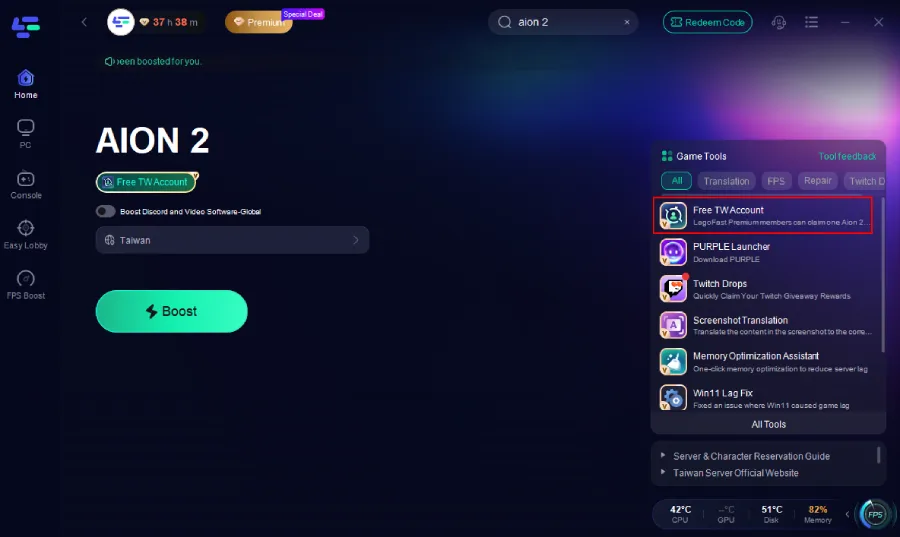
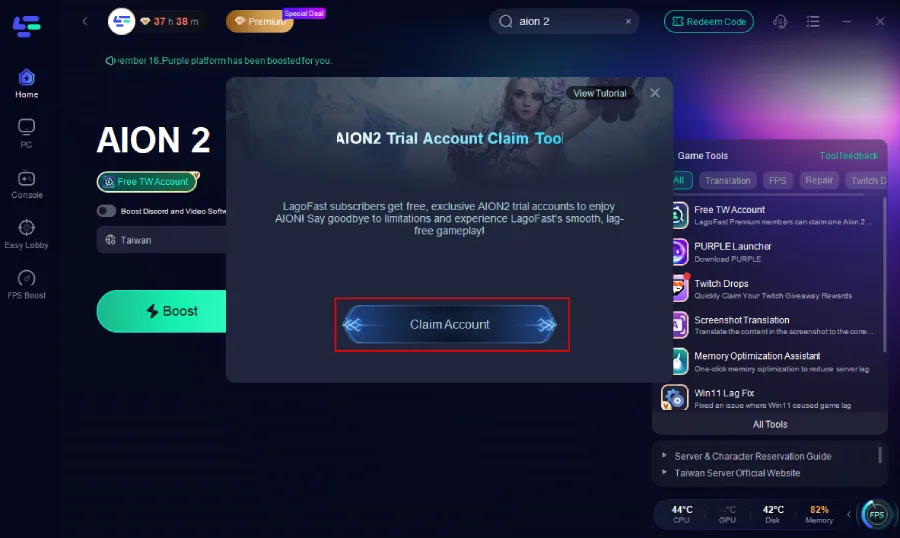
- Free TW Account Tool—Generates a ready-to-use Taiwan account if your original TW region was merged into Global or can no longer access the Taiwan server list.
These tools ensure smoother connectivity and reduce lag across PC and mobile.
Tutorial to use LagoFast to fix Aion 2 Lag on PC:
Step 1: Begin by clicking the Free Trial button to download and install the LagoFast Free Trial.
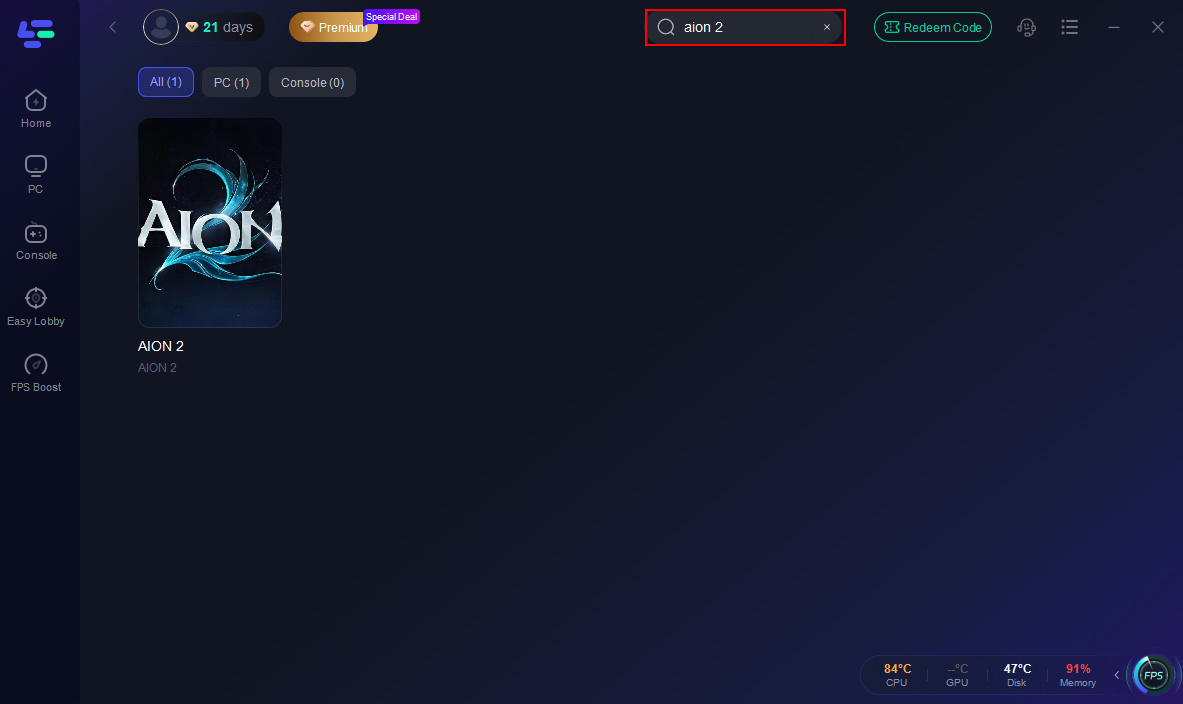
Step 2: Search for Aion2: Open LagoFast and use the search bar to find Aion2.
Step 3: Enable the One-Click Translation feature to translate the game into your preferred language.
Step 4: Enable Fix Purple Login Failure to resolve login errors and ensure smooth access to the Taiwan server.
Step 5: Use the PURPLE Launcher Tool to ensure smoother updates and stable login.
Step 6: On the right side, select the Free TW Account Tool.Inside the tool, click Claim Account.An account will be automatically generated and assigned to you.
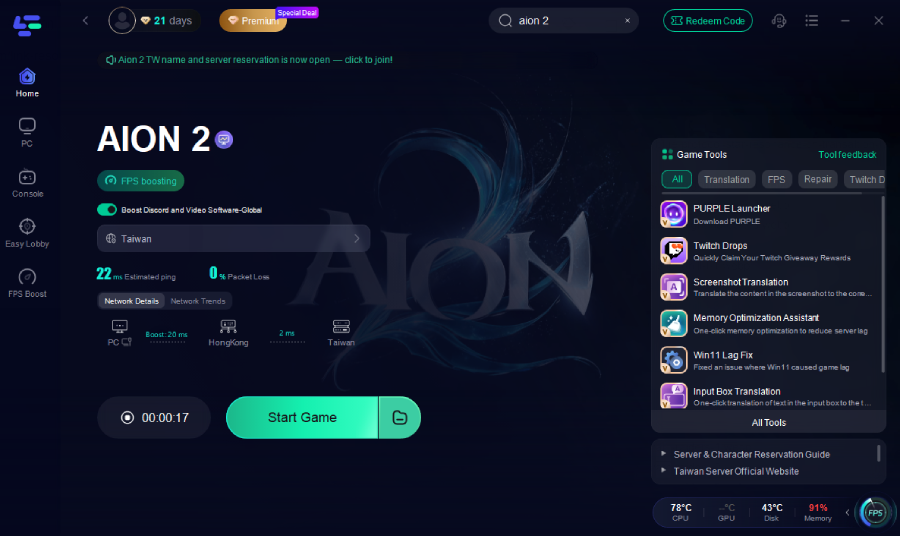
Step 7: Optimize Network Settings: LagoFast will automatically select the optimal server and settings to reduce latency and packet loss
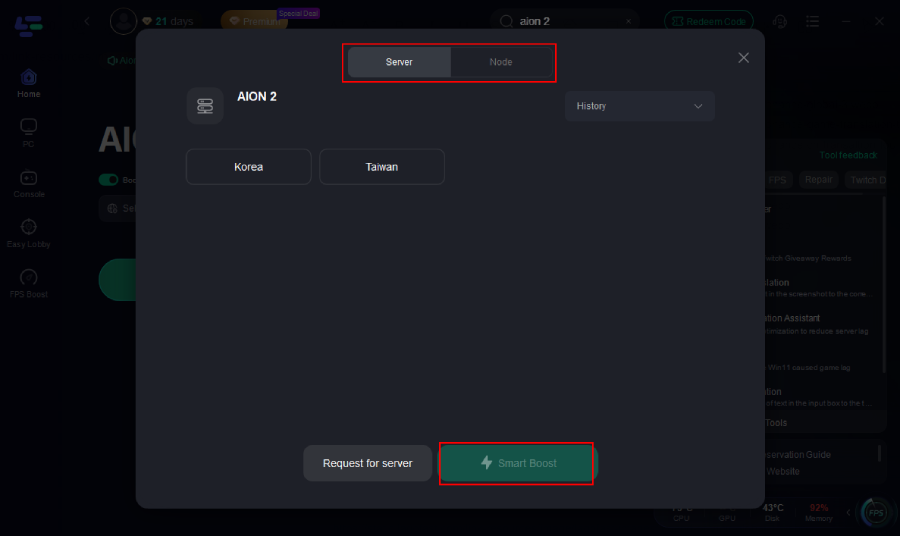
Step 8: Launch the Game: Start Aion2 through LagoFast to enjoy improved performance and stability.
Switch to a Wired Ethernet Connection
A wired connection is always more stable than Wi-Fi and can greatly reduce latency.
Step 1. Disconnect from your current Wi-Fi network.
Step 2. Plug your device directly into your router using an Ethernet cable.
Step 3. Restart your router to refresh your connection.
Step 4. Disable Wi-Fi to ensure all data flows through the cable.
Step 5. Launch Aion 2 and check your ping and lag improvement.
Update Network and GPU Drivers
Outdated drivers can cause compatibility issues and affect performance.
Step 1. Open your PC’s Device Manager.
Step 2. Locate “Network Adapters” and “Display Adapters.”
Step 3. Right-click each and select “Update driver.”
Step 4. Choose “Search automatically for drivers.”
Step 5. Restart your PC once updates are installed, then relaunch Aion 2.
Adjust In-Game Graphics Settings
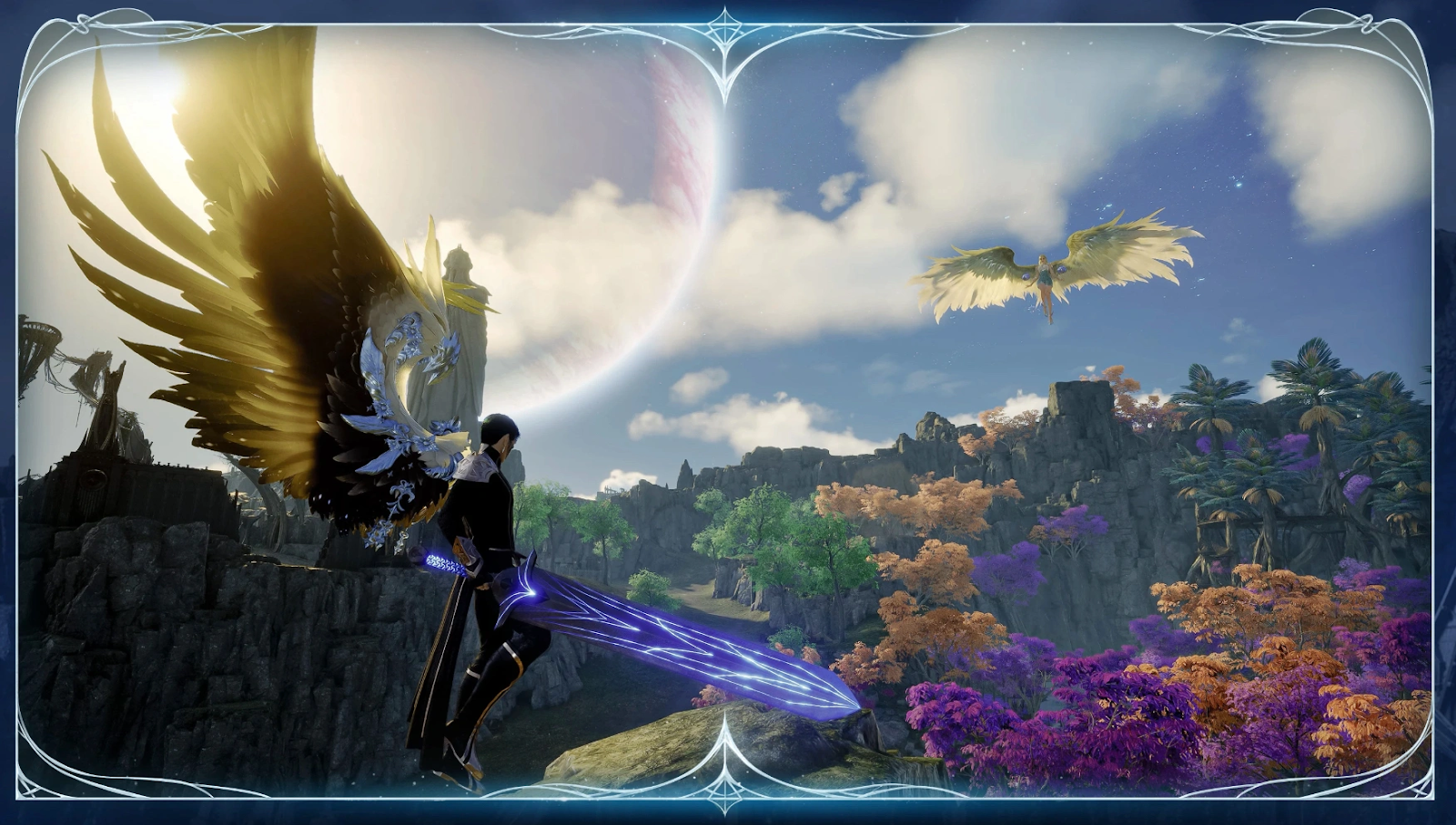
Aion 2’s stunning graphics can be demanding on hardware. Adjusting settings can help balance visuals and performance.
Step 1. Open the game’s Settings menu.
Step 2. Go to “Graphics” or “Display.”
Step 3. Lower settings like Texture Quality, Shadows, and Anti-Aliasing.
Step 4. Set your Frame Rate limit to 60 FPS or below.
Step 5. Apply the settings and restart the game to check for smoother performance.
Close Background Applications
Unnecessary programs can consume bandwidth and CPU, leading to lag.
Step 1. Press Ctrl + Shift + Esc to open Task Manager.
Step 2. Sort by “Network” or “CPU” usage.
Step 3. Close any unnecessary apps or background tasks.
Step 4. Disable automatic updates temporarily.
Step 5. Launch Aion 2 and monitor if lag is reduced.
Change DNS Settings
Using faster DNS servers can improve network response time and reduce ping.
Step 1. Open “Network & Internet Settings” on your PC.
Step 2. Click on your current connection → “Properties.”
Step 3. Scroll to “DNS Settings” and switch to “Manual.”
Step 4. Enter 8.8.8.8 and 8.8.4.4 (Google DNS).
Step 5. Save changes and restart your connection before relaunching Aion 2.
Select a Closer Server or Region
If Aion 2 allows region selection, always choose the closest server to your location.
Step 1. Open Aion 2 and go to the login or server selection screen.
Step 2. Identify servers based on ping or region labels.
Step 3. Select the one geographically closest to your location.
Step 4. Confirm your choice and create your character on that server.
Step 5. Test gameplay performance — you should experience reduced lag and smoother combat.
Conclusion
Aion 2 is one of the most exciting MMORPGs in years, offering breathtaking visuals, deep customization, and intense real-time combat. However, Aion 2 lag and stuttering can ruin even the best gameplay experience. By understanding what causes lag and following the methods above, you can greatly improve your performance. For players looking for the quickest and most effective fix, LagoFast remains the best all-in-one Aion 2 lag reducer. With its smart routing and real-time optimization, you can say goodbye to lag, high ping, and stuttering — and focus on enjoying the world of Atreia the way it was meant to be played.

Boost Your Game with LagoFast for Epic Speed
Play harder, faster. LagoFast game booster eliminates stutter and lags on PC, mobile, or Mac—win every match!
Quickly Reduce Game Lag and Ping!
Boost FPS for Smoother Gameplay!