
Nothing is more frustrating than preparing to jump into Aion 2 only to be met with a sudden crash. Many players report that they click Start Game, see the loading window for a moment, and then the screen freezes before showing the dreaded message: “UE Aion 2 has crashed and will close. Fatal error.”
This issue can appear on both high-end systems and mid-range PCs, and even after verifying files, updating drivers, or reinstalling the game, the error may still return. If you’re dealing with the Aion 2 fatal error and want a clear, reliable fix, this guide explains everything you need to know.

- ✅Less ping and crashes.
- ✅ Higher FPS and better PC performance.
- ✅ Support for 2000+ games.
- ✅ Stable connection and region switching.
Part 1: What Is the Aion 2 Fatal Error & Why Does It Occur
Part 2: How to Fix Aion 2 Fatal Error? – 100% Work
Part 3: More Potential Methods to Fix Aion 2 Fatal Error
Part 1: What Is the Aion 2 Fatal Error & Why Does It Occur
The aion 2 fatal error is a crash message that appears when the game fails to load its engine or cannot properly initialize within Purple’s environment. The error usually displays as:
“UE Aion 2 has crashed and will close. Fatal error.”
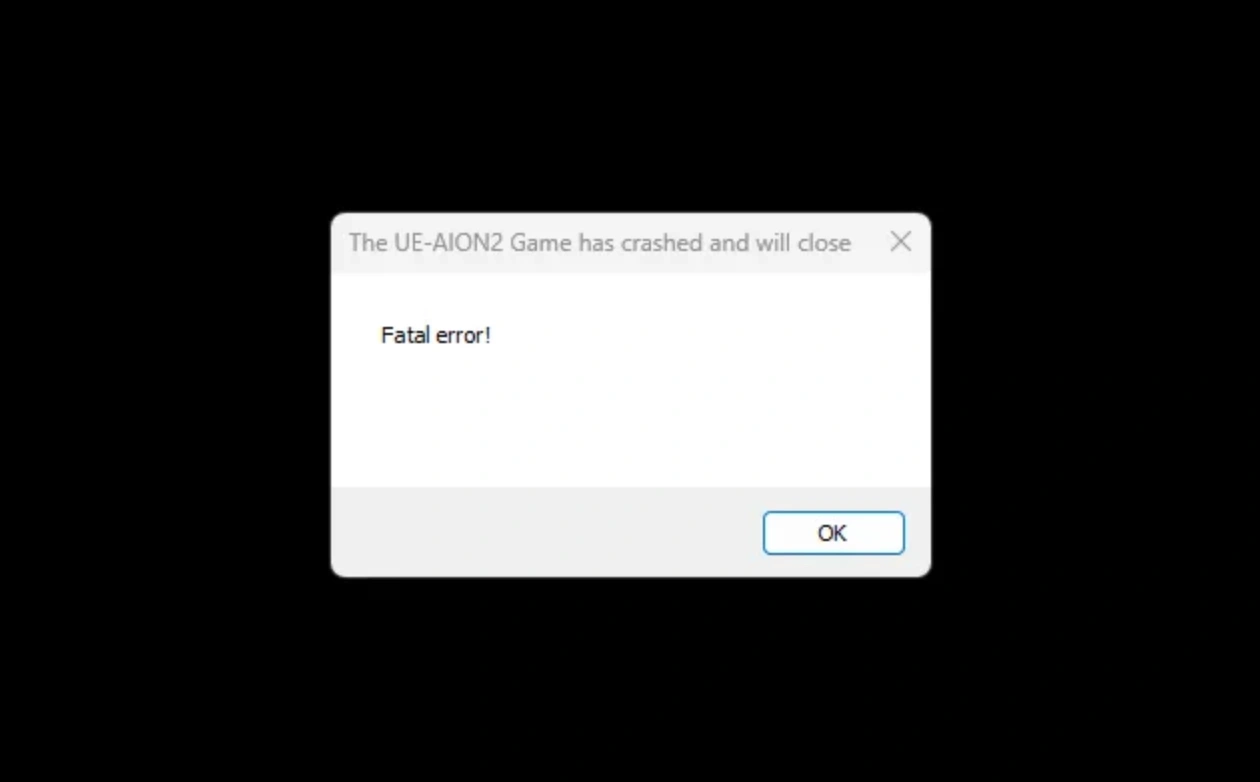
Players commonly encounter this crash right after hitting Start Game. The game briefly attempts to launch, but something interrupts the startup process. Based on community reports and technical behavior, this issue typically occurs due to:
- Problems inside the Purple Launcher or conflicts between the launcher and the game client
- Corrupted or incomplete game files that the built-in verification sometimes misses
- GPU driver incompatibilities, especially with certain AMD cards such as the Radeon RX 7900 XT
- Unstable routing or network initialization delays that cause the engine to hang
- Emulator-like environment conflicts within Purple that trigger Unreal Engine crashes
- SteamAPI initialization failures when the game checks for Steam but cannot register it
Because the error can stem from multiple sources, players often try many fixes before seeing success. Among all available solutions, using a performance-stabilizing tool tends to be the most effective.
Part 2: How to Fix Aion 2 Fatal Error – 100% Working Methods
Below are the best solutions you can apply, starting with the one that consistently delivers the most reliable results.
Best Solution to Fix Aion 2 Fatal Error – LagoFast
If you want a method that works for most players regardless of hardware, LagoFast is currently the top choice. LagoFast is a game booster designed to fix routing, performance, and compatibility problems in many online titles.
For Aion 2 specifically, it helps stabilize the launch environment and correct issues caused by Purple’s routing conflicts. LagoFast can resolve not only the aion 2 fatal error, but also:
- Mouse offset problems
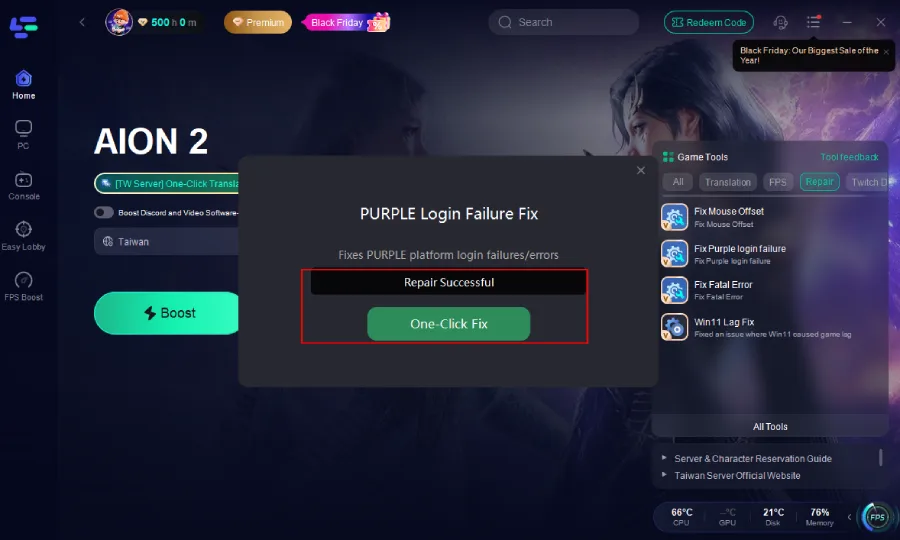
- Purple login failures
- Fatal error shutdown loops
- Windows 11 lag and micro-stutter issues
By ensuring stable routing and improving system-to-engine communication, LagoFast provides Aion 2 with a clean and consistent launch environment—something the default Purple launcher often fails to do. Many players report that LagoFast fixes their crashes instantly without requiring complex adjustments.
Tutorial: How to Use LagoFast to Fix Aion 2 Fatal Error
Step 1: Begin by clicking the Free Trial button to download and install the LagoFast Free Trial.
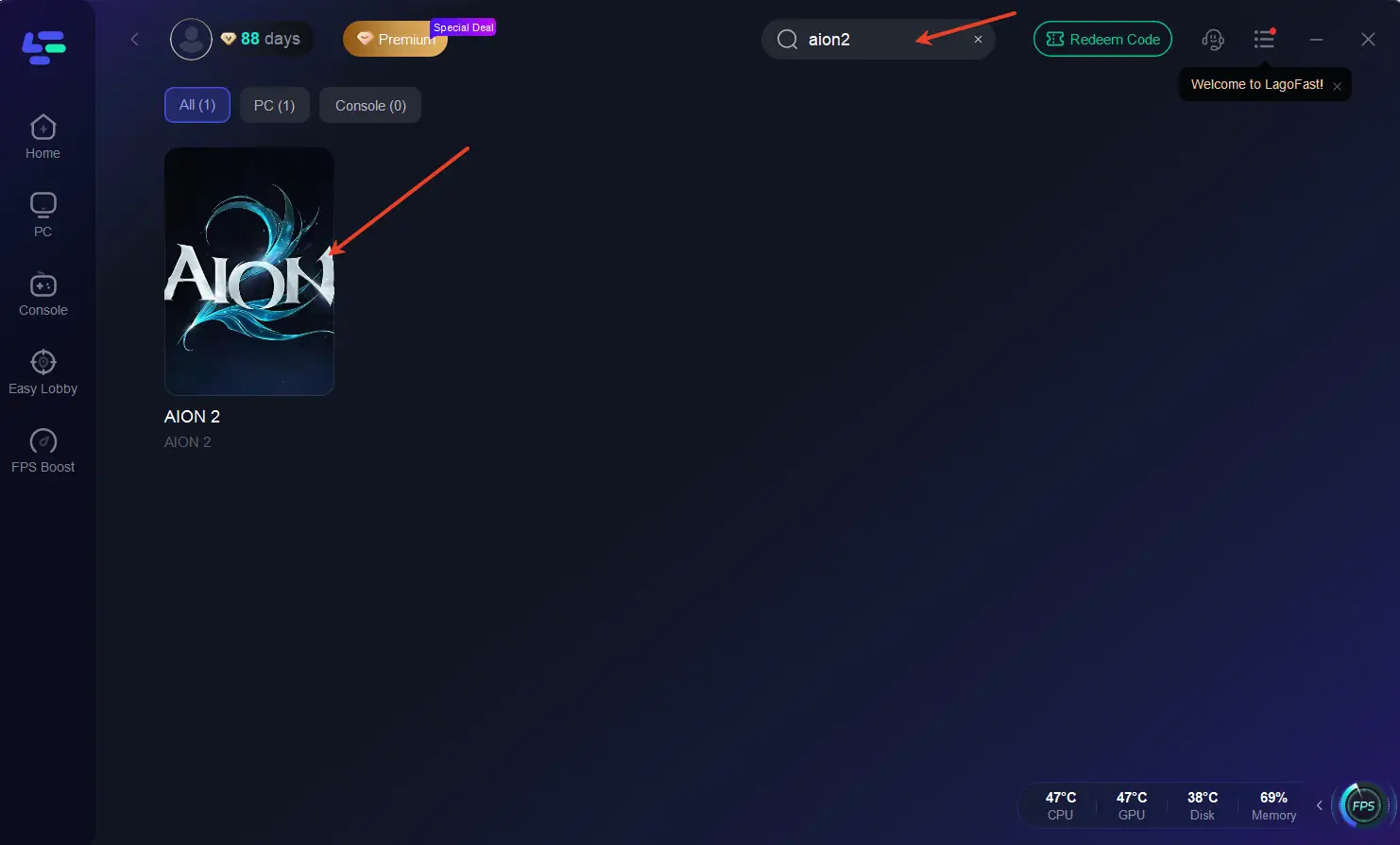
Step 2: Search for Aion2: Open LagoFast and use the search bar to find Aion2.
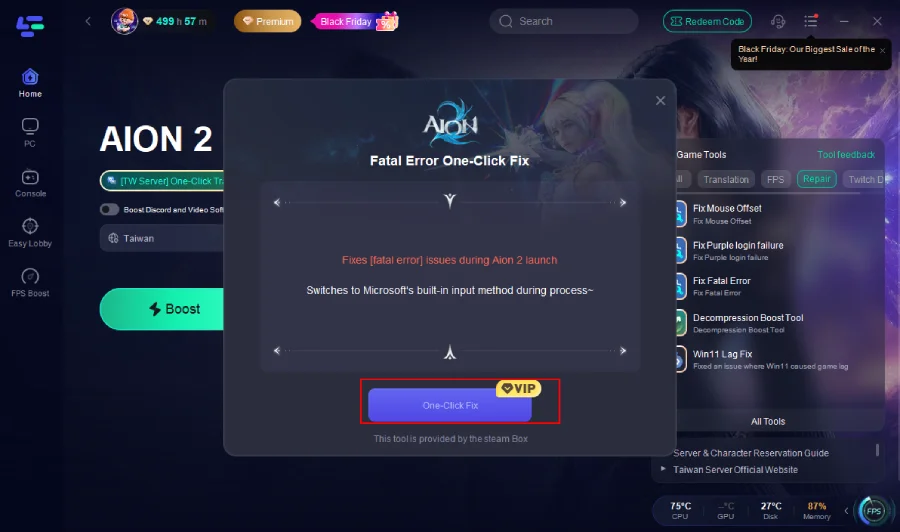
Step 3: On the right side, select the Fix Fatal Error Tool.
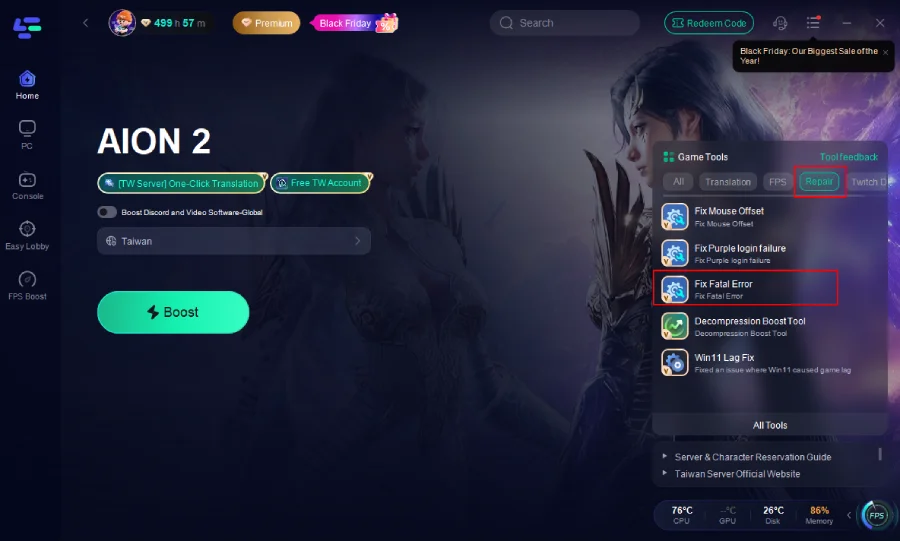
Step 4: Click one-click fix.
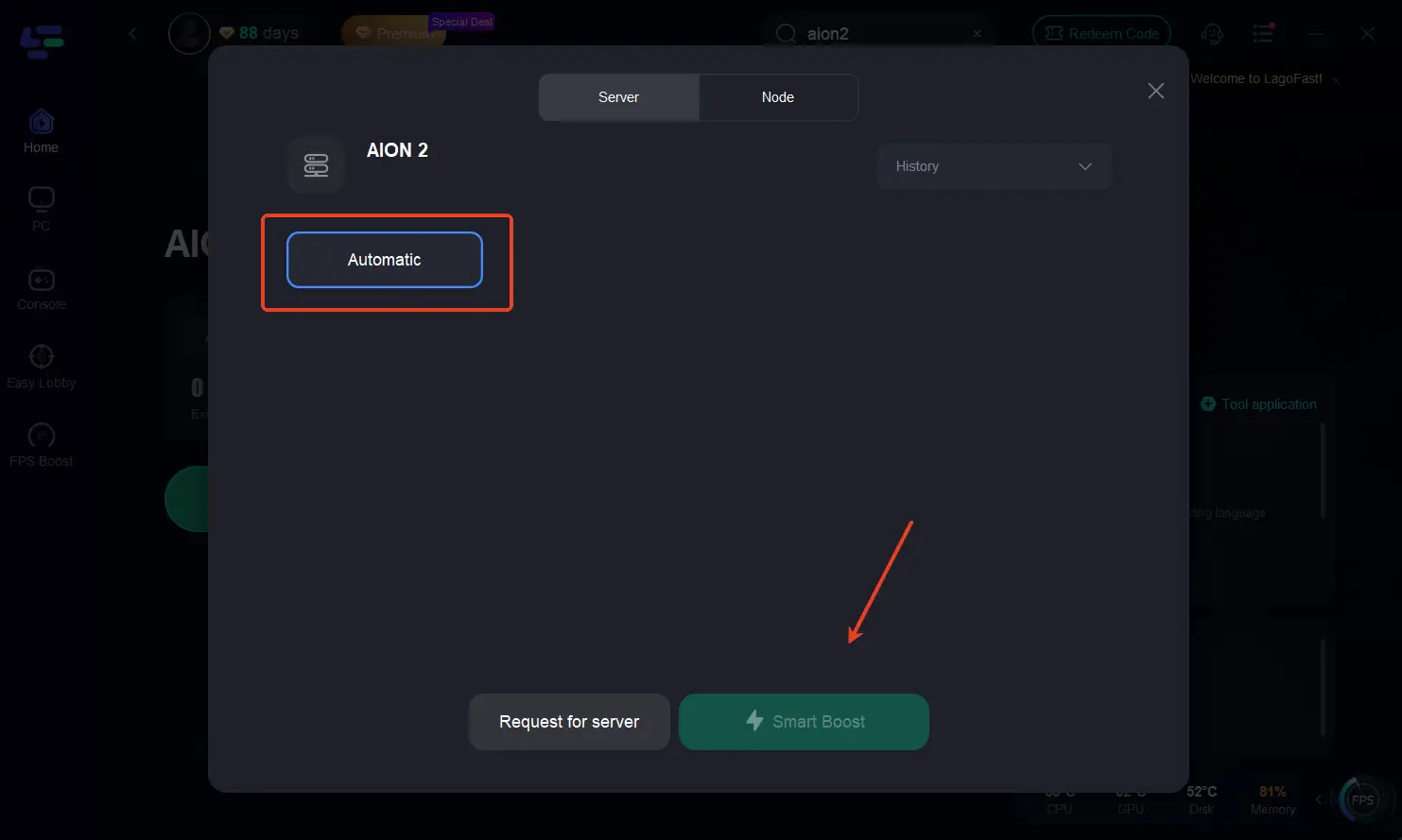
Step 5: Optimize Network Settings: LagoFast will automatically select the optimal server and settings to reduce latency and packet loss
Step 5: Launch the Game: Start Aion2 through LagoFast to enjoy improved performance and stability.
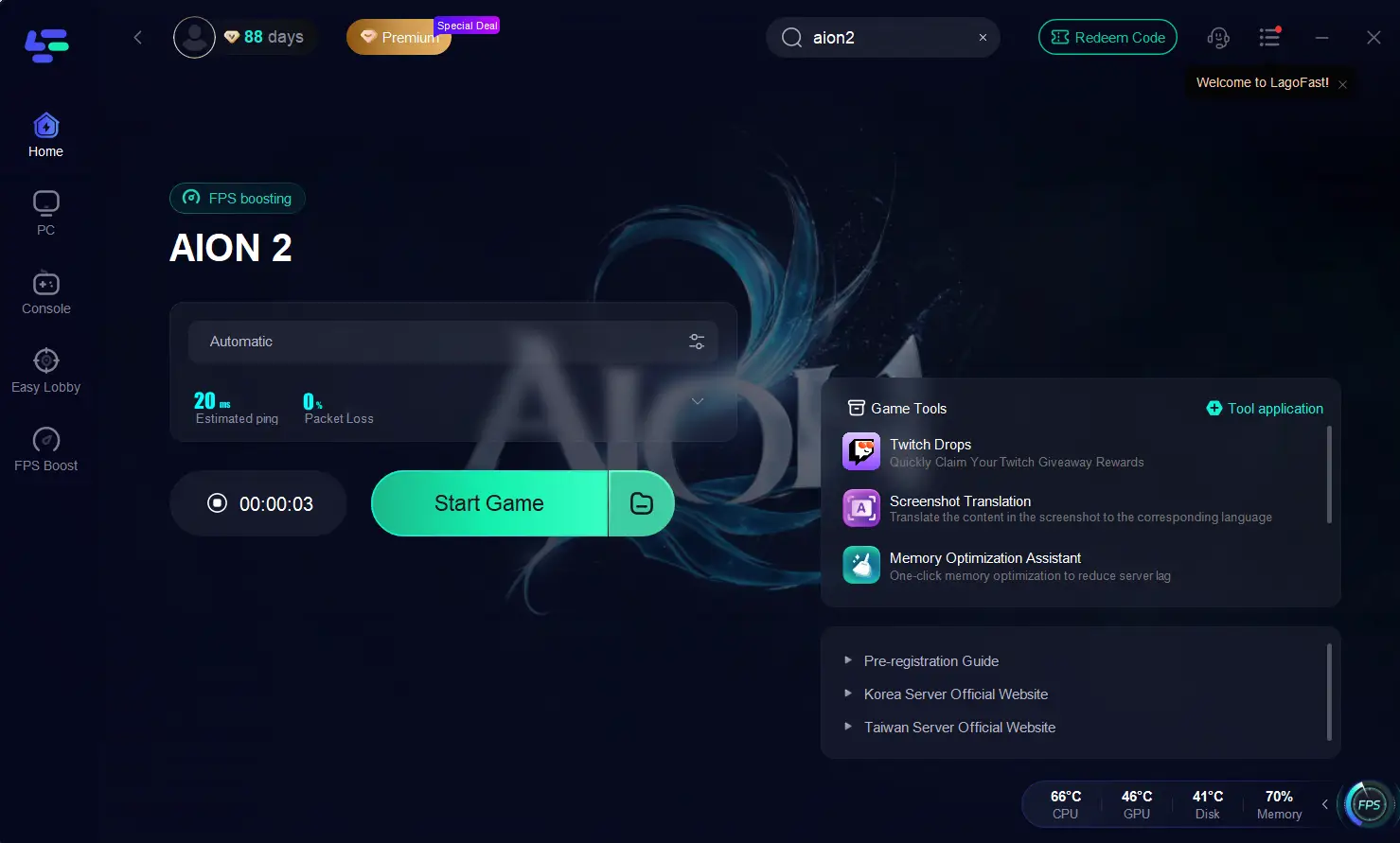
This process stabilizes the Purple runtime environment and prevents repeat Unreal Engine crashes.
LagoFast is not only the most reliable way to fix the Aion 2 fatal error but also provides additional enhancements that improve overall gameplay, connection quality, and accessibility. Below are three major advantages that Aion 2 players benefit from the most.
Lower Ping and Reduce Lag for All Regions
Aion 2 servers—especially those located in Korea and Taiwan—often produce high ping for players outside Asia. LagoFast optimizes routing paths in real time, reducing latency spikes, combat delay, and movement stutter. This ensures smoother skill execution, faster response during PvP, and a more stable gameplay experience regardless of your physical region.
Fix Login Issues and Improve Purple Launcher Stability
Many players encounter login problems, such as Purple stuck on loading, failure to authenticate, or errors triggered during the initialization phase. LagoFast helps stabilize communication between Purple, the game client, and the server. This reduces launcher freezes, prevents “temporary error” messages, and improves login success rates across both PC and hybrid environments.
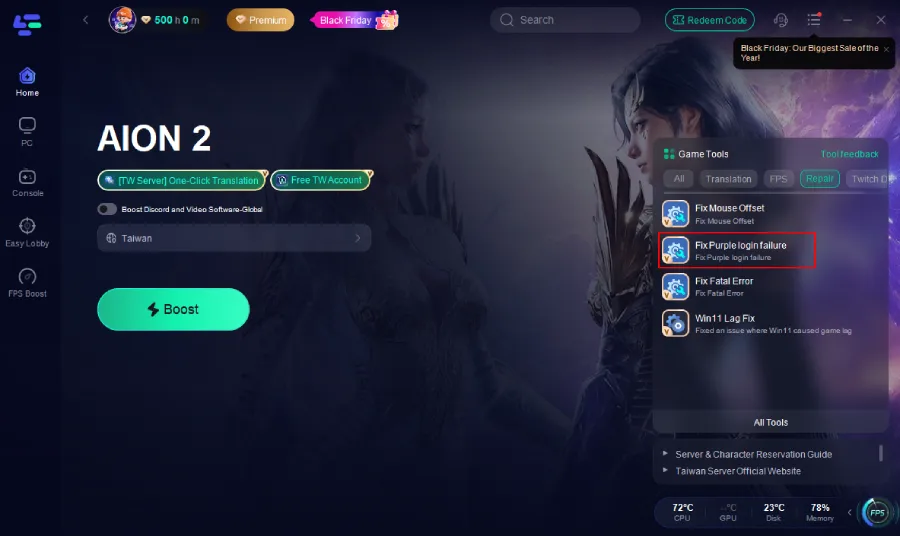
Help Access Taiwan and Korea Servers and Create Accounts More Easily
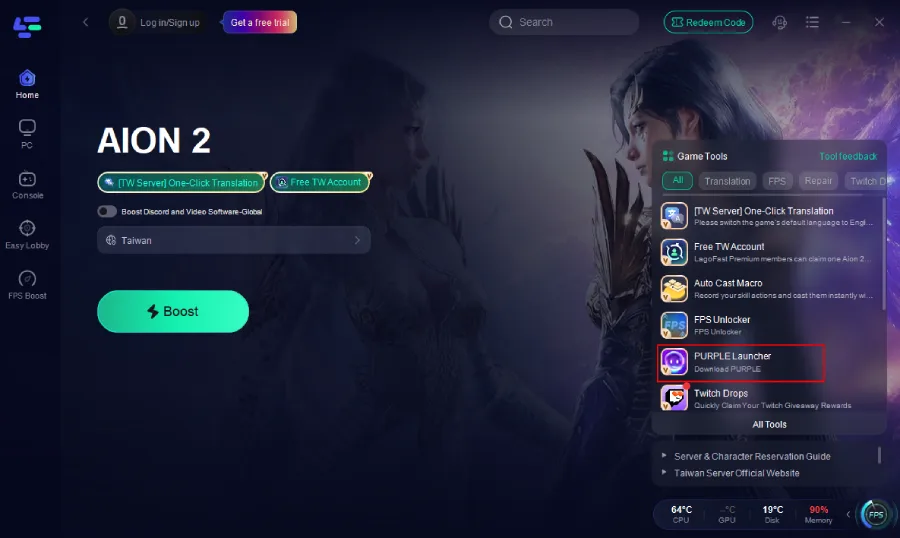
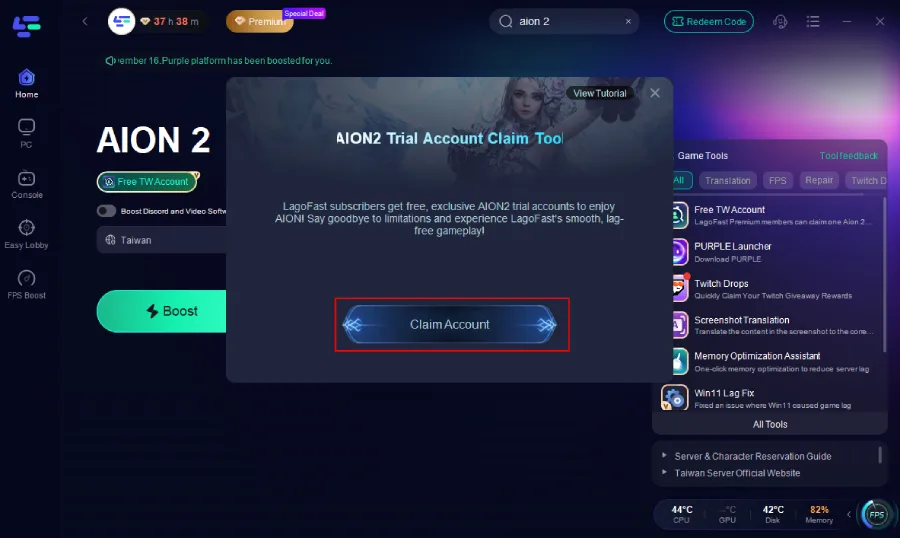
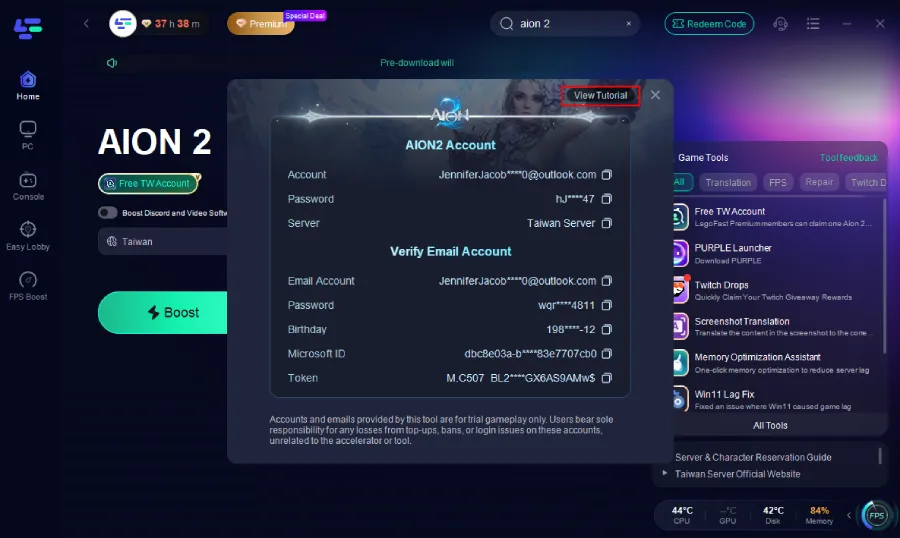
International players frequently face region restrictions, SMS verification issues, and Purple installation difficulties when trying to join the Taiwan or Korea servers. LagoFast simplifies this entire process by offering tools that assist with server access, connection stabilization, and smoother account creation. It also supports one-click Purple download and provides Taiwan server account giveaways, making it significantly easier for new players to enter the game without dealing with complex regional barriers.
Part 3: More Potential Methods to Fix Aion 2 Fatal Error
Repair the Aion 2 Game Files Through Purple
Sometimes the Purple client installs files incorrectly or leaves outdated components behind. Running a full scan may catch missing or corrupted files.
Step 1. Open the Purple Launcher
Step 2. Go to Game Settings
Step 3. Click Scan Files or Repair Files
Step 4. Wait for the check to finish
Step 5. Restart Purple and try launching Aion 2 again
Manually Run the NCLauncher
This method is familiar to long-time Aion players. Running the NCLauncher manually can bypass version or initialization conflicts.
Step 1. Open your Aion installation folder
Step 2. Enter the NCLauncher or NCLauncher2 directory
Step 3. Right-click NCLauncher.exe
Step 4. Select Run as Administrator
Step 5. Start the game from this launcher instead of Purple
Reinstall or Roll Back GPU Drivers
The aion 2 fatal error is sometimes caused by GPU driver instability, particularly on AMD Radeon series cards.
Step 1. Open AMD Adrenalin or NVIDIA Control Panel
Step 2. Navigate to Drivers
Step 3. Choose Update or Rollback depending on your recent installation
Step 4. Reboot your PC
Step 5. Try relaunching Aion 2
Reset SteamAPI Initialization
Some players see messages such as:
“Steam must be running to play this game. (SteamAPI_Init() Failed)”
This happens when Steam and Purple fail to communicate properly.
Step 1. Completely exit both Steam and Purple
Step 2. Relaunch Steam as Administrator
Step 3. Start Purple after Steam is fully loaded
Step 4. Launch Aion 2 from Purple
Step 5. If the error persists, review your Steam installation settings
Conclusion
The aion 2 fatal error is one of the most common issues players face when trying to enjoy the game, and it can occur even on powerful PCs. Most causes stem from Purple’s launch environment, file conflicts, routing instability, or GPU driver compatibility problems.
While there are several manual fixes, such as:
- Repairing files
- Adjusting GPU drivers
- Running the NCLauncher
The most consistent and effective solution right now is LagoFast, which stabilizes the launch environment and eliminates the underlying routing and system-integration issues responsible for the crash.
With the solutions above, you should be able to get Aion 2 running smoothly again and avoid future fatal errors.
Boost Your Game with LagoFast for Epic Speed
Play harder, faster. LagoFast game booster eliminates stutter and lags on PC, mobile, or Mac—win every match!
Quickly Reduce Game Lag and Ping!
Boost FPS for Smoother Gameplay!