PC gamers expect modern MMORPGs to launch without issues, but large online titles often encounter early technical problems. One of the most commonly reported startup issues is Aion2.exe - 0xE0000013, which appears immediately after clicking the “Start Game” button in the launcher.
Instead of entering the game world, the client shuts down and displays a system error dialog referencing Aion2.exe. This guide explains what the error means, why it happens, how it differs from similar errors, and most importantly, how to fix error 0x0000013 in AION 2 effectively.

Eliminate lag and low FPS with LagoFast!
- ✅Less ping and crashes.
- ✅ Higher FPS and better PC performance.
- ✅ Support for 2000+ games.
- ✅ Stable connection and region switching.
Free Trial
Part 1. What Does Aion2.exe - 0xE0000013 Mean in AION 2 Startup?
Part 2. Why AION 2 Game Not Starting on PC Happens
Part 3. Aion2.exe 0xE0000013 vs 0xE0000015 – Key Differences Explained
Part 4. Why Players Confuse 0xE0000013 and 0xE0000015
Part 5. How To Fix Error 0x0000013 In AION 2 (Step-by-Step)
Part 6. Enhancing AION 2 Stability with LagoFast Game Booster
Part 7. FAQs About Aion2.exe - 0xE0000013
Part 1. What Does Aion2.exe - 0xE0000013 Mean in AION 2 Startup?
AION 2 Launch Process Breakdown
The error occurs during the early initialization phase. A typical startup flow includes:
- Launch button clicked
- Launcher loads Aion2.exe
- Anti-cheat system initializes
- System permission checks
- Game engine loads assets
Where the Error Happens
The Aion2.exe - 0xE0000013 issue typically appears between process launch and permission validation. This means:
- The game starts but cannot fully initialize
- Security or system checks fail
- The client exits before rendering begins
Key Insight
Unlike GPU crashes or runtime failures, this issue is not hardware-related. It is mainly caused by permissions, security conflicts, or blocked files.
Part 2. Why AION 2 Game Not Starting on PC Happens
Understanding the root causes is essential before attempting to fix AION 2 not starting on PC.
1. Antivirus Interference
Security software may flag game files or anti-cheat modules as suspicious.
Common Effects:
- Blocks executable files
- Prevents anti-cheat initialization
- Stops the game from launching
2. Insufficient System Permissions
Running the launcher without admin rights can restrict access to:
- System-level processes
- Protected directories
- Anti-cheat services
3. Missing or Corrupted Game Files
Large MMORPG clients often experience file corruption during:
- Installation
- Updates
- Patch interruptions
4. Background Overlay Conflicts
Some tools inject code into running processes, which anti-cheat systems may block.
Common conflicting programs:
- MSI Afterburner
- RivaTuner Statistics Server
- Screen recording software
- Discord overlay
Part 3. Aion2.exe 0xE0000013 vs 0xE0000015 – Key Differences Explained
Comparison Table
|
Error Code
|
Category
|
Root Cause
|
Solution Focus
|
|
0xE0000013
|
Startup / permission issue
|
Antivirus, permissions, corrupted modules
|
Admin access, exclusions, repair
|
|
0xE0000015
|
Runtime / environment issue
|
Missing libraries, outdated drivers
|
Install runtimes, update drivers
|
Error 0xE0000013 Characteristics
- Occurs before full game launch
- Related to security or access restrictions
- Often fixed without reinstalling
Error 0xE0000015 Characteristics
- Occurs during engine initialization
- Linked to DirectX, GPU, or VC++ dependencies
- Requires system updates
Part 4. Why Players Confuse 0xE0000013 and 0xE0000015
1. Identical Error Window
Both errors appear as Windows dialogs referencing Aion2.exe.
2. Same Timing
They occur immediately after clicking “Start Game”.
3. Same Executable Reference
Players assume the issue is identical because both mention Aion2.exe.
Important Insight
Following the wrong fix guide can waste time. Knowing how to fix error 0x0000013 in AION 2 specifically helps avoid unnecessary troubleshooting.
Part 5. How To Fix Error 0x0000013 In AION 2 (Step-by-Step)
Below are proven methods to resolve the Aion2.exe - 0xE0000013 issue.
1. Run the Launcher as Administrator
This is often the fastest fix.
Steps:
- Right-click the launcher
- Select Run as Administrator
- Launch the game again
Why It Works
It grants access to restricted system resources required by anti-cheat modules.
2. Add AION 2 to Antivirus Exclusions
What to Exclude:
- Game installation folder
- Launcher executable
- Anti-cheat components
Why It Works
Prevents security software from blocking critical startup processes.
3. Repair the Game Installation
Steps:
- Open launcher settings
- Select Repair / Scan Files
- Wait for verification
Why It Works
Restores missing or corrupted files that prevent startup.
4. Close Background Overlay and Monitoring Tools
Disable Before Launch:
- MSI Afterburner
- RTSS
- Discord overlay
- Recording software
Why It Works
Avoids anti-cheat conflicts caused by injected processes.
Part 6. Enhancing AION 2 Stability with LagoFast Game Booster
Although Aion2.exe - 0xE0000013 is mainly related to startup permissions or anti-cheat issues, network stability still affects login authentication and launcher communication. Even after fixing permission-related problems, unstable connections may cause login failures or delay server responses.
Since AION 2 servers are mainly located in Korea and Taiwan, players connecting from other regions often face long-distance routing, higher latency, and unstable connections, which can lead to authentication timeouts or connection interruptions.
LagoFast Game Booster helps optimize the connection between your PC and the game servers by selecting more stable and lower-latency routes, improving both login and in-game performance.
Key advantages include:
- Optimized routing: Reduces unnecessary network delays
- Lower latency and packet loss: Improves connection stability
- More reliable login authentication: Reduces timeout and failure issues
- Smoother overall gameplay: Better performance after entering the game
Optimized routing helps prevent connection timeouts and improves overall launcher and server communication.
How to Use LagoFast
Step 1: Click the Free Trial button to download and install LagoFast.
Free Trial
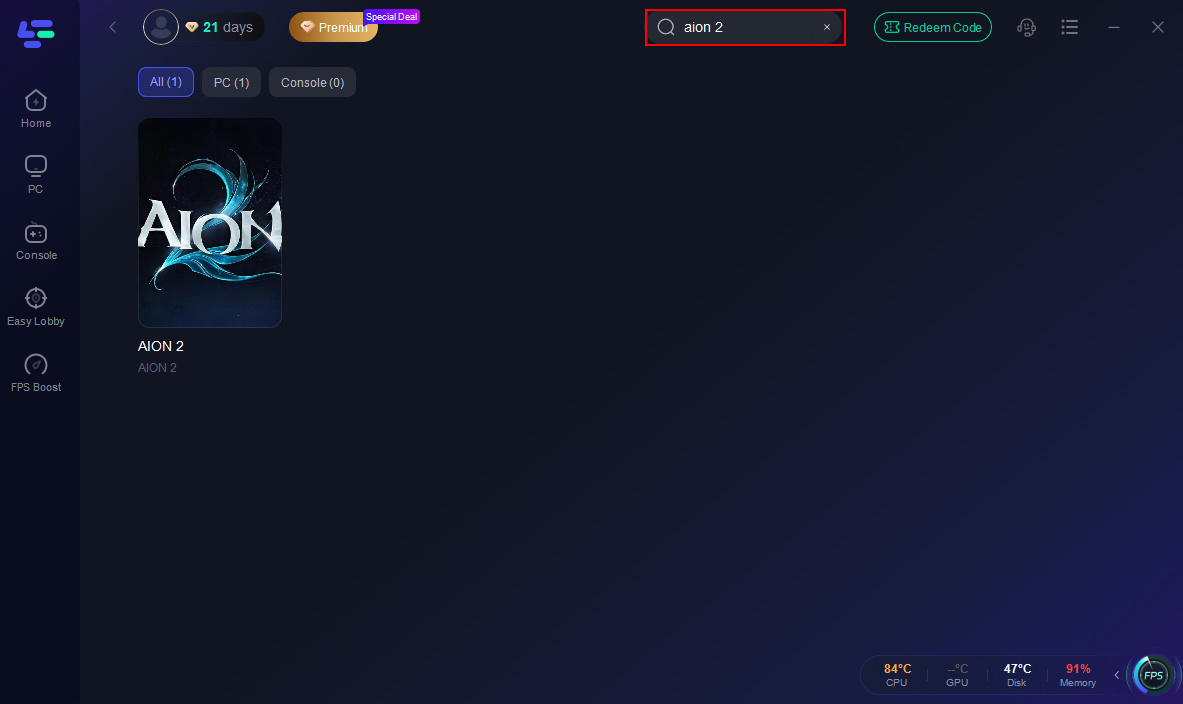
Step 2: Open LagoFast, then click the PC button on the left and search Aion 2 in the search bar; click it after it appears.
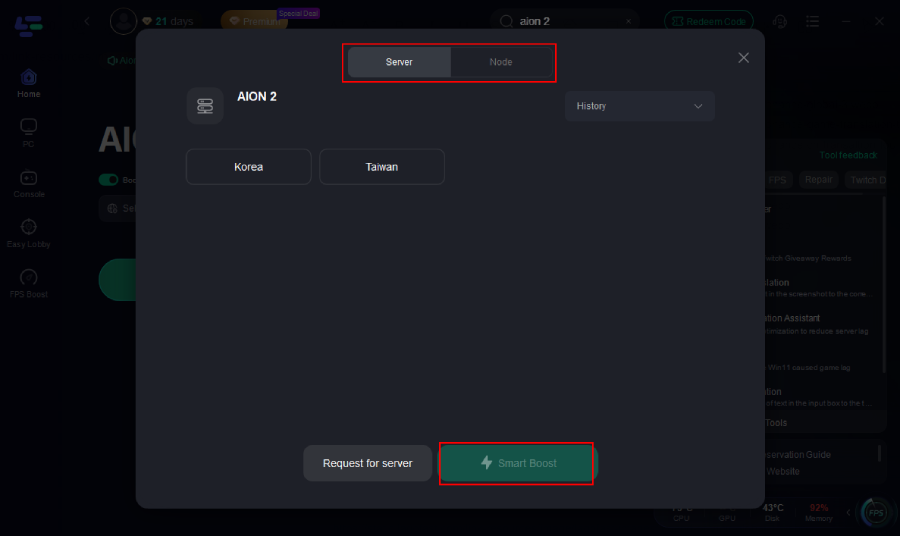
Step 3: Click on “Server” to change to a better server that ensures a smooth gaming experience, then click on “Smart Boost.”
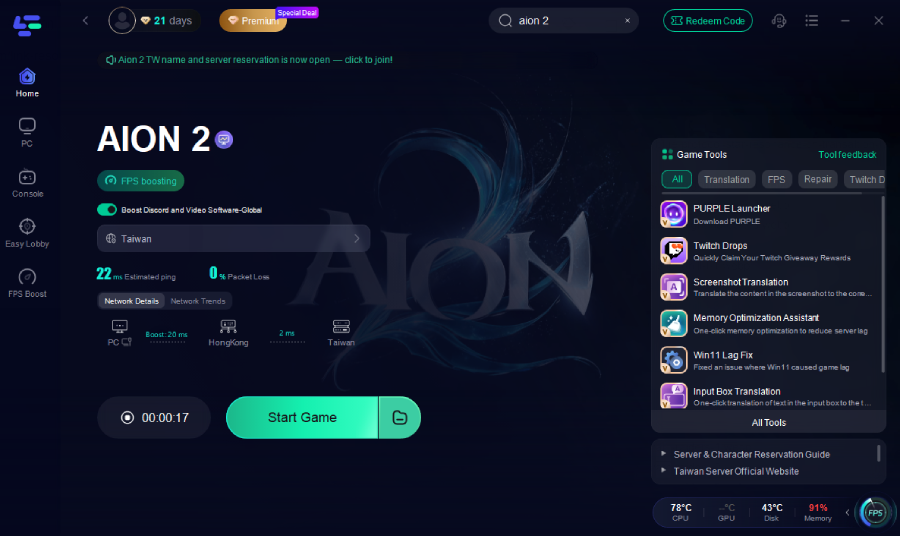
Step 4: Check the specific game ping, packet loss, and multiple path connection on the right side. Finally, click “Start Game” to play the game.
Part 7. FAQs About Aion2.exe - 0xE0000013
1. What causes Aion2.exe - 0xE0000013?
It is usually triggered by security restrictions, antivirus blocking, or corrupted files.
2. Why is AION 2 not starting on my PC?
Common causes include:
- Antivirus interference
- Lack of admin permissions
- Broken installation files
- Overlay conflicts
3. Is this a hardware issue?
No. This is a software-level startup problem, not related to GPU or CPU performance.
4. Should I reinstall the game?
Only if repair fails. Most cases are resolved through permissions or antivirus adjustments.
5. Does this error appear after updates?
Yes. Updates may trigger false positives in antivirus software or modify key launcher components.
Conclusion
The Aion2.exe - 0xE0000013 error occurs during a critical startup phase between the launcher and client initialization. While it may seem complex, the root causes are typically straightforward: blocked security modules, insufficient permissions, or corrupted files.
Most players can fix AION 2 not starting on PC by:
- Running the launcher as administrator
- Adding antivirus exclusions
- Repairing game files
- Disabling overlay tools
For players connecting to overseas servers, additional optimization tools can improve overall stability and reduce connection-related issues.
Once resolved, players can fully enjoy AION 2’s large-scale battles, deep progression systems, and immersive MMORPG experience.