

Many players encounter the “40309.500 Temporary Error” when verifying their phone number or logging into PURPLE on Aion 2 Taiwan/Korea servers. This error is usually caused by server or verification system overload, not your account or PC. This guide explains the causes and effective solutions.

- ✅ Reduce Lag and High Ping.
- ✅ Higher FPS and better PC performance.
- ✅ Support for 2000+ games.
- ✅ Stable connection and region switching.
- ✅ Change Server without Latency.
Part 1: Why It Happens & How to Fix It
Part 2: Why the 40309.500 Error Happens
Part 3: How to Fix the 40309.500 Temporary Error
Part 1: Why It Happens & How to Fix It
The 40309.500 temporary error is one of the most common issues during Aion 2’s Taiwan/Korea launch. It appears right after players enter a phone number or try to complete the final login step inside PURPLE.
Based on dozens of real reports (US, UK, Canada, Brazil, Germany, France), the problem is not your PC and not your account—it’s the login backend.
Below is the actual cause breakdown and the fixes that worked for players.
Part 2: Why the 40309.500 Error Happens
1. Telecom & Region Verification Overload
On launch day, thousands of foreign players are verifying Taiwan numbers, SMS codes, and linking devices.
NCSoft’s TW login servers + Cloudflare routing get overloaded → temporary verification failures.
Real players said:
“Wife and I are in the same boat. Launch day woes.”
“Same thing here in USA.”
“Tried reinstalling and even using another PC — same error.”
2. Cloudflare / SMS Gateway Instability
Several users mentioned that Cloudflare was unstable globally.
When Cloudflare routing fails:
- SMS codes don’t validate
- PURPLE cannot confirm your device
- Login returns 40309.500
3. Phone Number Format Mismatch (especially EU)
Players found that the verification requires a very strict formatting, depending on whether you enter it:
- In-game
- On the website
- In the device management page
Some numbers fail in-game but succeed on the website (German, French, UK numbers).
4. Foreign IP Flooding Taiwan Servers
As one user put it:
“I think 95% of people trying to access TW servers are not from TW.”
When too many foreign IPs hit the verification backend → temporary access throttle → 40309 errors.
5. NCSoft Throttling Certain Region Prefixes Temporarily
Players thought only EU numbers were blocked, but reports confirmed it affects:
- UK
- Canada
- USA
- Brazil
- Germany & France
- Even TW players at peak times
So it’s not a ban—it’s instability.
Part 3: How to Fix the 40309.500 Temporary Error
These solutions come directly from players who managed to pass the verification.
Fix 1—Add Your Phone Number Through the NC Taiwan Website (Most Reliable)
Several EU/UK players succeeded only when using the website method:
- Go to your NC Account settings → Device/phone verification
- Enter your country code with spaces exactly as required
- Submit the verification
- Reopen PURPLE
Players reported:
“I used my German Number, but I used the website to add my device… spaces between numbers.”
Fix 2—Wait 30–120 Minutes During Peak Load
Since the issue is temporary backend overload, many players fixed it just by waiting.
Launch waves hit every region from Asia to EU to NA.
Trying during low-traffic windows works better:
Best times to verify:
- TW local time 01:00–06:00
- EU early morning
- US very late at night
Fix 3—Switch Network (Mobile Hotspot vs. Home Wi-Fi)
If your IP is being temporarily throttled:
- Try a mobile hotspot
- Try a different Wi-Fi network
- Reset your router
This forces PURPLE to request verification from a new IP.
Fix 4—Use a Clean Route to Taiwan (Stops Cloudflare Routing Errors)
A lot of “temporary error” messages come from failed API calls caused by poor routing to TW.
Optimized TW routing (like LagoFast) helps avoid:
- SMS validation timeouts
- Device-binding errors
- PURPLE login loops
- Cloudflare 403 failures
If your connection to NC Taiwan is unstable, the number verification can’t complete even if the SMS is valid.
Step-by-Step: How to Use LagoFast to Fix the Temporary Error Faster
Step 1. Install LagoFast
Create an account and launch the client.
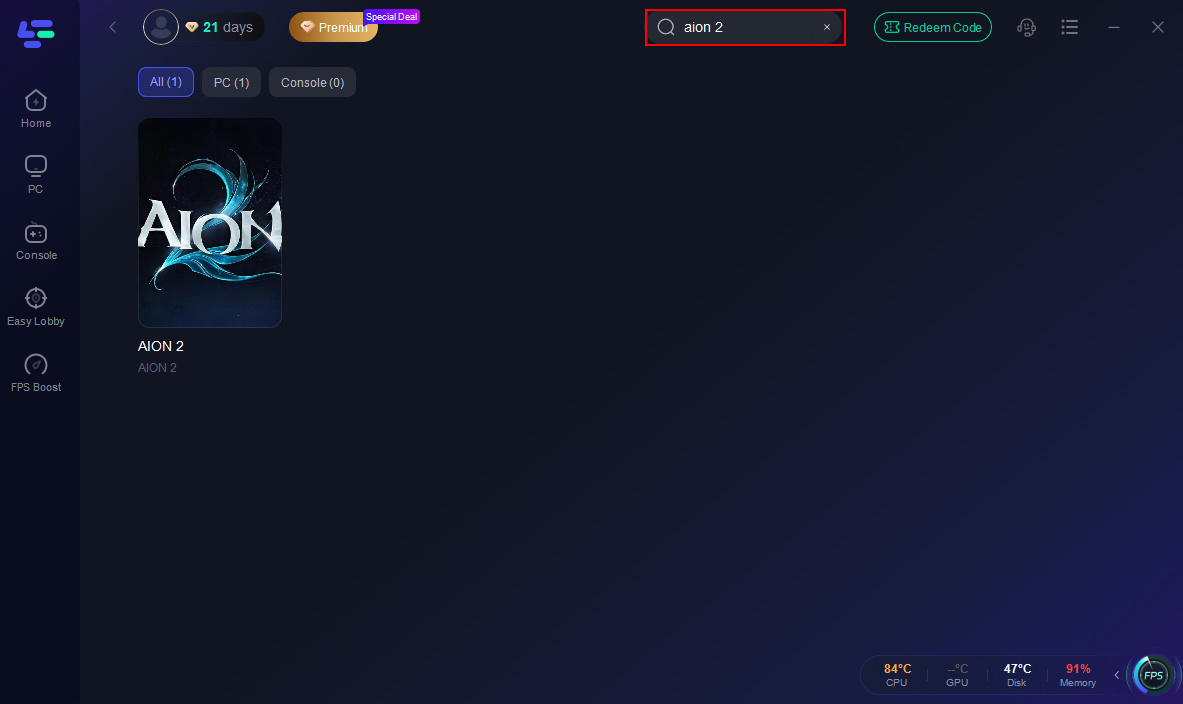
Step 2. Search for “Aion 2”
Select the game to load all Taiwan/Korea routes.
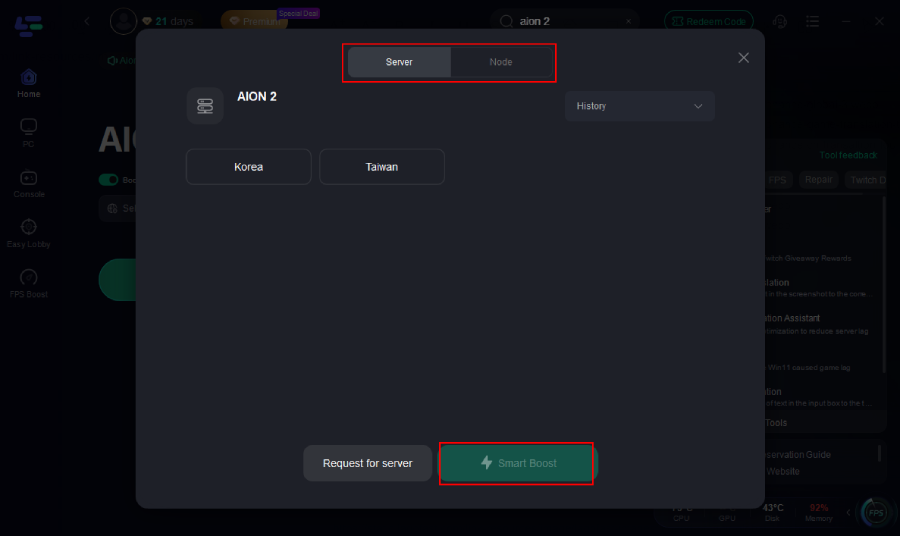
Step 3. Pick a Taiwan Node
Choose the TW server with the lowest ping & lowest packet loss.
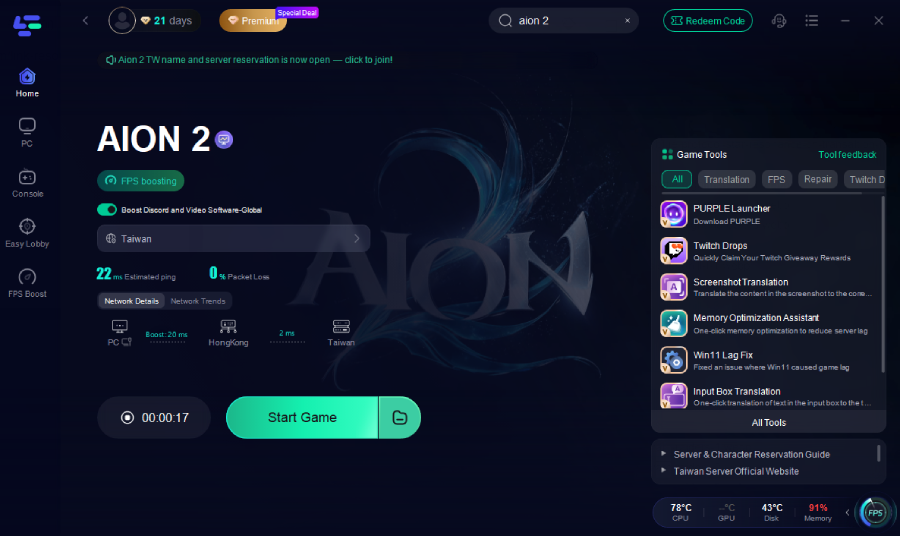
Step 4. Click Start Game
This forces PURPLE + all login API traffic through the optimized route.
Step 5. Retry Verification or Login
Most players succeed after 1–3 attempts once routing stabilizes.
Fix 5—Try Another Device (Some PCs Bug Out)
Players said the error persisted on one PC but worked instantly on another.
Steps:
- Try adding the number on your phone browser
- Try logging into the NC website on mobile
- Then reopen PURPLE on PC
Fix 6—Reinstall PURPLE (Works for Some NA Users)
Not the best fix, but some NA players said reinstalling reset the verification flow.
Part 4: What Doesn’t Fix It
Players confirmed these do NOT help:
- Creating a new account
- Using a different number
- Changing password
- Trying new email
- Switching region between Global/TW
- Reinstalling the game
These are server issues—not account issues.
Conclusion:
The 40309.500 error is mainly due to server overload, unstable network routing, or strict phone verification formatting. Using the NC Taiwan website, trying during off-peak hours, switching networks, or optimizing your connection with tools like LagoFast can help most players complete login and device verification successfully.

Boost Your Game with LagoFast for Epic Speed
Play harder, faster. LagoFast game booster eliminates stutter and lags on PC, mobile, or Mac—win every match!
Quickly Reduce Game Lag and Ping!
Boost FPS for Smoother Gameplay!