
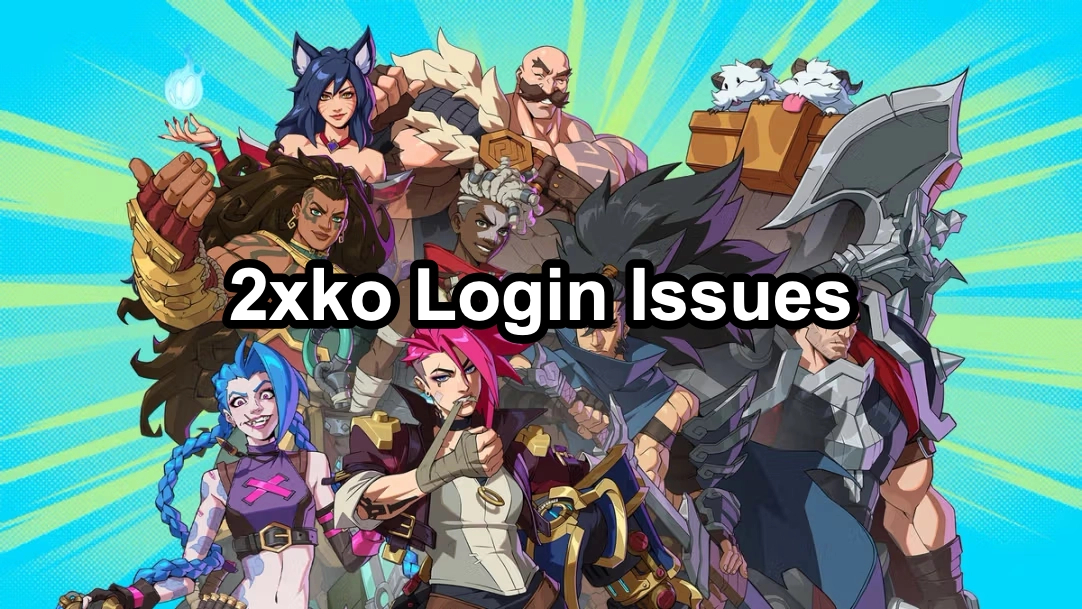
2xko, Riot Games’ upcoming 2v2 tag-team fighting game, has quickly captured the attention of gamers worldwide. With its fast-paced mechanics, diverse character roster, and strong esports potential, the game promises an exciting future for competitive play. However, like many online titles, players often encounter frustrating 2xko login issues that prevent them from diving into the action. These problems can stem from server downtime, unstable internet, outdated clients, or even device security settings.
In this guide, we’ll break down the most common reasons behind login failures and provide step-by-step solutions to fix them. Along the way, we’ll also explore 2xko’s gameplay highlights, character variety, and growing competitive scene—helping you not only solve technical issues but also get the most out of your experience in this highly anticipated fighting game.

- ✅ Reduce Lag and High Ping.
- ✅ Boost FPS at the Same Time.
- ✅ Support 2000+ Popular Online Games.
- ✅ End Stuck & Crashing Issues.
Part 1. 2xko Gameplay Overview
Part 2. Characters and Fighting Styles in 2xko
Part 3. Common Causes of 2xko Login Problems
Part 4. Competitive Scene and Esports Potential
Part 5. Step-by-Step Fixes for 2xko Login Issues
Part 6: Advanced Solution: Use a Game Booster for Smooth Login
Part 1. 2xko Gameplay Overview
2xko is not just a typical fighting game—it blends fast-paced combat mechanics with strategic teamwork. Players can switch between characters mid-fight, unleashing devastating combos and counterattacks. The smooth controls and responsive animations make every match feel dynamic and competitive.
Part 2. Characters and Fighting Styles in 2xko
One of 2xko’s biggest draws is its diverse roster. Each character offers:
- Unique Abilities: Special moves and ultimate attacks.
- Distinct Fighting Styles: From close-range brawlers to ranged specialists.
- Team Synergy: Players can build teams that complement each other for maximum efficiency.
This variety allows players to experiment with different strategies and master multiple heroes.
Part 3. Common Causes of 2xko Login Problems
Understanding the cause of login failures helps you troubleshoot effectively. The most frequent issues include:
- Server Outages: During maintenance or heavy traffic, login requests may fail.
- Internet Connection Issues: High ping, packet loss, or unstable Wi-Fi can block login attempts.
- Incorrect Account Credentials: Typos in your username or password can cause repeated failures.
- Outdated Game Client: Running an older version of 2xko may lead to compatibility problems.
- Firewall or Antivirus Blocking: Security software might mistakenly block 2xko’s login process.
Part 4. Competitive Scene and Esports Potential
Since its reveal, 2xko has been positioned as a future esports title. Riot Games has a strong track record with competitive games like League of Legends and VALORANT, and 2xko is set to follow in their footsteps. The game already shows potential for:
- Ranked ladders and tournaments.
- Local and international competitions.
- A growing professional player base.
Part 5. Step-by-Step Fixes for 2xko Login Issues
1. Check Server Status
- Visit the official Riot Games server status page or community forums.
- If servers are down, wait until they are restored.
2. Verify Internet Stability
- Switch to a wired connection instead of Wi-Fi.
- Restart your router and modem.
- Run a speed test to confirm stable connectivity.
3. Update 2xko to the Latest Version
- Launch your game client and check for updates.
- Install patches promptly to avoid version mismatch errors.
4. Re-enter Your Account Credentials
- Double-check for typos in your username and password.
- Reset your password if necessary through Riot’s official recovery page.
5. Adjust Firewall and Antivirus Settings
- Add 2xko to your firewall or antivirus exceptions list.
- Temporarily disable them to test if login becomes possible.
When to Contact Support
If none of the above fixes work, it’s time to contact Riot Games Support. Provide them with:
- A screenshot of the error message.
- Your system and network details.
- The troubleshooting steps you’ve already tried.
This helps the support team quickly identify and solve your login issue.
Part 6: Advanced Solution: Use a Game Booster for Smooth Login
If you still face login issues, network optimization tools like LagoFast can help. LagoFast provides stable connections, reduces ping, and prevents packet loss—often the hidden causes behind failed logins.
Benefits of Using LagoFast for 2xko:
- Lower latency and smoother gameplay.
- Automatic routing to the most stable server.
- Real-time monitoring of ping and packet loss.
- One-click optimization for login and matchmaking.
How to Use LagoFast
Step 1: Begin by clicking the Free Trial button to download and install the LagoFast Free Trial.
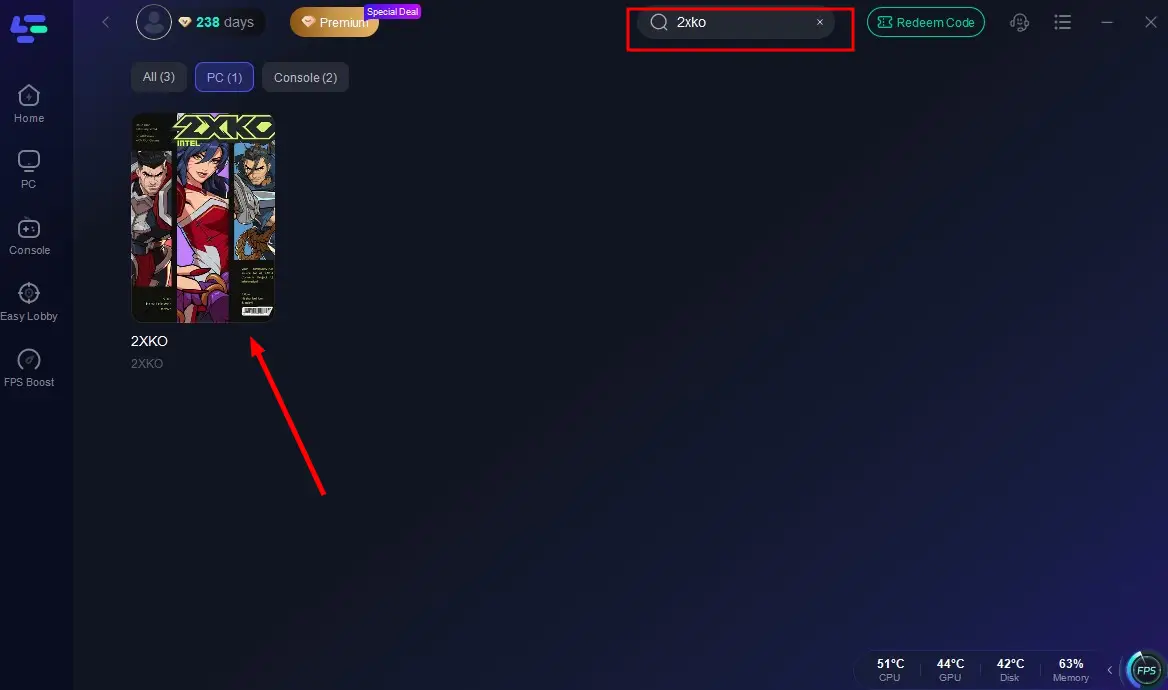
Step 2: After installation, launch LagoFast and click the PC icon on the left side of the interface. In the search bar, type 2XKO and select it from the list of results
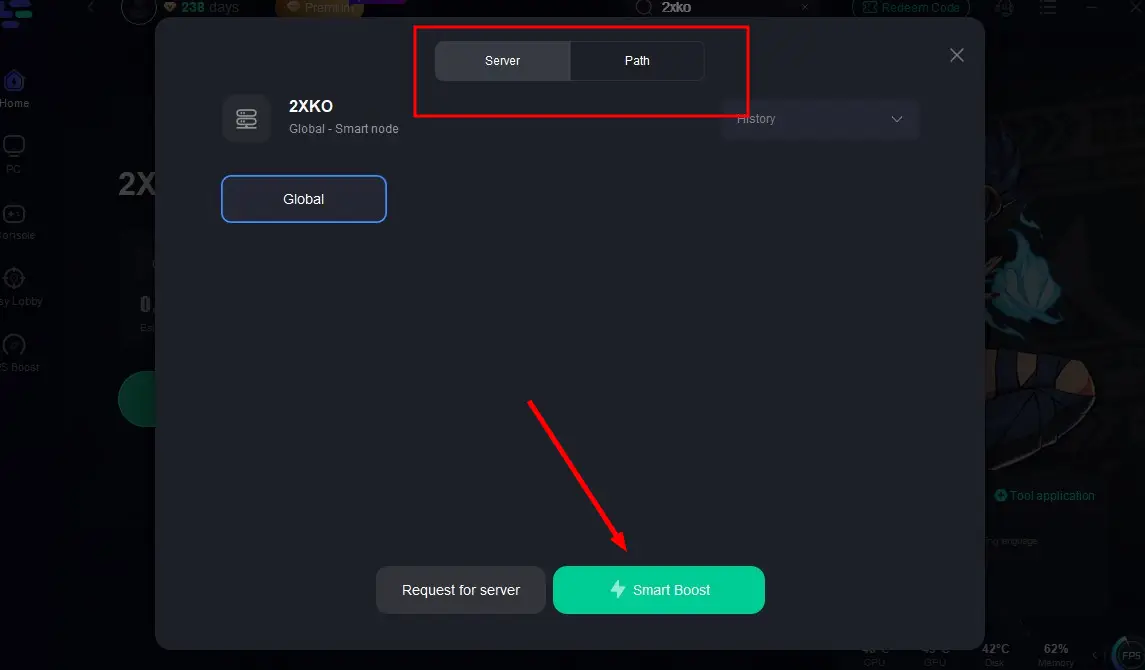
Step 3: Select a server that is closest to your location or offers the lowest latency for optimal performance.
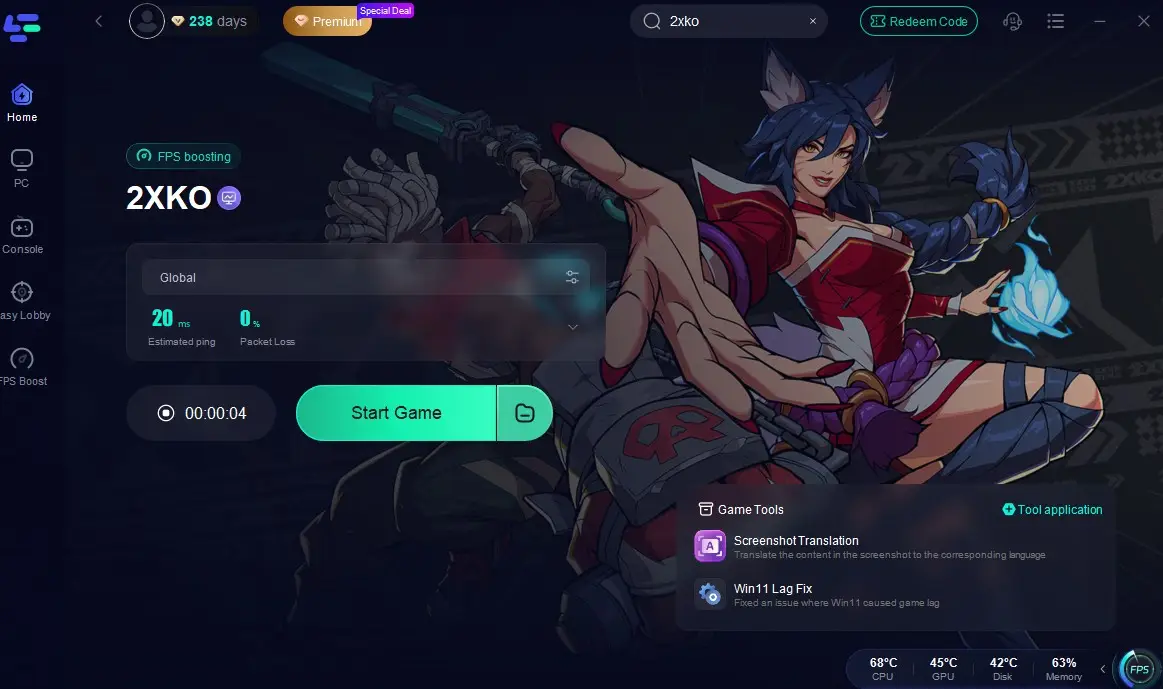
Step 4: Once LagoFast has completed its network optimization, return to the game and enjoy an enhanced gaming experience.
Other Benefits of LagoFast
- Stable Connections: Prevents sudden disconnections during login or matches.
- Lower Ping: Reduces lag for smoother gameplay.
- Global Servers: Choose the best routes for your location.
- One-Click Boost: Simple setup with no complex configurations.
By optimizing your network with LagoFast, you can overcome most 2xko login issues and focus on what truly matters—perfecting your combos and enjoying the fight. Instead of worrying about failed logins or lag spikes, LagoFast ensures a smooth and consistent experience.
Conclusion
Facing 2xko login issues can be frustrating, but most problems can be solved with straightforward troubleshooting steps like checking servers, improving your internet connection, or updating the client. For persistent issues, tools like LagoFast offer advanced network stability for smoother logins and better gameplay. Stay patient, apply these fixes, and you’ll be back in the arena in no time.

Boost Your Game with LagoFast for Epic Speed
Play harder, faster. LagoFast game booster eliminates stutter and lags on PC, mobile, or Mac—win every match!
Quickly Reduce Game Lag and Ping!
Boost FPS for Smoother Gameplay!