
2XKO is Riot Games’ ambitious 2v2 tag-team fighting game built on the League of Legends universe, launching across PC (Windows), PlayStation 5, and Xbox Series X/S in 2025. Players select two champions and switch between them mid-combo, leveraging assist mechanics, supers, parries, pushblocks, and strategic fuse synergies.
Because 2XKO will be a global release, language support will play a crucial role in accessibility. Many players worldwide may face barriers if the game does not natively support their language. That’s where a capable translation tool becomes invaluable. In this article, we’ll explain what 2XKO is, what in-game languages are currently supported (or expected), and how to use LagoFast’s translation tool to overcome language barriers while maintaining stable network performance.

- ✅ Reduce Lag and High Ping.
- ✅ Boost FPS at the Same Time.
- ✅ Support 2000+ Popular Online Games.
- ✅ End Stuck & Crashing Issues.
Part 2. What Languages Does 2XKO Currently Support?
Part 3. How to Use LagoFast Translation Tool for 2XKO & Optimize Network Connection
Part 1. What is 2XKO
2XKO is a free-to-play competitive fighting game by Riot, designed around 2v2 tag-team mechanics. Each fight involves a “Point” (active) and “Assist” (off-screen) champion, and players can swap between them mid-combo using a handshake tag system. The game emphasizes strategic interplay between assists and direct combat.
Key gameplay systems include:
Standard attacks (Light, Medium, Heavy) plus special moves tied to directional inputs.
- Supers that consume meter (often done via “down down + special” input).
- Pushblocking and parrying mechanics to defend, counter, or regain space.
- Fuse system: custom synergies that let you personalize how your duo functions together (e.g. boosting assist damage, reducing cooldown, enhancing combos).
- Movement tools such as dashes, jumps, and air dashes to ensure mobility is central to match flow.
By combining these mechanics, 2XKO offers both depth for veterans and approachability for newcomers. But as with many cross-region competitive games, language support is key to broad adoption.
Related Article: 2XKO Early Access Guide
Part 2. What Languages Does 2XKO Currently Support?
As of now, Riot has not fully disclosed every supported language for 2XKO at launch. However, given Riot’s track record and market expectations, some plausible support assumptions are:
- Common global languages: English, Chinese (Simplified & Traditional), Japanese, Korean
- Major regional/local languages: Portuguese (Brazil), Spanish, French, German
- Subtitles / UI only: Many titles start with UI and subtitle support for additional languages (e.g. Russian, Arabic, Thai)
- Voiceovers: Voice acting will likely be limited initially to fewer languages, with expansions later
Because some of these languages may be missing or partial in the early builds or beta, tools like LagoFast’s translation functions (screenshot translation, input box translation) can help fill gaps. For example, LagoFast’s support for screenshot & input box translation is documented in its support pages.
It’s important to verify the final localization list when 2XKO launches, but translation tools can act as a supplemental layer in the meantime.
Part 3. How to Use LagoFast Translation Tool for 2XKO & Optimize Network Connection
Below is a guide on how you can integrate LagoFast’s translation features into your 2XKO experience, while also maintaining network optimization.
Overview of LagoFast Translation Features
- Screenshot Translation: Capture a part or the whole screen, have it translated into your target language.
- Input Box Translation: Translate chat or input text on the fly (e.g. communicate cross-region).
- One-Click Game Translator: LagoFast has a One-Click Game Translator tool that automatically translates in-game text to your chosen language.
These features allow you to understand menu text, UI prompts, dialogs, and communicate with others even if 2XKO lacks your language natively.
Detailed Step-by-Step Guide
Step 1: Go to the official LagoFast website and click the Free Trial button to install the software.
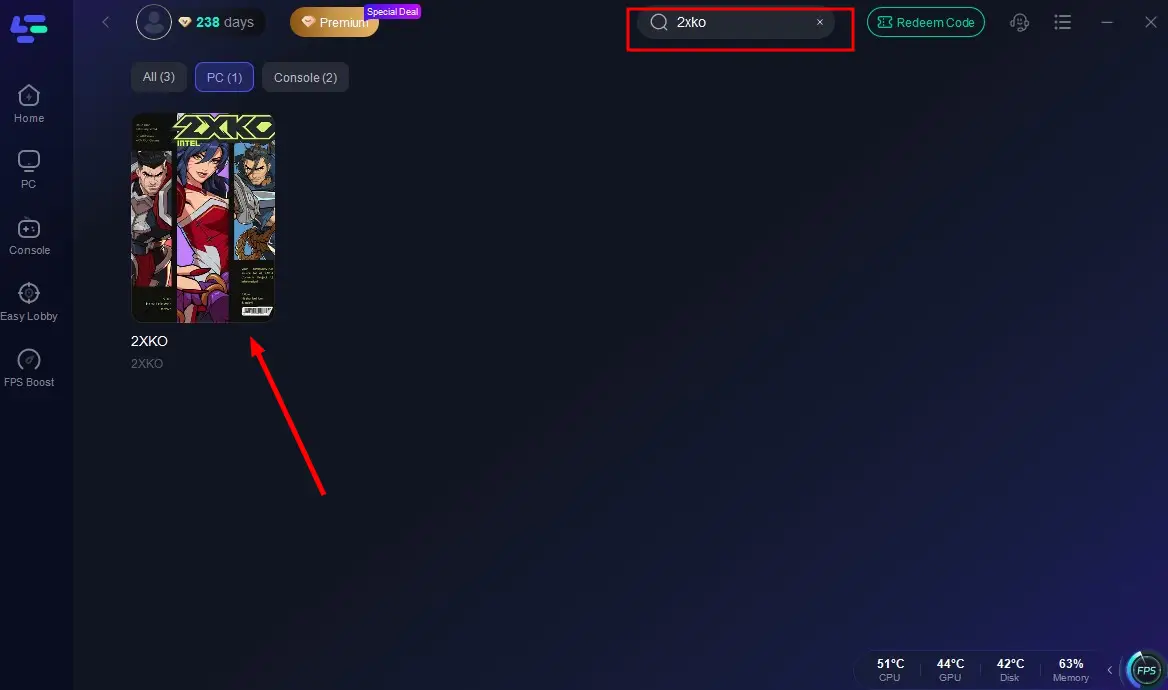
Step 2: Launch LagoFast and select 2XKO
In the LagoFast UI, search for “2XKO” and select it. (In closed beta guides, LagoFast already offers a 2XKO profile for boosting.)
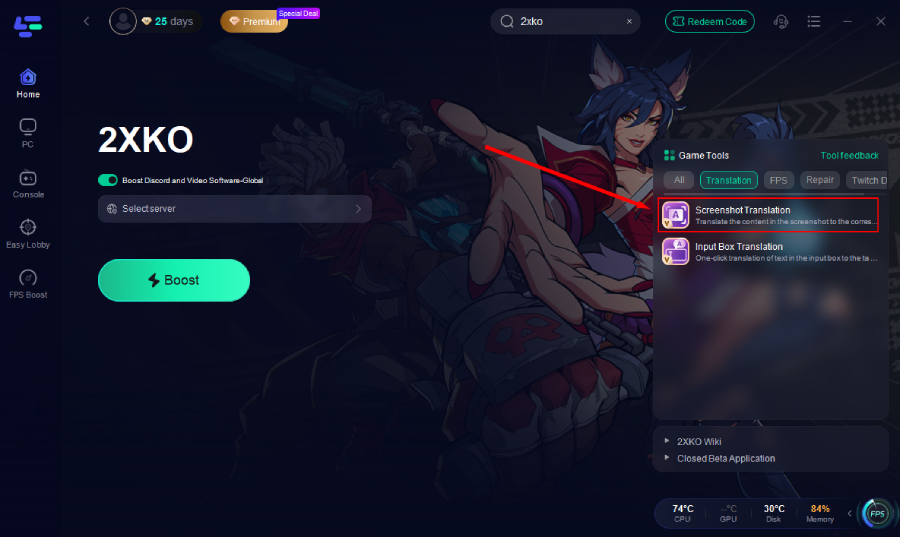
Step 3: Apply Translation
Use the Translation Tool: select your language and let LagoFast translate UI text files into your target language, filling gaps beyond the official support.
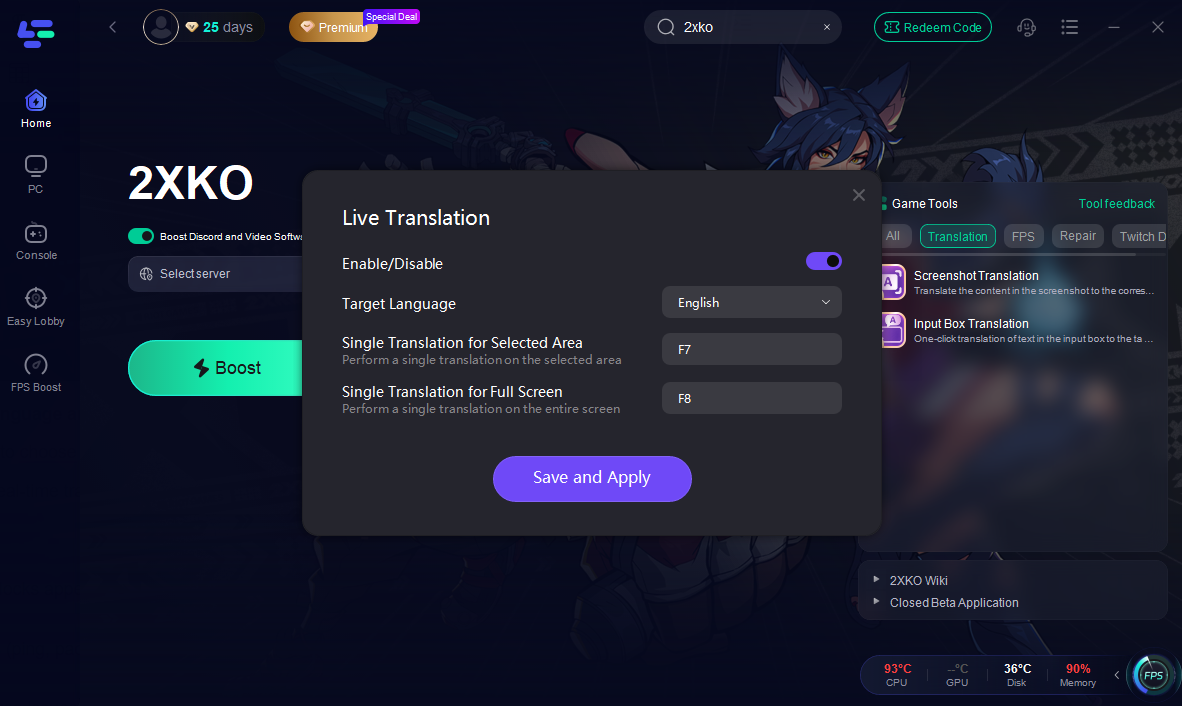
Step 4: Choose Target Language and Set Up Hotkey
Open the translation panel to choose your target language and configure a hotkey for instant screenshot translation.
Once set, you can trigger real-time translations in-game with a single key press, allowing smoother interaction without interrupting gameplay.
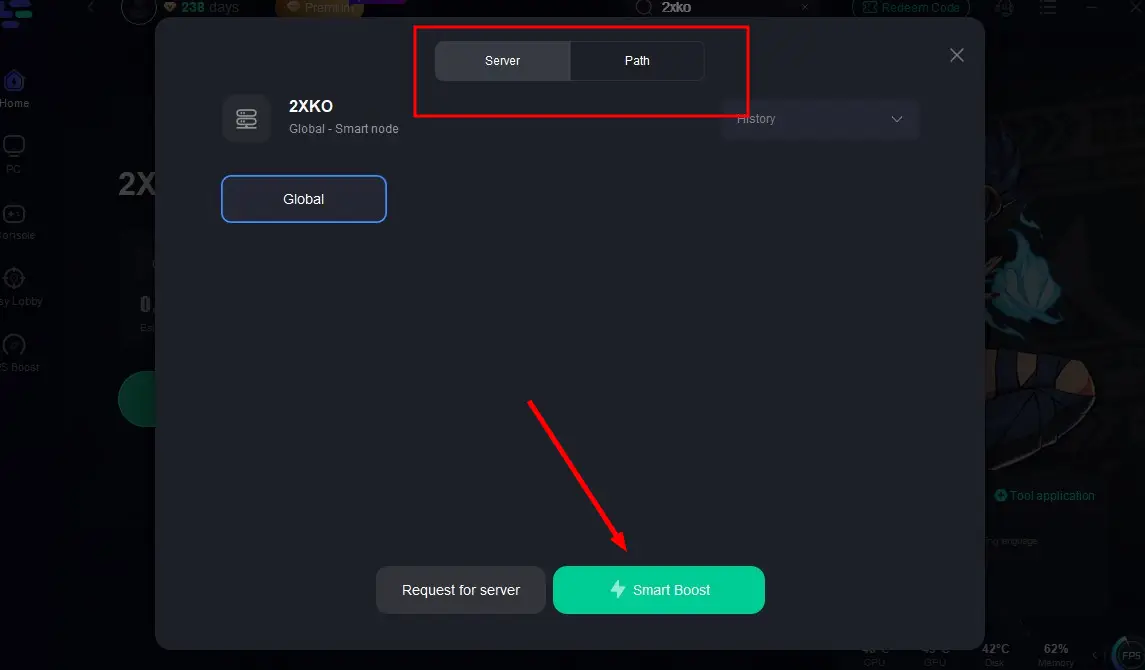
Step 5: Optimize Network
Switch servers if regional blocks appear, then use Smart Boost to reduce ping and prevent crashes.
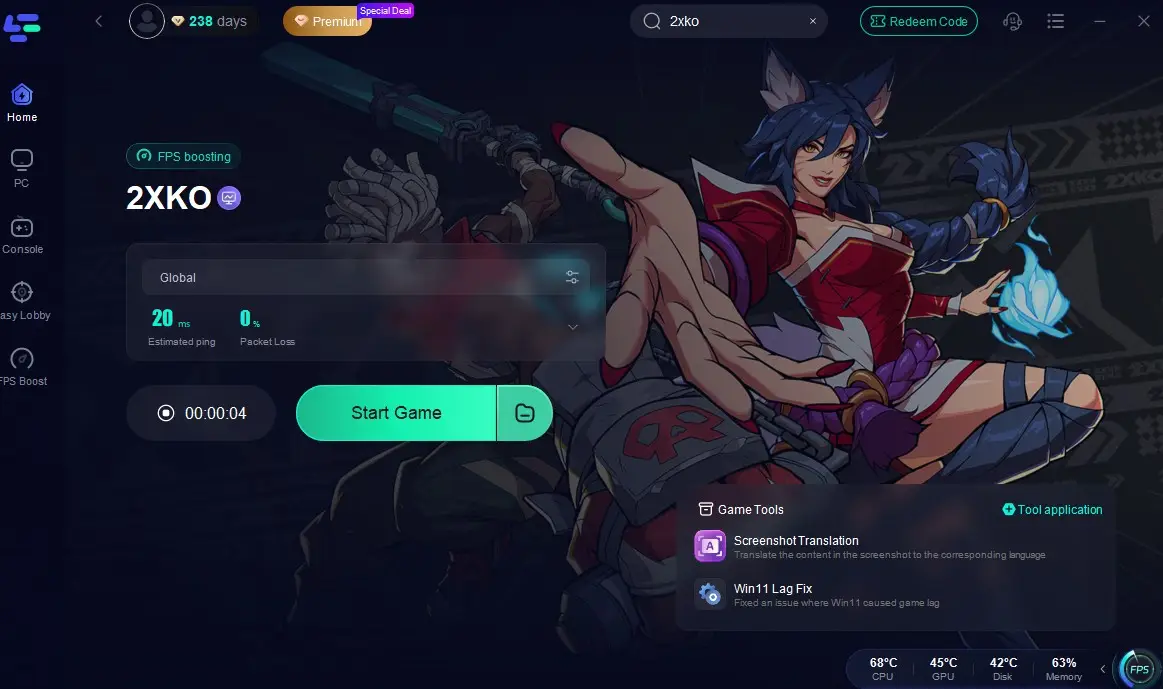
Step 6: Launch Game
Monitor real-time indicators (ping, packet loss, FPS) and click Start Game for a smoother experience.
Step 7: Recover Defaults
If translation or settings cause issues, re-open LagoFast and restore files to original.
By combining translation and network optimization, you can play 2XKO across regions with clarity and responsiveness.
Part 4. FAQs
Q1: Will LagoFast translation work on consoles (PS5 / Xbox)?
No, LagoFast currently works on PCs (Windows). Screenshot and input box translation require PC system integration, which consoles don’t support.
Q2: Is using LagoFast’s translation tool against 2XKO’s rules?
In general, translation tools that don’t alter gameplay mechanics or inject code are considered safe. They function like overlay reading assistance. However, you should always check Riot’s official EULA or community guidelines once 2XKO launches.
Q3: Does translation reduce performance / increase input lag?
At minimal levels, a well-optimized translator tool should impose negligible overhead. Because translation is passive (reading UI, chat) rather than active rendering, its impact is light. Most of the performance cost comes from network routing or the game itself.
Q4: Which languages are most reliably supported by LagoFast translation?
LagoFast supports dozens of languages in its translation features (for screenshot and input box). While exact 2XKO language coverage isn’t confirmed, commonly supported ones include Russian, Portuguese, Arabic, Thai, Vietnamese, etc.
Q5: What if new UI elements or menus in 2XKO aren’t translated?
Translation tools often require updates to recognize new text fields. In that case, you may need to wait for a tool update or use fallback translation (e.g. screenshot translation on those parts). The one-click translator may lag behind initial launch patch UI changes.
Conclusion
Language accessibility is often overlooked in competitive games, but for a globally targeted title like 2XKO, it’s essential. A robust translation tool like LagoFast can bridge gaps—helping with real-time UI translation, chat localization, and input field translation—all while handling network optimization so you aren’t trading clarity for lag.
While Riot’s final localization plans for 2XKO are still pending, using a translation overlay tool ensures you have more control over your experience from day one.
Boost Your Game with LagoFast for Epic Speed
Play harder, faster. LagoFast game booster eliminates stutter and lags on PC, mobile, or Mac—win every match!
Quickly Reduce Game Lag and Ping!
Boost FPS for Smoother Gameplay!