After years of anticipation, Riot Games is finally bringing 2XKO—its tag-team fighting game built around League of Legends champions—closer to the hands of everyday players. Having opened doors to its Closed Beta on September 9, 2025, Riot now plans to transition into Early Access on October 7, 2025. If you’ve been watching from the sidelines or already joined the Closed Beta, this guide is your essential companion. Read on to discover the Early Access timeline, how to secure access and play 2XKO, and tips to enhance your experience using tools like LagoFast.

- ✅ Reduce Lag and High Ping.
- ✅ Boost FPS at the Same Time.
- ✅ Support 2000+ Popular Online Games.
- ✅ End Stuck & Crashing Issues.
Part 1. Introduction to 2XKO Early Access
Part 2. Early Access Timeline and Update Information
Part 3. How to Download and Play 2XKO Early Access
Part 4. Enhance Game Experience By Using LagoFast Game Booster
Part 1. Introduction to 2XKO Early Access
2XKO is Riot Games’ ambitious entry into the tag-team fighting genre, built around League of Legends champions and centered on 2v2 team play. What makes it stand out is the seamless tag system, assist mechanics, and deep synergy between two characters working together. The game first entered Closed Beta on September 9, 2025, exclusively on PC.
Recently, Riot confirmed the next phase: Early Access, set to begin on October 7, 2025. 2XKO Early Access is the point at which Riot transitions from pure beta testing into a semi-open release, with ongoing support, seasonal structure, and permanent progression retention for players.
For players who’ve been following 2XKO from alpha tests, closed beta, or those just discovering it now, this guide will walk you through what Early Access brings, how to download and play, and tips for optimizing your experience.
Part 2. Early Access Timeline and Update Information
Closed Beta to Early Access
The Closed Beta began globally on September 9, 2025 (PC only) with open invitation waves.
Riot planned to keep the game online throughout Closed Beta (apart from maintenance) in order to test matchmaking, backend infrastructure, server stability, and general game balance under live loads.
On October 7, 2025, Closed Beta will officially end, and Early Access begins immediately.
What Changes with Early Access
- No more wipes: Beginning with Early Access, Riot confirms that content unlocked will be permanent (no resets) from that point onward.
- Season 0 begins: Early Access marks the kickoff of “Season 0.” Riot plans to use this season to refine their in-season systems (Battle Pass, Ranked mode, balance tuning) under live user feedback.
- Roster Expansion: With Early Access, the 10th champion will be introduced.
- Content & Feature Growth: Riot will continue to roll out updates, new champions, balance patches, and seasonal changes during Early Access, preparing for full launch.
Why Riot Is Moving Quickly
Given the early success of Closed Beta in testing real server loads and matchmaker tuning, Riot feels confident in transitioning to Early Access. They describe the Closed Beta as more of a major stress test, and Early Access as the first iteration of the live service.
Part 3. How to Download and Play 2XKO Early Access
Here’s a step-by-step on acquiring access, installing, and launching 2XKO during Early Access.
1. Verify Eligibility
- Closed Beta participants: If you were already in the Closed Beta, you should automatically transition into Early Access on October 7.
- New players: You’ll be able to register for access if Riot opens new invites during Early Access. Historically, invite waves have been used during the Closed Beta phase.
- Alpha Lab participants: Those who participated in earlier alpha tests (Alpha Lab 1 or 2) usually receive direct access in subsequent phases.
2. Sign Up or Confirm Access
Go to the official 2XKO beta site and sign in with your Riot account.
If you already have access, there may be a “Download” button or invitation link. Some users reported that after logging in to the beta site, a download link appears even without a separate email.
If not invited yet, keep an eye on your email for invite waves and ensure you’ve opted into beta notifications.
3. Download via Riot Client / Install
Once access is confirmed, open the Riot Client (used for League, Valorant, etc.) or install it if you don’t have it already.
Within the client, locate 2XKO in your game list and click Install.
The download size is expected to demand a decent amount of storage (watch for updates and patches as well).
4. Launch and Configure
After installation, launch 2XKO from the client.
On first run, you may see configuration options such as resolution, input methods (keyboard, controller), graphics presets, etc.
Ensure your GPU drivers are up to date and your network is stable before jumping into matches.
5. Offline Mode (Optional in Early Access)
2XKO supports an Offline mode for PC starting with Closed Beta and onward.
In Offline mode, you can access training, local vs, and all champions.
Online-only features (Ranked, battle pass, social, shop) will be hidden in Offline mode.
To use Offline mode, you need to have logged into Online mode at least once on that device. Then run the OfflineLauncher.exe in the game directory.
Part 4. Enhance Game Experience By Using LagoFast Game Booster
Even after installing and launching 2XKO, one barrier many competitive and casual players face is network stability—lag, packet loss, and high ping can break fast-paced fighting combos. Here’s how you can get smoother matches.
LagoFast is designed to enhance your online experience with smart routing and server optimization.
Why LagoFast Game Booster Helps
- Reduced latency/ping: By routing your traffic via optimized paths, a booster can cut out slow or congested routes.
- More stable connection: Less packet loss and fewer dropouts improves the consistency of rollback netcode, crucial for fighting games.
Steps with LagoFast:
Step 1: Begin by clicking the Free Trial button to download and install the LagoFast Free Trial.
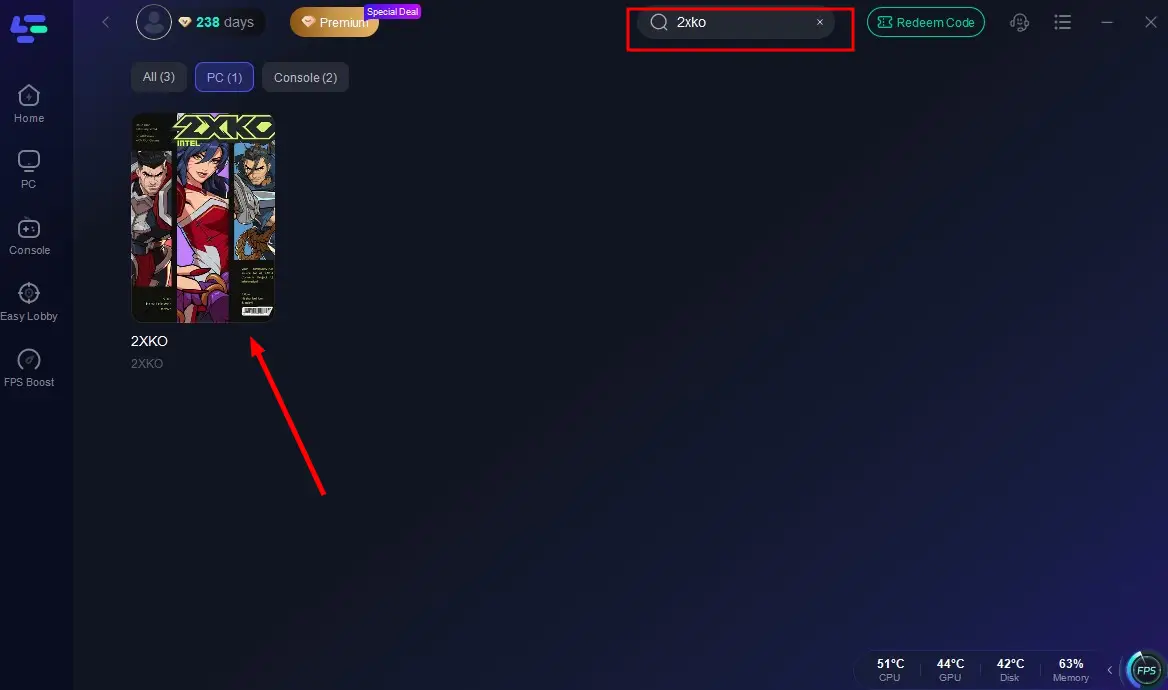
Step 2: After installation, launch LagoFast and click the PC icon on the left side of the interface. In the search bar, type 2XKO and select it from the list of results
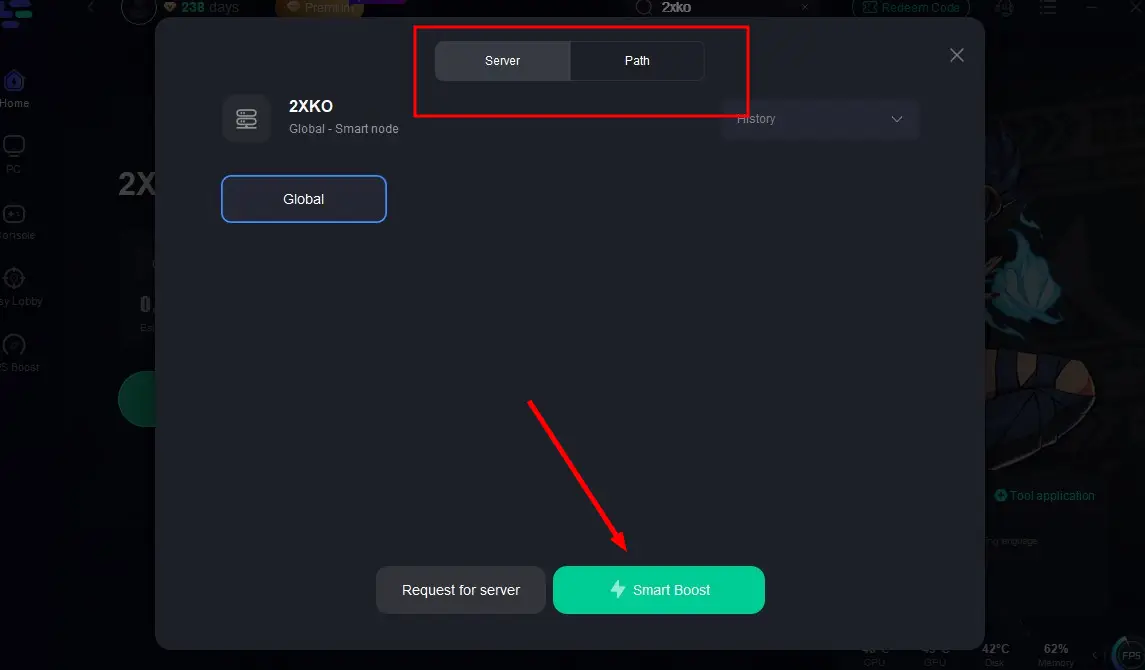
Step 3: Select a server that is closest to your location or offers the lowest latency for optimal performance.
Step 4: Once LagoFast has completed its network optimization, return to the game and enjoy an enhanced gaming experience.
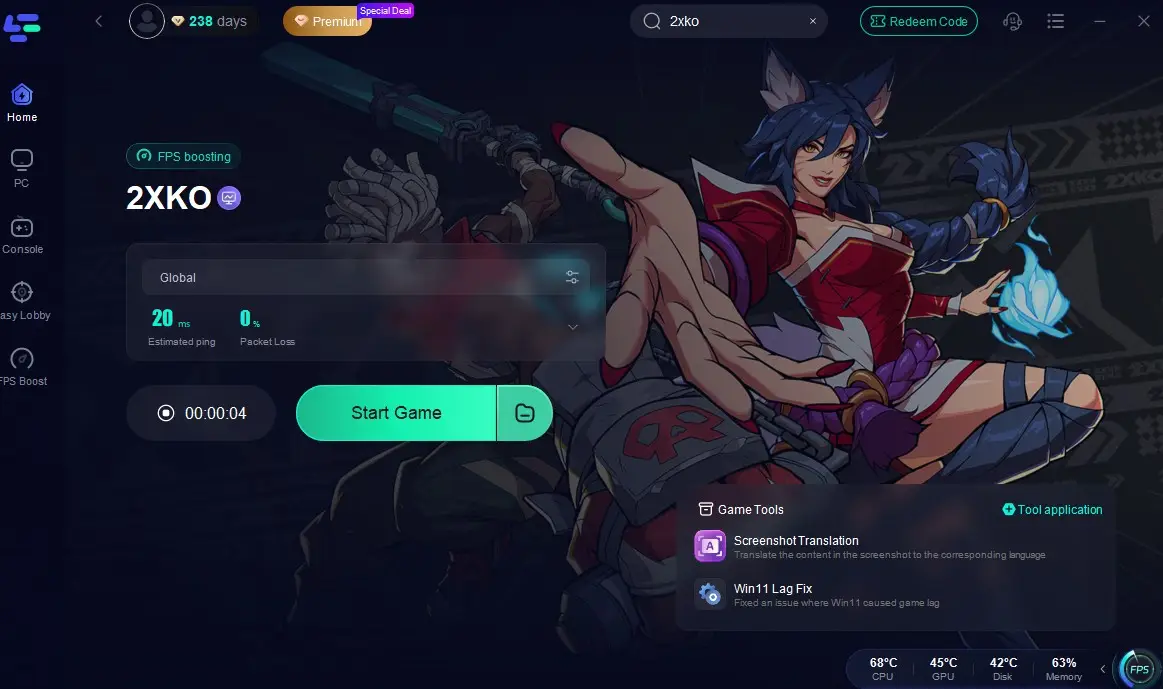
With this setup, you minimize the chance that your network causes stutters, dropped frames, or rollback errors during critical matches.
Part 5. FAQs
Q1. Will my Closed Beta progress carry over into Early Access?
Yes. Riot has confirmed that from Early Access onward, anything you unlock will be permanent and will not be reset. However, note that any progression during the Closed Beta before Early Access may still be wiped.
Q2. Is Early Access open to consoles?
At launch of Early Access, PC is the only confirmed platform. Console support (PlayStation 5, Xbox Series X/S) will come later. Riot does support cross-progression, so once console is available, your PC progress will carry over.
Q3. Which champions are currently available?
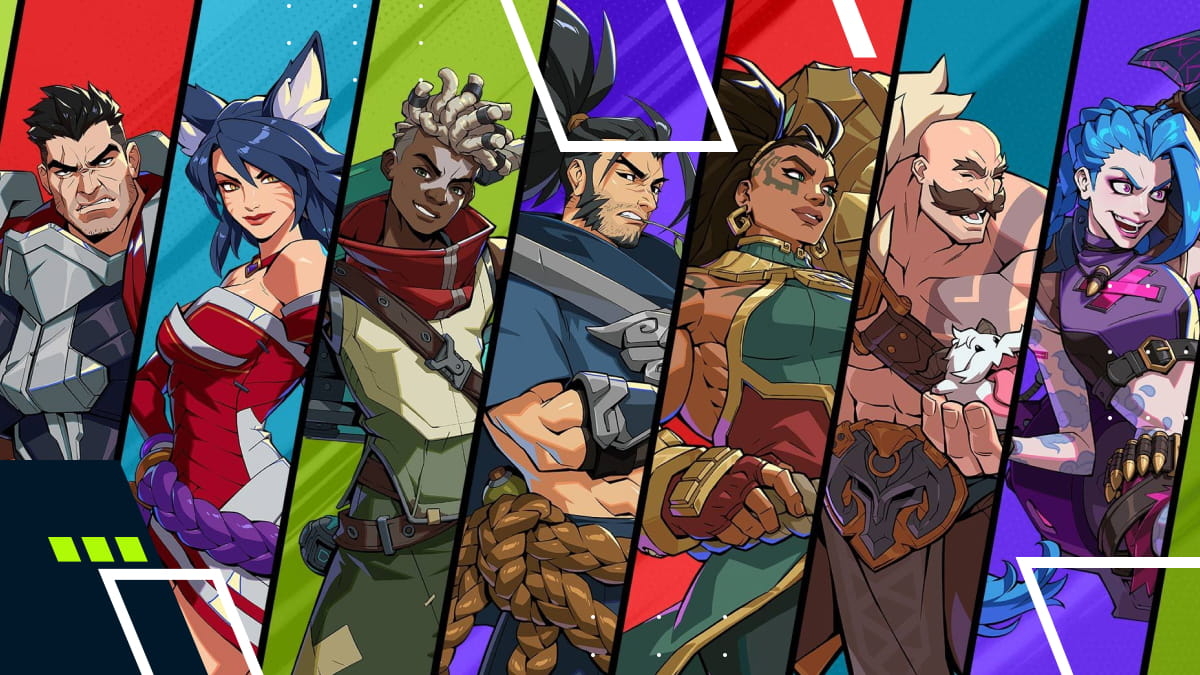
In Closed Beta, the roster includes Ahri, Yasuo, Darius, Ekko, Jinx, Illaoi, Braum, and the newly added Vi and Blitzcrank. The 10th champion arrives with Early Access.
Q4. What game modes are supported during Early Access?
You can expect the modes present in Closed Beta (Casual, Private Lobbies, etc.). Ranked mode and Battle Pass systems will be further refined in Early Access. Offline mode (local vs, training) will also continue to be available in PC version.
Q5. What if I don’t get into Early Access?
Stay registered and keep your Riot account linked. Watch for invite waves or open access announcements during Early Access. Join official 2XKO social channels (Twitter / Discord) for updates and code giveaways. If possible, get a referral from someone who has access (some invite systems allow people to invite friends).
Conclusion
2XKO’s shift from Closed Beta to Early Access on October 7, 2025 is a pivotal moment. It’s when the game transitions toward a live service model, with persistent progression, seasonal content, and a growing roster.
If you're eligible, make sure you sign in on that date, install via the Riot Client, and update your system. Use configurations, network optimizations, and boosters like LagoFast to secure the best possible experience.