
Valorant, developed by Riot Games, is a tactical first-person shooter that blends precise gunplay with unique agent abilities, each designed to shape how players approach combat. Since its launch, the game has built a strong competitive scene where small details often decide the outcome of a match.
In Valorant, every shot, peek, and movement can make a difference, which is why aiming consistency is such an important part of improving as a player. Among all the settings that affect aim, the crosshair is one of the most crucial elements, as it directly impacts visibility, tracking, and overall shooting accuracy.
This guide will walk you through how to copy crosshair settings, look at commonly used pro-style configurations, and help you choose a setup that better fits your own playstyle and comfort level in matches.

- ✅ Reduce Lag and High Ping.
✅ Boost FPS at the Same Time.
✅ Support 2000+ Online Games
✅ Change Server Without Latency.
✅ Multiplatform: PC, Console, Mobile.
✅ End Connection & Crashing Issues
Part 1: How to Copy Someone’s Crosshair Settings in Valorant?
Part 2: The Best Crosshair Settings in Valorant
Part 3: The Heart Crosshair Settings in Valorant
Part 4: Ultimate Solution to Enhance Gaming Experience in Valorant
Part 1: How to Copy Someone’s Crosshair Settings in Valorant?
1. To initiate your crosshair customization journey in Valorant, start by ensuring you have empty crosshair slots available. Follow these steps:
Step 1. Head to the settings menu within Valorant.
Step 2. Navigate to the crosshair section where you can manually create or copy crosshairs.
Step 3. Ensure none of the 15 slots are already filled. If they are, delete a profile by selecting it and clicking the trashcan icon.
2. Once you’ve cleared your crosshair slots, proceed to copy a player’s crosshair using the following steps:
Step 1. Locate the player whose crosshair you wish to emulate.
Step 2. Use the left mouse click to select the players.
Step 3. Open the in-game chat by pressing enter.
Step 4. Type the command “/crosshair copy” or “/cc” for quicker execution.
Step 5. This player’s crosshair will now be copied.
3. Utilize the copied crosshair in your Valorant matches:
Step 1. Navigate to the “Crosshair Profile” option within the Crosshair settings.
Step 2. Select the crosshair profile you copied from the dropdown menu.
Step 3. Enjoy your newly adopted crosshair.
Part 2: The Best Crosshair Settings in Valorant
While the optimal crosshair settings can vary depending on personal preference and playstyle, certain configurations have proven to be popular among the Valorant community.
Here are some recommendations to consider when fine-tuning your crosshair:
The Best Crosshair Settings:
- Crosshair Color: Cyan/Red/Pink
- Outlines: Off
- Center Dot: Off
- Show Inner Lines: On
- Inner Line Opacity: 1
- Inner Line Length: 4
- Inner Line Thickness: 2
- Inner Line Offset: 0
- Movement Error: Off
- Firing Error: On
- Firing Error Multiplier: 1
- Show Outer Lines: On
- Outer Line Opacity: .5
- Outer Line Length: 2
- Outer Line Thickness: 2
- Outer Line Offset: 4
- Movement Error: On
- Movement Error Multiplier: 1
- Firing Error: On
- Firing Error Multiplier: 1
Part 3: The Heart Crosshair Settings in Valorant
Among the crosshair options available in Valorant, the heart crosshair stands out as an interesting and popular setting. Characterized by its heart-shaped design, this crosshair has garnered a dedicated following among players seeking a balance between style and functionality. Players can follow the below settings to change their crosshair into heart-shape.
1. Crosshair
- Category: Setting
- Crosshair Color: Red
- Outlines: ON
- Outline Opacity: 0.1
- Outline Thickness: 1
- Center Dot: Off
- Center Dot Opacity: 1
- Center Dot Thickness: 2
- Override Firing Error Offset with Crosshair Offset: ON
- Override All Primary Crosshairs with my Primary Crosshair: OFF
2. Inner Lines
- Show Inner Lines: ON
- Inner Line Opacity: 0,7
- Inner Line Length: 3
- Inner Line Thickness: 5
- Inner Line Offset: 1
- Movement Error: OFF
- Movement Error Multiplier: 1
- Firing Error: OFF
3. Outer Lines
- Show Outer Lines: ON
- Outer Line Opacity: 0,7
- Outer Line Length: 5
- Outer Line Thickness: 1
- Outer Line Offset: 0
- Movement Error: OFF
- Movement Error Multiplier: 1
- Firing Error: OFF
Part 4: Ultimate Solution to Enhance Gaming Experience in Valorant
Even with the best crosshair settings, your performance in Valorant can still be affected by issues like lag, packet loss, or unstable FPS. In competitive matches, these problems can easily disrupt your aim and timing, making gameplay feel inconsistent.
This is where LagoFast comes in. LagoFast is a game-focused network optimization tool designed to improve both connection stability and overall in-game performance. It helps create a smoother gaming experience through a combination of network optimization and system-level boosting features.
Key features of LagoFast include:
- Lower Ping: Optimizes routing paths to reduce latency during gameplay
- Fix Packet Loss: Stabilizes connections to prevent sudden spikes or disconnections
- Network Optimization: Automatically selects the most stable and efficient game routes
- FPS Boost 2.0: Improves system performance by optimizing CPU and GPU usage for higher FPS stability
- Fix HVCI: Helps resolve compatibility issues that may affect game performance
- Frequently Issue Fix Tool: Repairs common game environment problems with one click for smoother gameplay
By combining these features, LagoFast helps reduce technical interruptions and ensures a more stable and responsive experience in Valorant, especially during competitive matches.
How to Use LagoFast for Valorant:
Step 1: Click the Free Trial button to download and install LagoFast.
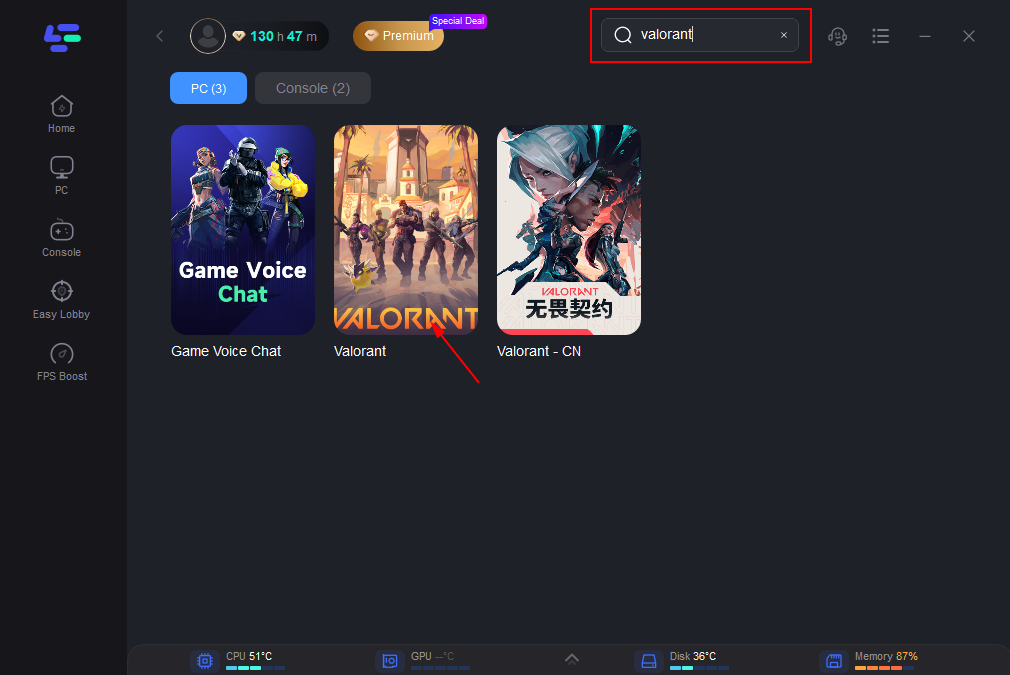
Step 2: After installation, search "Valorant" in the search bar and select the game.
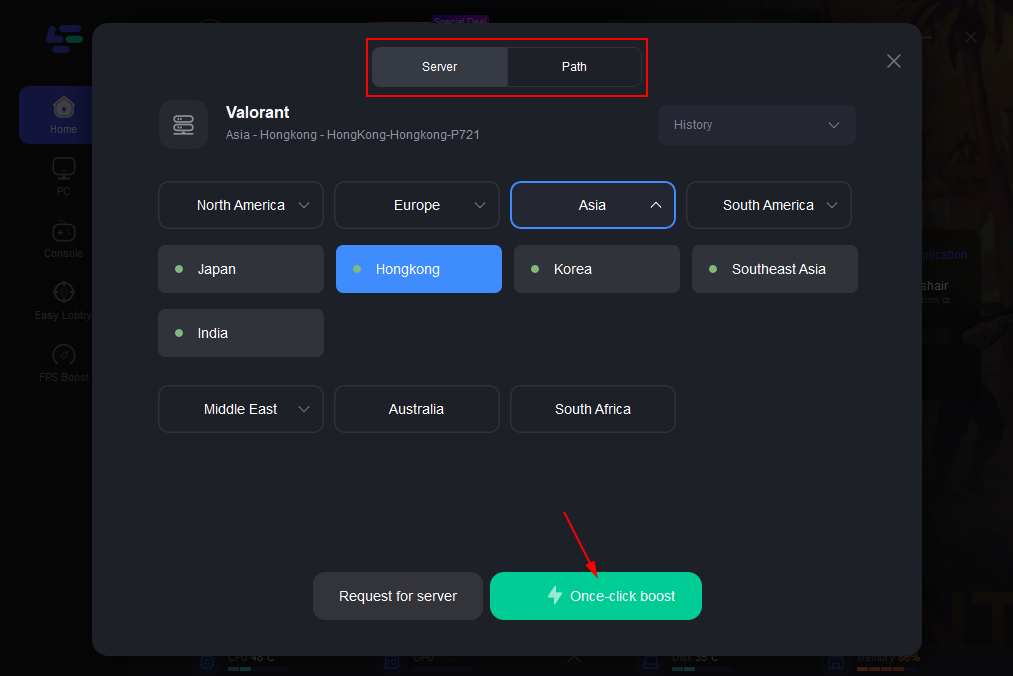
Step 3: Choose your preferred server node and click "Smart Boost" to start optimizing.
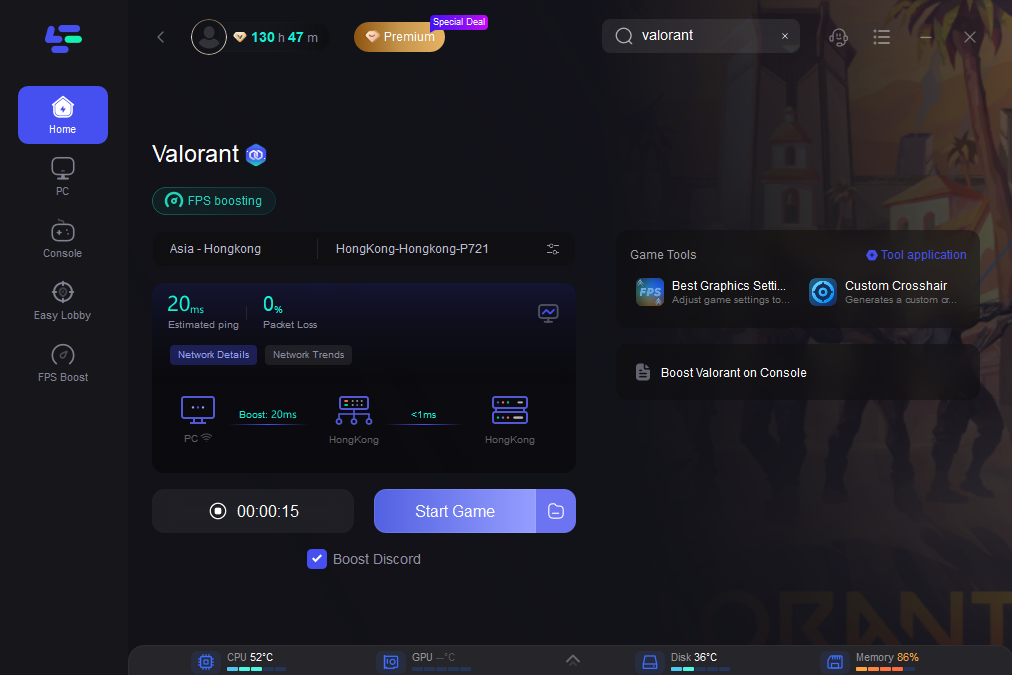
Step 4: Launch your game and enjoy smooth, optimized gameplay with lower ping and no stutter.
 Conclusion
In Valorant, the right crosshair can improve your aim consistency, whether you’re using pro-style settings or a custom design that fits your playstyle. But even perfect settings won’t help much if lag or FPS issues get in the way. Keeping both your crosshair and game performance optimized gives you a more stable experience and helps you focus on winning fights instead of fighting your setup.

Boost Your Game with LagoFast for Epic Speed
Play harder, faster. LagoFast game booster eliminates stutter and lags on PC, mobile, or Mac—win every match!
Quickly Reduce Game Lag and Ping!
Boost FPS for Smoother Gameplay!