The RUST CN Test will be available on 26th Sep. 10:00 (UTC+8), and the best way to enjoy a smooth experience is by using LagoFast.
With LagoFast, you can install the game APK, boost your connection, and use in-game tools to improve performance.
Step 1. Download RUST CN Test via LagoFast
- Open the LagoFast APK version app. You can install APK version from our website: https://www.lagofast.com/en/mobile/
- Find RUST CN in LagoFast app > Games > New games
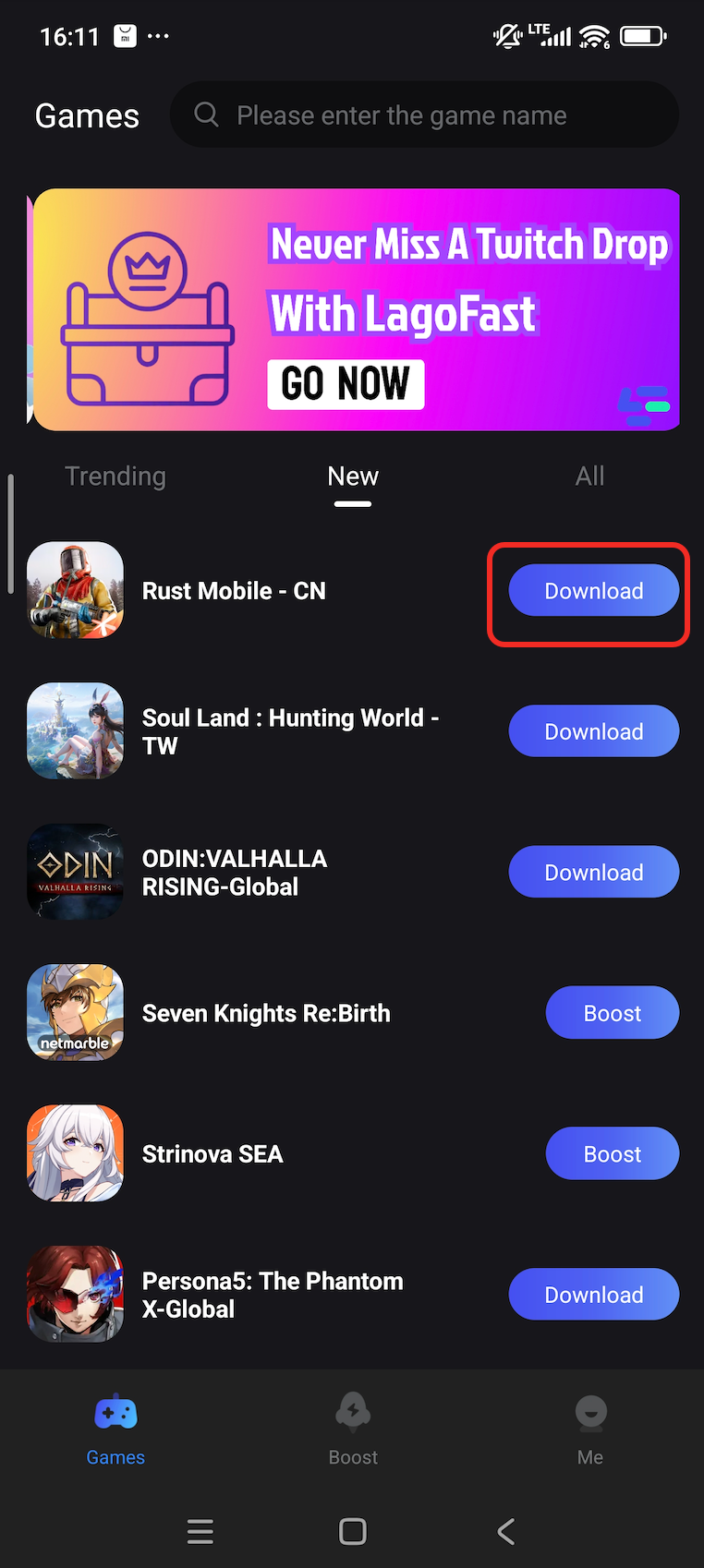
- Download and install the official game package directly through LagoFast.
Step 2. Use LagoFast Tools
LagoFast also provides extra tools to improve your RUST CN Test gameplay:
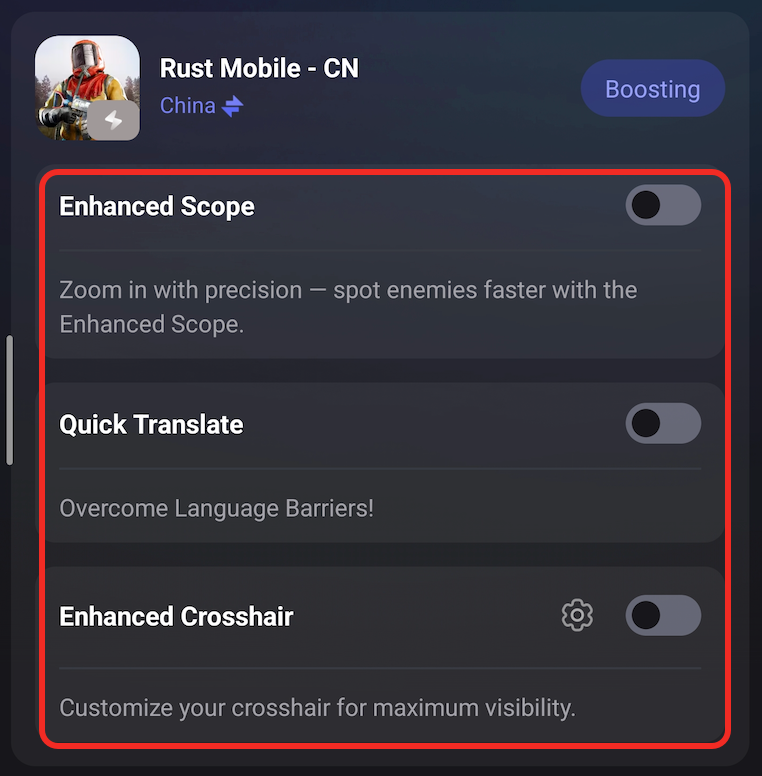
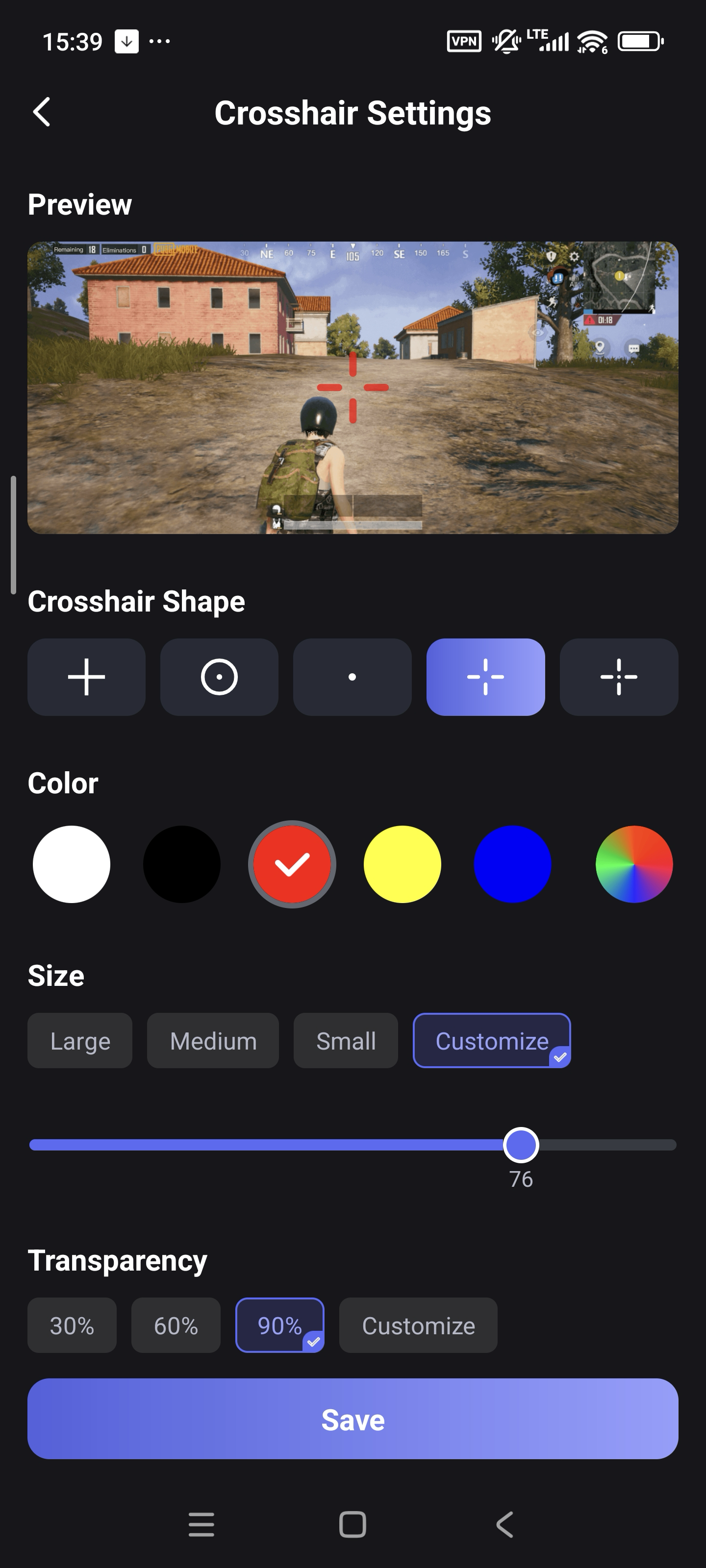
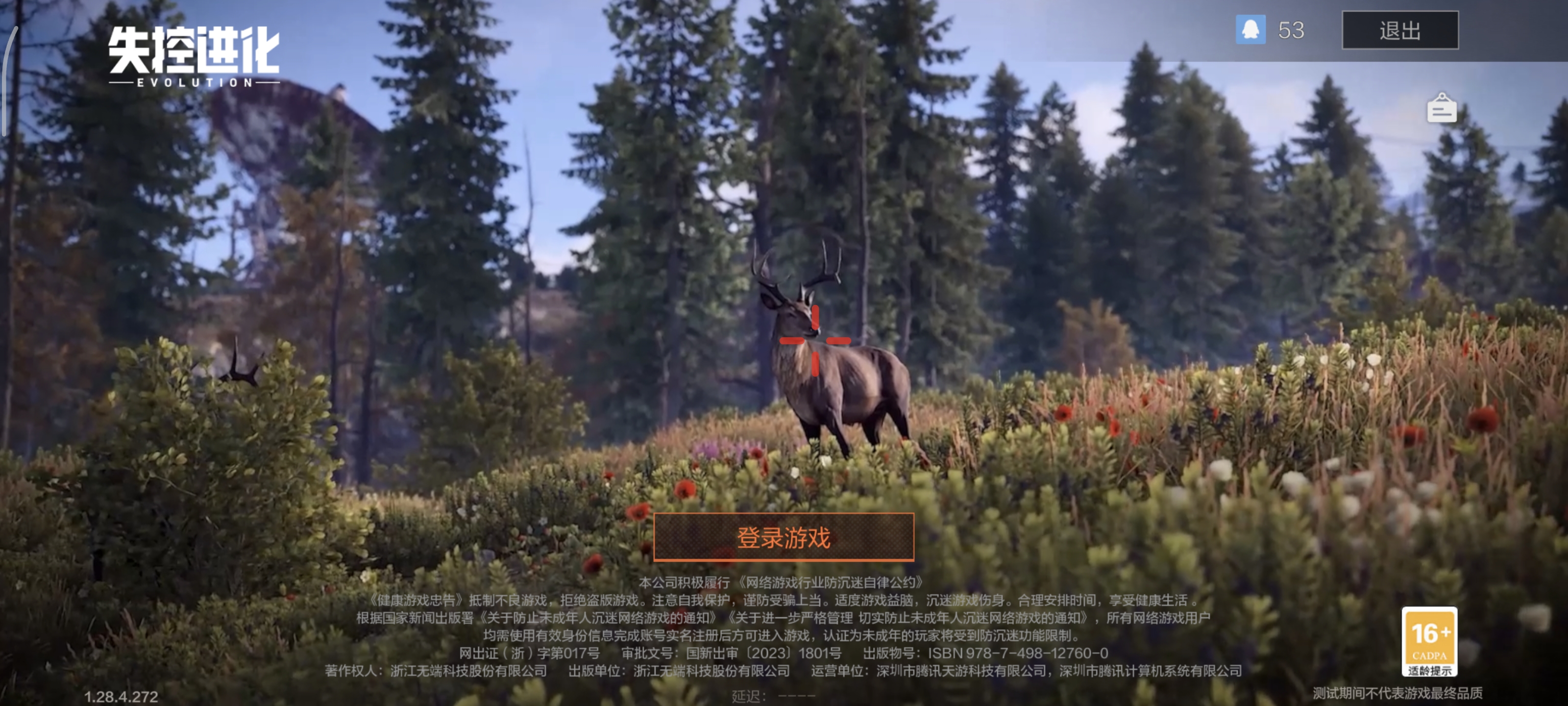
- Enhanced Crosshair: Add a customizable crosshair overlay for more accurate aiming. You can adjust the size and color of the crosshair in the tool settings. If you want to change the position of the crosshair, just drag it on the screen.
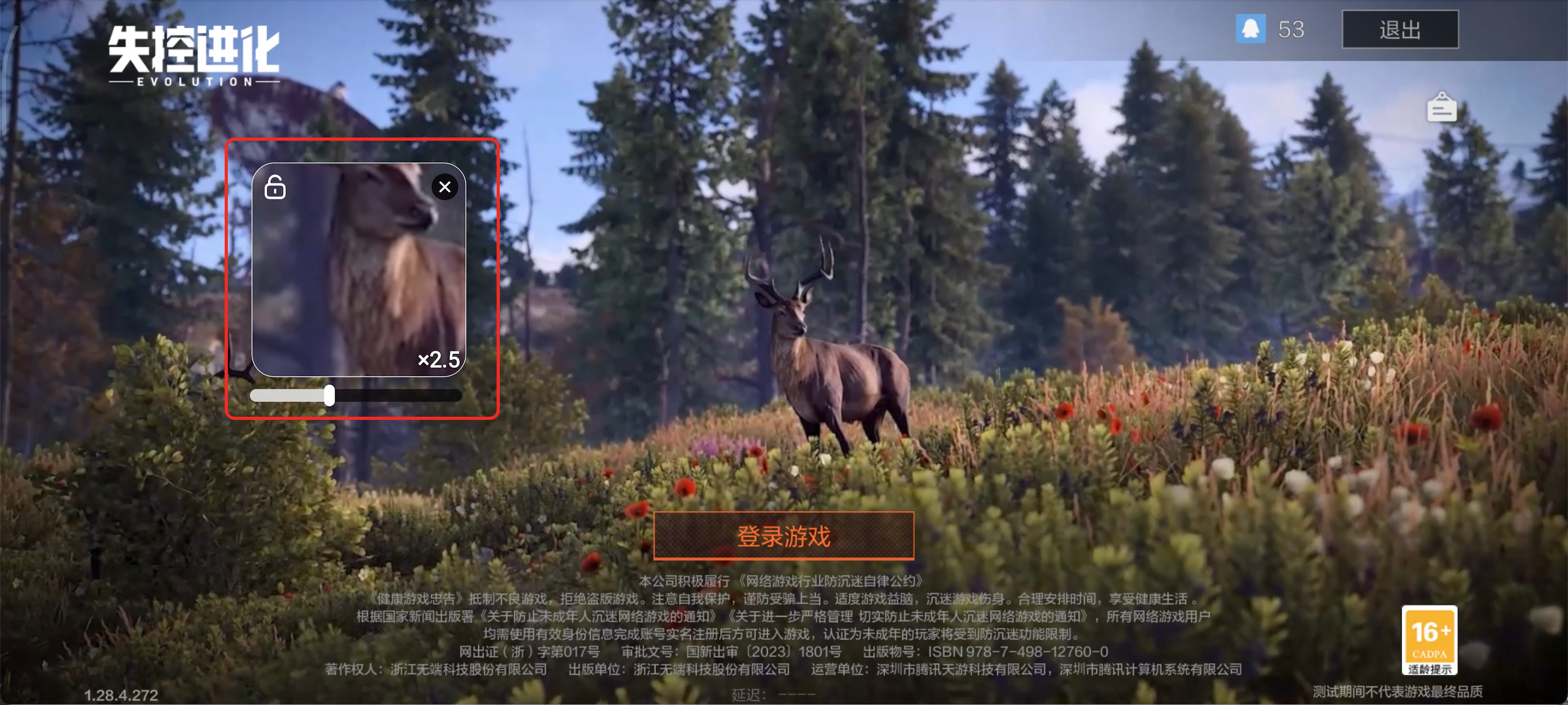
- Enhanced Scope: Get a clearer, stabilized view when zooming in with scopes.
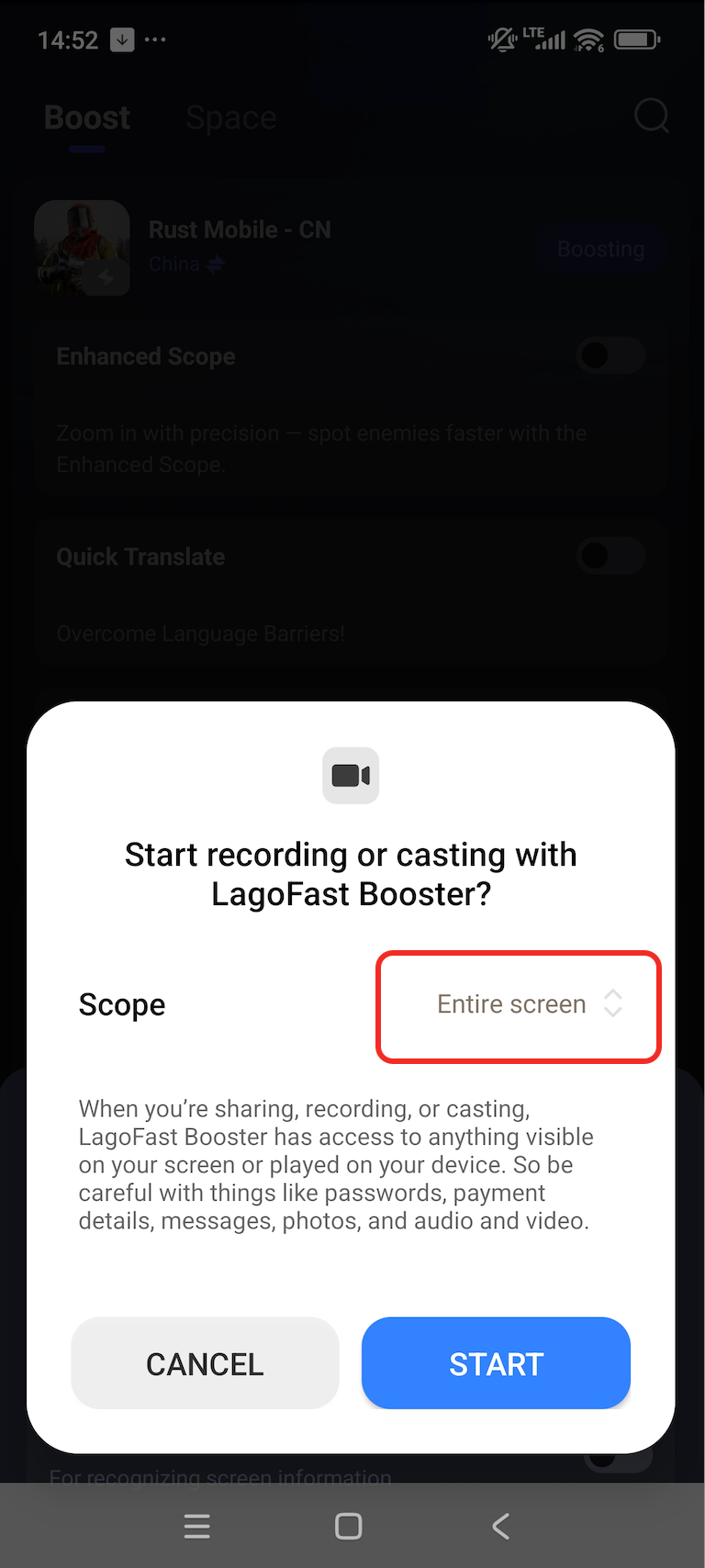
1. Turn on the tool switch, and select the tool to record your whole screen
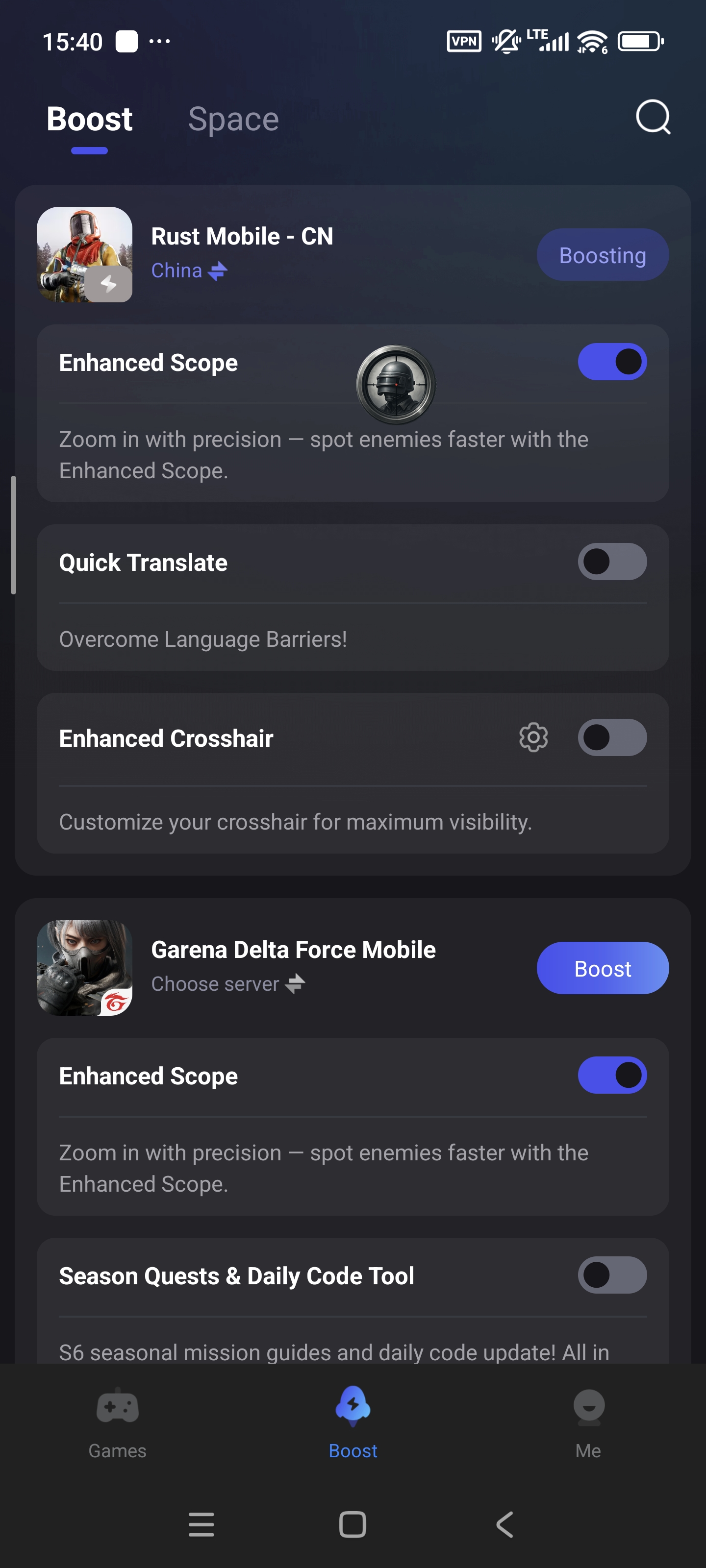
2. Tap the tool logo in the game
3. You will see an enhanced scope window in the game
- Quick Translate: Instantly translate in-game text to help you understand Chinese content and communicate better.
Original Chinese:
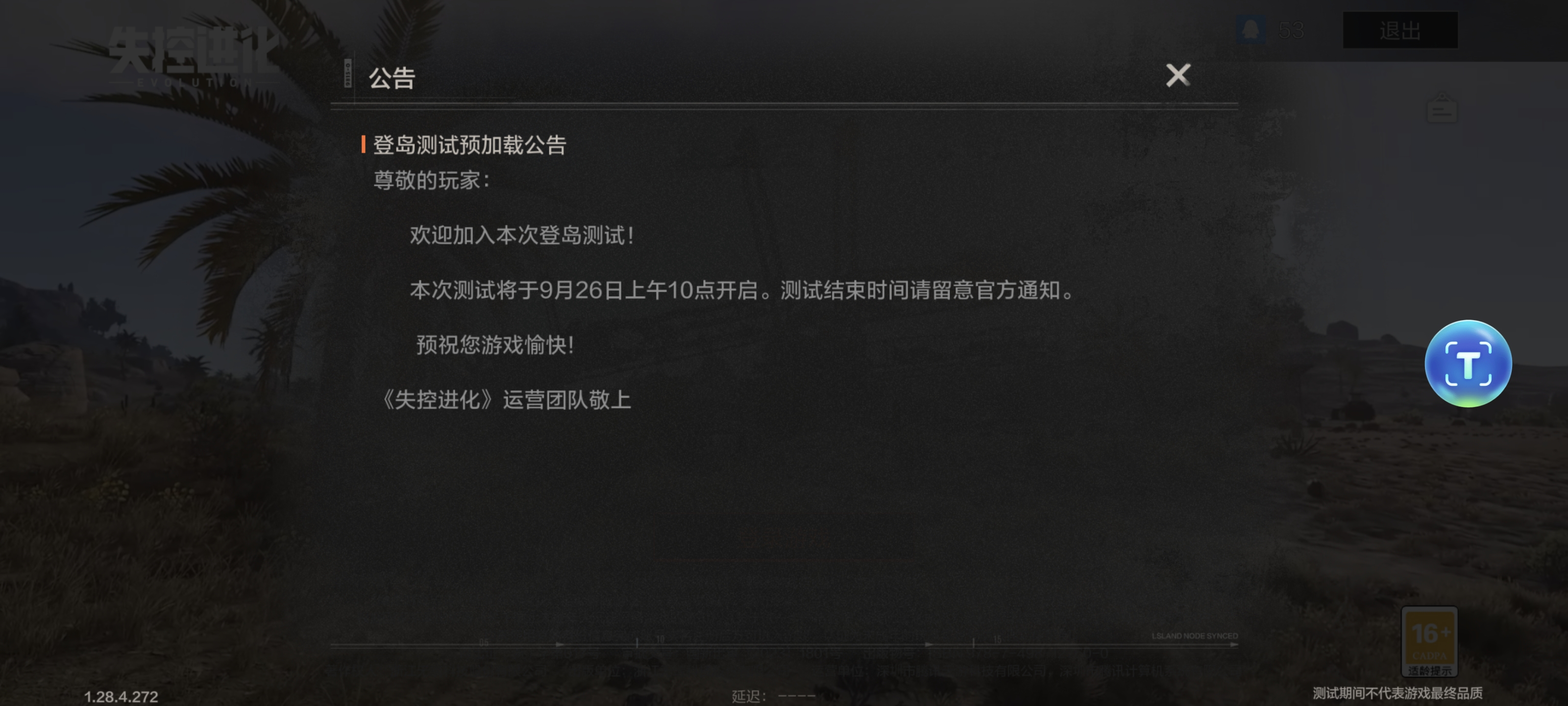
Translate the language into English:
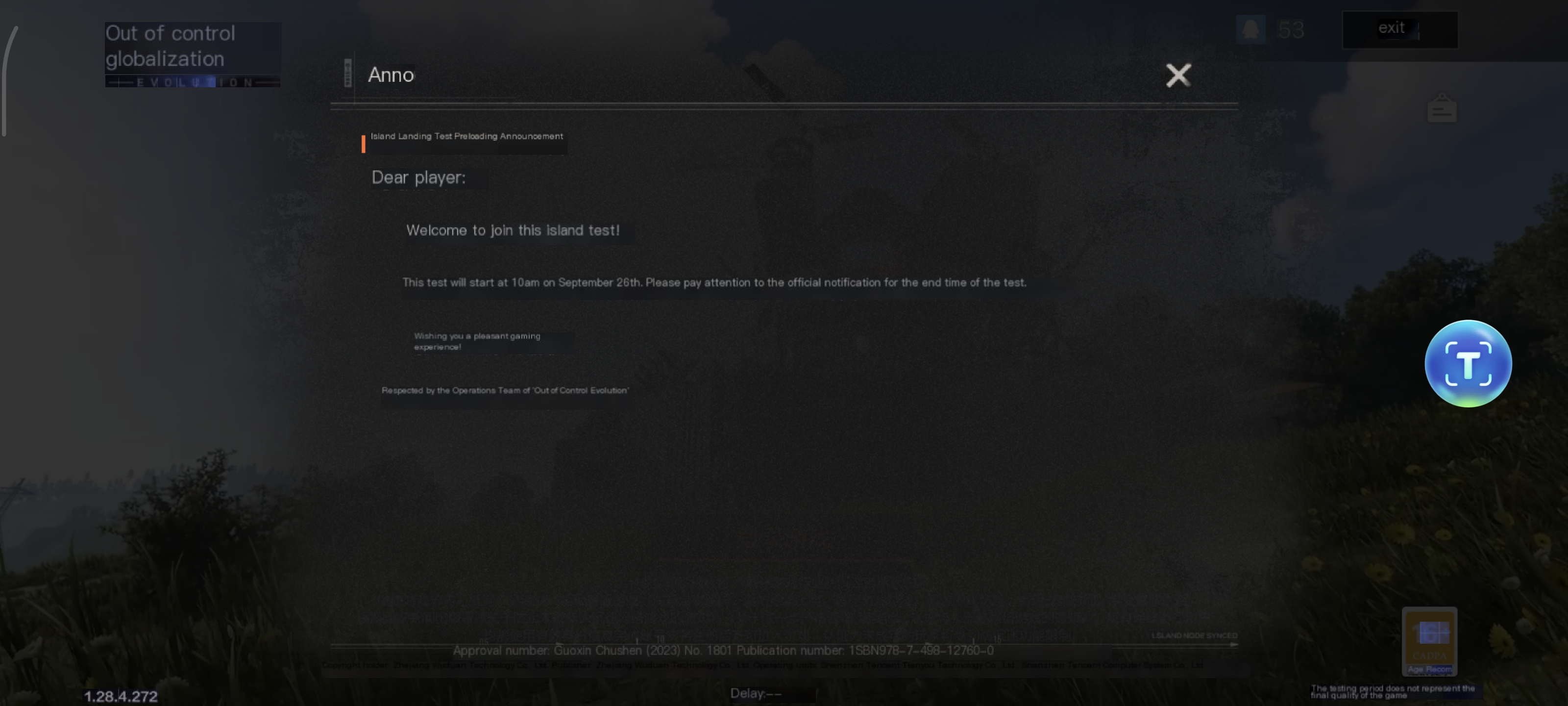
Activate these tools in the LagoFast app before launching the game to maximize your performance and convenience.
Step 3. Boost Your Game Performance
- Find RUST Mobile CN in the Boost Tab.
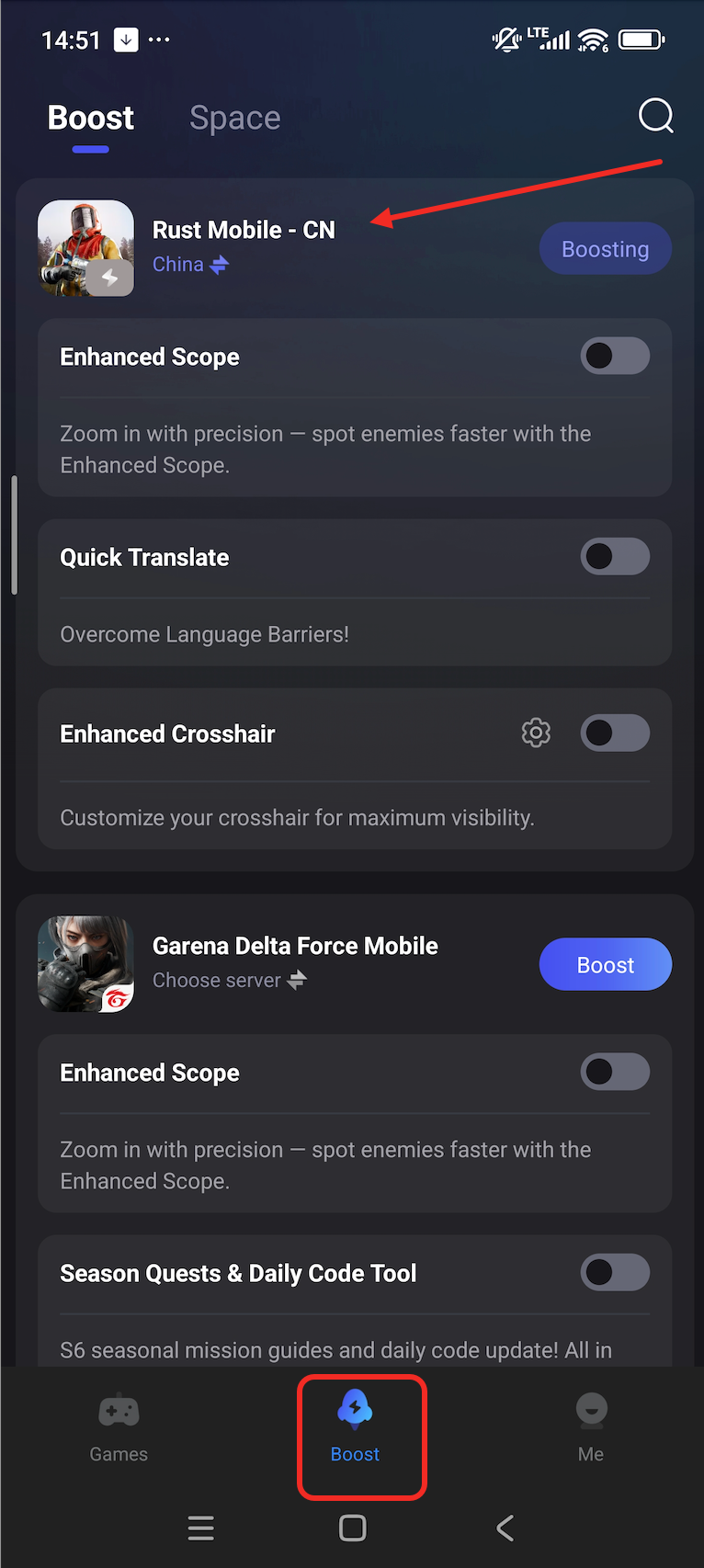
- Select China server and tap Boost to start the game.
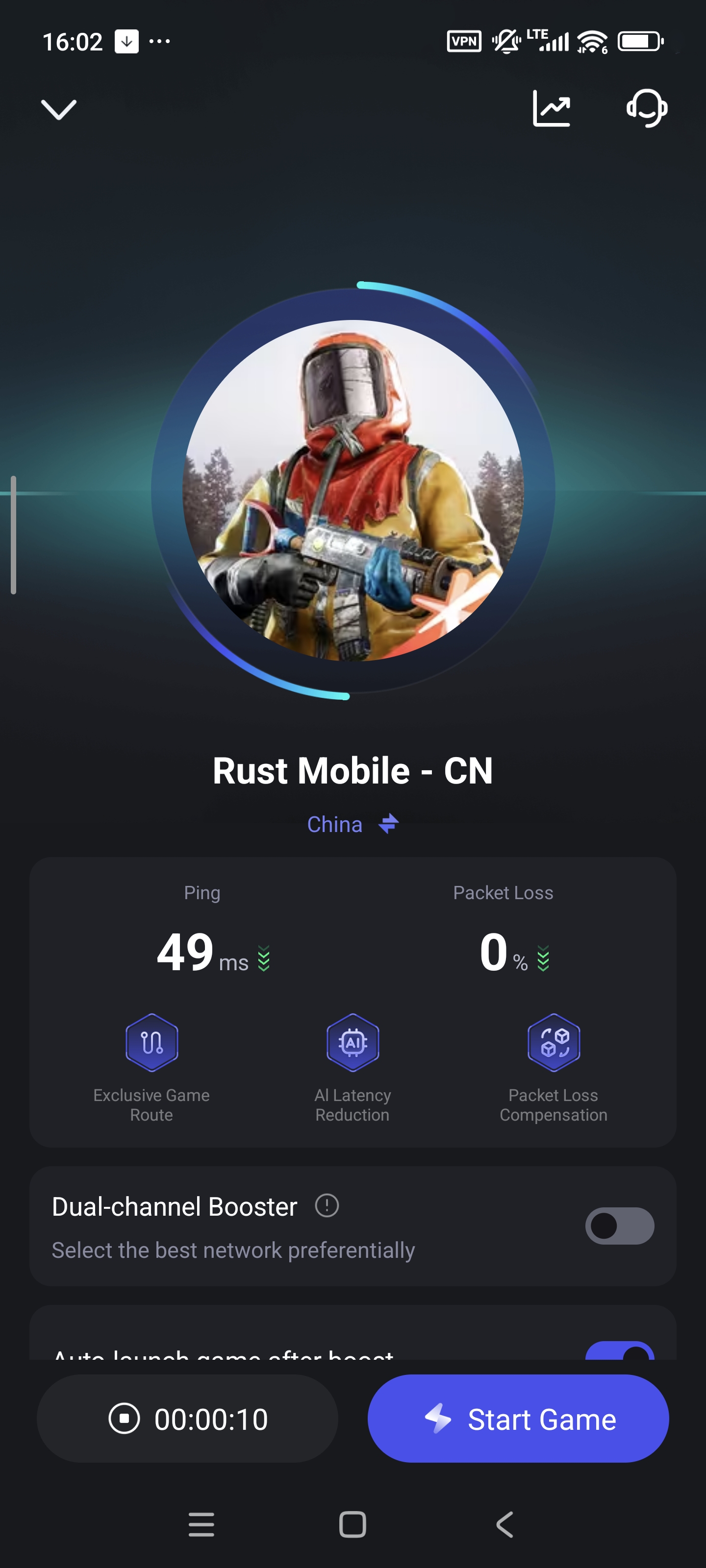
Start Playing
Once setup is complete, enter RUST CN Test through LagoFast and enjoy a faster, smoother, and more stable gaming experience!

