
Where Winds Meet is a popular Wuxia-style action RPG with immersive quests, martial arts combat, and rich storylines. But for many international players, language can be a barrier. While the game officially supports several languages, some players want to play in languages not fully supported yet—like Russian, Vietnamese, Thai, or Portuguese. Fortunately, there’s a solution. The latest update has also fixed the Russian and Thai font display issues in the Steam and PC client versions, ensuring clearer and properly rendered text for these languages.Using a translation overlay tool like LagoFast, you can play Where Winds Meet in your preferred language—even if the game doesn’t fully support it. In this guide, we’ll cover the officially supported languages, potential future additions, reasons some languages aren’t available yet, and how to play Where Winds Meet in Russian, Vietnamese, Thai, Portuguese, or other languages right now.

Part 1: Where Winds Meet Supported Languages
Part 2: Will There Be Russian, Vietnamese, Thai, or Portuguese?
Part 3: Why Some Languages Aren’t Fully Supported
Part 4: How to Play Where Winds Meet in Russian, Vietnamese, Thai, or Portuguese
Part 1: Where Winds Meet Supported Languages
The official language support for Where Winds Meet is:
|
Language |
Interface |
Full Audio |
Subtitles |
|---|---|---|---|
|
Simplified Chinese |
✔ |
✔ |
✔ |
|
English |
✔ |
✔ |
✔ |
|
Japanese |
✔ |
✔ |
|
|
Traditional Chinese |
✔ |
✔ |
✔ |
|
Korean |
✔ |
✔ |
|
|
French |
✔ |
✔ |
|
|
German |
✔ |
✔ |
|
|
Spanish – Latin America |
✔ |
✔ |
From this table, you can see that German and French are partially supported (interface and subtitles), while Russian, Vietnamese, Thai, and Portuguese are not officially supported for full audio or subtitles. This is where a tool like LagoFast becomes essential to play Where Winds Meet in Russian, Vietnamese, Thai, or Portuguese. Although Russian and Thai are still not fully supported, their font rendering issues have already been resolved in the latest Steam/PC client update.
Part 2: Will There Be Russian, Vietnamese, Thai, or Portuguese?
Players often ask: will the game add support for these languages? Developers usually expand language support after launch based on player demand. While German and French already have partial support, Russian, Vietnamese, Thai, and Portuguese currently don’t.
This means you may not be able to play Where Winds Meet in Russian or play Where Winds Meet in Vietnamese natively yet. The developers may include them in future updates, but for now, a translation overlay is the best solution.
Part 3: Why Some Languages Aren’t Fully Supported
Several reasons explain the lack of full support:
- Localization costs – Translating UI, quests, subtitles, and voiceover is resource-intensive. Developers prioritize major languages first.
- Beta and launch phase limitations – Only a subset of languages is included during initial release.
- Market focus – The game targets major player bases in Asia, English-speaking countries, and Japan/Korea first.
- Technical constraints – Some interface and audio elements are tightly integrated, making full localization more complex.
For players who want to play Where Winds Meet in Russian, Vietnamese, Thai, or Portuguese, using a translation overlay tool is the safest and fastest workaround.
Part 4: How to Play Where Winds Meet in Russian, Vietnamese, Thai, or Portuguese Right Now
The LagoFast Translation Tool, included in LagoFast Game Booster, is the easiest way to play Where Winds Meet in unsupported languages. And for players on both PC and mobile, LagoFast now offers a seamless translation experience across devices, allowing you to enjoy the game in your preferred language wherever you play.
It offers several key benefits:
- Installs the translated text directly into the game’s file directory.
- Replaces in-game text with the translated version for a smooth, natural experience.
- Safe and optimized: no viruses, no lag, and no impact on gameplay performance.
- Support Russian, Brazilian Portuguese, Thai, Turkish, Arabic, and Vietnamese.
Step-by-Step Guide to Play Where Winds Meet in Any Language:
Step 1: Download and Install LagoFast
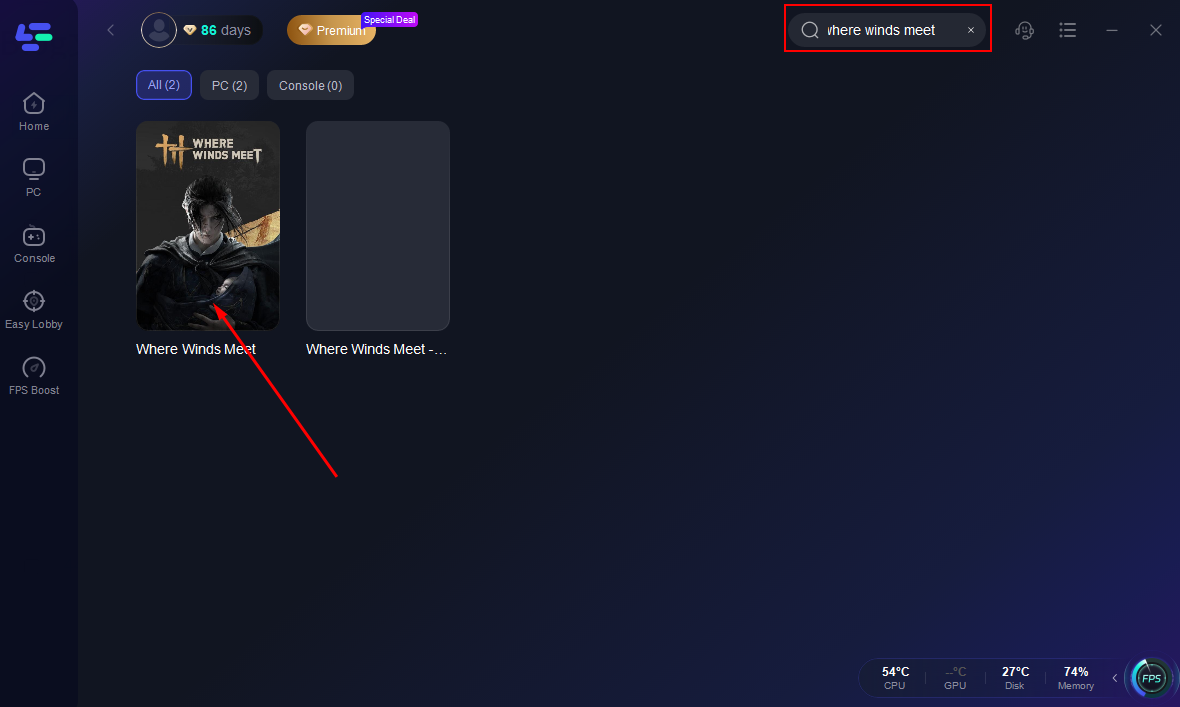
Step 2. Search Where Winds Meet and click the first result.
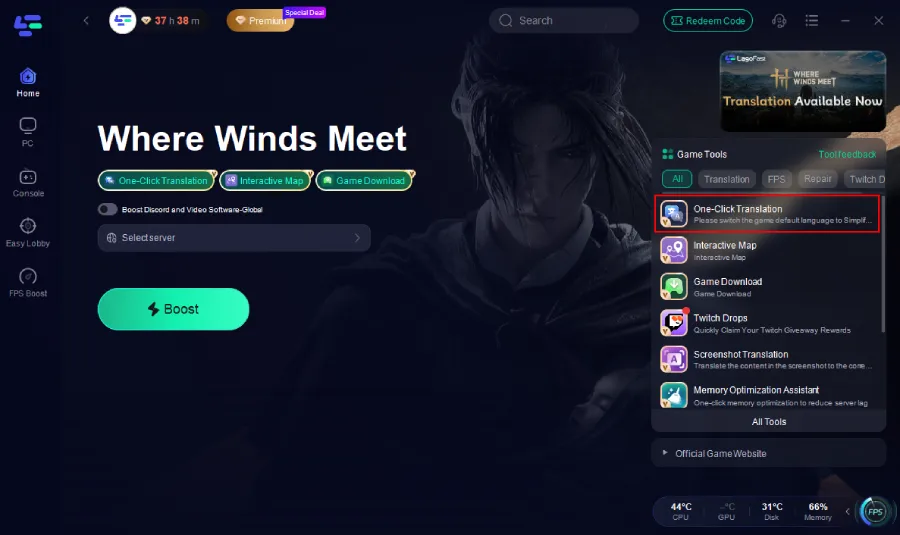
Step 3. Click the Translation tool at the bottom right corner.
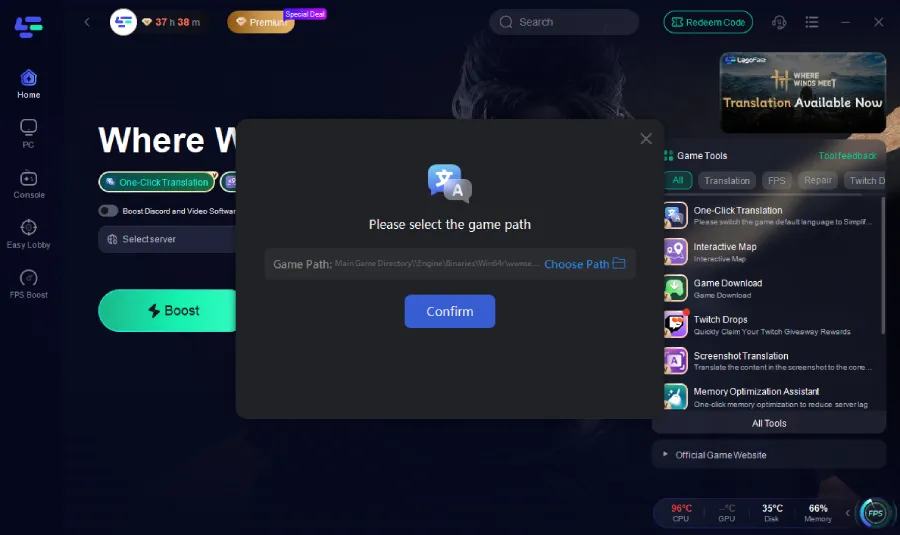
Step 4: Select the game file path and install the translated language text file.
Step 5. Choose the best server.
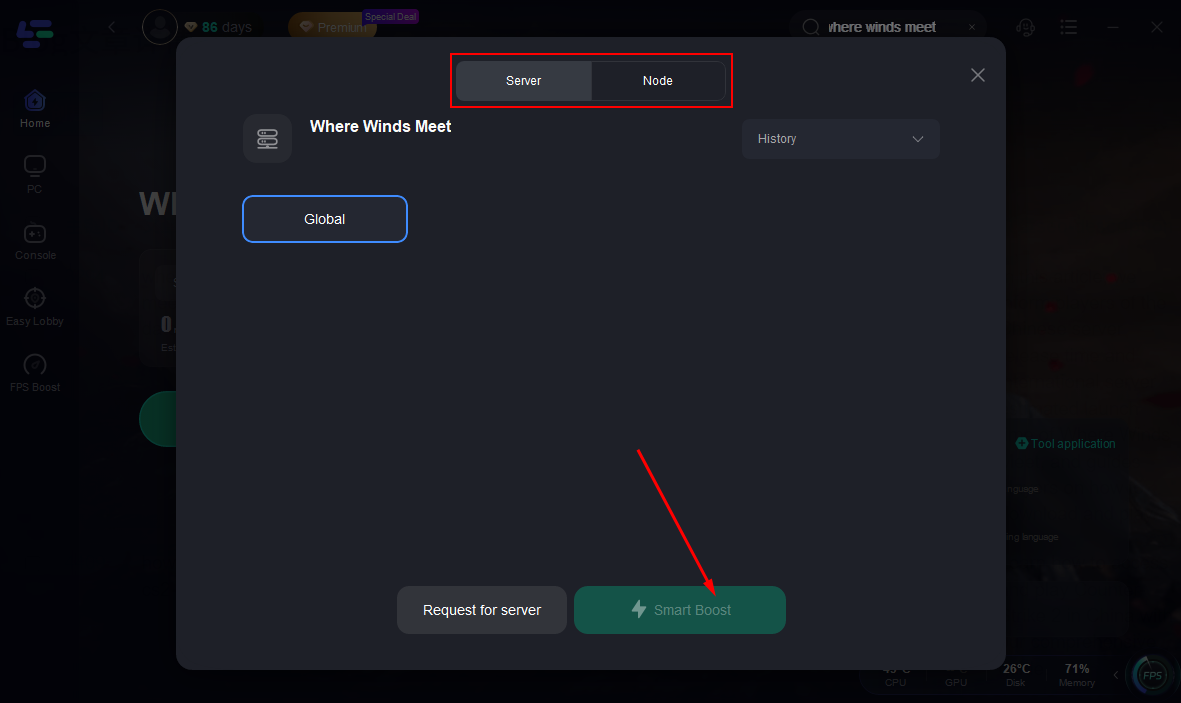
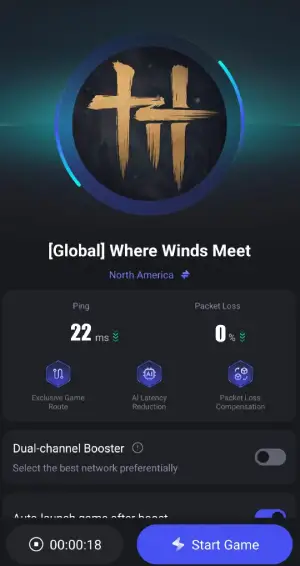
Step 6. Activate Smart Boost and you will see the ping rate and packet loss rate.
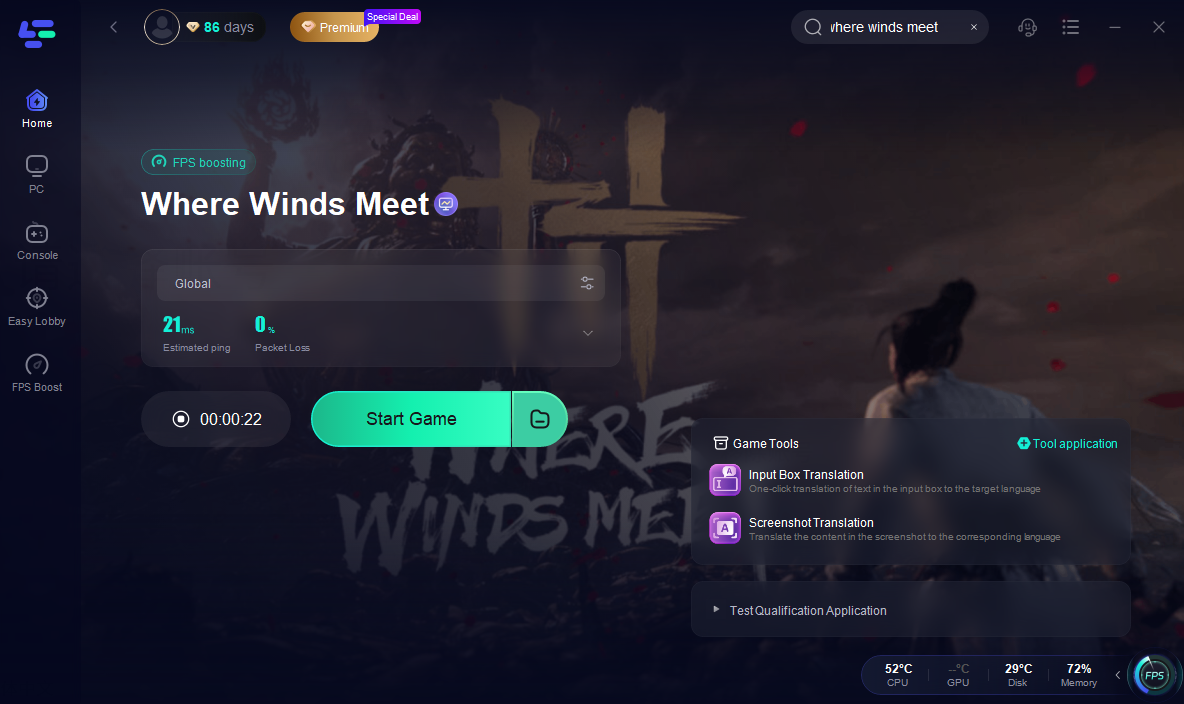
Translation Preview
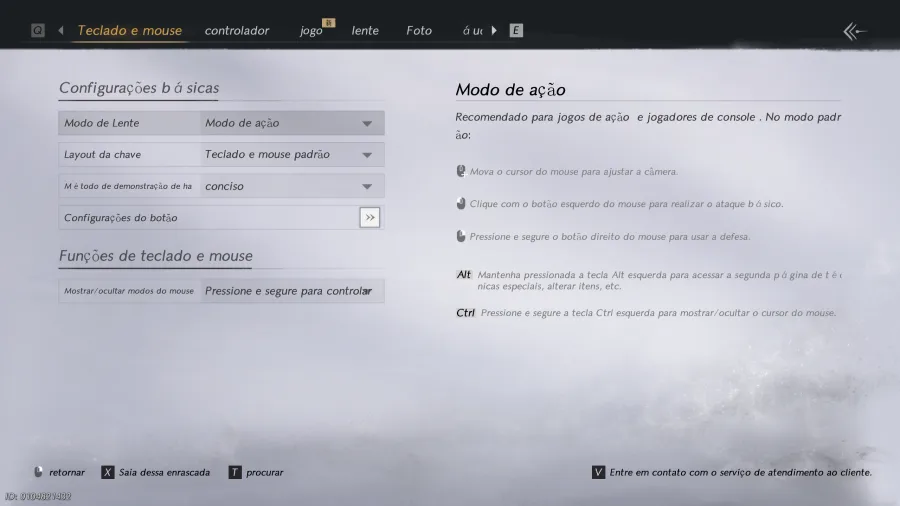
This translation tool now replaces the game’s English text files, so you need to switch the default language to English before using it.
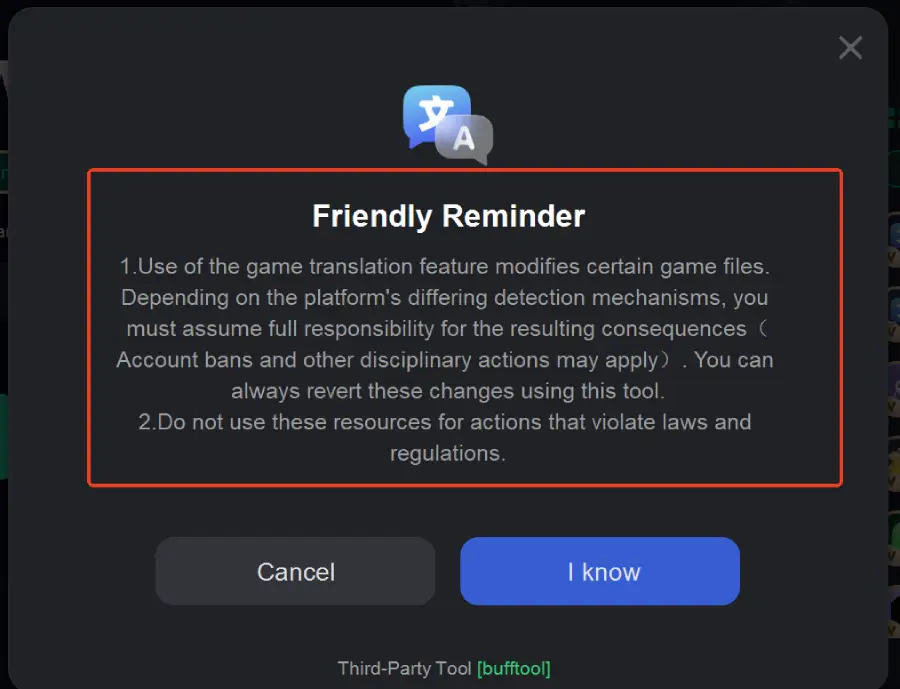
Note: Use of the translation tool modifies certain game files. Depending on the platform's detection mechanisms, you must assume full responsibility for any consequences, such as account bans or other disciplinary actions. You can always revert these changes using the tool. Also, do not use this tool for actions that violate laws or regulations.
LagoFast for Where Winds Meet Mobile
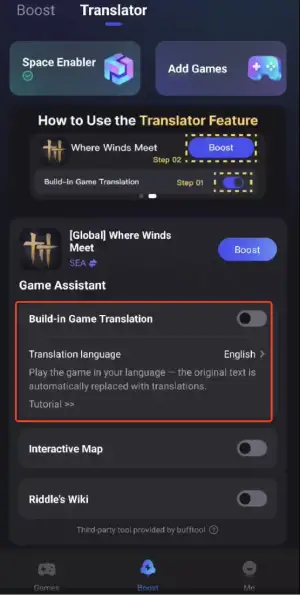
With the official release of Where Winds Meet Mobile, players may still encounter language barriers or network issues while progressing through quests, combat, and story content on mobile devices. To help address these challenges, LagoFast now offers a Build-in GameTranslation feature , allowing you to enjoy the game seamlessly in your preferred language.
Additionally, Screenshot translation is now supported outside the LagoFast space, providing a convenient alternative whenever you need quick, on-the-go translations.
How to Use the LagoFast Mobile:
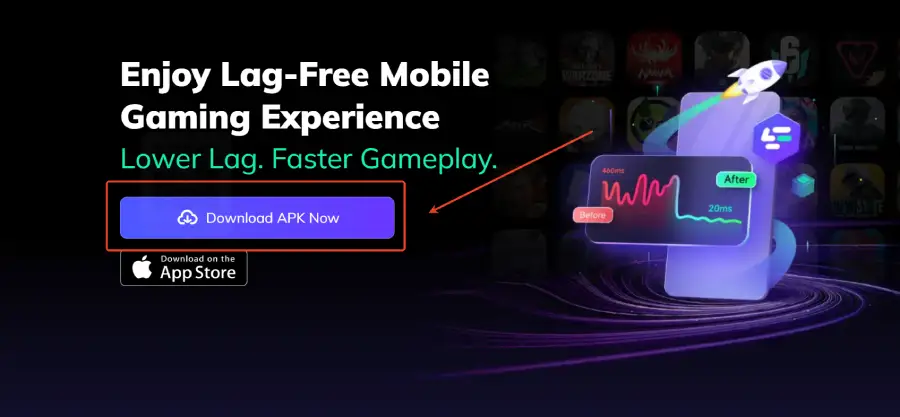
Step 1: Click download and install LagoFast Mobile.
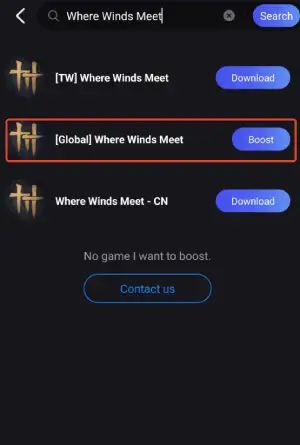
Step 2: Open LagoFast, then search for Where Winds Meet in LagoFast Mobile.
Step 3: Click the Build-in Game Translation Tool below.
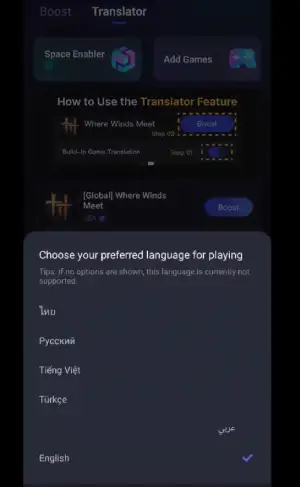
Step 4: Select your preferred language, and you can enjoy the game instantly.
Step 5: Click boost and select your corresponding server region to connect.
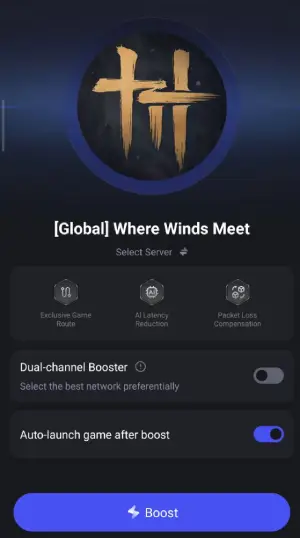
Step 6: Once optimized performance is confirmed, click "Start Game" to launch the game.
Note: Before entering the game, set your device’s system language to English. Otherwise, the game will display Chinese, and the translation feature will not work.
If you already entered the game with a non-English system language, you must reinstall the game inside the space for translation to work.
To switch back to the English version, change the translation language to English inside the space instead of turning off the translation tool.
Other Benefits of LagoFast
Besides real-time translation, LagoFast also makes Where Winds Meet run smoother and more stable:
- Lower Ping: Optimizes network routes to reduce latency and packet loss when connecting to China-based servers.
- Faster Loading: Speeds up map loading and minimizes lag during exploration or combat.
- Stable Connection: Prevents drops and disconnections in online battles and events.
- Better Performance: Manages PC resources smartly to avoid frame drops or stuttering.
With translation and performance boost combined, LagoFast ensures a smoother, more immersive Where Winds Meet experience for every player.
Conclusion
If you want to play Where Winds Meet in Russian, Vietnamese, Thai, or Portuguese, official support is limited. LagoFast provides a reliable solution, translating dialogues, menus, and subtitles in real time while optimizing your network. German and French players can enjoy partial native support, but LagoFast also improves convenience and understanding for them. Keep an eye on future updates for expanded language support, but with LagoFast, you can start exploring Where Winds Meet in your preferred language today.

Boost Your Game with LagoFast for Epic Speed
Play harder, faster. LagoFast game booster eliminates stutter and lags on PC, mobile, or Mac—win every match!
Quickly Reduce Game Lag and Ping!
Boost FPS for Smoother Gameplay!