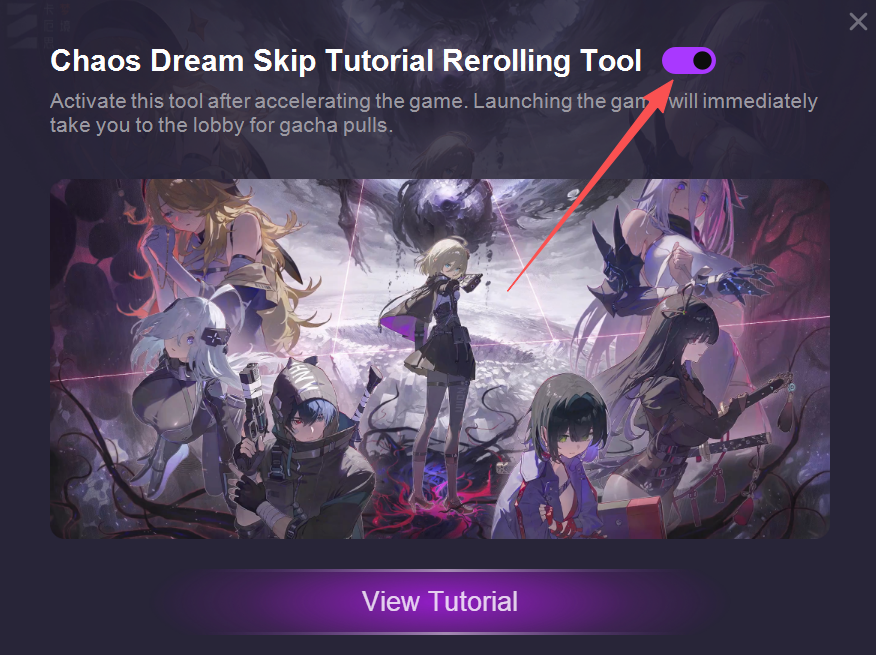
The Quick Reroll Tool helps you skip the long tutorial and jump straight to your first summon. You can instantly try your luck, and if you’re not satisfied with your pull, you can easily reset and start again — no waiting, no hassle!
Step 1. Launch the tool and enter the game
Start the Quick Reroll Tool, then open your game as usual. The tool will automatically skip the tutorial section so you can get to summoning faster.
Step 2. Claim your rewards from the in-game mailbox
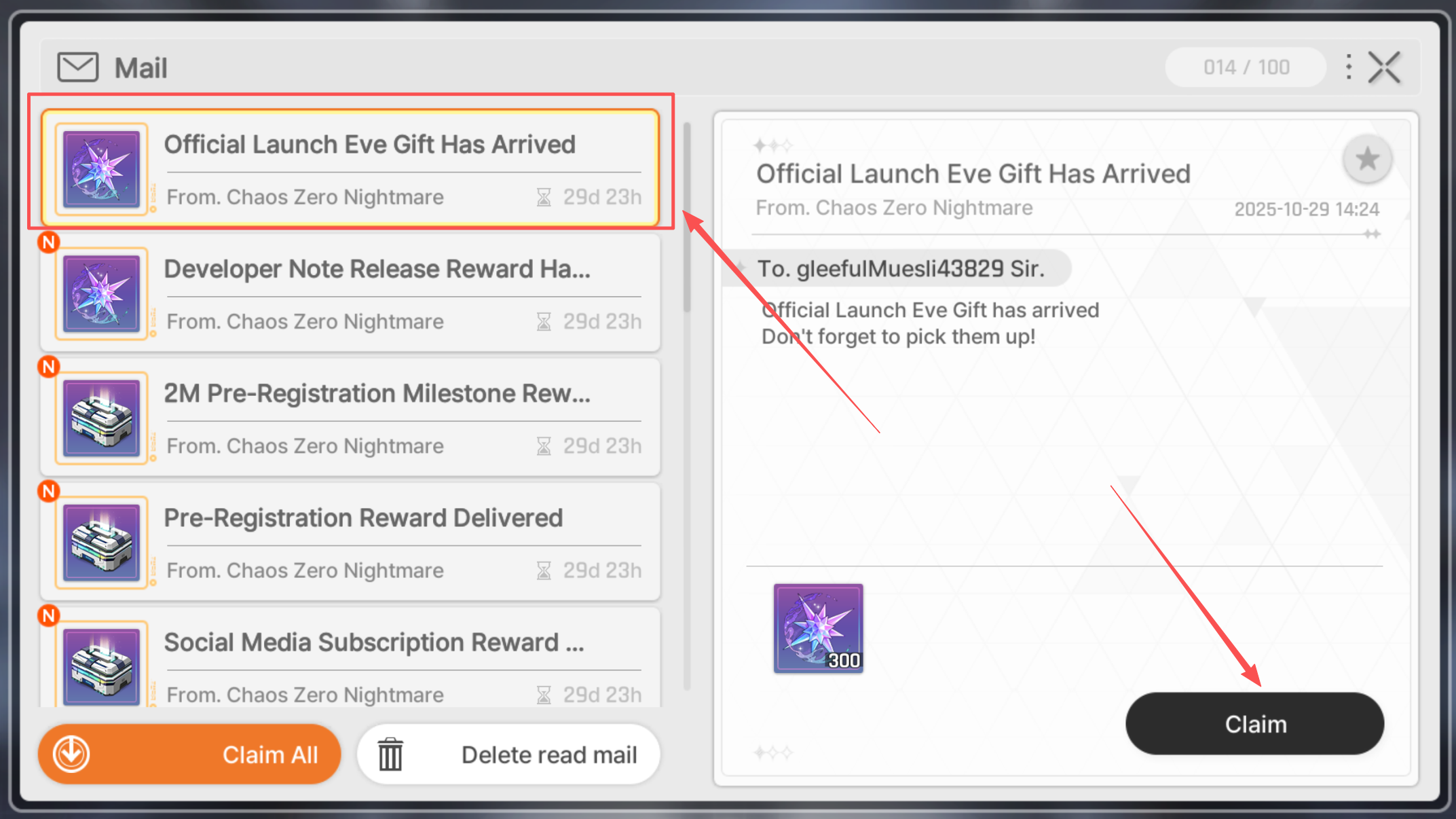
Once you've entered the game, open your mailbox and collect any available starter rewards or summon tickets.
Step 3. Perform your first summon in [Rescue]
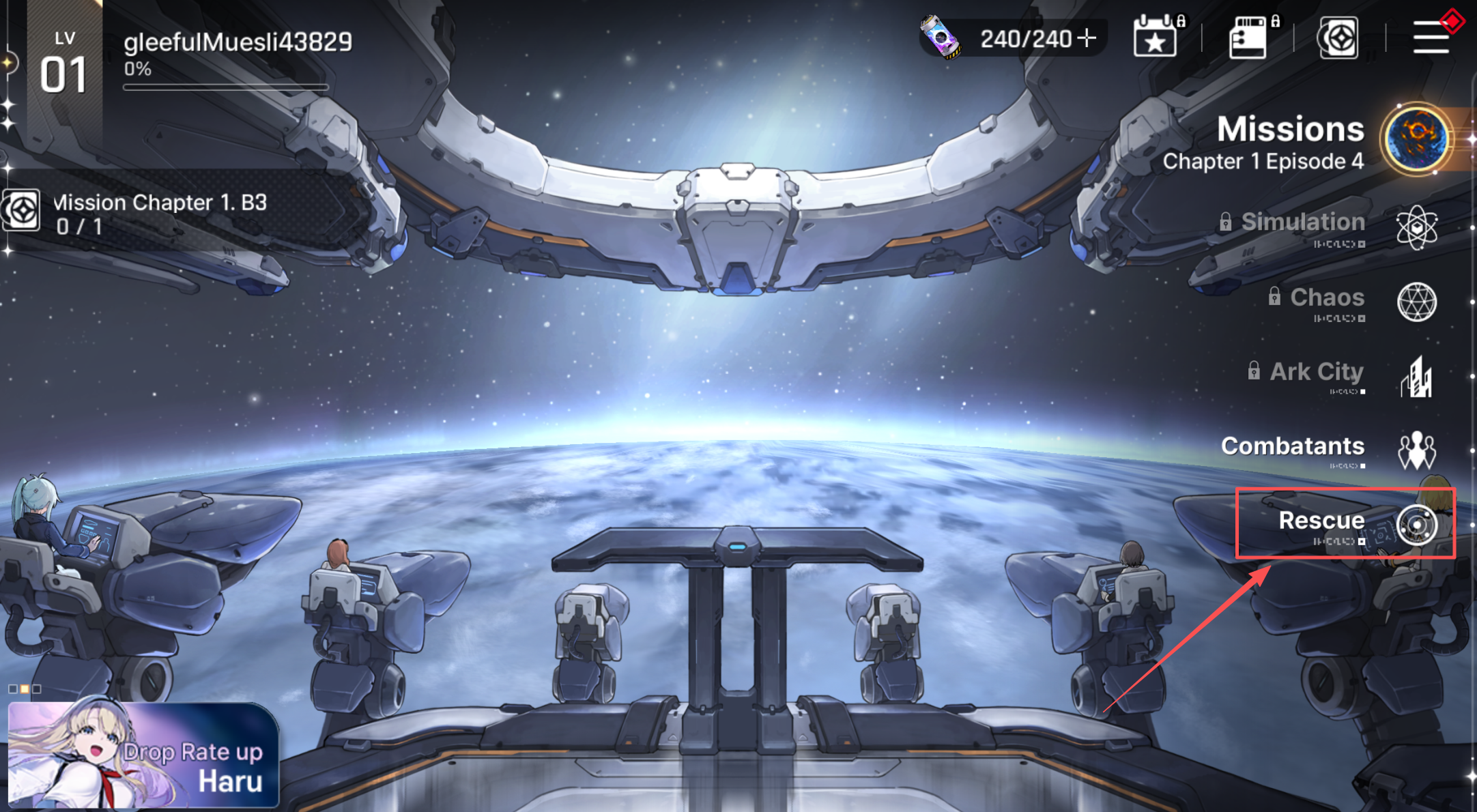
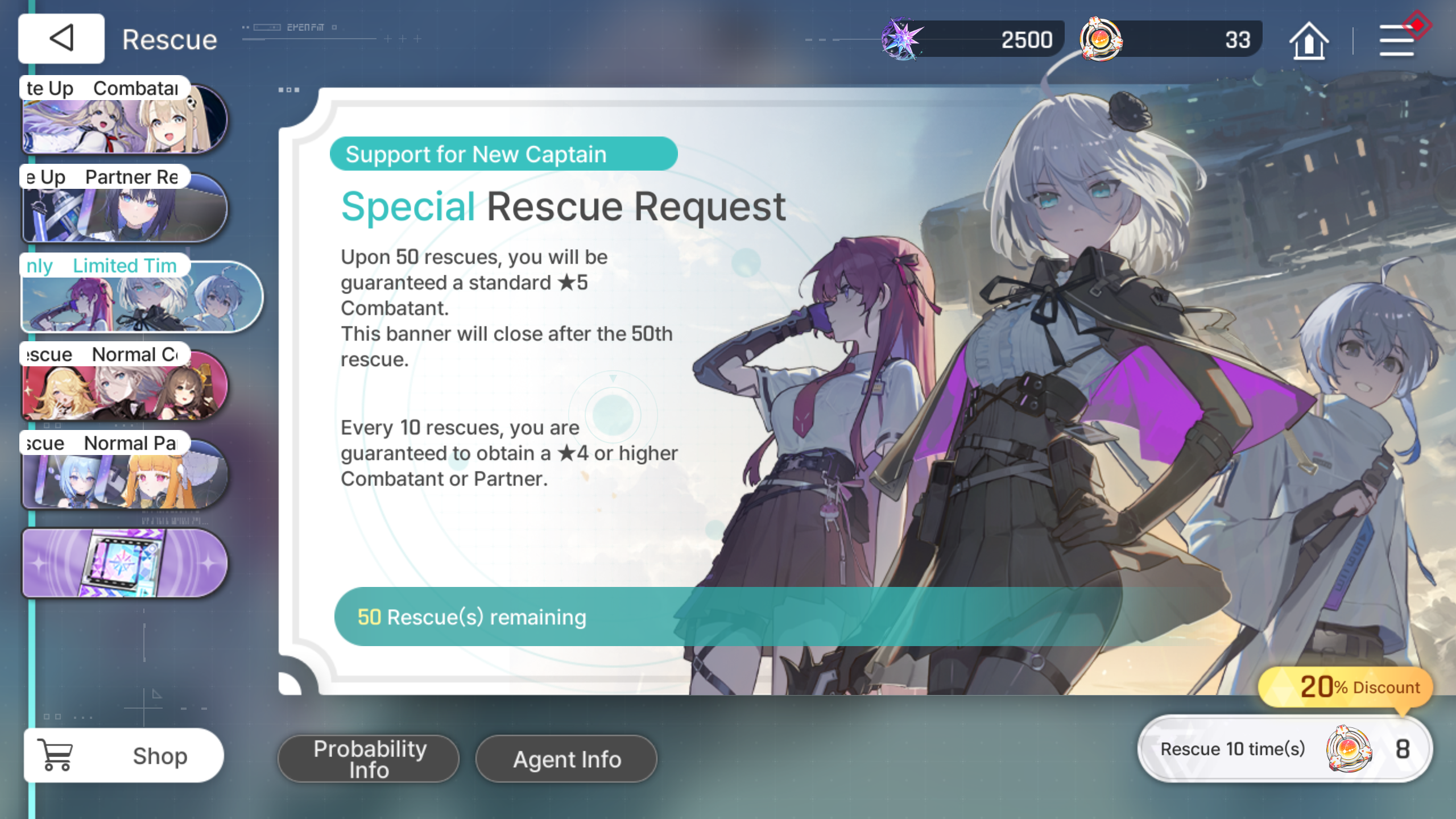
Go to the [Rescue] section in the game to perform your gacha pulls. Try your luck to get your favorite characters or items!
Step 4. Not satisfied with your result? Reset the server and reroll
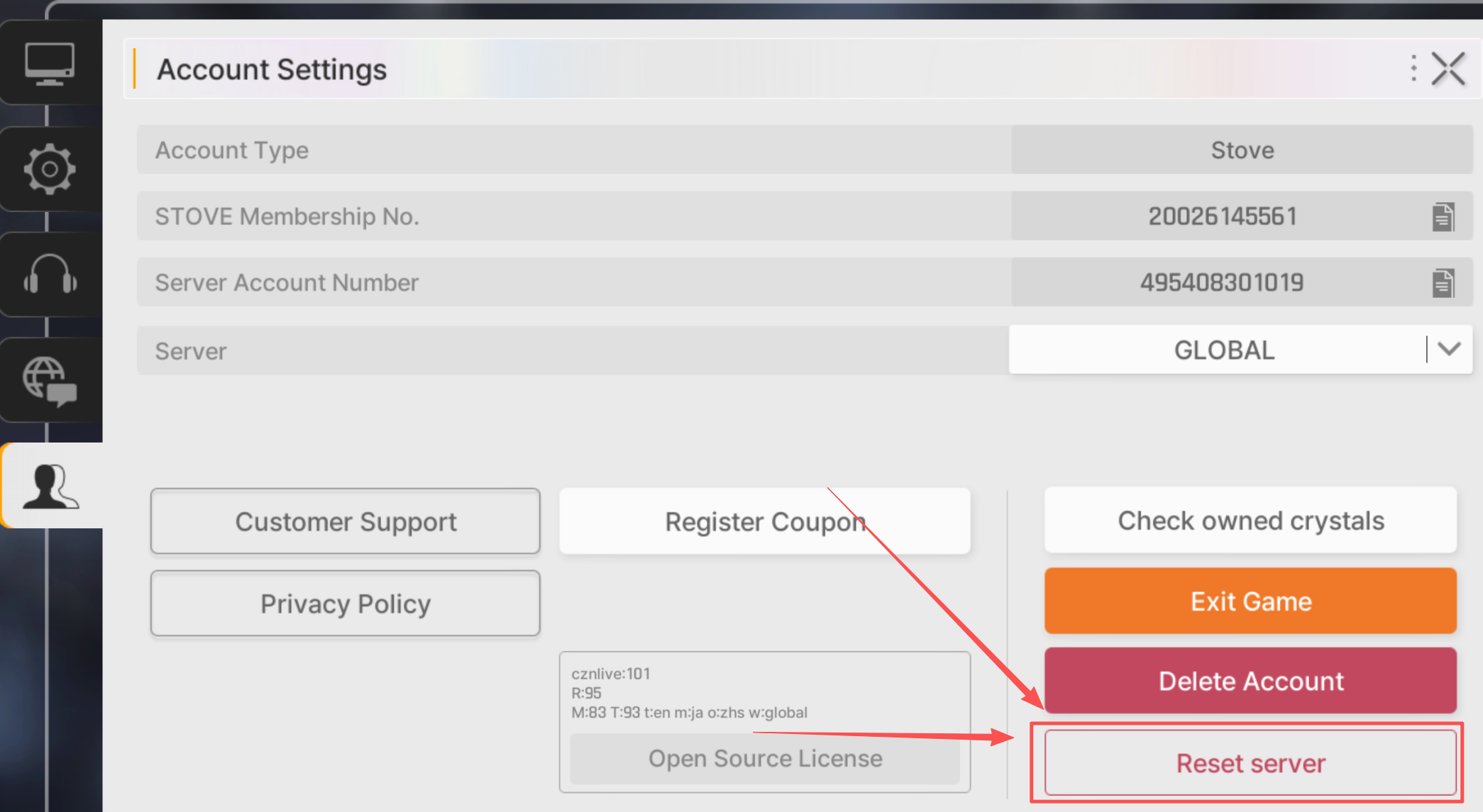
If you’re unhappy with your summon results, go to Settings → Reset Server, then close the game and relaunch it.
When prompted, enter your account name and confirm to complete the server reset.
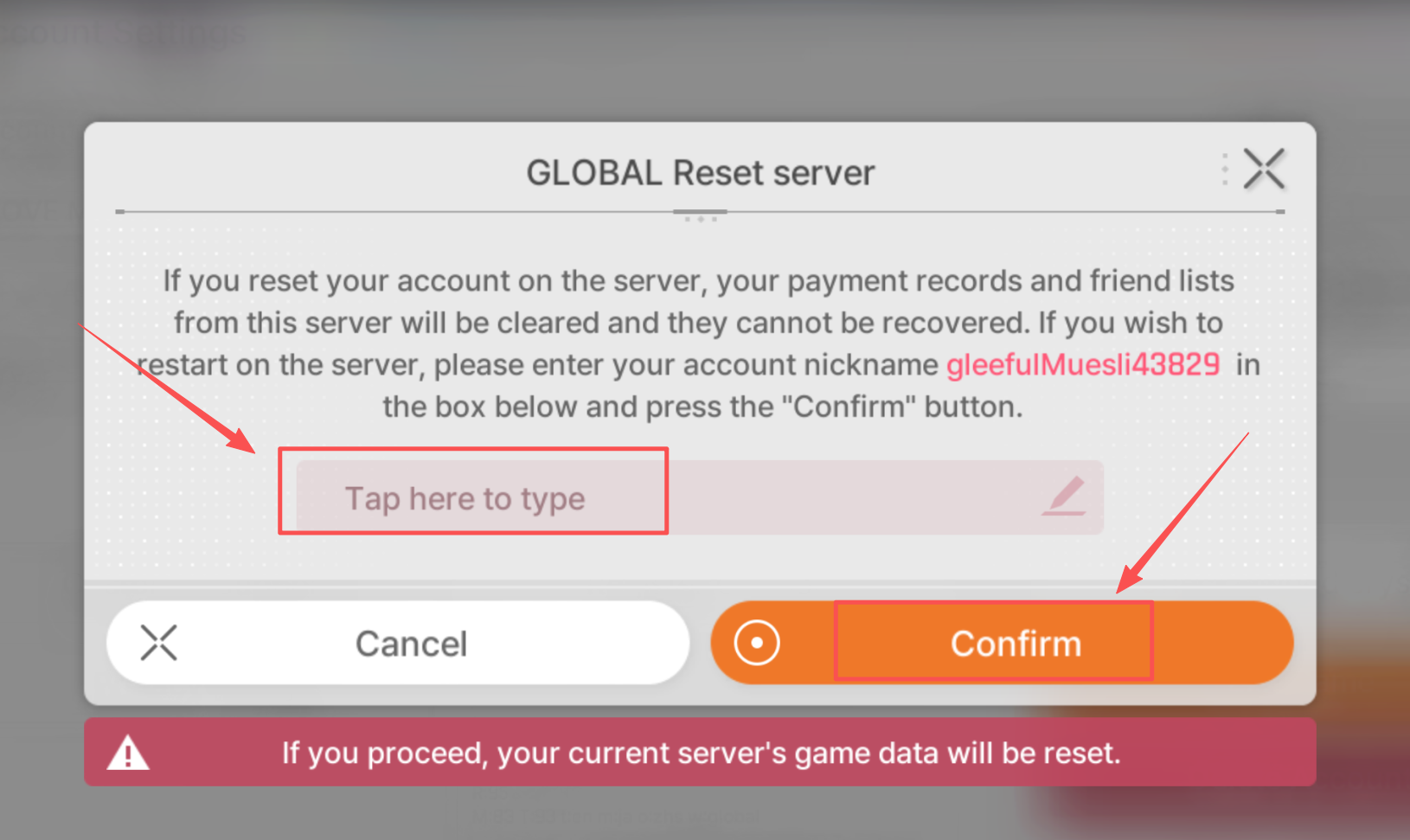
You can now reroll again using a new guest account.

