Odin JP Server Translation Tool Guide
04/14/2025
Step 1: Open the Translation Tool in LagoFast
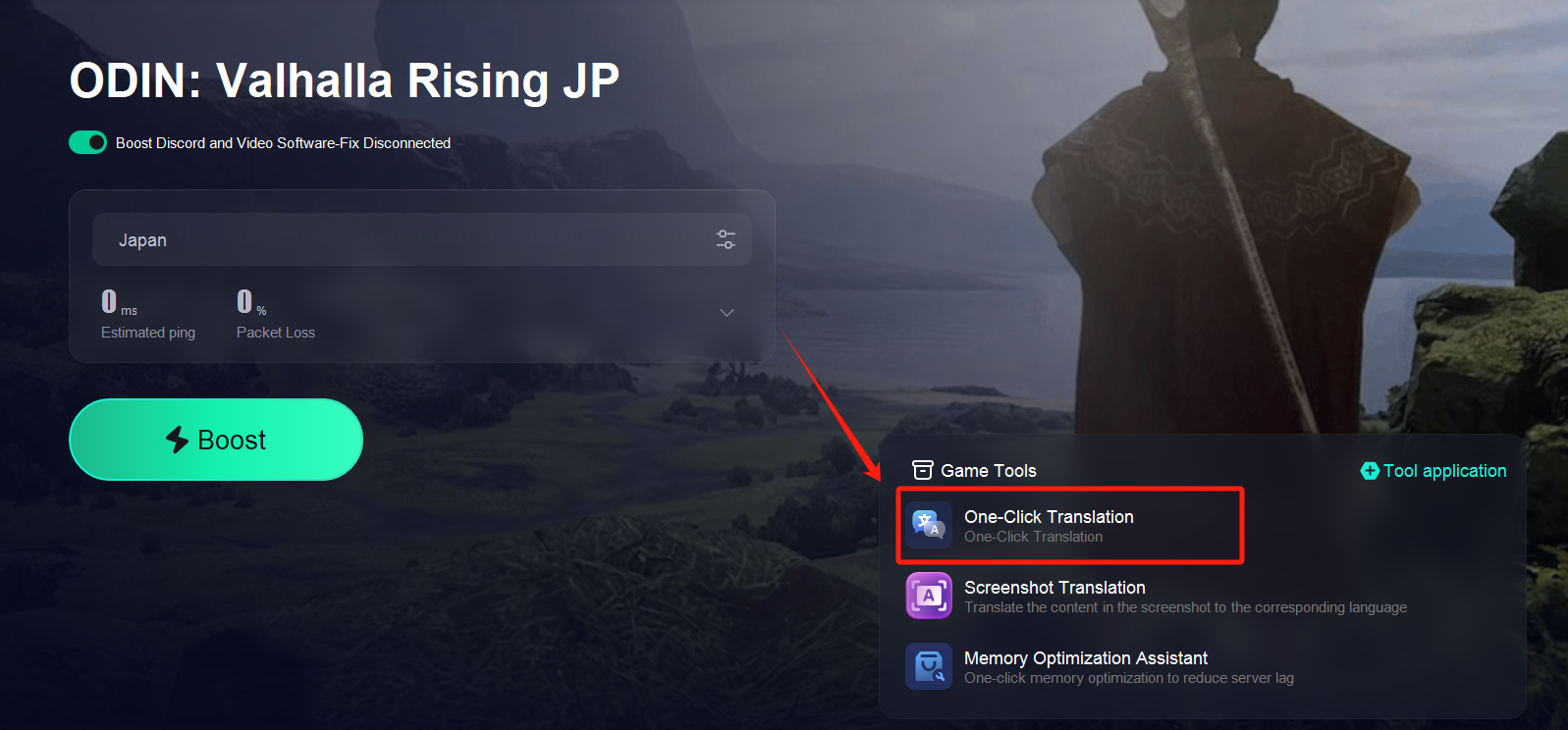
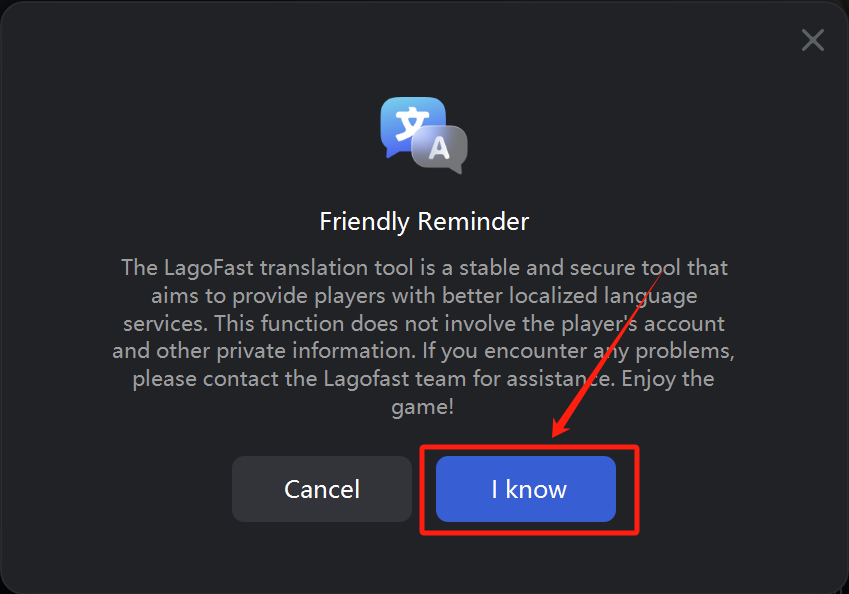
Launch the LagoFast client and click on the Translation Tool from the toolbar.
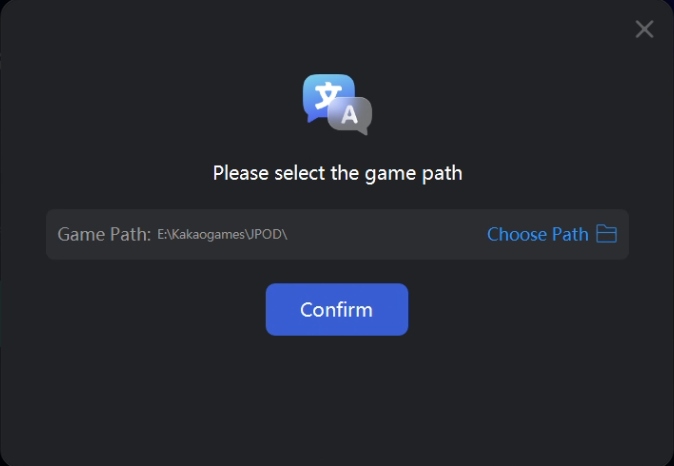
Step 2: Configure Game Path
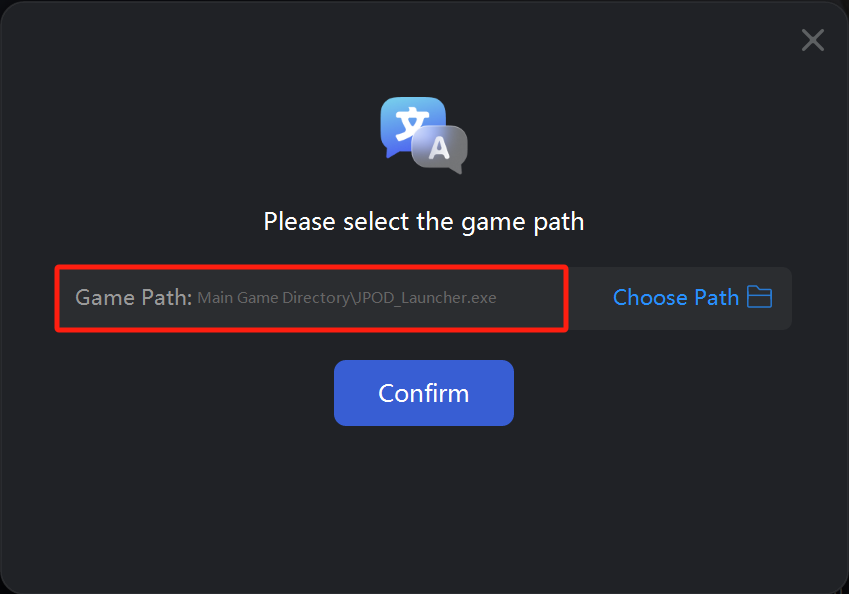
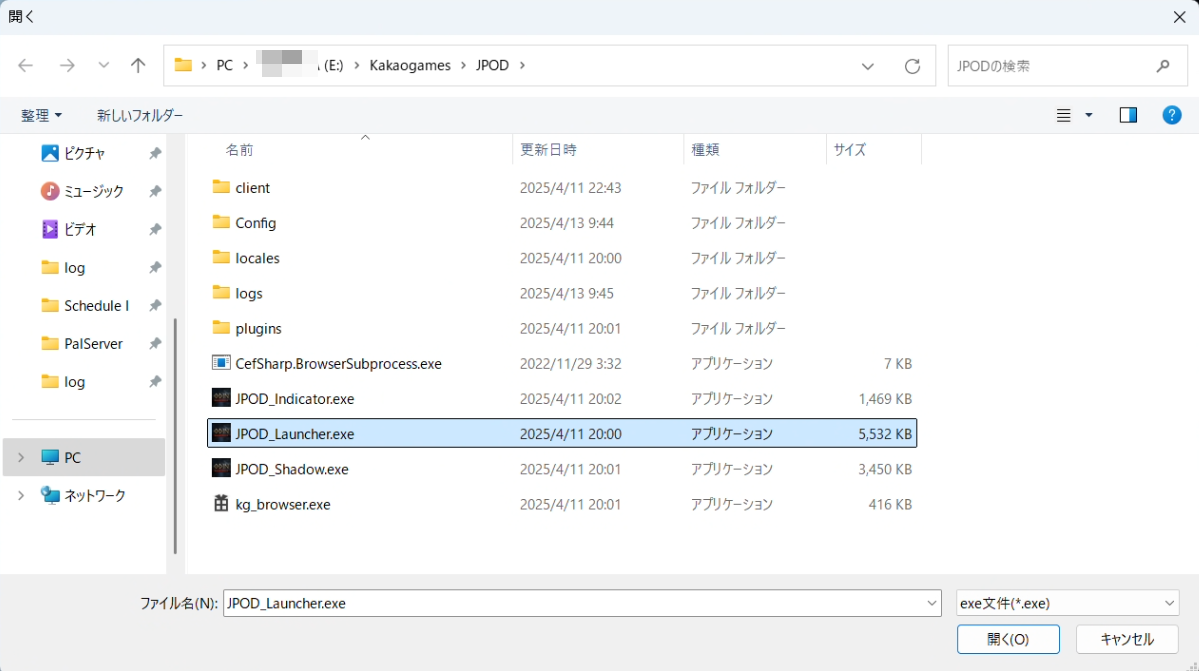
Follow the prompts to locate and select the game installation folder for Odin JP Server.
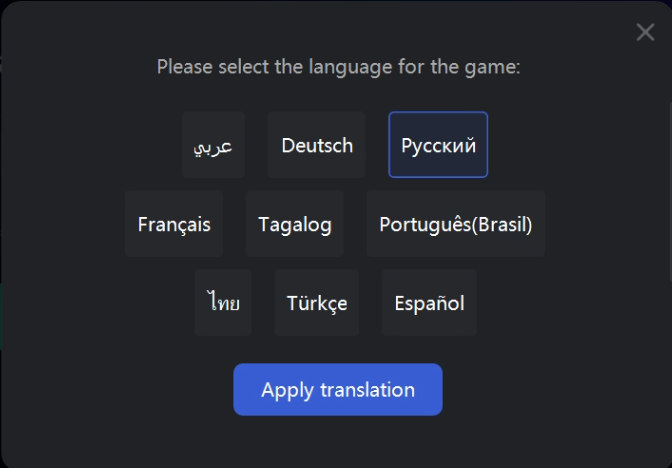
Step 3: Select Your Target Language
Choose the language you want the game text to be translated into.
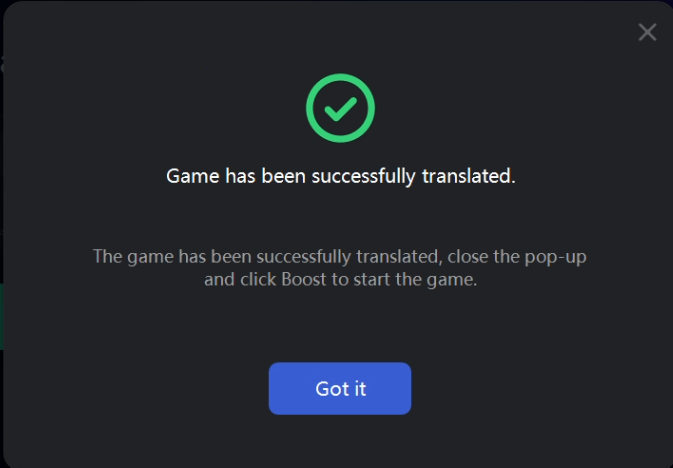
Step 4: Translation Complete
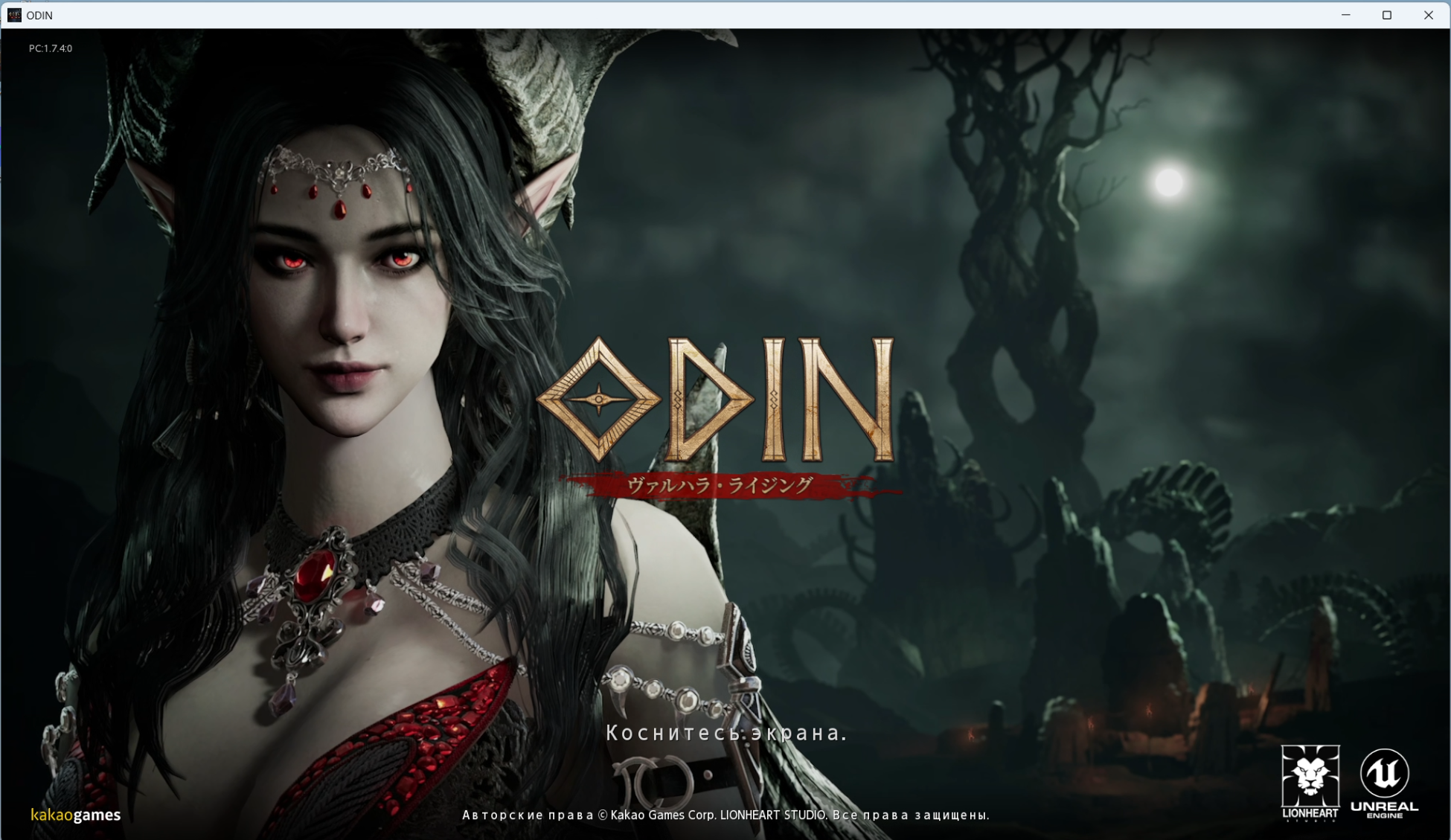
Once the tool shows “Translation Successful”, you’re good to go! Launch the game and enjoy it in your chosen language.
這有幫助嗎?

Yes

No
找不到您想要的答案嗎?
聯絡我們